
.png)

Newsletter Signup
The best in CX and ecommerce, right to your inbox
Featured articles
Ticket Volume: How to Measure It, Benchmark It, and Reduce It
Gorgias AI Agent Pricing, Explained
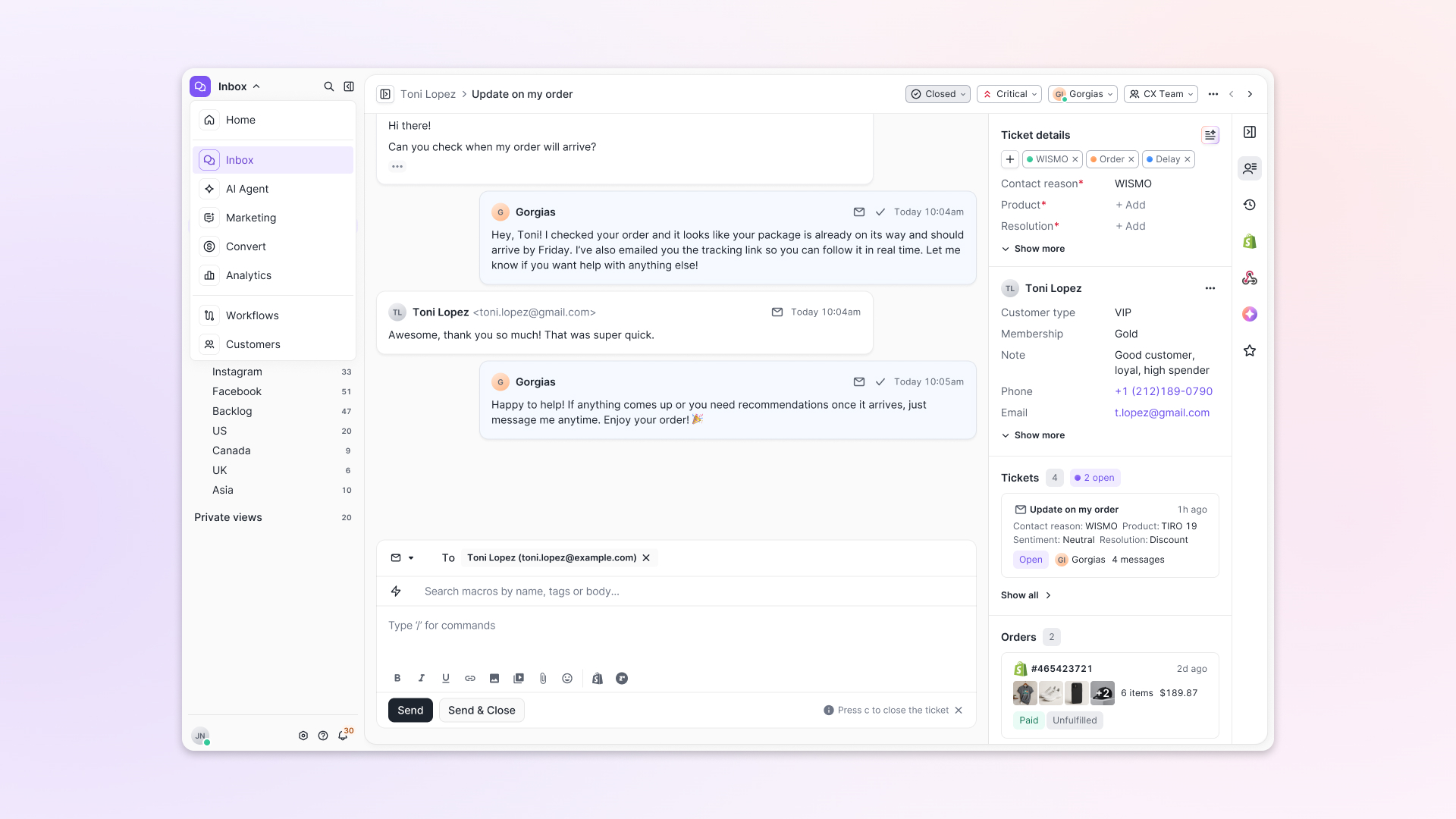
Introducing Helpdesk 2.0: Built for How Agents Work
TL;DR:
- Built directly from agent feedback, Helpdesk 2.0 fixes real workflow pain points. The redesign focuses on reducing friction and helping agents handle more context-heavy tickets.
- A chat-style interface replaces the old email layout. Conversations are easier to follow and resolve in one view.
- Customer context is shown beside the conversation in a right-side panel. Agents can view history, orders, and details without leaving the ticket.
- AI handoffs come with clear summaries. Agents instantly see what happened, what was tried, and what to do next.
- Navigation is simpler and faster across teams. Clean menus, structured queues, and multi-store access keep agents moving efficiently.
Helpdesk 2.0 starts with the people who use it most: the agents.
We spent time understanding customer support from the agent's seat. What do they reach for constantly? What slows them down? What does a better workday look like?
Everything we found is in this brand-new update.
Why we redesigned Helpdesk
Conversational commerce is the new standard.
In customer support, this means customers expect context to remain intact wherever they reach out, whether a conversation starts on social, moves to email, or ends on a call.
This new approach to support has also changed the agent's role. Recurring tickets, like order status checks, shipping updates, and returns, are now handled by AI. What lands in the agent inbox are edge cases that require human judgment and troubleshooting, or tickets that require the full picture.
However, the original Helpdesk was built for a different era of support.
Context was separated across views rather than built into the conversation itself. It's something one in five Gorgias customers flagged, through support tickets, NPS surveys, and conversations with our team. So, we got to work.
Helpdesk 2.0 is the result.
What's new in Helpdesk 2.0
Here's a look at everything that changed.
Read conversations the way they're meant to be read
Conversations have a natural rhythm, one that’s already found in every messaging tool we use. We brought that same layout into the helpdesk.
Say goodbye to the 2000s email interface and hello to chat bubbles. This updated design changes how quickly you can orient yourself and resolve the ticket in one go.
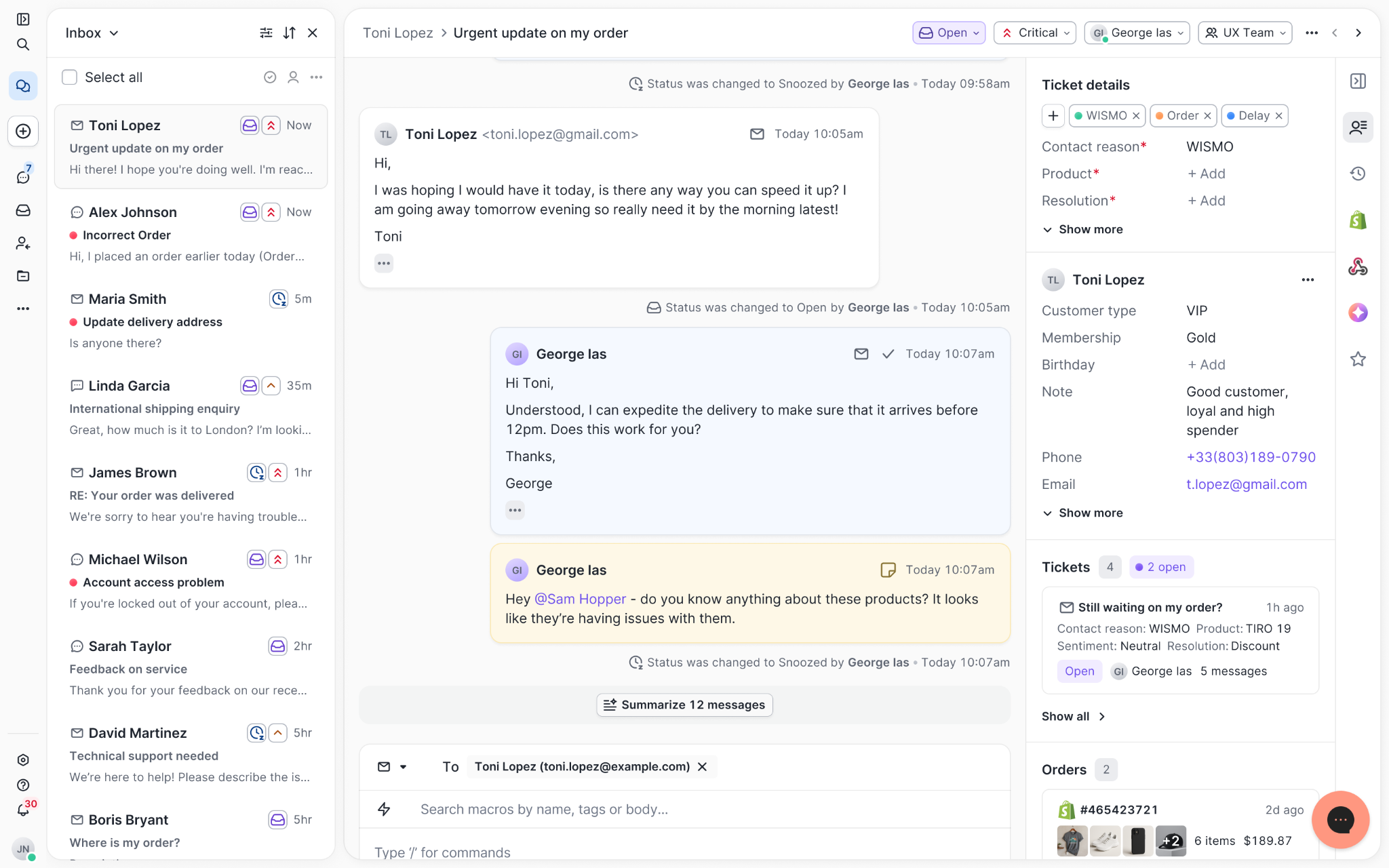
Chats with customers now look like real conversations, using the speech bubble style you’re familiar with on popular messaging apps.
Check customer history without losing your place
Checking a customer's history used to mean leaving the conversation, an extra step that interrupted what should have been a smooth workflow.
Now, past conversations open in a sidebar next to the active conversation. You can view a customer’s full history, search through their timeline, and open prior tickets without going to a new page.

Check past conversations, orders, and customer details in the brand-new Customer Timeline.
See order details the moment you open a ticket
Order information is easier to reference than ever. Open a ticket, and you instantly see the customer's recent orders, marked with product images and invoice details at a glance. Need to dig deeper? Click on an order, and the expanded information appears in the same panel.
For teams using custom integrations, apps are fixed in a quick-access integration menu on the right.
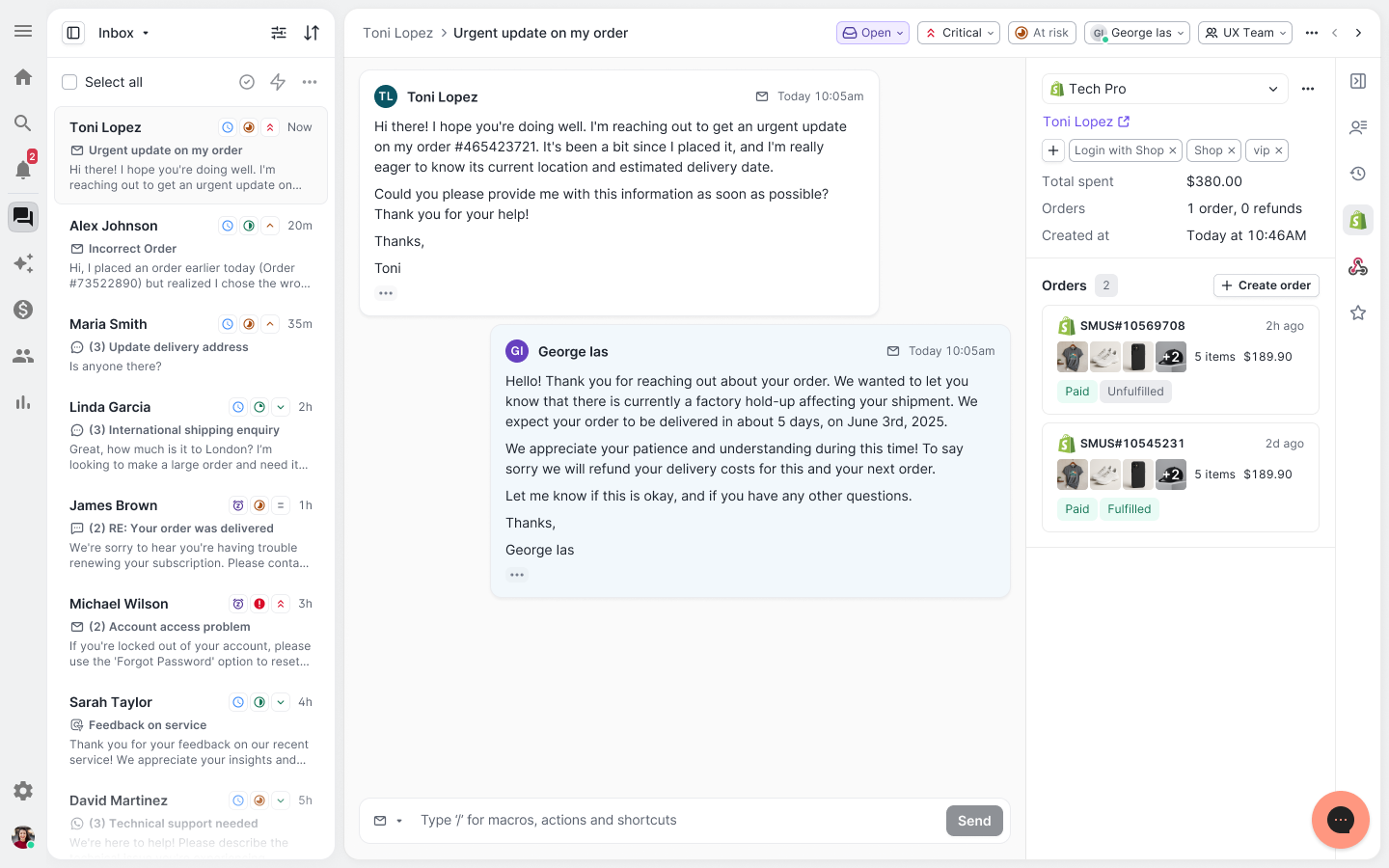
See order details, product images, and totals at a glance on the right panel, without leaving the conversation.
Pick up where AI left off
You shouldn't have to dig through a thread to figure out what AI already tried. Now you don't have to.
When AI Agent escalates a conversation, it includes a concise handover summary that mentions the issue, what actions were taken, and why it was passed to your team.
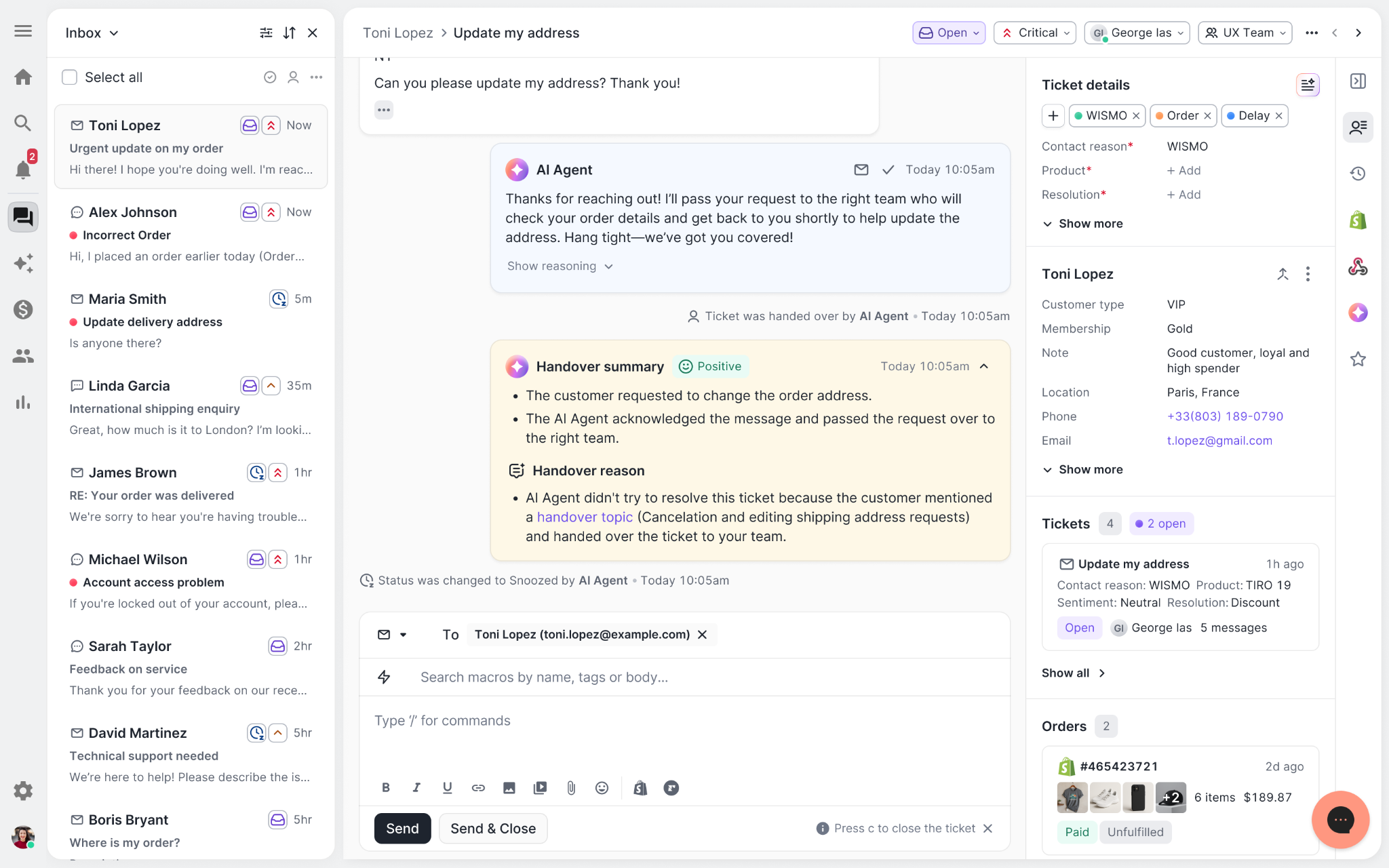
Escalated tickets include a brief AI-generated handover summary, marked in yellow, for quick reference.
Move faster across every store and team
We restructured and simplified the navigation. The left sidebar organizes everything into clear categories: Inbox, AI Agent, Marketing, and Analytics, so anyone on your team knows exactly where to go.
To quickly update your knowledge base or adjust a workflow, both now live right in the sidebar. For teams managing multiple stores, switching between them is just as straightforward, accessible from the sidebar, so agents can move between inboxes without breaking their flow.
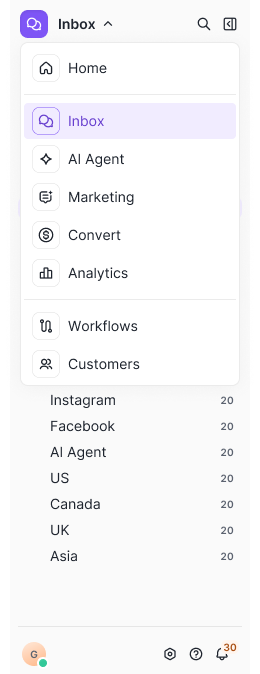
Agents can switch between stores and their corresponding inboxes directly from the left menu.
A workspace that works the way agents do
Support comes down to the person on the other end of the conversation. We built Helpdesk 2.0 is to make sure they have everything they need to show up for that moment.
The best way to see the difference is to work in it. Start a free trial today.


Further reading

Why Faster Isn’t Always Better: The Pitfalls of Fast-Only Customer Support
TL;DR:
- Fast ≠ good. Chasing faster replies without accuracy or empathy leads to frustrated customers, burned-out agents, and declining CSAT.
- Speed-only AI backfires. Quick but wrong responses damage trust and increase ticket volume.
- Train your AI like a new hire. The best results come when AI learns your tone, workflows, and policies—not when it’s treated as plug-and-play.
- Balance speed with quality. Brands like Boody, Cocorico, and TUSHY show that when AI is trained thoughtfully, teams can scale automation and keep the human touch.
- Adopt an accuracy-first mindset. The future of CX belongs to brands that prioritize reliability, empathy, and consistency over being the fastest.
Speed gets all the glory in customer support. The faster the reply, the happier the customer. That’s not always true. When CX teams chase response times at the expense of accuracy or empathy, they often end up with the opposite effect. Frustrated customers, burned-out agents, and slipping CSAT are common when speed is the only priority.
As more teams adopt AI tools that promise instant results, the risk grows. Quick responses mean nothing if they’re wrong or robotic.
In this post, we’ll unpack why “fast” doesn’t always mean “good” and how an accuracy-first approach to AI leads to better support, and stronger customer relationships in the long run.
{{lead-magnet-1}}
The speed trap: why CX teams fall for it
Response time has become the go-to measure of “good” support. Dashboards light up green when messages are answered in seconds, and teams celebrate shaved-down handle times.
But focusing on speed alone can create a dangerous blind spot.
When “fast” becomes the only KPI that matters, CX leaders make speed-at-all-costs decisions. They may roll out untrained AI tools, overuse canned replies, or push agents to close tickets before solving real problems.
On paper, the metrics look great. In reality, customer sentiment quietly drops.
It’s no surprise that 86% of consumers say empathy and human connection matter more than a quick response when it comes to excellent customer experience.
Fast support might satisfy your dashboard, but thoughtful, accurate service is what satisfies your customers.
Pitfall #1: Maximizing speed and sacrificing quality
A chatbot replies instantly, but gives the wrong answer. The customer follows up again, frustrated. Now your ticket volume has doubled, your agents are backlogged, and the customer’s confidence in your brand has dropped.
That’s the hidden cost of speed-first support. When teams prioritize quick replies over correct ones, CSAT falls, costs rise, and trust erodes. Customers remember the experience, not the timestamp.
They want to feel understood and confident that their issue is solved. A fast reply that misses the mark doesn’t deliver reassurance, empathy, or clear next steps. It’s not speed they value. It’s resolution, accuracy, and a sense that someone genuinely cared enough to get it right.
Bad AI answers sting more than slow ones because they feel careless. Especially when they repeat the same mistakes. Accuracy builds credibility; speed without it breaks it.
How Boody delivers high-quality replies while maintaining speed
Boody, for example, found the balance. With AI trained on their tone of voice and workflows, they reduced response times from hours to seconds while maintaining a high CSAT score and freeing agents for meaningful work.
The bamboo apparel brand uses Gorgias AI Agent to reassure the customer that someone is on the way to help, especially for urgent situations. It’s been instrumental in collecting preliminary information for more nuanced situations, like photos and product numbers for warranty claims.
As Boody’s CX Manager, Myriam Ferraty, explained the key is using AI to provide instant low-effort answers when customers need a prompt response.
“If a customer reaches out about product feedback or issues, AI Agent prompts the customer to give us all the information we need. When an agent gets to the ticket, they can jump into solution mode right away.” —Myriam Ferraty, CX Manager at Boody
Boody found a way to avoid the “fast but frustrating” trap by pairing speed with quality, and the numbers prove it:
- 99.88% faster first-response times: Boody’s AI Agent reduced average response times from 7 hours to just 31 seconds.
- 9+ hours shorter resolution times: Within one month of implementation, resolution times dropped significantly while accuracy stayed high.
- 26% of all interactions handled by AI: Their AI agent took on repetitive queries, freeing human agents for higher-value conversations.
- 10% revenue lift from support: With agents focused on community engagement and brand experience, customer interactions began driving measurable revenue.
These results show what happen when CX teams train AI thoughtfully, it can becomes a trusted extension of the support team, instead of only increasing speed booster.
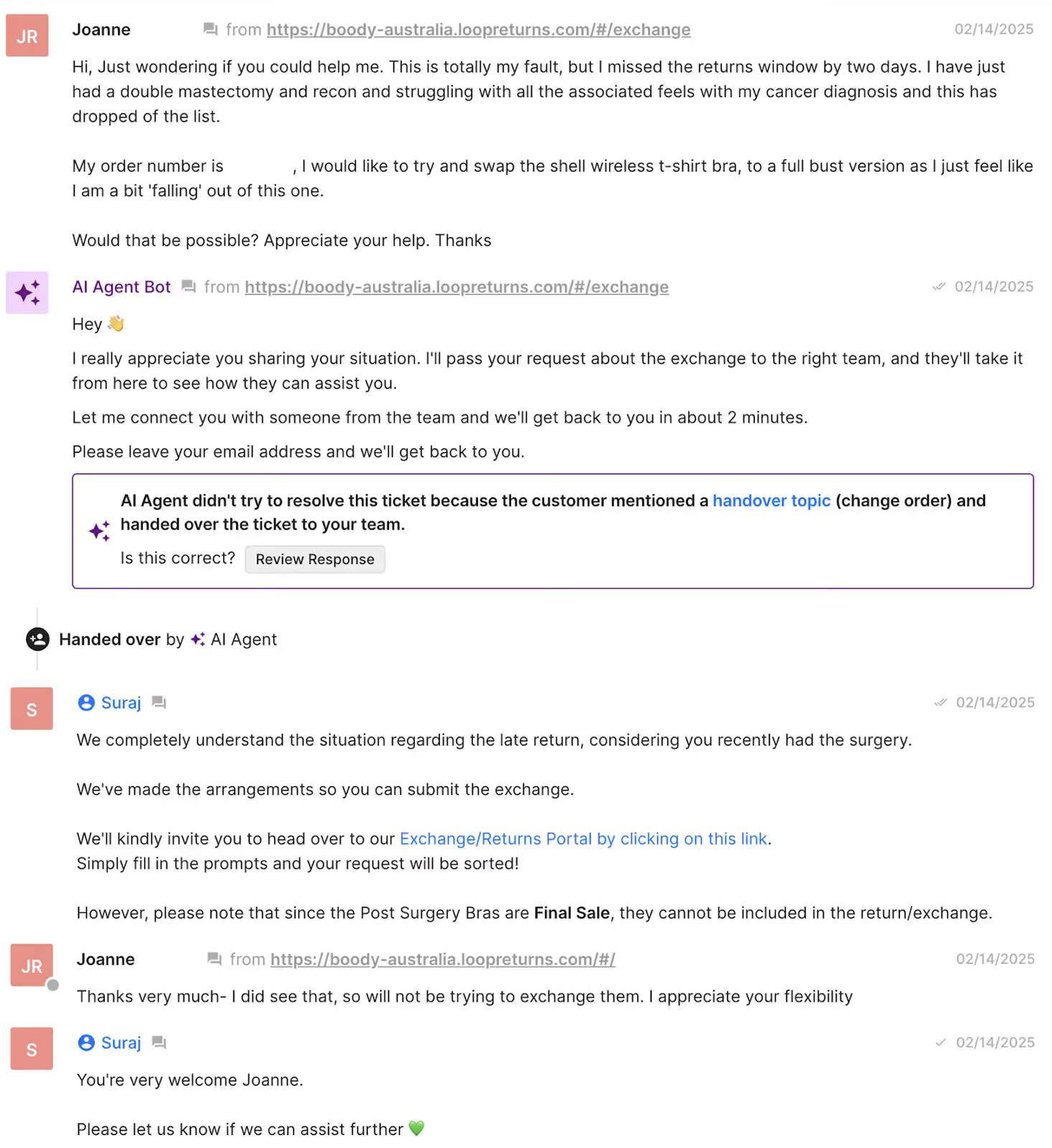
Takeaway: Fast and good is possible, but only when your AI is trained, guided, and measured for precision, not just speed.
Read more: How CX leaders are actually using AI: 6 must-know lessons
Pitfall #2: Treating AI as plug-and-play
Many CX teams expect AI to “just work” out of the box. They install a shiny new tool, flip the switch, and hope it starts solving tickets overnight. But AI isn’t a magic button. It’s a new team member. And like any new hire, it needs training, context, and feedback to perform well.
Untrained AI can quickly go off-script. It might give inconsistent answers, slip into the wrong tone, or worse, hallucinate information altogether. The consequences are confused customers, damaged trust, and more cleanup work for your human agents.
AI performs best when it’s trained on your brand voice, policies, and knowledge base. The best CX teams don’t settle for default settings or cookie-cutter templates. They invest time to train their AI. That’s what turns it from a generic chatbot into a genuine brand representative.
How Cocorico’s well-trained AI led to customer trust (and laughter)
Cocorico, a French fashion brand, shows what this looks like in practice. Instead of setting AI loose, their team invested time in teaching it how to communicate naturally and on-brand. Within just a few months, they achieved:
- 48% automation rate, handling nearly half of all customer requests.
- 22-second average first-response time, without losing personalization.
At first, Cocorico’s Ecommerce Manager, Margaux Pourrain, admitted she was hesitant to trust AI, “We were apprehensive about launching AI. On the technical side, I thought, ‘Would the AI respond professionally? Would it respond appropriately? Could it create more work by requiring constant verification?’ On the customer experience side, I was nervous it would feel impersonal.”
Her doubts didn’t last long. Once trained on Cocorico’s workflows and brand tone, AI transformed how the team engaged with customers, “AI Agent responds so personally that customers often don’t realize they’re talking to AI. We’ve even seen customers interacting playfully and joking around with Maurice.”
Takeaway: With proper training and oversight, AI can become a trusted teammate that enhances customer experience rather than diluting it.
Read more: How AI Agent works & gathers data
Pitfall #3: Losing the human touch
When CX teams chase faster replies above all else, it’s easy to forget that great support involves connection. Agents and AI start focusing on closing tickets instead of solving problems.
Speed-only goals create fast but flat experiences that technically help customers but don’t feel human.
Over-automation can strip away the warmth and personality that make a brand memorable. Customers might get an answer in seconds, but if it lacks empathy or context, trust takes a hit. Research supports that brands that prioritize emotional intelligence in support interactions see stronger loyalty and retention rates.
How TUSHY keeps their AI playful, not robotic
TUSHY, the bidet brand known for its witty tone, took a more thoughtful approach to automation. With Gorgias Shopping Assistant, pre-sale questions about compatibility, installation, and recommendations are handled automatically. This frees up human agents to focus on relationship-building conversations.
As Ren Fuller-Wasserman, TUSHY’s Senior Director of Customer Experience, explained, keeping conversations authentic was central to their approach:
“Too often, a great interaction is diminished when a customer feels reduced to just another transaction. With AI, we let the tech handle the selling, unabashedly, if needed, so our future customers can ask anything, even the questions they might be too shy to bring up with a human. In the end, everybody wins!”
That human touch has paid off. TUSHY’s Shopping Assistant mirrors their playful brand voice and delivers real results:
- +20% increase in chat conversion rate overall
- 81% higher conversion rate compared with human agents
- 13× ROI from the Shopping Assistant investment
“Shopping Assistant has been a game-changer for our team, especially with the launch of our latest bidet models,” Fuller-Wasserman said. “Expanding our product catalog has given customers more choices than ever, which can overwhelm first-time buyers. Now, they’re increasingly looking to us for guidance on finding the right fit for their home and personal hygiene needs.”
Takeaway: Automation shouldn’t erase your brand’s humanity, it should amplify it. When AI is trained to reflect your tone and values, it can boost both efficiency and emotional connection.
The smarter path forward: accuracy-first AI
The future of customer support doesn’t involve being the fastest. Instead it means being the most reliable. Accuracy-first AI reframes automation from a race to respond into a strategy to build trust.
When customers get the right answer, in the right tone, every time, they’re more likely to stay loyal, even if it takes a few seconds longer.
So what does accuracy-first AI actually look like?
- Starts with training and clear guardrails: Like any new team member, your AI needs onboarding. These guardrails include context, escalation rules, and examples of what “great” looks like.
- Learns from past tickets and feedback: Continuous improvement keeps your AI sharp and aligned with evolving customer expectations.
- Reflects your tone and knowledge base: Every response should sound like you, not a generic script.
- Complements instead of replaces human agents: AI should take the repetitive load so humans can focus on empathy, problem-solving, and connection.
Accuracy-first AI is a mindset shift. Teams that treat AI as a coachable teammate, not a plug-and-play tool, will unlock faster resolutions and higher CSAT in the long run.
Read more: Coach AI Agent in one hour a week: SuitShop’s guide
Build for accuracy, instead of speed
Speed might win you a customer’s attention, but accuracy is what earns their trust. Fast replies mean little if they’re wrong, off-brand, or robotic. The real differentiator in modern CX isn’t how quickly you respond, it’s how effectively you resolve issues and make customers feel understood.
AI should enhance your team’s expertise, not replace it. Train it on your tone, coach it like a new hire, and measure it on quality as much as efficiency.
The brands that will thrive in the AI era won’t always be the fastest. They’ll be the most reliable, human, and consistent.
Looking for AI-led support that’s fast and human? Book a demo with Gorgias to see how accuracy-first automation can elevate your support.
{{lead-magnet-2}}

What Happens When CX Agents Love Their Platform? Ask Glossier, Tommy John, and Brunt Workwear
TL;DR:
- Happy agents lead to better CX outcomes. When agents genuinely enjoy using their platform, it boosts productivity, morale, and customer satisfaction.
- Gorgias makes agents’ lives easier. CX teams at Glossier, Tommy John, and Brunt Workwear unanimously preferred Gorgias over legacy systems.
- AI helps teams scale without losing the human touch. By handling basic inquiries, AI gives agents more time for high-impact conversations and personalized support
- Agent satisfaction drives business impact. Brands saw improved team efficiency, reduced operational friction, and revenue gains from more focused, empowered agents.
Everyone talks about how important it is for your ecommerce tools to drive business growth, boost productivity, and deliver a high return on investment. But the equally important (yet often overlooked) third layer is how a tool affects the people using it day-to-day.
The hidden costs of sticking to the CX status quo
The moment CX and ecommerce leaders start noticing slipping KPIs, frustrated agents, or rising support costs, they ask themselves a question, “Is it time to look for something new?” Sticking with the same tool might seem easier — no demos, evaluations, migrations, onboarding, or retraining involved.
But ignoring the shortcomings of your current CX platform can snowball into larger issues over time.
When CX agents don’t like the platform they’re working in daily, bigger problems arise:
- Agent productivity declines
- Morale and employee retention suffer
- Operational costs rise
- Customer experience takes a hit
- Poor data and reporting if agents aren’t using tags or ticket fields correctly
Beyond the thousands of dollars saved in operational costs or hours saved per ticket, Gorgias helps CX agents focus on what they do best — creating the best customer experience possible.
When a platform makes agents’ lives easier, they have more time to focus on the moments that matter, like proactively reaching out to VIPs, sending surprise birthday gifts, or empathetically handling nuanced tickets. Not to mention, they enjoy doing it.
At our annual customer conference, Gorgias Connect, we asked three CX leaders to share their experiences using Gorgias. Aside from the impressive FRTs and CX-generated revenue metrics, one theme stood out — they all mentioned how much their agents enjoyed using Gorgias.
Glossier’s agents have more time to be expert product consultants
Emily Weiss first launched a beauty blog and community, Into the Gloss, in 2010 as a space dedicated to sharing real information, advice, and tips with real people.
This laid the groundwork for Glossier, launching in 2014 with a fresh “skin first, makeup second” philosophy. Amidst the “full glam” era of makeup defined by smoky eyes and bold lips, Glossier’s skincare-oriented approach disrupted the norm.
From the beginning, Glossier has attracted a strong community thanks to its products designed based on community feedback and its social media presence. Today, more than a decade later, the brand has evolved, but its core principles have stayed the same.
As a customer-obsessed beauty brand, it’s no surprise that Glossier takes a thoughtful approach to customer experience.
We sat down with Cati Brunell-Brutman, Head of CX at Glossier, to dive into how the team uses Gorgias to make their lives easier while creating better relationships with customers.
Glossier’s proactive approach to customer experience
How do you approach customer experience at Glossier?
I always like saying customer experience vs. customer service because I think customer service feels like we’re just solving problems in a transactional way. Customer experience is proactive and involves looking at the entire customer journey.
Our team interacts with customers from the moment they first land on the website to when they become repeat users of a product, and eventually, when they become subscribers. There are many opportunities along the way for our team to connect with people, engage in conversations, and make complementary product recommendations.
This was what our founder really wanted this team to be—beauty editors. Everyone on the CX team is an editor (or a product expert), making curated recommendations. My vision for our CX team is to give them more time to lean into that.
Simplifying workflows with AI to empower agents
What are you doing differently now to make sure that your team and your business are more resilient?
My motto for the year is simplify and automate. I don't want anyone on my team to spend their whole day in a Google spreadsheet. So I’m asking questions like, ‘What can I automate? How can I connect tools?’
I really look to my team, especially the newer members, for this, and encourage them to ask, 'Why do we do this?' Because if the answer is because we've always done it that way, that's not a good enough answer for me.
I’m focusing on finding those moments to simplify things so that the team can concentrate on impactful work, such as creating connections and engaging with people. That’s what I really want my team to focus on because it’s what brings value to their work, our customers, and the brand.
How did your team react when you switched to Gorgias from your previous platform?
We actually had our agents weigh in on this. We showed them demos of all the platforms we were considering and had them attend the meetings to speak with the teams.
Then, we ran a poll in Slack and asked the team, ‘If you were making this decision, what platform would you choose?’ All of the agents unanimously voted for Gorgias. So, we’re definitely fans.
How has implementing AI into your CX strategy affected the team?
Throughout the industry, I think people are concerned that there’s going to be a transition to a state where CX is 100% AI, everybody is going to lose their jobs, and customers won’t be able to talk to a person.
But as we've implemented AI at Glossier, we’ve maintained the same team size as when we first started. We just have so much more automation of things like with WISMO tickets, returns, exchanges, and basic tickets that we don’t need a human to answer with macros for six hours straight.
Deeper human-to-human connections powered by better tools
With the additional capacity, what can your team now focus on?
The team is actually able to do more work because they're not dealing with an antiquated technical system, which makes their jobs easier and also saves us money in the long run.
Now, our agents can perform tasks that actually require a human. AI can send out tracking links, and people can do the people work.
We receive a lot of questions about our products, like how to use them or specific recommendations. And that's when we want a person to sit down, look at the customer’s selfie, and do a shade match. Then our editors can ask follow-up questions about what the shopper is looking for and why.
What makes your agents unique, and how does Gorgias help support them?
One of the things that I really love about Glossier is that our editors — our agents — are people, and we have customers who know them by name.
It’s really unique, and they’re almost like internet celebrities within our community. I'll go to our Reddit page and see customers posting screenshots of their conversations with our agents, and other customers will reply saying ‘Oh my gosh, yes!’ or ‘They helped me too!’
Customers will DM us things like ‘This editor recommended a lipstick for me. It was great, I love it. Can that person recommend a blush for me as well?’
Being able to aggregate all those conversations across social media DMs, emails, and chats in one place is invaluable.
Where would your team be without Gorgias?
Having a really bad time in Gmail.
Tommy John found that Gorgias was the perfect fit for its CX team
In 2008, Tom Patterson was a medical salesperson frustrated with ill-fitting undershirts. This problem he faced every day was the catalyst for him to found Tommy John, a dual-gender underwear, loungewear, and apparel company.
Tommy John launched with its flagship product, the Stay-Tucked Undershirt, to solve Tom’s initial struggle that he knew other customers were also facing. Fast-forward a few years, and Tommy John expanded into more categories with innovative underwear product lines
Customer comfort has always been the main priority for Tommy John, embedded in everything from product design to its Best Pair Guarantee. The CX team is responsible for maintaining a customer experience that is just as smooth and seamless as the products they're buying.
Max Wallace, CX Director at Tommy John, shared his experience migrating from a legacy platform to Gorgias and how it impacted his team.
The search for a platform that supported both customers and agents
What motivated you to find a new platform?
We knew we had to seriously explore other options when we were assigned yet another Customer Success Manager on our former platform after having gone through several in a short span. It felt like we were starting from scratch every time, which made it challenging to elevate our CX alongside such a critical partner.
We wanted to do right by our customers and our agents, ensuring they had the reporting and tools they needed, plus more. Gorgias really offered all of those things.
What was most important to you and your team when evaluating helpdesks?
We didn’t want anything that was reinventing the wheel. One platform we looked at wasn’t doing the agents justice by only allowing them to view their own tickets.
We really wanted our agents to have a holistic understanding of the volume we’re receiving, which Gorgias provides. Now they have this fleshed-out understanding of every customer interaction, and that’s been a game-changer. They’ve been loving it.
Gorgias gave agents the tools they needed to thrive
How has Gorgias impacted agent productivity and impact?
We have definitely seen greater speed and productivity. Even something as simple as macro suggestions has helped steer new agents in the right direction. That’s going to be huge during peak seasons, like BFCM.
And the fact that agents can move seamlessly between conversations without losing context means they’re handling more interactions, faster, with less frustration. They feel confident in their workflows, rather than being bogged down in repetitive tasks.
Within two months, using Gorgias’s AI Agent has enabled agents to minimize time-consuming manual tasks and spend more time with high-intent customers, generating over $100,000 in sales.
I’m confident Gorgias will help us achieve our goal of making selling and CX much more integrated. We do want to reward our team for their efforts in driving sales, and we can track conversion rates per agent in Gorgias.
Why was voice integration such a priority for your team?
Before, our agents didn’t have visibility into previous phone calls that other agents had taken. I can't tell you how many times there has been confusion regarding what's going on with the customer because our agents did not have visibility into the customer’s history. We’d have to pull the call recording, pass it along, and by then, the customer would have already been waiting.
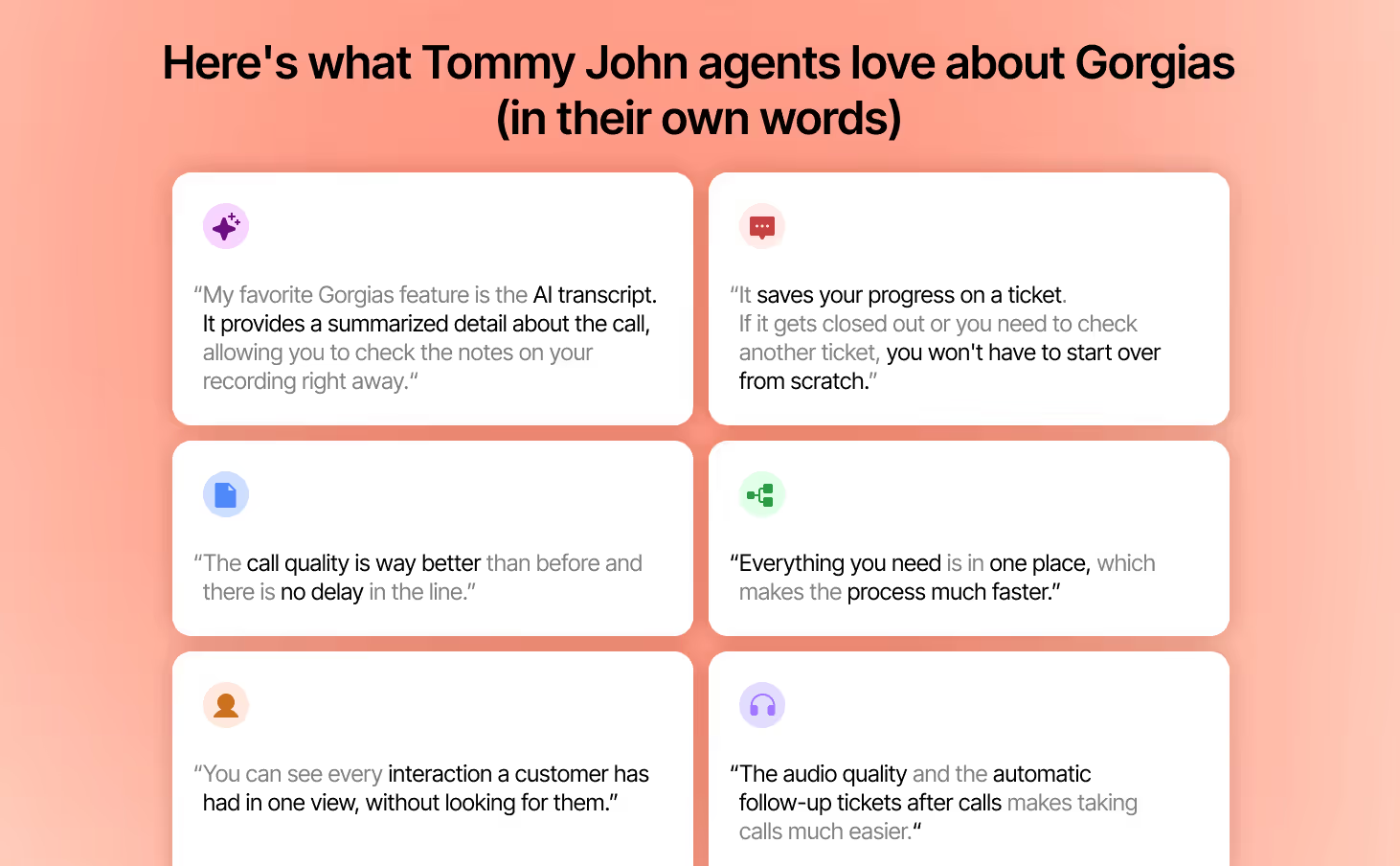
So it was essential for us to find a helpdesk that we could use voice with. Now with Gorgias Voice, agents can look back in the timeline, listen to the call, or even read a transcript or AI-generated summary. That’s just been amazing, and they’re loving that.
Tying revenue back to call tickets, where most of our upselling and cross-selling happens, has been another huge win.
Tommy John’s agents unanimously prefer Gorgias
How did agents react after the switch?
The number one thing that validates that we made the right decision is that our agents truly love Gorgias.
Two weeks after going live, we asked, ‘Do you feel you will be more efficient working in Gorgias than our previous platform?’ And it was unanimous — Gorgias, completely. And this was just two weeks in, with everyone still getting their feet wet.
We sent out a survey, and seeing every single person answer in favor of Gorgias told me everything I needed to know about how quickly the team was adapting and how much they preferred the platform.
What has been the CX team’s feedback after using Gorgias for a while?
Gorgias has really paid off for our agents in terms of their efficiency. Being able to transition seamlessly from a phone call to a follow-up email with just one click is amazing. And having all of that in the timeline — phone calls, emails, chats — that can’t be beat.
Brunt Workwear’s team stays engaged by helping more customers each day
Eric Girouard founded Brunt Workwear in 2019 to fill a gap in the market for comfortable, high-quality workwear for skilled tradespeople. He came from blue-collar roots himself, and many of his friends and family also work in the trades.
Eric started the company in his garage, focusing on direct-to-consumer sales. Brunt Workwear aims to create products that aren’t just for tradespeople, but are actually built by them.
The workwear brand incorporates a significant amount of customer feedback into the design process to create products that actually make their lives easier. Brunt Workwear’s commitment to its customers is even more evident in its product naming convention — each product is named after a specific tradesworker.
When we spoke with Ruth Trieger, Director of Customer Experience, she shared how the CX team achieves its goal of making solutions as easy as possible for their busy customers — and why agent satisfaction can’t be overlooked.
How Brunt Workwear makes every customer feel at home
How do you think about the state of CX today?
The best retail or CX advice I’ve ever received is to think of everyone who walks into your store or visits your website as someone entering your home. For every visitor, you will do some basic things, such as taking their coat or offering them something to eat or drink. But if you truly want to make someone feel welcome, you’re going to meet them in a way that aligns with their preferences and makes them feel like they’re a part of something.
When you make someone feel welcome, they build an emotional connection with a brand that far transcends any product. That’s a powerful thing.
As I consider customer experience and the growth of AI, I realize there is a constant need to deliver fantastic experiences while using the right amount of resources. If you can do that while still creating a memorable experience, you have a customer for life.
Making life easier for customers and agents with an intuitive platform
What is your goal when designing experiences for Brunt Workwear’s customers?
Our customer is very busy and very hardworking. They have very little spare time. So if or when something goes wrong, I encourage my team to think, ‘How can we make the solution as easy as possible?’ That’s our goal — to put ourselves in their shoes and reduce friction wherever we can.
AI can handle repetitive questions, allowing our agents to jump in quickly when nuance or empathy is needed most. What matters is making sure we are there for customers in the moments that really count.
How does Gorgias help your team achieve these goals compared to previous platforms you’ve worked with?
I come from a customer service training background, and I am used to teams needing weeks to train someone on a platform. With Gorgias, I was able to navigate the system myself in very little time.
As a young but fast-growing brand, we have to be very nimble and change things quickly. Gorgias enables us to do that with a level of ease I've never experienced in my career, so we’re really grateful for the platform.
I love that our agents can interface with the platform in a way that is very easy, which is good for them. From a productivity and metrics standpoint, if they’re moving easily through a platform, I also know that means they’re able to accomplish more touchpoints with our customers — more phone conversations, more emails, more chats. And that means we are helping more people.
How does improved agent satisfaction tie back to business results?
At the end of the day, if you don’t have a happy, high-functioning team, you have literally nothing in all the world. We have a talented team, and the more customers they interact with, the more likely those people are to stay with the brand. So we see an increase in customer lifetime value when our agents can spend more time with our customers.
Gorgias helps agents move from mountains of tickets to meaningful connections
What additional opportunities does AI open up for your team?
AI is not replacing the human touch; it’s giving us more room to lean into it. It reduces friction so that CX agents can take on higher-value work like running close-the-loop programs, proactively reaching out on the phone, and answering faster.
If a customer is asking, ‘Where is my order?’, I don’t need to take up an agent’s time with that because AI can get them a simple, fast answer. Then, when another customer needs somebody’s time, they’re there because that person isn’t answering a mountain of tickets.
That’s the exciting part, AI handles the repetitive stuff, and our agents get to focus on making real connections.
How has Gorgias enabled you to communicate the value of CX to the broader business internally?
The reporting in Gorgias has allowed us to become a true strategic partner in the business. CX sees everything: what’s working, what’s not, and what customers are asking about. For every new product launch, every campaign, and every change, my team is on the front lines. With Gorgias’s reporting, we can bring that insight back to the rest of the organization and help shape smarter decisions.
What’s been cool is that we’re now part of the feedback loop in a much more meaningful way. Without Gorgias, we would not be able to add the same level of value as a strategic partner. That’s where I see our role continuing to shift — becoming more proactive, faster at serving customers, and a critical business function.
At the end of the day, CX knows what’s working, what isn’t, and how customers are feeling. The more we vocalize that, the better off the entire company is.
Choose a CX platform that your CX team actually wants to use
Happy, empowered agents deliver the kind of experiences that keep customers loyal and businesses growing.
Glossier, Tommy John, and Brunt Workwear show what’s possible when teams have a platform designed for them. More efficiency, more impact, and more human connections. Because when agents love their platform, everyone wins.
{{lead-magnet-2}}
How Brands Use Conversational Commerce to Close More Sales
TL;DR
- Conversational commerce builds trust. Real-time conversations replace static help pages with authentic interactions that drive confidence and loyalty.
- bareMinerals boosted conversions by 5%+ using Gorgias Shopping Assistant to guide shade matching in real time, and saw zero returns on AI-assisted purchases.
- Tommy John reduced wait times and grew revenue, automating post-purchase updates while freeing agents to focus on higher-value, relationship-driven support.
- Orthofeet and Arc’teryx proved conversations convert. Chat turned returns and product questions into loyalty- and revenue-building moments.
You’re seconds away from hitting “buy now,” but one last question nags at you: does this shade actually match my skin tone? You open a live chat, only to be met with a bot that pastes a help-center article. So you close the tab.
Today’s shoppers crave immediacy and authenticity. They expect real answers, not ticket numbers. Yet too many ecommerce brands still rely on static FAQs, delayed email replies, or chatbots that feel anything but conversational. The result is often missed sales, frustrated customers, and eroding loyalty.
Conversational commerce bridges that gap. By meeting customers where they are, in real time and on their terms, brands can turn every interaction into an opportunity to build confidence and connection.
In this post, we’ll explore how leading ecommerce brands use Gorgias to strengthen trust and loyalty through real-time conversations across the entire customer journey, from discovery to delivery and beyond.
{{lead-magnet-1}}
What is conversational commerce (and why it’s the future of ecommerce)
Conversational commerce is the blending of conversation and shopping. Instead of forcing customers to navigate pages, FAQs, or documents, brands engage shoppers in real time through natural, two-way dialogue. This usually takes place over:
- Chat
- SMS
- Social media DMs
- Voice assistants
Unlike traditional live chat, you meet customers wherever they are. Conversational commerce easily switches across channels (chat, SMS, Instagram, WhatsApp, etc.) while preserving context, tone, and personalization.
The goal is to make every interaction feel as natural as a text with a friend, but with the power to guide a purchase, resolve an issue, or suggest a product.
So, how are top brands putting conversational commerce into practice to build real trust? Let’s dive into four examples.
bareMinerals builds confidence to purchase with product guidance
Imagine browsing foundation shades late at night, unsure which one will suit your skin tone. That hesitation is often enough to make a shopper abandon their cart.
That was the challenge for bareMinerals. More than half of their incoming support tickets were product questions. Many of them were about shade matching, formulation updates, or discontinued SKUs.
They needed a way to replicate the helpfulness of a beauty advisor you can call on as you browse a store.
So bareMinerals brought in Shopping Assistant, an AI-powered virtual beauty consultant built to answer product-discovery questions in real time.
It integrates with their Shopify catalog (so it never suggests out-of-stock items), trained on the nuances of context, product benefits, and discontinued color conversions.
Here’s what happened within 30 days:
- Increased conversions: bareMinerals saw a 5%+ conversion uplift and a 5.5% increase in average order value (AOV).
- No returns: There were zero returns on AI-influenced purchases during that first month, even within a standard 30-day return window.
- Increased ROI: It generated 8.8x ROI and accounted for ~3.9% of gross merchandise volume (GMV).
- Happier customers: CSAT on AI-handled tickets outpaced human agents (AI: 5.0 vs. human: 4.6). Plus, bareMinerals’ CX team now reviews AI conversations to train human agents on phrasing, tone, upselling moves, and recognizing intent.
Takeaway: By offering real-time, contextual product guidance that mirrors an in-store consultant, bareMinerals eliminated guesswork, reduced returns, and strengthened trust before a single purchase is finalized.
Tommy John relieves post-purchase anxiety with instant order updates
One of the most anxiety-inducing moments for any shopper? Waiting for their order. Questions like “Has my order shipped yet?” or “Where’s my package?” often lead to multiple back-and-forth contacts, burdening support and testing customer patience.
Underwear brand Tommy John experienced this firsthand. Their CX team felt the strain of repetitive, predictable post-order questions, which could be better spent on complex cases. The team needed an automated fix without a huge lift, and so they adopted AI Agent.
AI Agent handled the bulk of their routine tickets, pulling from order data and pre-configured guidance to reply instantly without agent involvement.
See how AI Agent instantly jumped in to help a customer who needed to change their address:
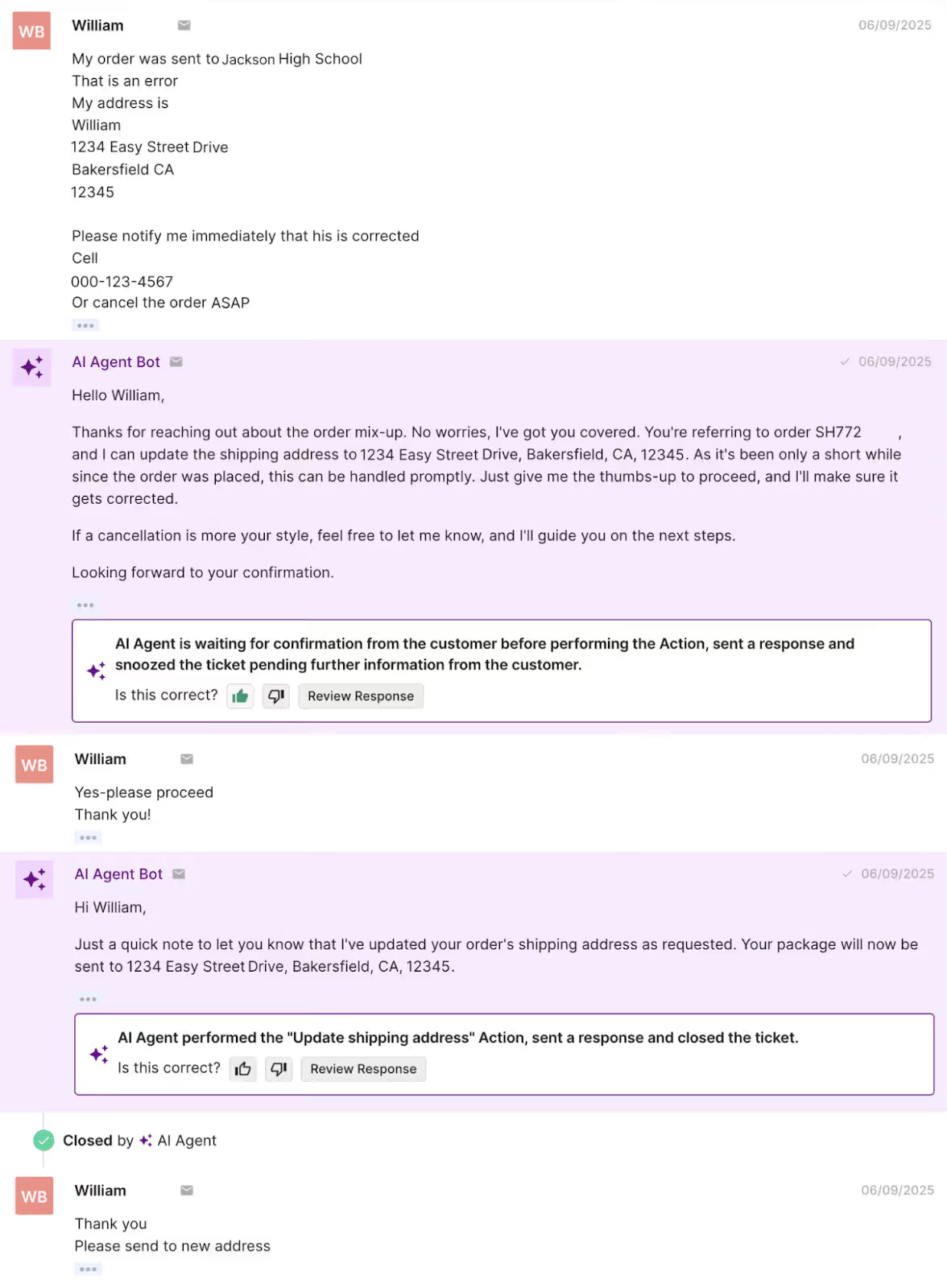
The impact was immediate:
- Faster resolution times: Many customers receive real-time status updates without the wait time.
- Reduced ticket load: Agents no longer spend time on repetitive, low-value queries.
- More bandwidth for agents: Agents can focus on complex issues or proactive outreach.
- Revenue impact from support: Within just two months, support-driven sales from phone calls alone reached $106K+, with 20% of calls converting into purchases.
- Customer and team satisfaction: Average phone wait times dropped (~34% improvement), CSAT climbed, and agents unanimously preferred Gorgias over their legacy tools.
Takeaway: Post-purchase communication is a trust moment. Fast, accurate, and proactive responses reassure customers that their order matters.
Orthofeet maintains trust with a speedy returns process
Returns are often a brand’s biggest trust test. When a customer navigates through the hassle of a return, they’re watching closely: Is this going to be smooth and transparent, or frustrating and impersonal?
Orthofeet, a leading orthopedic footwear brand knew this too well. Before Gorgias, their CX stack was disjointed, a combination of Freshdesk, Dialpad, and outsourced chat. As they grew, this meant tickets piled up without central visibility. They needed a tool that gathered every piece of context in one place.
That’s when they implemented AI Agent. As AI Agent handled tier-1 queries, like validating return eligibility under Orthofeet’s policy and directing customers to the returns portal, agents gained more time to focus on VIP customers, nuanced issues, and phone conversations.
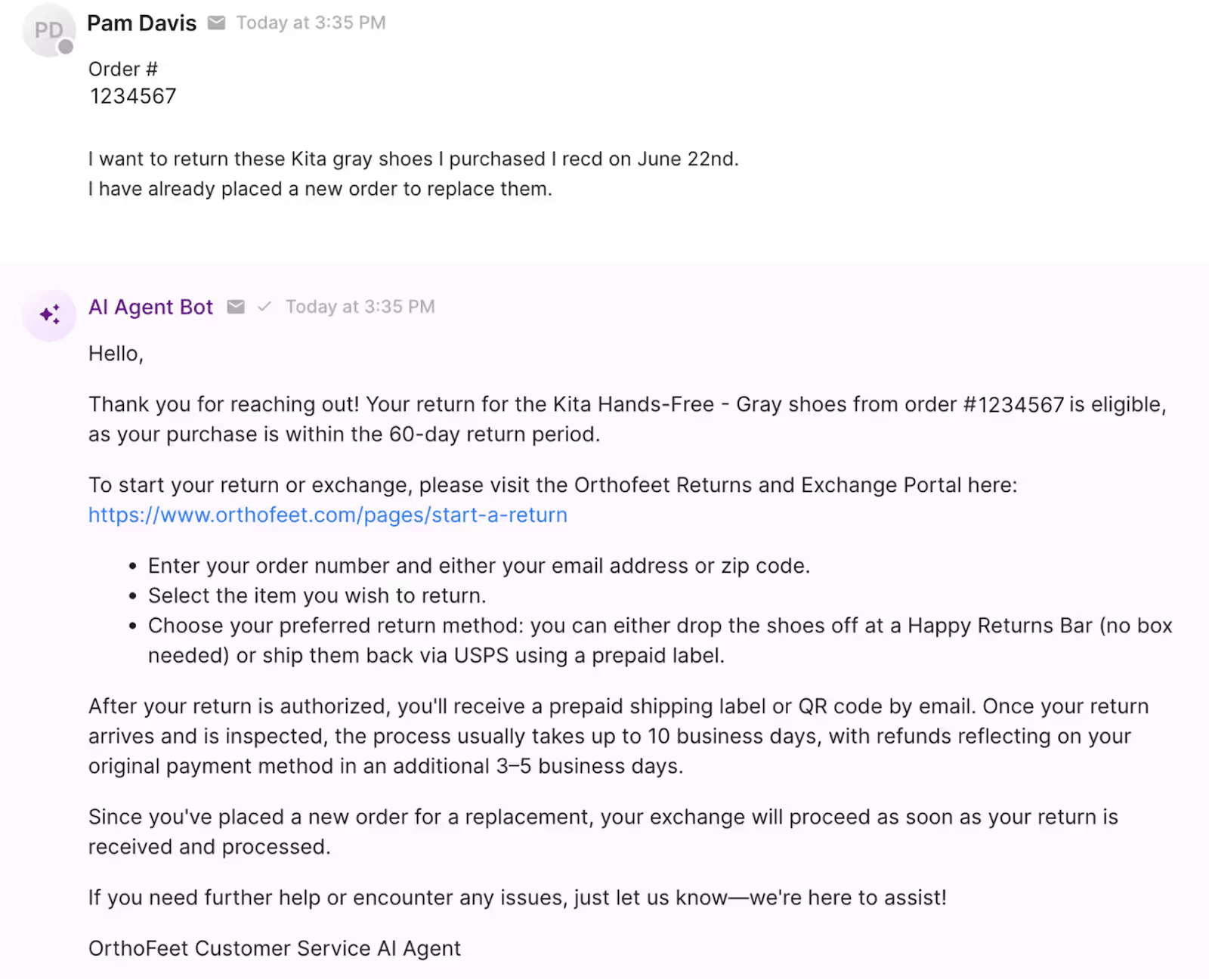
The results were powerful:
- Automated workflow: They automated 56% of tickets in under two months, far exceeding their original target.
- Faster response times: Email first-response times dropped from ~24 hours to 35 seconds; chat FRT improved from minutes to 13 seconds.
- Stable headcount: The team could maintain high growth while keeping headcount stable, all while elevating service quality.
- Customers became AI champions: Customers embraced the AI-driven experience. One even sent a handwritten note praising their “friendly” and “helpful” AI.
Takeaway: Conversational commerce helps you blend technology and humanity to deliver scalable, emotionally resonant support. Even when things go wrong, a thoughtful conversational experience can repair, rather than erode, trust.
Arc’teryx increases conversions with personalized recommendations
Conversational commerce can create selling moments inside conversations you already have with shoppers.
Arc’teryx, known for its technical outdoor gear, wanted to guide customers choosing between products like the Beta AR and Beta SL jackets. With Shopping Assistant, they turned real-time product questions into opportunities to upsell, cross-sell, and educate.
When shoppers linger on a page or ask for comparisons, the AI offers quick, tailored recommendations, suggesting the right jacket, complementary layers, or accessories. The result? More confident buyers and higher-value orders.
The results speak volumes:
- Increase in conversions: Arc’teryx achieved a 75% increase in conversion rate (from 4% to 7%) after rolling out Shopping Assistant.
- Influenced revenue: The tool influenced 3.7% of overall revenue, meaning conversations directly drove meaningful sales.
- Substantial ROI: They also saw 23x ROI on their AI Agent investment.
Takeaway: Smart, conversational prompts transform everyday chats into meaningful sales moments, proving support channels can drive revenue, not just resolve tickets.
Trust is the new conversion metric
Every conversation is a chance to earn (or lose) trust. Whether it’s helping a shopper find their perfect shade, tracking an order, or smoothing out a return, conversations can turn moments of uncertainty into opportunities for connection.
Brands like bareMinerals, Tommy John, Orthofeet, and Arc’teryx prove that conversational commerce builds stronger relationships, higher retention, and measurable revenue.
The future of ecommerce will revolve around conversations that create trust at every click.
If you want to see how Gorgias can bridge support and sales for you, book a demo today.
{{lead-magnet-2}}

The Updated Gorgias Helpdesk: Built for the Moments that Matter
TL;DR:
- Get instant context with Ticket Summaries. Jump into any conversation without digging through past messages or tabs.
- Organize tickets and customers with Ticket and Customer Fields. Attach properties to tickets and customers to see the whole picture, then turn it into reportable data.
- Support global customers with real-time translations. Engage in natural conversations in your customer’s language without paying for another tool.
- Resolve urgent issues with Priority Scoring. Rank tickets by importance, so high-value or sensitive issues don’t get overlooked.
- Onboard quickly with in-house migration. Whether you’re coming from Zendesk or Richpanel, Gorgias handles the move for you.
We recently unveiled the latest upgrades to Gorgias Helpdesk during Moments that Matter: Meet the Modern Helpdesk.
The event was hosted by Bora Shehu, VP of Product Design, with updates from John Merse (VP of Product), Fraser Bruce (Senior Solutions Consultant), Nicole Simmen (Senior Manager, Customer Implementation), and a customer story from Michael Duran (Operations Manager, Authentic Brands).
From quality of life improvements to brand new features, here’s what’s waiting for you in Gorgias.
Watch the full presentation here:
Support faster with built-in ticket summaries
Agents shouldn’t have to dig for context. Every conversation now comes with Ticket Summaries. Whether an agent has jumped into a ticket mid-conversation or is dealing with a new customer, these AI-generated summaries tell the whole story in no time.
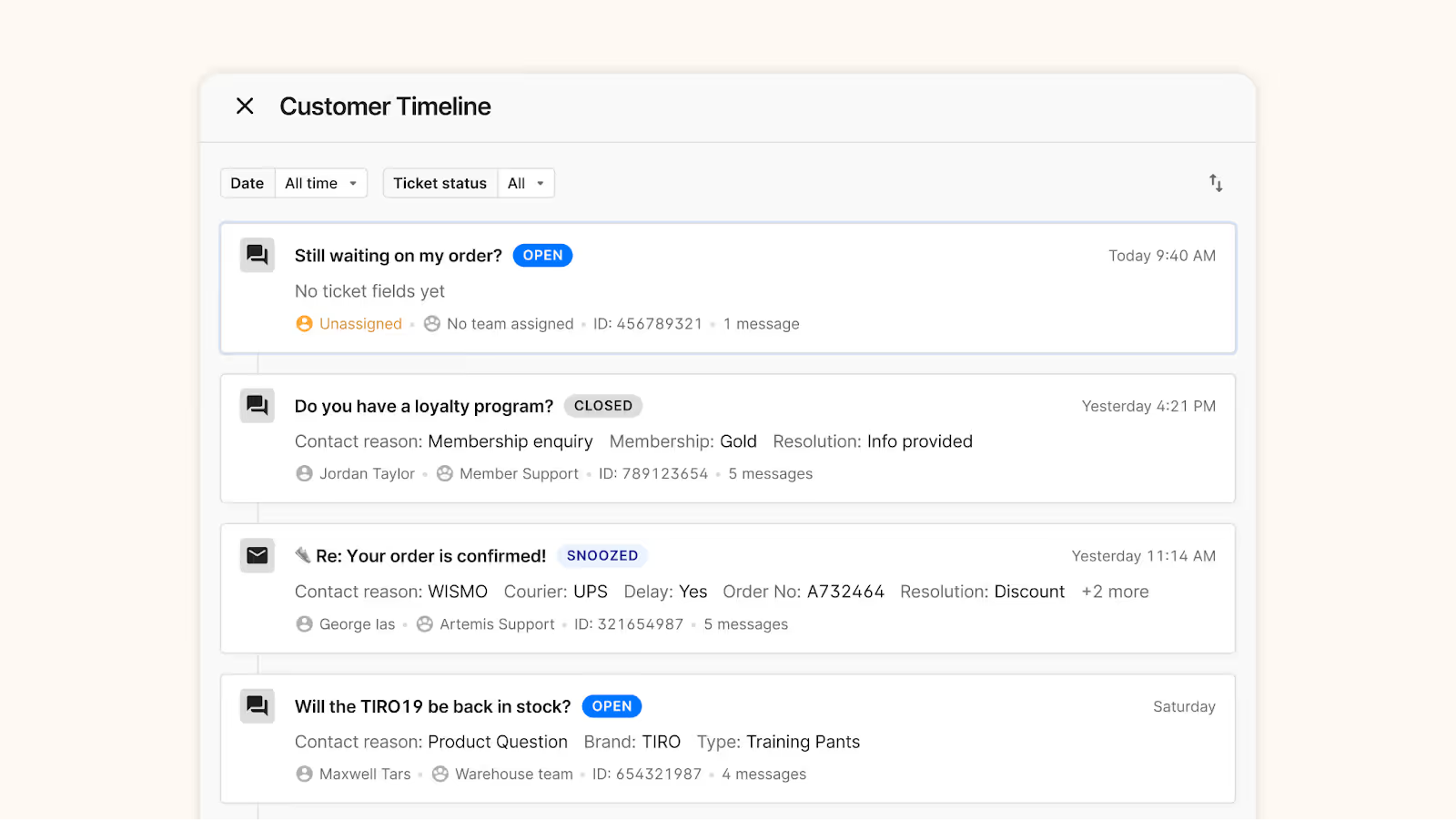
We’ve also given the Customer Timeline a makeover. Now, you can glance at past tickets and order updates in one clean view. Plus, a dedicated Order View lets agents dive into past purchases without leaving the ticket or opening a new tab.
Enrich your data with detailed ticket and customer properties
Agents have always had visibility into customer history, but now that context is easier to act on.
Ticket Fields automatically tags tickets with AI-detected reasons, whether that’s shipping questions or product feedback, to help organize your conversations more effectively.
Then, add in another layer of data using Customer Fields (in beta) to note whether you’re speaking to a longtime, VIP customer or a customer with a history of high returns.
All of this data can be funneled into your ticket reports, making it easier for your team to discover new insights about your products, support quality, and more.

Speak every customer’s language with instant translations
Taking your brand global doesn’t have to mean hiring a whole new team or spending extra on a localization tool. AI-powered translations (in beta) will soon be available on the helpdesk.
Finally, your team will be able to support customers in any language in real-time. Customers write in their native language, agents respond in theirs, and the exchange feels natural on both sides.

Never miss urgent tickets with Priority Scoring
How many times has an urgent ticket been buried at the bottom of your inbox? The new Priority Scoring system prevents that by automatically labeling tickets as Low, Normal, High, or Critical based on your Rules.
For example, you might label a negative Facebook comment with threatening sentiment as ‘High,’ or bump high-value shoppers to the top with a ‘Critical’ label. This ensures your team always sees the conversations that need the most attention, so no sensitive issue slips through the cracks.
Shape every call journey with the new IVR flow builder
Now in beta, our flow-based IVR (interactive voice response) system lets teams on Gorgias Voice build customized call journeys for every type of conversation. Route customers through interactive menus, segment them based on their data, or direct them to voicemail, and schedule SMS follow-ups and callbacks.
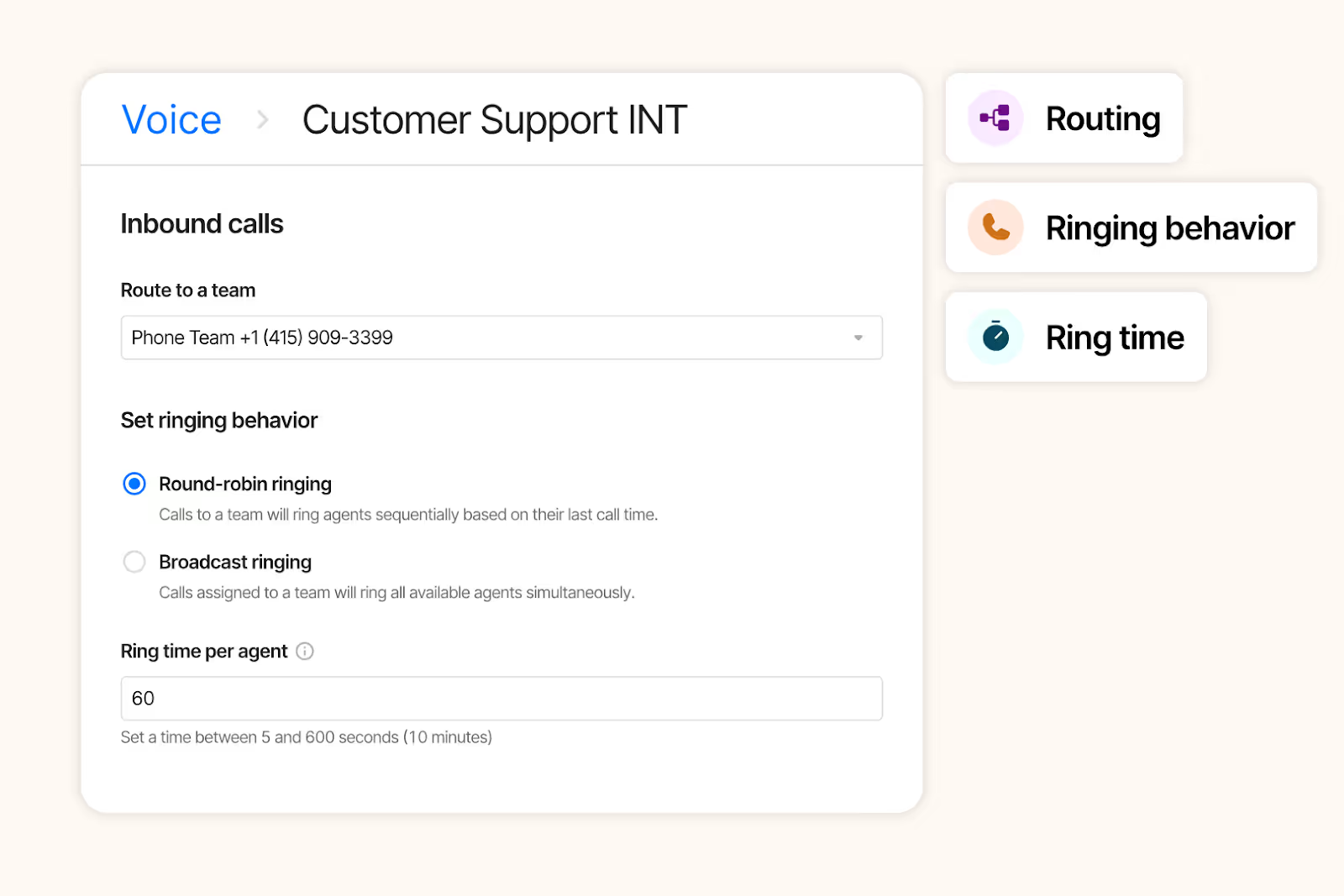
To match agent availability, you can set business hours per phone number and per channel across storefronts. Teams also have more flexibility with ring strategies (ring available agents all at once or one at a time), wrap-up time between calls, and faster availability refreshes.
Stay on top of every goal with custom dashboards
We understand that CX teams need more than surface-level KPIs—they need to know what’s actually driving performance, revenue, and retention.
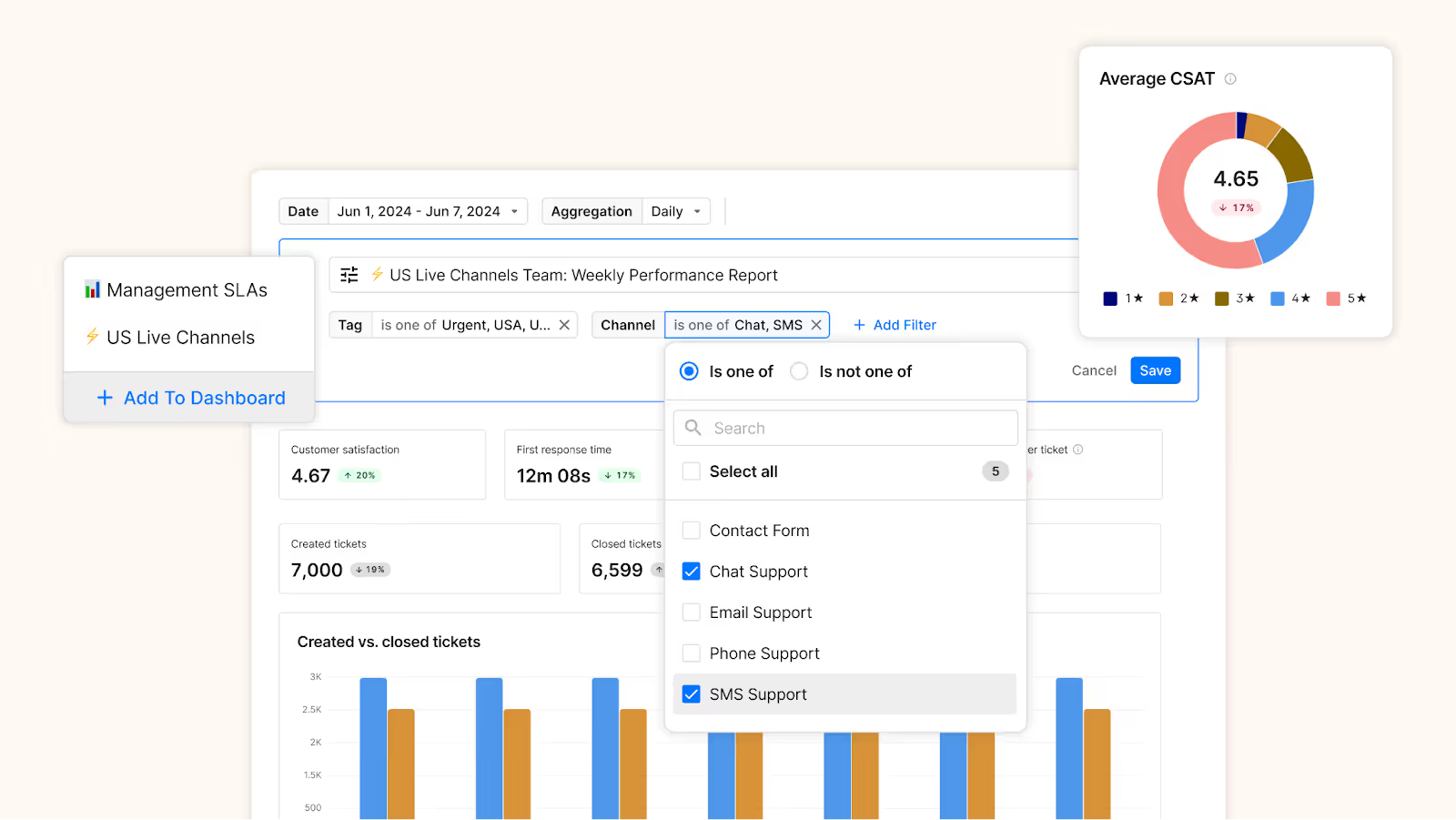
With Dashboards, you can build reports focused on CX data you care about, from agent performance to product return trends. Then, filter by store or sub-brand to zoom in on the details each team is responsible for.
We’re also introducing the Human Response Time metric to show how quickly your team responds to escalations from AI Agent. This gives you a clear sign of what issues require human attention, how fast they’re resolved, and whether you need to adjust staffing.
Effortless, in-house migration for new joiners
Leave the moving to us—we now manage migrations in-house. Depending on your plan, our Implementation team will transfer emails, customers, macros, and more for you. Combined with 99.99% uptime, switching platforms is smoother, faster, and more reliable than ever.
For accelerated performance, consider our 50-in-50 implementation program, which aims to resolve 50% of your ticket volume using AI Agent within 50 days.
Enterprise customers receive a dedicated Enterprise CSM, optimization workshops, and 24/7 support to get the most out of Gorgias from day one.
What’s coming next
Our teams are hard at work changing the landscape of customer experience. Here’s what’s on the Gorgias Product Roadmap:
- Cleaner, minimal interface. We’re giving our UI a new look to reduce clutter and highlight key information, making conversations front and center.
- Detailed order view. Quickly view past purchases and make order updates without opening new tabs or interrupting your workflow.
- Shop right in chat. Soon, product photos, descriptions, and even customer reviews will be shown directly in Gorgias Chat, so shopping experiences are as frictionless as possible.
- Scheduled CSV exports. Prove the value of CX with automated exports, perfect for stakeholders, whether they use Gorgias or not.
- New integration with Assembled Workforce Management. Our partnership will help you leverage Gorgias ticket data to optimize forecasting and agent scheduling.
- Role-based access control. Decide which dashboards, views, conversations, and settings can be accessed by each user role.
- Okta single sign-on. Let your team sign in to Gorgias using the same authentication service you use for the rest of your tech stack.
The future of support starts with your helpdesk
Our latest helpdesk updates make it easier than before to create memorable customer moments.
As Bora Shehu, our VP of Product Design, said, “We hope that the tools we’re building help you spend less time on robotic work, and more time on impactful human work that grows your businesses through the power of conversations.”
If you’re not on Gorgias yet and want to see what’s possible, book a demo today.
{{lead-magnet-1}}
How Online Sizing Solutions Are Replacing the Fitting Room
TL;DR:
- 58% of fashion shoppers “bracket” orders—buying multiple sizes and returning what doesn’t fit. This drives high return rates, increased costs, and customer frustration.
- 70% of returns are due to sizing issues. Nearly half of shoppers abandon carts over inconvenient returns.
- Leading solutions include: AI-powered fit tools, 3D visualizations that show scale and model stats, “fit finder” tools, at-home fitting experiences, and AI-powered customer support.
- Brands that replicate the fitting room online gain higher retention, lower costs, and stronger sustainability.
Sizing has long been a friction point for ecommerce fashion shoppers.
Without the ability to try items on, 58% of shoppers resort to "bracketing"—ordering multiple sizes of the same piece and returning what doesn’t fit.
While it gives customers a temporary fix, it ultimately creates frustration for them and logistical headaches for brands.
The result is rising return rates, higher costs, and wasted resources. To break this cycle, ecommerce brands need to rethink how they guide shoppers toward the perfect fit. The good news is that many brands are already showing the way by using AI-powered tools and smarter product experiences to replicate the fitting room from the comfort of home.
{{lead-magnet-1}}
Returns are getting unsustainable
Recent data highlights just how severe the return challenge has become for fashion and apparel retailers:
- 46% of shoppers have abandoned a purchase because return methods were inconvenient.
- Fashion and apparel brands get twice as many return requests than any other industry.
- According to Gorgias data, 70% of returns are due to sizing confusion.
- “Will this fit me?” is one of the top reasons customers contact support.
In addition, rapidly rising concerns around sustainability and climate change, as well as heightened awareness around over-consumption, are prompting consumers to make changes in their purchasing habits.
Brands who prioritize well-fitting, long-lasting pieces and reduce carbon footprints and the amount of clothing diverted to landfills by lowering returns can actually benefit from a strategic edge.
“Those who choose to approach sustainability with a long-term mindset even while battling short-term problems will be rewarded with more efficient business operations and a competitive advantage,” writes McKinsey in its State of Fashion 2025 report.
Effective sizing solutions for ecommerce brands
Most brands already have size charts, but shoppers don’t want to measure themselves, or find those charts to be inaccurate.
When shoppers lack confidence in choosing the right fit, they either abandon their carts or rely on bracketing, both of which lower profitability and customer trust.
Forward-looking fashion and apparel brands are solving sizing issues by using tools for a more intuitive shopping experience. This ultimately helps them build loyalty, increase retention, and reduce returns.
Implement AI-powered body measurement tools
Rather than purely providing static size charts on your website, opt for AI-generated personalized fit recommendations instead.
For example, European fashion retailer Zalando reduced size-related returns by 10% using AI-driven advice.
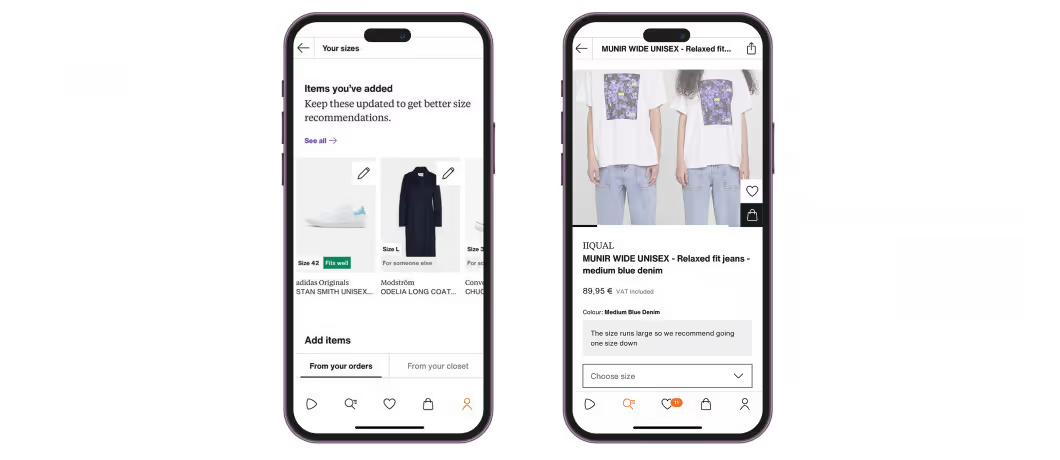
The brand flags whether an item is true to size or not. It also offers the ability for customers to see recommendations based on logged fit-based return reasons, past purchases, and other clothing items that fit them well.
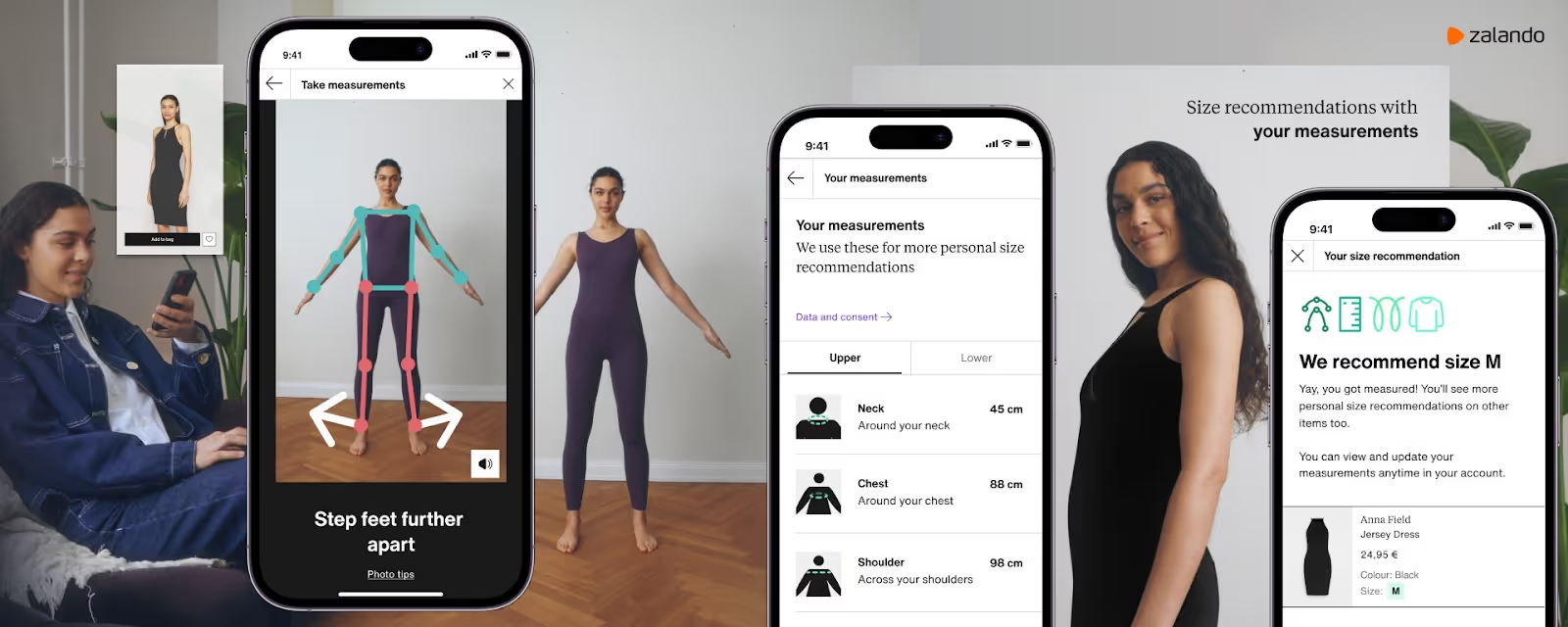
Zalando also launched a body measurement feature in 2023 where shoppers can actually scan themselves for more accurate size advice.
Show size and scale in product photos
As AI grows in proficiency, there are more tools than ever to help shoppers visualize product scale and fit.
For example, accessory shop LeSportsac uses Tangiblee, a product experience tool, to help customers understand scale and what fits inside each bag.

Performance hunting gear shop KUIU takes another approach. It uses a photo-based layering guide, so shoppers can see how the size and fit look with multiple layers on a model. Different model stats shown within product photography give contextual sizing cues.

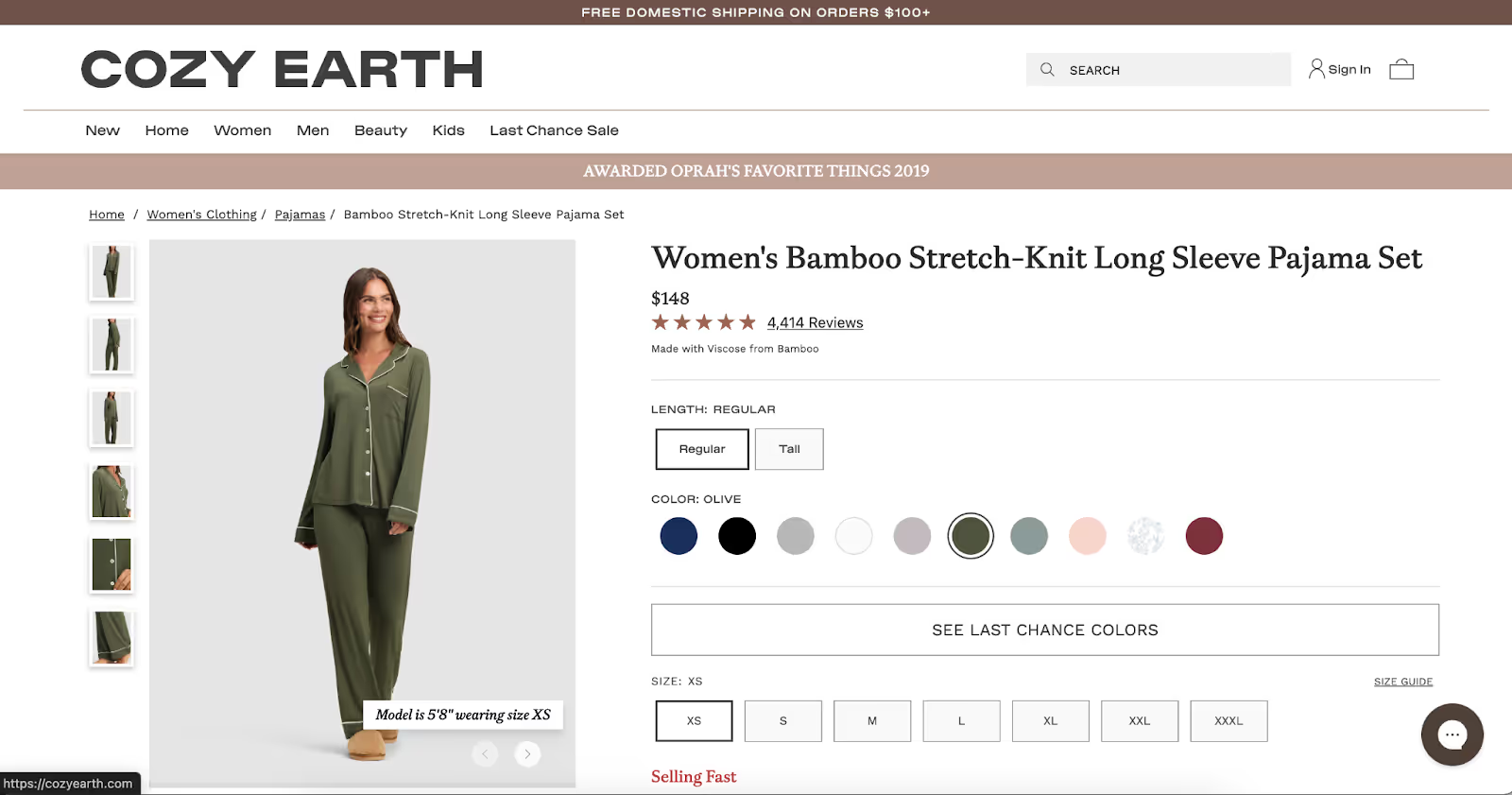
Sleep shop Cozy Earth takes a similar route, stating model height and size on product photos.
Introduce “fit finder” tools
Some brands are helping shoppers pick the right size with interactive quizzes based on factors like height, weight, and the sizes of other clothing items that fit well. SuitShop is among those brands using a Fit Finder quiz on its website.

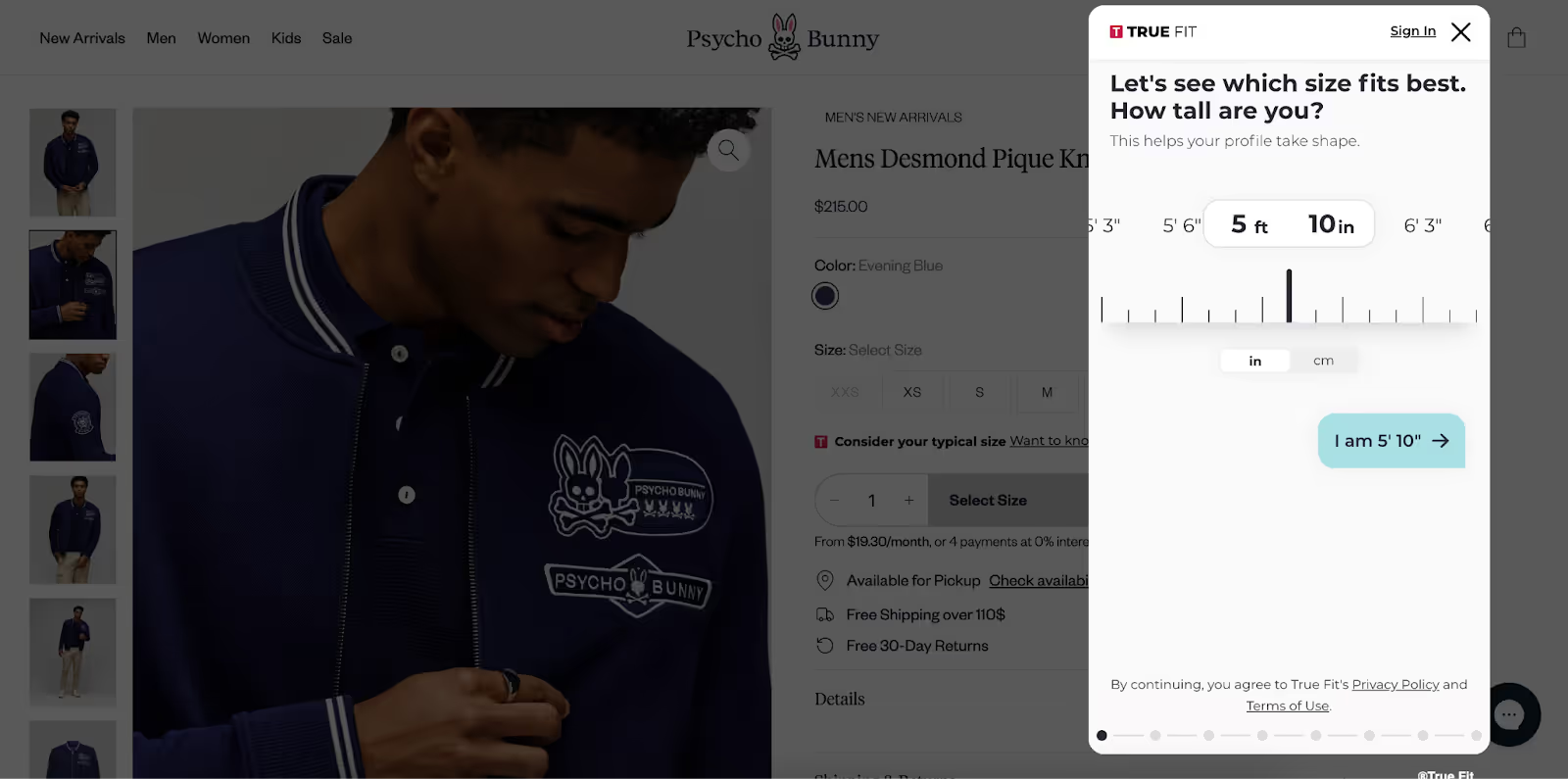
Similarly, Psycho Bunny leverages the AI tool True Fit as a size finder on product pages.
Bring the fitting room home
Ergonomic shoe brand Orthofeet eliminates sizing qualms altogether by including customizable inserts inside each box. Fitting spacers ensure a snug fit and arch enhancement for those who need it, helping shoppers get comfortable shoes that fit.

Jonas Paul Eyewear shares the “try it on at home” approach, offering a free or low-cost home try-on kit.

Leverage AI-powered customer support
Gorgias Shopping Assistant helps brands meet that need by delivering human-like guidance at scale, giving shoppers instant answers that feel personal.
For example, VESSEL uses Shopping Assistant in chat to provide real-time support on sizing and inventory, helping customers choose with confidence. By addressing fit questions directly, Shopping Assistant reduces returns and builds trust at the point of purchase.

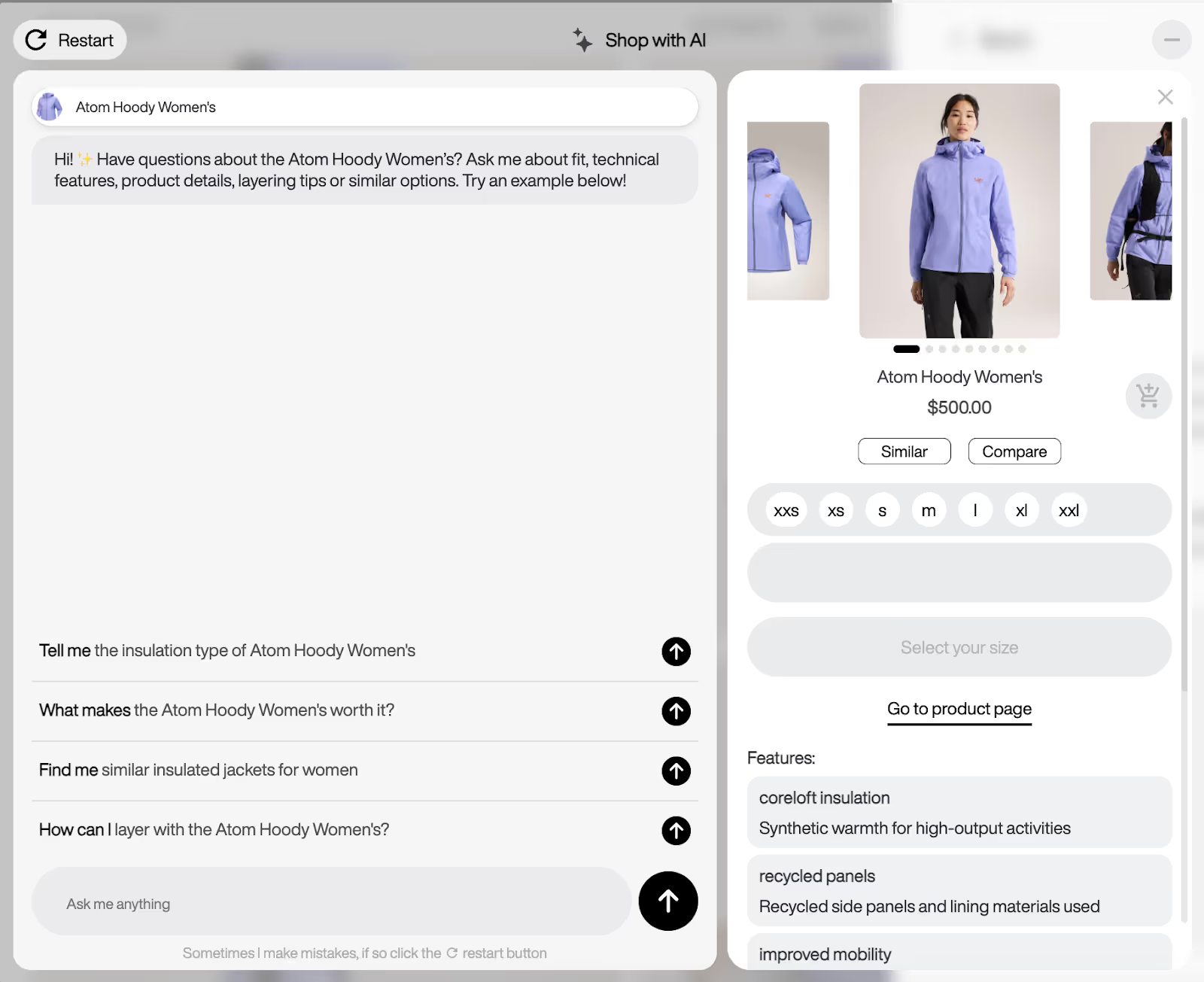
Similarly, outdoor clothing retailer Arc‘teryx provides an “ask me anything” AI chat where shoppers can confirm any questions they have around fit or sizing.
The future for ecommerce size guides
Sizing for ecommerce fashion and apparel brands has become a business-critical challenge. With 70% of returns tied to fit issues and nearly half of shoppers abandoning purchases over inconvenient returns, brands that replicate the fitting room online stand to gain a competitive advantage.
From Zalando’s 10% reduction in size-related returns to VESSEL’s use of AI-powered chat, the path is clear: investing in smarter size chart solutions pays off with higher retention, lower costs, and stronger sustainability.
The brands that provide fitting room-level experiences online now will set themselves apart from the rest.
Book a demo to see how Gorgias, the leading conversational commerce platform, helps fashion brands cut returns, drive sales, and deliver fitting-room level experiences online.
{{lead-magnet-2}}
Conversational Commerce: A Complete Beginner's Guide
TL;DR:
- Conversational commerce replaces static support with real-time conversations. Instead of making customers wait or dig through FAQs, brands can respond instantly via chat, messaging apps, and voice assistants.
- The main types are live chat, AI assistants, messaging apps, and voice support. Each helps guide shoppers and answer questions instantly.
- It’s most effective during key moments like cart hesitation, post-purchase anxiety, and peak seasons. Proactive conversations reduce drop-offs and boost conversions.
- Start small and scale. Begin with repetitive questions or cart recovery, then layer in automation and AI as you grow.
While your competitors are still making customers wait days for email replies, the smartest brands are having conversations that close sales in real time.
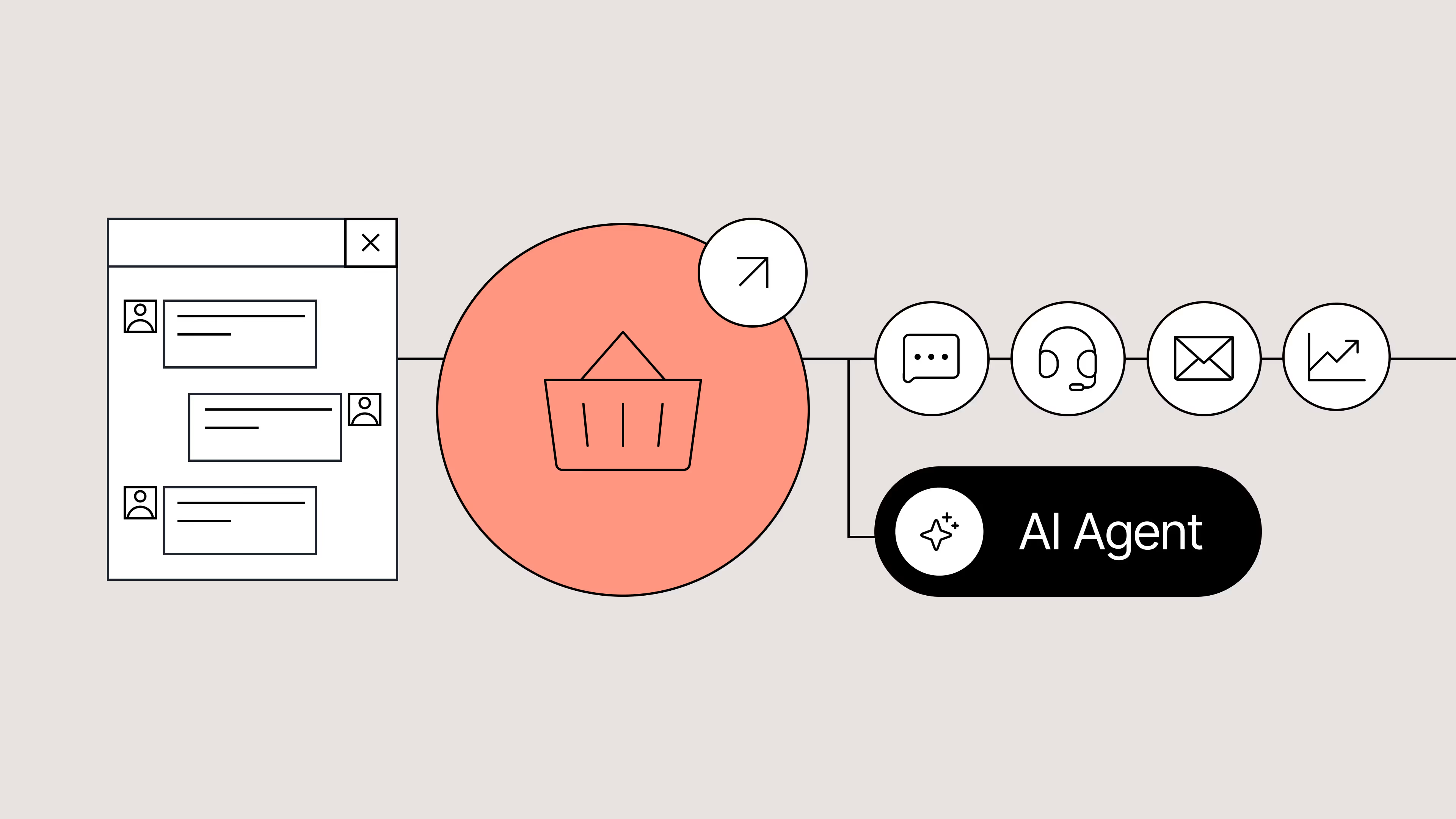
Instead of forcing customers to search through FAQs or go through an automation loop, conversational commerce lets you have instant chats through live chat, messaging apps, and even AI assistants.
In this guide, we’ll explain conversational commerce, where it delivers the most value, and how to start using it to drive revenue and improve CX without overwhelming your team.
What is conversational commerce?
Conversational commerce means using real-time, two-way conversations as your storefront. Rather than bottling up questions in FAQ pages or forcing customers to wait for your support team to respond, you can instantly connect via:
- Chat
- AI agents
- Messaging apps
- Voice assistants
Maybe someone is on your product page and asks a question like, “Does this jacket run large?”. Through chat, they get an instant answer, increasing the chance of a sale. Or a shopper receives personalized recommendations via WhatsApp and checks out, all without leaving the app.
These channels allow you to meet customers where they already are, effortlessly. When paired with AI chatbots, you can deliver fast, accurate responses 24/7, even while your team is off the clock. That means better experiences for your customers and more sales captured for your brand.
Conversational commerce bridges the gap between shopping and support. It turns your support team (and AI tools) into revenue drivers by helping shoppers feel seen, heard, and ready to buy.
Types of conversational commerce
Conversational commerce means bringing your storefront into the flow of conversation, wherever that happens for your customers.
Here’s where those conversations typically happen:
- Live chat
- AI assistants
- Messaging apps
- Voice assistants
1. Live chat
This is a chat widget on your site, often in the bottom right corner, where shoppers can ask questions and receive immediate answers from a human agent or automation.
It’s a quick path to support or purchase, which one agent can manage multiple chats from simultaneously, boosting efficiency and keeping things personal.
2. AI assistants
These smart helpers use Natural Language Processing (NLP) to understand what shoppers mean beyond what they type. They guide customers through questions, offer product suggestions, handle FAQs, and can sometimes complete transactions right in the chat, even handling post‑purchase support like order status or returns.
Natural Language Processing (NLP): The processing of understanding and interpreting natural language using computers. NLP is used in tasks such as sentiment analysis, summarization, speech recognition, and more.
3. Messaging apps
Think WhatsApp, Facebook Messenger, WeChat, and SMS—the apps where customers already spend their time in their day-to-day. Instead of sending them to shop on your website, you bring the shopping to them. Answer their questions, provide recommendations, and win purchases in a channel they already trust.
4. Voice assistants
Voice assistance isn’t limited to smart speakers like Siri and Alexa anymore.
Now, AI voice support lets brands deliver natural conversations over the phone, without needing a massive contact center team. These AI voice agents can:
- Answer common questions using branded knowledge
- Route calls or escalate when needed
- Handle returns, exchanges, or order tracking
- Personalize support based on customer intent and past behavior
AI-powered voice support combines the human feel of a phone call with the speed and accuracy of automation. It's especially useful for high-ticket products, customers who prefer calling, or peak season overflow when your human team is maxed out.
The benefits of conversational commerce for ecommerce brands
Conversational commerce isn’t a CX buzzword. When done right, it directly impacts your bottom line.
Here’s how it pays off for ecommerce brands:
- Higher conversion rates
- Faster and more efficient support
- Bigger carts, fewer drop-offs
- Stronger customer relationships
1. Higher conversion rates
When customers can ask questions and get answers in real time, whether it's sizing info, shipping details, or help choosing between products, they’re far more likely to hit “buy.”
Success story: Clothing brand Tommy John generated $106K+ in sales in just two months through conversation-led upselling and cross-selling, with a 15% conversion rate.
2. Faster and more efficient support
Conversational commerce tools like AI agents help offload the repetitive support tasks, including answering questions like “Where’s my order?” or “What’s your return policy?”
With that time back, agents get time back to:
- Handle complex or sensitive customer issues
- Follow up with VIP customers
- Collaborate with marketing and sales teams to improve processes
- QA conversations to enhance human and AI agent performance
- Update knowledge docs used by AI tools for more accurate resolutions
Instead of getting buried in basic tickets, your team gets to do the work that really moves the needle for your customers and your business.
Related: Every successful marketing campaign starts with a customer question
3. Bigger carts, fewer drop-offs
The right nudge at the right moment, like a personalized recommendation from an AI shopping assistant, can turn a single item into a full cart. You can also recover more abandoned checkouts by re-engaging customers directly through chat or a messaging app.
Read more: You’re missing out on sales without an AI shopping assistant—here’s why
4. Stronger customer relationships
Conversational commerce lets you meet customers with a human (or human-like) touch. When your brand is helpful, fast, and easy to talk to, shoppers remember and return.
In the long run, that means better customer retention, higher lifetime value, and more organic growth through word of mouth.
When conversational commerce creates the biggest impact
Conversational commerce shines brightest when the stakes are high or when the moment is just right.
Here are the critical moments where a real-time conversation can make all the difference:
- When shoppers have items in their cart but are hesitating to check out
- Right after customers place an order, and anxiety starts to kick in
- During peak shopping seasons like Black Friday and Cyber Monday
- When customers are browsing complex products like skincare, makeup, or apparel
1. When shoppers have items in their cart but are hesitating to check out
A customer’s on your product page, they’ve added an item to their cart, but are hesitating. Maybe they’re unsure about sizing, shipping time, or which variation to choose. This is where a quick, helpful chat, automated or human, comes in and becomes the difference between bounce and conversion.
Pro tip: Use proactive chat prompts based on page behavior to start the conversation before the shopper leaves.
2. Right after customers place an order, and anxiety starts to kick in
After a customer hits “place order,” expect more questions to roll into your inbox. Where’s my order? How do I track it? What’s your return policy? Post-purchase excitement—and anxiety—is normal, and a smart AI agent helps you get ahead of these questions while putting customers at ease.
3. During peak shopping seasons like Black Friday and Cyber Monday
Black Friday. Holiday rush. Product drops. These are prime opportunities to boost revenue—but they also flood your support team. Conversational commerce tools help you scale without sacrificing quality, keeping shoppers happy and sales flowing.
4. When shoppers are browsing complex products like skincare, makeup, or apparel
If you sell skincare, supplements, tech, or anything that requires a bit of education, your customers likely need guidance before they commit. A personalized conversation helps them find the right fit and feel more confident in their purchase.
What to consider before you start
Conversational commerce sounds exciting, and it is. But before you dive in, it’s worth thinking through a few key factors to set your team (and your customers) up for success.
- Cost vs. ROI: Start small, scale smart
- Team resources: Who’s managing the conversations?
- Customer expectations: Meet them where they are
1. Cost vs. ROI: Start small, scale smart
You don’t need a full-blown chatbot army on Day 1. Start with your highest-impact touchpoints, like pre-sale FAQs or WISMO questions, and layer in automation over time. The goal is to generate clear ROI early, then expand once you see traction.
Here’s how to gradually implement automation into your CX process:
- Identify your top repetitive questions. Use your support data to pinpoint your most common tickets. For most brands, these are WISMOs, shipping concerns, and product-specific questions.
- Create macros for your most-asked questions. These macros will be used to answer the top recurring questions. For agents, this means no more copy-pasting the same responses.
- Build out self-service automation flows. Once you’re feeling more comfortable with automation, set up self-service flows to let customers resolve their own needs, like checking order status, starting a return, or finding their size.
- Automate your top channels. Don’t stop at email. Automate responses on live chat, Instagram DMs, and SMS too. Shoppers expect speed everywhere, not just on your site.
- Maintain impact, then introduce conversational AI. If your CSAT is still healthy after these changes, you can expand to using conversational AI for faster support and team efficiency.
The goal isn’t to automate everything, it’s to automate smartly so your team can spend time where it counts: high-touch sales, VIP support, and strategic growth.
2. Team resources: Who’s managing the conversations?
Do you have in-house agents ready to handle live chat? Or do you need automation to handle the bulk of it? Make sure your setup aligns with your team’s bandwidth.
Pro tip: Tools like Gorgias AI Agent and Shopping Assistant can handle the support and sales heavy lifting, making them perfect for lean CX teams.
3. Customer expectations: Meet them where they are
Your customers aren’t just on your website. They’re messaging on Instagram, browsing via mobile, or checking their texts. To deliver great conversational commerce, you’ll want to show up in the places your shoppers already use.
Pro tip: Don’t spread your efforts too thin. Start with the channel that aligns with your goals and customer behavior, live chat, SMS, or social DMs, and build from there.
How to get started with conversational ecommerce in 2 steps
Ready to make conversational commerce part of your CX strategy? You don’t need to overhaul your tech stack or hire a whole new team. With Gorgias, you can start fast, stay lean, and scale smart.
Here’s how:
1. Start with AI Agent for 24/7 support
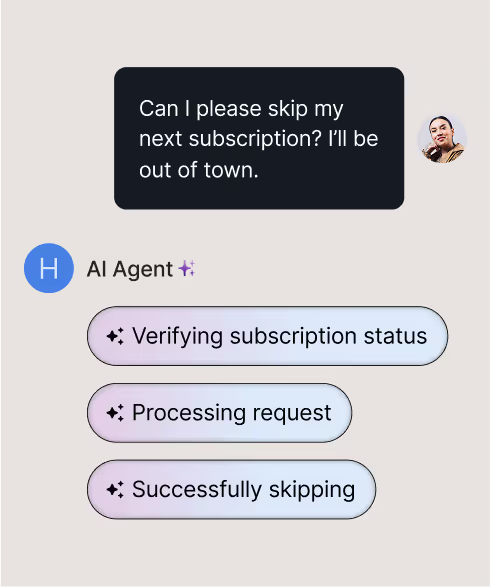
Gorgias AI Agent is designed to take repetitive tickets off your team’s plate, from “Where’s my order?” to “How do I make a return?” It understands natural language, pulls in relevant customer data, and responds in seconds—all using your brand’s approved knowledge.
The result is faster responses, fewer tickets, and more time back for your team.
2. Add Shopping Assistant to drive revenue
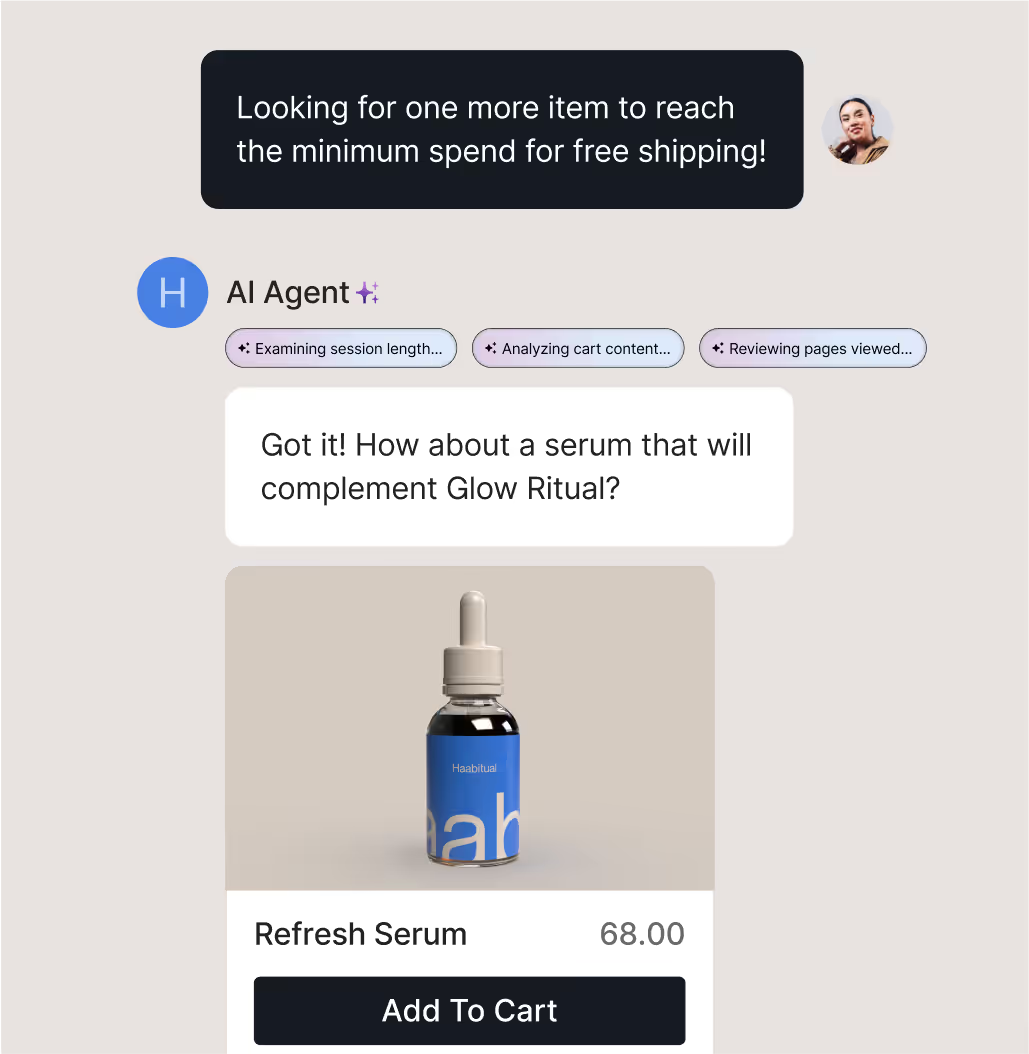
While AI Agent, covers the support front, Shopping Assistant is your digital salesperson. It engages high-intent shoppers in real time, recommends the right products, and even upsells or cross-sells based on what the customer is browsing.
Whether it’s helping someone choose the perfect shade or nudging them to complete their cart, Shopping Assistant is designed to increase AOV and reduce abandonment.
The future of ecommerce is conversational
Every time a shopper lands on your site, scrolls through Instagram, or replies to a shipping update, they’re opening the door to a conversation. The brands that show up quickly, helpfully, and with the right message, are the ones winning loyalty and revenue.
With AI Agent, you can automate accurate responses to common questions, giving your team time back without sacrificing customer experience. And with Shopping Assistant, you can turn those conversations into conversions, offering personalized recommendations, upsells, and discounts based on shopper intent.
You don’t need a massive team or months of setup to start. Just the right tools, and a strategy built for your customers.
Book a demo and learn how Gorgias helps you turn every conversation into an opportunity to grow.
{{lead-magnet-2}}
Best AI Helpdesk Tools: 10 Platforms Compared
TL;DR:
- The best AI helpdesks offer smart ticketing, self-service, and sales automation. They combine multi-channel support, give teams flexible AI control, and double as an upselling tool that drives revenue.
- Each tool has a unique strength. Gorgias is best for ecommerce brands , Zendesk offers enterprise-level customization, Intercom is great for SaaS engagement, and Tidio is easy for small teams.
- There are also standalone AI tools that integrate with existing helpdesks. Platforms like Ada, Siena, and Yuma offer automation without requiring a full platform switch.
- Advanced AI features vary in price and availability. Some are bundled, while others charge per resolution or limit access to higher tiers.
Every delayed reply, missed ticket, or frustrated customer costs more than just satisfaction—it hits revenue, loyalty, and your brand reputation. That’s why more and more brands are investing in AI helpdesks to automate the tedious parts of their job.
But with so many options on the market, choosing the right AI helpdesk can feel overwhelming. Should you prioritize conversational AI? Multi-channel support? No-code customization? Or pricing that scales with your team?
{{lead-magnet-1}}
We’ve reviewed the 10 best AI helpdesks available in 2025, evaluating them across AI capabilities, ease of use, integrations, analytics, and pricing.
How we evaluated the best AI helpdesks in 2025
To create this list, we evaluated each platform based on a combination of functionality, AI capabilities, usability, and industry applicability.
Our goal was to provide a resource that CX leaders, ecommerce managers, and support teams can rely on when choosing a helpdesk that fits their business needs.
Here’s how we approached the evaluation:
- Feature set assessment: Each tool was reviewed for its core helpdesk features, including ticket management, multi-channel support, workflow automation, and reporting capabilities.
- AI sophistication: Platforms were evaluated on the depth of their AI offerings. This included natural language processing (NLP), predictive analytics, proactive messaging, and automated resolution capabilities.
- Ease of use and setup: We considered setup time, onboarding complexity, and the learning curve for both agents and admins.
- Industry applicability: We examined which industries each tool serves best. Some platforms are tailored for ecommerce, while others are more enterprise or service-focused.
- Pricing transparency and scalability: We noted starting costs, AI feature availability by tier, and potential scaling considerations. Affordability and scalability were important, particularly for fast-growing teams that need to balance cost with AI functionality.
- Supporting resources: We reviewed customer support, integrations, documentation, and community resources. A strong helpdesk not only provides AI features but also ensures teams can implement and optimize them effectively.
By following this methodology, we created a balanced, objective view of each helpdesk, highlighting what makes them unique, their strengths, limitations, and who will benefit most from them.
The best AI helpdesks of 2025
Gorgias
Gorgias is an AI helpdesk designed for ecommerce brands, helping teams streamline support while boosting both efficiency and personalization.
By unifying all customer touchpoints—email, chat, social media, voice, and SMS—into a single dashboard, Gorgias allows support teams to manage interactions without toggling between platforms.
Unlike most helpdesks, its AI capabilities go beyond basic automation. In addition to support, its AI can influence sales by assisting, recommending, and upselling to customers based on their shopping behavior.
Best for: Scaling startups and mature ecommerce enterprises looking to expand support capacity without increasing headcount
Potential limitations: Gorgias is focused primarily on ecommerce brands, which means it may be less suitable for companies that don’t use ecommerce platforms.
Pricing: Starts at $10/month, with advanced AI features available as an add-on.
Main features:
- Automated ticket routing: AI triages incoming customer queries and assigns them to the right agent.
- AI-generated responses: Provides instant, context-aware replies to common questions.
- Sentiment analysis: Flags frustrated customers to prioritize urgent tickets.
- Multi-channel AI support: Integrates across email, chat, Shopify, social media, and 100+ ecommerce apps.
- Macros and workflow automation: AI suggests relevant responses and automates repetitive tasks.
AI features:
- AI Agent: Conversational AI that can update, refund, and replace orders, cancel/skip subscriptions, and even carry out custom-made actions.
- Shopping Assistant: A proactive AI tool that guides, upsells, and recommends products to shoppers through chat. It helps CX teams increase sales and AOV.
- Auto QA: Upgrades service quality by automatically evaluating 100% of private text conversations, whether handled by a human or AI. Each message is scored on metrics like Resolution Completeness, Brand Voice, and Accuracy.
Zendesk
Zendesk is a widely adopted AI helpdesk solution that caters to teams of all sizes, from small businesses to large enterprises. It’s known for its robust ticketing system, extensive integrations, and customizable workflows, making it a versatile choice for teams across industries.
Best for: Non-ecommerce enterprises and businesses like airlines and banks
Potential limitations: Advanced AI features and enterprise-level plans can be expensive for smaller teams, and some users report that customization for niche workflows can be time-consuming.
Pricing: Starts at $25/month per agent, with advanced AI features and enterprise options available on higher tiers.
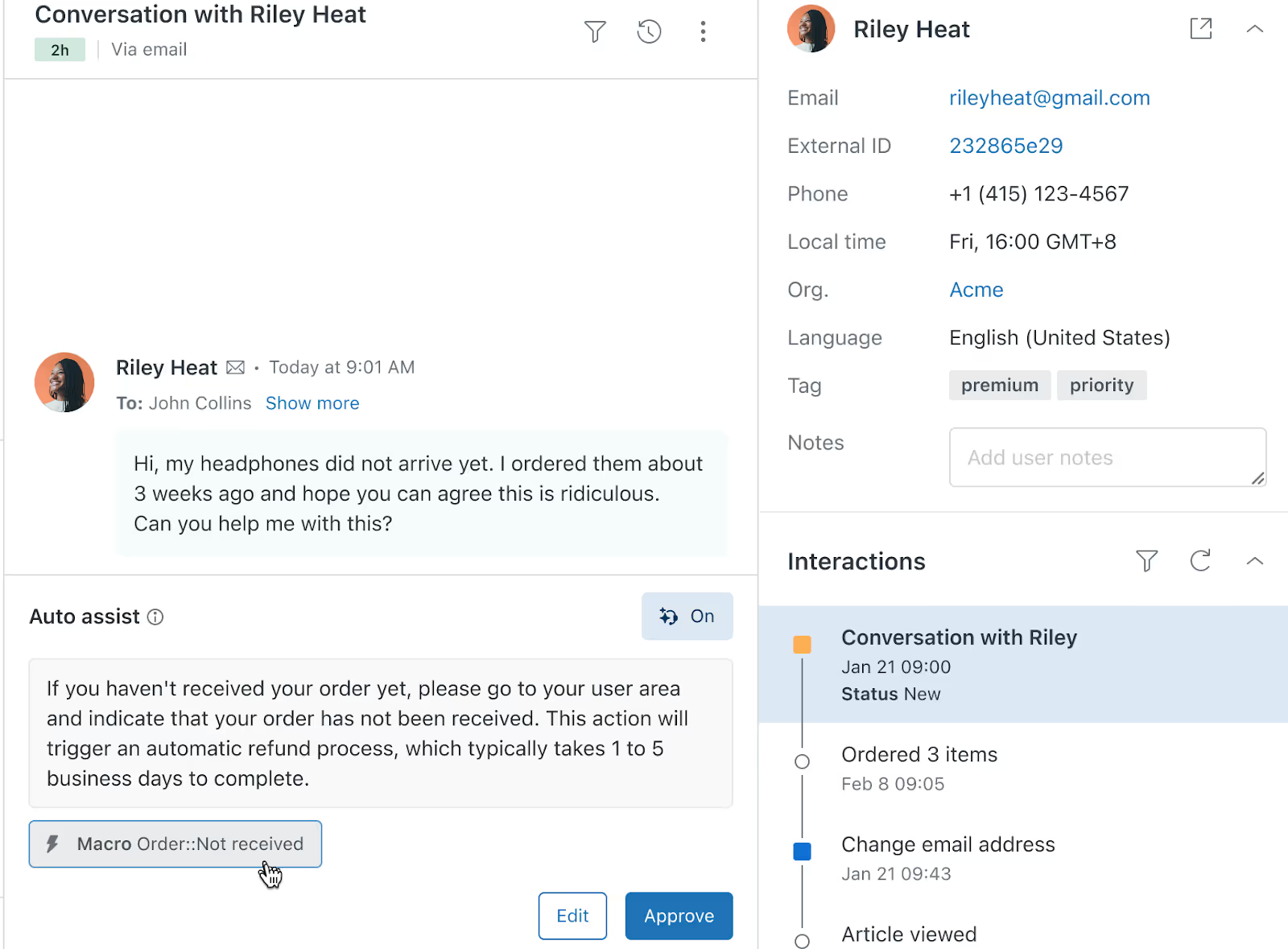
Main features:
- Unified ticketing: Centralizes requests from email, chat, phone, social media, and messaging apps.
- Macros and workflow automation: Automates routine responses and processes to reduce agent workload.
- Advanced analytics: Offers real-time dashboards and reporting to track support performance and customer satisfaction.
- Multi-channel support: Integrates seamlessly with major ecommerce, CRM, and communication platforms.
AI features:
- Copilot: Assists support agents in providing consistent replies, suggests next steps, and can even perform actions on agents’ behalf.
- AI triage: Automatically categorizes tickets and routes them to the appropriate team member.
- Zendesk QA: Scores the quality of interactions to help you get an overview of support performance.
Intercom
Intercom combines live chat, messaging, and AI automation into a single platform that focuses on proactive customer engagement. Its conversational AI makes it easy for teams to interact with customers in real time, while its automation tools help reduce response times and increase efficiency.
Best for: SaaS companies, software companies, and mid-market teams
Potential limitations: Companies looking for a plug-and-play AI solution will need to invest time in setting up Intercom. Customers report a steep learning curve when creating workflows, organizing users, and implementing new automations.
Pricing: Starts at $39/month per seat. Fin AI is available as a standalone product for $0.99 per resolution (50 resolutions per month minimum) if you have an existing helpdesk.
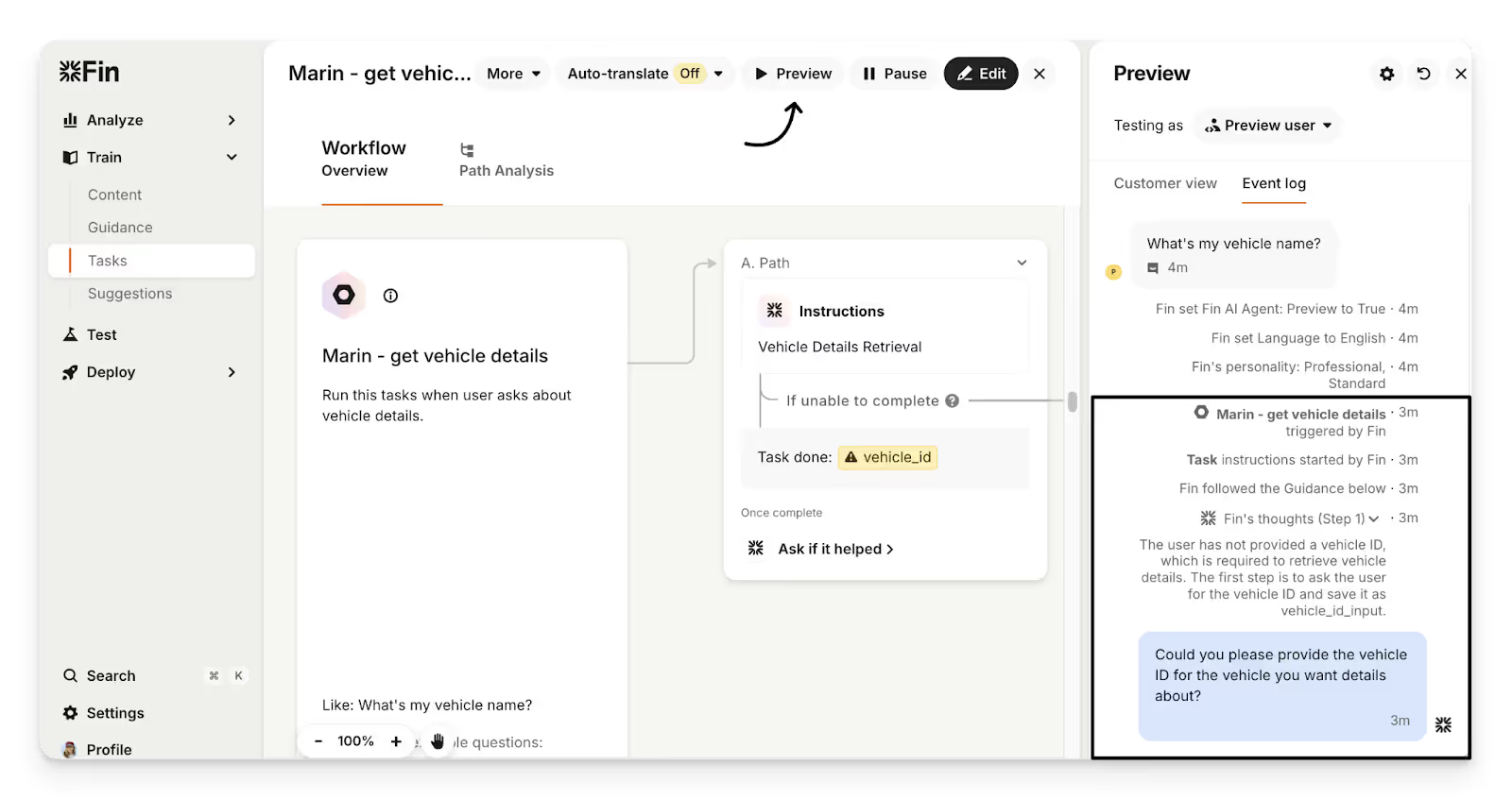
Main features:
- Live chat and messaging: Provides instant support via website, mobile apps, and email.
- Inbox and workflow management: Centralizes customer conversations and automates repetitive tasks.
- Customer segmentation: Enables targeted messaging based on behavior, subscription plans, or engagement levels.
AI features:
- Fin AI: Intercom’s AI assistant responds to common questions, freeing agents to handle complex issues.
- Fin Tasks: Performs actions like retrieving order details, processing refunds, reorders, and more.
- Fin Insights: Provides a deep look into recurring trends and issues across conversations.
Gladly
Gladly is a customer service platform built around the concept of conversation-centric support, treating every customer interaction as a continuous dialogue rather than isolated tickets.
Best for: Customer-focused brands that prioritize personalized, ongoing conversations over transactional support—especially retail, financial services, and subscription businesses that want to strengthen loyalty.
Potential limitations: Smaller teams may find it more than they need, and advanced customization can require professional services.
Pricing: Available on request, with plans typically tailored to enterprise support teams and scaled based on users and features.
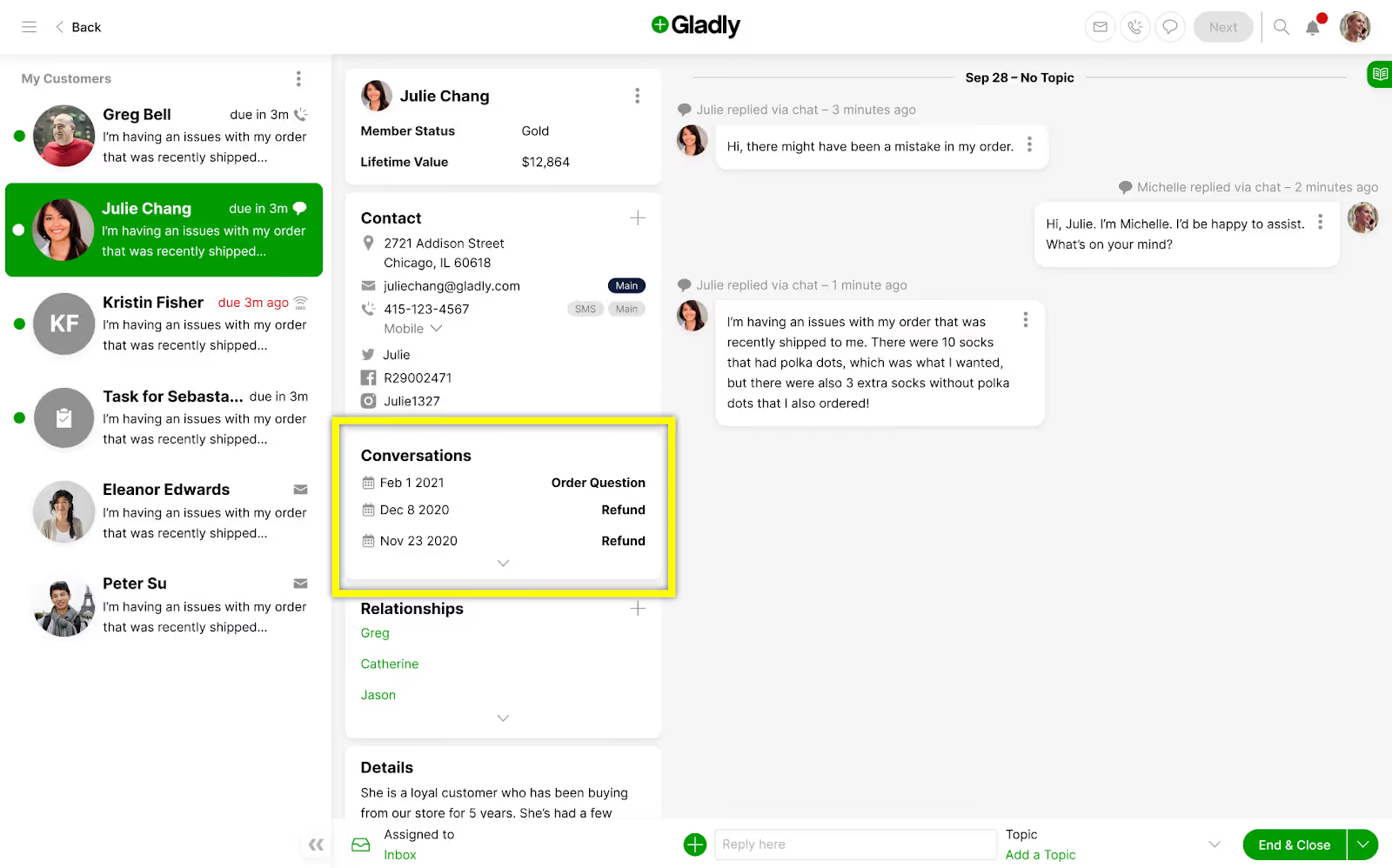
Main features:
- Unified customer timeline: Combines all interactions—email, chat, social, SMS—into a single, chronological view.
- Personalized workflows: Tailors automation and routing to individual customer needs.
- Team collaboration tools: Enables seamless handoffs and internal notes for faster issue resolution.
AI features:
- Gladly Hero: Customer profiles created from conversations that include preferences, relationships, and purchase history.
- Sidekick Chat: Instant answers to requests like returns, account updates, and refunds.
- Sidekick Voice: Real-time, AI-powered phone support with SMS follow-ups.
Kustomer
Kustomer is a CRM-centric AI helpdesk that integrates customer support and relationship management in one platform. Its AI capabilities allow teams to automate repetitive tasks, route tickets intelligently, and gain insights into customer history, making it ideal for businesses with complex support workflows.
Best for: Mid-to-large enterprises that prioritize powerful, custom reporting
Potential limitations: Users report an unintuitive and laggy interface, which can slow down large support teams that handle high support volumes.
Pricing: Starts at $89/month per seat, with AI features available as add-ons.
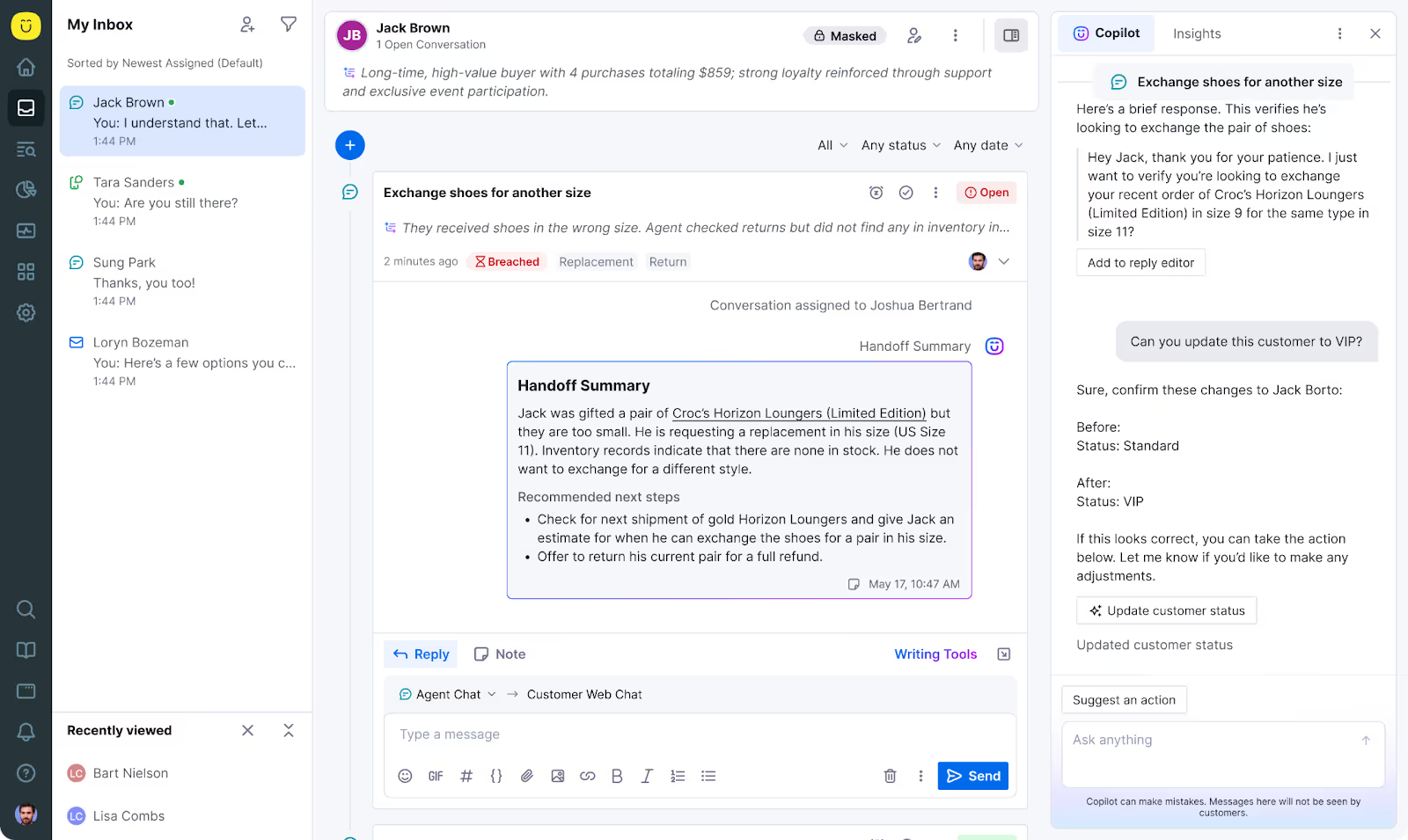
Main features:
- Unified customer profiles: Consolidates all interactions, purchases, and support history in one view.
- Workflow automation: Streamlines processes with rules-based ticket routing and escalation.
- Advanced reporting: Tracks key support metrics and agent performance.
AI features:
- AI Agents for Reps: Offers real-time assistance, from drafting responses to updating records and summarizing conversations.
- AI Agent for Customers: Allows the creation of multiple AI Agents for specialized tasks.
Tidio
Tidio is an AI-powered live chat and messaging platform built for small to mid-sized businesses looking to combine automation with personalized support. Its ease of setup and affordability make it a strong choice for teams new to AI helpdesks.
Best for: Small to mid-sized ecommerce or service-based businesses looking for an easy-to-use AI chat solution to automate FAQs
Potential limitations: May not scale well for large enterprise businesses.
Pricing: A free plan is available, with paid plans starting at $29/month per agent and AI features as add-ons.
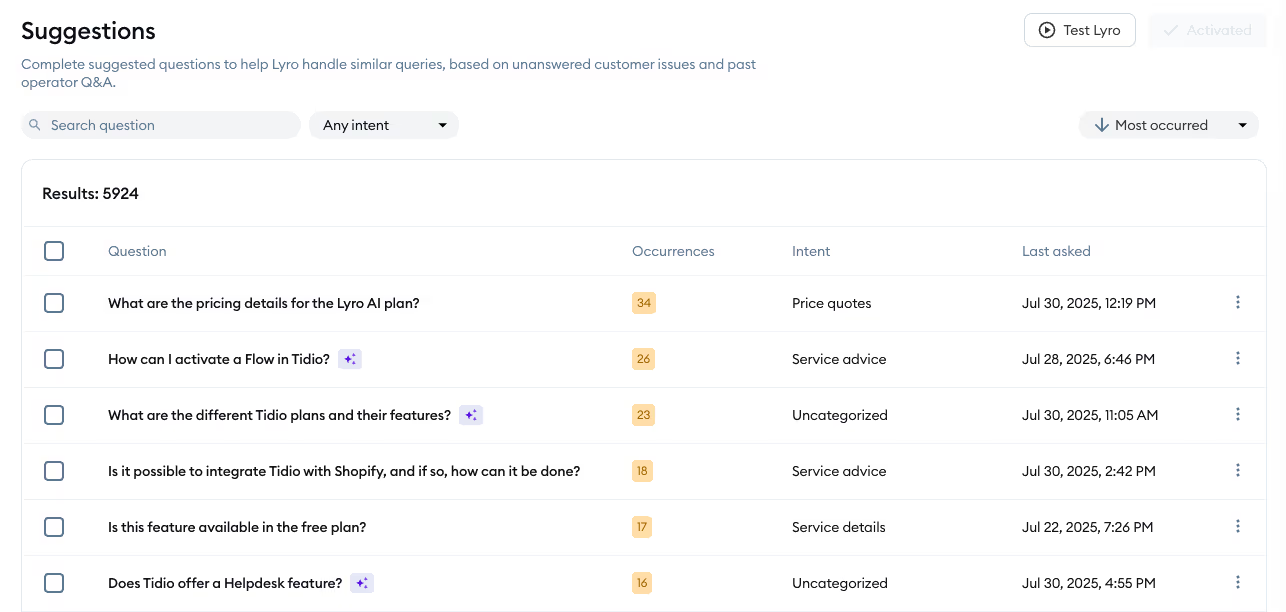
Main features:
- Live chat and messenger integration: Supports website chat, email, and social messaging.
- Drag-and-drop chatbot builder: No coding required to deploy automated responses.
- Ticket management: Organizes queries for quick resolution by agents.
AI features:
- Lyro AI Agent: Conversational AI that answers questions based on support content.
Freshdesk
Freshdesk is a helpdesk platform that combines AI automation, omnichannel support, and workflow management. It’s known for ease of use and affordability, making it popular among SMBs and mid-market companies.
Best for: SMBs and mid-market companies looking for an affordable, easy-to-implement AI helpdesk
Potential limitations: Some advanced AI functionality is limited to higher-tier plans. Large enterprises may require additional configuration to fully leverage AI features.
Pricing: Plans start at $18/month per agent, with AI capabilities and advanced automation available on higher tiers.
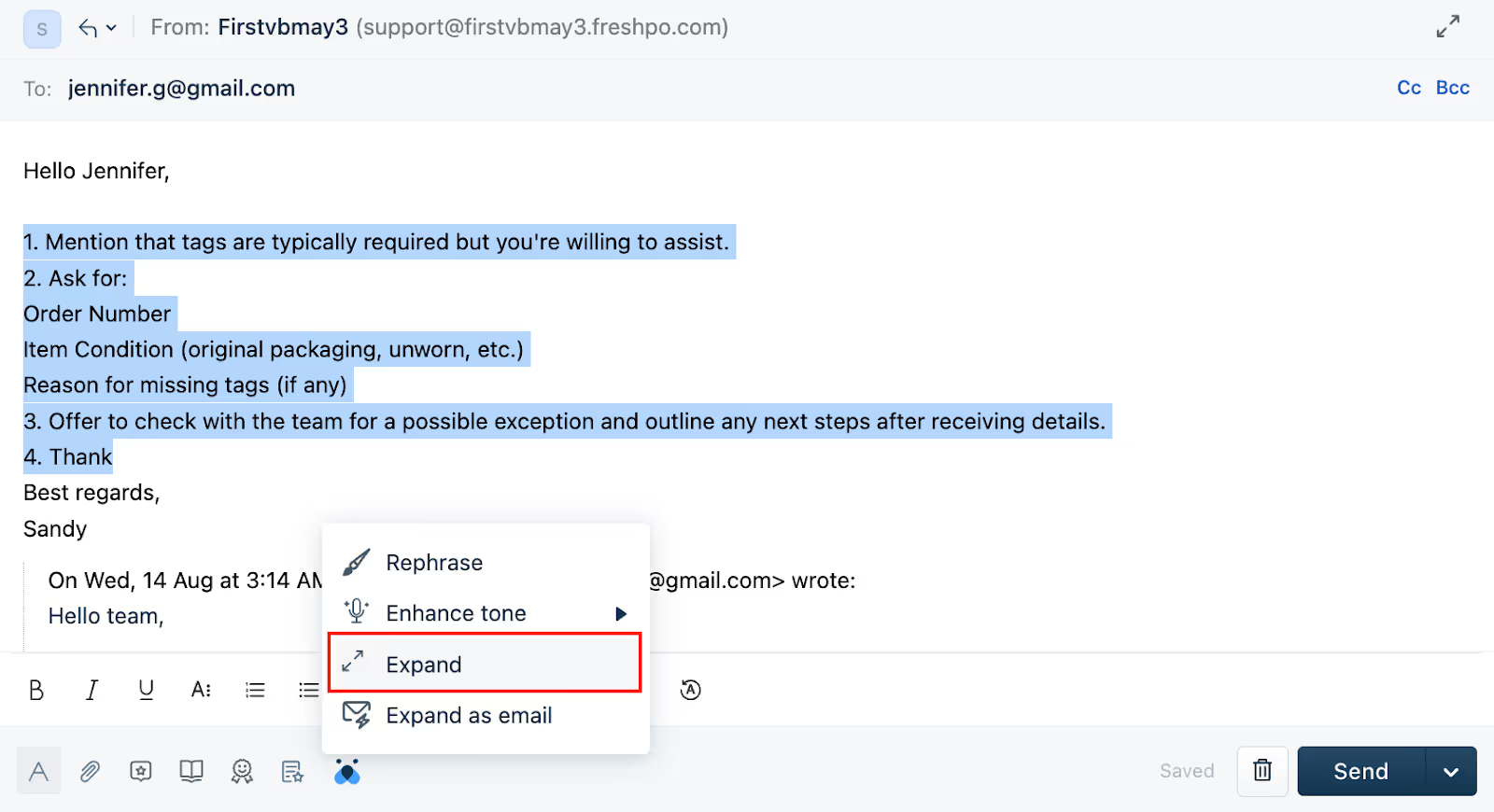
Main features:
- Multi-channel ticketing: Consolidates email, chat, phone, and social support.
- Automation and workflows: Rules and macros automate repetitive tasks.
- Analytics and reporting: Provides insights into performance and customer satisfaction.
AI features:
- Freddy AI: Fetches order details, resolves questions, updates customer profiles, and more using approved data.
Standalone AI tools you can integrate with existing helpdesks
Not ready to move helpdesks? These standalone AI tools plug into your existing helpdesk to add automation, self-service, and conversational support.
Ada
Ada is focused on conversational automation, enabling teams to provide self-service solutions that reduce ticket volume while improving response times.
Its no-code interface makes it accessible for non-technical teams, and its AI capabilities allow for personalized customer interactions at scale.
Best for: Large enterprise businesses looking to reduce support tickets through chat-based support
Potential limitations: Basic features that are free on competitor platforms cost extra on Ada, which limits smaller businesses looking for an all-in-one solution.
Pricing: Starts at $499/month for essential AI features. Higher-tier plans are available on request.
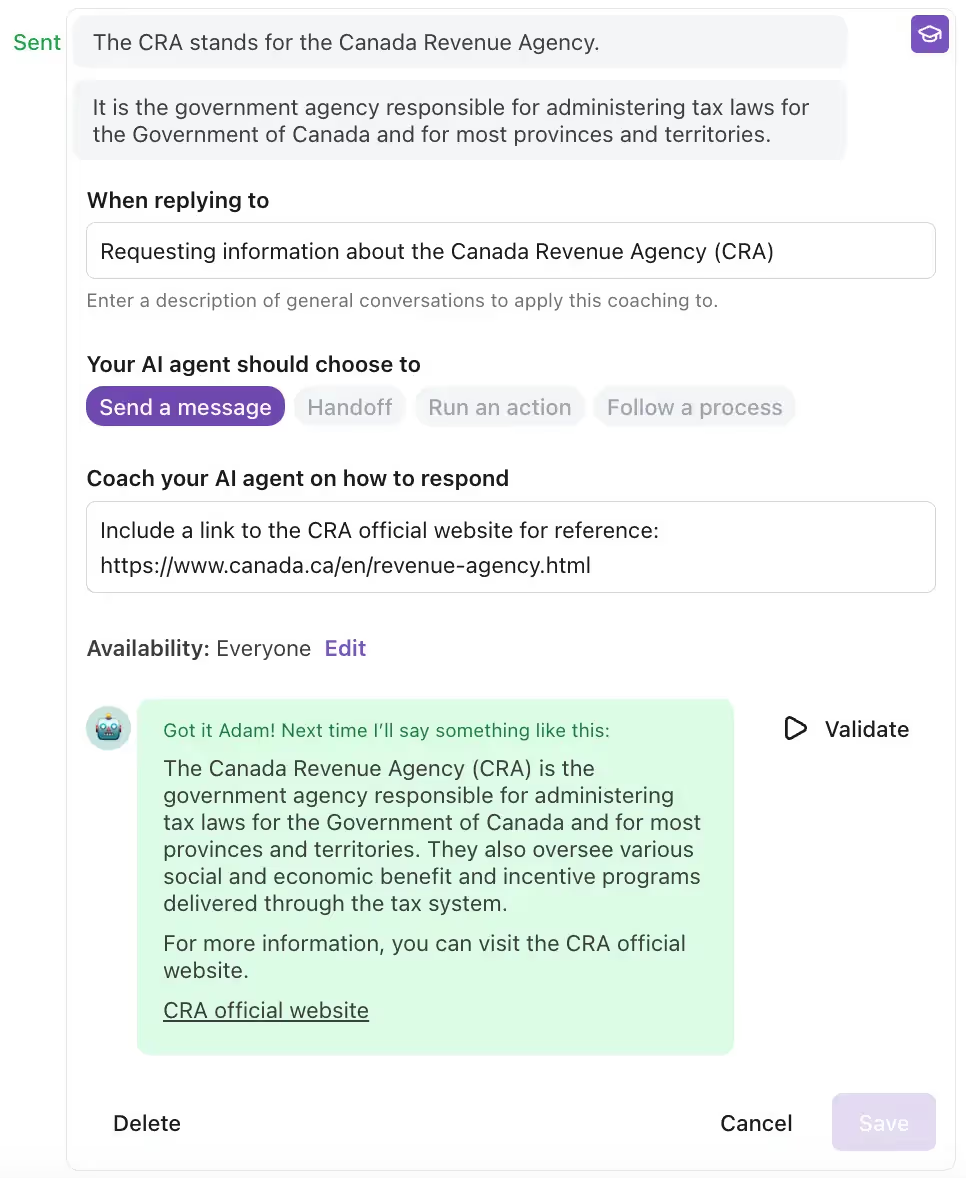
Main features:
- No-code chatbot builder: Quickly design and deploy AI chatbots across web, mobile, and messaging apps.
- Ticket deflection: Automates repetitive queries to reduce human agent workload.
- Multi-language support: Offers conversational support in multiple languages to serve global audiences.
AI features:
- Ada Voice: AI-powered phone support that can respond to customers, take action, and escalate issues in real-time.
- Ada Email: Instant, personalized replies for email threads with the ability to hand off to agents.
Siena
Siena is focused on providing automated support for rapidly growing ecommerce and SaaS brands. With an emphasis on efficiency and self-service, Siena helps teams reduce ticket volume and respond faster, while giving managers visibility into performance metrics.
Best for: Mid-market ecommerce and SaaS companies that want to combine automation with insights
Potential limitations: Lacks clear visibility into AI performance, which can keep support teams in the dark about support performance and customer satisfaction.
Pricing: Starts at $500/month with automated tickets at $0.90 each.

Main features:
- Omnichannel support: Handles email, chat, and social media from a single dashboard.
- Custom workflows: Automates repetitive tasks and ticket routing based on rules and customer data.
- Reporting and analytics: Tracks support KPIs and team performance in real time.
AI features:
- Customer Service Agent: Provides contextual, automated responses for common queries.
- Reviews Agent: Responds to every customer review with personalized feedback.
- Siena Memory: Stores key details from customer interactions and turns them into insights reports.
Yuma
Yuma is focused on conversational automation and self-service solutions. It is designed to reduce agent workload while providing fast, personalized responses, making it appealing to growing ecommerce teams.
Best for: Established ecommerce brands looking to integrate sophisticated conversational AI alongside their current helpdesk
Potential limitations: Limited integrations with broader sales stacks mean brands prioritizing sales will have a hard time creating a smooth workflow.
Pricing: Starts at $350/month for 500 resolutions, with higher-tier plans for more resolutions.
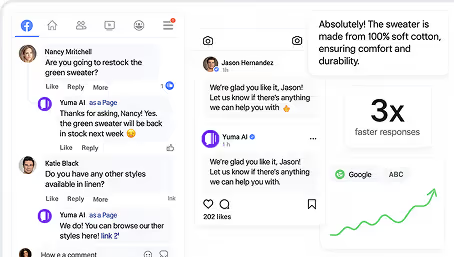
Main features:
- Omnichannel support: Handles chat, email, and social messaging from one platform.
- Self-service portals: Allows customers to resolve common issues independently.
- Workflow automation: AI assists with repetitive tasks and ticket routing.
AI features:
- Support AI: Replies to customers on email, WhatsApp, SMS, and social media using your brand’s voice.
- Social AI: Instant responses to social media comments, DMs, and tags.
- Sales AI: Guides shoppers to the relevant product and tracks bestsellers.
What features to look for in a good AI helpdesk
The best AI helpdesk makes support efficient, personalized, and scalable.
Here’s a quick checklist of what to look for when evaluating an AI helpdesk:
- Smart ticket management
- Self-service workflows
- Multi-channel support
- Sales and upselling capabilities
- User-friendly AI controls
- Performance insights
- AI learning and improvement
Key takeaways from our review
The future of customer support is AI-driven, and the tools you choose today will define the efficiency, responsiveness, and satisfaction of your support team tomorrow.
If it's still early in your AI helpdesk journey, we have additional resources to help you learn more from the pros before getting started:
You Don’t Need More Tools: You Need Teams Who Use Them Right
TL;DR:
- Most brands underuse their support tools: Gorgias has powerful features, but many teams don't take full advantage of them.
- Atidiv’s CX experts unlock Gorgias’s full potential: From tagging and macros to dashboards and rules, Atidiv ensures every feature drives value.
- Smart tagging creates strategic insights: Agents tag every interaction to surface product feedback, customer sentiment, and emerging trends in real time.
- Macros and Rules streamline support: Atidiv builds brand-consistent Macros and uses Rules to reduce manual work and clutter.
You don’t need more software—just better usage: Atidiv transforms existing tools like Gorgias into engines for efficiency, growth, and retention.
If you’re like most ecommerce brands, you’ve invested in great tools like Gorgias to streamline support, automate workflows, and deliver personalized experiences at scale. But here’s the hard truth: Having the tools doesn’t mean you’re using them well.
We see it all the time. Gorgias is live, Macros are written, a few Rules are set, and then… chaos. Tags go unused, dashboards lack insight, and your agents are still drowning in tickets.
That’s why leading brands aren’t just buying tech, they’re partnering with teams who know how to use it. That’s where Atidiv comes in.
{{lead-magnet-1}}
The tools are there. Most teams just don’t maximize them.
Gorgias is a powerful platform. Out of the box, it gives you:
- Custom tagging and views
- Automation rules to speed up repetitive tasks
- Macros that standardize your brand voice
- Real-time dashboards and revenue attribution
But without the right people using these tools effectively, it’s just noise. Atidiv’s CX specialists are trained Gorgias power users, and they make sure every feature works hard for your brand.
What happens when CX teams know the tool inside out
Here’s how Atidiv leverages Gorgias to drive real results:
Smart tagging for strategic insights
Atidiv agents don’t just respond to tickets, they tag every interaction with purpose.
- Common product issues? Tagged.
- Pre-sale objections? Tagged.
- VIP customers? You bet—tagged.
This turns your inbox into a live dashboard of customer sentiment, product feedback, and emerging trends, no extra software required.
Macros that actually get used
Atidiv writes and maintains Macros that go beyond “Thanks for reaching out.”
- Dynamic responses tailored to each issue
- Integrated links to help center articles or policies
- Embedded personalization that keeps your brand voice consistent
These aren’t just canned replies—they’re crafted CX responses built to scale.
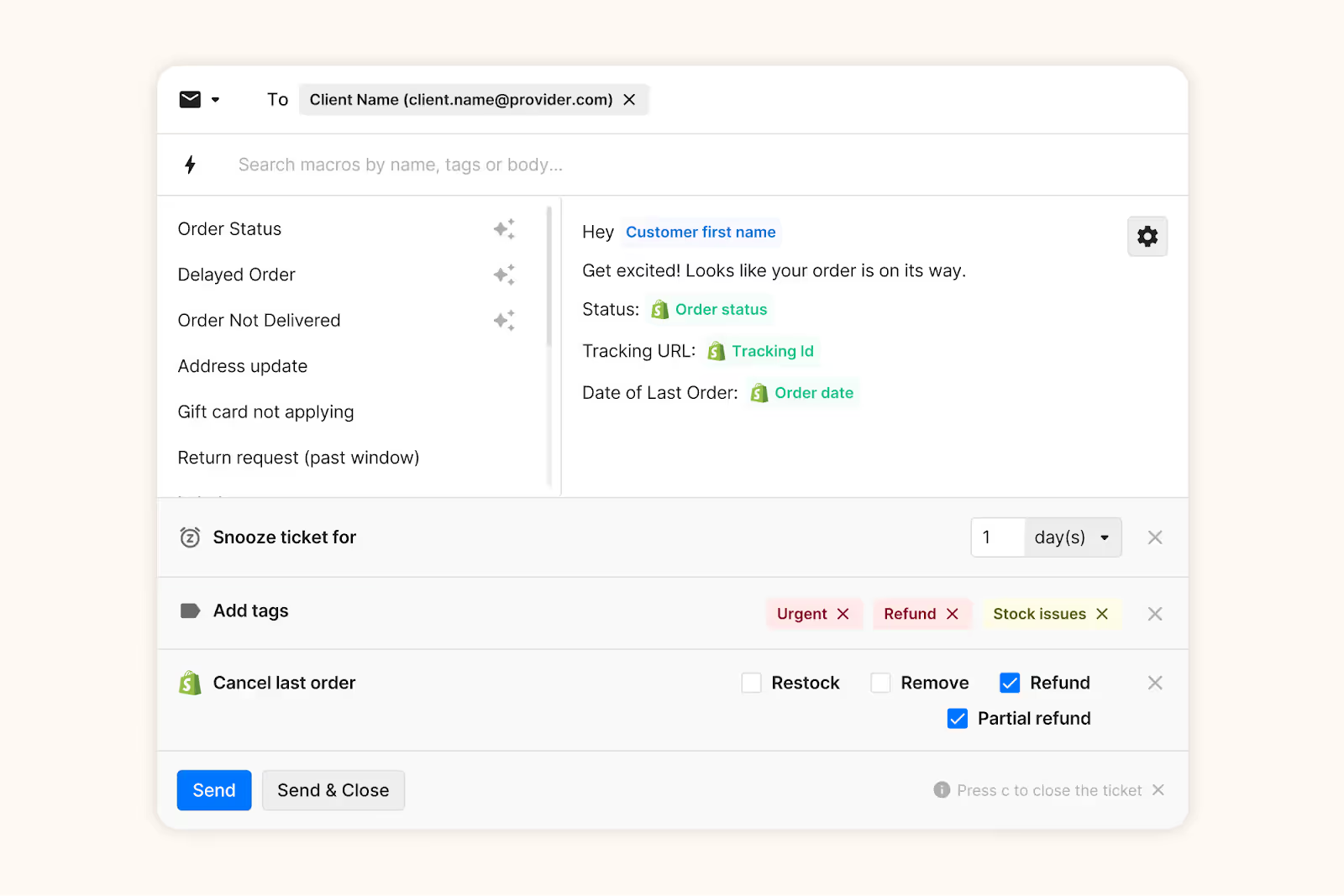
Enhance your Macros with tags, snooze rules, Shopify actions, and other dynamic variables.
Dashboards that drive decisions
Every Atidiv client gets a customized Gorgias dashboard. It’s built by Atidiv’s Team Leads to track what matters:
- CSAT trends
- SLA performance
- Volume by tag or channel
- Revenue generated from support
No more wondering if your support is working, now you know.
Rules that eliminate repetition
We use Gorgias Rules to route tickets, send auto-replies, and tag intents, reducing ticket clutter by up to 30%.
The result? Agents spend more time on high-impact conversations and less time chasing tracking numbers.
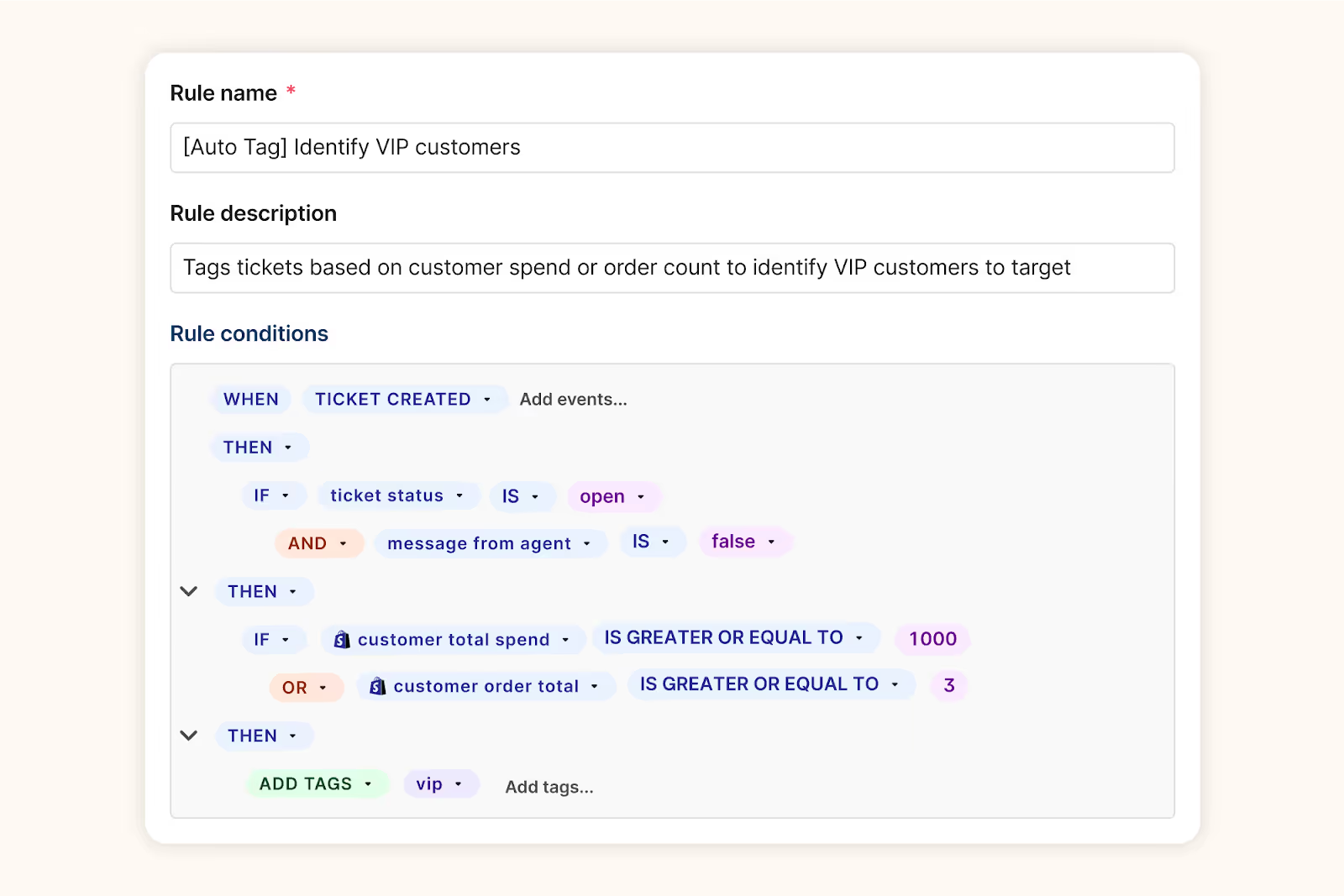
Run your support on autopilot with Gorgias Rules that automatically trigger based on your chosen conditions.
A real-world example: What this looks like in practice
A fast-growing superfood brand came to Atidiv with Gorgias already live, but underutilized. They were answering tickets manually, tracking performance in spreadsheets, and dealing with repeat questions daily.
Within 30 days, Atidiv helped them:
- Build >10 custom macros
- Implement >5 auto-routing and tagging rules
- Clean up and standardize 50+ tags
- Created 15+ executive views
- Launch a real-time performance dashboard
- Reduce first response time by approximately 45%
- Retention analysis using tags
- Surface batch of products with bad taste based on tag trends
And no, they didn’t need to buy any new tools.
It’s not about more tech, it’s about more leverage
Most brands think their next CX win will come from another app or integration. But the real unlock often comes from better use of what they already have.
That’s what Atidiv offers:
- CX teams that are fluent in Gorgias
- Leadership layers that manage performance and QA
- Strategic use of features you’re already paying for
- Flexibility to scale up or down without hiring overhead
The bottom line
You don’t need to overhaul your tech stack. You need a team that can turn Gorgias into a strategic engine for support, growth, and insight.
Atidiv makes it possible, with trained agents, experienced leaders, and a deep understanding of what Gorgias can do when used to its full potential.
→ Want to get more out of the tools you already have? Let’s talk about how Atidiv + Gorgias can transform your support operation.
Building delightful customer interactions starts in your inbox
