
.png)
Inside the Benchmark: How Gorgias Built a Real Test for Ecommerce AI Agents
An interview with Max Pruvost, Gorgias SVP of Product, the engineer behind the Gorgias AI Agent Benchmark.
Everyone evaluating an AI agent today is working from a different scorecard.
Gorgias wanted something a buyer could actually interrogate, so we built one. The AI Agent Benchmark tests AI agents on 200+ live ecommerce stores, has evaluated more than 8,000 conversations, blind-scores the quality of each one against a public rubric, and ranks 12 vendors over a rolling 90-day window.
We sat down with Max Pruvost, the engineer who built the benchmark, to talk about why the standard was needed, how it actually works, and what it took to make the numbers reliable and unbiased.
Most vendors publish some kind of AI performance number. Why wasn't that enough?
Max: Because the numbers don't mean the same thing. "Automation" can mean resolved, contained, or merely answered. The customer might have gotten what they needed, or they might have been pushed to a contact form, and both get counted the same way. "Fast" can mean the first word of a response or the complete answer; those are wildly different experiences for a shopper. And the way that vendors rate quality has been subjective or not at all standardized.
We wanted a single rubric, applied identically to everyone, that describes the two jobs an ecommerce AI agent actually has: helping a shopper buy, and resolving support without needing to pass it off to a human because the team is busy dealing with more complex tickets.
Why split shopping and support instead of one score?
Max: A storefront assistant does two very different jobs, and they punish different weaknesses. A shopping conversation is revenue-critical and impatient. If the recommendation takes twenty seconds, or the shopper can’t get a good recommendation at all, they’re gone. If the buyer doesn’t feel confident about their purchase decision, the agent hasn’t done its job. It’s important that shoppers get all their questions about the product and the brand’s policies answered quickly and accurately, before they drop off.
A support conversation is about containment: did the customer get their refund question answered without anyone touching a ticket? Speed matters far less there.
If you average the two, a vendor that's excellent at policy answers and useless at recommending products can look identical to one that does both. So the benchmark measures the two lanes separately and weights them differently: shopping is 40% automation, 35% quality, 25% speed; support is 50% automation, 40% quality, 10% speed.
Walk us through how a conversation actually gets captured.
Max: Every conversation runs against the live widget on a real storefront, using the same AI deployment customers actually interact with. Each conversation starts completely fresh, with no browsing history or prior context, and our test shopper types every question in its own words. That matters: quick-reply buttons can trigger canned answers that make speed and automation look better than they really are.
The questions are deliberately hard: compound, multi-constraint, and built on earlier answers, with objections and edge cases along the way. Support scenarios include things like splitting a refund between a gift card and credit card or changing an address mid-transit. Shopping scenarios go from open-ended discovery through comparison and objections, all the way to add-to-cart.
Quality is where benchmarks usually become opinions. How did you make the judge trustworthy?
Max: We made three design decisions to make it more trustworthy.
First, blindness. Before judging, we strip out vendor and store identity, so the judge sees behavior, not brands. The information that links a conversation back to its vendor is kept separate and never reaches the judge.
Second, each lane's rubric breaks down into simple yes/no checks, twenty-six of them across the two lanes. The LLM judge answers yes or no per check, and the score out of 100 is calculated from those answers by a fixed formula. A judge can't "feel" an 82.
Third, every passing check must quote the actual transcript, and the quote is verified against the stored transcript in code, an invented quote is demoted to a fail. And the objective parts are even stricter: whether a reply really contains a price, a link, a review quote or a product option is detected by code straight from the transcript, not judged by feel.
Automation rate is the headline metric for most buyers. How is yours different?
Max: The benchmark counts a conversation as automated only when the AI handled it with zero human touch, no handover to a person, and no deflection out of the channel. No "email us," no contact form, no "call us." If more than half of an agent's replies in a conversation push the customer out of the channel, we count the conversation as unresolved.
And importantly, the questions are designed so no turn ever asks for a human. Any handover the AI initiates is its own choice, attributable to a capability gap, not a scripted escape hatch. Also: early bails count against the vendor, and broken widgets are reported separately, never silently dropped or scored as zero. None of that flatters anyone. It's the same measure for every vendor.
Making the methodology fully public is unusual. Why do it?
Max: Because a competitive benchmark nobody outside can check is only an assertion. The rubric is downloadable; the scoring rules, quality gates and neutrality policies are documented. Every scoring decision is written into code as a separate, tested rule, 145 of them, and before any board goes live an automated check blocks it from publishing if it breaks its own rules. The whole thing runs automatically every day: capture, judge, audit, verify, publish. No vendor-specific store exclusions exist.
We would rather someone find a flaw in our method than trust a number they can't inspect. The point is not that our methodology is beyond debate, the point is that the debate should happen around a visible, repeatable standard instead of around marketing claims.
What should a buyer take away from all this?
Max: Three things. First, demand the definition behind every number, what counts as automated, what stops the latency clock, who picked the quality score. Second, configuration beats model: the same vendor scores well on one store and near zero on another, so the deployment you'd actually run is what matters, and testimonials and demos hide that. Third, the most common failure in the field isn't a wrong answer, it's a wall or a loop: authentication demands, repeated clarifying questions, handing everything to a human. Those are guardrail problems, and they're cheap to fix once you can see them.
The full methodology, rubric and live scoreboard are public at evals.gorgias.com. Every number in this piece comes from the September 9, 2026 board, ranked over its 90-day window.
TL;DR:
- Gaia for Zendesk is a free Chrome extension that analyzes your Zendesk ticket history and identifies gaps in your AI Agent setup.
- It generates ready-to-review guidances, instructions, voice-of-customer analysis, and Copilot procedures — nothing is applied without your approval.
- Install it in five minutes and run your first analysis in under a minute.
Getting more out of your Zendesk AI Agent comes down to better configuration. The problem is that auditing your own setup requires time you don't have.
Gaia for Zendesk is a free Chrome extension from Gorgias that clears that backlog in minutes. It connects to your Zendesk account, reads your tickets, and generates the components your AI Agent needs to resolve more conversations without escalation.
Below, you'll find everything you need to get started: how to install Gaia, what it can do, and the use cases teams are already putting it to work for.
Jump to:
- Who is this for?
- What is Gaia for Zendesk?
- Why use Gaia instead of configuring it yourself?
- How to install Gaia for Zendesk
- Four ways to use Gaia for Zendesk
Who is this for?
Zendesk Suite admins and agents who want to set up or improve their Zendesk AI Agent (and, optionally, Zendesk Copilot).
Throughout this article, "AI Agent" refers to Zendesk's own AI Agent feature, not Gorgias's product. Gaia is the Gorgias-built Chrome extension that helps you configure it.
What is Gaia for Zendesk?
Gaia for Zendesk is a free Chrome extension built by Gorgias that connects to your Zendesk account and analyzes your real ticket history.
It autonomously transforms that data into the core components your Zendesk AI Agent needs to resolve more tickets without human intervention: guidances, instructions, voice-of-customer insights, and Copilot procedures.
Gaia opens automatically as a side panel on any .zendesk.com page. You choose a workflow, Gaia runs the analysis and generates structured drafts, and you review and approve what should be applied to your Zendesk workspace.
What Gaia can do:
- Improve your Zendesk AI Agent: Scans escalated tickets, identifies gaps in your existing setup, and proposes targeted updates to your guidances.
- Create your first instructions: Generates 15 best-practice AI Agent instructions, adapted from Gorgias templates and tailored to your ticket data.
- Analyze your tickets: Produces a voice-of-customer report covering ticket volume, intents, and escalation patterns from the last 90 days.
- Create your first procedures: Drafts 10 Copilot procedures using the Gaia WHEN/IF/THEN format (requires the Copilot add-on in Zendesk).
Good to know: Gaia is autonomous in how it analyzes your data and generates recommendations, but nothing is applied without your approval.
Why use Gaia instead of configuring it yourself?
How well your AI Agent performs comes down to how well it is configured. Clear instructions, well-defined intents, and up-to-date procedures are what separate an AI Agent that resolves tickets from one that escalates them — and building that foundation manually takes time most teams do not have.
Gaia removes that constraint by turning your existing support data into structured, ready-to-review outputs:
- Skip the blank page. Start from drafts generated from your own ticket history instead of building from scratch.
- Get from setup to first results faster. Gaia analyzes up to 90 days of tickets in minutes and produces implementation-ready content, so you move from setup to value in hours, not weeks.
- Stay in control. Every output is surfaced for review so you can validate accuracy and alignment with your policies.
- Keep improving over time. Re-run Gaia regularly to capture new intents, identify gaps, and maintain coverage as your business evolves.
Tip: Teams that define five or more strong guidances typically see a meaningful lift in the share of tickets their AI Agent resolves without escalation. Gaia is designed to help you reach and expand beyond that baseline quickly.
How to install Gaia for Zendesk
Installation takes about five minutes. You'll need admin access to your Zendesk account to generate an API token.
Make sure you're using Google Chrome or another Chromium-based browser (such as Edge or Brave). Gaia is not available for Safari or Firefox at launch.
Follow these steps:
1. Install the Gaia for Zendesk extension. Go to the Chrome Web Store listing for Gaia for Zendesk by Gorgias and click Add to Chrome. Confirm the permissions to complete installation.
2. Generate a Zendesk API token. In Zendesk, navigate to Admin Center › Apps and integrations › Zendesk API. Enable Token access if needed, then click Add API token. Copy and store the token securely (it will not be visible again).
3. Open the Gaia extension and add your credentials. Click the Gaia icon in your Chrome toolbar, then open Settings. Enter:
- Zendesk subdomain: the part before .zendesk.com in your account URL (for example, acme if your URL is acme.zendesk.com).
- Email: the email of the Zendesk admin who created the API token.
- API token: paste the token you generated in step 2.
4. Click Save. Gaia will validate the connection.
5. Open any Zendesk page. Navigate to any page in your Zendesk account. Gaia will appear as a side panel where you can select a workflow and begin.
Four ways to use Gaia for Zendesk
Here are the four most common ways teams use Gaia for Zendesk.
1) Audit and improve an existing AI Agent setup
Best for: Teams already using Zendesk AI Agent or Answer Bot but not reaching their automation goals
Select Improve my AI Agent. Gaia analyzes escalated tickets against your current guidances to identify missing intents, unclear instructions, and outdated logic, then proposes prioritized improvements.
2) Bootstrap AI Agent from a blank slate
Best for: Teams starting without an established AI configuration
Select Create my first instructions. Gaia generates a foundational set of 15 instructions covering common ecommerce scenarios (order status, refunds, cancellations, shipping, returns).
3) Run a voice-of-customer analysis
Best for: Support, CX, and operations teams planning improvements or reporting on performance
Select Analyze my tickets. Gaia summarizes ticket volume, top intents, and escalation drivers to highlight where automation or process improvements will have the greatest impact.
4) Roll out Copilot procedures
Best for: Teams using Zendesk Copilot who want consistent, scalable agent workflows
Requires the Copilot add-on in Zendesk. Select Create my first procedures. Gaia converts real agent behavior into structured WHEN/IF/THEN procedures that standardize how common scenarios are handled.
Your AI Agent is resolving less than it should — and it’s costing you
Gaia connects to your Zendesk account, reads your ticket history, and shows you exactly where your setup is falling short. Install the free Chrome extension and run your first analysis in under a minute.

Newsletter Signup
The best in CX and ecommerce, right to your inbox
Featured articles

Ticket Volume: How to Measure It, Benchmark It, and Reduce It
TL;DR:
- Ticket volume is your support workload: It counts every customer inquiry across every channel in a given time period.
- High volume signals friction in your business: Spikes usually point to unclear policies, product issues, or gaps in your website experience.
- Every ticket has a real cost: Agent time, tooling, and overhead add up fast — and they compound during peak seasons.
- Automation reduces volume without reducing quality: AI tools and self-service deflect repetitive questions while keeping customers satisfied.
- Measurement drives improvement: Tracking volume by channel, category, and time period reveals exactly where to focus your efforts.
Your ticket volume number is probably wrong. If customers are reaching you through email forwards, Slack DMs, or channels that bypass your helpdesk, those tickets aren't being counted, and your SLA reporting is built on incomplete data. This guide covers how to get an accurate count, break it down by channel and category, and use your vertical benchmark to figure out whether your volume is actually a problem or just normal for your industry.
What is ticket volume?
Ticket volume is the total number of customer inquiries your support team receives across all channels — email, live chat, phone, social media, and contact forms — within a specific time period. It is the most direct measure of your team's workload.
Do not confuse it with contact rate. Contact rate = tickets ÷ orders (or customers). That normalized number is more useful for benchmarking and planning because it accounts for business growth. Raw ticket volume tells you how busy your team is. Contact rate tells you whether support demand is outpacing your business.
How to calculate your ticket volume
Start by looking at the last 30 days of customer conversations, no matter where they currently live.
Pull these four numbers:
- Total customer questions received across all channels
- Breakdown by channel (email, chat, social DMs, phone, contact forms, etc.)
- Breakdown by category (shipping, returns, product questions, account issues)
- Tickets or conversations per order during the same period — this gives you your contact rate baseline
Here’s how to pull that data depending on your setup:
Gmail or Outlook
Open your inbox or Sent folder and filter by the last 30 days. Count how many customer conversations came in during that period. You can also copy subject lines into ChatGPT or Claude to group conversations by topic.
Shopify Inbox
Go to Inbox > Conversations and review your recent conversations. Count how many messages you received and look for repeated themes or questions.
Any helpdesk (Gorgias, Zendesk, Freshdesk, Help Scout, etc.)
Most helpdesks have ticket reporting or exports built in. Search “export tickets” or “ticket report” in your platform’s help center. From there, you can pull:
- Total tickets
- Channel breakdown
- Top ticket categories
- Tickets over time
If a large portion of customer questions are still happening in untracked places like Slack DMs, personal inboxes, or Instagram comments, your reporting is incomplete. Before optimizing support operations, route customer conversations into one shared system so you can accurately measure volume, response times, and recurring issues.
Why your volume breakdown matters more than the total
A raw ticket count tells you how busy your team is. The breakdown tells you what to fix.
|
Category |
What high volume signals |
What to do |
|
"Where is my order?" |
No proactive shipping updates; poor tracking page |
Automate WISMO with AI Agent; add tracking link to order confirmation |
|
Returns and exchanges |
Confusing return policy; no self-serve portal |
Add a clear returns page; enable self-serve exchange flows |
|
Sizing and product questions |
Weak product page content |
Add size guides, FAQs, and fit notes directly on product pages |
|
Account and subscription issues |
Customers can't self-serve basic account changes |
Build or improve your Help Center; enable self-serve account management |
|
Payment and billing |
Checkout friction or unclear pricing |
Fix at the source — this is rarely a support problem |
Run this categorization for your last 30 days. Your top two or three categories are your highest-leverage targets.
Track volume alongside these KPIs
Ticket volume only tells part of the story. Track it alongside:
- Contact rate (tickets ÷ orders) — so you know if volume is growing faster than your business
- First response time (FRT) — volume spikes show up here first
- Average handle time (AHT) — high AHT + high volume = a capacity problem
- Cost per ticket — total support costs ÷ total tickets, the clearest financial measure
- Backlog size — a growing backlog is the earliest warning sign that volume is outpacing capacity
- Deflection rate — tickets resolved through self-service or automation without agent involvement
How to reduce ticket volume without reducing quality
Once you know what is driving your volume, address each category at the source. The goal is to eliminate unnecessary tickets.
Automate the highest-volume, lowest-complexity tickets first. WISMO inquiries, order status checks, and basic return initiations require no agent judgment. An AI Agent connected to your ecommerce platform can handle these end-to-end without a human stepping in. When a question is too complex, the AI escalates it with full context attached.
Build self-service content around your top categories. A Help Center that directly addresses your most common ticket types is the highest-leverage tool for sustained volume reduction. Start with your top five categories. Write one article per category. Surface those articles on relevant product pages, in checkout, and in post-purchase emails — before customers need to search.
Send proactive messages at the moments that generate the most tickets. Post-purchase is the single highest-value touchpoint: an order confirmation that includes a tracking link, estimated delivery window, and a clear link to your return policy eliminates a large share of inbound questions before they are ever submitted.
Measure deflection, not just volume. Deflection rate, the percentage of issues resolved through self-service or automation, is the metric that tells you whether your volume reduction efforts are actually working. Track it weekly alongside CSAT for automated interactions to make sure quality is holding.
Ticket volume benchmarks
The all-industry average is not your benchmark. Ticket volume per 100 orders varies 2.4x across verticals, so comparing yourself to a cross-industry number will either make you complacent or create false urgency.
According to Gorgias platform data from March 2026 across 14 verticals at the $10M GMV band, here is what tickets per 100 orders actually looks like by vertical:
|
Vertical |
Tickets per 100 orders |
|
Electronics |
46 |
|
Vehicles & Parts |
46 |
|
Hardware |
41 |
|
Luggage & Bags |
32 |
|
Home & Garden |
32 |
|
Sporting Goods |
32 |
|
Baby & Toddler |
24 |
|
Business & Industrial |
25 |
|
Animals & Pet Supplies |
25 |
|
Apparel & Accessories |
22 |
|
Health & Beauty |
21 |
|
Arts & Entertainment |
21 |
|
Food & Beverages |
20 |
|
Toys & Games |
19 |
Source: Gorgias Ecom Lab, March 2026
High ticket volume is not always a sign of poor CX — it often reflects product complexity. Electronics brands generate nearly one ticket per two orders because customers have more pre- and post-purchase questions about technical products. Food and Beverage brands generate about one in five. That gap is not a performance difference; it is a category difference.
The right question is not "are we below 10 tickets per 100 orders?" It is "are we above or below our vertical peers?" Find your row. That is your baseline. Then use the reduction tactics above to move below it.
How to predict ticket volume if your tool charges per ticket
If your ticketing tool uses usage-based pricing, where your bill scales with ticket volume rather than agent headcount, forecasting volume directly affects your budget.
The core formula is simple:
Projected tickets = projected orders × (tickets per 100 orders ÷ 100)
So if you expect 2,000 orders next month and your vertical median is 22 tickets per 100 orders, your forecast is approximately 440 tickets.
But a flat monthly estimate misses the real risk: peak seasons. A volume spike during BFCM that triples your order volume will also triple your ticket count — and your bill — unless you have guardrails in place.
To build a more accurate forecast:
- Use your contact rate, not raw volume. Divide your tickets by orders for each of the last 12 months. This gives you a stable ratio that accounts for business growth and seasonal swings.
- Apply that ratio to your order forecast. If your marketing team has a sales projection for November, multiply it by your contact rate to estimate support volume.
- Separate your AI-handled tickets from agent-handled tickets. Some platforms bill differently for automated resolutions versus human ones. If you're using an AI Agent to deflect WISMO and returns, those deflected tickets may not count toward your billable volume at all — which changes the math significantly.
- Build in a buffer for peak periods. Your contact rate tends to rise during high-demand periods, not just your order volume. First-time customers generate more tickets than repeat buyers, and BFCM brings a disproportionate share of first-timers.
Before signing any usage-based contract, ask two questions: What counts as a billable ticket? And is there a hard cap on monthly charges? Variable billing only works in your favor if you have clear definitions of what triggers a charge and a ceiling on how high costs can go during an unexpected spike.
If your platform bills per ticket resolved by a human agent (not AI), your deflection rate becomes a financial metric, not just an operational one. Every percentage point of additional deflection directly reduces your bill.
Start reducing ticket volume today
Begin by identifying your top ticket categories, then work backward to find the root cause of each one.
From there, layer in self-service content, automation, and proactive messaging to address those root causes directly. The result is a support operation that handles more customers and a team that spends its time on the work that actually requires human judgment.
Book a demo to see how Gorgias helps ecommerce brands reduce ticket volume and improve customer experience at the same time.
{{lead-magnet-2}}

Gorgias AI Agent Pricing, Explained
TL;DR:
- AI Agent is priced per resolved interaction, not per seat or per message. You only pay when the AI fully resolves a conversation on its own.
- Most plans are $0.90 per resolved interaction. Starter plans begin at $1. Plans include 90 to 2,500+ automated interactions per month.
- If you go over your plan, overage fees apply per additional interaction. Rates vary by tier and are lower on annual plans.
- Your automation rate emerges from usage over time. Start by estimating your ticket volume and pick an interaction allotment that fits.
- AI Agent runs on email, chat, and SMS, and includes tone of voice customization, Actions, multi-language support, vision, and performance reporting.
If you're wondering what it costs to add AI Agent to your Helpdesk, you're in the right place. This article walks through how pricing works, what counts as a billable interaction, and how to think about the investment before talking to anyone on our team.
The good news: there are no seat fees, no per-message charges, and no token-based billing. You pay for conversations your AI actually resolves. If you've looked into other AI tools for customer support and found the pricing models confusing or hard to predict, Gorgias AI Agent works differently.
What is a billable interaction?
A billable interaction is counted when the AI resolves a customer conversation entirely on its own. The customer asks something, the AI handles it, the conversation closes. That's one interaction.
If the AI can't fully resolve a conversation and hands it to a human agent, that ticket shifts over to your regular Helpdesk plan. It becomes a standard resolved ticket. You're not charged for both.
A few things that don't count as billable interactions:
- Emails that come in but no one replies to
- Spam or filtered messages
- Conversations resolved by a human agent
This matters most for brands coming from seat-based tools. With Gorgias, your whole team can work in the platform. Agent seats are unlimited. Pricing scales with what your AI is actually doing, not with how many people have access.
Understand the difference between seat-based vs. usage-based pricing.
How AI Agent plans work
AI Agent is an add-on to your Gorgias Helpdesk plan. The two are priced separately but work together. Your Helpdesk plan covers all the conversations your human agents resolve. Your AI Agent plan covers the interactions the AI resolves on its own.
When you choose a plan, you select how many automated interactions you want included per month. Depending on your plan, that ranges from 90 to 2,500+ interactions, with custom interaction numbers available for enterprise. You can see the full breakdown on the Gorgias pricing page.
Each resolved conversation costs $0.90 on most plans. Starter plans begin at $1 per resolved conversation. You only pay for fully automated interactions, meaning conversations the AI handles from start to finish without a human stepping in.
Choosing the right plan
The main input is your average monthly ticket volume. From there, you estimate how many of those conversations AI could realistically handle on its own.
Order status updates, return requests, and shipping questions tend to be the highest-volume ticket types AI resolves well. AI Agent actions shows the full range of what it can handle, which makes it easier to estimate your starting number.
Your actual automation rate, meaning the share of total tickets the AI ends up resolving, emerges from usage over time. Most brands start with their most repetitive ticket types and expand from there as they see results.
Related: Which Gorgias plan should you choose?
What happens if you go over your plan
You're charged an overage fee for each additional automated interaction if you exceed your plan's baseline in a given month. The exact rate depends on your plan tier and whether you're on a monthly or annual subscription.
Generally, the higher your plan tier, the lower your overage rate. Annual plans also carry lower overage rates than monthly plans. So if you're regularly going over, upgrading to a higher tier or switching to annual often works out cheaper than paying overage fees month after month.
If you're on a Support + Shopping Assistant plan, the overage rate is $1.50 per interaction across all paid tiers. If you're on a Support-only plan, rates range from $1.00 to $2.00 per interaction on monthly plans, and $0.83 to $1.67 on annual plans, depending on your tier.
For seasonal businesses, forecasting your customer service volume before peak periods is the best way to choose the right plan size and avoid unexpected fees.
How to think about the cost
At $0.90 per resolved interaction on most plans, each AI resolution costs less than a human agent handling the same ticket. Once you know what a human-resolved ticket costs your business, the comparison becomes straightforward.
For brands building an internal case for the investment, how to pitch AI Agent to your boss covers the ROI framing in detail.
To see what results look like in practice, how 10 brands transformed customer support into revenue has real ecommerce examples.
What's included with AI Agent
AI Agent comes with everything you need to set it up, customize it, and improve it over time:
- Knowledge training — AI Agent learns from your Shopify data, store website, Help Center articles, URLs, documents, and custom guidance. The more content it has, the more accurately it responds.
- Tone of voice — set instructions for how AI Agent sounds, whether that's professional, friendly, or something else, and it stays consistent across every conversation.
- Actions — connect AI Agent to your other tools so it can complete tasks like cancelling an order, processing a return, or modifying a subscription without a human stepping in. See what AI Agent can do.
- Multi-language support — AI Agent detects the language a customer writes in and replies in the same language automatically.
- Vision — AI Agent can read and understand images, so it can handle tickets where customers share photos of damaged items or order issues.
- Performance reporting — track automation rate, CSAT, first-response time, and ticket topics directly in the dashboard.
- Testing — preview how AI Agent responds to real customer questions before going live or after making changes.
- Handover to humans — AI Agent automatically passes conversations to your team when it lacks confidence, detects frustration, or encounters a topic you've marked for human handling.
Learn more: Gorgias AI Agent guardrails: What they are and how to configure them
Curious what AI Agent would automate for your store?
The best way to get a sense of what AI Agent will cost is to look at your own ticket volume and the types of questions your customers ask most. From there, the right plan becomes much clearer.
If you want to talk through the numbers with someone from our team, book a demo and we'll walk through it with you.
If you'd rather keep exploring first, here are a few good next reads:
- AI Agent keeps getting smarter — the latest performance data across the Gorgias customer base
- 10 must-know AI Agent use cases — the ticket types brands are automating today
- How 10 brands transformed customer support into revenue — real ecommerce results
- How to customize AI Agent with 7 brand voice examples — what the experience looks like for customers
{{lead-magnet-2}}

Introducing Helpdesk 2.0: Built for How Agents Work
TL;DR:
- Built directly from agent feedback, Helpdesk 2.0 fixes real workflow pain points. The redesign focuses on reducing friction and helping agents handle more context-heavy tickets.
- A chat-style interface replaces the old email layout. Conversations are easier to follow and resolve in one view.
- Customer context is shown beside the conversation in a right-side panel. Agents can view history, orders, and details without leaving the ticket.
- AI handoffs come with clear summaries. Agents instantly see what happened, what was tried, and what to do next.
- Navigation is simpler and faster across teams. Clean menus, structured queues, and multi-store access keep agents moving efficiently.
Helpdesk 2.0 starts with the people who use it most: the agents.
We spent time understanding customer support from the agent's seat. What do they reach for constantly? What slows them down? What does a better workday look like?
Everything we found is in this brand-new update.
Why we redesigned Helpdesk
Conversational commerce is the new standard.
In customer support, this means customers expect context to remain intact wherever they reach out, whether a conversation starts on social, moves to email, or ends on a call.
This new approach to support has also changed the agent's role. Recurring tickets, like order status checks, shipping updates, and returns, are now handled by AI. What lands in the agent inbox are edge cases that require human judgment and troubleshooting, or tickets that require the full picture.
However, the original Helpdesk was built for a different era of support.
Context was separated across views rather than built into the conversation itself. It's something one in five Gorgias customers flagged, through support tickets, NPS surveys, and conversations with our team. So, we got to work.
Helpdesk 2.0 is the result.
What's new in Helpdesk 2.0
Here's a look at everything that changed.
Read conversations the way they're meant to be read
Conversations have a natural rhythm, one that’s already found in every messaging tool we use. We brought that same layout into the helpdesk.
Say goodbye to the 2000s email interface and hello to chat bubbles. This updated design changes how quickly you can orient yourself and resolve the ticket in one go.

Chats with customers now look like real conversations, using the speech bubble style you’re familiar with on popular messaging apps.
Check customer history without losing your place
Checking a customer's history used to mean leaving the conversation, an extra step that interrupted what should have been a smooth workflow.
Now, past conversations open in a sidebar next to the active conversation. You can view a customer’s full history, search through their timeline, and open prior tickets without going to a new page.

Check past conversations, orders, and customer details in the brand-new Customer Timeline.
See order details the moment you open a ticket
Order information is easier to reference than ever. Open a ticket, and you instantly see the customer's recent orders, marked with product images and invoice details at a glance. Need to dig deeper? Click on an order, and the expanded information appears in the same panel.
For teams using custom integrations, apps are fixed in a quick-access integration menu on the right.

See order details, product images, and totals at a glance on the right panel, without leaving the conversation.
Pick up where AI left off
You shouldn't have to dig through a thread to figure out what AI already tried. Now you don't have to.
When AI Agent escalates a conversation, it includes a concise handover summary that mentions the issue, what actions were taken, and why it was passed to your team.

Escalated tickets include a brief AI-generated handover summary, marked in yellow, for quick reference.
Move faster across every store and team
We restructured and simplified the navigation. The left sidebar organizes everything into clear categories: Inbox, AI Agent, Marketing, and Analytics, so anyone on your team knows exactly where to go.
To quickly update your knowledge base or adjust a workflow, both now live right in the sidebar. For teams managing multiple stores, switching between them is just as straightforward, accessible from the sidebar, so agents can move between inboxes without breaking their flow.

Agents can switch between stores and their corresponding inboxes directly from the left menu.
A workspace that works the way agents do
Support comes down to the person on the other end of the conversation. We built Helpdesk 2.0 is to make sure they have everything they need to show up for that moment.
The best way to see the difference is to work in it. Start a free trial today.

7 CRO A/B Tests to Reduce Customer Support Tickets


Further reading
9 Help Scout Alternatives: Best Options, Comparisons, and How to Choose
TL;DR:
- Why teams switch from Help Scout: It’s easy to use, but reporting is basic, omnichannel support is limited, and structured workflows like SLAs and escalations are missing.
- Who Help Scout is best for: Small to mid-size, email-first teams that want a simple shared inbox, quick setup, and lightweight collaboration without a lot of complexity.
- Top Help Scout alternatives by use case: Gorgias (ecommerce), Freshdesk (budget-conscious omnichannel teams), Intercom (product-led SaaS), and Zendesk (enterprise support ops).
- Key gaps to watch: Help Scout can become limiting if you need deeper analytics, more channel coverage, stronger automation, or a more flexible knowledge base.
- What to consider before switching: Compare pricing predictability, channel needs, SLA requirements, reporting depth, and how well the platform connects to your ecommerce or CRM stack.
Whether you're outgrowing Help Scout or shopping for your first helpdesk, you're probably looking for the same thing: a tool that brings all your customer conversations into one place without the chaos.
Help Scout is a solid starting point, but contact-based pricing gets unpredictable as you grow, reporting is limited, and omnichannel support is an afterthought.
This guide covers nine alternatives to help you find the right fit.
What you need to know about Help Scout
Help Scout is a shared inbox platform built for small to mid-size teams that want simple, email-first customer support. It comes with a built-in knowledge base (Docs) and a chat widget (Beacon), and it's known for being easy to set up and easy to use.
Where it works well:
- Clean, intuitive interface that's easy to learn
- Docs module for building a knowledge base
- Beacon widget for embedded chat and Self-service
- Collision detection to prevent duplicate responses
Where it falls short:
- Basic reporting with limited customization
- No native SLA enforcement or escalation rules
- Single knowledge base template
- Minimal support for phone, SMS, or social channels
- Some users report connection reliability issues
Pricing:
Help Scout charges per user, not per contact. Standard starts at $20/user/month, Plus at $40/user/month. Both plans include unlimited mailboxes, but costs can get unpredictable as your customer base grows.
Why consider Help Scout alternatives
Help Scout is easy to love at first, but here's where it tends to fall short as you grow:
- Reporting is too basic. No custom dashboards, no real-time analytics, and limited ability to track agent performance or spot customer trends. As one G2 reviewer put it, the reporting "doesn't allow for much drilldown or custom views."
- One knowledge base template. Limited customization and no collaborative editing make it hard to scale your self-service content. One reviewer noted it "limits how we can structure our help content."
- Reliability hiccups. Some users report connection drops and image handling issues during busy periods, making it "frustrating to use during busy periods" according to one G2 reviewer.
- Pricing gets unpredictable. Contact-based pricing means seasonal spikes or marketing campaigns can inflate your bill without warning.
- No SLAs or escalation rules. If your team needs structured workflows as you grow, Help Scout doesn't have the tools to support them.
Best Help Scout alternatives at a glance
Platform |
Best For |
Starting Price |
Free Trial |
Key Features |
Gorgias |
Ecommerce brands |
$50/350 tickets/month |
seven days |
Shopify integration, AI automation, multichannel |
Zendesk |
Enterprise teams |
$55/agent/month |
14 days |
AI Copilot, skills-based routing, 1,000+ integrations |
Freshdesk |
Budget-conscious teams |
Free (up to 10 agents) |
21 days |
Freddy AI, built-in telephony, omnichannel |
Intercom |
Product-led SaaS |
$39/user/month |
14 days |
Fin AI chatbot, in-app messaging, product tours |
Front |
Email-style collaboration |
$25/seat/month |
seven days |
Shared drafts, AI Topics, calendar integration |
Zoho Desk |
Zoho ecosystem users |
$14/agent/month |
15 days |
Zia AI, low-code customization, CRM integration |
Kayako |
On-premise deployment |
$79/month + $1/AI ticket |
14 days |
SingleView timeline, self-learning KB, guest access |
LiveAgent |
Global multilingual support |
$15/agent/month |
14 days |
40+ languages, call center, social routing |
Hiver |
Gmail users |
$19/user/month |
7 days |
Works in Gmail, collision detection |
9 Best Help Scout alternatives (deep dive)
Gorgias
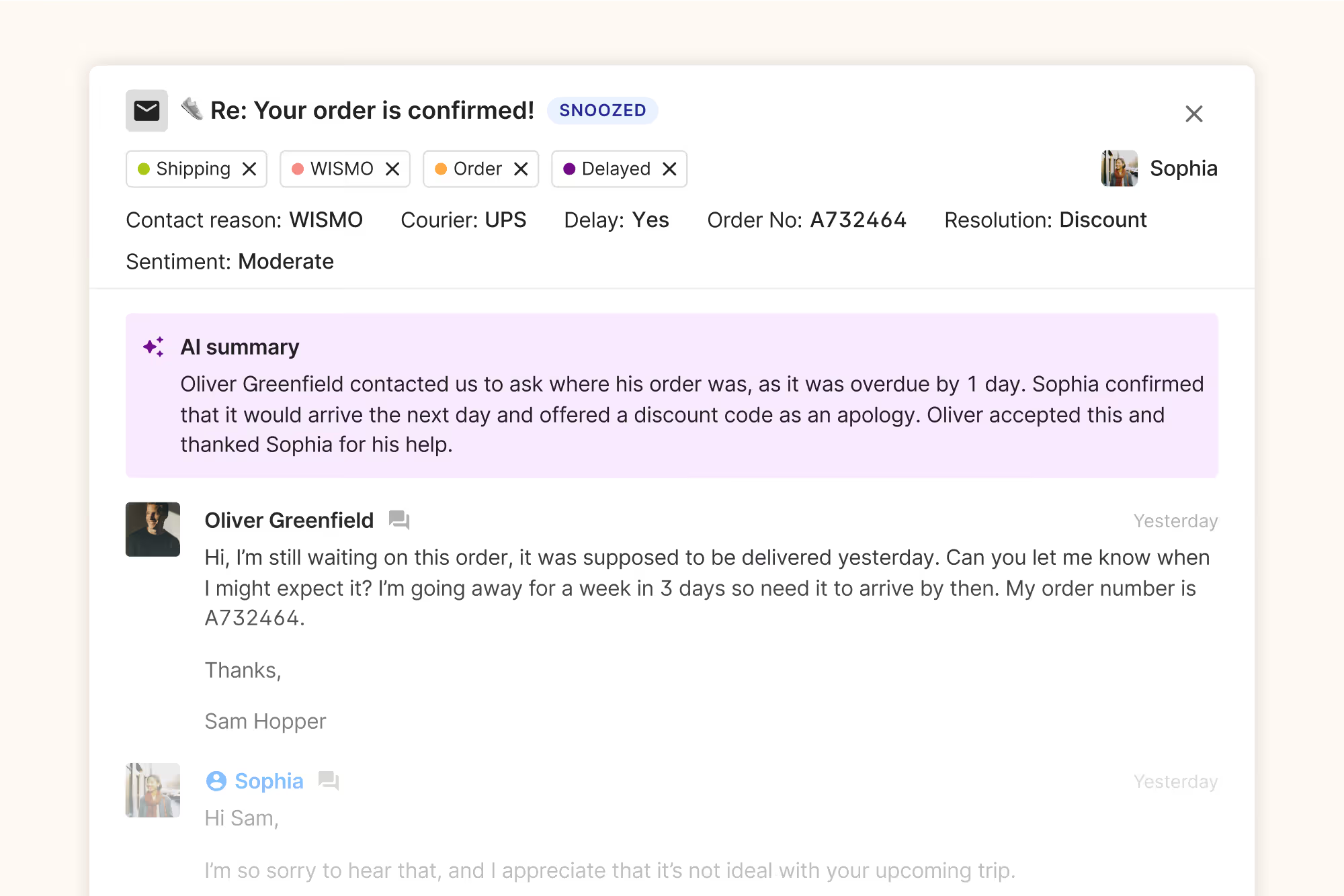
Gorgias is built specifically for ecommerce brands that need to manage customer conversations across multiple channels while accessing order data in real time. The platform integrates deeply with Shopify, Magento, and BigCommerce. This lets support teams view order details, process refunds, and update shipping addresses without leaving the help desk.
Key features:
- Multichannel support for email, Live Chat, phone, SMS, and social media (Facebook Messenger, Instagram)
- Deep ecommerce integrations with Shopify, Magento, BigCommerce, and apps like Yotpo and Smile.io
- Powerful automation with Macros, Rules, and customer sentiment tagging
- Mobile apps on Google Play and Apple App Store for on-the-go support
- Ticket management with search, assignment, tags, and resolution tracking
Pricing: Starts at $50 per 350 tickets per month, billed annually.
Free trial: 7 days. No credit card required.
Best for: Ecommerce businesses that need ecommerce-focused integrations and ticket-based pricing aligned with store size.
What makes Gorgias better than Help Scout:
- Ticket-based pricing that scales with volume, not contacts
- Ecommerce-focused integrations designed for online stores
- Pricing plans consistent with store size and support needs
- Feature-rich ticket management with tags and automation
{{lead-magnet-1}}
Zendesk
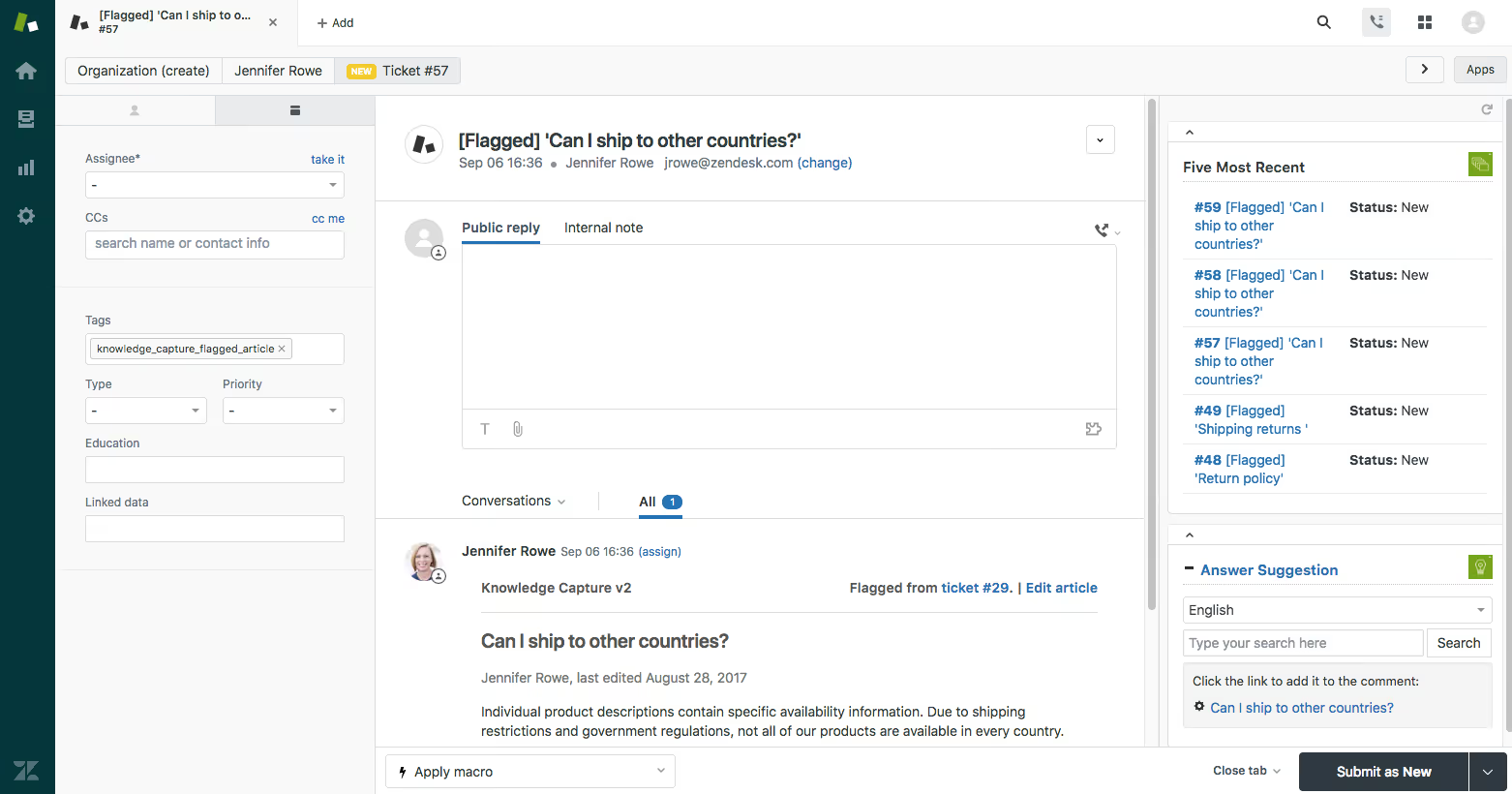
Zendesk is an enterprise-grade platform with deep automation capabilities and AI-powered support tools. It's designed for large teams that need advanced routing, comprehensive reporting, and integration with thousands of third-party apps.
Key features:
- Omnichannel ticketing across email, chat, voice, and social media
- AI Copilot for automated triage and response suggestions
- Skills-based routing and advanced SLA management
- Access to over 1,000 integrations through the Zendesk marketplace
- Custom reporting with flexible data visualizations
Pricing: Suite Team plan starts at $55 per agent per month.
Free trial: 14 days. No credit card required.
Best for: Large teams, regulated industries, and companies with complex workflows.
Zendesk vs Help Scout: HeliosX, a Zendesk customer, noted that "automation was much easier to set up in Zendesk compared to our previous platform. We could create rules and triggers without needing developer help, which saved us weeks of onboarding time."
Freshdesk
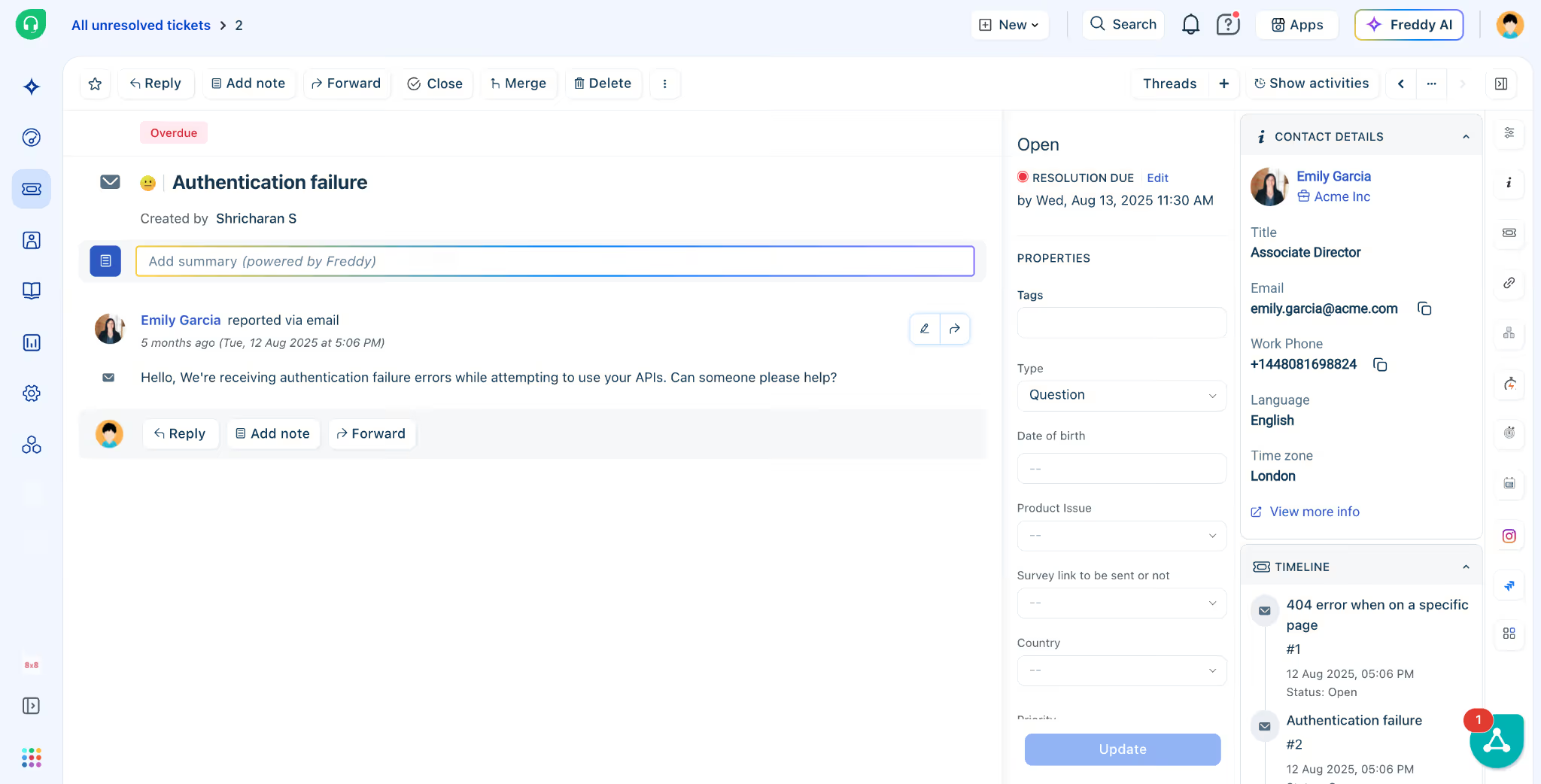
Freshdesk offers a budget-friendly alternative with omnichannel support and AI-powered automation. The platform includes a free plan for up to 10 agents, making it accessible for growing teams that aren't ready for enterprise pricing.
Key features:
- Free plan available for up to 10 agents
- Freddy AI for ticket triage, chatbots, and sentiment analysis
- Built-in telephony and WhatsApp support
- Automation rules and SLA management with escalation workflows
- Connect with Freshworks products like Freshsales and Freshchat
Pricing: Free plan available. Growth plan starts at $15 per agent per month.
Free trial: 21-day free trial for paid plans. No credit card required.
Best for: Growing teams needing multichannel support without high costs.
Freshdesk vs Help Scout: Freshdesk's multichannel approach and free tier make it easier for budget-conscious teams to test omnichannel support before committing to paid plans.
Intercom
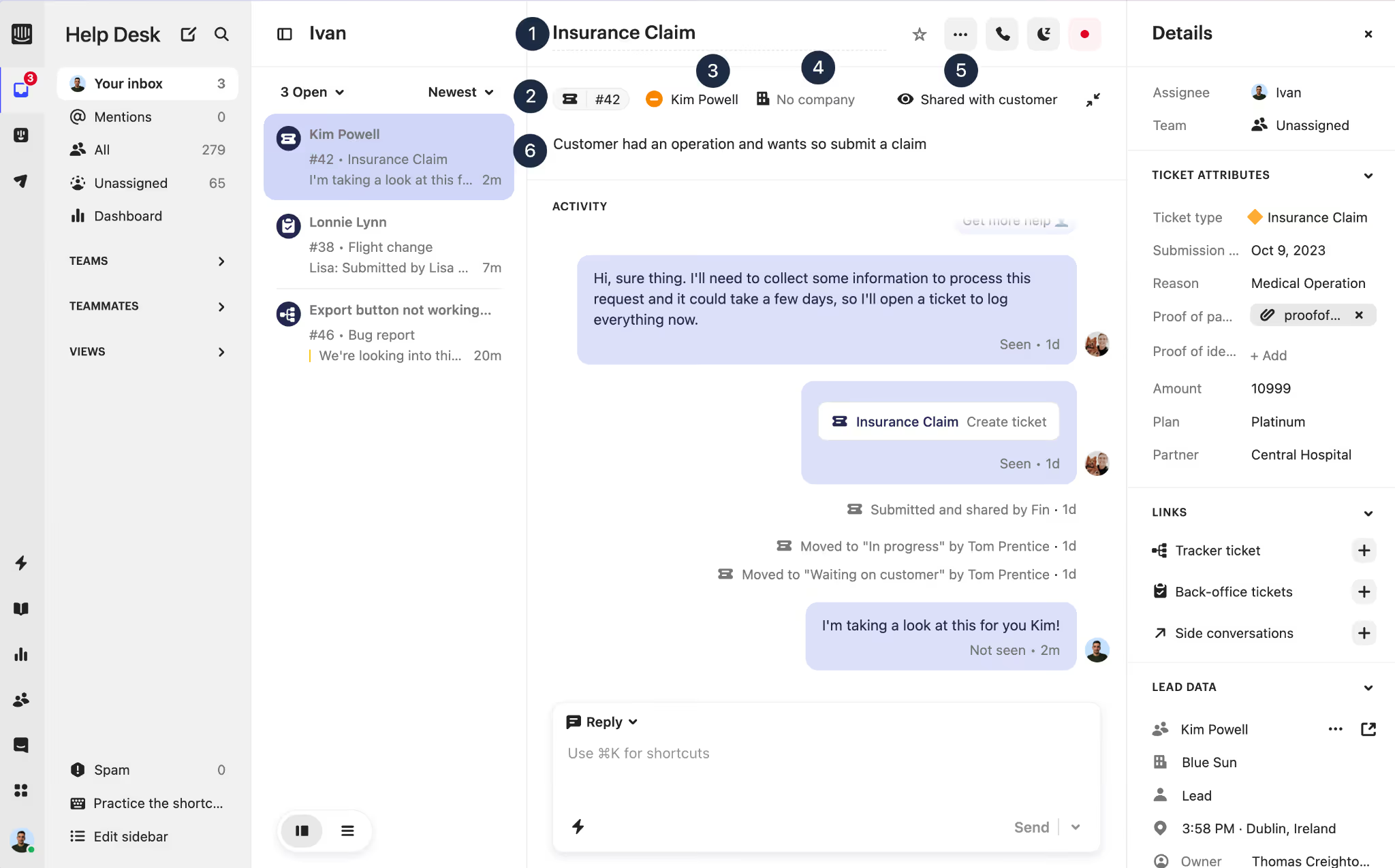
Intercom is designed for product-led SaaS companies that need to support customers within the app. Its Fin AI chatbot handles complex queries, and in-app messaging lets you guide users through features without email back-and-forth.
Key features:
- Fin AI chatbot for automated responses to complex questions
- In-app messaging and product tours for onboarding
- Unified inbox with full customer context
- Custom bots for lead qualification and routing
- Outbound messaging for proactive support
Pricing: Starter plan at $39 per user per month.
Free trial: 14 days. Credit card required.
Best for: SaaS companies focused on in-app support and customer onboarding.
Intercom vs Help Scout: Intercom's strength lies in product-led growth strategies, where Help Scout focuses on traditional email support. If your product requires in-app guidance, Intercom offers tools Help Scout doesn't provide.
Front
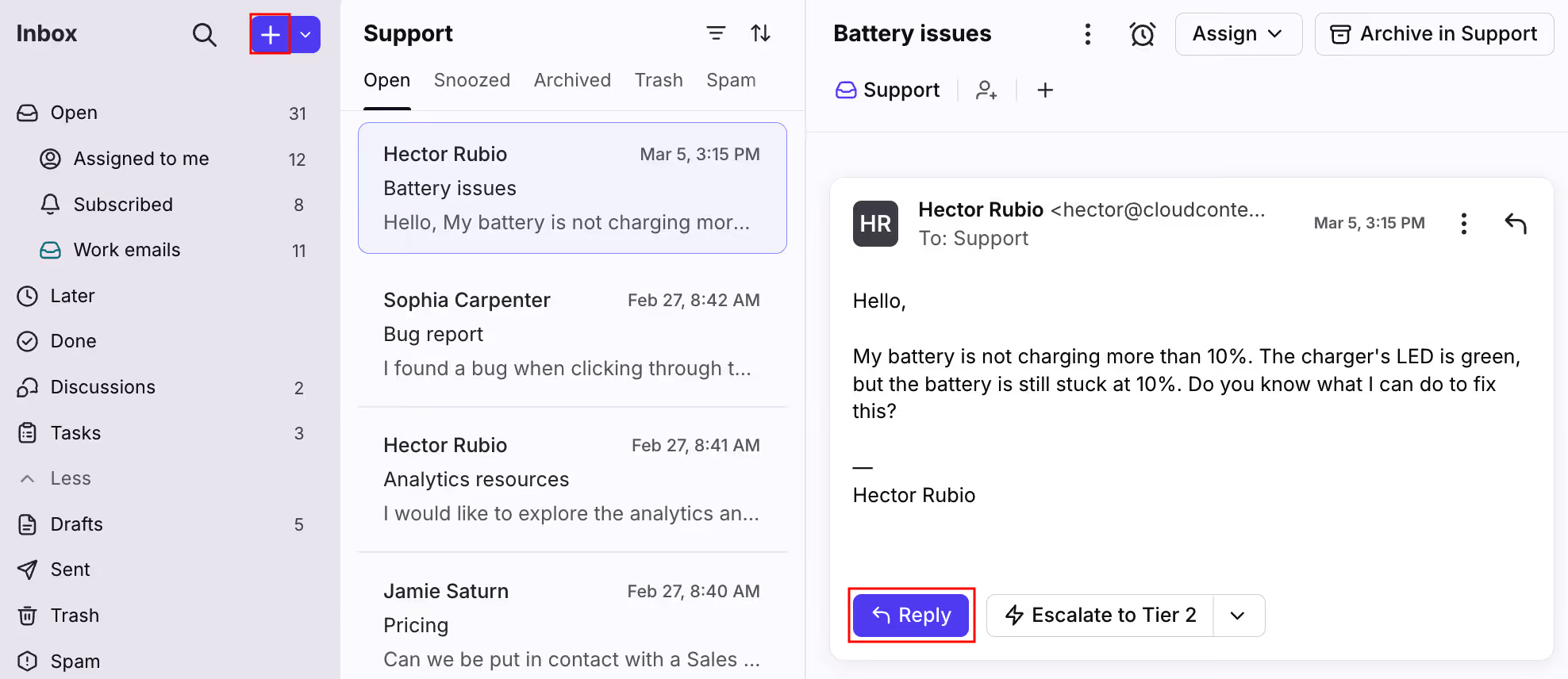
Front brings an email-style interface to team collaboration, making it feel familiar for teams transitioning from Gmail or Outlook. It combines a shared inbox with internal comments, shared drafts, and real-time collaboration features.
Key features:
- Shared inbox with internal comments and collaborative drafts
- AI Topics for automatic categorization and routing
- Calendar and scheduling integration
- Familiar email-style interface
- Collision detection to prevent duplicate work
Pricing: Starter plan at $25 per seat per month (up to 10 seats).
Free trial: 7 days
Best for: Teams wanting an email-like interface with real-time collaboration.
Front vs Help Scout: Both platforms prioritize email support, but Front's collaborative features - like shared drafts and internal comments - make it easier for teams to work together on complex replies.
Zoho Desk
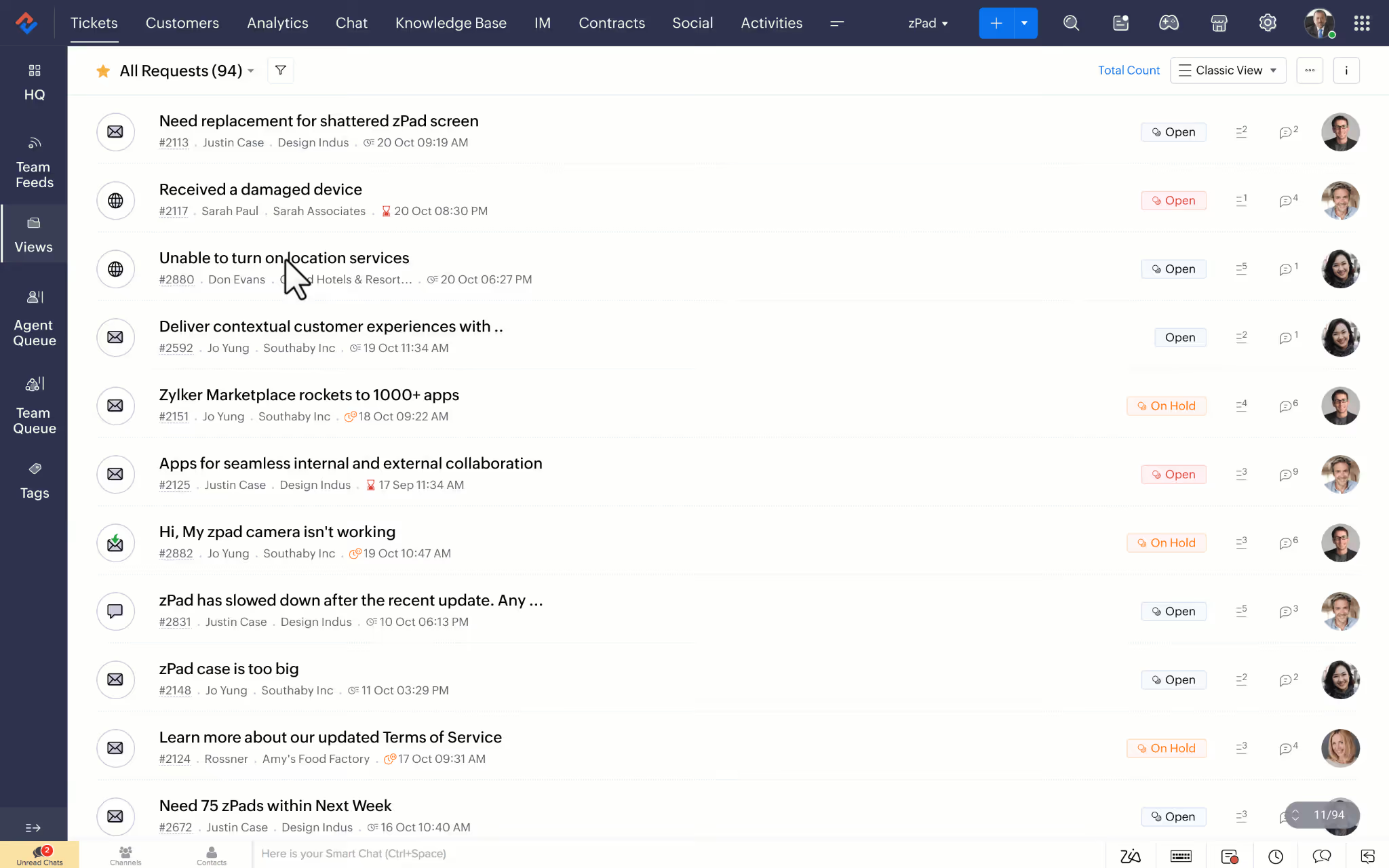
Zoho Desk offers budget-friendly pricing and low-code customization tools for teams that need to tailor workflows without hiring developers. It integrates natively with the Zoho ecosystem, including Zoho CRM, for unified customer data.
Key features:
- Low-code customization tools for workflows and ticket forms
- Zia AI for sentiment analysis and automated responses
- Multichannel support across email, chat, phone, and social media
- Native Zoho CRM integration
- GDPR compliance features
Pricing: Standard plan at $14 per agent per month. Free plan available for up to 3 agents.
Free trial: 15 days. No credit card required.
Best for: Teams using the Zoho ecosystem or needing custom workflows.
Kayako
Kayako uses a timeline-based interface called SingleView that shows a customer's full interaction history in one place. It's designed for IT and regulated industries that need on-premise deployment options and granular control over data.
Key features:
- SingleView timeline showing full customer interaction history
- Self-learning knowledge base that suggests articles based on ticket content
- On-premise deployment option for data security
- Guest collaborator access for external partners
- Facebook and Twitter integration
Pricing: Kayako One at $79 per month flat fee plus $1 per AI-resolved ticket.
Free trial: 14 days. No credit card required.
Best for: IT and regulated industries needing on-premise control.
LiveAgent
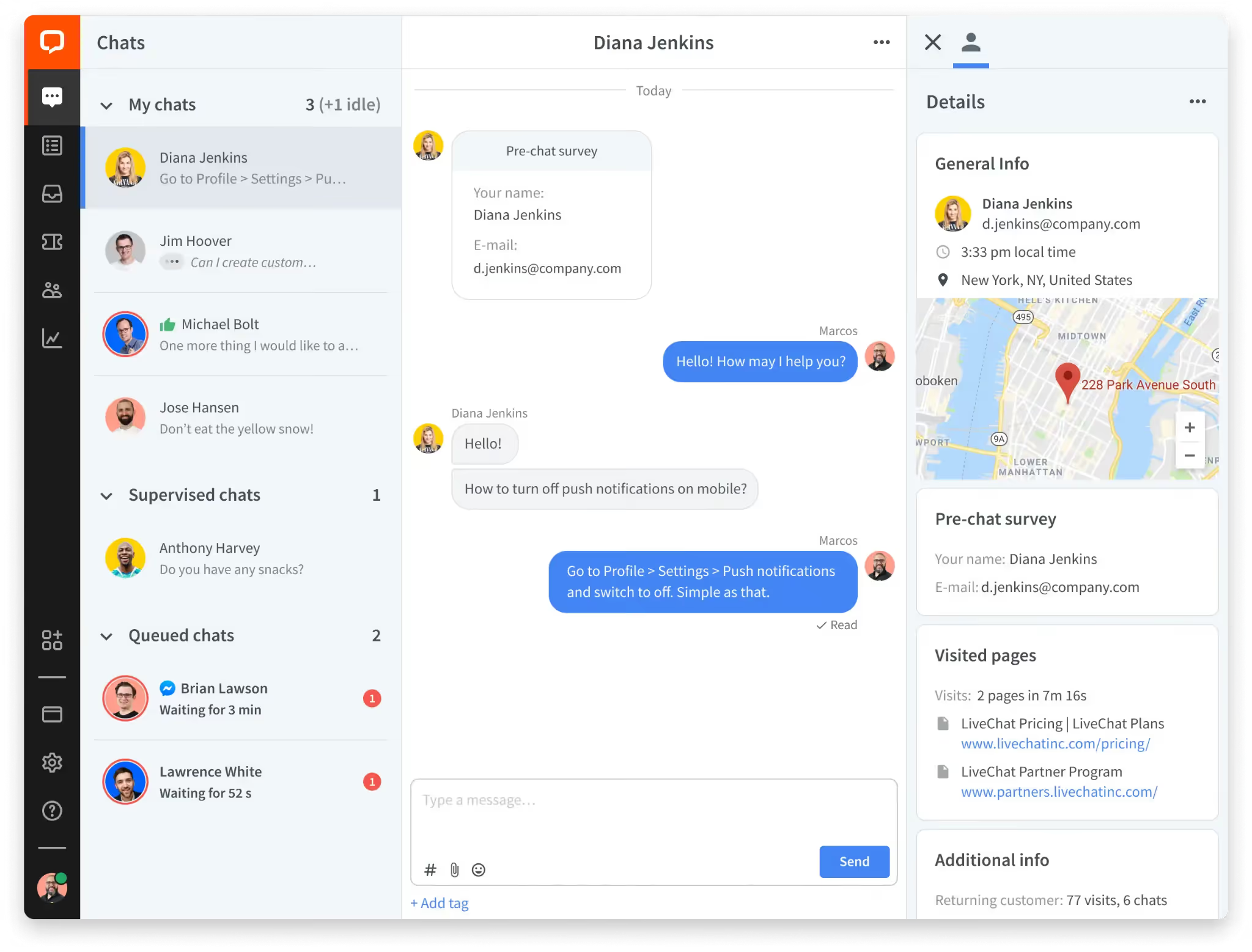
LiveAgent is built for global teams that need multilingual support. The platform offers 40+ language translations with automatic detection, plus a built-in call center and social media routing.
Key features:
- 40+ language support with automatic detection
- Built-in call center with recording and transcription
- AI chatbot and answer assistant
- Agent collision detection
- Unlimited mailboxes, automation rules, and chat buttons
Pricing: Small plan starts at $15 per agent per month. Free plan available.
Free trial: 14 days. No credit card required.
Best for: Global ecommerce, hospitality, and travel brands needing multilingual support.
Hiver
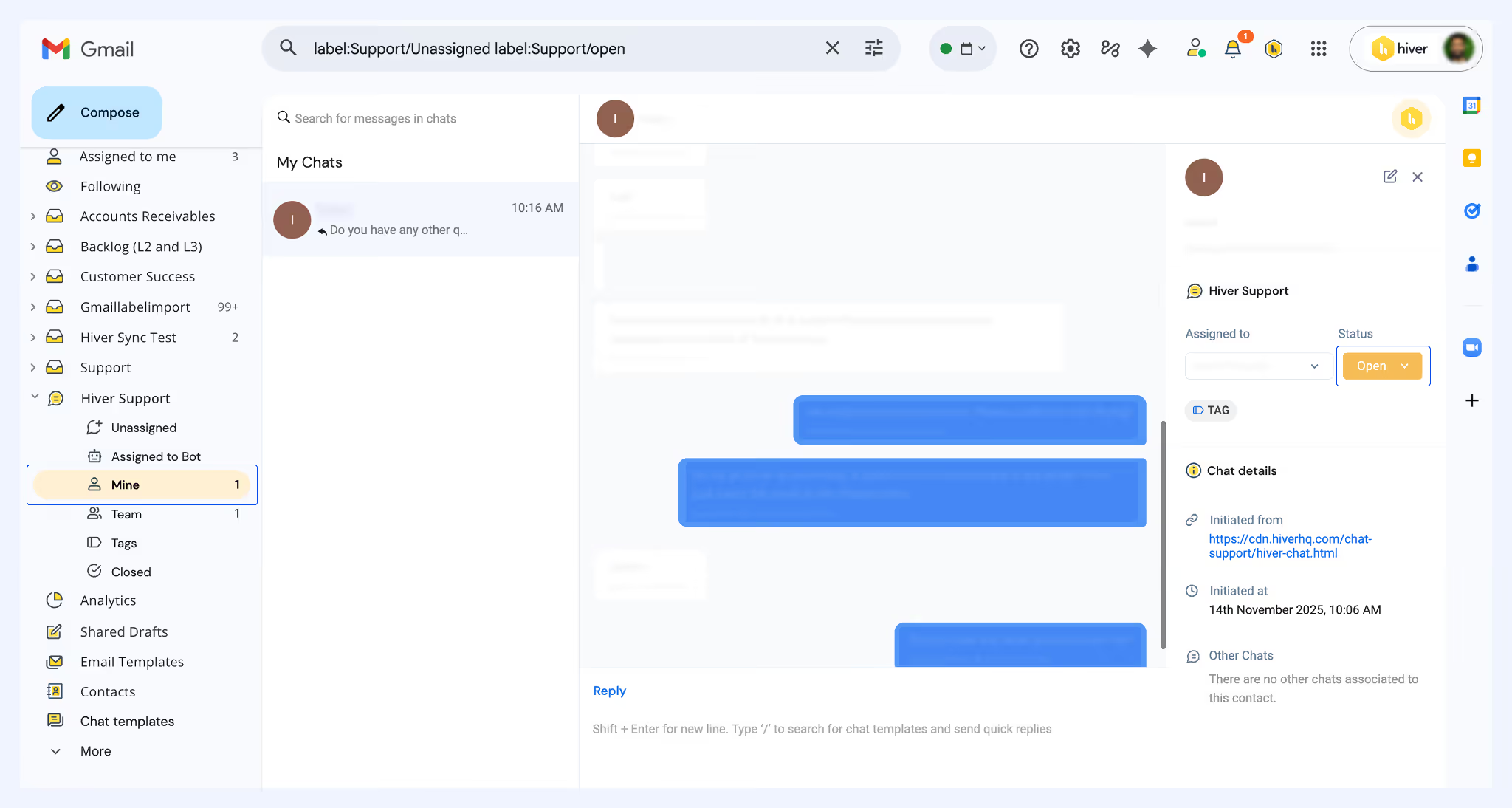
Hiver is a Gmail-native shared inbox that requires no separate login or interface. Teams already using Google Workspace can add shared labels, collision detection, and SLA reminders directly within Gmail.
Key features:
- Gmail-native interface with no separate platform
- Live Chat and WhatsApp channels
- Collision detection and shared drafts
- SLA reminders and automation rules
- Analytics dashboard within Gmail
Pricing: Lite plan at $19 per user per month.
Free trial: 7 days
Best for: Teams already using Google Workspace who want shared inbox features without leaving Gmail.
How to choose the best Help Scout alternative
The best way to find the right fit is to start by looking at where Help Scout may not meet your needs. Ask yourself:
- Is your pricing predictable? If seasonal spikes or a growing customer base are inflating your bill, look for seat-based or flat pricing instead of contact-based models. It's worth calculating the true cost of your customer support before committing to a new platform.
- Are you email-only or do you need more? If customers are reaching you on chat, social, or SMS and you're managing it outside Help Scout, you need omnichannel coverage.
- Do you need SLAs and structured routing? If tickets are falling through the cracks or the wrong agents are handling the wrong issues, look for platforms with native SLA enforcement and skills-based routing.
- Can you actually measure your team's performance? If you're making decisions without data, you need custom dashboards and real-time analytics, not just basic canned reports.
- Does it connect with your ecommerce stack? If your agents are switching tabs to check orders, look for platforms that embed Shopify or Magento data directly in the ticket view.
- What do you actually need from AI? Chatbots, auto-tagging, and sentiment analysis can cut ticket volume, but only if the pricing model makes sense for your usage. Read more on building an AI customer support strategy.
- How much migration support do you need? Most platforms offer import tools for tickets, articles, and customer data. One HappyFox customer migrated over 50,000 tickets and 200 knowledge base articles in under two weeks with the help of their migration team. If you're ready to move, here's how to migrate your helpdesk.
Which Help Scout alternative is right for you?
You've seen the alternatives. Now your decision boils down to your team's size, channels, and budget. Here's where to go from here:
- Still early-stage and email-focused? Help Scout might still work, but keep an eye on your contact count and reporting needs as you grow.
- Scaling fast and need omnichannel? Freshdesk or Zendesk gives you the channel coverage and SLA tools to keep up.
- Running an ecommerce brand? You need a platform built for it, like Gorgias. That means order data in the ticket view, no tab switching, and AI that handles the repetitive stuff.
Before committing, test a few platforms with a real support workflow and factor in migration costs and AI fees beyond the base price.
Ready to see what a helpdesk built for ecommerce looks like? Book a demo to see how Gorgias scales with your brand.
{{lead-magnet-2}}
The 4 Best CX Helpdesk Platforms for Ecommerce Brands
TL;DR:
- A CX helpdesk centralizes customer conversations across email, chat, SMS, and social into one unified inbox
- Modern CX helpdesks combine support ticket management with revenue-driving features like personalized recommendations and automated order management
- The best platforms for ecommerce integrate deeply with Shopify and other commerce tools to enable self-service order tracking, returns, and account management
- Leading solutions like Gorgias, Zendesk, and Freshdesk now include AI agents that can resolve up to 60% of inquiries automatically
- Choose based on your ecommerce stack, team size, and whether you need specialized features for conversion optimization versus general support
A CX helpdesk is the command center where ecommerce brands manage every customer conversation, from pre-purchase questions to post-purchase support.
Unlike traditional IT helpdesks that focus on internal tickets, CX helpdesks are built for customer-facing teams who need to resolve issues fast while driving sales. Modern platforms combine ticket management with AI automation, letting you handle support at scale without sacrificing quality.
For ecommerce brands specifically, the right CX helpdesk turns support from a cost center into a revenue driver by enabling agents to recommend products, process returns, and recover abandoned carts — all from one screen.
What is a CX helpdesk?
A customer experience (CX) helpdesk is a software platform that unifies all customer conversations from every channel into a single, shared inbox. This means emails, live chat messages, social media comments, and SMS texts all land in one place, giving your support team a complete view of every customer interaction.
CX stands for customer experience, which is the entirety of a customer's interaction with your brand. This includes everything from browsing your website to receiving their order and getting help when they need it. A CX helpdesk focuses specifically on managing these conversations to create positive experiences that keep customers coming back.
Unlike a generic helpdesk built for IT or B2B companies, a CX helpdesk for ecommerce is designed around the shopper. It integrates directly with your store backend, like Shopify, to pull in crucial data like order history, shipping status, and past purchases. This allows agents to resolve issues without switching tabs, turning a simple question into a fast, personalized experience.
The core of any CX helpdesk is its ticketing system. A ticketing system is a tool that organizes each customer inquiry into a trackable ticket with a unique ID, status, and history. From there, automation and AI can tag, prioritize, and even resolve common questions automatically.
Key components of a CX helpdesk include:
- Unified inbox: All messages from every channel appear in one place
- Customer timeline: Complete history of orders, conversations, and interactions
- Automation rules: Smart workflows that tag, route, and respond to tickets
- Integrations: Direct connections to your ecommerce platform and other tools
- Reporting: Analytics on response times, customer satisfaction, and team performance
The best CX helpdesks for ecommerce brands
Choosing the right platform depends on your store's scale, your team's needs, and your primary goals. We evaluated the top options based on their ecommerce integrations, automation capabilities, and ability to drive revenue, not just resolve tickets.
Gorgias
Gorgias is a conversational commerce platform built specifically for ecommerce brands. It combines a powerful helpdesk with an AI Agent designed to both resolve support tickets and convert shoppers into customers. Its deep, two-way integration with Shopify is a core differentiator, allowing teams to manage orders, issue refunds, and create discount codes directly within the helpdesk.
The platform's AI Agent can automate up to 60% of common inquiries like "Where is my order?" process returns, and answer product questions with brand-aligned responses. Beyond support, Gorgias includes revenue-driving tools that proactively engage shoppers with personalized recommendations and targeted chat campaigns.
What makes Gorgias different is its focus on conversational commerce. This means using real-time conversations as your storefront, where support and sales happen in the same place. Your team can recommend products, process orders, and resolve issues without customers ever leaving the chat.
Main features:
- Unified inbox for all channels (email, chat, SMS, social, voice)
- AI Agent that resolves up to 60% of tickets
- Deep Shopify integration for order management
- Convert features for proactive sales
- Automated workflows and Macros
- Help Center builder
- Performance analytics and reporting
Ideal for: Shopify brands doing $1M+ USD in revenue, teams managing 500+ tickets monthly, brands prioritizing sales alongside support
Pricing: Starter: $10 USD/month (50 tickets), Basic: $60 USD/month (300 tickets), Pro: $360 USD/month (2,000 tickets), Advanced: $900 USD/month (5,000 tickets), Enterprise: Custom pricing
Read more: Which Gorgias plan should you choose? (Pricing breakdown)
Zendesk
Zendesk is one of the largest players in the customer service software market, offering a comprehensive suite of tools for businesses of all sizes. Its platform is highly customizable and scalable, making it a popular choice for large enterprises with complex support needs.
While not built exclusively for ecommerce, Zendesk offers robust integrations with Shopify and other platforms. Its strengths lie in its powerful ticketing system, extensive reporting capabilities, and mature AI features that can suggest answers and automate workflows.
However, its general-purpose nature means that achieving the deep ecommerce functionality native to platforms like Gorgias often requires more setup, customization, and reliance on third-party apps. You'll need technical expertise to get the most out of Zendesk's advanced features.
Ideal for: Large enterprises with dedicated IT teams, businesses serving multiple industries, companies needing extensive customization
Pricing: Suite Team: $55 USD/agent/month, Suite Growth: $89 USD/agent/month, Suite Professional: $115 USD/agent/month, Suite Enterprise: Custom pricing
Read more: Zendesk pricing in 2026: Plans, add-ons, and if it’s worth it
Freshdesk
Freshdesk is known for its user-friendly interface and affordable pricing, making it an attractive option for small and medium-sized businesses. It provides a solid set of helpdesk features, including omnichannel ticketing, automation, and a self-service knowledge base.
Its "Freddy AI" offers chatbot capabilities and agent assistance. Like Zendesk, Freshdesk serves a wide range of industries, so its ecommerce features are not as deeply embedded as in specialized platforms. While it integrates with Shopify, the level of direct order management within the helpdesk is more limited.
Freshdesk works well for brands looking for a straightforward and cost-effective helpdesk solution that covers the basics without overwhelming complexity.
Ideal for: Small to medium businesses, teams new to helpdesk software, brands with straightforward support needs
Pricing: Free: $0 USD (up to 10 agents), Growth: $15 USD/agent/month, Pro: $49 USD/agent/month, Enterprise: $79 USD/agent/month
Read more: Freshdesk pricing guide: What you actually pay in 2026
Intercom
Intercom positions itself as a "customer communications platform" with a strong focus on proactive engagement through its live chat and chatbot products. It excels at engaging website visitors, qualifying leads, and onboarding new users, making it popular with SaaS companies and brands with a heavy focus on marketing-led conversations.
For ecommerce, Intercom's strength is in its pre-purchase engagement capabilities. Its chatbots can guide shoppers, recommend products, and capture leads effectively. However, its post-purchase support functionality and deep backend ecommerce integrations are less developed compared to platforms built specifically for support-heavy retail operations.
Ideal for: SaaS companies, businesses focused on lead generation, brands prioritizing pre-purchase engagement
Pricing: Essential: $39 USD/seat/month, Advanced: $99 USD/seat/month, Expert: $139 USD/seat/month
How a CX helpdesk works for ecommerce teams
A modern CX helpdesk streamlines the entire support process into a clear, repeatable workflow. It starts the moment a customer reaches out and ends with a fast, satisfying resolution that strengthens their relationship with your brand.
Here's how the process typically works. A customer sends a message via email, live chat, or a social media DM. The message automatically creates a ticket in a single, shared inbox, so nothing gets lost.
Smart routing happens next. Automation Rules instantly analyze the ticket based on the channel, keywords, or customer history. The ticket gets tagged (like "Return Request") and assigned to the correct agent or team.
When the agent opens the ticket, they immediately see the shopper's complete history in a side panel. This includes past orders from Shopify, previous conversations, and data from other integrated apps. Full context without switching tabs.
For direct actions, if the customer wants to make a return, the agent can process it directly within the helpdesk using an integration. No need to log into Shopify or a separate returns app.
Automation rules handle simple questions automatically. For a question like "Where is my order?" an automated workflow can pull the tracking information from Shopify and send an immediate, personalized reply, resolving the ticket without any agent involvement.
The key workflow components include:
- Message capture: Every customer message becomes a trackable ticket
- Smart tagging: AI identifies the topic and urgency automatically
- Context loading: Customer history and order data appear instantly
- Action execution: Agents can process refunds, edits, and returns in one click
- Resolution tracking: Every interaction is logged for future reference
Why a CX helpdesk matters for customer experience and revenue
Investing in a CX helpdesk isn't just about managing support tickets more efficiently. It's a strategic decision that directly impacts customer loyalty, operational costs, and your bottom line. When support is fast, personal, and helpful, it becomes a key driver of growth.
Retention and lifetime value: Fast, effective support is a major factor in customer retention. Solving a problem quickly and personally makes customers feel valued, encouraging them to make repeat purchases and increasing their lifetime value.
Conversion optimization: A CX helpdesk with proactive chat can engage hesitant shoppers on product or checkout pages. Answering a quick question about sizing or shipping can be the final nudge a customer needs to complete their purchase.
Operational efficiency: By automating repetitive questions and centralizing tools, a helpdesk dramatically reduces the time agents spend on manual tasks. This lowers your cost per ticket and allows a lean team to handle a high volume of conversations.
Revenue generation: Top CX helpdesks empower agents to be salespeople. With full customer context, they can recommend relevant products, upsell accessories, and even create draft orders directly in the chat, turning a support interaction into a sale.
The business impact extends beyond individual transactions. When customers know they can get help quickly, they're more likely to try new products, make larger orders, and recommend your brand to others. Support becomes a competitive advantage rather than just a cost center.
Modern ecommerce customers expect instant responses and personalized service. A CX helpdesk helps you meet these expectations consistently, even as your business grows. The alternative — missed messages, long response times, and frustrated customers — directly hurts your revenue and reputation.
Start delivering better customer experiences today
A CX helpdesk is no longer just a tool for managing complaints. For modern ecommerce brands, it's the engine for building customer relationships, driving revenue, and scaling operations efficiently. By centralizing conversations and automating workflows, you can deliver the fast, personal experiences that today's shoppers expect.
The best time to implement a CX helpdesk is before you need it. Waiting until you're overwhelmed with support requests means you're already losing customers and revenue. Start with a platform that can grow with your business and adapt to your specific needs.
Ready to see how a platform built for ecommerce can turn your support center into a profit center? Book a demo to learn how you can transform every customer conversation into a growth opportunity.
{{lead-magnet-2}}

Richpanel Pricing Explained: What Brands Really Spend
TL;DR:
- Richpanel charges per agent seat starting at $29 USD/month plus separate fees for its self-service portal based on order volume
- Portal pricing ranges from $9-$99/month for up to 5,000 orders, scaling with volume
- Add-ons like Sidekick AI ($10/seat), social media moderator ($49/month), and WhatsApp integration add to base costs
- Most brands spend $200-$500/month for three to five agents with a portal and basic add-ons
- Gorgias offers transparent ticket-based pricing that often costs less for seasonal businesses
Richpanel uses a dual pricing model that combines seat-based help desk costs with order volume-based portal fees. The platform starts at $29 per agent per month, but real costs quickly climb when you add the self-service portal, AI features, and channel integrations. Understanding how each component affects your total spend helps you budget accurately and compare alternatives. This guide breaks down exactly what you'll pay based on your team size, order volume, and feature needs.
What is included in Richpanel pricing
Richpanel's pricing is built on two separate components that you pay for independently. You pay a per-agent fee for the help desk platform and a separate order-based fee for the self-service portal.
This means your total monthly cost isn't just the number of agents multiplied by the plan price. You must also factor in the cost of the customer-facing portal, which is required for self-service features and scales with your store's monthly order volume.
Seat-based pricing is a model where you pay a fixed monthly fee for each user or agent who has access to the software. This means if you have five agents, you pay five times the monthly rate. Order-based pricing ties costs directly to the number of orders your store processes each month.
The base help desk plans include core features, but many functions that modern ecommerce brands consider essential come at an additional cost:
- Included in base plans: Ticketing system, live chat, email and social media inbox, basic Shopify integration
- Excluded and cost extra: Self-service portal, AI assistance (Sidekick AI), social media comment moderation, channel integrations like WhatsApp or voice
Richpanel help desk plans and costs
Richpanel offers four main help desk tiers, each priced per agent per month. The plan you choose determines what features your support team can access, with significant jumps in functionality and cost between each level.
Starter plan costs
The Starter plan costs $29 per seat per month. It provides the fundamental tools for managing customer conversations, including a unified ticketing inbox, live chat, and basic automation Rules.
This plan is designed for very small teams or new stores just starting to centralize support. However, it lacks key efficiency features like collision detection, which prevents multiple agents from working on the same ticket simultaneously.
Regular plan costs
At $49 per seat per month, the Regular plan is the most common starting point for growing brands. It adds critical features like collision detection, advanced automation capabilities, custom ticket fields, and team collaboration tools.
This tier provides the necessary foundation for a team to handle a moderate volume of inquiries efficiently. Most brands find this plan meets their needs once they have more than two agents handling support.
Pro plan costs
The Pro plan costs $99 per seat per month and is built for larger teams that require deeper insights and control. It unlocks advanced customer interaction analytics, custom user roles and permissions, and API access for building custom integrations.
Brands typically upgrade to Pro when they need to manage multiple teams, enforce stricter access controls, or integrate support data with other business intelligence tools. The price jump from Regular to Pro is significant, so you'll want to ensure you actually need these advanced features.
Enterprise plan costs
The Enterprise plan uses custom pricing and is tailored for high-volume businesses with complex operational needs. It includes everything in Pro, plus features like single sign-on (SSO), a dedicated account manager, custom integration support, and service level agreement (SLA) guarantees.
This plan usually has a minimum seat requirement and is negotiated directly with Richpanel's sales team. Expect to pay significantly more than the Pro plan, often starting at several thousand dollars per month.
Richpanel self-service portal pricing by order volume
The self-service portal is a separate product with its own pricing structure tied to your monthly order volume. This is an additional cost on top of your help desk seat licenses.
The portal allows your shoppers to track orders, initiate returns, and find answers in a knowledge base without contacting an agent. This means you're essentially paying for two products: the agent-facing help desk and the customer-facing portal.
Base plan up to 5,000 orders
For stores processing up to 5,000 orders per month, the portal costs between $9 and $29 per month, depending on your help desk plan. This tier includes essential self-service features like order tracking, basic returns management, and a knowledge base.
The portal requires a direct sync with your Shopify store to function properly. Without this integration, customers can't access their order information or complete self-service actions.
Pro plan up to 20,000 orders
As your order volume grows, so does the portal cost. The Pro portal plan is for stores with up to 20,000 monthly orders and costs between $49 and $99 per month.
It adds advanced features like deflection analytics to measure self-service success, custom branding for the portal, and multilingual support. The deflection analytics help you understand how many tickets the portal is preventing, which can justify the additional cost.
Enterprise plan custom volume
For brands exceeding 20,000 orders per month, the portal pricing is custom and negotiated as part of an Enterprise package. This tier offers volume-based discounts and advanced capabilities tailored to high-scale operations.
The exact cost depends on your order volume, but expect to pay several hundred dollars per month for portal access at this level.
Richpanel add-ons and extra fees
Beyond the help desk and portal, several add-ons can significantly increase your total monthly spend. Many of these aren't optional extras but necessary components for running a comprehensive support operation.
Sidekick AI at per seat pricing
Sidekick AI, Richpanel's AI assistant, costs an additional $10 per seat per month. It provides agents with suggested responses, sentiment detection, and auto-tagging for tickets.
Because it's priced per seat, this cost multiplies across your entire team. For a team of five agents, this adds $50 to your monthly bill on top of your base plan costs.
Social media moderator AI at monthly fee
The social media moderator is a separate AI tool for managing Instagram and Facebook comments. It costs a flat fee of $49 per month for the entire account, regardless of how many agents you have.
This tool helps filter spam, hide negative comments, and create tickets from relevant social media interactions. Unlike Sidekick AI, this is an account-wide fee rather than a per-seat charge.
Automation success kit at one-time fee
For teams that need help with setup, Richpanel offers an "Automation Success Kit" for a one-time fee of $499. This package includes guided onboarding, workflow templates, and training sessions to help you get the most out of the platform's automation features.
While this is optional, many brands find they need this support to properly configure their workflows and automation Rules.
WhatsApp and phone via third parties
Integrating channels like WhatsApp or voice isn't native to Richpanel and requires using third-party providers. This introduces variable and often unpredictable costs that can significantly impact your monthly spend.
WhatsApp integration relies on the WhatsApp Business API, which has its own fees based on message volume. Voice support requires a separate telephony provider with its own monthly fees and per-minute charges. These integrations can add anywhere from $50 to several hundred dollars to your monthly expenses, depending on usage.
How Richpanel pricing scales with seats, orders, and channels
Your total cost for Richpanel is driven by three main factors that compound: the number of agent seats, your monthly order volume, and the channels you support. A small change in one area can have a significant impact on your overall bill.
Seats per agent drive base costs
The largest and most direct cost driver is the number of agent seats. Each agent you add increases your monthly bill by the price of your chosen help desk plan.
This linear scaling means you need to be mindful of team size, especially if you rely on seasonal or part-time agents who may only need access for a few months a year. Unlike ticket-based pricing models, you pay for seats whether they're actively used or not.
Consider these monthly costs for different team sizes:
- Three agents on Regular plan: $147/month
- Five agents on Regular plan: $245/month
- Ten agents on Pro plan: $990/month
Monthly orders drive portal fees
Your self-service portal fees are tied directly to order volume, which can create cost spikes during peak seasons like Black Friday Cyber Monday (BFCM). A brand that typically processes 4,000 orders a month might suddenly jump to 15,000 orders in November, pushing them into a higher, more expensive portal tier for that month.
This creates unpredictable costs during your busiest sales periods, when you're already dealing with increased support volume and potentially higher staffing costs.
Channels and voice add integration costs
Each additional support channel, especially voice and WhatsApp, adds another layer of cost and complexity. These often require separate subscriptions with third-party providers, making it difficult to forecast your total monthly spend.
Managing multiple vendors for core support functions also increases administrative overhead and can create gaps in your customer experience if integrations break or providers change their pricing.
Richpanel pricing vs Gorgias pricing for Shopify brands
When comparing Richpanel to other platforms, the most significant difference is the pricing model. Richpanel uses a traditional per-seat model, while a Shopify-native ecommerce helpdesk like Gorgias uses a ticket-based model.
A ticket-based pricing model means you pay based on the number of customer conversations you handle, not the number of agents on your team. This offers more flexibility, especially for businesses with fluctuating support volumes or seasonal patterns.
Here's how the models compare:
- Richpanel approach: Fixed monthly cost per agent plus order-based portal fees
- Gorgias approach: Variable cost based on actual ticket volume with all features included
- Seasonal impact: Richpanel costs stay fixed regardless of ticket volume; Gorgias costs scale with actual support needs
- Team flexibility: Richpanel requires paying for each agent seat; Gorgias allows unlimited agents within ticket limits
For brands with high seasonality, a ticket-based model like Gorgias often provides a lower total cost of ownership. You only pay for the support you actually provide, so your costs naturally scale down during slower months.
In contrast, a seat-based model requires you to pay for agent licenses year-round, even if they're not fully utilized during off-peak periods.
The help desk migration process from Richpanel to Gorgias is streamlined, with dedicated support to ensure a smooth transition of data and workflows. Most migrations take two to four weeks and include transferring your ticket history, macros, and automation Rules.
Alternatives to Richpanel pricing for ecommerce helpdesks
The customer support landscape offers several alternatives, each with a different approach to pricing and features. Understanding these options helps you make an informed decision about which model works best for your business.
Zendesk uses a per-seat model similar to Richpanel but with more complex tiers and add-ons.
Freshdesk also uses a per-seat model with various tiers. It offers a free plan with limited features, but costs can escalate quickly as you add agents and functionality. The free plan is often too restrictive for growing ecommerce brands.
Re:amaze is a more direct competitor in the ecommerce space and uses a per-user model. It bundles many features that Richpanel charges extra for, but can become costly for larger teams due to its per-user pricing structure.
When evaluating alternatives, look beyond the sticker price and consider the total cost of ownership:
- Implementation time: How long does it take to get up and running
- Third-party integrations: What additional tools and costs are required
- Seasonal flexibility: How well does the pricing model align with your business patterns
- Feature completeness: What's included versus what costs extra
See how Gorgias compares for your brand
Choosing a help desk is a major operational decision that affects your team's efficiency and your customers' experience. The right platform aligns with your budget, scales with your growth, and empowers your team to drive revenue rather than just resolve tickets.
Gorgias offers transparent, ticket-based pricing with no hidden fees for channels or users. Your costs are always tied to business activity, not arbitrary seat counts. Our AI Agent can reduce your support costs while increasing sales through intelligent automation and shopping assistance.
To see exactly what you would spend and how our platform can transform your customer experience, book a demo with one of our specialists.
{{lead-magnet-2}}
Richpanel Features: What Ecommerce Brands Actually Use
TL;DR:
- Richpanel combines helpdesk ticketing with self-service tools designed for ecommerce support teams
- Core features include omnichannel support, Shopify integration, and customer self-service portals
- Pricing starts at $9 USD per agent monthly for basic helpdesk, with self-service add-ons from $99 USD monthly
- Best suited for small to mid-size DTC brands seeking affordable support automation
- Limited advanced AI capabilities compared to specialized ecommerce helpdesks like Gorgias
Richpanel is a helpdesk platform that focuses on reducing ticket volume through customer self-service. The platform targets Shopify merchants who want shoppers to resolve their own issues without contacting support.
While it covers basic helpdesk features like ticketing and live chat, Richpanel's main strength is empowering customers to find answers independently.
This guide examines what Richpanel actually offers, how much it costs, and when it makes sense for your ecommerce brand.
{{lead-magnet-1}}
Core Richpanel features for ecommerce brands
Richpanel builds its platform around seven main features that handle the basics of customer support. Each feature addresses common workflows that ecommerce brands deal with daily.
Ticket and case management
A ticketing system is software that collects customer messages from different channels and organizes them in one place. This means all your emails, chats, and social media messages appear in a single inbox.
Richpanel's ticketing includes collision detection, which prevents two agents from working on the same ticket at once. You can organize tickets using tags and filters to sort by topic, urgency, or customer type. Internal notes let your team collaborate on tickets without customers seeing the conversation.
The system automatically assigns tickets based on rules you create. You can route messages by channel, topic, or agent availability.
Communication channels
Omnichannel support means connecting with customers across multiple platforms from one dashboard. Richpanel handles the standard channels you'd expect:
- Email: Standard email ticketing with threading
- Live chat: Customizable chat widget for your website
- Social media: Direct messages from Facebook and Instagram
- SMS: Text message support (may require higher-tier plans)
The chat widget can match your website's design and colors. Social media integrations work but may be limited compared to specialized platforms.
Self-service tools
Self-service is any support that doesn't require talking to an agent. Richpanel's self-service centers on a customer portal where shoppers can track orders and find answers.
The portal lets customers look up order status using just their order number and email — no account required. They can see tracking links, delivery dates, and what they ordered. The Help Center lets you create searchable articles that answer common questions. These articles can appear in your chat widget to deflect tickets before they reach your team.
Automation and AI features
Richpanel uses rules-based automation to handle repetitive tasks. You create "if this, then that" rules to automatically route tickets or send responses. The platform also uses basic artificial intelligence (AI) to detect what customers are asking about and categorize their messages.
Macros are pre-written response templates that agents can use to answer common questions faster. The AI suggests responses based on ticket content, but it can't take actions like processing refunds without human approval.
Analytics and reporting
The platform tracks standard support metrics like first response time (FRT), resolution time, and customer satisfaction (CSAT) scores. Pre-built dashboards show these metrics with some customization options.
You can export data for analysis in other tools. The reporting focuses on operational metrics rather than advanced business intelligence.
Ecommerce integrations
Richpanel integrates directly with Shopify, letting agents see customer order history and details without switching platforms. It also supports other ecommerce platforms like BigCommerce and WooCommerce.
The platform connects with third-party apps for shipping, returns, and loyalty programs. However, the depth and availability of these integrations varies.
Internal collaboration
Teams can work together using internal notes and ticket assignments. Agents can @mention specific team members to get help on tickets. Supervisors have tools to review conversations for quality control and training.
Richpanel automation and AI for support at scale
Richpanel's automation focuses on helping agents work faster rather than replacing them entirely. The features assist with repetitive tasks and provide helpful information for quicker resolutions.
AI text generation and summaries
The platform includes AI-powered response suggestions that analyze ticket content and propose relevant replies. This agent assist feature helps teams respond faster and more consistently.
The AI can also generate summaries of long conversation threads, giving agents quick context without reading every message. Grammar and tone adjustment tools help maintain consistent communication.
Agentic AI for ecommerce tasks
Agentic AI refers to artificial intelligence that can take actions on its own. Richpanel's AI has limited agentic capabilities — it can guide customers through processes but generally can't execute tasks like order modifications or refund processing without human approval.
This contrasts with more advanced AI agents that can perform actions autonomously based on customer requests.
Support automation and routing
The core of Richpanel's automation lies in rule-based workflows. You create rules that automatically assign tickets based on channel, topic, or customer type. These rules can also trigger auto-responses for common scenarios.
Escalation paths ensure complex issues reach the right agents. However, the system may struggle with advanced routing logic compared to more sophisticated platforms.
Richpanel pricing for helpdesk and self-service
Richpanel uses a two-part pricing model that separates helpdesk access from self-service features. You need to calculate costs based on both agent seats and customer volume.
Helpdesk plans
Agent access is priced per seat per month. Plans are tiered with more features available at higher price points:
|
Starter |
$9/agent |
Basic ticketing, email, chat |
Small teams starting out |
|
Growth |
$19/agent |
More integrations, automation |
Growing brands with multiple channels |
|
Pro |
$39/agent |
Advanced reporting, more rules |
Larger teams needing control |
|
Enterprise |
Custom |
Dedicated features and support |
High-volume brands |
Additional costs may apply for channels like SMS or voice support. Annual contracts typically offer discounts.
Self-service plans
Self-service features use a usage-based model priced on monthly active customers. This means costs increase as more shoppers use your portal and Help Center. Self-service pricing is an add-on to your helpdesk agent costs, starting around $99 monthly for basic usage tiers.
Richpanel analytics and reporting for performance
Richpanel provides standard analytics focused on operational metrics rather than advanced customer interaction analytics. The platform gives managers a clear view of daily performance without deep business intelligence.
Dashboards and KPIs
Pre-built dashboards display key performance indicators (KPIs) like response times, resolution rates, and CSAT scores. You can customize these dashboards to focus on your most important metrics.
Data appears in near real-time with options to view historical trends. The interface is straightforward but may lack the depth that data-driven teams need.
Reporting and trends
Standard report types cover ticket volume, agent productivity, and channel performance. You can export data for analysis in external tools like Excel or Google Sheets.
The platform includes trend identification features to spot patterns like sudden spikes in product-specific questions or shipping delays.
Quality and SLA tracking
You can set up customer satisfaction (CSAT) surveys that send automatically after interactions. The platform tracks response rates and average scores over time.
Service level agreement (SLA) monitoring ensures your team meets response time targets. Basic quality assurance features let supervisors review agent conversations for coaching opportunities.
Advantages and disadvantages of Richpanel for DTC brands
Richpanel works well for specific types of ecommerce brands but has clear limitations as businesses grow. Understanding both sides helps determine if it fits your needs.
Key advantages
Richpanel's strengths center on affordability and simplicity:
- Low entry cost: Starting at $9 per agent makes it accessible for tight budgets
- Shopify integration: Deep connection provides valuable customer context
- Self-service focus: Customer portal effectively reduces repetitive tickets
- Easy learning curve: Simple interface requires minimal agent training
Notable limitations
Growing brands often hit these constraints:
- Basic AI capabilities: Limited to agent assistance rather than autonomous resolution
- Reporting gaps: Lacks advanced analytics for data-driven decision making
- Channel restrictions: Voice and advanced SMS often require expensive upgrades
- Performance issues: High-volume brands may find the platform restrictive
How Richpanel features compare to Shopify-focused helpdesks
Richpanel competes with other ecommerce-focused helpdesks but takes a different approach. Its self-service emphasis creates both opportunities and gaps compared to revenue-focused platforms.
Richpanel fit by use case
Richpanel works best for small to medium direct-to-consumer (DTC) brands that prioritize ticket deflection over revenue generation. It excels when your main goal is empowering customers to solve their own problems.
Ideal scenarios include brands with low ticket volume, straightforward support needs, and limited budgets. The platform handles basic ecommerce support well but struggles with complex workflows.
Gorgias advantages for Shopify brands
For brands viewing customer service as a revenue driver, platforms like Gorgias offer more comprehensive solutions. Gorgias's AI Agent resolves support issues and actively engages in sales conversations, providing product recommendations and driving purchases.
Key differences include:
|
AI Focus |
Agent assistance and deflection |
Autonomous support and sales |
|
Shopify Integration |
Order viewing and basic actions |
Deep integration with revenue attribution |
|
Automation |
Rule-based workflows |
Advanced AI-powered actions |
|
Primary Goal |
Reduce ticket volume |
Drive revenue growth |
For brands considering a change, help desk migration to a more powerful platform can unlock growth opportunities that basic deflection tools can't provide.
Choose the right helpdesk for your ecommerce brand
Richpanel serves small teams with limited budgets well. Its straightforward features and self-service focus provide solid foundations for managing customer support and reducing repetitive inquiries.
However, brands seeking advanced AI automation, revenue-driving tools, and platforms that scale with growth need more sophisticated solutions. The right helpdesk transforms support from a cost center into a growth engine that drives measurable business results.
Consider scheduling a demo to explore how purpose-built ecommerce helpdesks can elevate your customer experience and unlock revenue opportunities that basic deflection tools miss.
{{lead-magnet-2}}
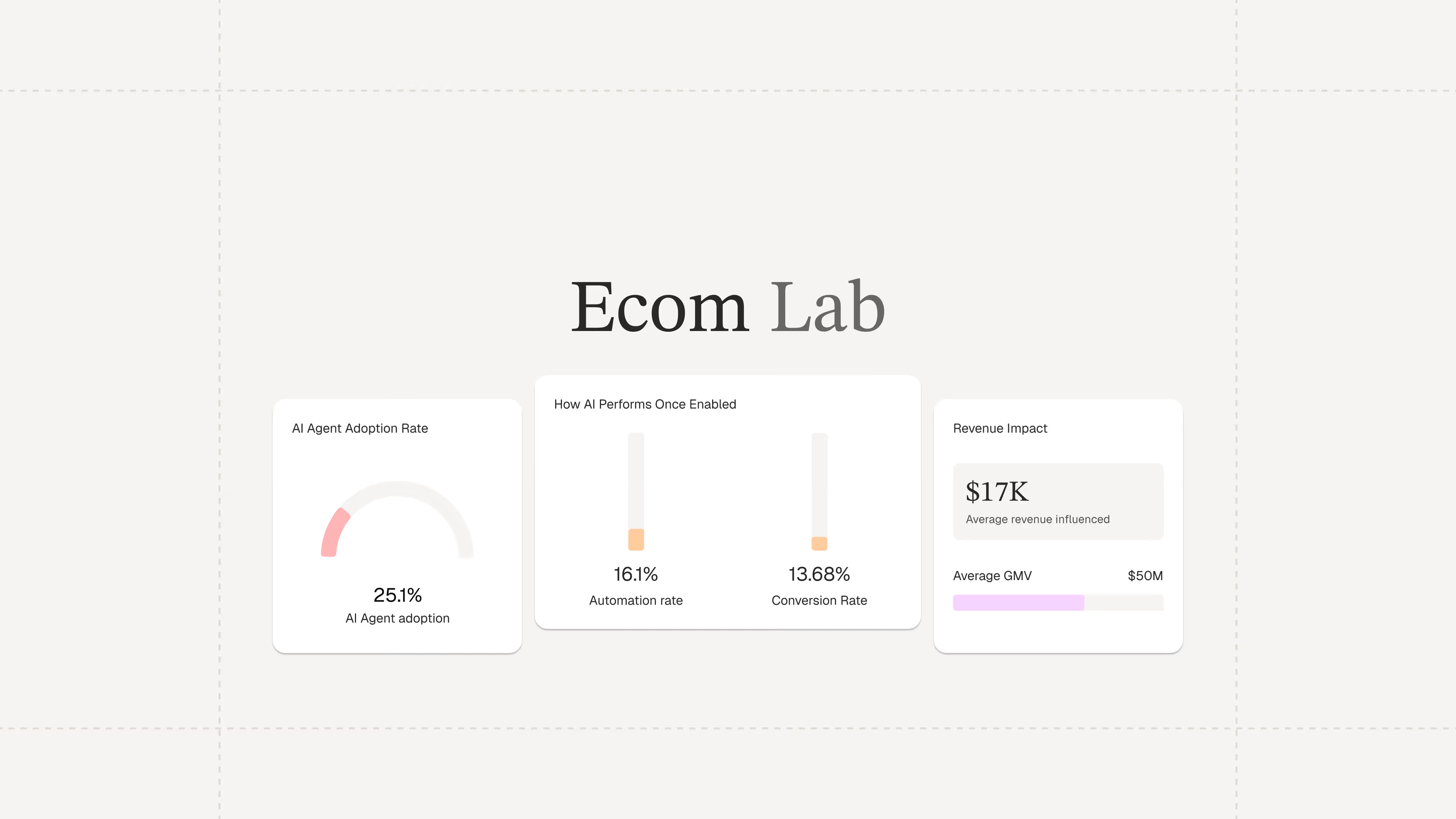
Ecommerce Finally Has a Research Hub Built on Real Data
TL;DR:
- The Ecom Lab is Gorgias’s public research hub for ecommerce insights. It shares real, first-party data to help teams understand industry performance and trends.
- It exists to solve the lack of reliable ecommerce benchmarks. Most available data is self-reported or too broad, making it hard for teams to accurately measure performance.
- The goal is to give ecommerce teams a clear baseline for smarter decisions. With real benchmarks, you can better evaluate performance and opportunities.
- The Ecom Lab makes metrics like AI adoption, response times, and CSAT visible. These are segmented by brand size, GMV, and vertical so you can benchmark more precisely.
- The latest reports reveal major gaps in AI adoption and benchmarking practices. They also highlight how inefficient support processes are driving costs.
Industry benchmarks for ecommerce are hard to come by. Most of what's out there is self-reported, survey-based, or too aggregated to be usable. Teams are left wondering whether their AI adoption is on par with industry standards or if their response times are costing them revenue.
That's a gap we're in a unique position to close.
Gorgias processes millions of customer conversations across thousands of ecommerce brands every day. This has given us a rare, unfiltered view into how the industry operates. But until now, we’ve kept those insights largely internal.
Today, we're making it public with the Ecom Lab.
The result is years of first-party data from thousands of ecommerce brands, packaged into findings that give teams a real foundation to build their strategy on.
What is the Ecom Lab?
The Ecom Lab is Gorgias's public research hub for ecommerce. It publishes insights and reports on AI adoption, support performance, financial impact, and industry trends.
The goal is simple: give teams a real baseline to measure against and to uncover the industry's inner workings.
What data can you find in the Ecom Lab?
Metrics that actually move decisions.
The Ecom Lab publishes metrics that matter to ecommerce professionals, including AI adoption rates, first response times, CSAT scores, conversion rates, and ticket intents, all broken down by brand size, GMV tier, and industry vertical.
For the first time, teams can see exactly where they stand in comparison to the broader market.
Read the first three reports now
AI is Everywhere reveals why roughly 4 in 5 ecommerce brands still haven't deployed AI in customer-facing support.
Stop Benchmarking Against the Average argues that support teams should benchmark response times against their specific industry vertical rather than the overall average.
Most Brands are Overpaying for Support breaks down the actual cost of support ticket volume and what happens when AI handles the load.
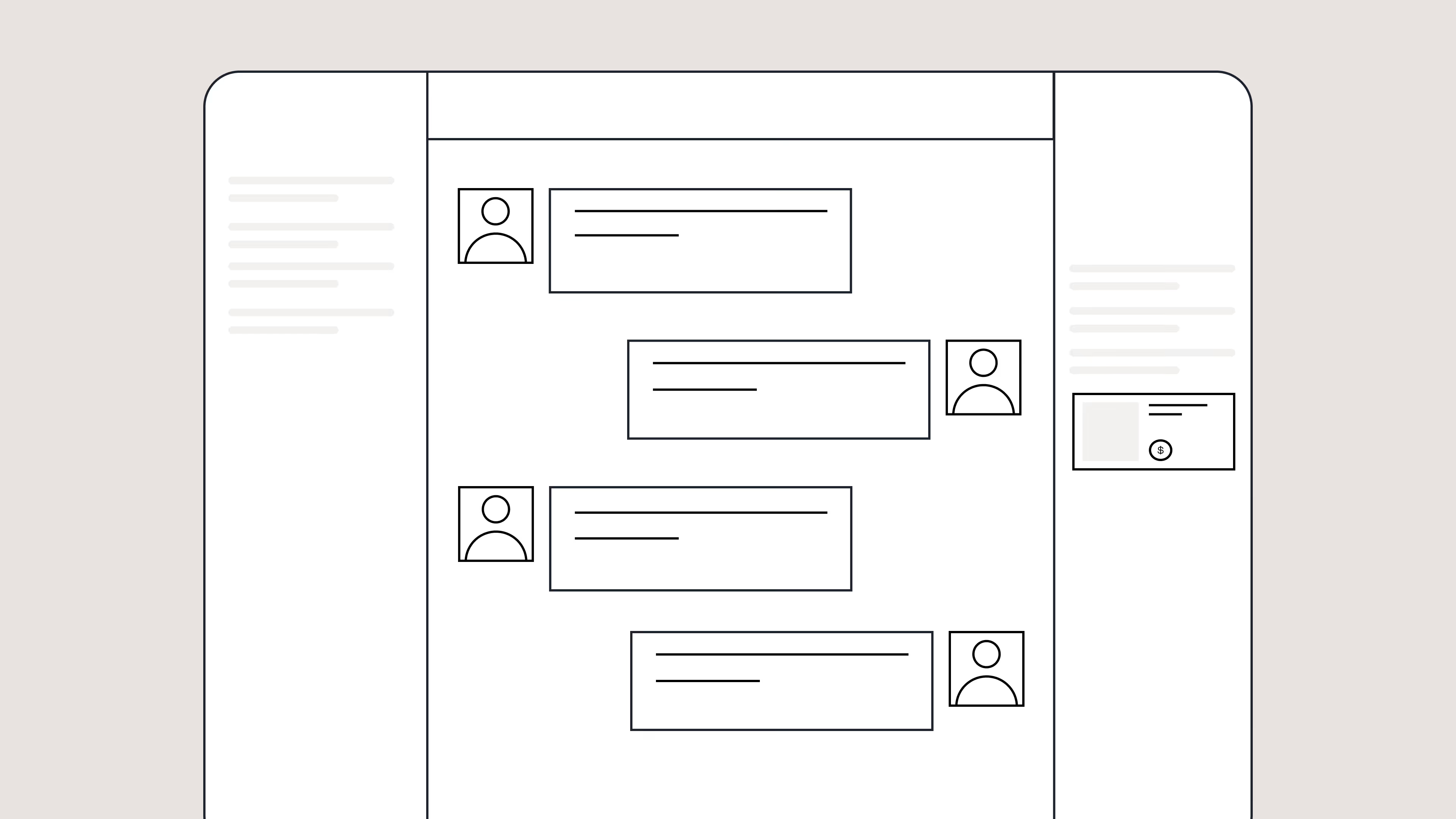
Best Help Desk Software for Ecommerce: 10 Platforms Compared
TL;DR:
- Best for Shopify stores: Gorgias
- Best for enterprise teams: Zendesk
- Best for conversational marketing: Intercom
- Best for budget-conscious teams: Freshdesk
- Best for small businesses: Help Scout
- Best for personalized service: Gladly
- Best for combining CRM and support: Kustomer
- Best for multi-brand management: Re:amaze
- Best for self-service support: Richpanel
- Best for adding live chat quickly: Tidio
The help desk you choose shapes every customer interaction your brand has. For ecommerce brands, the wrong choice has real consequences: a slow response loses a sale, a missed message loses a customer, and a tool that doesn't connect to your store creates the kind of friction your team can't afford.
This guide compares 10 help desk solutions through a strict ecommerce lens, focusing on Shopify integration depth, automation intelligence, and features that move the needle on retention and revenue, so you can cut through the noise and find the right fit.
How we evaluated help desk software for ecommerce
Not every help desk is built for ecommerce. To narrow the field, we evaluated each platform against the criteria that matter most to online stores: how deeply they integrate with Shopify and other selling tools, how intelligently they handle automation, and whether they're designed to drive revenue, not just resolve tickets.
10 help desk software tools compared
Platform |
Starting price |
Key ecommerce features |
AI capabilities |
Best for |
Gorgias |
$10/month |
Revenue attribution, proactive chat campaigns, AI shopping assistant. Native Shopify integration. |
Automates up to 60% of tickets, sales & support AI |
Shopify brands |
Zendesk |
$55/agent/month |
Advanced reporting, customizable workflows |
AI agent builder, suggested replies |
Enterprise |
Intercom |
$39/seat/month |
Proactive messaging, advanced chatbots |
Advanced AI chatbot, custom bots |
Conversational marketing |
Freshdesk |
$15/agent/month |
Omnichannel support, field service management |
Basic AI bots, Freddy AI |
Budget-conscious teams |
Help Scout |
$20/user/month |
Shared inbox, knowledge base, simple reporting |
AI-powered summaries and suggestions |
Small businesses |
Gladly |
$150/agent/month |
Full customer timeline, omnichannel history |
Basic AI assistance |
Brands prioritizing personalization |
Kustomer |
Custom pricing |
CRM and help desk, full customer journey timeline |
AI-powered suggestions, automation |
Brands merging CRM and support |
Re:amaze |
$29/month |
Multi-brand management, live chat, social integration |
Basic automation bots |
Small ecommerce, agencies |
Richpanel |
$9/month |
Self-service portal, order tracking, returns management |
Self-service AI flows |
High-volume repetitive inquiries |
Tidio |
Free, $29/month paid |
Live chat, FAQ-based responses |
Lyro AI chatbot |
Small businesses adding chat |
The best help desk software for ecommerce brands
1. Gorgias
Gorgias is a help desk built specifically for ecommerce brands. This means every feature is designed around the needs of online stores, from order management to revenue tracking.
As Shopify's only Premium Partner for customer experience, Gorgias offers the deepest integration available. Your agents can view order details, process refunds, update shipping addresses, and even create new orders without leaving the help desk. This saves time and reduces errors.
The platform's AI Agent handles both support and sales tasks. It can answer "Where is my order?" questions while also recommending products and offering discounts to increase sales. Most help desks focus only on solving problems, but Gorgias turns every conversation into a potential revenue opportunity.
Main features:
- Native Shopify integration with real-time order management
- AI Agent that automates up to 60% of tickets
- Revenue tracking and attribution reporting
- 100+ ecommerce app integrations
- Self-service flows for returns and exchanges
Pricing: Starts at $10/month for 50 tickets
2. Zendesk
Zendesk is a powerful help desk platform built for large organizations across all industries. This means it has extensive features but requires more setup to work well for ecommerce.
The platform excels at handling complex workflows and offers advanced reporting capabilities. You can customize almost everything, from ticket fields to automation rules. However, this flexibility comes with complexity that smaller teams might find overwhelming.
For ecommerce integration, Zendesk relies on third-party apps rather than native features. This works but requires additional setup and often means switching between different interfaces.
Pricing: Starts at $55/agent/month
3. Intercom
Intercom focuses on conversational marketing and proactive customer engagement. This means it's designed to start conversations with website visitors, not just respond to incoming support requests.
The platform's strength is its advanced chatbot capabilities and proactive messaging features. You can set up automated campaigns to engage customers based on their behavior, like offering help when someone spends time on a product page.
For pure customer support, Intercom can feel over-engineered. The platform works best when you want to blend marketing, sales, and support into one conversational experience.
Pricing: Starts at $39/seat/month
4. Freshdesk
Freshdesk offers a comprehensive help desk solution at an affordable price point. This makes it attractive for small to medium-sized businesses that need basic functionality without a large budget.
The platform includes all standard help desk features: ticket management, knowledge base, live chat, and phone support. It also offers a free plan for up to 10 agents, which is rare among full-featured platforms.
However, Freshdesk's ecommerce capabilities are limited compared to specialized platforms. You'll need to rely on integrations for order management and customer data access.
Pricing: Free plan available; paid plans start at $15/agent/month
5. Help Scout
Help Scout prioritizes simplicity and human connection over advanced features. This means the platform feels more like email than a traditional ticketing system.
The interface is clean and intuitive, making it easy for new team members to learn quickly. Help Scout focuses on creating personal conversations rather than processing tickets efficiently.
For ecommerce brands, this approach works well for smaller teams that want to maintain a personal touch. However, you'll miss out on advanced automation and ecommerce-specific features.
Pricing: Starts at $20/user/month
6. Gladly
Gladly organizes everything around the customer rather than individual tickets. This means agents see a complete conversation history across all channels in one timeline.
The platform excels at providing context for complex customer relationships. Agents can see every interaction a customer has had with your brand, making it easier to provide personalized service.
However, Gladly's pricing is significantly higher than most alternatives, and its customer-centric approach may be overkill for straightforward ecommerce support needs.
Pricing: Starts at $150/agent/month
7. Kustomer
Kustomer combines CRM functionality with help desk features. This means you get detailed customer profiles alongside traditional support tools.
The platform provides a timeline view of each customer's journey, including purchases, support interactions, and engagement history. This comprehensive view helps agents provide more personalized service.
Kustomer works best for brands that want to merge their customer relationship management with support operations. The platform requires custom pricing, which typically means higher costs.
Pricing: Custom pricing only
8. Re:amaze
Re:amaze is designed specifically for small ecommerce businesses and agencies managing multiple brands. This means it offers ecommerce features at a more accessible price point.
The platform includes live chat, social media integration, and basic automation features. You can manage multiple brands from one account, which is useful for agencies or businesses with multiple stores.
Re:amaze works well for growing businesses that need ecommerce-specific features without enterprise-level complexity or pricing.
Pricing: Starts at $29/month
9. Richpanel
Richpanel focuses heavily on self-service capabilities for ecommerce customers. This means the platform is designed to help customers solve their own problems without contacting support.
The main feature is a customer portal where shoppers can track orders, initiate returns, and find answers to common questions. This approach can significantly reduce ticket volume for routine inquiries.
Richpanel works best for brands that receive many repetitive questions and want to deflect them through self-service options.
Pricing: Starts at $9/month
10. Tidio
Tidio combines live chat with basic help desk functionality in an easy-to-use package. This means you can add chat to your website and manage conversations without complex setup.
The platform's AI chatbot, Lyro, can answer customer questions based on your FAQ content. Setup is straightforward, and you can be live with chat support in minutes.
Tidio works well for small businesses that want to add live chat quickly and affordably, but it lacks advanced features for larger operations.
Pricing: Free plan available; paid plans start at $29/month
What is help desk software?
Help desk software is the operational core of any customer experience team. It's where every conversation with your customers happens, from the moment they're evaluating a product to post-purchase questions and long-term retention. Getting that infrastructure right matters.
At a functional level, help desk software organizes customer conversations from multiple channels into one shared inbox. It creates "tickets" for each interaction, a record that tracks the conversation from start to resolution, including who's handling it and what actions have been taken.
Modern help desk software goes beyond organizing messages. It connects to your other business tools, automates repetitive tasks, and surfaces insights into your support performance, making it easier for teams to keep up with volume without sacrificing quality.
Must-have features for ecommerce help desk software
Not all help desk features matter equally for online stores. You need tools that connect directly to your selling operations, not just generic support capabilities.
The most important features for ecommerce help desks include:
- Order management integration: View and edit orders directly within the platform, so agents can resolve issues without switching tabs.
- Customer purchase history: See what a customer has bought and when, giving agents the context they need to personalize every interaction.
- Revenue attribution: Track which support interactions lead to sales, so you can connect your team's work to business outcomes.
- Automation for common inquiries: Handle high-volume, repetitive questions like "Where is my order?" automatically, freeing agents to focus on more complex conversations.
Generic help desk software treats every business the same. Ecommerce-focused platforms understand that your support team needs access to order data, inventory information, and customer purchase history to do their job effectively.
Help desk software benefits for ecommerce brands
The right help desk software delivers measurable improvements in both efficiency and revenue. Your team works faster, customers get better service, and support interactions drive sales instead of just solving problems.
Operational efficiency gains:
- Faster response times: Automation and templates reduce response time from hours to minutes
- Lower cost per ticket: AI handles routine inquiries without human intervention
- Better agent productivity: All tools and customer data in one screen eliminates tab-switching
Revenue and retention impact:
- Higher sales rates: Proactive chat and instant answers remove purchase barriers
- Increased order values: Upsell and cross-sell opportunities during support interactions
- Better customer retention: Exceptional service encourages repeat purchases
The best help desk platforms for ecommerce don't just solve problems — they actively contribute to business growth by turning every customer interaction into an opportunity to build loyalty and drive sales.
How to choose help desk software for Shopify and ecommerce
Choosing help desk software requires looking beyond feature lists to understand how the platform will fit into your daily operations. Use this checklist to narrow down your options before committing.
Ticket volume. How many customer conversations does your team handle daily? Volume is one of the clearest signals for which tier of tool you need. Some platforms are built to handle thousands of tickets across large teams. Other platforms are better for smaller teams who just need the basics.
Preferred channels. Where do your customers actually reach you? Email, live chat, Instagram DMs, and SMS all have different support requirements. Make sure the platform you choose handles your highest-traffic channels natively, and not through custom workarounds.
Integration needs. A help desk that doesn't talk to your store creates more problems than it solves. Identify the tools your team relies on, including your ecommerce platform, loyalty program, returns software, and shipping tools, and confirm the help desk integrates with them before you sign anything.
Budget, for today and the future. The advertised per-seat price is rarely the full picture. Factor in costs for additional channels, AI features, and overages as your ticket volume grows. A platform that's affordable at five agents can get expensive quickly at fifteen.
Implementation time. Some tools take weeks to configure and require ongoing maintenance. Others can be ready to use in hours. If you're switching from an existing tool, factor in migration time and the learning curve for your team, not just the monthly fee.
Try before you commit. Most platforms offer free trials, so take advantage of them. Run the trial against actual customer conversations and workflows rather than demo scenarios, so you get a real sense of how the platform performs under real conditions.
Help desk software pricing and total cost of ownership
Help desk software pricing varies widely based on features, team size, and usage patterns. Understanding the true cost means looking beyond the advertised per-agent price to identify all potential fees.
Common pricing models:
- Per-seat pricing: Fixed monthly cost for each team member
- Usage-based pricing: Pay for tickets or conversations handled
- Hybrid models: Base price plus usage overages
Hidden costs to watch for:
- AI conversation fees: Many platforms charge extra for automated responses
- Channel add-ons: SMS, voice, and social media support often cost extra
- Integration costs: Connecting to other tools may require paid plans
- Implementation fees: Setup and data migration services
Budget for growth. A platform that works for three agents might become expensive as you scale to 10 or 20 team members. Look for pricing tiers that make sense for your projected growth.
Do you need to add AI to ecommerce help desk software?
Most modern help desks come with AI built in, so the real question isn't whether to use it. It's whether the AI on offer is actually built for ecommerce, or just a generic chatbot dressed up with a new name.
The upsell pressure around AI is real, and it's easy to pay for capabilities your team doesn't need yet. Before evaluating AI features, it helps to understand what ecommerce AI is actually good at.
Handling repetitive inquiries at scale. The majority of ecommerce support tickets are some variation of "Where is my order?" AI handles these well, resolving high-volume, straightforward questions without human intervention and freeing your agents to focus on conversations that actually require judgment and empathy.
Turning support into a sales channel. More advanced AI can recommend products, offer discounts, and recover abandoned carts within a support conversation. Not every brand needs this out of the gate, but it's worth knowing whether the platform supports it as you grow.
Getting smarter over time. The best AI systems learn from resolved tickets and agent feedback, expanding what they can handle without requiring constant manual updates from your team.
The most important thing to evaluate is whether the AI is trained on ecommerce-specific scenarios. Generic AI that hasn't been built for online retail will struggle with order management, returns, and the nuance of customer conversations around purchasing decisions. That's where purpose-built platforms have a real advantage.
Every great customer experience starts with the help desk
Your help desk touches every customer interaction, from the first question about a product to post-purchase support that keeps them coming back. Getting it right matters.
If you're ready to see what a purposeful ecommerce help desk can do, book a demo with Gorgias.
{{lead-magnet-2}}

B2B Customer Service: The Complete Guide for Ecommerce Brands
TL;DR:
- B2B customer service handles complex, multi-stakeholder relationships with longer sales cycles than B2C
- Success requires specialized tools like unified helpdesks, self-service options, and AI automation
- Key differences from B2C include deeper relationships, longer resolution times, and higher revenue impact per account
- Best practices focus on proactive support, customer-specific SLAs, and cross-functional collaboration
- Modern B2B service directly impacts revenue growth, churn reduction, and competitive advantage
Wholesale accounts, retail partners, and corporate buyers represent some of the highest-revenue relationships your brand manages. So why are so many ecommerce teams still supporting them with the same inbox they use for everything else?
B2B customer service is its own discipline. Your buyers are juggling multi-stakeholder approvals, complex order workflows, and expectations shaped by dedicated account managers. They're not looking for a chatbot. They want a partner who actually knows their business and can keep up with it.
If you're building out a B2B support operation, or fixing one that's been held together with spreadsheets and good intentions, you're in the right place. This guide covers the real differences between B2C and B2B support. You'll also find proven team structures and the tools top brands use to turn their most valuable accounts into long-term partners.
{{lead-magnet-1}}
What is B2B customer service?
B2B customer service is support provided by one business to another business that purchases its products or services. This means helping wholesale partners, corporate clients, and other business accounts that buy from your ecommerce store.
B2B service focuses on managing complex, high-value relationships rather than individual transactions. A single B2B account can represent thousands of dollars in recurring revenue, making the quality of support critical for retention and growth.
The nature of B2B service differs from consumer support because the stakes are higher and the needs are more specialized. Your B2B customers have different expectations, longer decision-making processes, and more complex operational requirements.
B2B customer service typically involves:
- Account-based support: You coordinate service across multiple contacts within a single client company, such as procurement officers, technical users, and finance departments
- Complex order management: Your team handles bulk orders, custom pricing negotiations, and specialized payment terms like net 30 or net 60
- Longer relationships: Support is built around multi-year contracts and renewals, requiring a deep understanding of the client's business goals
- Technical requirements: B2B clients often need help with product integration, API access, or custom implementations that require specialized knowledge
- Higher stakes: Each account represents significant revenue, so a single negative experience can have major financial impact
How is B2B customer service different from B2C?
B2B and B2C customer service aim for customer satisfaction, but their execution differs significantly. The core distinction comes from the nature of the customer: a business with complex operational needs versus an individual consumer.
B2B issues are more complex
B2B support inquiries often involve technical troubleshooting, custom configurations, or multi-system dependencies. A client might need help integrating your product's API with their internal software or managing a custom product catalog for their employees.
These issues require agents with deep product knowledge and problem-solving skills. In contrast, B2C issues are typically simpler and more repetitive, such as questions about order status, return policies, or product sizing.
B2B support involves more stakeholders
A single B2B support ticket may involve communication with multiple decision-makers within the client's organization. The procurement team might have questions about invoicing, the IT department may need technical specifications, and the end users might require product training.
Support agents must navigate these internal dynamics and provide clear, consistent information to all relevant stakeholders. This level of coordination is rarely seen in B2C, where the agent typically interacts with just one person.
B2B relationships are deeper
B2B customer service is built on long-term partnerships, not one-time transactions. The goal is to support the client's success over the entire lifecycle of a contract, which can span several years.
This long-term focus encourages proactive support and deep investment in understanding the client's business. It leads to higher retention and opportunities for account expansion.
B2B resolutions take longer
The complexity of B2B issues and involvement of multiple stakeholders naturally lead to longer resolution times. A simple request might require internal approvals from the client, technical investigation from your engineering team, or coordination with a third-party vendor.
B2B support teams often work with Service Level Agreements (SLAs) that set clear expectations for response and resolution times. These acknowledge that a quick fix is not always possible or desirable.
Why B2B customer service matters for ecommerce brands
For ecommerce brands with wholesale or corporate sales channels, excellent B2B customer service is not just a cost center. It's a powerful engine for growth that directly influences revenue, retention, and market position.
Revenue growth
Each B2B account represents significant, recurring revenue. That alone should change how you think about support.
When service is exceptional, trust follows. And trust opens doors: upsells, expanded contracts, new product lines your client wouldn't have explored otherwise. A well-supported B2B buyer doesn't stay static. They grow with you, becoming a source of predictable revenue rather than a transaction you have to chase again next quarter.
Churn reduction
Acquiring a new B2B client is expensive. Losing one is worse, because you're not just losing a contract. You're losing the compounding value of everything that account could have become.
Proactive, responsive support makes it genuinely difficult for competitors to get a foothold. You're not just solving problems. You're making the relationship too valuable to walk away from.
Brand reputation
Business leaders talk to each other, and in B2B, word-of-mouth travels fast and lands hard. A reputation for dependable, personalized service becomes part of your brand identity in ways that marketing spend simply can't replicate.
Done right, those relationships turn into case studies, testimonials, and referrals. The kind that do the selling for you.
Competitive advantage
When products and pricing are similar across competitors, customer service becomes the key differentiator. A support experience that is personalized, efficient, and proactive creates relationship stickiness.
It raises the switching costs for your clients because they are not just buying a product. They are invested in the partnership and the quality of support they receive.
Best practices for B2B customer service in ecommerce
Delivering exceptional B2B service requires a strategic approach that goes beyond standard support tactics. Leading ecommerce brands build their B2B operations around deep understanding of their clients and commitment to proactive, collaborative support.
Know your customers
You cannot provide great service without deep understanding of your client's business. This means going beyond their order history.
Map out the key contacts in each account, understand their business goals, and document their specific workflows and technical requirements. This information allows your team to provide context-aware, personalized support that anticipates needs.
Start by creating detailed customer profiles that include:
- Business objectives: What are they trying to achieve with your products
- Key contacts: Who makes decisions, who uses the products, who handles billing
- Technical setup: How they integrate your products into their operations
- Communication preferences: Do they prefer email, phone calls, or chat support
- Historical context: Past issues, successful solutions, and relationship milestones
Enable cross-functional collaboration
B2B customer service is a team sport. Support agents need to work seamlessly with sales, account management, and even product teams to resolve complex issues.
Break down internal silos by using shared tools, like a unified helpdesk, and establishing clear communication protocols for escalating issues or sharing client feedback. When your sales team knows about a support issue, they can proactively address concerns during their next check-in.
Sign customer-specific SLAs
Not all B2B accounts are the same. Create tiered Service Level Agreements (SLAs) that define response time commitments and support channels based on the client's contract value or strategic importance.
This manages expectations and ensures your most valuable accounts receive the priority attention they require. Your enterprise clients should have faster response times and more direct access to senior support staff than smaller accounts.
|
SLA Tier |
Response Time |
Resolution Target |
Support Channels |
|
Enterprise |
Under 1 hour |
24 hours |
Phone, Email, Chat, Dedicated Rep |
|
Mid-Market |
Under 4 hours |
48 hours |
Email, Chat |
|
Standard |
Under 8 hours |
72 hours |
Email, Help Center |
Offer self-service options
Empower your B2B clients to find answers on their own. A comprehensive knowledge base with technical documentation, API guides, and troubleshooting articles can deflect a significant number of tickets.
For more advanced needs, a customer portal can allow clients to manage their account, track orders, and access exclusive resources without needing to contact an agent. This is especially valuable for B2B customers who often work outside standard business hours.
Self-service options should include:
- Technical documentation: API guides, integration instructions, troubleshooting steps
- Account management tools: Order tracking, invoice downloads, contact updates
- Product resources: User manuals, training materials, best practice guides
- Policy information: Terms of service, return procedures, warranty details
Make service proactive
The best B2B support teams solve problems before the client even knows they exist. Use data to monitor account health, identify potential issues like declining usage, and reach out proactively.
Schedule regular business reviews to discuss their goals, gather feedback, and ensure they are getting the most value from your products. These conversations often reveal opportunities for additional sales or prevent churn before it happens.
Which tools power modern B2B customer service?
Scaling high-quality B2B support is impossible without the right technology stack. Modern tools are designed to manage complexity, provide deep customer context, and automate repetitive tasks.
A unified helpdesk centralizes every channel
B2B communication happens across email, phone, chat, and social media. A unified helpdesk brings all these conversations into a single inbox.
This gives your team a complete, chronological view of every interaction with an account, regardless of which contact reached out or which channel they used. No more searching through different systems to understand the full context of a client relationship.
A self-service knowledge base reduces ticket volume
A robust knowledge base is your first line of defense. Use it to host detailed documentation for common B2B needs, such as integration guides, API documentation, and bulk order instructions.
This not only reduces ticket volume but also positions your brand as an expert resource. B2B customers appreciate having access to comprehensive information when they need it, especially outside business hours.
AI and automation accelerate resolutions
Artificial intelligence and automation are critical for B2B efficiency. Use AI to automatically tag and route incoming tickets to the right agent or department based on topic or client tier.
Automation rules can handle repetitive workflows, such as sending order status updates or assigning tickets from VIP accounts to a dedicated manager. This ensures nothing falls through the cracks while freeing up your team for higher-value work.
Ecommerce integrations bring context into the inbox
To provide effective support, your agents need data. Integrating your helpdesk with your ecommerce platform, Enterprise Resource Planning (ERP), and Customer Relationship Management (CRM) systems is essential.
These integrations pull critical account information directly into the support inbox. Agents can see order history, contract details, and custom pricing without switching tabs, enabling faster and more accurate responses.
Top 5 B2B customer service tools
The right tools make the difference between a support team that's constantly putting out fires and one that runs like a well-oiled machine. Here are five platforms worth considering for your B2B operation.
1. Gorgias
Starting price: $10/month
Best for: Ecommerce brands managing B2B and DTC support in one place.
Key features:
- Deep integrations with Shopify, BigCommerce, and Magento for full order context in every ticket
- AI Agent can automate up to 60% ticket inquiries and upsell, recommend, and boost pre-sale engagement
- Centralized inbox pulling in email, chat, social, and SMS
May not be the best fit if: You're not running on an ecommerce platform or have no DTC channel at all.
2. Zendesk
Starting price: $55/agent/month
Best for: Mid-to-large B2B operations that need flexible, highly customizable ticketing workflows.
Key features:
- Advanced ticket routing and multi-tiered support structures
- Extensive integration marketplace with 1,000+ apps
- Robust reporting and SLA management tools
May not be the best fit if: You're a smaller team. The pricing and complexity can be overkill without dedicated admin resources.
3. HubSpot Service Hub
Starting price: $15/seat/month
Best for: B2B teams already using HubSpot for sales and marketing who want everything under one roof.
Key features:
- Native CRM integration giving agents full account and deal history
- Customer portal for self-service ticket tracking
- Feedback and survey tools built into the platform
May not be the best fit if: You're not in the HubSpot ecosystem. Standalone, it's harder to justify against more specialized tools.
4. Intercom
Starting price: $29/seat/month
Best for: B2B teams that prioritize conversational support and proactive account engagement.
Key features:
- Behavior-based messaging to reach out to accounts at the right moment
- AI-assisted live chat that scales without losing a personal feel
- Onboarding flows and product tours for new wholesale accounts
May not be the best fit if: Your support volume is high and ticket-based. Intercom's conversational model can get expensive and hard to manage at scale.
5. Salesforce Service Cloud
Starting price: $25/user/month
Best for: Enterprise B2B operations with complex account hierarchies and large support teams.
Key features:
- Multi-stakeholder account management built into the core product
- Deep integration with Salesforce CRM for full pipeline and service visibility
- AI-powered case routing and resolution recommendations
May not be the best fit if: You're a small or mid-sized team. Implementation is heavy and the cost adds up fast without a dedicated Salesforce admin.
Build B2B support that actually scales
B2B customer service isn't just a support function. It's how you protect your highest-value accounts, reduce churn, and turn good clients into long-term partners.
The brands that get this right invest in the right tools, train their teams to think in relationships rather than tickets, and are ready before problems escalate.
Ready to streamline your B2B support operation? See what Gorgias can do for your B2B business.
Top 10 Customer Support Tools for Ecommerce Brands
TL;DR:
- Customer support software centralizes all customer conversations from email, chat, social, and phone into one unified workspace.
- The best platforms combine AI automation with human support to resolve up to 60% of inquiries instantly.
- Ecommerce-specific features like Shopify integration and order management are essential for retail brands.
- Pricing typically ranges from free starter plans to enterprise solutions based on ticket volume or agent seats.
- Implementation can take days to weeks depending on your tech stack and support complexity.
Switching customer support software is a nightmare, and everyone on your team knows it. Yet here you are, staring down a tool that can't keep up with your ticket volume, leaves agents toggling between five browser tabs, and offers zero insight into whether any of it is actually driving revenue.
Modern customer support platforms are built to solve exactly that.
The best ones bring every channel into a single workspace: email, chat, social, and SMS. They display customer order data (so agents don't have to dig for it), and handle repetitive tasks automatically so your team can focus on conversations that actually matter.
For ecommerce brands on Shopify or scaling beyond it, the right platform doesn't just reduce handle time. It becomes a revenue channel in its own right.
Here's how the top options stack up.
- Best for Shopify merchants: Gorgias
- Best for enterprise teams: Zendesk
- Best for proactive support and live chat: Intercom
- Best for small businesses and tight budgets: Freshdesk
- Best for simplicity and team collaboration: Help Scout
- Best for Zoho ecosystem users: Zoho Desk
- Best for internal collaboration and B2B teams: Front
- Best for HubSpot CRM users: HubSpot Service Hub
- Best for Salesforce CRM users: Salesforce Service Cloud
- Best for multi-store brands: Re:amaze
The top 10 customer support software, compared
With dozens of platforms on the market, finding the right fit for your store takes time you don't have. The table below compares the top customer support platforms on the factors ecommerce teams care about most: pricing, core features, Shopify integration, and AI capabilities.
Platform |
Starting price |
Best for |
Key features |
Shopify integration |
AI capabilities |
Gorgias |
$10/month |
Shopify merchants |
AI Agent, revenue tracking, deep Shopify sync |
Premium Partner |
Resolves up to 60% of tickets |
Zendesk |
$55/agent/month |
Enterprise teams |
Omnichannel, robust reporting, large app market |
Yes |
AI-powered routing & bots |
Intercom |
$39/seat/month |
Proactive support |
Live chat, product tours, targeted messages |
Yes |
Custom bots, AI Agent |
Freshdesk |
$0/month (Free plan) |
Small businesses |
Ticketing, knowledge base, multi-channel |
Yes |
AI-powered ticketing |
Help Scout |
$20/user/month |
Simplicity & collaboration |
Shared inbox, knowledge base, live chat |
Yes |
AI-summaries & suggestions |
Zoho Desk |
$14/agent/month |
Zoho ecosystem users |
Context-aware AI, process automation |
Yes |
AI assistant (Zia) |
Front |
$19/seat/month |
Internal collaboration |
Shared inbox, team-based workflows |
Yes |
AI-summaries & templates |
HubSpot Service Hub |
$0/month (Free tools) |
HubSpot CRM users |
Ticketing, live chat, customer feedback |
Yes |
Conversation intelligence |
Salesforce Service Cloud |
$25/user/month |
Salesforce CRM users |
Case management, workflow automation |
Yes |
Einstein AI |
Re:amaze |
$29/month |
Multi-store brands |
Live chat, chatbots, social media integration |
Yes |
Chatbots & Cues |
Best customer support software for ecommerce brands
We evaluated the top platforms on the market based on their ecommerce-specific features, integration depth, automation capabilities, and overall value for growing brands. Here are the best customer support tools for online retailers.
Gorgias
Gorgias is a conversational commerce platform built specifically for ecommerce brands. It combines a powerful helpdesk with an autonomous AI Agent to manage both customer support and revenue-driving interactions in one place.
As Shopify's only Premium CX Partner, its integration is second to none. Teams can view and edit orders directly within a support ticket. The platform's AI Agent can automate up to 60% of common support inquiries like "Where is my order?" and return requests.
The AI also acts as a shopping assistant, providing personalized product recommendations to drive sales. This dual focus on support and revenue makes Gorgias unique for brands that view customer experience as a growth driver, not just a cost center.
Main features:
- Unified inbox for email, chat, SMS, social DMs, and voice
- Native Shopify integration with real-time order data sync
- AI Agent that resolves up to 60% of inquiries
- Revenue tracking and conversion analytics
- Automated workflows and Macros
- Self-service Help Center builder
Ideal for:
- Shopify and Shopify Plus merchants
- Brands with high ticket volume seeking automation
- Teams wanting to track support's revenue impact
- Growing brands needing to scale support efficiently
Pricing: Starter: $10/month (50 tickets), Basic: $60/month (300 tickets), Pro: Custom pricing based on volume, AI Agent: Additional per-resolution pricing
Zendesk
Zendesk is one of the largest and most established players in the customer service software space. It offers a comprehensive suite of tools that can handle the needs of large, complex enterprise organizations.
Its platform is highly customizable and features robust reporting, a massive app marketplace, and true omnichannel support. For ecommerce brands, Zendesk provides the scale needed for high-volume operations.
However, its generalist approach means the deep, native ecommerce integrations found in platforms like Gorgias often require third-party apps or custom development. This can lead to a higher total cost of ownership and a less streamlined experience for agents.
Pricing: Suite Team: $55/agent/month, Suite Growth: $89/agent/month, Suite Professional: $115/agent/month
Intercom
Intercom excels at proactive, conversational support, making it a strong choice for brands focused on engagement and sales through chat. Its platform is built around a messenger that can be used for live chat, targeted outbound messages, and product tours.
This makes it effective for converting website visitors and onboarding new customers. While Intercom offers powerful automation and a user-friendly interface, its core strength is in pre-purchase conversations.
Post-purchase support workflows and deep ecommerce backend integrations are less of a focus compared to specialized retail platforms. Pricing can also become expensive as your contact list or seat count grows.
Pricing: Essential: $39/seat/month, Advanced: $99/seat/month, Expert: $139/seat/month
Freshdesk
Freshdesk is a versatile helpdesk solution that offers a wide range of features, including a generous free plan for up to ten agents. This makes it an accessible starting point for small businesses and startups.
The platform includes ticketing, a knowledge base, and multi-channel support across email, phone, chat, and social media. As a general-purpose tool, Freshdesk requires integrations to connect with ecommerce platforms like Shopify.
While these integrations exist, they may not provide the same level of real-time data and order management actions as a purpose-built solution. It's a solid, budget-friendly option for brands with basic support needs.
Pricing: Free: $0 (up to 10 agents), Growth: $15/agent/month, Pro: $49/agent/month, Enterprise: $79/agent/month
Help Scout
Help Scout is known for its simplicity and focus on a human-centric customer experience. It provides a clean, shared inbox that feels like a regular email client, making it easy for teams to learn and use.
The platform also includes a knowledge base builder, live chat, and reporting features. Help Scout is a great choice for teams that prioritize straightforward, collaborative support without the complexity of larger enterprise systems.
Its Shopify integration allows agents to view customer and order data, but it lacks the advanced automation and revenue-driving features found in dedicated conversational commerce platforms.
Pricing: Standard: $20/user/month, Plus: $40/user/month, Pro: $65/user/month
Zoho Desk
Zoho Desk is part of the broader Zoho ecosystem of business applications, which includes CRM, marketing, and finance tools. Its main advantage is its seamless integration with other Zoho products.
The platform offers context-aware AI, advanced process automation, and omnichannel support capabilities. For businesses already invested in the Zoho suite, Zoho Desk is a logical and powerful choice.
However, for ecommerce brands not using other Zoho tools, it functions as another generalist helpdesk. It has a Shopify integration, but its primary value is unlocked when used as part of the larger Zoho platform.
Pricing: Standard: $14/agent/month, Professional: $23/agent/month, Enterprise: $35/agent/month
Front
Front is a customer communication hub that unifies email, social media, chat, and other channels into a single shared inbox. Its core strength is enabling team collaboration around customer conversations.
Teams can assign messages, leave internal comments, and work together to resolve issues without forwarding emails or switching apps. Front is excellent for B2B companies or teams with complex internal workflows.
For high-volume B2C ecommerce, its model can be less efficient for managing individual customer tickets at scale. While it integrates with Shopify, it's designed more for collaborative communication than for high-speed, automated ticket resolution.
Pricing: Starter: $19/seat/month, Growth: $59/seat/month, Scale: $99/seat/month
HubSpot Service Hub
HubSpot Service Hub is a customer service software that is fully integrated with HubSpot's CRM, Marketing Hub, and Sales Hub. This creates a unified view of the customer across the entire journey.
The platform includes ticketing, a knowledge base, live chat, and customer feedback surveys. If your brand is already using HubSpot's CRM as its central source of truth, Service Hub is a natural fit.
It allows you to connect support interactions with marketing campaigns and sales data. For brands not on the HubSpot platform, it may be more than what's needed, and its ecommerce-specific features are less developed than those of dedicated retail solutions.
Pricing: Free Tools: $0, Starter: $18/month (2 users), Professional: $450/month (5 users)
Salesforce Service Cloud
Salesforce Service Cloud is an enterprise-grade customer service platform built on the world's leading CRM. It offers powerful case management, workflow automation, and AI capabilities through its Einstein AI.
It's designed for large organizations that require deep customization and scalability. For ecommerce brands running on Salesforce Commerce Cloud or those with complex, multi-brand operations, Service Cloud provides unmatched power.
However, for most Shopify merchants, it is overly complex and expensive. Implementation often requires significant resources and specialized expertise.
Pricing: Essentials: $25/user/month, Professional: $75/user/month, Enterprise: $150/user/month
Re:amaze
Re:amaze is a customer communication platform designed for small and medium-sized ecommerce businesses. It combines live chat, chatbots, a shared inbox, and a knowledge base in one package.
It's known for its strong support for multi-store brands, allowing you to manage support for several Shopify stores from a single account. The platform offers a good balance of features for growing ecommerce teams, with a particular strength in live chat and proactive engagement.
Its automation capabilities are primarily focused on chatbots rather than the end-to-end ticket resolution offered by more advanced AI agents.
Pricing: Basic: $29/month, Pro: $49/month, Plus: $69/month
What is customer support software?
Customer support software is a set of tools used to collect, organize, respond to, and report on customer support requests. It acts as a central command center for a brand's customer service operations, ensuring no message is missed and every customer gets a timely, consistent response.
At its core, the software consolidates all communication channels into one place. This prevents agents from having to jump between their email inbox, social media DMs, and live chat dashboards to help customers.
The software transforms every customer inquiry into a trackable ticket that can be assigned, prioritized, and monitored until it's resolved. Most platforms also include automation tools that handle repetitive tasks and answer common questions without human intervention.
Benefits of customer support software for ecommerce brands
For ecommerce brands, implementing the right customer support software goes beyond just organizing tickets. It directly impacts efficiency, customer loyalty, and the bottom line.
- Faster response times: Centralizing conversations and using automation allows teams to respond to customers in minutes, not hours
- Reduced operational costs: Automating up to 60% of repetitive inquiries frees up agents and reduces the need to hire more staff during peak seasons
- Higher customer satisfaction: Quick, personalized, and accurate support leads to happier customers who are more likely to make repeat purchases
- Revenue generation: By integrating with your store, agents and AI can recommend products and offer discounts, turning support conversations into sales
- Scalable support operations: A robust platform allows you to handle a growing volume of customer inquiries without sacrificing service quality
- Data-driven insights: Reporting tools help you identify trends in customer issues, track agent performance, and make informed decisions to improve the overall experience
Key features to look for in customer support software
When evaluating platforms for an ecommerce business, certain features are non-negotiable. Look for tools built to handle the specific challenges and opportunities of online retail.
- Shopify integration: Deep, real-time integration that lets you view and modify orders directly from the helpdesk is critical
- Order management capabilities: The ability to issue refunds, cancel orders, or apply discounts without leaving the support ticket saves significant time
- AI and automation: Look for AI that can perform real actions, not just answer questions, to achieve true end-to-end resolution
- Omnichannel support: The platform must support the channels your customers actually use, including email, chat, SMS, and social media DMs
- Self-service options: An easy-to-build Help Center and order tracking portal can deflect a large percentage of common tickets
- Revenue tracking: The ability to attribute sales to specific support interactions proves the ROI of your customer experience efforts
- Mobile responsiveness: A mobile app for agents allows your team to provide support from anywhere, at any time
Who uses customer support software in ecommerce teams?
Customer support software is not just for frontline agents. It serves as a central hub for multiple roles across an ecommerce organization, each using it for different purposes.
Support agents use the platform daily to respond to tickets, manage conversations, and resolve customer issues. Team leads monitor team performance, manage ticket queues, and use conversation recordings for coaching and quality assurance.
CX managers analyze support metrics, build automation workflows, and develop the overall customer experience strategy. Operations teams use insights from support tickets to identify and fix issues with shipping, fulfillment, or the website.
Marketing teams gather customer feedback and insights to inform product development and marketing campaigns. This cross-functional usage makes customer support software a valuable investment that impacts the entire organization.
Customer support software pricing and plan comparison
Customer support software pricing typically follows one of two models. Here's how they compare:
|
Per-agent pricing |
Usage-based pricing |
|
How it works |
Flat monthly fee per user |
|
Based on ticket volume handled |
Common with |
|
Zendesk, Help Scout, Front |
Gorgias |
|
Predictability |
High, easy to forecast |
|
Varies with customer demand |
Scales with team growth |
|
Gets expensive as you add agents |
Cost stays tied to demand, not headcount |
|
Best for |
Stable teams with consistent volume |
|
Growing brands with fluctuating demand |
Whichever model you're evaluating, look beyond the sticker price. Factor in onboarding fees, essential integrations, and premium features like AI, which are often sold as add-ons.
How to choose customer support software for Shopify brands
The right platform will shape your team's efficiency and your customers' experience for years, so it's worth evaluating carefully. For Shopify brands, that evaluation should center on a few key factors:
- Does the integration with Shopify support real-time, two-way data sync for orders and customer information?
- How long does implementation take, and what will your team need to do to migrate and get up and running?
- What is the true total cost, including third-party apps, add-on features, and potential overage fees?
- Can the platform scale with you as ticket volumes grow, your team expands, or you add more stores?
- What does the vendor's own customer support look like, and what onboarding and training resources are available?
- Does the platform meet data protection standards like SOC 2 compliance?
Transform your customer support with the right platform
Choosing the right customer support software is a strategic decision that enables your brand to scale efficiently while delivering a memorable customer experience. The best platforms for ecommerce don't just solve problems; they create opportunities to build loyalty and drive revenue.
By unifying your channels, automating repetitive work, and empowering your team with data, you can transform your support center from a cost center into a growth engine. Ready to see how a platform built for ecommerce can make a difference?
Book a demo to learn how you can turn every conversation into an opportunity to grow.
{{lead-magnet-2}}
Building delightful customer interactions starts in your inbox
