
.png)

Newsletter Signup
The best in CX and ecommerce, right to your inbox
Featured articles

Ticket Volume: How to Measure It, Benchmark It, and Reduce It

Gorgias AI Agent Pricing, Explained

Introducing Helpdesk 2.0: Built for How Agents Work
TL;DR:
- Built directly from agent feedback, Helpdesk 2.0 fixes real workflow pain points. The redesign focuses on reducing friction and helping agents handle more context-heavy tickets.
- A chat-style interface replaces the old email layout. Conversations are easier to follow and resolve in one view.
- Customer context is shown beside the conversation in a right-side panel. Agents can view history, orders, and details without leaving the ticket.
- AI handoffs come with clear summaries. Agents instantly see what happened, what was tried, and what to do next.
- Navigation is simpler and faster across teams. Clean menus, structured queues, and multi-store access keep agents moving efficiently.
Helpdesk 2.0 starts with the people who use it most: the agents.
We spent time understanding customer support from the agent's seat. What do they reach for constantly? What slows them down? What does a better workday look like?
Everything we found is in this brand-new update.
Why we redesigned Helpdesk
Conversational commerce is the new standard.
In customer support, this means customers expect context to remain intact wherever they reach out, whether a conversation starts on social, moves to email, or ends on a call.
This new approach to support has also changed the agent's role. Recurring tickets, like order status checks, shipping updates, and returns, are now handled by AI. What lands in the agent inbox are edge cases that require human judgment and troubleshooting, or tickets that require the full picture.
However, the original Helpdesk was built for a different era of support.
Context was separated across views rather than built into the conversation itself. It's something one in five Gorgias customers flagged, through support tickets, NPS surveys, and conversations with our team. So, we got to work.
Helpdesk 2.0 is the result.
What's new in Helpdesk 2.0
Here's a look at everything that changed.
Read conversations the way they're meant to be read
Conversations have a natural rhythm, one that’s already found in every messaging tool we use. We brought that same layout into the helpdesk.
Say goodbye to the 2000s email interface and hello to chat bubbles. This updated design changes how quickly you can orient yourself and resolve the ticket in one go.

Chats with customers now look like real conversations, using the speech bubble style you’re familiar with on popular messaging apps.
Check customer history without losing your place
Checking a customer's history used to mean leaving the conversation, an extra step that interrupted what should have been a smooth workflow.
Now, past conversations open in a sidebar next to the active conversation. You can view a customer’s full history, search through their timeline, and open prior tickets without going to a new page.

Check past conversations, orders, and customer details in the brand-new Customer Timeline.
See order details the moment you open a ticket
Order information is easier to reference than ever. Open a ticket, and you instantly see the customer's recent orders, marked with product images and invoice details at a glance. Need to dig deeper? Click on an order, and the expanded information appears in the same panel.
For teams using custom integrations, apps are fixed in a quick-access integration menu on the right.

See order details, product images, and totals at a glance on the right panel, without leaving the conversation.
Pick up where AI left off
You shouldn't have to dig through a thread to figure out what AI already tried. Now you don't have to.
When AI Agent escalates a conversation, it includes a concise handover summary that mentions the issue, what actions were taken, and why it was passed to your team.

Escalated tickets include a brief AI-generated handover summary, marked in yellow, for quick reference.
Move faster across every store and team
We restructured and simplified the navigation. The left sidebar organizes everything into clear categories: Inbox, AI Agent, Marketing, and Analytics, so anyone on your team knows exactly where to go.
To quickly update your knowledge base or adjust a workflow, both now live right in the sidebar. For teams managing multiple stores, switching between them is just as straightforward, accessible from the sidebar, so agents can move between inboxes without breaking their flow.

Agents can switch between stores and their corresponding inboxes directly from the left menu.
A workspace that works the way agents do
Support comes down to the person on the other end of the conversation. We built Helpdesk 2.0 is to make sure they have everything they need to show up for that moment.
The best way to see the difference is to work in it. Start a free trial today.



Further reading


Zendesk Alternatives: 20 Best Picks for CX Teams (Ranked)
TL;DR:
- Why teams switch from Zendesk: Costs climb quickly with per-agent pricing and AI fees, setup takes weeks, and support responsiveness often falls short of expectations.
- Who Zendesk is actually good for: Large enterprises with dedicated admins, technical resources, and budgets that can absorb higher costs and longer implementation times.
- Top Zendesk alternatives by use case: Gorgias (ecommerce), Freshdesk/Help Scout (SMBs), Intercom/HubSpot (SaaS), and Jira Service Management (IT teams).
- Key differences to watch: Alternatives often offer faster setup, built-in ecommerce workflows, 24/7 support, and more predictable AI pricing models.
- What to consider before switching: Evaluate total cost (including AI and setup), your team size and growth, workflow needs, and how quickly you need to get up and running.
Most teams searching for Zendesk alternatives have already hit one of three walls: a bill that keeps climbing, a setup that never feels finished, or a support ticket to Zendesk that went nowhere.
Zendesk's base pricing is just the start. AI features come with per-resolution fees of $1.50-$2.00 that seem small until you're handling thousands of tickets a month. A busy support team can easily spend twice what comparable alternatives cost once those fees stack up. Others aren't leaving over cost at all: they need ecommerce workflows Zendesk doesn't support natively, or they want a tool their agents can use without six weeks of setup.
This guide ranks 20 Zendesk alternatives based on pricing, AI cost transparency, setup time, and ecommerce fit.
Why companies seek Zendesk alternatives
Zendesk built its reputation on robust ticketing, extensive integrations, and enterprise-grade reliability. But three friction points consistently drive teams to evaluate alternatives: escalating costs, administrative complexity, and support responsiveness gaps.
- AI add-on fees can triple your base cost: Base pricing runs $55–$115/user/month, but AI features cost an additional $50/agent/month plus $1.50–$2.00 per resolution. For a 50-agent team handling 3,000 AI resolutions monthly, total cost reaches ~$8,900/month — compared to $3,000–$5,000/month for most alternatives.
- Setup takes six to eight weeks: Workflow configuration requires technical expertise, with teams reporting six to eight weeks to full deployment — compared to hours or days for most alternatives.
- 24/7 support requires a paid add-on: Zendesk doesn't include 24/7 support on any plan. Premier Support is available as an add-on at 20–35% of annual contract value, and G2 reviews frequently cite bot-first chat and difficulty reaching human agents.
- Order context lives outside the helpdesk: Zendesk separates ticket data from order context, requiring agents to switch between systems to process refunds or view purchase history. Ecommerce-focused platforms embed order data, subscription details, and customer lifetime value directly in the ticket view.
The shortlist: Top 10 Zendesk alternatives, compared
Best Zendesk alternatives by team type
The right Zendesk alternative depends on your team type. Here's a quick breakdown before we dive into the full reviews.
The full list: All 20 Zendesk alternatives
Gorgias
Gorgias is a conversational commerce platform built for ecommerce brands. Unlike general-purpose helpdesks, Gorgias embeds Shopify order data, product catalogs, and customer purchase history directly into every ticket. Support agents can issue refunds, cancel orders, and recommend products without leaving the conversation.
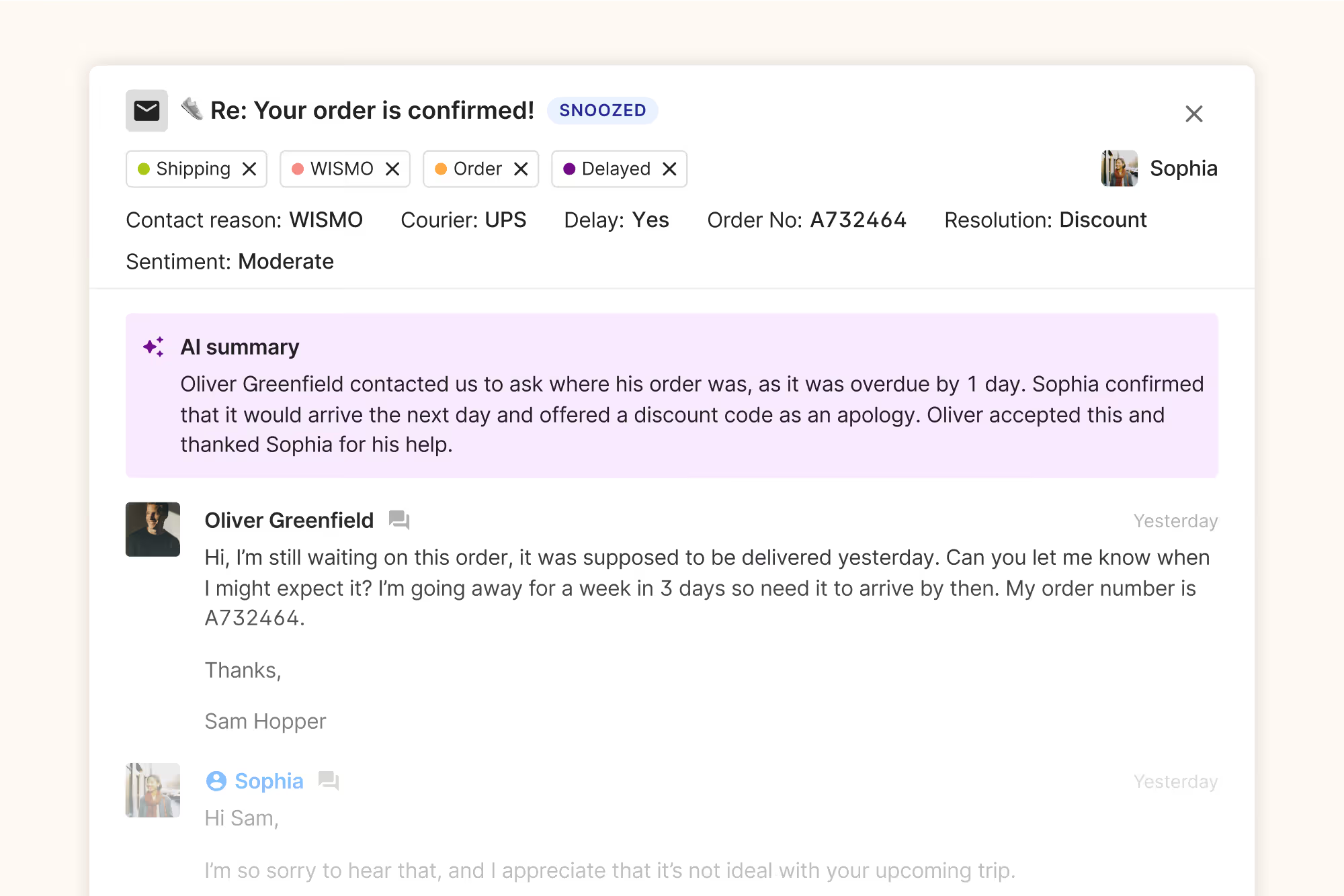
Best for: Shopify and BigCommerce merchants who need order management actions within their helpdesk, AI that can execute real support workflows (not just answer questions), and a platform that drives revenue through personalized product recommendations.
Limitations: Not ideal for non-ecommerce businesses or teams requiring ITSM/ITIL workflows.
Key features:
- Shopify order actions (refund, cancel, edit) within ticket view
- AI Agent with pre-built ecommerce actions (WISMO, returns, cancellations)
- Revenue tracking per conversation
- Product recommendation engine
- Omnichannel inbox (email, chat, SMS, social, voice)
Pricing: From $10/month; AI Agent included on all plans with flat pricing (no per-resolution fees)
G2 rating: 4.6/5 ⭐
{{lead-magnet-1}}
Freshdesk
Freshdesk is an all-in-one helpdesk offering ticket management, automation, and omnichannel support at a lower price point than Zendesk. Freshdesk is known for its easy setup and clean interface, which reduces agent training time.
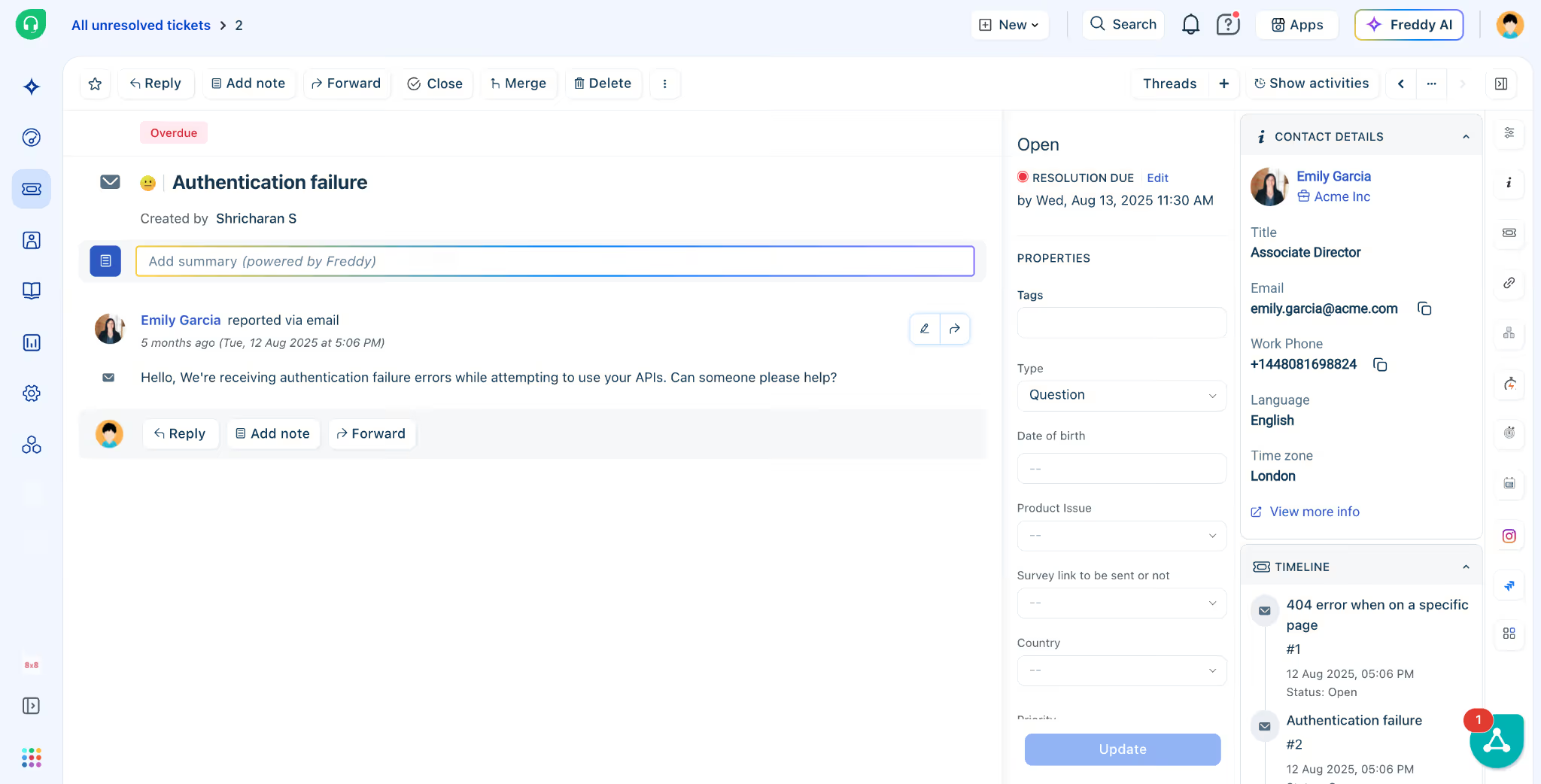
Best for: Small to mid-market teams wanting Zendesk-like features without the complexity or cost.
Limitations: Advanced AI and reporting features require higher-tier plans; session-based AI billing can become unpredictable at volume.
Key features:
- Parent-child ticketing for complex issues
- Freddy AI assistant (intent detection, suggested replies)
- Proactive messaging across email, WhatsApp, SMS
- Unified workspace with customer context
Pricing: Free plan available; paid plans from $15/user/month; Freddy AI: 500 sessions free, then $49/100 sessions
G2 rating: 4.4/5 ⭐
Help Scout
Help Scout is a shared inbox platform designed for teams who want support to feel personal, not transactional. Every interaction looks like a regular email, and the interface is so intuitive that most teams are productive within hours.
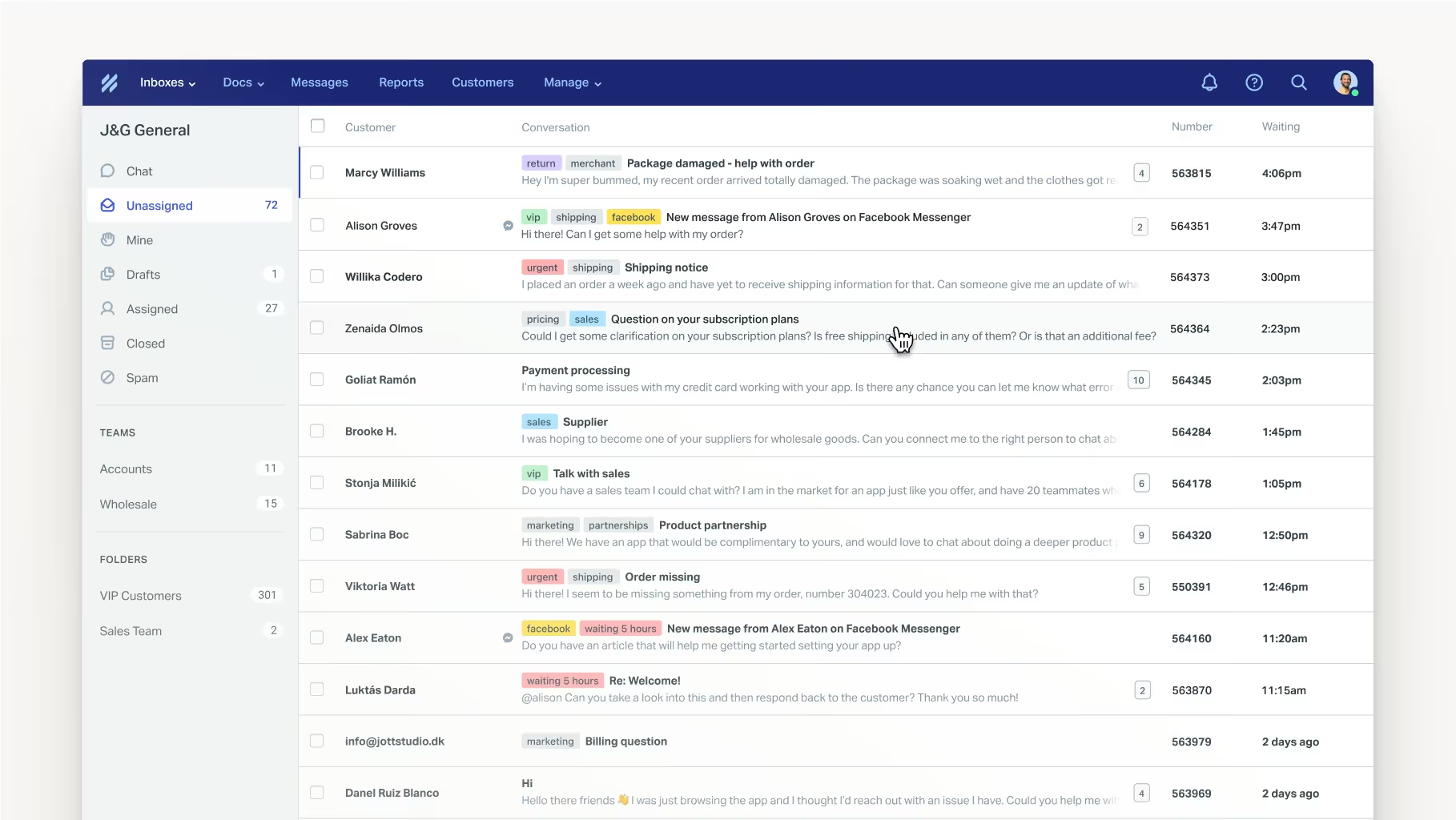
Best for: Teams of 5-15 agents where brand voice and relationship quality matter more than advanced automation.
Limitations: Limited automation depth; not built for high-volume operations or multi-department ITSM needs.
Key features:
- Shared inbox with collision detection
- Beacon widget (Live Chat + Help Center)
- AI Answers ($0.75/resolution)
- HIPAA compliance option
Pricing: Free plan available; Standard from $25/user/month
G2 rating: 4.4/5 ⭐
Intercom
Intercom is a messaging-first platform that combines live chat, AI chatbots, and proactive outbound campaigns. Fin AI resolves up to 50% of inquiries by pulling from your knowledge base and past conversations.
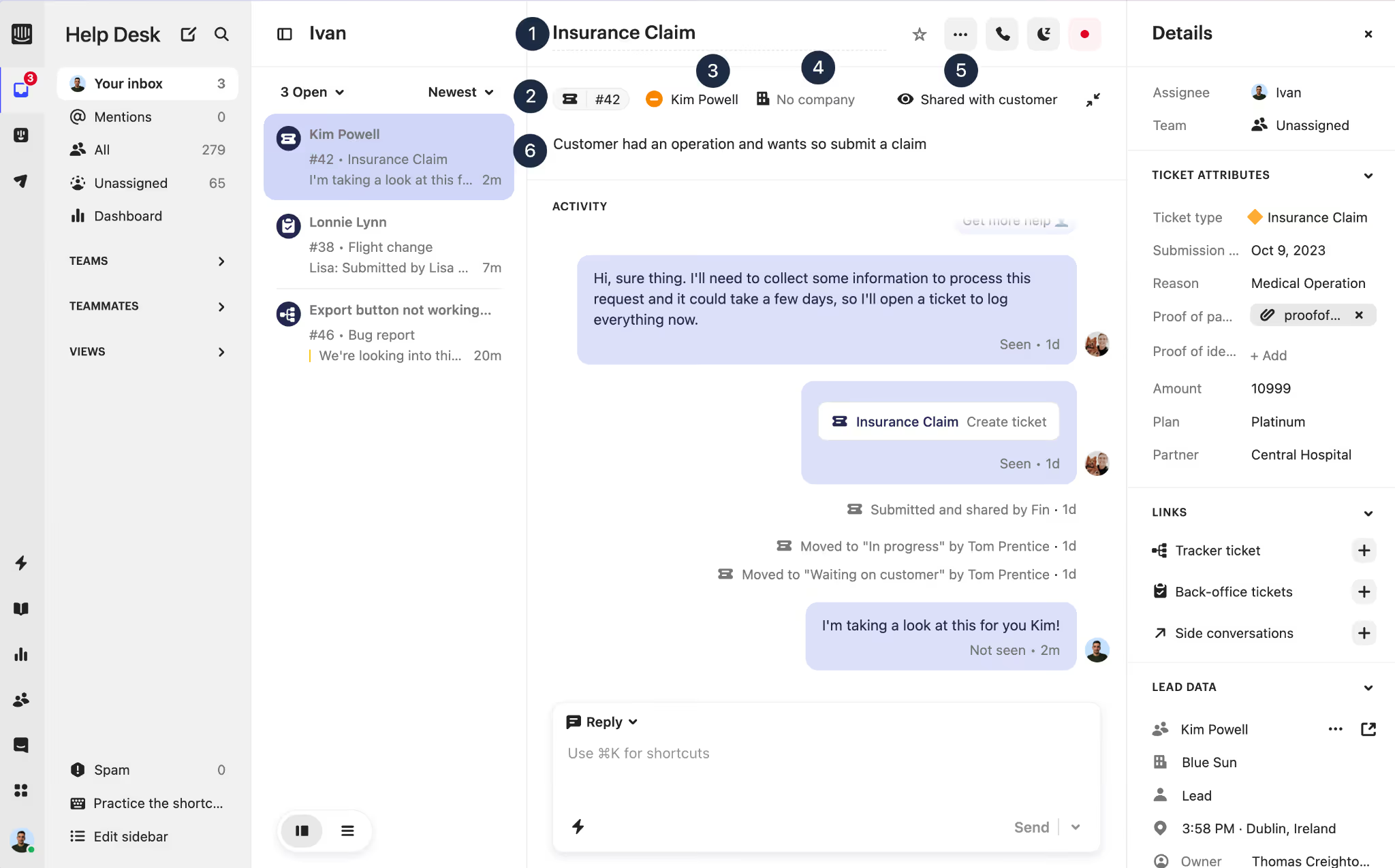
Best for: SaaS companies needing AI-driven deflection and in-app messaging for onboarding and support.
Limitations: Costs can escalate quickly with seat charges plus per-resolution AI fees; less flexible for traditional ticketing workflows.
Key features:
- Fin AI chatbot with 50% resolution rate
- Proactive messaging and product tours
- AI Copilot for agent assistance
- Custom reporting with advanced filters
Pricing: From $29/user/month; Fin AI at $0.99/resolution
G2 rating: 4.5/5 ⭐
HubSpot Service Hub
HubSpot Service Hub integrates natively with HubSpot CRM, giving support agents access to full customer context including sales interactions, marketing engagement, and deal history. It's best for teams already using HubSpot across their stack.
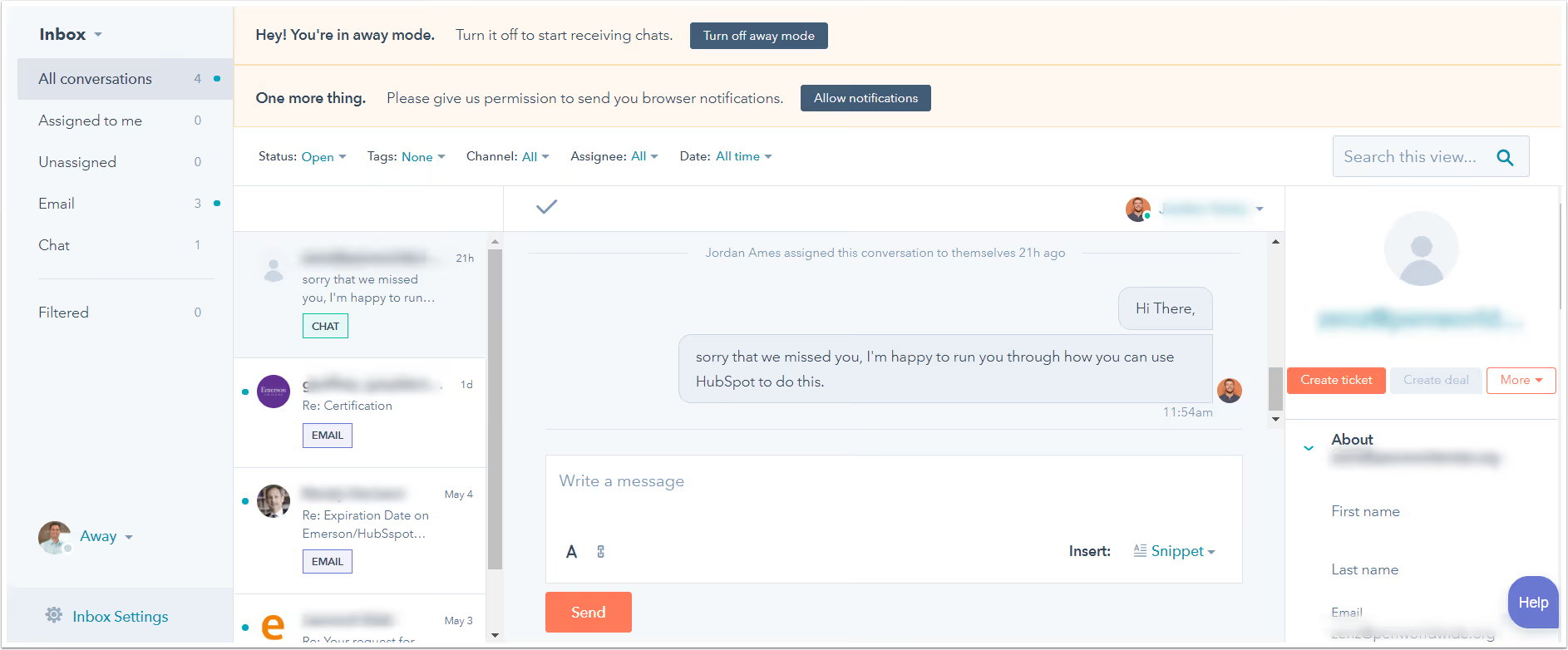
Best for: Organizations using HubSpot CRM across sales and marketing who want unified customer data without manual syncing.
Limitations: Costs increase quickly as you scale; outside the HubSpot ecosystem, equivalent features are available at lower cost elsewhere.
Key features:
- Native CRM integration with shared customer records
- Customer portal for self-service
- Conversation intelligence (call recording and analysis)
- Customer success workspace with health scores
Pricing: Free plan available; Professional from $90/seat/month
G2 rating: 4.4/5 ⭐
Zoho Desk
Zoho Desk is one of the most affordable Zendesk alternatives, offering workflow automation, AI assistance (Zia), and omnichannel support at a fraction of the cost. It's particularly strong for teams already using Zoho CRM or other Zoho products.
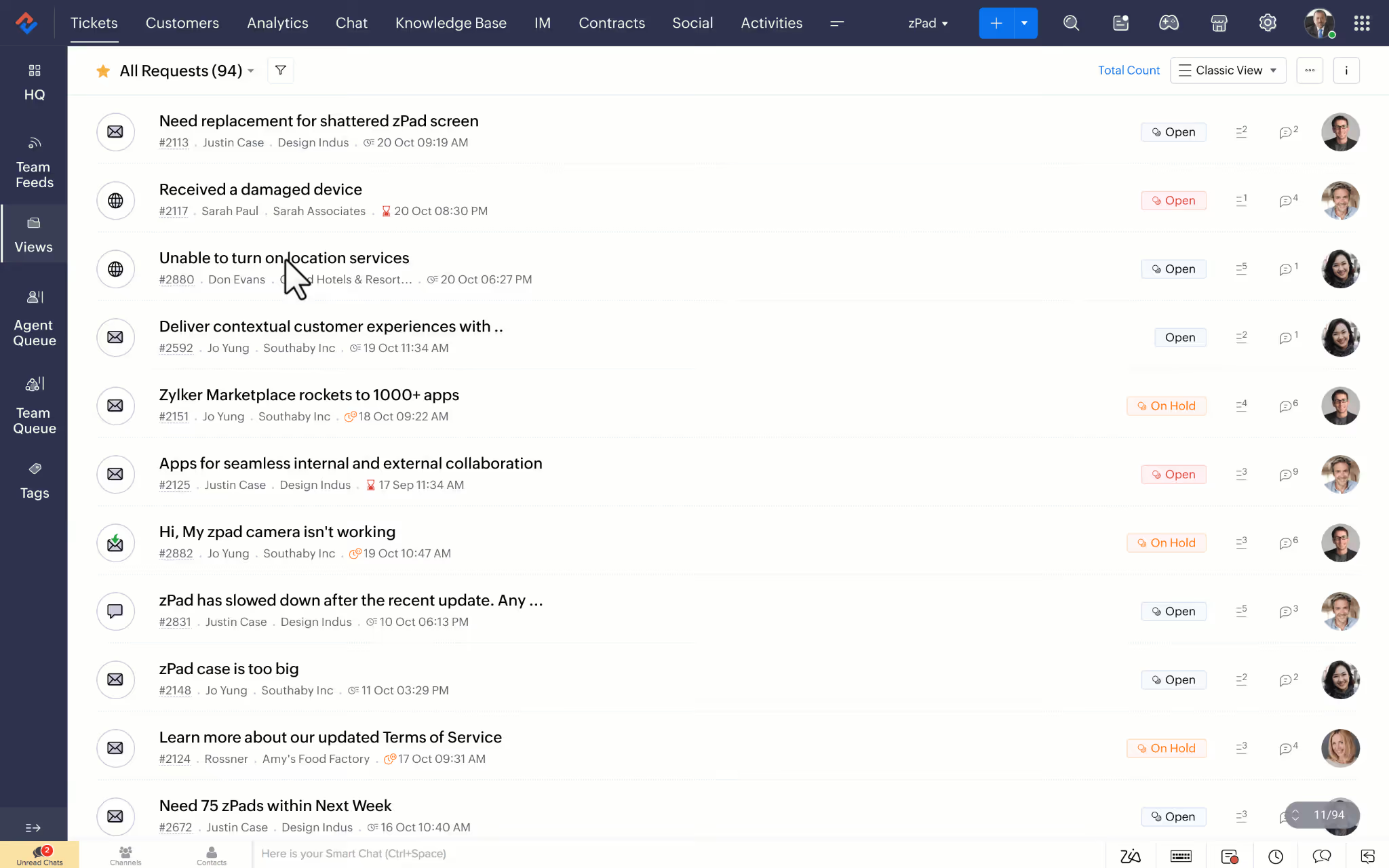
Best for: Budget-conscious teams in the Zoho ecosystem who need robust automation without enterprise pricing.
Limitations: Interface can feel cluttered; advanced automation and reporting require Professional plan or higher.
Key features:
- Workflow automation with customizable rules
- Direct Zoho CRM integration
- Zia AI for sentiment analysis and ticket tagging
- Round-robin assignment (Professional plan+)
Pricing: Free plan available; Professional from $23/user/month
G2 rating: 4.4/5 ⭐
Kustomer
Kustomer is a CRM-powered helpdesk that unifies customer data from every touchpoint into a single timeline view. It's designed for high-volume support teams that need deep customer context and advanced automation.
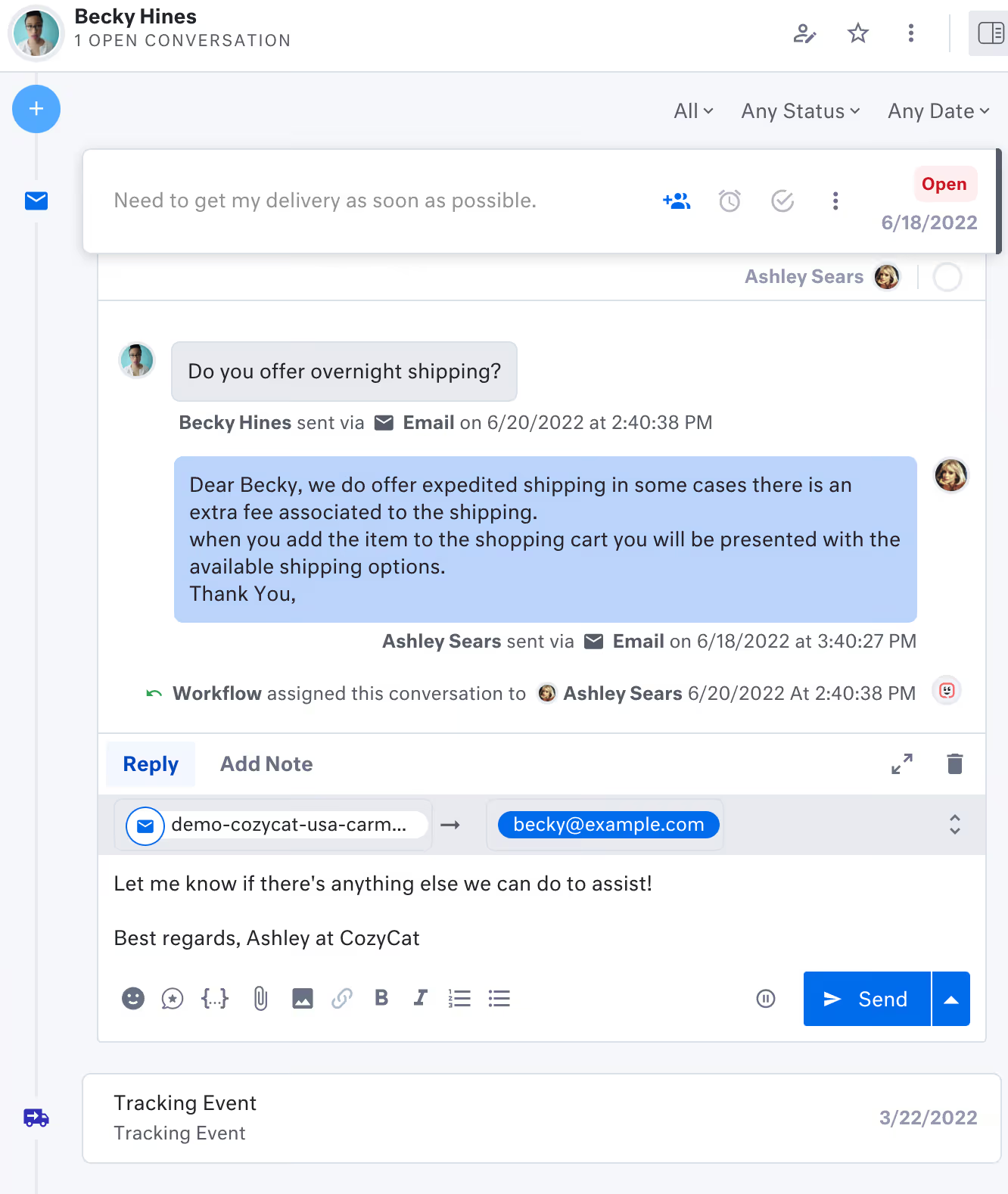
Best for: Ecommerce and subscription businesses with complex customer journeys requiring unified data across support, sales, and marketing.
Limitations: No transparent pricing published; requires demo and custom quote; can be overkill for smaller teams.
Key features:
- Unified customer timeline across all channels
- AI-driven automation and routing
- Customizable dashboards
- Omnichannel support (email, chat, SMS, social, voice)
Pricing: Pricing upon request
G2 rating: 4.4/5 ⭐
Front
Front transforms your inbox into a collaborative workspace where teams can assign conversations, leave internal notes, and work together on customer replies in real time. It's built for teams where email is the primary support channel.
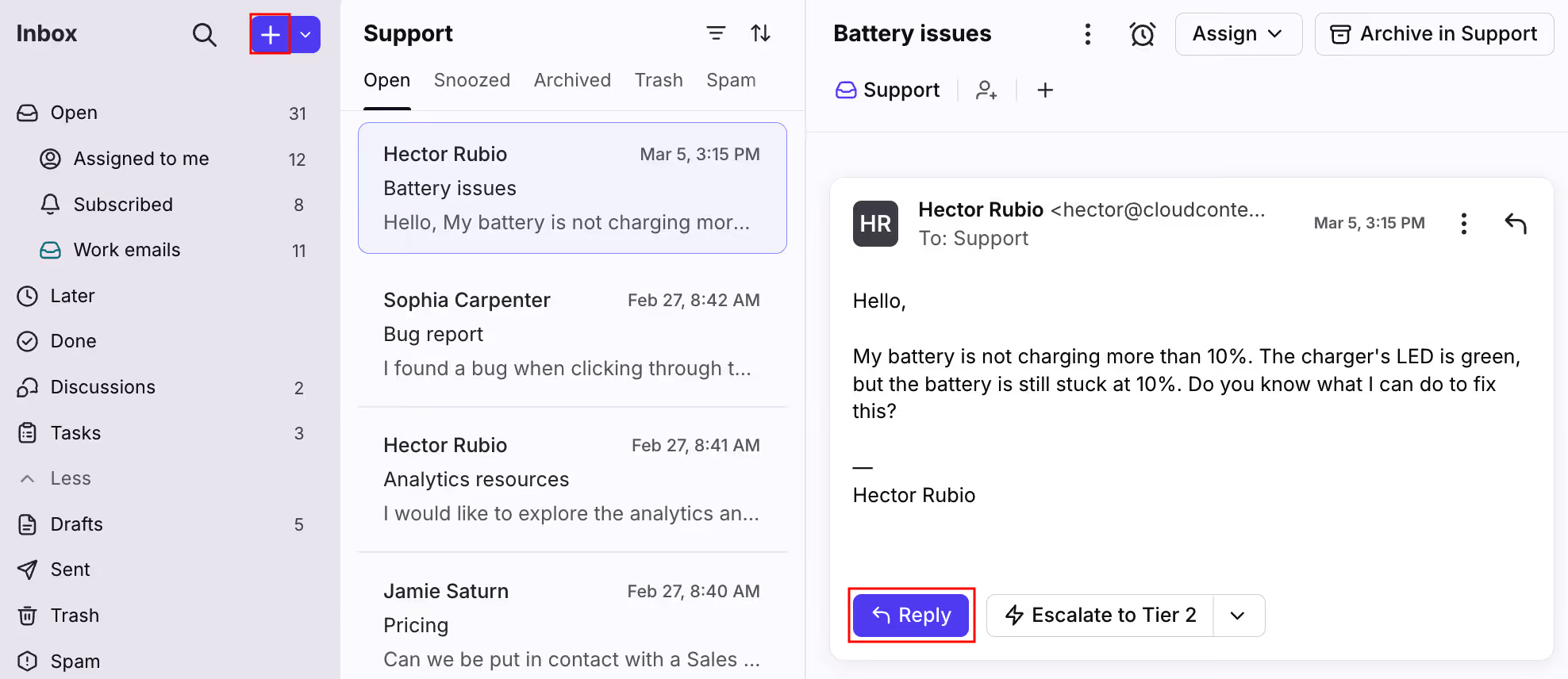
Best for: Customer success and account management teams where collaboration depth and shared email ownership matter more than traditional ticketing.
Limitations: Not ideal for high-volume ticketing or structured SLA enforcement; AI features require separate add-ons.
Key features:
- Shared inbox with collaborative drafting
- Internal comments and task assignment
- AI Copilot ($20/user/month add-on)
- Workflow automation
Pricing: From $25/user/month; AI add-ons priced separately
G2 rating: 4.7/5 ⭐
LiveAgent
LiveAgent is a full-featured helpdesk with particular strength in live chat and call center support. Unlike many competitors, AI features are included across all plans without extra fees.
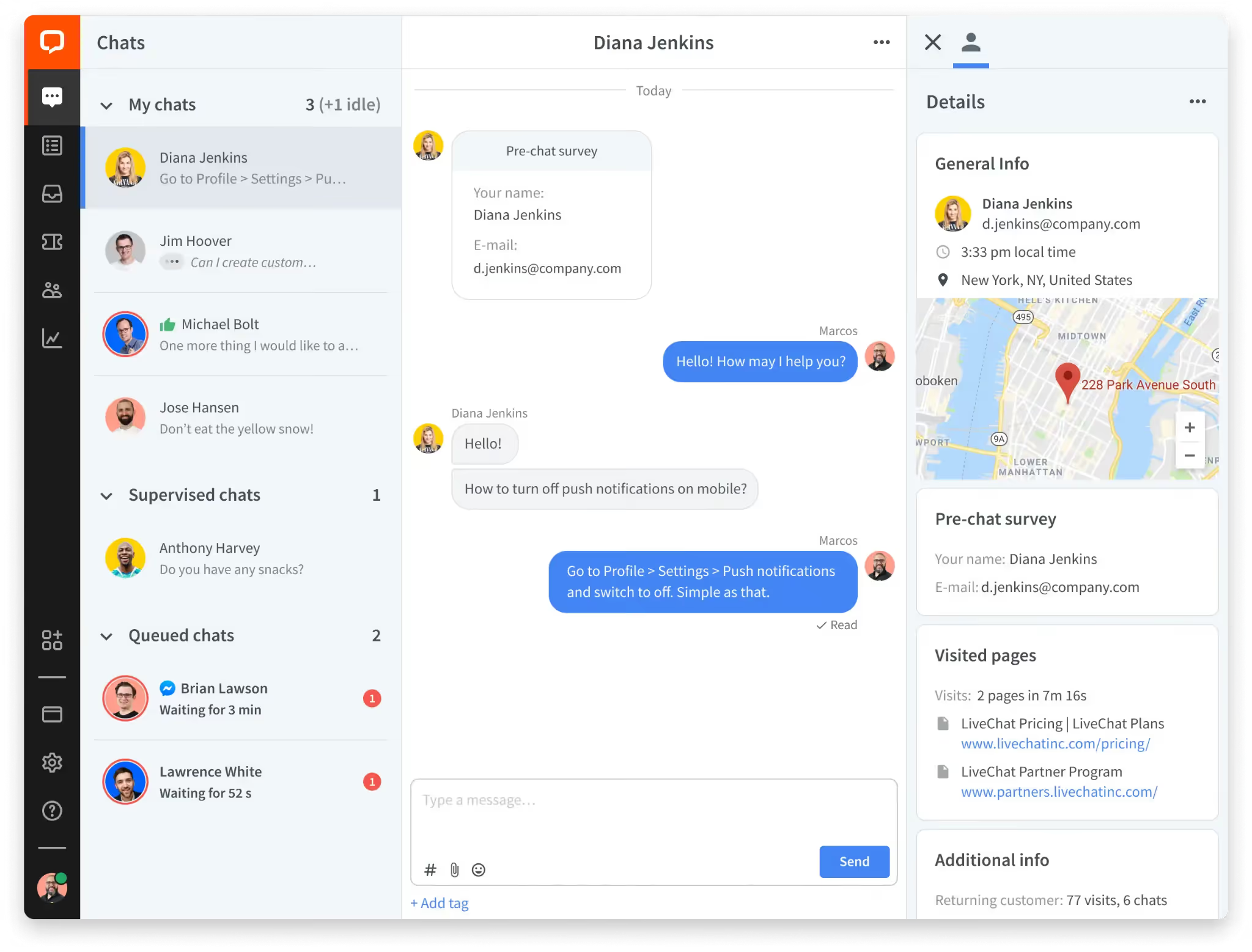
Best for: SMBs where live chat and phone are primary channels and budget is a constraint.
Limitations: Dated UI; mobile app and analytics customization lag behind modern competitors.
Key features:
- Live chat with proactive triggers
- Built-in call center with IVR
- Social media integration (Facebook, Instagram, Twitter, WhatsApp)
- AI included at no extra cost
Pricing: From $9/user/month
G2 rating: 4.5/5 ⭐
HappyFox
HappyFox blends traditional helpdesk features with ITSM-lite capabilities like asset tracking and change management. It's known for quick setup (often under an hour) and a low learning curve.
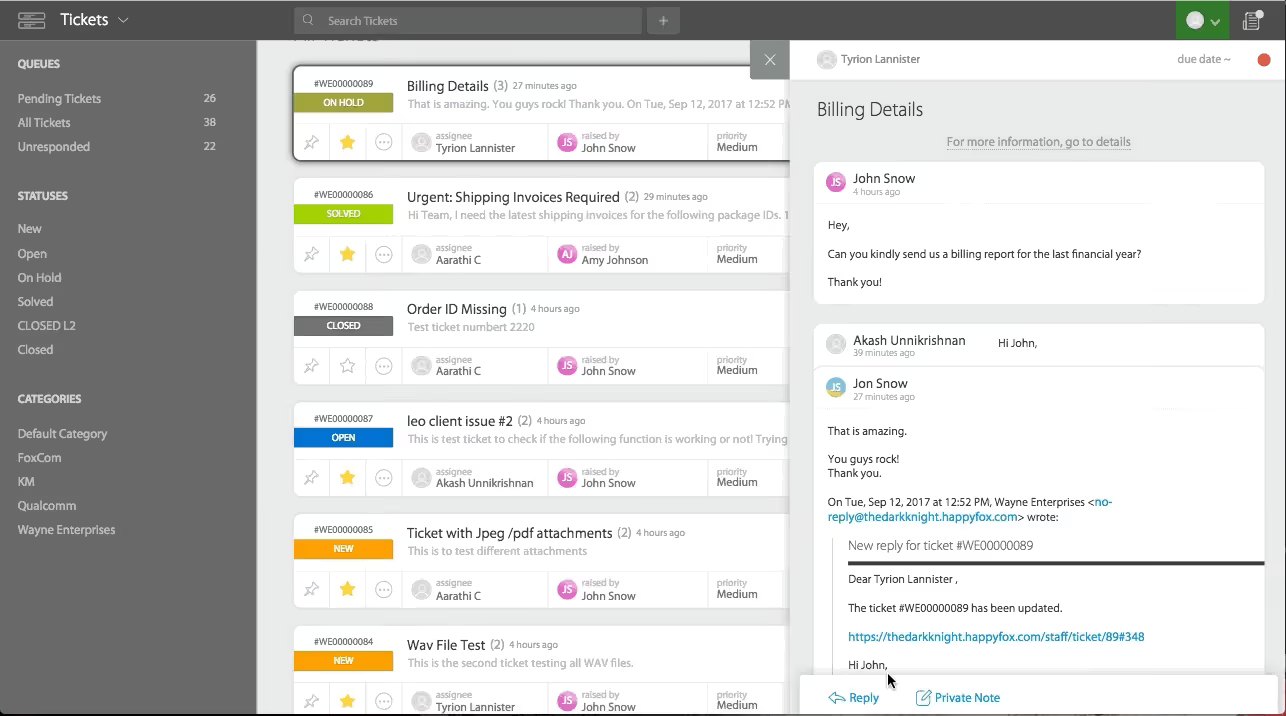
Best for: Mid-market IT and operations teams needing structured workflows without full ITIL complexity.
Limitations: No free plan; total costs can add up as you scale; limited for highly customized workflows.
Key features:
- Workflow automation and SLA management
- Task management with reusable templates
- Knowledge base with multilingual support
- Free in-app training module
Pricing: From $24/user/month
G2 rating: 4.5/5 ⭐
Jira Service Management
Jira Service Management is built for IT and DevOps teams who need tight integration between support tickets and engineering work. Bugs reported through support can be linked directly to Jira Software without switching tools.
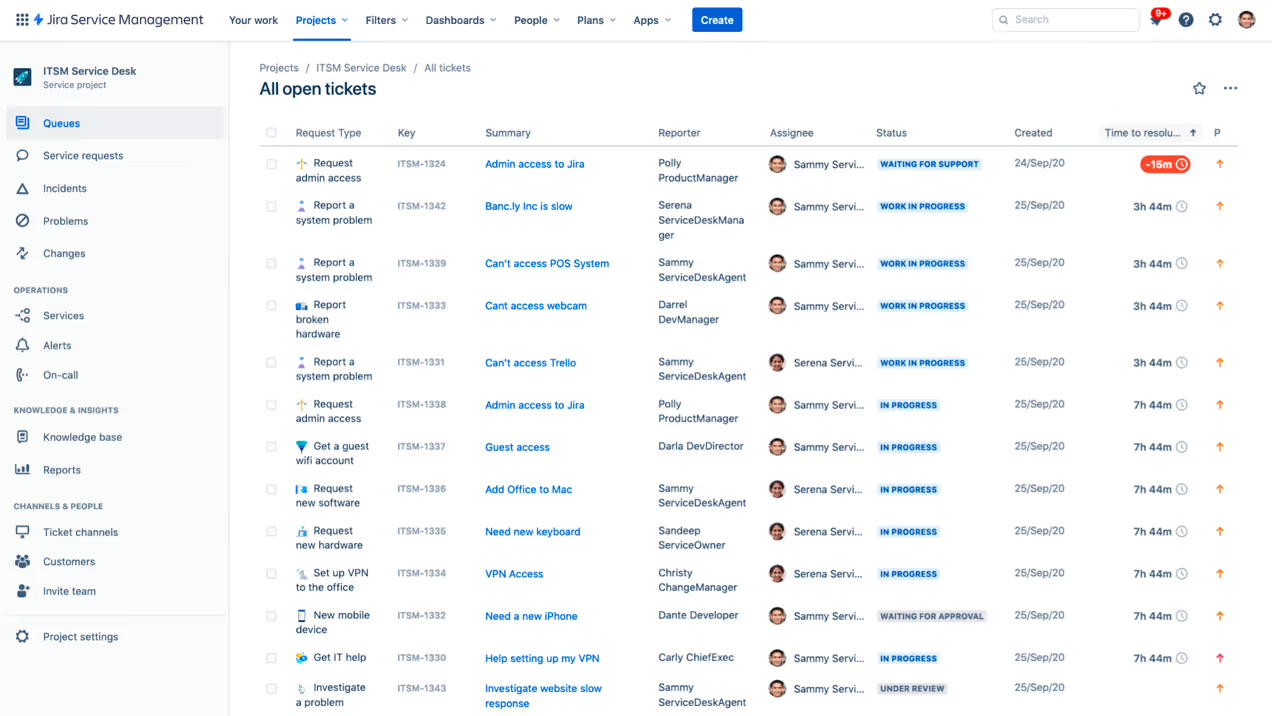
Best for: IT and engineering teams in the Atlassian ecosystem needing ITIL-aligned incident and change management.
Limitations: Steeper learning curve for non-technical teams; more complex than necessary for customer-facing support.
Key features:
- ITIL-aligned service desk
- Direct integration with Jira Software and Confluence
- Asset and configuration management
- Customizable SLA management
Pricing: Free plan available; Standard from $19.04/agent/month
G2 rating: 4.4/5 ⭐
ServiceNow CSM
ServiceNow Customer Service Management is an enterprise-grade platform offering advanced workflow automation, AI-powered routing, and deep customization. It's typically deployed by large organizations with dedicated ServiceNow administrators.
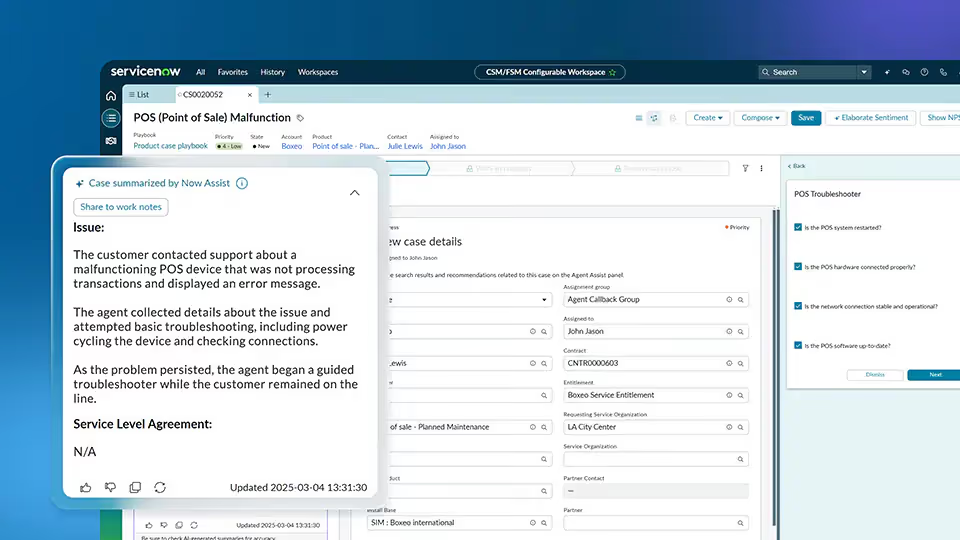
Best for: Global enterprises with complex service operations requiring extensive customization and ITIL compliance.
Limitations: Requires significant implementation effort (often 3+ months); expensive; overkill for most mid-market teams.
Key features:
- Advanced workflow automation
- Predictive intelligence and AI routing
- Omnichannel support
- Integration with ServiceNow ITSM suite
Pricing: Pricing upon request
G2 rating: 4.2/5 ⭐
SolarWinds Service Desk
SolarWinds Service Desk is a cloud-based ITSM solution designed for IT teams managing internal service requests, incidents, and asset tracking. It follows ITIL best practices and integrates with SolarWinds' broader IT management suite.
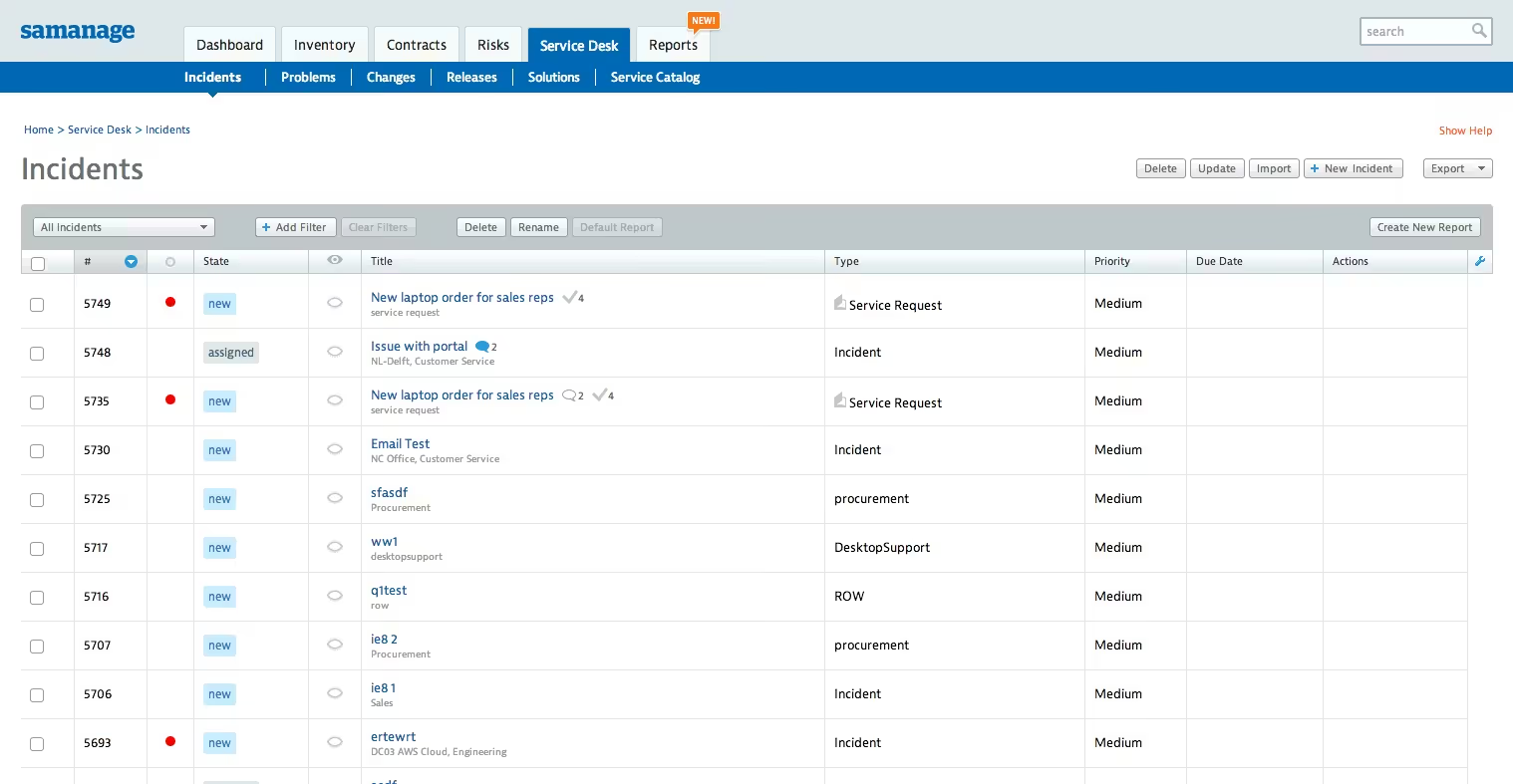
Best for: IT departments needing a dedicated service desk for internal ticketing and asset management.
Limitations: Not designed for customer-facing support; limited omnichannel capabilities.
Key features:
- ITIL-based incident and change management
- Asset discovery and tracking
- Self-service portal
- SLA management
Pricing: From $39/month
G2 rating: 4.4/5 ⭐
Kayako
Kayako differentiates through customer journey tracking, showing agents the full history of a customer's page visits, past conversations, and interactions before responding. It's designed for teams where personalized, context-aware service matters more than ticket volume throughput.
Best for: Mid-sized teams focused on real-time chat and personalized service delivery.
Limitations: Limited integrations; can feel limiting as operations scale.
Key features:
- Customer journey tracking across all interactions
- Omnichannel inbox management
- Self-service knowledge base
- Real-time visitor monitoring
Pricing: $79/month flat (Kayako One); AI add-on at $1/resolved ticket
G2 rating: 4.0/5 ⭐
Groove
Groove is a lightweight shared inbox that mirrors the feel of an email client, making it extremely easy for small teams to adopt. It includes the core essentials (shared inbox, ticketing, automation) without overwhelming users with unnecessary features.
Best for: Startups and small businesses (under 15 agents) that want a complete helpdesk without complexity.
Limitations: Basic reporting and filtering; limited scalability for high-volume operations; fewer integrations than larger platforms.
Key features:
- Shared inbox with internal notes
- Automation rules and smart folders
- AI assistance for reply drafting
- Knowledge base
Pricing: From $24/user/month
G2 rating: 4.6/5 ⭐
Salesforce Service Cloud
Salesforce Service Cloud is the enterprise option for organizations already running Salesforce CRM who need unified data across support, sales, and marketing. It offers the deepest CRM integration in this comparison but requires dedicated Salesforce administrators to manage.
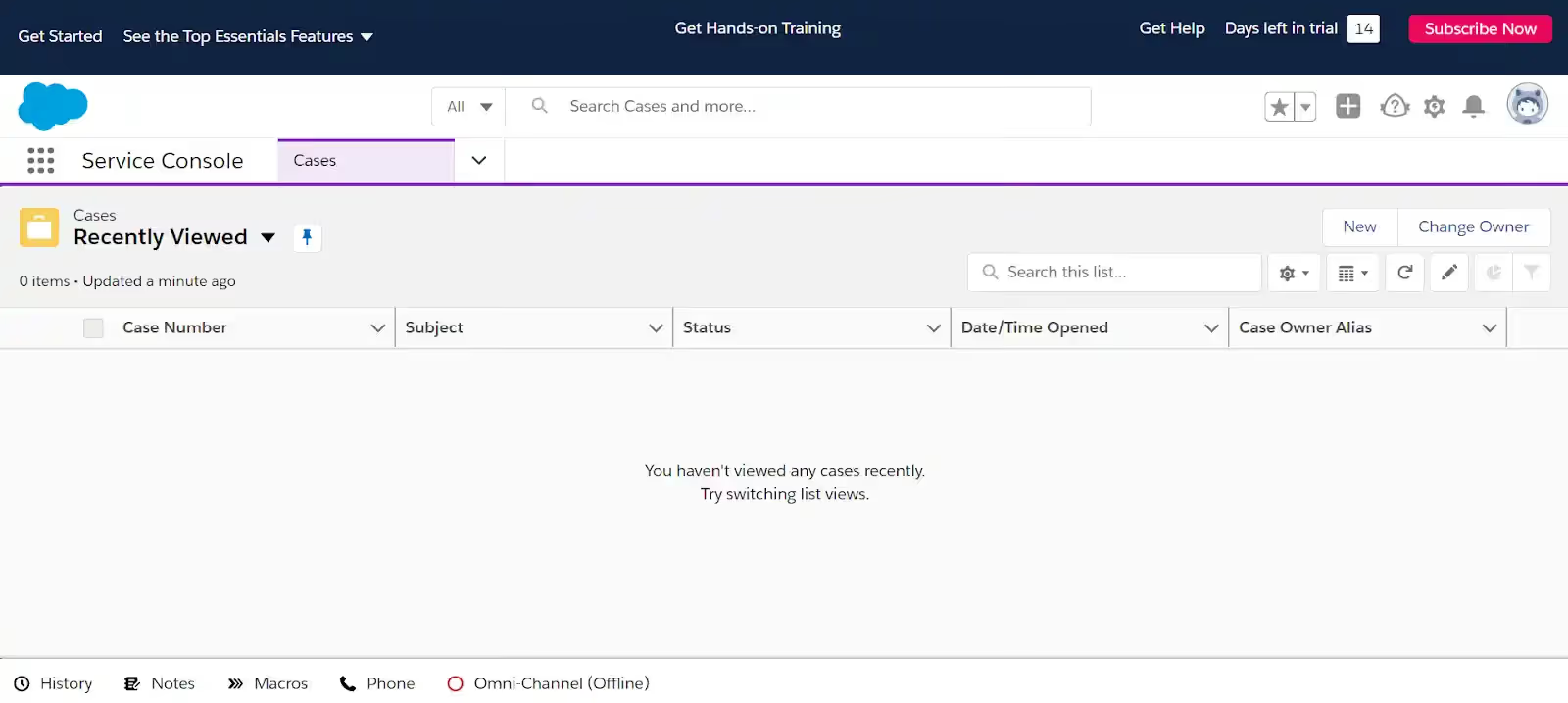
Best for: Global enterprises with existing Salesforce infrastructure needing unified customer data and advanced customization.
Limitations: Expensive ($25,000-$100,000+ in professional services for implementation); steep learning curve; not practical without dedicated admins.
Key features:
- Einstein AI for case classification and routing
- Full Salesforce CRM data integration
- Omni-channel routing
- Customizable dashboards and advanced analytics
Pricing: Starter Suite from $25/user/month; Professional from $80/user/month; Einstein Bots from $75/user/month add-on
G2 rating: 4.4/5 ⭐
The real cost of Zendesk vs. its alternatives
Published pricing is just the starting point — here's what you actually need to budget for.
How agent count affects your bill
Most platforms charge per-agent pricing: cost multiplies with every new hire. This model works for stable teams but becomes expensive as you scale. Flat or unlimited pricing — like HappyFox and some Zoho Desk plans — charges a fixed monthly cost regardless of agent count.
Worth calculating: HappyFox unlimited at $1,999/month vs. Zendesk Suite Professional at $115/agent/month hits breakeven at 18 agents. Above that threshold, unlimited pricing saves money. Below it, per-agent costs less.
How AI pricing models differ
AI pricing varies widely across platforms:
- Flat per-agent: Gorgias (included), HappyFox ($14/agent/month)
- Per-resolution: Zendesk ($1.50–$2.00), Intercom ($0.99), Help Scout ($0.75)
- Session-based: Freshdesk ($49/100 sessions)
For 3,000 AI resolutions/month, Zendesk's resolution fees alone run $4,500–$6,000. Per-resolution and session-based models create budget risk as usage scales — flat-rate AI eliminates that variability.
Hidden costs to factor in
- Implementation: Zendesk often requires consultants at $150–$300/hour. Alternatives like Help Scout and Gorgias support self-implementation in hours to days.
- Training: Zendesk training courses exceed $2,000. Many alternatives include free onboarding (HappyFox, LiveAgent).
- Migration: Data export, field mapping, and re-importing historical tickets can require 40–80 hours of work. Some vendors (Gorgias, Freshdesk) offer assisted migration at no additional cost.
Calculate total first-year cost including base pricing, AI fees, setup, training, and migration to compare true TCO.
When a Zendesk alternative makes sense
Not every team needs to switch. Zendesk works well for large enterprises with dedicated support ops teams, technical expertise in-house, and budgets that accommodate premium pricing. But specific triggers make alternatives worth evaluating.
Your team is growing fast
Per-agent pricing compounds as teams scale. Adding 10 agents on Zendesk Suite Professional costs an additional $13,800/year, while alternatives like Zoho Desk ($23/agent) or Freshdesk ($15-19/agent) reduce that same expansion to $1,800-$2,280/year. HappyFox offers unlimited agent plans at flat monthly rates, eliminating per-agent costs entirely.
When to switch: If you're planning to add 5+ agents in the next 6 months, calculate total cost over 12 months across platforms. The savings typically justify migration effort.
You sell online
Zendesk doesn't natively support Shopify order actions, forcing agents to toggle between platforms. Customer data lives separately from tickets, creating friction for order-related inquiries (WISMO, returns, cancellations). Ecommerce-focused alternatives like Gorgias and Kustomer embed order actions and product recommendations directly in ticket view, reducing handle time and improving personalization.
When to switch: If support agents spend more than 30% of their time on order-related inquiries, or if you need revenue tracking per conversation, ecommerce-first platforms deliver measurable efficiency gains.
Your tickets are mostly internal IT requests
CX and internal IT support (ITSM) require different workflows. CX prioritizes omnichannel coverage, conversation history, and personalization. ITSM demands asset tracking, change management, and ITIL compliance. Zendesk bridges both but excels at neither.
When to switch: If more than 80% of tickets are internal IT requests requiring asset tracking or ITIL workflows, ITSM-focused alternatives like Jira Service Management or SolarWinds offer better fit at lower cost.
Which Zendesk alternative is right for you?
The best Zendesk alternative depends on your team size, use case, and budget. Here's a quick guide before you commit:
- Ecommerce brands on Shopify or BigCommerce → Gorgias
- SaaS companies → Intercom or HubSpot Service Hub
- Enterprises running Salesforce → Salesforce Service Cloud
- IT teams handling internal ticketing → Jira Service Management or SolarWinds
- SMBs wanting simple setup → Help Scout or Freshdesk
Take advantage of free trials and demos. The fastest way to evaluate a platform is to run a real support workflow through it. And look beyond base pricing: AI fees, setup costs, and migration time all affect your first-year total.
Switching from Zendesk to Gorgias? Explore our buyout program for full access to Gorgias features at no initial cost, or book a demo to see it in action.
{{lead-magnet-2}}

What Can You Do With All Those BigCommerce API Calls?
A quick look into BigCommece, and you'll quickly see one of the main advantages about
As eCommerce-Aholic says in their YouTube video: 5 reasons to choose BigCommerce over Shopify, when deciding whether a SaaS ecommerce platform is right for you, you have to consider APIs.
What does this mean for you?
Because more often than not, you don’t have access to the underlying code fuelling your ecommerce website.
This is where APIs come into their own.
In short, API stands for 'Application Programming Interface.' This enables two apps to communicate with each other. As such, this is what allows you to extend the overall functionality of your chosen ecommerce platform.
With that in mind, let’s delve into this subject a little deeper.
BigCommerce APIs
BigCommerce's API coverage is incredibly impressive. As is the number of API calls that BigCommerce can process per second. In fact, it can handle 100 times more API calls per second than Shopify Plus!
Shopify limits you to just two API requests a second, or four API per second if you’re a Shopify Plus user. Whereas BigCommerce can handle a whopping 400 API calls per second!
How Often Will You Need to Hit an API Call?
Let’s take synchronizing your entire stock list with BigCommerce’s Catalog API as an example. This API enables you to integrate your BigCommerce store with your POS and multiple online sales channels...so that you can handle everything from a single platform. Needless to say, this makes selling on popular third-party platforms like Amazon, Walmart (Jet), Wayfair, Best Buy, Houz, etc. a breeze!
So, suppose you’re running a large enterprise and have thousands of items to synchronize (or have tons of different product options). In that case, 25,000 products could take over four hours to sync on Shopify! Whereas, with BigCommerce, that same volume of merchants would take around a minute.
Following this same logic, if you're syncing multiple systems with your ecommerce store, you’ll be thankful that BigCommerce handles so many API calls per second. After all, there are only so many hours in the day!
The biggest perk?
But, that isn't the best thing about BigCommerce's APIs. In fact, it's the real-time information your shipping and logistics partners feedback to your store that's of the most value.
Of course, this also has a knock-on effect on the quality of your customer support. Slow and unreliable API calls adversely impact your store's inventory levels and shipping updates for customers.

Customer Support
While we're on the topic of customer service, just think of the kind of high-quality customer support you could provide, using one of your many APIs to connect your BigCommerce store with Gorgias.
You'll be able to offer all the following at lightning speed:
- Real-time live chat (you can even trigger automatic live chat campaigns depending on your visitor's web page).
- Centralize customer communications - social media, email, phone, etc. You can answer all pending support tickets from the convenience of one dashboard.
- You can create template answers to respond faster to FAQs - just write your response once and save it as a macro. Then you'll be able to reuse it automatically.
- Utilize machine learning to detect what customers will ask - shipping updates, refunds, exchanges, etc. Then, you can send laser-targeted automated responses to proactively answer their questions.
How to Utilize API Calls
On top of the obvious benefits listed above, you can also use BigCommerce's API points to create mobile apps using data retrieved from your online store. Not only does this make app development much easier, but ultimately, it'll also provide a seamless experience for the end-user. Win-win!
For the sake of ease, we've listed some of the different kinds of BigCommerce APIs you can use and how they could benefit your online store. Hopefully, this provides some much-needed inspiration for making the most out of your abundance of APIs.
Storefront APIs: This enables you to manage customer carts and checkouts (from the client's side and your back end). For instance, you can add products to a shopper’s cart, gather and display customer order info, update billing addresses, and erase current e-shopping trolleys.
GraphQL Storefront API: Similar to above, you can also use this API to access your customer's product info and modify customer details and orders. But more unique to this API, you can build frontend apps. This permits you full control over the look and feel of your brand.
Scripts API: You can insert any scripts for analytics, single-click apps, live chat, support plugins, and theme extensions for any apps or integrations you’ve downloaded, so you'll no longer have to manually paste code into your control panel.
Widgets API: Here, you can create modular blocks of content to reuse wherever you want. Similarly, you can also develop tools to empower non-techy users to manage your content. Trust us, your team will thank you for not making them go to the trouble of modifying the theme files.
Payments API: As its name so aptly suggests, this API facilitates the acceptance of customer payments. You can create custom checkouts either using a Server-to-Server Checkout API Orders endpoint or via the V2 Orders endpoint.
Getting Started with BigCommerce APIs
First off, you need to obtain the API credentials.
From there, you can experiment with your APIs using BigCommerce's in-built 'Request Runner.' Here, you just copy and paste your store_hash, client_id ID, and access_token.
Then once you've done that, hit 'Send.'
Alternatively, you can use the REST Client extension to make API requests, using the Visual Studio Code. Once you've installed this extension, you'll need to create a new file called BigCommerce.http.
Then you'll need to paste the following:
@ACCESS_TOKEN = your_access_token
@CLIENT_ID = your_client_id
@STORE_HASH = your_store_hash
###
GET https://api.bigcommerce.com/stores/{{STORE_HASH}}/v3/catalog/products
X-Auth-Token: {{ACCESS_TOKEN}}
X-Auth-Client: {{CLIENT_ID}}
Content-Type: application/json
Accept: application/json
Now, hit 'Save.'
This should trigger a 'send request' link to display above GET. Click 'send request,' and the API response will appear in a split window.
There are other ways to start using BigCommerce APIs, but we don't have time to go through them all in this article. Hopefully, this has been enough to help steer you in the right direction. For more information, take a look at BigCommerce’s API documentation.
Are You Ready to Start Using BigCommerce?
We hope having read this article, you have a better idea of what you could achieve with BigCommerce's generous API allowance. The BigCommerce API lets you sync inventory across channels, and locations, connect to apps, and offer exceptional customer support. How have you used the BigCommerce API?

Black Friday vs. Buy Nothing Day
For most retailers, Black Friday is the busiest and most profitable day of the year. However, not everyone is into shopping on Black Friday. Every year, more and more activists are protesting the consumer culture by celebrating ‘Buy Nothing Day.’
Never heard about it? Although the anti-consumerism celebration has been gaining traction in the last couple of years, it’s still not well-known among the general public.
How did we come to this point? That’s what we’ll learn today.
You’ll find out:
- A short history of Black Friday
- What’s Buy Nothing Day All About
- Black Friday vs. Buy Nothing Day
{{lead-magnet-1}}
The History of Black Friday
As high-speed Internet spread across the planet so did Black Friday. What initially started as a mall craze has evolved in an online phenomenon. But do you know how Black Friday started? When and where did it happen and how did it spread?
How Black Friday Started
The holiday got started in the early-50s, in Philadelphia. The term was used to describe the heavy traffic on the day after Thanksgiving when hordes of tourists and suburbanites would storm the city in advance of the annual Army-Navy football game.
While we don’t know for certain, the term “Black Friday” was possibly coined by the members of the Philadelphia police department to describe the shoplifting, traffic jams, and general mayhem. Yes, Black Friday incidents are nothing new.
Even though retailers tried to change its name to “Big Friday” during the late 60s in an effort to avoid the negative connotations, the original name persevered. In the mid-80s, marketers started using the term in connection to “being in the black” after a financially bad year.
Cyber Black Friday, Cyber Monday, and Black November
Black Friday sales became commonplace across the United States, in the early 90s. By the mid-2000s, online shopping started gaining traction. In 2008, online shoppers spent $534 million on Black Friday.
During the same period, Cyber Monday got its start. The holiday took off when the staff at Shop.org noticed a 77% increase in online sales on Monday after the Black Friday weekend. Since Cyber Monday was so successful, some of the largest store chains in the US, like Walmart and Amazon merged the two into a single shopping weekend.
Soon after, retailers started creating different spin-offs of the Black Friday/Cyber Monday weekend. For example, the day after Black Friday is called Small Business Saturday. That’s why some retailers now celebrate Black November all month long.

Pros and Cons of Black Friday
Last year, retailers from all over the world saw more than 93 million people shopping online, during the Black Friday weekend. While a huge number of people are looking forward to the holiday, there are some that aren’t as nearly excited.
The holiday has its positive and negative sides. Some of the Black Friday pros include:
- Most consumers are able to save a lot of money on great deals
- Retailers are able to make a good percentage of their yearly revenue during BFCM
- It’s great for the economy; 30% of retail sales happen between BFCM and Christmas
Of course, we need to take into consideration Black Friday cons as well:
- People tend to overspend during BFCM and buy things they wouldn’t otherwise
- Some retailers that artificially heighten their prices in the weeks leading up to BFCM
- Some small businesses can’t compete with large discounts offered by large chains
{{lead-magnet-2}}
The History of Nothing Day
Not all people see Black Friday as a great opportunity to buy that 40-inch smart TV for a fraction of its price. Some see it as nothing more than a decadent celebration of commercialism. That’s why some people opt to celebrate Buy Nothing Day.
Never heard of Buy Nothing Day before? You’re not alone. A lot of people haven’t. But don’t worry, we’re here to explain everything…
How Nothing Day Started
Now, Buy Nothing Day is actually nothing new. The anti-holiday was originally thought out by a Canadian artist by the name of Ted Dave way back in 1992. His anti-shopping campaign started gaining steam once it got picked up by the non-profit magazine, Adbusters.
According to the official Adbusters website, the day is meant for ordinary consumers to re-examine their spending habits and take a look at the “issue of overconsumption.”
During the 90s and 00s, this anti-holiday was mainly “celebrated” in the US and Canada, but in the last couple of years, thanks to the Internet, it reached a worldwide audience. While it’s certainly not popular as Black Friday, it’s slowly catching on.
How is Buy Nothing Day Celebrated
Seeing how Buy Nothing Day is still new, it’s no wonder that different people celebrate it in different ways. However, over the last decade, certain traditions have developed. Here a few universal ways in which people celebrate Buy Nothing Day:
- Cutting Up Credit Cards: This is perhaps the most extreme way in which people celebrate Buy Nothing Day. Some consumers gather in front of shopping malls on Black Friday to cut up their credit cards in protest of consumerism.
- Starting Whirly Marts: Another “on-location” way to celebrate Buy Nothing Day is to take a shopping cart and create a long -conga-like line around the mall. As you might’ve guessed, the shopping carts are traditionally empty.
- Taking Buy Nothing Hikes: A less confrontational way to celebrate it is to ignore the stores and shoppers completely and go for a group hike. This allows people to leave the stress-filled spending day behind them and enjoy nature.

Pros and Cons of Buy Nothing Day
People who are preoccupied with the negative aspects of commercialism are obviously more likely to participate in the Buy Nothing Day celebration. But just like its consumerism-celebrating counterpart, Buy Nothing Day has its negative and positive sides.
Let’s go over the positive aspects first:
- It encourages people to think about how much money they’re needlessly spending
- Also, it helps consumers control the urge to buy things compulsively and spend wisely
- Finally, it shows that your personal happiness doesn’t revolve around material objects
Nothing is perfect and Buy Nothing Day isn’t the exception. Here are some negative aspects:
- Not overspending for a single day doesn’t mean you won’t do it for the rest of the year
- Consumerism drives a country’s economy, so it’s not always the most sustainable protest.
- Not shopping for a single day won’t prevent consumerism on a large scale
Black Friday vs. Buy Nothing Day
As a retailer, are you wondering if you should be worried? Can Buy Nothing Day turn some of your customers against you, destroy your relationship, and hurt your sales? Let’s see how the BFCM weekend will stack up against Buy Nothing Day in 2020.
The Emergence of the Conscious Shopper
Consumers have become more conscious in recent years. They’re more worried about global problems than ever before, and they would like the companies they’re dealing with to share their concerns.
But if overspending in rampant consumerism is such a problem, why isn’t Buy Nothing Day bigger? You have to remember that the day is competing with well-established holidays. Also, Black Friday backlash has been much more noticeable outside the US.
For example, just last year in France, protesters gathered in an attempt to block an Amazon warehouse in the suburbs of Paris. In other European countries, lawmakers are considering banning Black Friday altogether, due to the negative environmental impact.
Make Black Friday Green Again
Speaking of France, a collective known as MFGA (Make Friday Green Again) recently formed in the country, in order to help the citizens become more conscious about their consumption. More than 450 brands signed up to support the MFGA initiative in 2019.
Faguo, the organization behind the movement is inviting consumers to drop unwanted clothing items into their stores and encouraging consumers to take part in their tree-planting campaign.
The #OptOutside Campaign
In the United States, REI, an outdoor-gear manufacturing company is doing its part to slow-down overconsumption during the BFCM weekend. On Black Friday, the REI officials close all of their stores, give their employees a paid day off, and encourage people to go outside for a walk, hike, or a campaign trip.
Their Opt Outside campaign not only helps their consumers become more physically active and financially responsible, but also spreads awareness about their values. The fact that the healthy activities they promote are what their products are made for is not a coincidence.
Buy Nothing Day vs Ecommerce
Will Black Friday sales suffer from Buy Nothing Day? Not really. While some will choose to ignore the BFCM weekend, most people are either not aware of Buy Nothing Day or don’t feel like they have any trouble controlling their spending.
Large stores probably won’t feel any consequences. However, their small-to-midsize counterparts might feel the hit.
Around 60% of all online spending during BFCM goes to a dozen or so large retailers. None of them will feel the impact of Buy Nothing Day. The rest of the money goes to thousands of small stores. They’re the ones that could potentially feel the hit.
How to Do Your Part
Should you be concerned about Buy Nothing Day? Yes and no. On one hand, you have to be aware that as a small business owner, you can’t afford to lose any customers. On the other, it’s not likely that many of your customers will choose Black Friday to ignore you.
There’s a simple solution if you feel like Buy Nothing Day may be a problem. To get the younger, socially-aware crowd on your side, you just have to show them that you care.
You can use your website to encourage people to spend more time outdoors or promote a good cause. Take DoneGood for example. In 2018, the Boston-based ecommerce website donated Black Friday revenue to the RAINN foundation.
Looking Beyond Black Friday 2020
It took nearly 50 years for Black Friday to become a worldwide phenomenon. Although information travels fast nowadays, it’s not realistic to expect for Buy Nothing Day to become a large-scale protest against consumerism any time soon.
When done right, Black Friday can be a great day for both retailers and shoppers. If you’re a store owner and you want to make it great for your customers, here’s what you need to do:
- Creating catered, personalized experiences
- Taking a mobile-first approach to ecommerce
- Becoming more environmentally-conscious
- Focusing on creating a great customer support experience for Black Friday shoppers
One thing is certain: your customers should always come first. You need to show them that you share their values, respect their concerns, and that you’re ready to take that extra step to keep them satisfied. And you can’t do that without a good helpdesk.
With Gorgias helpdesk, you can attend to your customers, establish, and nurture relationships with ease.
Go ahead, sign up for Gorgias, get your 15-day free trial, and see your customer satisfaction rates skyrocket.


Shopify Subscription Trends & Tips to Navigate Through Crisis
As brands have begun to evolve due to COVID-19, subscription offerings have been impacted tremendously. Many founders are baffled about what to do. But, you’re not alone. Learn about the trends we’re seeing with Shopify Subscription businesses and what successful brands are doing as they explore these new waters.
Read on to learn what’s happening in the subscription service realm and how you can better navigate through the muck to a thriving company in a post-Coronavirus economy.
eCommerce Subscription Trends From the Last 12 Weeks
What happened in the eCommerce space due to COVID-19? In our helpdesk ticket platform, we’ve seen the following trends in subscription business customer service:
- In the beginning, there was a tremendous spike in subscription cancellations.
- Shortly thereafter, we saw an increase in requests for a partial refund.
- A few weeks passed before we noticed an influx of solicitations for full refunds.
- Most recently, order cancellations came pouring in.
Now, partial refund requests are going down -- these requests were for shipping costs, specific discounts, and other related transactions.
On the macro level, overall subscription order processing is up. However, on the micro level, a number of merchants aren’t weathering the storm as well as others.
Subscription offerings in the higher-value, hobby space seem to be a bit slower than usual. Yet, merchants who offer subscriptions for essential consumer packaged goods have to hustle to keep up with demands.
And, this is not surprising at all. Many people had a knee-jerk reaction to the pandemic while others had a change in priorities. Right now, people are more reserved about making snap-decisions. We can likely expect purchasers and merchants to make more calculated decisions now and into the future.
Now that we’re working from home, we need new essentials like office supplies and furniture. Plus, for some of the essentials like health and beauty products, we’re now turning online for where we might have gone to a brick and mortar shop before.
Now, people can’t really hop into the store to pick up tp and other essentials on the way home anymore. So, consumers are looking to find the most convenient way to have them delivered. And, they want to know they have a reliable source of essential products.
For example, at the beginning of this pandemic, everyone knows there was a tremendous run for toilet paper. And, merchants who offered this product saw 10-15X increases with toilet tissue sales.
Who Gives a Crap is an Australia-based, charitable toilet paper subscription company.

When this crisis started, Who Gives a Crap held back stock to accommodate subscribers rather than allowing new customers to order. They chose to prioritize loyalty over acquisition.
This brand is now thriving because of a steady uptick in consumable goods online. And, while the 10-15X trend may not last, long-term retention and increased revenue are likely. People will want to subscribe to receive preferential treatment.
Are Higher-Ticket, Hobby Subscription Services Suffering Higher Cancellations & Refunds?
We don’t have the exact numbers, but just because you offer higher-ticket hobby products doesn’t mean you’re doomed. There are multiple causes for high order cancellations and refunds.
For example, the supply chain is a key issue. If you don’t have inventory because you’re non-essential or shipping is too slow, you may have to cancel orders and offer full refunds. This happens because you don’t have the ability to fulfill an order, not because of an economic downturn.
Consumers are also leveraging the freedom to skip shipments and utilize subscription flexibility in other ways. Some people have overstocked or stockpiled on certain products. Then, they realized they didn’t need the quantity, so they now want to pause while still maintaining a relationship with a subscription company.
The UK Independent noticed a trend with sex toys, which fall into the non-essential category -- sales have tripled across the board. While it may have been predictable in retrospect, this isn’t a typical trend for an economic crisis. But, with social distancing, people can’t really go in Tinder dates and they have a lot of time on their hands. So, consumers are spending more money on at-home entertainment.
(Yet, if your supply chain runs out, no matter your niche, you may still see an increase in order cancellations.)
What are the Products With the Highest Interest for Online Shoppers Right Now?
Supermarkets aren’t able to service people at their homes in many cases. So, consumers are turning online for many of their daily needs and wants. What we’ve seen is an increase in subscriptions for nearly anything that you use at home. Specifically, here are the products we’ve noticed are in high-demand.
- Food
- Coffee & Tea
- Alcohol
- Pets (Cat Litter, Pet Food)
- Toilet Paper
- Cosmetic & Well-Being (Natural Deodorant)
- Vape
Underwaterpistol, a leading Shopify Plus service provider, is working with a new client who was planning to launch a natural cosmetic and well-being subscription box prior to the pandemic. While Coronavirus has added some red tape to the logistics of the operations, consumer demand has accelerated rollout for these products.
Keep in mind that, over the next few weeks, we are sure to see more changes and it will be important to watch them.
What Do Successful Subscription Brands Do Differently?
Some of the tactics we see successful brands using are the same across the board. Know what they are so that you can thrive in the subscription business world.
1. Retain Subscribers with Preferential Treatment
Preferential treatment is one of the most effective business tactics for subscription companies because it aligns with the core of why people subscribe in the first place: exclusivity. Who Gives a Crap “guaranteed” subscribers would get their products, which motivated people to subscribe.
Pre COVID-19, we did this at Gorgias and we can attest to the power behind the process. Our subscribers were grandfathered-into specific prices and features. And, we experienced high retention because of this. You will have similar results with consumer packaged goods subscriptions.
2. Leverage a Wider Product Range
Most subscription box companies have core consumable items. They sell between one to three variations of a product. But, many of the successful brands we see leverage add-ons, either relevant to the core offering or not.

A one-time product add-on is trending right now, especially on longer-time use items. So, if your core offering is toilet tissue, which people go through quicker, and you add another product to your offering that might take longer to use, like toothpaste, it can help you increase one-time sales. This is a smart move even if it feels negative that someone wants to cancel their subscription the next month.
3. Adapt their Subscription Models to Change
If you can no longer offer your supplies because of a supply chain issue, you have choices:
- Sit and wait for this to end while you lose money and loyalty.
- Make a short-term investment to resolve the problem for long-term results.
For example, some sellers can no longer use Amazon’s warehouses for fulfillment (which aren’t only for sales on amazon.com) because the company is only accepting essential items, at least temporarily. So, some of those sellers stop offering their products through FBA. Those merchants lose a ton of business.
On the other hand, there have been sellers in similar positions who flew out to their suppliers and negotiated dropshipping solutions. And, guess what? These brands’ sales haven’t skipped a beat.
4. Add Fringe Benefits
Amazon Prime members get expedited shipment on purchases and discounts. Likewise, subscription companies can offer fringe benefits and free gifts to their subscribers.
Freshly Picked is an infant moccasin company that implements this strategy well.

Freshly Picked offers “The Fringe,” a membership that costs $10 month. Fringe members get expedited delivery, discounts, and the $10 is redeemable in the store. So, customers can apply their membership cost to purchases. Using this method, you create a perceived discount without giving up your margins.
5. Use Shopper Objections to Fuel Membership Benefits
You have your customers who believe in you. Then, you have your non-believers who have objections about why they don’t order or why they don’t upgrade. When you know what causes people not to convert, you can make better business decisions.
So, find out what makes people NOT order from you. Then, add value to your membership offer by providing those perks exclusively. Look to your customer service requests to discover what some of your audience’s greatest problems are, then solve them.
6. Implement the Right Tools
First of all, it’s super important to make sure the tools you use are compatible with one another. Next, you need to use reliable platforms. Third, make sure you leverage the features that are available to you.
The following tools work well alone, together, and with Gorgias to power subscription businesses.
Klaviyo

A constant, consistent message is key. And, Klaviyo can help you deliver this by automating crucial analytics, email flows, and sequences.
Advanced Tip: It can work wonders to push for a new subscription after a customers’ second order.
ReCharge

Recharge is a must for anyone who wants to process recurring payments at scale in today’s market.
Little Data

You need to be tracking and monitoring visitor and user behavior. Leverage Little Data for advanced and relevant analytics.
ChurnBuster

Reduce customer churn with failed payment recovery options from ChurnBuster.
LoyaltyLion

Create data-driven loyalty programs to generate more engagement and subscriber retention.
7. Communicate Beyond Email
Email isn’t dead, but you now have an unprecedented opportunity to get in front of people where they are -- on social media and on their phones. Worldwide since the start of Coronavirus 45% of consumers are spending more time on messaging apps like WhatsApp and Facebook Messenger. And, brands are paying attention.
As a subscription service offering, you should use social media and SMS for order updates, upsells, and other customer communications. Don’t limit yourself to email. And, choose tools that enable you to meet your customers where they are.
8. Deliver a Consistent Brand Message
As always, your brand message is central to your success. Right now more than ever, people want to hear from you. And, if you stay consistent and connected, your customers will stick with you now and into the future.
Be mindful that each detail is aligned across all communication platforms including your website, social media, email, and offline messaging. You have an unprecedented opportunity to be remembered if your messaging strategy is aligned across all channels.
9. Incentivize Wisely
Brands that know how to incentivize see higher returns in business. To illustrate, many new subscription companies launch aggressively with 20% discounts for new users. And, while they believe they’re offering more incentive for customers or members to purchase, they’re actually only making a cut to their own profits. 10-15% discounts offer the same psychological incentive at less cost to the merchant.
One incentive that does work well is to offer a small discount for the new subscriber and the same discount for a friend. This works well because it creates a sense of community and giving for the customer and generates a referral for the business.
The bottom line is that successful companies seem to inform themselves about incentives that work and apply creative strategies that show proven results.
Final Thoughts
The online shopping ecosystem is evolving, but that doesn’t mean it’s all doom and gloom. There are actionable steps you can take to stay in the game now and into the future. Stay informed and roll with the punches. Remember that a bit of extra effort now can have a lasting impact on the long-term outcomes of your business.

Building delightful customer interactions starts in your inbox
