


Newsletter Signup
The best in CX and ecommerce, right to your inbox
Featured articles

Ticket Volume: How to Measure It, Benchmark It, and Reduce It

Gorgias AI Agent Pricing, Explained

Introducing Helpdesk 2.0: Built for How Agents Work
TL;DR:
- Built directly from agent feedback, Helpdesk 2.0 fixes real workflow pain points. The redesign focuses on reducing friction and helping agents handle more context-heavy tickets.
- A chat-style interface replaces the old email layout. Conversations are easier to follow and resolve in one view.
- Customer context is shown beside the conversation in a right-side panel. Agents can view history, orders, and details without leaving the ticket.
- AI handoffs come with clear summaries. Agents instantly see what happened, what was tried, and what to do next.
- Navigation is simpler and faster across teams. Clean menus, structured queues, and multi-store access keep agents moving efficiently.
Helpdesk 2.0 starts with the people who use it most: the agents.
We spent time understanding customer support from the agent's seat. What do they reach for constantly? What slows them down? What does a better workday look like?
Everything we found is in this brand-new update.
Why we redesigned Helpdesk
Conversational commerce is the new standard.
In customer support, this means customers expect context to remain intact wherever they reach out, whether a conversation starts on social, moves to email, or ends on a call.
This new approach to support has also changed the agent's role. Recurring tickets, like order status checks, shipping updates, and returns, are now handled by AI. What lands in the agent inbox are edge cases that require human judgment and troubleshooting, or tickets that require the full picture.
However, the original Helpdesk was built for a different era of support.
Context was separated across views rather than built into the conversation itself. It's something one in five Gorgias customers flagged, through support tickets, NPS surveys, and conversations with our team. So, we got to work.
Helpdesk 2.0 is the result.
What's new in Helpdesk 2.0
Here's a look at everything that changed.
Read conversations the way they're meant to be read
Conversations have a natural rhythm, one that’s already found in every messaging tool we use. We brought that same layout into the helpdesk.
Say goodbye to the 2000s email interface and hello to chat bubbles. This updated design changes how quickly you can orient yourself and resolve the ticket in one go.

Chats with customers now look like real conversations, using the speech bubble style you’re familiar with on popular messaging apps.
Check customer history without losing your place
Checking a customer's history used to mean leaving the conversation, an extra step that interrupted what should have been a smooth workflow.
Now, past conversations open in a sidebar next to the active conversation. You can view a customer’s full history, search through their timeline, and open prior tickets without going to a new page.

Check past conversations, orders, and customer details in the brand-new Customer Timeline.
See order details the moment you open a ticket
Order information is easier to reference than ever. Open a ticket, and you instantly see the customer's recent orders, marked with product images and invoice details at a glance. Need to dig deeper? Click on an order, and the expanded information appears in the same panel.
For teams using custom integrations, apps are fixed in a quick-access integration menu on the right.

See order details, product images, and totals at a glance on the right panel, without leaving the conversation.
Pick up where AI left off
You shouldn't have to dig through a thread to figure out what AI already tried. Now you don't have to.
When AI Agent escalates a conversation, it includes a concise handover summary that mentions the issue, what actions were taken, and why it was passed to your team.

Escalated tickets include a brief AI-generated handover summary, marked in yellow, for quick reference.
Move faster across every store and team
We restructured and simplified the navigation. The left sidebar organizes everything into clear categories: Inbox, AI Agent, Marketing, and Analytics, so anyone on your team knows exactly where to go.
To quickly update your knowledge base or adjust a workflow, both now live right in the sidebar. For teams managing multiple stores, switching between them is just as straightforward, accessible from the sidebar, so agents can move between inboxes without breaking their flow.

Agents can switch between stores and their corresponding inboxes directly from the left menu.
A workspace that works the way agents do
Support comes down to the person on the other end of the conversation. We built Helpdesk 2.0 is to make sure they have everything they need to show up for that moment.
The best way to see the difference is to work in it. Start a free trial today.



Further reading

Customer Service Strategies: The Practical Guide for High-Growth CX Teams
TL;DR:
- Customer service strategies are comprehensive plans that align people, processes, and technology to deliver consistent, high-quality support
- Modern strategies balance human expertise with AI automation to scale efficiently
- Key focus areas include agent training, omnichannel support, personalization, and continuous improvement
- Success requires measuring the right KPIs and acting on customer feedback
- Ecommerce brands need strategies tailored to high-volume, digital-first customer interactions
Customer service strategies are comprehensive plans that guide how your team interacts with customers across every touchpoint. In ecommerce, where customer expectations are higher than ever, a clear strategy is what separates brands that scale from brands that struggle. This guide covers the core elements of an effective customer service strategy. We'll explore the people that power your team, the tools that enable great service, and the metrics that help you improve. For ecommerce brands, that means strategies built around high-volume support, AI-enabled automation, and deep integration with your commerce stack.
{{lead-magnet-1}}
Why customer service strategies matter
Customer expectations in ecommerce have shifted. Shoppers expect fast, personalized, and seamless support across every channel.
When you deliver that experience, you build loyalty and drive repeat purchases. When you don't, customers leave.
A clear customer service strategy connects your support operations to business outcomes. It ensures every interaction moves the needle on metrics that matter, from customer satisfaction to retention to revenue.
For ecommerce brands, the stakes are even higher. Your customers have endless options, and switching costs are low. Great service is often the only thing that keeps them coming back.
Business impact: CSAT, NPS, retention, and CLV
CSAT (customer satisfaction score) measures how satisfied customers are with a specific interaction. It's typically measured via post-interaction survey and gives you immediate feedback on service quality.
NPS (net promoter score) measures customer loyalty and likelihood to recommend. It's a leading indicator of growth — customers who are promoters stick around and bring others with them.
Retention rate and CLV (customer lifetime value) show the long-term impact of service quality. Customers who have great support experiences are more likely to stay and spend more over time. In Gorgias's data from 12,000+ merchants, repeat customers make up 21% of buyers but contribute 44% of revenue and 46% of orders.
People and process
Your technology stack matters, but your people matter more. The best customer service strategies invest in training, coaching, and creating a culture where agents feel empowered to solve problems and delight customers.
Agent training and coaching
Ongoing training ensures agents stay sharp on product knowledge, policies, and tools. It's not a one-time onboarding task — it's a continuous investment.
Coaching is where training meets performance. Use QA reviews and call monitoring to identify coaching opportunities, then work with agents to close gaps in knowledge or skills.
Great training programs cover both hard and soft skills. Agents need to know your products and systems, but they also need to know how to communicate clearly, de-escalate tense situations, and solve problems creatively.
Training topics:
- Product and policy knowledge
- System and tool proficiency
- Communication and de-escalation techniques
- Upselling and cross-selling fundamentals
Soft skills and empathy
Technical skills get agents in the door, but soft skills keep customers happy. Empathy, active listening, and clear communication are what turn a transactional support interaction into a relationship-building moment.
Empathy doesn't mean agreeing with every customer complaint. It means understanding where they're coming from and showing that you care about solving their problem.
Invest in soft skills training just as much as product training. Role-play tough conversations, practice active listening, and create space for agents to reflect on what's working and what's not.
Key soft skills:
- Active listening
- Empathy and emotional intelligence
- Clear communication
- Problem-solving and critical thinking
- Patience and composure
Tools and tech stack
The right tools amplify your team's impact. A modern customer service tech stack centralizes customer data, automates repetitive tasks, and gives agents the context they need to deliver fast, personalized support.
AI and automation for efficiency
AI and automation handle the repetitive work that bogs down your team. Chatbots answer common questions, intent detection routes tickets to the right agent, and agent assist tools suggest replies based on past interactions.
The goal isn't to replace human agents — it's to free them up for the work that requires judgment, creativity, and empathy. AI handles the routine, humans handle the complex.
For ecommerce brands, AI can also drive revenue. Chatbots can recommend products, upsell based on purchase history, and even process orders directly in chat. Gorgias AI Agent, for example, automates up to 60% of support interactions while maintaining the brand voice and accuracy that customers expect.
AI use cases:
- Automated responses to common questions
- Intent detection and ticket routing
- Agent assist and suggested replies
- Self-service through chatbots
- Sentiment analysis and escalation
CRM integration and personalization
Personalization starts with data. When your helpdesk integrates with your CRM and ecommerce platform, agents see a complete view of each customer: past purchases, support history, preferences, and more.
That context lets agents tailor their responses. Instead of generic replies, they can reference specific orders, recommend products based on past purchases, and adjust their tone based on customer segment.
CRM integration also connects support to revenue. Agents can upsell and cross-sell based on purchase history, offer personalized discounts, and even create orders directly from the helpdesk.
Personalization tactics:
- Reference past purchases in conversations
- Tailor product recommendations
- Adjust tone based on customer segment
- Proactive outreach for high-value customers
- Upsell and cross-sell based on history
Channels and self-service
Customers expect to reach you on their terms—whether that's email, chat, social media, or SMS. A strong channel strategy meets them where they are and maintains context across every interaction.
Omnichannel support
Omnichannel support means providing consistent service across every channel your customers use. It's not just about being present on multiple channels — it's about preserving context when customers switch between them.
For ecommerce brands, that typically means email, live chat, social media, SMS, and voice. Each channel has its own expectations: customers expect fast responses on chat, detailed answers on email, and public-facing replies on social.
The key is routing and context. Use automation to route tickets to the right team based on channel, topic, and priority. Make sure agents can see the full conversation history, no matter where it started.
Key channels:
- Live Chat
- Social media (Instagram, Facebook, Twitter)
- SMS and messaging apps (WhatsApp)
- Voice
Ohh Deer specializes in creating quirky, eye-catching stationery, gifts, and homeware. To provide a seamless customer experience, they integrated Gorgias Chat to centralize support channels like Instagram, Facebook, Twitter, email, phone, and Live Chat, increasing efficiency and revenue. This omnichannel approach contributed to a high average CSAT score of 4.95 and an additional $12,500 USD quarterly revenue.

Knowledge base and community
Self-service empowers customers to find answers on their own, without waiting for an agent. A well-organized Help Center, searchable FAQs, and community forums let customers solve simple problems instantly.
Self-service also reduces ticket volume, which frees up your team to focus on complex issues. The goal is ticket deflection — answering questions before they become tickets.
Keep your knowledge base up to date. Use support ticket data to identify gaps, then create articles that address those topics. Consider adding video tutorials, community forums, and chatbots that recommend relevant articles.
Self-service components:
- Searchable Help Center
- FAQ pages
- Community forums
- Video tutorials
- Chatbot with article recommendations
Loop Earplugs leverages Gorgias to improve their customer self-service experience. This automation has decreased WISMO ("where is my order") inquiries from 17% to 5%, allowing customers to independently check shipping statuses, freeing up customer service agents for more complex issues and revenue-generating activities.

Loop Earplugs automatically answers customer questions with Gorgias's chat widget and Flows feature.
Measure and improve
You can't improve what you don't measure. Track the right KPIs, run regular QA reviews, and build feedback loops that turn customer insights into action.
KPIs and quality assurance
Start with the metrics that matter most to your business. Common KPIs include CSAT, NPS, first contact resolution, average handle time, and customer effort score. Each one measures a different aspect of service quality.
Use QA to ensure consistency. Review a sample of tickets each week, score them against your quality standards, and share feedback with agents. QA also helps you identify coaching opportunities and process gaps.
Don't just track metrics — act on them. If CSAT drops, dig into the root cause. If AHT spikes, look for process inefficiencies or knowledge gaps.
SMART goals and VoC loop
Set specific, measurable goals using the SMART framework: Specific, Measurable, Achievable, Relevant, and Time-bound. Instead of "improve CSAT," aim for "increase CSAT from 85% to 90% by end of quarter."
VoC (voice of customer) programs capture feedback from multiple sources: post-interaction surveys, social media, review sites, and support ticket analysis. The goal is to understand what customers really think and feel.
Close the loop by acting on feedback. If customers complain about slow response times, prioritize speed. If they mention confusing policies, update your Help Center. VoC is only valuable if you use it to drive change.
VoC feedback sources:
- Post-interaction surveys
- Social media monitoring
- Review sites
- Support ticket analysis
- Customer interviews
See how Gorgias helps ecommerce brands implement these strategies at scale. Our platform centralizes customer interactions, automates repetitive work, and gives your team the context they need to deliver personalized support.
Book a demo to learn more.
{{lead-magnet-2}}

Repeat Customer Rate: Your Guide to Track & Improve the Metric
Written in partnership with Okendo.
Repeat customers are a revenue-boosting engine in the world of ecommerce.
According to data from Gorgias’s merchants, repeat customers generate 300% more revenue than first-time customers. The small act of winning back a customer has a huge impact on your brand.
That’s why it's important for brands to understand repeat customer rate (RCR), or the percentage of customers who shop with your brand beyond a one-time transaction.
In this article, you’ll learn how to track and measure repeat customer rate for your brand, along with tips to boost purchase frequency and improve RCR among your shoppers.
 |
What is repeat customer rate?
Repeat customer rate (RCR) is a key metric used by retailers to measure the percentage of shoppers who make multiple transactions over their customer lifetime.
In ecommerce marketing, you may see this metric go by a few other names, including returning customer rate, customer retention rate, or repeat purchase rate.
Why winning repeat customers is so critical in ecommerce
If you want a major revenue win for your brand, look no further than your own customer base.
The benchmarks for a typical RCR vary by market, but data collected from Gorgias's 12,000+ merchants shows that repeat customers account for only 21% of customers but generate 44% of revenue and 46% of orders.
 |
If that wasn’t compelling enough, retaining an existing customer is five times less expensive for a brand than finding a new customer.
📚 Recommended reading: 25 customer support metrics to measure your team’s impact & how to calculate
 |
{{lead-magnet-1}}
What drives repeat customer rate?
To entice customers to come back, brands work to provide incredible experiences throughout a customer’s entire journey.
“My biggest piece of advice is to really understand the customer journey for your business,” says Bri Christiano, Director of Customer Support at Gorgias. “Which touchpoints are going to drive the most revenue?”
For online stores, customer support acts as a vital touchpoint. Build an iron-clad retention strategy, and you’ll see customer satisfaction soar, including boosted conversion rates and repeat business.
How to calculate repeat customer rate
Repeat customer rate is very simple to calculate, but getting started takes a little pre-work.
To calculate RCR, you first need to track the number of repeat customers you have over a specific time period.
Of course, this can be done manually by combing through transactional data, but it would mean days of looking through customer information with a fine-tooth comb. Plus, since customer data is always coming in, you might never see the full picture.
A helpdesk like Gorgias can automatically find repeat customer data for you so you can focus your energy on ways to improve your RCR.
Once you’ve collected your returning customers, divide the number of repeat customers by your total number of customers. Then, multiply that number by 100.
The formula for RCR looks like:
(Total repeat customers / total paying customers) x 100 = RCR
Here’s what calculating RCR looks like using real numbers:
(80 repeat customers / 230 paying customers) x 100 = 34.78%
What is a “good” repeat customer rate in ecommerce?
Like many customer support metrics, there’s no specific benchmark for a “good” repeat customer rate. Ultimately, it all comes down to your brand’s goals, along with factors like industry, audience needs, and the size of your ecommerce business.
The key to returning customer rate is to strike a balance between customer acquisition of new shoppers and re-engaging with existing customers.
Based on Gorgias’s own first-party data with our merchants, we estimate that a 20% increase in customer base can boost your brand’s revenue by 6%.
RCR works well in tandem with a few other metrics to determine the actual value of your marketing efforts:
- Customer Lifetime Value (CLV): How much money a customer will likely spend on your products over a specific timeframe.
- Customer Acquisition Costs (CAC): How much it costs your brand to obtain a new customer versus retaining existing ones.
- Average Order Value (AOV): The amount of money your customers spend per transaction.
- Churn Rate: The percentage of customers your brand loses over time.
6 steps to improve your repeat customer rate
In a recent study, HubSpot found that 93% of customers were more likely to become repeat customers with brands they believe have excellent customer service.
What characterizes excellent customer service? These days, it’s personalization that incentivizes customers to keep coming back.
Let’s look at six tried-and-true steps to create a positive, personalized shopping experience that will encourage your customers to return for more.
1) Build a strong post-sales experience
A customer’s journey doesn’t end when they click checkout.
The post-sales, or post-purchase, experience is a prime moment to keep a customer thinking about your brand or products long-term.
Post-sales can also lead to better brand trust, a critical factor in gaining loyal customers. Bri says, “You're catching that person at a point where they're feeling really energized about the brand.”
The customer service team at TUSHY realized a post-sales strategy was exactly what they needed to close a knowledge gap around their bidets. They found customers who bought a bidet needed help understanding how to install them.
 |
Reps were able to communicate with customers that installing a TUSHY bidet wasn’t a major plumbing project by creating an omnichannel support strategy with email, social media, SMS, live chat, FAQs, and a robust Help Center.
2) Reduce response times
We noticed an interesting customer service trend: 90% of US customers say an immediate customer service response is “important” or “very important.”
To give your customers a near-instant response, consider these ideas that not only boost customer satisfaction but can reduce the load on your support team.
Automate repetitive questions
According to McKinsey, 71% of shoppers want personalized interactions with support teams, and 76% are frustrated when they don’t receive one.
But a team stuck repeating return policies or tracking down orders doesn’t have much time to personalize a well-thought-out response.
Gorgias Automate can help deflect up to 60% of your chat ticket volume by automating responses to repetitive questions. It works by sending personalized answers to customers based on their unique Shopify data.
Use a helpdesk to prioritize tickets
You never want to leave a frustrated customer waiting. A helpdesk like Gorgias can automatically assign priority levels to your incoming tickets so agents know exactly which tickets to respond to first.
Quickly resolving a frustrated customer’s problem could be just the thing to turn the negative interaction into a positive one that makes the customer want to come back again.
 |
Drive support traffic to your preferred channels
Customers prefer to have multiple ways to get in touch with your support team. However, some channels have longer response times than others.
Customers who send a support request via email might fear their problem is lost in the void. Use slower channels as a springboard to push customers to faster channels, like SMS or Live Chat.
 |
📚 Recommended reading: First response time: your guide to understand + lower the metric
3) Collect customer feedback
Customer feedback is your golden ticket to creating great experiences that encourage repeat shopping.
Customers have high expectations for brands these days — and without customer feedback, you’re stuck in the dark about how to meet those expectations.
Here are a few ideas for your team to collect customer feedback and improve your brand experience:
- Monitor customer reviews to find out what actual customers are saying about you. Gorgias customers can manage reviews by integrating with Yotopo, which allows users to track and respond to reviews in a central space. If the feedback you see is positive, that’s a sign your team is in the right direction. If it’s negative, use the feedback to look for areas of improvement.
- Send out surveys to shoppers using a customer marketing platform like Okendo. CSAT helps gather general customer satisfaction. Likewise, you can offer an NPS survey to determine how likely customers would recommend your brand to their friends.
- Build questions into your customer support scripts so agents can talk directly to customers about their experience. Your agents can find out if there are any gaps in the customer journey or reasons why the customer had a negative experience.
- Implement a customer feedback loop to tie your tactics into a cohesive strategy.
4) Create loyalty programs
Customer loyalty programs encourage customers to stay engaged with your brand after their initial purchase — which can dramatically boost your repeat customer rate.
A loyalty program works by rewarding customers for shopping with your brand and incentivizing them to want to come back. It also shows your customers that you value the relationship.
Consider also offering incentive-based referral programs to reward customers for sharing your brand and products with their friends.
Software solutions such as Smile.io and LoyaltyLion make it incredibly easy to build a customer loyalty program from the ground up. Best of all, these options both integrate with Gorgias to pull loyalty customer data into your helpdesk.
5) Offer discounts
So many people hear the word “discount” and get scared for their bottom line. In reality, a sale or deal is just the thing to sweeten the pot and entice a customer to return for more.
That’s because a discount creates the perception of value in the hearts and minds of your customers. Remember how often you offer a deal since many customers will only buy with a discount.
A helpdesk, like Gorgias, can help you automate the process of giving a discount once you pinpoint great moments to offer them to customers.
- Add a discount to your confirmation email to send to customers who recently completed a transaction.
- Leverage SMS messaging to send a small discount to customers who purchased in the last month.
- Use live chat to message a customer who added an item to their carts but moved it to “saved for later” or outright deleted it.
Find out what went wrong, offer a new product recommendation, and a small discount to entice the customer to return to their cart and complete a new transaction.
6) Upsell and cross-sell relevant products
For ecommerce brands, upselling is a tactic to encourage customers to purchase a higher-priced item instead of the one they initially selected.
At its simplest, it’s a way to convince a customer to spend more money on an item.
 |
Cross-selling is a similar sales tactic where you can strategically recommend add-ons related to whatever the customer has put in their cart.
 |
With upselling and cross-selling, the goal is the same: create higher ticket value, encourage greater sales, and improve customer satisfaction.
Okendo recently launched a feature called Quizzes to provide personalized shopping experiences.
With Quizzes, brands can ask their shoppers questions to make product recommendations and help customers make fast purchasing decisions.
Invest in a helpdesk to win more repeat customers
You could spend hours scrolling through transaction lines, physically track repeat customers, and manually build marketing campaigns to follow up with customers.
Or, invest in a helpdesk to automate these processes for you. That way, you can focus on building a customer experience that incentivizes customers to shop beyond their first purchase.
Ready to learn how to optimize your returning customer rate and maximize your company’s bottom line? Check out our CX growth playbook, a free resource that dives into:
- 18 tactics to boost profitability by 44%
- 25+ interviews with top ecommerce stores
- Analysis of +12,000 Gorgias customers.
{{lead-magnet-2}}

How to Prep for Peak Season: BFCM Automation Checklist
TL;DR:
- Start by cleaning up your Help Center. Update your articles based on last year’s data, using plain language and clear policy details to boost self-service.
- Use automations to streamline ticket routing and support efficiency. Set rules for tagging, escalation, and inbox views, so your team can respond faster.
- Prep your macros, AI, and staffing plan in advance. Build responses for top FAQs, train AI on the right sources, and forecast agent needs to avoid burnout.
- Automate logistics, upselling, and QA to stay ahead. From showing shipping timelines to flagging low-quality responses, automation ensures smooth operations and more revenue during peak season.
Getting ready for that yearly ticket surge isn’t only about activating every automation feature on your helpdesk, it’s about increasing efficiency across your entire support operations . In fact, Gorgias research on support costs found that brands at 60%+ automation nearly tripled their ticket volume while human hours grew just 6%.
This year, we’re giving you one less thing to worry about with our 2026 BFCM automation guide. Whether your team needs a tidier Help Center or better ticket routing rules, we’ve got a checklist for every area of the customer experience brought to you by top industry players, including ShipBob, Loop Returns, TalentPop, and more.
{{lead-magnet-1}}
2026 BFCM automation checklist
- Tidy up your Help Center
- Audit your docs
- Review last year’s BFCM data to find your must-have articles
- Update your policy details
- Edit content using easy-to-understand language
- Expedite your ticket routing automations
- Set up automated ticket tags
- Create an inbox view for each category
- Set escalation rules for urgent tickets
- Set up mandatory Ticket Fields
- Prep your macros and AI agent
- Write macros for your top FAQs
- Train your AI on the right sources
- Define the limits of what AI should handle
- Forecast your BFCM staffing needs
- Use ticket volume to estimate the number of agents
- Plan extra coverage with automation or outsourcing
- Run agent training sessions on BFCM protocols
- Map out your logistics processes
- Negotiate better rates and processing efficiencies
- Automate inventory reorder points
- Build contingency plans for disruptions
- Show shipping timelines on product pages
- Maximize profits with upselling automations
- Guide shoppers with smart recommendations
- Suggest alternatives when items are out of stock
- Engage hesitant shoppers with winback discounts
- Keep support quality high with QA automations
- Automate ticket reviews with AI-powered QA
- Track both agent and AI responses
- Turn QA insights into coaching opportunities
Tidy up your Help Center
Your customer knowledge base, FAQs, or Help Center is a valuable hub of answers for customers’ most asked questions. For those who prefer to self-serve, it’s one of the first resources they visit. To ensure customers get accurate answers, do the following:
- Audit your docs
- Review last year’s BFCM data to find your must-have articles
- Update your policy details
- Edit content using easy-to-understand language
1. Audit your docs
Take stock of what’s currently in your database. Are you still displaying low-engagement or unhelpful articles? Are articles about discontinued products still up? Start by removing outdated content first, and then decide which articles to keep from there.
Related: How to refresh your Help Center: A step-by-step guide
2. Review last year’s BFCM data to find your must-have articles
Are you missing key topics, or don’t have a database yet? Look at last year’s tickets. What were customers’ top concerns? Were customers always asking about returns? Was there an uptick in free shipping questions? If an inquiry repeats itself, it’s a sign to add it to your Help Center.
3. Update your policy details
An influx of customers means more people using your shipping, returns, exchanges, and discount policies. Make sure these have accurate information about eligibility, conditions, and grace periods, so your customers have one reliable source of truth.
Personalization tip: Loop Returns advises adjusting your return policy for different return reasons. With Loop’s Workflows, you can automatically determine which customers and which return reasons should get which return policies.
Read more: Store policies by industry, explained: What to include for every vertical
4. Edit content using easy-to-understand language
Customers want fast answers, so ensure your docs are easy to read and understand. Titles and answers should be clear. Avoid technical jargon and stick to simple sentences that express one idea. To accelerate the process, use AI tools like Grammarly and ChatGPT.
No time to set up a Help Center? Gorgias automatically generates Help Center articles for you based on what people are asking in your inbox.

Expedite your ticket routing automations
Think of ticket routing like running a city. Cars are your tickets (and customers), roads are your inboxes, and traffic lights are your automations and rules. The better you maintain these structures, the better they can run on their own without needing constant repairs from your CX team.
Here’s your ticket routing automation checklist:
- Tag every ticket
- Create views for each category you need (VIP, Returns, Troubleshooting, etc.)
- Set escalation rules for urgent tickets
- Set up mandatory Ticket Fields
1. Set up automated ticket tags
Instead of asking agents to tag every ticket, set rules that apply tags based on keywords, order details, or message type. A good starting point is to tag tickets by order status, returns, refunds, VIP customers, and urgent issues so your team can prioritize quickly.
Luckily, many helpdesks offer AI-powered tags or contact reasons to reduce manual work. For example, Gorgias automatically detects a ticket’s Contact Reason. The system learns from past interactions, tagging your tickets with more accuracy each time.

2. Create an inbox view for each category
Custom or filtered inbox views give your agents a filtered and focused workspace. Start with essential views like VIP customers, returns, and damages, then add specialized views that match how your team works.
If you’re using conversational AI to answer tickets, views become even more powerful. For example, you might track low CSAT tickets to catch where AI responses fall short or high handover rates to identify AI knowledge gaps. The goal is to reduce clutter so agents can focus on delivering support.
3. Set escalation rules for urgent tickets
Don’t get bogged down in minor issues while urgent tickets sit unanswered. Escalation rules make sure urgent cases are pushed to the top of your inbox, so they don’t risk revenue or lead to unhappy customers.
Tickets to escalate to agents or specialized queues:
- Lost packages
- Damaged items
- Defective items
- Failed payments
- Open tickets without a follow-up
4. Set up mandatory Ticket Fields to get data right off the bat
Ticket Fields add structure by requiring your team to capture key data before closing a ticket. For BFCM, make fields like Contact Reason, Resolution, and Return Reason mandatory so you always know why customers reached out and how the issue was resolved.
For CX leads, Ticket Fields removes guesswork. Instead of sifting through tickets one by one, you’ll have clean data to spot trends, report on sales drivers, and train your team.
Pro Tip: Use conditional fields to dig deeper without overwhelming agents. For example, if the contact reason is “Return,” automatically prompt the agent to log the return reason or product defect.
Prep your macros and AI agent
Macros and AI Agent are your frontline during BFCM. When prepped properly, they can clear hundreds of repetitive tickets. The key is to ensure that answers are accurate, up-to-date, and aligned with what you want AI to handle.
- Write macros for your most common FAQs
- Train your AI on the right sources
- Define the limits of what AI should handle
1. Write macros for your top FAQs
Customers will flood your inbox with the same questions: “Where’s my order?” “When will my discount apply?” “What’s your return policy?” Write macros that give short, direct answers up front, include links for details, and use placeholders for personalization.
Bad macro:
- “You can track your order with the tracking link. It should update soon.”
Good macro:
- “Hi {{customer_firstname}}, you can track your order here: {{tracking_link}}. Tracking updates may take up to 24 hours to appear. Here’s our shipping policy: [Help Center link].”
Pro Tip: Customers expect deep discounts this time of year. BPO agency C(x)atalyze recommends automating responses to these inquiries with Gorgias Rules. Include words such as “discount” AND “BFCM”, “holiday”, “Thanksgiving”, “Black Friday”, “Christmas”, etc.
2. Train your AI on the right sources
AI is only as good as the information you feed it. Before BFCM, make sure it’s pulling from:
- Your Help Center with updated FAQs and policies
- Internal docs on return windows, promos, and shipping cutoffs
- Product catalogs with the latest details and stock info
- BFCM-specific resources like discount terms or extended support hours
Double-check a few responses in Test Mode to confirm the AI is pulling the right information.

3. Define the limits of what AI should handle
Edge cases and urgent questions need a human touch, not an automated reply. Keep AI focused on quick requests like order status, shipping timelines, or promo eligibility. Complex issues, like defective products, VIP complaints, and returns, can directly go to your agents.
Pro Tip: In Gorgias AI Agent settings, you can customize how handovers happen on Chat during business hours and after hours.
Forecast your BFCM staffing needs
Too few agents and you prolong wait times and miss sales. Too many and you’ll leave your team burned out. Capacity planning helps you find the balance to handle the BFCM surge.
1. Use ticket volume to estimate the number of agents
Use your ticket-to-order ratio from last year as a baseline, then apply it to this year’s forecast. Compare that number against what your team can realistically handle per shift to see if your current staffing plan holds up.
Read more: How to forecast customer service hiring needs ahead of BFCM
2. Plan extra coverage with automation or outsourcing
You still have options if you don’t have enough agents helping you out. Customer service agency TalentPop recommends starting by identifying where coverage will fall short, whether that’s evenings, weekends, or specific channels. Then decide whether to increase automation and AI use or bring in temporary assistance.
3. Run agent training sessions on BFCM protocols
Before the holiday season, run refreshers on new products, promos, and policy changes so no one hesitates when the tickets roll in. Pair training with cheat sheets or an internal knowledge base, giving your team quick access to the answers they’ll need most often.
Map out your logistics processes
Expect late shipments, low inventory, and more returns than usual during peak season. With the proper logistics automations, you can stay ahead of these issues while reducing pressure on your team.
ShipBob and Loop recommend the following steps:
- Negotiate better rates and processing efficiencies
- Automate your reverse logistics
- Connect your store, 3PL, and WMS
- Automate inventory reorder points
- Show shipping timelines on product pages
1. Negotiate better rates and processing efficiencies
Shipping costs add up fast during peak season. Work with your 3PL or partners like Loop Returns to take advantage of negotiated carrier rates and rate shopping tools that automatically select the most cost-effective option for each order.
2. Automate inventory reorder points
To maintain a steady supply of products, set automatic reorder points at the SKU level so reorders are triggered once inventory dips below a threshold. More lead time means fewer ‘out of stock’ surprises for your customers.
3. Build contingency plans for disruptions
Bad weather, delays, or unexpected demand can disrupt shipping timelines. Create a playbook in advance so your team knows exactly how to respond when things go sideways. At minimum, your plan should cover:
- Weather disruptions - Do you have a backup plan if carriers can’t pick up shipments due to storms or severe conditions?
- Carrier overloads - Which alternative carriers or routes can you switch to if primary partners are at capacity?
- Inventory shortages - How will you handle overselling, low stock alerts, or warehouse imbalances?
- Demand drop-offs - How will you reallocate inventory if BFCM sales don’t match forecasts?
4. Show shipping timelines on product pages
Customers want to know when their order will arrive before they hit checkout. Add estimated delivery dates and 2-day shipping badges directly on product pages. These cues help shoppers make confident decisions and reduce pre-purchase questions about shipping times.
Pro Tip: To keep those timelines accurate, build carrier cutoff dates into your Black Friday logistics workflows with your 3PL or fulfillment team. This allows you to avoid promising delivery windows your carriers can’t meet during peak season.
Maximize profits with upselling automations
You’ve handled the basics, from ticket routing to staffing and logistics. Now it’s time to go beyond survival. Upselling automations create an end-to-end experience that enhances the customer journey, shows them products they’ll love, and makes it easy to buy more with confidence. To put them to work:
- Guide shoppers with smart recommendations
- Suggest alternatives when items are out of stock
- Engage hesitant shoppers with winback discounts
1. Guide shoppers with smart recommendations
BFCM puts pressure on customers to find the right deal fast, but many don’t know what they’re looking for. Make it easier for them with macros that point shoppers to bestsellers or curated bundles. For a more advanced option, conversational AI like Gorgias Shopping Assistant can guide browsers on their own, even when your agents are offline.
2. Suggest alternatives when items are out of stock
No need to damage your conversion rate just because customers missed the items they wanted. Automations can recommend similar or complementary products, keeping customers engaged rather than leaving them empty-handed.
If an item is sold out, set up automations to:
- Suggest similar items like another size, color, or variation of the same product.
- Highlight premium upgrades such as a newer model or higher-value version that’s in stock.
- Cross-sell and offer bundles to keep the order valuable even without the original item.
- Notify customers about restocks by letting shoppers sign up for back-in-stock alerts.
3. Engage hesitant customers with winback discounts
Automations can detect hesitation through signals like abandoned carts, long checkout times, or even customer messages that mention keywords such as “too expensive” or “I’ll think about it.” In these cases, trigger a small discount to encourage the purchase.
You can take this a step further with conversational AI like Gorgias Shopping Assistant, which detects intent in real time. If a shopper seems uncertain, it can proactively offer a discount code based on the level of their buying intent.
Keep support quality high with QA automations
During BFCM, speed alone is not enough. Customers expect accurate, helpful, and on-brand responses, even when volume is at its highest. QA automations help you prioritize quality by reviewing every interaction automatically and flagging where standards are slipping. To make QA part of your automation prep:
- Automate ticket reviews with AI-powered QA
- Track both agent and AI responses
- Turn QA insights into coaching opportunities
1. Automate ticket reviews with AI-powered QA
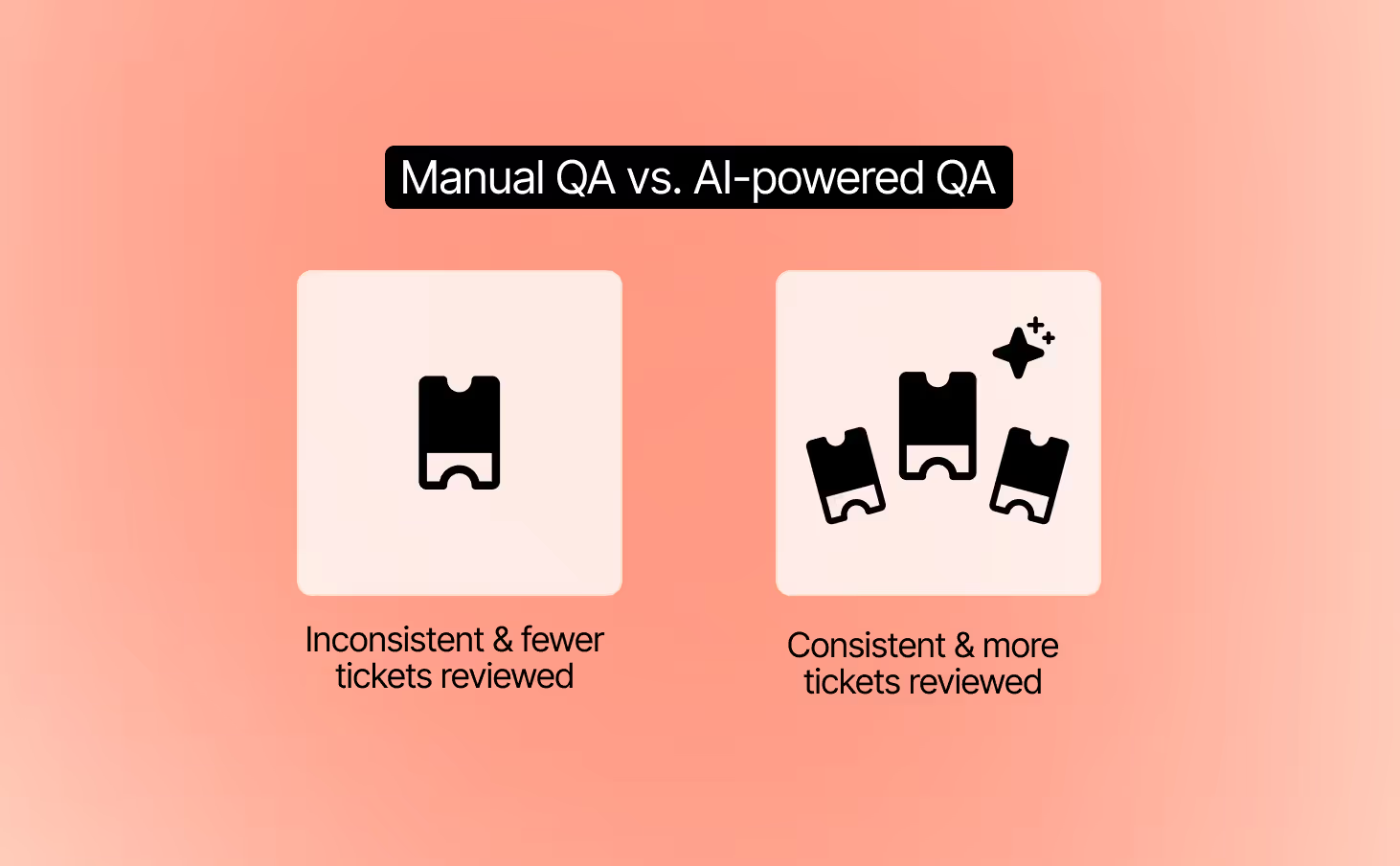
Manual QA can only spot-check a small sample of tickets, which means most interactions go unreviewed. AI QA reviews every ticket automatically and delivers feedback instantly. This ensures consistent quality, even when your team is flooded with requests.
Compared to manual QA, AI QA offers:
- Full coverage: Every ticket is reviewed, not just a sample.
- Instant feedback: Agents get insights right after closing tickets.
- Consistency: Reviews are unbiased and use the same criteria across all interactions.
- Scalability: Works at any ticket volume without slowing down your team.
2. Track both agent and AI responses
Customers should get the same level of quality no matter who replies. AI QA evaluates both human and AI conversations using the same criteria. This creates a fair standard and gives you confidence that every interaction meets your brand’s bar for quality.
3. Turn QA insights into coaching opportunities
QA automation is not just about grading tickets. It highlights recurring issues, unclear workflows, or policy confusion. Use these insights to guide targeted coaching sessions and refine AI guidance so both humans and AI deliver better results.
Pro Tip: Pilot your AI QA tool with a small group of agents before peak season. This lets you validate feedback quality and scale with confidence when BFCM volume hits.
Give your ecommerce strategy a boost this holiday shopping season
The name of the game this Black Friday-Cyber Monday isn’t just to get a ton of online sales, it’s to set up your site for a successful holiday shopping season.
If you want to move the meter, focus on setting up strong BFCM automation flows now.
Gorgias is designed with ecommerce merchants in mind. Find out how Gorgias’s time-saving CX platform can help you create BFCM success. Book a demo today.
{{lead-magnet-2}}
.avif)
A Guide to All the Different Types of Customer Service Companies Need to Know
I’m Colin Waters and I’m the Director of Customer Experience at The Feed. You might know me from my experience at BrüMate, where I was the Associate Director of Customer Experience. In three years, I worked my way up from answering tickets and being on the front line with customers to overseeing the entire customer experience team.
My different roles have shown me the various ways to adapt your customer service to fit your team’s and customer’s needs.
In this article, I’ll walk you through the different types of customer service, support channels, strategies, and philosophies you can offer based on what your company requires.
3 types of customer service + when and how to use each
Customer service is kind of like a sandwich. You’ve got your bread or the necessary foundational elements like a great customer service strategy and philosophy, and then you’ve got your support channels which can be more varied and customizable, like the sandwich fillings.
We’ll start with support channels, which you can take care of first, and move onto the strategies and philosophies of customer service. Let’s get into it!
Channels
There are many different support channels out there. But instead of offering them all — which can actually harm your support team in the long run — take a look at your customer service responsibilities, resources, and business needs to figure out which channels make the most sense for you.
Here’s a rundown of the different support channels you can offer and what they’re best used for.
Email is flexible in terms of the type of customer inquiries they’re best for (most of them!) and turnaround time, unlike more instantaneous and short-form support channels like live chat and social media.
Provide email support if…
- Customer inquiries are lengthy and detailed. Email is best suited for comprehensive responses that can handle file attachments and additional resources like images, videos, and links.
- Your operating hours are flexible. Customers can reach out to your support team outside of regular business hours, no matter their time zone.
- You deal with sensitive issues. Email provides a private platform for discussing sensitive matters that customers might not want to share publicly.
- You provide technical support. You can easily share resources like documents, videos, and screenshots in a continuous conversation that would be harder to do through other support channels like voice or social media.
Social media
Social media customer service is fairly new. However, as 26% of people learn about a product through social media, it’s a good idea to follow the trend and use your social media platforms to not only assist new customers, but take note of feedback.
Provide social media support if…
- You want to reach a younger audience. With Gen Z on apps like TikTok and Instagram, offering your presence and assistance where they are in their free time can boost exposure and conversions.
- Your marketing strategy is social media-focused. Take advantage of the brand recognition you’re getting by personally connecting with followers and getting them closer to your brand.
- Many of your brand mentions are on social media. Mentions are a fantastic way to build a connection with your followers and turn them into customers, exhibit how your brand prioritizes customer service, and collect criticisms to pass along to your team.
- You have a product or service that’s going viral. Get excited with your customers, or provide important information like restock timing or shipping delays.

Live chat, chatbots & automation
If your main source of traffic comes from your company’s website, using live chat or chatbots can easily capture your customer inquiries and lessen the load for your team. Sometimes, however, chatbots may provide inconsistent answers — that’s when using automation to create templated conversations will be your best option.
Provide live chat, chatbots, and automation if…
- You receive a lot of customer inquiries. A chat widget with automatic responses or a chatbot is one of the easiest ways to decrease tickets that contain the same inquiries.
- You’re a small team. With fewer hands on board, routing tickets to AI and automatic responses can keep your customer service reps focused on more complex issues.
- It’s the holiday season or peak hours. Getting a barrage of tickets, especially on Black Friday-Cyber Monday when most people are hunting for sales, can be a nightmare for customer service teams. Let a chat widget be your first line of defense.
- You sell personal or specialized products. Think of products like skincare and health supplements when most of your consumers will need to divulge personal information to get the answers they need. With live chat, customers can resolve their worries with an empathetic agent on their side.

Help center
A help center (also referred to as a knowledge base) is a collection of self-service resources that customers and employees can use to resolve questions and issues. They can contain FAQs, troubleshooting guides, instruction manuals, video tutorials, and more.
Provide a help center or knowledge base if…
- You update or change your products regularly. If you release new versions of your products or services every year, a one-stop hub to update documents will be extremely helpful.
- You sell specialized products. If your products need additional explanation before using them, a knowledge base can answer all customer questions and curiosities.
- You want to optimize your website for SEO. On top of being a helpful resource hub, a knowledge base can point eyes to your website. In turn, it earns your brand more exposure and new customers.

On BrüMate, our Help Center is made with Gorgias. It’s organized in sections like FAQs, shipping, and returns and exchanges which can be modified when our product lineup expands.
Voice, messaging & SMS
Voice support can still be an extremely valuable channel when you want to resolve tricky situations. In fact, 42% of Americans still prefer to resolve customer service issues via phone conversations.
Provide voice support if…
- You deal with technical and complex issues. Having a support agent empathize and understand a customer’s problems is crucial not only to boost customer satisfaction but also to lay out solutions in a clear way.
- You serve customers internationally. Language barriers can make written communication difficult. With voice support, it can be easier to resolve issues when you can talk through instructions in real-time.
- Your customer issues are time-sensitive. Offering phone support can give customers an option to resolve urgent issues within minutes, instead of waiting for an email or social media reply back.
{{lead-magnet-1}}
Strategies
Depending on your goals as a customer service team, there are a few strategies you can choose from. In my experience, employing a mix of strategies allows you to adapt to more types of customers, resulting in higher customer satisfaction.
Let’s look at the four customer service strategies, omnichannel, proactive, self-service, and personalized. I’ll go through what they are, their purpose, how to employ them, and my experience with each strategy at BrüMate.
Omnichannel support
What is it? Omnichannel customer service is offering support on multiple channels to create a seamless customer service experience.
Purpose: To make your support as accessible as possible, so all customers can reach you from whichever channel they prefer.
How to implement it: Use a helpdesk that can combine support channels.

At BrüMate, we use Gorgias to combine all customer conversations in one tool. Our main channels are email, social media, and live chat.
Using Gorgias as a single source of truth for all of our channels helps to ensure that our customers get consistent responses. And, it means that all messages from a customer, regardless of channel, are visible in one place and can be handled by the same agent.
Proactive support
What is it? Proactive customer service is an approach to customer service that anticipates customer needs and meets customer expectations.
Purpose: To lessen the effort customers need to make to find answers to their questions.
How to implement it: Monitor your most common customer tickets and implement resources in advance to avert future inquiries.
We work closely with our marketing and digital teams to deflect issues as they come in and solve them at the root. For example, based on customer feedback, we might add more details to our product pages, update language at checkout, or highlight specific reviews.
Self-service support
What is it? Self-service support is a customer service approach that empowers customers to independently find solutions to their problems using available resources and tools.
Purpose: To speed up resolution time by allowing customers to find answers on their own without waiting for an agent.
How to implement it: Provide self-service options (like a Help Center, automated responses in chat, or ways to easily track orders) at all customer touchpoints, from pre-sales and product inquiries to order status emails and returns.
On the BrüMate website, we display helpful self-service resources in the Gorgias chat widget so that it’s easy for folks to get the help they’re looking for quickly.
We strategically show links for customers to check order status, get warranty or return information, or learn more about the products that would best fit their lifestyles.
We also leverage this area to highlight new products or call out any major issues at the moment (i.e. preorders, shipping delays, etc.) and drive those back to more detailed help center articles and resources.

Personalized support
What is it? Personalized customer service focuses on personalizing customer interactions.
Purpose: To enhance customer satisfaction by customizing interactions to each customer’s preferences and needs.
How to implement it: When interacting with customers, adjust to their voice, acknowledge their history, and suggest solutions relevant to their preferences.
A majority of the BrüMate customer base is female and, fittingly, the majority of our Customer Experience agents are female as well.. This takes empathy to a new level since our team knows exactly what our customers are going through, whether they’re a mom of three or a college student. We’re also big brand ambassadors which helps make the connection more individualized.
Philosophies
What are your priorities when it comes to customer service? Do you prioritize speed? Or would you rather go slow and build out from there?
The way you approach customer service will dictate the overall customer experience. Like customer service strategies, your team can follow more than one philosophy. But make sure to pick one philosophy as your north star to create a clear path towards your goals.
Below are four customer service philosophies that can help establish brand loyalty.
Long-term foundation
Since BrüMate’s CX team is still pretty small, our core philosophy is to build a strong foundation. Delivering good customer service starts with making sure you’ve got all your bases covered, so you can prevent headaches along the way. Make it easy for the customer to find you early in their experience and that CX is a valuable resource along any point in their journey.
When I’m onboarding new agents, I want them to take their time learning our process. For instance, our team is very particular with naming conventions for ticket tags and Macros. While some will find it tedious, the upside is anybody could come in — agent or not — and start answering tickets without too much guidance.
The customer is (not) always right
As a customer service representative, it’s easy to realize that the customer is not always right. Products wear down over time, delays happen, and unpredictable changes come up. The goal is to prepare your team to handle difficult situations that still align with your brand’s values.
For example, I’ve had to deal with a customer being irritated because we couldn’t cancel an order a few hours after it was placed. From their point of view, cancellations should be a given. They were unaware of the complex behind-the-scenes process and that our team will start fulfilling an order immediately after it is placed.
We started educating customers on our order fulfillment process and giving them insight on the reason the cancellation was no longer available. Fortunately, the context allowed them to cool down and forgive the inconvenience. We also provided them with options once the item was delivered.
Balancing human support & automation
Automation is handy for handling smaller customer hiccups. It’s important to note, though, that the best customer service balances automation with human touch.
When customers reach out to the BrüMate support team, we try our best to keep them with the same agent until their ticket is resolved. This way, their experience with BrüMate is tied to a personal connection. On occasion, I have a few customers who I prefer to work directly with to resolve their issue to ensure they are satisfied with their experience. They are even willing to wait until I’ve returned from vacation due to this level of personalized touch.
Surprise and delight
The concept of "surprise and delight" is a philosophy that makes the customer experience unexpected but delightful. This can come in the form of exceptional, personal customer service (like at BrüMate!) or through gifts and discounts.
Our customer support team at BrüMate plays a pivotal role in building strong relationships. We like to turn the perception of customer service upside down and give customers a pleasant experience. It's an amazing thing to hear when customers mention our agents by name because we've gone above and beyond to build a connection with them.
Customer support as a revenue center
Many people think of customer service teams as a way to resolve problems. I see our team as a marketing and revenue driving machine that can take it a step further by taking a sales approach. This means support’s main goals are to divert unsatisfied customers by using methods of upselling and cross-selling.
Your team should be experts and help close orders. Incentive your team to be one part customer service and sales. I guarantee you’ll see results!
With a help desk you can deliver support whenever, however, and wherever you need
Gorgias makes multitasking look like a breeze. Its simple user interface makes it easy for new and experienced agents to use. You can speak to multiple customers at one time across different channels and integrate with ecommerce tools like Shopify, Affirm, and Yotpo without leaving the window.
Take a look at what Gorgias has helped some of my other favorite CX brands do:
- Pit Viper’s first response time and CSAT skyrocketed to 4.9
- Oger boosted its first response time by 69%
- Kulani Kinis saved $400K in refunds by using Gorgias and Loop Returns
If you’re ready to join me and these other amazing companies using Gorgias, book a demo today.
{{lead-magnet-2}}

How to Evaluate the Effectiveness & Impact of Your Customer Service Team
As the Customer Experience Manager at Dr. Squatch, a men's naturally-derived personal care company, I’m constantly looking for ways to craft exceptional experiences for our customers. But the question to ask is: does it actually make a difference to our revenue?
Unearthing the impact of your customer service team starts with evaluation. To do this, it’s essential to track metrics and key performance indicators (KPIs) around customer service.
Evaluating the impact of a customer service team can sometimes be an ambiguous task. That’s why I’m here to outline the most important customer service metrics to watch, so you can effortlessly recognize the ways your customer service team directly moves the needle.
{{lead-magnet-1}}
What is customer support evaluation?
Customer support evaluation is the process of measuring your customer service program's impact on the business.
It requires using metrics and KPIs to understand whether your support team is providing a great customer experience that can generate repeat customers, positive reviews, referrals, and more.
Evaluating your customer support also requires understanding the return on investment (ROI). In other words, do the benefits produced by your support efforts outweigh the cost of your support program?
The benefits of evaluating customer service
In almost every business, a developed support program is worth its weight in gold. Evaluating your program is how you prove it to company leadership, earning you additional budget for tools and team members.
You can think of a strong customer experience as a rising tide that lifts all ships — the impact is vast but also hard to quantify.
At Dr. Squatch, we’re close with our customers and even closer to the numbers. Once we started employing a data-driven approach to customer support management, it made a huge difference in both customer satisfaction and hitting company targets.

Let’s look at the five incredible benefits you get after you make evaluation a regular part of your customer service program.
1) Detailed insight into your customers’ needs
Customer inquiries are a treasure trove of rich data for you to dig into to create a better experience for future interactions. By evaluating metrics like customer satisfaction (CSAT) or average resolution time, you can identify key trends and issues online shoppers are dealing with and update your customer service strategy.
On Gorgias, your incoming tickets are automatically sorted by AI-powered intent and sentiment detection, giving you a quick overview of which customer issues should be at the top of the list.

2) Identifies which customer service tasks can be automated
It’s not enough to have a talented team replying on behalf of your brand. You need to make sure your team is focusing on the right activities and not wasting their time on the wrong ones.
By measuring metrics related to your team’s performance — like first response time and resolution time — you can identify which tasks can be done with automation. You’ll also be able to figure out which agents on your team may need more training and support.
3) Balances your revenue and expenses
Customer acquisition is becoming more expensive, so keeping track of customer service can give you an idea of how much customer service truly provides within your organization.

4) Lets you calculate the true customer lifetime value
True lifetime value is the measure of a customer’s worth over the duration of the customer-business relationship.
Keep in mind, it’s less expensive to keep current customers than to find new ones. This is increasingly true as customer acquisition costs and social media ad prices soar.
5) Helps to create predictable support quality
Solid customer support quality is predictable. And that’s not a bad thing. That means when anything new, surprising, or daunting happens, you don’t need to call in a special task force.
Thanks to your stable operations, your whole team will simply need short-term and long-term action plans, like establishing a list of steps to take and point of contacts and to inform.
{{lead-magnet-2}}
Four key indicators that your customer service program needs a makeover
Beyond bad reviews and customer complaints, there are a few quick ways you can tell if your customer service program is not doing well.
These four key indicators are major signs that your customer service program needs some refining.
1) High contact rate (over 33%)
A contact rate of over 33% means something about your customer journey, communication, or product is not quite right. Your customers aren’t getting the answers they need.
The goal of your customer service team should always be to resolve tickets efficiently. If a customer has to reach out to your brand multiple times, you most likely need to update your support resources.
Leading indicator: Multiple touchpoints per customer
How to fix it: Include more self-service options to give customers quick answers without having to wait to talk to an agent. Add a Help Center, chat widget, or send informative confirmation and post-purchase emails. For example, our chat widget at Dr. Squatch suggests common questions and answers them via an automated quick response flow based on the customers’ reply.

2) A customer satisfaction score (CSAT) under 4/5
Your customers should be coming away from interactions feeling good about your brand and the support it provides. There’s no acceptable reason for a low CSAT score, so you should always take a closer look when it starts to fall.
Leading indicator: Friction in customer conversations
How to fix it: Provide additional training to your support agents to ensure they’re equipped to handle the most pressing customer requests effectively and empathetically. Then, actively seek feedback from customers and use their input to make continuous improvements to your program.
3) Inconsistent first response time and resolution time
Your first response time (FRT) will fluctuate, and most people understand that, but waiting 4 days for an email from support is unacceptable for today’s shoppers. In general, customers want answers within 10 minutes.
Leading indicator: More customer complaints and a low CSAT
How to fix it: Align with your team and identify your customer base’s main complaints. To deflect repeat inquiries, immediately add self-service options like a Help Center or a chat widget to your online store. You can also use automated responses to acknowledge inquiries right away.
4) Significant percentage of revenue spent on support
Ecommerce companies should aim to spend anywhere from 10% to 15% of revenue on customer service. If you’re spending significantly more than that, it may be a sign that it’s time to reprioritize and take a closer look at how your agents are performing.
Leading indicator: Low agent efficiency
How to fix it: Analyze ticket volume and estimate how many tickets each agent should be able handle and in what set amount of time. When expectations are set within a service level agreement (SLA), align your team and train them on your new methods.
Challenges that impact your customer service program
Managing a customer service program comes with challenges that typically start from the top of the organization and quickly become a domino effect.
Here are the most common challenges a customer service program faces:
- A lack of buy-in from your company. Executive teams may not understand the value in investing in a support team. They often think customer service is there to keep problems away, instead of bringing new value in.
- Under-supported agents. A lack of trust in the customer service team trickles down to agents. It results in insufficient resources and, in turn, overworked and unmotivated support reps.
- Inadequate policies and guidelines. Since agents don’t have the proper resources, the quality of policies take a hit. Whether customer-facing or internal, these policies can suffer from being too broad or unenforced.
- High ticket volumes. An non-cohesive team ultimately affects how customer service runs and the biggest indicator is a workflow that can’t handle a large number of customer inquiries.
These challenges usually exist for one reason: your company hasn’t seen the tangible value your customer service program brings.
So, how do you prove it? By prioritizing data collection and evaluating your customer service program, of course.
📚 Read more: 12 customer service challenges harming your team and revenue (+ how to solve them)
How to evaluate your customer service program’s success
Let’s dive into 12 of the most important customer service KPIs to track to help evaluate your customer service program. By doing so, you’ll be able to recognize how the assistance you provide directly impacts your goals, revenue, and customers.
Note: It’s hard to create a one-size-fits-all reporting template — due to the differences between industries and companies — but a solid understanding of these metrics will help you create a plan for tracking the ones that matter most to your business.

1) Customer satisfaction score (CSAT)
The customer satisfaction score tracks how satisfied customers are with your company’s products and services. A high CSAT is a reliable measure of good customer service.
How is it measured?
First, you’ll need to collect customer data through a customer satisfaction survey, typically sent through email. It includes a single question like, “On a scale from 1 to 5, how satisfied are you with your experience today?”
Once you’ve collected enough responses, use this formula:
CSAT = (Satisfied customers / Total customers surveyed) x 100
Tools for measuring CSAT
There are a ton of tools out there to help you track your organization’s CSAT, but a few to check out include:
Why is it important?
Tracking your company’s CSAT gives you important insight into exactly how satisfied customers are right after an interaction with a member of your team. It can even help identify potential issues before they grow too large.
2) Net promoter score (NPS)
Net promoter score (NPS) measures how likely a customer is to recommend your brand to another person. It indicates how effective your customer service is as well as how satisfied customers are by gathering data about how likely they are to promote your brand.
How is it measured?
Like measuring CSAT, you can use a survey approach. Through email, you can ask your customers, “How likely are you to recommend our brand to a family member or friend?”
To determine your NPS, subtract the percentage of detractors (people who say they wouldn’t promote your brand) from the percentage of promoters (those who said they would promote your brand). The resulting score is a whole number between -100 and 100.
Here’s the formula:
NPS = Percentage of promoters - Percentage of detractors
Similar to tracking CSAT, NPS data can be continuously gathered, but we recommend checking in on a monthly basis.
Read more about NPS scores and how they’re calculated.
Tools for measuring NPS
Check out our guide to how to create an NPS survey that gets responses.
Why is it important?
Your brand’s NPS directly ties to the customer relationship as well as how well your customer success team is doing. Tracking NPS along with CSAT can give you a clearer picture of how customers feel about your brand.

3) Customer retention rate (CRR)
As mentioned previously, retaining customers is always less expensive than finding new customers, that’s why your customer retention rate is a vital metric to keep track of. In particular, ecommerce companies have an average CRR of about 30%, according to Omniconvert, so if your company’s CRR is lower than that, it could be a sign that your customer support isn’t as effective as it could be.
How is it measured?
To calculate CRR, you’ll need the following information: number of customers at the end of a given time period (E), number of customers gained within that time period (N), number of customers at the beginning of the time period (S).
Then, plug those numbers into this formula:
CRR = [(E-N)/S] x 100
Tools for measuring CRR
Why is it important?
Your company’s ability to retain customers directly relates to its success because when customers disappear, so does revenue.
4) Net retention rate (NRR)
Sometimes known as net dollar retention (NDR) or net revenue rate, NRR is the percentage of recurring revenue retained from your existing customer base over a period of time. This period can be monthly, quarterly, or annually. According to Klipfolio, a good NRR can range between 90% and 125% depending on your brand’s target customer size.
How is it measured?
NRR = [(Monthly recurring revenue (MRR) at the start of a month + expansions + upsells - churn - contractions) / MRR at the start of the month] x 100
Tools for measuring NRR
Why is it important?
Net revenue retention is another extremely valuable metric that helps you understand how your customers are feeling about your brand and products, as well as how your business is doing from a financial standpoint.

5) First reply time (FRT)
First reply time, or first response time is how long it takes one of your customer service reps to respond to a customer inquiry on average. This could be over email, phone, or chat. Typically, a “good” first reply time is less than 24 hours in a ticketing system, less than 90 seconds for live chat, and three minutes for phone, according to Klipfolio.
If your brand dedicates a lot of time to live chat, check out these metrics specific to live chat.
How is it measured?
You can calculate your first reply time by measuring the duration of time between when a customer submits a request and the time when a member of your customer support team responds.
FRT = Total first response times during period of time / Total number of tickets resolved in that period
Tools for measuring FRT
Why is it important?
First reply times are directly related to your brand’s CSAT. No customer wants to wait days for an email response, or sit on hold for several minutes. Decreasing your first reply times will inevitably increase customer satisfaction.
6) First contact resolution (FCR)
First contact resolution, or first call resolution (FCR), measures an agent’s ability to resolve a customer’s problem or question within the first interaction without requiring a follow up. The average standard benchmark for FCR is 70% to 75%, according to global research.
How is it measured?
You can use this simple formula to calculate FCR:
FCR = Total number of inquiries resolved on the first call / Total number of unique inquiries
Tools for measuring FCR
Why is it important?
Your company’s FCR also directly ties to boosting customer satisfaction. According to McKinsey & Company, 83% of customers expect to be able to resolve their complex issues within one interaction. When you meet customer expectations, you encourage brand loyalty and repeat customers, and reduce encountering difficult customers.

7) Average resolution time (ART)
Customers are happier when they don’t have to wait a long time, and average resolution time (ART) is another metric that keeps track of this data. ART shows how customer service team members are performing, and lets you see who may need additional training or support.
How is it measured?
To measure average resolution time, take the total duration of all resolved conversations and divide that by the number of customer conversations that took place over a specific period of time. This metric is also sometimes referred to as the mean time to resolve, or MTTR.
ART = Total resolution time for all resolved tickets / Total number of tickets solved
Tools for measuring ART
Why is it important?
Your ART is a vital metric that helps keep tabs on how efficient your customer service team is. If your ART is long, or you notice that it’s getting longer, this is a sign that you need to give your processes a closer look and adjust your strategies if needed.
8) Total resolution time
Resolution time is the total time it takes to complete a customer interaction. This is similar to average resolution time, but focuses on the total time spent resolving tickets rather than the average time spent resolving tickets.
How is it measured?
To measure your total resolution time, note the start and end time of each customer conversation over a specific time frame, such as a one-month period.
Measuring your total resolution time doesn’t require a formula, but is much easier to track with a helpdesk that includes support performance statistics like Gorgias.
Tools for measuring total resolution time
Why is it important?
Total resolution time gives you a deeper look into how long your customer service team spends helping customers solve their issues, which can help inform further strategy and business direction.
For example, if the total response time steadily increases over several months, you may need to look at hiring additional customer support reps.
9) Customer effort score (CES)
Your customer effort score (CES) tracks how much effort customers feel like they need to put into resolving an issue. The effort customers should have to put into resolving the issue should be minimal, so you want this score to be as low as possible.
How is it measured?
To measure your brand’s CES, you can use a questionnaire with a scale and ask the question, “On a scale of 1 to 5, how easy was your experience today?” with 1 being “very easy” and 5 being “very hard.”
Once you have your responses, tally up how many of each score you received — meaning, how many times were you rated a 1, a 2, etc. Then, you can use this formula to determine your CES:
CES = Percentage of “very easy” responses - Percentage of “very hard” responses
Much like NPS, CES is a whole number between -100 and 100.
Tools for measuring CES
Why is it important?
CES gives you the opportunity to see how your support team is performing through the eyes of your customers. It can also help identify areas for improvement within your operations if you give customers a place to voice feedback within your questionnaire.
10) Conversation abandonment rate
Your brand’s abandonment rate is a simple, yet highly informational metric. Whether the conversation is happening via email, chat, or phone, if a customer abandons the session, it should be a red flag that there is friction in the process.
How is it measured?
All you need to track is the number of abandoned incidents and the total number of incidents. In this context, “incidents” refers to either calls, emails, or live chat sessions. Once you have those two numbers, you can plug them into the following formula:
Conversation abandonment rate = (Number of abandoned incidents / Total number of incidents) x 100
Tools for measuring conversation abandonment rate
Why is it important?
A customer abandoning a conversation they initiated is a bad sign and can lead to poor net promoter scores and high churn rates.
11) Contact rate

Contact rate, also known as customer contact rate, measures the percentage of active customers who ask for help in a given time period — usually a month.
How is it measured?
To calculate your company’s contact rate, you can divide the number of customers who contact your customer service team for help over the course of a month by the number of total customers. Then, multiply that number by 100.
Contact rate = (Number of customers who contact you in a month / Total number of customers) x 100
Tools for measuring contact rate
Why is it important?
Contact rate is helpful in diagnosing your company’s overall health. For example, a high contact rate may indicate that customers are contacting your support team about everything because you don’t have alternative resources like a Help Center or FAQ page.
12) Backlog
Otherwise known as revenue backlog, backlog is a metric that determines how much revenue will be coming into your business. This metric can be especially helpful if you’re an ecommerce brand that operates on a subscription-based model.
How is it measured?
The only thing you need to determine your revenue backlog is the sum of the values of your customers’ subscriptions. However, this can be much more complicated in practice if your business model has multiple types of subscriptions, so it’s beneficial to use tools to track this metric.
Tools for measuring backlog
Why is it important?
Keeping tabs on your revenue is vital to ensuring the growth and continued success of your brand. By tracking your revenue backlog, you’ll be able to see if revenue is going to drop before it actually does.
How to evaluate individual agent performance in 5 steps
Understanding your customer service program at an organizational level is an excellent step. But what about individual employee performance?
A customer service performance review is key. It gives the agent constructive feedback and provides clear guidance for improvement. The goal of a performance evaluation is to assess their abilities, yes, but also motivate them towards even better performance.
Let’s look at the common performance review phases step by step.
1) Decide the objective of your review
Lay out the objectives of the review. Is it to assess past performance, set future goals, identify areas of improvement, or all of the above?
2) Analyze relevant data
Take a look at the relevant metrics to gauge agent performance. Make sure you have a record of any previous performance reviews, goals set, training undergone, and feedback received.
Key metrics to pinpoint individual performance:
- First contact response time
- Total resolution time
- Average ticket volume
- Error rate

With Gorgias, it’s easy to keep track of every agent’s performance with Support Performance Statistics. Their intuitive dashboard provides a quick look at the health of your support team and even gives you detailed information on each of your team member’s stats, like their first response time, total closed tickets, and more.
3) Run a soft skills and behavioral assessment
How effectively does the agent communicate with customers? Are they clear, empathetic, and responsive? Assess the agent’s ability to diagnose customer problems and find solutions. Look at important customer service skills like problem solving, communication skills, as well as teamwork skills.
4) Present your findings to the agent
Share the metrics you’ve collected and any feedback received from customers. Present this so customer service agents understand how customers perceive them. Discuss the agent’s strengths and achievements, where they need improvement.
5) Set goals and expectations
Discuss immediate and future objectives with the agent. Encourage open dialogue and assure them to come to you with any feedback or concerns.
At the end of the day, you have to care. Make feedback a regular occurrence. It doesn’t have to be scary. Give feedback whether it's positive, negative, or you just want to tell someone to continue going in the same direction.
Be prepared to create action plans and reset expectations for bottom performers or people you just want to improve. Having a low performer doesn't necessarily mean that they're tanking, but maybe there's just one area of improvement they can really work on. It's just a matter of having an action plan.
Do customer service metrics really affect business growth?
Absolutely.
Customer service is the backbone of a business’s success. When you focus on giving outstanding customer service (in addition to product quality, of course), you get customer satisfaction, which turns into new and repeat customers and more revenue.
The customer service metrics outlined in this article are helpful tools to set you on the right path toward building a more successful customer service program. Paying closer attention to the data that matters most can help you identify areas for improvement, which is necessary in order for any business to grow.
Make your customers happy and your business happier with Gorgias
Now that you know which customer service metrics are the best to track to ensure your ecommerce business’s success, you can start evaluating your customer service program.
Every metric I included above can offer your business better insights into what your current customer service program is doing right, and where there’s room for improvement. You don’t have to track all of these KPIs, but I highly recommend using a platform like Gorgias to keep your customer conversations and metrics in one spot.
If you’re ready to revamp your customer service program and improve your level of service, learn more about what Gorgias can do for ecommerce businesses or sign up today.
.avif)
A Behind-the-Scenes Look at Customer Service Operations
Customer service agents are front and center when they provide customers with outstanding support. But once you pull back the curtains, you’ll find the support operations team behind the scenes supporting conversations, tools, and more.
Like backstage managers, a customer support operations team identifies opportunities for your support team to be more efficient while keeping both your company and customers happy.
I’m Bri Christiano, the Director of Customer Support at Gorgias, and I know first-hand how hectic it can be to perfect your customer service processes. We'll go through how a support operation team functions, the benefits, how to build the team including key roles.
What does customer support operations do?
Customer support operations oversees the technical, operational, and organizational parts of customer support. As a distinct team, they support the customer service team, including the representatives and managers.
You may think, but isn’t that what customer service managers are for?
Not quite.
Customer support managers are on the frontline with agents and ensure the operations run smoothly. A support ops team member enables the frontline team to do their best work.
What is a support operations team?
A support operations team constructs the blueprint that makes your company’s customer service processes run more efficiently while hitting your business targets. Some common roles on a support ops team include managers, analysts, developers or product managers, trainers, and specialists.
{{lead-magnet-1}}
A guide to support operations teams
Investing in a support operations team is a step toward improving the customer experience, which can lead to a 2-7% increase in sales revenue.
Below we'll explore the advantages of establishing a support ops team, show you the tell-tale signs of when it's time to invest, and provide an overview of each role and function.
Benefits of having a support ops team
When you enlist the help of a strategic support ops team, you gain:
- Predictable, stable operations. A support ops team standardizes your customer service processes, which can help managers and agents stay on the same page and deliver consistent, high-quality service.
- A better future for the customer service team. CS leads may only forecast a few months or a year ahead. A support ops team can strategize years in advance and plan for more scenarios with their reporting expertise.
- A louder voice of support across the org. A support ops team aligns customer service with the company’s targets and has the power to bring relevant issues to other teams. This allows the often-isolated customer service team to be better represented across the company.
- A stronger, alternate perspective to customer service. The support ops team provides a big-picture view that a customer service team doesn’t have the time to look into. You can arrive at a more complete view with the help of support ops.
Every support ops role & responsibility, ranked by budget
A full-fledged support ops team includes a manager, developer, analyst, trainer, and specialist. However, not all organizations have the budget for every support ops role. In that case, you’ll want to find candidates who can take on the responsibilities of multiple roles.
Below, we’ve ranked each support ops role based on your company’s hiring budget.
1. Support ops specialist
Hiring budget: Low
Customer operations specialists provide support to customer service teams by managing technical aspects, including assisting with setup, analyzing metrics, and reporting, while also lending a hand to enhance customer experience.
Responsibilities:
- Identify when to help customers and note signs of potential issues or opportunities for more sales
- Understand how the product works and know who to ask for help with specific product issues
- Collect important data and make reports about how satisfied customers are, what products they like, and takes note of what competitors are doing
2. Support trainer
Hiring budget: Low
A customer support operations trainer is responsible for educating and preparing customer service representatives to effectively handle inquiries, issues, and interactions with customers.
Responsibilities:
- Create and update training materials that the customer support team uses
- Deliver onboarding and ongoing training sessions and workshops to keep team members up-to-date with industry best practices
- Assess the effectiveness of training programs through feedback collection, performance metrics analysis, and evaluations
3. Support operations analyst
Hiring budget: Medium
A customer support operations analyst analyzes data and metrics related to customer interactions and customer service processes to identify trends and improve the overall quality of customer support.
Responsibilities:
- Create a complex staffing model with multiple inputs and considerations
- Create reports based on KPIs and present findings to the customer support team
- Assess support workflows and processes to identify inefficiencies and bottlenecks, and makes recommendations for optimization
- Evaluate and implement tools and automation solutions to streamline tasks
4. Developer or Product Manager
Hiring budget: High
A customer support operations developer (also known as a product manager) creates and maintains the systems, tools, and processes used to enhance and streamline customer support operations.
Responsibilities:
- Create and maintains tools and applications that enhance the efficiency and functionality of support operations, including self-service tools and chatbots
- Automate repetitive tasks and processes within support operations to reduce the manual work done by agents
- Assist and troubleshoot technical issues for support agents to ensure they can effectively use the necessary tools
5. Support operations manager
Hiring budget: High
A support ops manager oversees and coordinates the operational aspects of customer support teams.
Responsibilities:
- Oversee the support ops team and recruit, train, and mentors team members
- Analyze data and key performance metrics to identify areas for improvement and make data-driven decisions for customer service
- Develop strategies to align support operations with overall business objectives, including budget management and resource allocation
- Planning for each upcoming quarter and setting key performance metrics
- Working with customer service managers and aligning on goals with them
When to build a support ops team
There are a few signs that indicate you’re ready to expand and join forces with a support ops team.
1. New roles and duties are popping up
As your business grows, new roles start to emerge to accommodate your team’s size and customer base. This may look like managers and agents finding themselves taking on more operational tasks like leading training sessions, tool workshops, or focusing on data to increase profits.
If these duties are taking away time for you to do your regular customer service responsibilities (like resolving customer issues or supervising your agents), it’s time to invest in support ops.
2. Your support leads are spread across multiple time zones
If support leads are located in various time zones, it’s harder for your team to get on the same page. For instance, one team lead may prioritize using brand voice more than another lead does. This results in inconsistent and confusing brand messaging.
To align your team leads, you’ll need one source of information to standardize your processes — and that can be fulfilled by a support ops manager.
3. Your current workflow can’t keep up with complex tickets
If your workflow fails to cover all your customer inquiries, it may be time to redesign your processes. Unfortunately, building an efficient workflow from scratch takes time that managers typically don’t have. Support ops is exactly the team you need to ideate, test, and deploy these workflows.
Processes, policies, and automation: a framework for optimizing customer support operations
Focus on building a sound hiring process
Rushing to fill positions will only harm your brand and customers in the long run. When hiring for customer service, use a proactive hiring process. This means taking the time to take stock of your needs and resources, and being selective about your candidates.
Here are three ways to be intentional with the hiring process:
- Determine which specialized support roles are needed. Are new operational duties being delegated to managers or agents? Maybe you need an analyst to make better use of your data or a training specialist for your growing team.
- Assess the inefficiencies in your current support operations. Certain support ops roles can fill in the gaps that your support team doesn’t have the time for. For example, a support ops developer can improve your tools, while a support ops manager can take care of hitting your business targets.
- Consider your budget. Your budget will determine the size of your support ops team. Be realistic and adjust your expectations according to your needs. This can mean hiring for one support ops team member or outsourcing.
🧠 Learn more: Why proactive customer service is essential for growing your business
Implement a customer service policy as soon as possible
A customer service policy is a document containing a set of guidelines, rules, and standards for customer service teams. Its goal is to help agents handle day-to-day tasks and set benchmarks for great customer service.
These documents are essentially guides for how the customer service team should work. Agents can use them when they onboard or need a refresher. They can even be adapted into customer-facing policies.
📚 Related reading: How to build an FAQ page + 7 examples
Set realistic SLAs
A service level agreement (SLA) is a contract that outlines the minimum acceptable service between one party and another. In your case, the ops team and the support team. An SLA typically covers topics like SLA best practices, including service availability and average response times.
Here’s how to create one:
- Define objectives and metrics: Clearly define the objectives and expectations of the support ops team and the customer support team. Identify specific key performance indicators that both teams can stick to.
- Agree on responsibilities: Specify who’s responsible for what tasks on both teams, including training, reporting, and development to avoid miscommunication.
- Set performance targets: Establish targets and deadlines for meeting performance metrics. These targets should be realistic and aligned with the organization's goals and customer expectations.
- Compose, review, and publish the document: Share your document with all members of the support ops and customer service team. You may even conduct a meeting to align on your new agreement.
- Continuously improve: Schedule regular SLA review meetings between the support ops and customer support teams to assess performance, identify areas for improvement, and create new initiatives.
Create a solid training plan for the customer service team
Elevating the quality of training for the support team significantly increases customer satisfaction. Improvement is key: 40% of customers claim that they stop doing business with companies who have poor customer service.
Some ideas for useful training activities:
- Improve customer interactions by reviewing tickets as a team
- Deepen product knowledge with Loom videos
- Drill down empathy by mapping the customer journey together
- Refine soft skills with workshops dedicated to active listening, empathy, and effective communication
- Practice responding to public social media reviews and comments
When you put these strategies together, you empower your ops team with the expertise and resources needed to excel in their roles, allowing them to pass the knowledge on to your customer service reps.

Write templates that your agents can use in various circumstances
Agents shouldn’t have to spend their time crafting templates — that’s a job for the support ops team. With templates, agents can speed up resolution times and increase customer satisfaction scores (CSAT).
Here are the key templates to prep for customer service agents:
- Where is my order? (WISMO) response
- Order shipment update
- Returned/refunded order
- Abandoned cart recovery
- Complaint acknowledgment
- Follow-up emails for prior tickets
- Feedback/survey requests
On Gorgias, you can quickly create a library of templates with Macros. Whenever you need to send a canned response, just click the template or Macro you need and you’re done — no need to type anything out.
🧠 Learn more: 25+ customer service scripts inspired by top ecommerce brands
Use tagging to organize and prioritize tickets
An unorganized inbox can ruin customer experience and risk your highest-value customers. By implementing a system that strategically tags and prioritizes tickets, the customer support team can focus on delivering exceptional customer experiences.

To create a library of useful tags, ask yourself these questions:
- What are the most common inquiries?
- Which channels receive the most urgent inquiries?
- Which types of tickets require escalation?
- Can you identify high-value customers from the inquiry?
Based on these questions, you can start creating Tags based on the most relevant customer query topics, ticket urgency, high-value vs. low-value tickets, and response urgency.

Harness automation to streamline workflows
Automating parts of the customer service workflow can be a game-changer. Work with the customer service team to identify the repetitive tasks in their day that they can go without and offload to automation.

On Gorgias, you can create Rules to…
- Auto-tag tickets. Automatically apply tags to tickets to categorize them based on keywords, issue types, or other criteria for easier tracking.
- Send automated responses. Send pre-written responses (called Macros) to customers based on specific triggers or ticket attributes.
- Assign tickets to specific agents. You can assign incoming tickets to specific support agents or teams based on criteria like keywords or urgency.
- Auto-close resolved tickets. Automatically close tickets when certain criteria are met, such as a customer confirming issue resolution.
Check out our customer service automation guide for more tips on which automations can speed up your support.
How Princess Polly built a seamless customer service operations system
Princess Polly, the leading Australian fashion DTC brand, is an expert when it comes to establishing streamlined customer service operations.
With their priorities set on comprehensive metrics and a constant feedback loop, they entrusted Gorgias to do the heavy lifting. Immediately after using Gorgias, Princess Polly managed to increase their efficiency by 40%, decrease resolution time by 80%, and decrease first response time by 95%.
📚 Read more: Princess Polly improves their CX team efficiency by benefiting from Gorgias-Shopify integration
Optimize your support ops team’s efficiency with Gorgias
Whether you're starting your support ops team from scratch or expanding it, Gorgias can be there to build it with you. With powerful features like Macros for automating routine tasks and detailed support performance and revenue statistics at your fingertips, Gorgias empowers your support ops team to work smarter, not harder. Unlock a new level of productivity by booking a Gorgias demo today.
{{lead-magnet-2}}

Building delightful customer interactions starts in your inbox
