


Newsletter Signup
The best in CX and ecommerce, right to your inbox
Featured articles

Ticket Volume: How to Measure It, Benchmark It, and Reduce It

Gorgias AI Agent Pricing, Explained

Introducing Helpdesk 2.0: Built for How Agents Work
TL;DR:
- Built directly from agent feedback, Helpdesk 2.0 fixes real workflow pain points. The redesign focuses on reducing friction and helping agents handle more context-heavy tickets.
- A chat-style interface replaces the old email layout. Conversations are easier to follow and resolve in one view.
- Customer context is shown beside the conversation in a right-side panel. Agents can view history, orders, and details without leaving the ticket.
- AI handoffs come with clear summaries. Agents instantly see what happened, what was tried, and what to do next.
- Navigation is simpler and faster across teams. Clean menus, structured queues, and multi-store access keep agents moving efficiently.
Helpdesk 2.0 starts with the people who use it most: the agents.
We spent time understanding customer support from the agent's seat. What do they reach for constantly? What slows them down? What does a better workday look like?
Everything we found is in this brand-new update.
Why we redesigned Helpdesk
Conversational commerce is the new standard.
In customer support, this means customers expect context to remain intact wherever they reach out, whether a conversation starts on social, moves to email, or ends on a call.
This new approach to support has also changed the agent's role. Recurring tickets, like order status checks, shipping updates, and returns, are now handled by AI. What lands in the agent inbox are edge cases that require human judgment and troubleshooting, or tickets that require the full picture.
However, the original Helpdesk was built for a different era of support.
Context was separated across views rather than built into the conversation itself. It's something one in five Gorgias customers flagged, through support tickets, NPS surveys, and conversations with our team. So, we got to work.
Helpdesk 2.0 is the result.
What's new in Helpdesk 2.0
Here's a look at everything that changed.
Read conversations the way they're meant to be read
Conversations have a natural rhythm, one that’s already found in every messaging tool we use. We brought that same layout into the helpdesk.
Say goodbye to the 2000s email interface and hello to chat bubbles. This updated design changes how quickly you can orient yourself and resolve the ticket in one go.

Chats with customers now look like real conversations, using the speech bubble style you’re familiar with on popular messaging apps.
Check customer history without losing your place
Checking a customer's history used to mean leaving the conversation, an extra step that interrupted what should have been a smooth workflow.
Now, past conversations open in a sidebar next to the active conversation. You can view a customer’s full history, search through their timeline, and open prior tickets without going to a new page.

Check past conversations, orders, and customer details in the brand-new Customer Timeline.
See order details the moment you open a ticket
Order information is easier to reference than ever. Open a ticket, and you instantly see the customer's recent orders, marked with product images and invoice details at a glance. Need to dig deeper? Click on an order, and the expanded information appears in the same panel.
For teams using custom integrations, apps are fixed in a quick-access integration menu on the right.

See order details, product images, and totals at a glance on the right panel, without leaving the conversation.
Pick up where AI left off
You shouldn't have to dig through a thread to figure out what AI already tried. Now you don't have to.
When AI Agent escalates a conversation, it includes a concise handover summary that mentions the issue, what actions were taken, and why it was passed to your team.

Escalated tickets include a brief AI-generated handover summary, marked in yellow, for quick reference.
Move faster across every store and team
We restructured and simplified the navigation. The left sidebar organizes everything into clear categories: Inbox, AI Agent, Marketing, and Analytics, so anyone on your team knows exactly where to go.
To quickly update your knowledge base or adjust a workflow, both now live right in the sidebar. For teams managing multiple stores, switching between them is just as straightforward, accessible from the sidebar, so agents can move between inboxes without breaking their flow.

Agents can switch between stores and their corresponding inboxes directly from the left menu.
A workspace that works the way agents do
Support comes down to the person on the other end of the conversation. We built Helpdesk 2.0 is to make sure they have everything they need to show up for that moment.
The best way to see the difference is to work in it. Start a free trial today.



Further reading


How To Streamline Your Gorgias Helpdesk to Work Smarter, Not Harder
The Gorgias helpdesk is a highly customizable, automatable tool. In theory, you could use it like a standard inbox, answering customer support tickets from top to bottom. But you’re better off taking advantage of its features to organize your inbox, automatically prioritize and assign tickets, and automate repetitive tasks.
Streamlining your helpdesk from the jump is the best way to spend less time on administrative work so you can respond faster and leave customers satisfied.
TalentPop is a customer service management agency for ecommerce brands like yours and optimizes Gorgias for over 500 top brands like Jaxxon, Lilly Lashes, and Kettle & Fire. And while each brand’s needs are unique, every ecommerce company could benefit from essentials like automated ticket routing and answering WISMO requests.
We developed this playbook to share these best practices for setting up Gorgias so your team can get back to focusing on what matters most: tending to urgent requests and having impactful conversations with your valued customers.
{{lead-magnet-1}}
Create tags to organize tickets
In Gorgias, Tags keep track of the contents and context of a ticket at a glance:
- What type of issues are they experiencing?
- What’s the status of the conversation?
- What kind of automation has been applied?
- What kind of customer are they?

Especially as your team grows, Tags are the best way to keep your helpdesk organized, filter for specific conversations, and track the progress of customer resolutions. Plus, when combined with automation (which we’ll discuss in the next section), Tags help your team prioritize requests, route conversations to a specific team member, or send messages to customers.
Accurate and up-to-date Tags also help you analyze ticket trends much easier. For example, if you suddenly experience a 20% spike in tickets tagged with “product-complaint,” you can quickly dig into that issue.
Tags most ecommerce brands should use
Gorgias comes with a set of Tags that you can start using automatically, but you should build out the list based on your needs. When we help brands build out their list of Tags, we start by auditing past tickets to understand existing patterns.
Below, we included a list of the most common Tags you’ll likely find helpful. Start there, and consider auditing your own helpdesk to add any additional tags your team would find helpful.

Tags for customer account management
- Update billing information
- Update email address
- Password reset requests
- New account requests
Tags for collaboration
- Influencer requests
- Affiliate requests
Tags for customer feedback
- Product improvement (broken down by product category or SKU)
- Negative reviews
- Positive reviews
- Negative social comments
- Positive social comments
- Frustrated customers
Tags for product feedback
- Minor product defect
- Major product defect
- Product suggestion
Tags for discounts
- Discount error
- Discount requests
Tags for orders
- Cancel order (not shipped)
- Cancel order (shipped)
- Change order (not shipped)
- Change order (shipped)
- Incorrect product received
- Missing items
- Order confirmation requests
- Status: Pre-order
Tags for return and exchange
- Exchange requests
- Refund/Cancellation requests
- Return requests
- Return status
Tags for shipping
- Address change (not shipped)
- Address changed (shipped)
- Damaged in transit
- Marked delivered but not received
Order status
- Delivered
- Not shipped
- Partial shipment
- Shipped/In-Transit
Tags for social media
- Facebook comment
- Facebook Messenger
- Instagram comments
- Instagram DMs
- Twitter comment
- Twitter DM
Tags for subscriptions
- Cancelation requests (shipped)
- Cancelation requests (not shipped)
- Skip shipment request
- Edit subscription
Tags for urgent inquiries
- BBB claims
- Manager escalations
- Pre-sale questions
- Payment disputes
- Upset customer
Tags for VIP customers
- VIP +250
- VIP +500
- VIP +1000
Tags for wholesale requests
- Wholesale
Once you have those (and other) Tags set up, you can apply them manually or use automation to automatically tag incoming tickets.
Use rules to automate tedious tasks (like tagging, routing, and simple replies)
In Gorgias, Rules are flexible tools to automate a wide range of day-to-day tasks, like tagging, routing, automatically closing no-reply messages, and even replying to basic messages.
Just like Tags, Rules will vary from brand to brand. And the possibilities of Rules are near-endless, so no blog post can give you a complete list of Rules to use. That said, here are four categories of Rules (with specific examples) you’ll likely find useful:
Auto-tag tickets based on keywords
Manually applying Tags can eat up agent time (and leave room for error). Move faster and ensure your tags are more accurate by setting up Rules to auto-tag tickets based on ticket content.
The following Rules use keywords in the message to apply Tags. For even more advanced tagging, you can use Gorgias’s Intent and Sentiment Detection to tag tickets even when the ticket doesn’t include a specific keyword.
Rule: Tag address update needed
Rule description: When an agent requests an email address update from customers, apply the “edit-address” tag.
Rule benefit: This Rule helps you keep track of incorrect email addresses and email address updates. When you then use this Tag in correspondence with a View, you’ll have an easy time matching up the customer’s old and new email addresses.
How to set up Rule:

Rule: Tag damaged/defective goods
Rule description: Automatically tag incoming tickets mentioning product damage with “Damaged/Defective.”
Rule benefit: Tagging these kinds of tickets is a great way to prioritize these sensitive interactions, so customers aren’t left waiting after they receive a damaged item. If you respond quickly and courteously, you greatly increase your chances of mitigating an escalation and retaining the customer.
How to set up Rule:

💡Tip: Adjust the rule to include keywords from previous tickets about damaged inquiries, which will best reflect how customers talk about your product getting damaged. For example, if you sell clothes, people will use words like “torn” and “stained” more than “broken.”
Rule: Tag exchange requests
Rule description: Automatically tag incoming tickets containing exchange requests with “Exchange Request.”
Rule benefit: This is a very beneficial auto-tagging feature that, when corresponding to a view, will help your customer service agents prioritize exchange requests on time. From our experience, this is especially helpful for apparel and jewelry brands, although you can use it for a variety of brands.
How to set up Rule:

💡Tip: We recommend updating the Exchange Request Rule with language from previous and future tickets. Continuously optimizing the rule to include additional keywords will help make the tagging function more accurate over time.
Rule: Tag refund/cancellation requests
Rule description: Automatically tag incoming tickets containing refund/cancellation requests with “Refund/Cancellation.”
Rule benefit: When corresponding to a View, this auto-tagging feature will help your team effectively prioritize refund and cancelation requests, which is important for a couple of reasons:
- If the customer wants to cancel the order before it’s shipped, you can save on shipping by processing the cancellation before it leaves the warehouse.
- If the customer requests a refund, a fast-acting customer service agent may be able to offer another solution (like troubleshooting the product or suggesting an exchange).
How to set up Rule:

Rule: Tag reviews
Rule description: Automatically tag incoming tickets mentioning new product reviews with “Review.”
Rule benefit: When corresponding to a view, this rule will help your customer service agents properly manage and respond to incoming reviews, both positive and negative.
How To Setup Rule: Unlike our other rules, there can be multiple configurations for this set-up — it depends on the platform that you are using. Gorgias currently integrates with several review apps, but each one can require a different setup. In this example, we will include the most common configurations.
Here’s a Rule that leverages the Gorgias integration with Yotpo, flagging new reviews of your channel:

Here’s a review based on the ticket’s subject line to catch new reviews based on the standard format of some review platforms:

💡Tip: Take your internal reviews-monitoring processes to the next level by manually tagging reviews as positive or negative. This will help you better understand which reviews are positive or negative, overall trends, and flag reviews with a high score but negative tone.
Another trick we like is to tag reviews with the relevant product’s SKU to help your team better understand which products people enjoy or dislike the most. This feedback is invaluable for your Product team.
Rule: Tag urgent tickets
Rule description: Automatically tag incoming tickets containing time-sensitive requests with “Urgent.”
Rule benefit: Urgent tickets should always be prioritized, which is what this rule — when corresponding to a view — helps your team to do.
How to set up Rule:

💡 Tip: Set up this rule with keywords that your team deems urgent, like when customers threaten to contact the Better Business Bureau or ask to speak with a manager. Negative comments don’t have to be the only urgent ones, either: You can tag pre-sales tickets or tickets from VIP customers as urgent.
Additionally, you can apply a rule for Urgent tickets explicitly related to social media. This setup is a stellar method for ensuring public (ie. customer-facing) issues are resolved quickly.
Rule: Tag website issues
Rule description: Automatically tag incoming tickets mentioning problems with your website with “Website Issue.” (Note: You might also choose to also add the Urgent tag so you can address these issues quickly.)
Rule benefit: This Rule is a lifesaver — it’s been highly effective for our clients during sales, general marketing campaigns, or even on an average Tuesday. It can ensure that you don’t miss out on sales and that your customers always have the best experience.
How to set up Rule:

Rule: Tag attempts to use chat outside business hours
Rule description: This ticket advises customers when your live chat is unavailable due to business hours or holidays.
Rule benefit: One of our favorites for gauging bandwidth, this rule is great for identifying when messages come in outside your regular business hours. With this data, you may consider bringing on additional support if ticket volume is high outside of your regular customer service schedule.
Note: To use this Rule, you’ll have to set up Business Hours. You can also adjust your chat setting so chat is unavailable outside business hours, and customers must fill out Contact Forms (which require their email address) to send a message so you can follow up via email when your team logs back on.
How to set up Rule:

Auto-tag tickets that have internal notes
In case you missed it, an internal note in Gorgias is a note added to a ticket that’s only visible to your team — it’s not shared with the customer. Internal notes can be added to conversations to share vital or helpful information about the customer or the ticket with your team. These notes can also record any actions taken on the customer's request.

Rule description: When an agent creates an internal note, this Rule automatically tags the tickets as “Internal Note - Open.”
Rule benefit: This Rule is great for ensuring internal team communications are appropriately tagged and sorted into Views, so all internal views get flagged and all customer questions get answered.
How to set up Rule:

Auto-replying to Where Is My Order (WISMO)
An auto-reply is a pre-written response automatically sent to a customer based on the ticket’s content, channel, timing, or a variety of other factors. You can use auto-replies to:
- Acknowledge receipt of a customer's message
- Provide an estimated response time
- Offer a general resolution to a common issue
- Provide information such as office hours or contact details
Note that auto-replied tickets still have limitations and should be frequently reviewed and re-assessed.
Rule: Automatically reply to WISMO requests:
Rule description: Answer and resolve inquiries about order status.
Rule benefit: Provide instant responses to the most common question in ecommerce customer support and free your agents up for higher-impact interactions.
How to set up Rule:

📚 Related reading: Check out our complete guide to automating WISMO requests.
Use Views to prioritize tickets
Views filter and organize customer data within the left sidebar, allowing customer service teams to access and respond to customer inquiries quickly. Views can also prioritize tickets by urgency or organize them by channel. This feature helps customer service teams manage their workload more efficiently and provides insights into common customer issues or trends.
Views are simple to set up based on ticket tags and other qualities, so we won’t spend time explaining how to set them up here. Instead, we’ll share a couple of types of Views you’ll likely find useful.
Views based on urgency
Building views based on urgency within Gorgias is a good idea for several reasons:
- Prioritization: Prioritizing customer inquiries based on urgency is critical to providing timely and effective customer support. By creating a system that identifies urgent issues and addresses them promptly, support teams can improve overall customer satisfaction and prevent potential negative feedback.
- Improved workflow: Building views based on urgency helps support teams manage their workloads more effectively. For example, they can assign urgent customer inquiries to agents who can handle them immediately and postpone less urgent inquiries.
- Better CX: Responding promptly to urgent customer inquiries is essential to maintaining a positive customer experience. By prioritizing urgent inquiries, support teams can ensure that customers who need immediate assistance receive it promptly, enhancing customer loyalty and trust.
- Better visibility: Urgency is key to determining the overall health of a support queue. By creating views based on urgency, support teams can gain visibility into the volume and types of high-priority customer inquiries, allowing them to make informed decisions about staffing and resource allocation.
Views based on channel
Building views based on specific channels within Gorgias can be extremely helpful for your brand’s customer service needs:
- Improved efficiency: Creating views based on specific channels allows agents to quickly access and manage the most relevant interactions for that channel. This function can improve a support team's overall efficiency and productivity by reducing the time spent searching for specific customer inquiries.
- Channel-specific information: Different channels, such as email, chat, or social media, may have unique requirements and data fields that are specific to that channel. Building views based on your specific support channels allows your team to access and manage this channel-specific information easily.
- Better CX: Your support teams can ensure that they provide a tailored and consistent experience to customers, no matter the channel they choose, which can help improve customer satisfaction and increase the likelihood of repeat business.
- Better visibility: Your brand can gauge the overall volume and type of interactions occurring on each channel. The data from this view will provide valuable insights into customer behavior and preferences, which can inform future support and business decisions.
{{lead-magnet-2}}
Write Macro templates
Macros in Gorgias are pre-made responses that insert commonly-used text into a ticket response after being triggered by a keyboard shortcut or by clicking a Gorgias interface button.
They help agents decrease response times by eliminating the need to repeatedly (and manually) type the same response for similar customer service inquiries. A customer service representative might use a Macro to insert a standard response to a frequently asked question or even a product return request.
As we tell our own TalentPop agents during training, it is never in your best interest to 100% rely on Macros. Macros should be a foundation for writing responses to customers, as every inquiry is unique and each customer deserves a personalized experience.
Macros for returns and exchanges
Handling returns and exchanges can be complex. As a customer service management agency that has worked with over 500 top ecommerce brands, we can confidently say that a “one-size-fits-all” approach is not the correct one for these situations.
With this in mind, we generally provide our agents with different options to handle situations based on client SOPs.
Below you will find an example of what an unbranded Macro for this could look like:
Hi {{ticket.customer.firstname}},
It's {{current_user.firstname}} from [Brand Name].
Thanks for reaching out!
Use this Macro to state the return policy
You can return an item within [X days] of receiving your order.
Once we receive your package, please allow up to 2 weeks for us to receive and inspect your product.
Once everything is properly verified on our end, we can process the return and issue the credit back to your original payment method.
For more information, please take a look here [Link to Return Policy].
Use this Macro if the customer is eligible for a return
We would love to help you out regarding your return request.
Since you received your goods within the return window of [X days], we can absolutely help you with a return.
Attached is a return label you can use to ship the items back to us.
Once we receive your package, please allow up to [X days] for us to receive and inspect your product.
Once everything is properly verified on our end, we can process the return and issue a credit back to your original payment method.
For more information, please take a look here [Link to Return Policy].
Use this Macro if the customer is not eligible for a return
Your order was delivered on [Delivery Date] and is already past our return window of [X Days], we can no longer process a return.
For more information, please take a look here [Link to Return Policy].
Should you have any further questions, please let me know and I am more than happy to assist you.
All the best!
{{current_user.firstname}}
[Brand Name]
💡Tip: Another option to make this Macro more concise is to separate the situation types specifically. I.e. Return: Return Policy, Return: Within Return Window, Return: Outside of Return Window, etc. We find this the best approach, as it provides you with cleaner data that you can use to better understand customer situations.
Macros for refund processes
Just like exchanges, we can either create a single Macro that explains different options for an agent to choose from, or create separate Macros for each situation (like regular refund/order cancellations, damaged refunds [minor/major defect], discount errors, product out of stock, subscription refund, etc.)
Below you will find an example of what an unbranded Macro for this could look like:
Hi {{ticket.customer.firstname}},
It's {{current_user.firstname}} from (Brand Name). Thanks for reaching out!
I am more than happy to help you out with your refund request.
If the customer is eligible for a refund
I've refunded your last order {{ticket.customer.integrations.shopify.orders[0].name}} as requested.
If the customer is eligible for a partial refund
We have successfully processed a partial refund on your order {{ticket.customer.integrations.shopify.orders[0].name}} as requested.
Please allow (X-X) business days for the refund to be processed. These funds will be refunded back to the original form of payment used for the purchase.
Thank you and please let us know if there is anything else that we can help you with.
If the customer isn't eligible for a refund or store credit
We are very sorry to hear that you were not satisfied with your purchase. We can't process your refund request at this time because (insert the reason why a refund is not applicable).
Please let us know if you have any questions on this.
If the customer wants to follow up on a refund request that has been processed
Upon checking your order {{ticket.customer.integrations.shopify.orders[0].name}}, I can confirm that your refund has been processed on our end. You will see the refund amount on your payment account within 3-5 business days.
If you do not see any updates, I would recommend contacting your bank directly to verify the refund progress.
We apologize for any delays on this.
Please let us know if you have any questions.
All the best!
{{current_user.firstname}}
[Brand Name]
💡Tip: If you create a more specific refund Macro, we recommend adding the specific tags and corresponding actions that should be taken while using it. For example:


This action lets you choose whether you want to process a full refund or a partial refund:

Macros for appeasing customers with defective or damaged products
Minor Defects
Hello {{ticket.customer.firstname}},
It's {{current_user.firstname}} from (Brand Name). Thank you for bringing this to our attention.
I am so sorry for how you received this item!
Since this defect seems it should not affect the integrity of the item, we can provide the following options:
1. Keep the item and we will issue an XX% discount code for the inconvenience and condition that the product showed up in.
2. We will issue a return label for you to be able to send it back and we can then process a replacement or a refund.
Please note that if you decide to keep the item, it will not qualify for further compensation in the future if any additional issues occur.
Thank you,
{{current_user.firstname}}
[Brand Name]
Major Defects
Hello {{ticket.customer.firstname}},
It's {{current_user.firstname}} from (Brand Name). Thank you for bringing this to our attention.
We're so sorry you received your order damaged. We totally understand how frustrating this feels and we'd love to be able to make it up to you!
Here are a few options for you to choose from:=
1. A replacement (if stock allows).
2. A refund back to your original payment method.
3. A refund in form of store credit (gift card).
Please let us know what option would work best!
If the customer demands compensation for sending a defective product
Also, please use the discount code XXXX on your next purchase as a gift from us.
Thank you!
{{current_user.firstname}}
[Brand Name]
In the examples above, you may notice that in both situations, we are providing customers with options to choose from. From our experience, when customers can choose the type of service they want, they are more likely to be satisfied with their overall experience.
Macros for dealing with order cancellations
Order Cancellation: Not Shipped
Hi {{ticket.customer.firstname}},
We would love to assist you!
If the customer did not tell us what they wanted to change
Can you kindly share with us what you would like to change in your order?
Once we have this information, we can go ahead and update your order.
If the customer provided complete details regarding the order change request
We have successfully updated your order. We have sent you a new order confirmation to your email for your reference.
Please let me know if you have any questions and we look forward to getting your order in your hands!
Order Cancellation: Shipped
Hi {{ticket.customer.firstname}},
It appears that your order was fulfilled last {{ticket.customer.integrations.shopify.orders[0].fulfillments[0].created_at|datetime_format("MMMM d YYYY")}} and unfortunately we can no longer cancel it.
You can simply refuse the package upon delivery, and once your online tracking information updates that your order is on its way back to us, please let us know over email so we can assist and provide you with either a store credit or a refund.
If the customer did not provide the reason for cancellation
Out of curiosity, can you kindly share what made you change your mind about your order? I'd love to share this with our Product Team! From there, we can understand how we can improve things on our end and how we can best help you out.
Please let me know if you have any questions and I look forward to your reply.
Macros for live chat
Live chat can be an impactful support channel for your ecommerce business, as it can decrease response times, improve your overall customer experience, and drive revenue further.
Live chat closing message
This Macro is great to use as a sign-off; you can amend it according to your brand voice or the situation at hand.
Hi {{ticket.customer.firstname}}!
I hope I was able to address your concerns.
Please feel free to reach out anytime. All the best! {{current_user.firstname}}
If we can be of further assistance, please free to reach us again or send us an email at support@client.com. Thank you and have a great day!
Live chat for an agent coming soon
This Macro is great to use when you have agents online and receive a live chat message, but are busy responding to another customer.
Hi {{ticket.customer.firstname}}! We received your message and an agent will be with you soon!
You can pair this Macro with an autoresponder Rule, so customers automatically receive this message in response to the first live chat message they send. Here’s what that Rule looks like:

Get extra help from TalentPop to optimize your helpdesk
The basic setup of Gorgias is easy, but some brands may want extra help to fully customize Tags, Views, Rules, and Macros to provide great service as efficiently as possible. If this sounds like you, TalentPop is here to help.
As a trusted Gorgias Partner, we have extensive experience with Gorgias’s helpdesk. We understand that every business is different, and we strive to help each of our clients find the best solutions that work for their teams. We’re well equipped to customize the platform to your preferences and unique situation streamline your processes and help your business grow.
Whether you’re getting started with Gorgias or are ready to level up your helpdesk to meet your needs, our implementation team is here to be your Gorgias guide.
If you’re interested in learning more about how we can help, book a call with our team for a free consultation.

Customer Service Outsourcing: Why, When, and How
TL;DR:
- Customer service outsourcing is hiring external agents to help you manage tickets across channels like email, live chat, social media, SMS, phone calls, and more.
- The three main types of outsourced customer service are agencies, individual freelance agents, and pay-per-ticket services.
- Consider outsourcing your customer service if you notice these three signals: increasing response times, decreasing customer satisfaction, or inconsistent tickets per agent.
- Best practices for customer service outsourcing include preparing your internal infrastructure, vetting agencies carefully, and effectively onboarding and training your external service providers.
- Choose a top customer service agency like HelpFlow, Fluency Firm, Happiliver, In Social Incorporated, or ModSquad.
As your brand grows, maintaining quality customer service is tough. Eventually, you can’t obsess over every customer’s experience yourself — even small businesses have to delegate.
Outsourcing customer service is one way to scale up. But that might raise concerns of losing control and disappointing your customer base with poor service. That’s obviously not ideal, especially since 48% of customers will switch to competitors for better service. Any successful brand should be picky about who can access their customers.
But outsourcing customer service can work — with a particular approach. The trick is an in-house/outsourced hybrid model. One that uses outsourced knowledge and resources without losing sight of your brand’s needs, voice, and processes.
That’s the model we use at HelpFlow. For nearly a decade, we've hired and managed customer service teams for over 100 brands as a Gorgias Elite and Services Certified Partner. Our clients have reached chat response times of 10s, email response times of < 4 hours, and CSAT scores of 90+.

Drawing from first-hand experience, I’ll share common challenges brands typically encounter when outsourcing customer support. And how to choose an outsourcing solution to help your brand grow. Last, I’ll tell you what customer service outsourcing companies — like the one I run — need from you to be successful.
What is customer service outsourcing?
Customer service outsourcing is the process of hiring external agents to help you handle customer service tickets.
Outsourced call centers were once the main option for customer support, but most modern services are now omnichannel. That means they can help you keep up with customer interactions on email, live chat support, social media, SMS, WhatsApp, and phone calls.
Outsourced agents can be individual freelancers hired directly (through platforms like Fiverr) or employees of customer service outsourcing companies. These customer service outsourcing companies are a type of business process outsourcing (or BPO).
Let’s dive more into these differences (and why they matter):
Types of customer service outsourcing
There are three main models of outsourced customer support, each with a unique way of supporting your team. Within each model, you’ll still find a wide range of pricing and quality. But before looking for solutions, you’ll want to decide which general model would work best for your team.
Agencies: Partner with a customer service company that hires agents for you
Customer service agencies are businesses that help you recruit, hire, train, and manage agents.

Great agencies have proven hiring and training methods, strong teams of skilled agents, and a client roster to guide your decision.
However, that’s definitely not always the case. Some agencies — especially the ones with too-good-to-be-true pricing — hire the cheapest agents available, don’t provide training and will degrade the quality of your support. As with all things, you get what you pay for.
Agencies are the best solution for brands that want an outsourcing solution that’s flexible, long-term, and quick to ramp up.
Individual agents: Hire, train, and manage support agents directly
You can also hire your own external customer service agents individually as contractors.

Like an agency, this saves costs compared to hiring a full-time employee. Since you manage the hiring process directly, contracting individual agents gives you more control over the quality of service. However, you’ll have to hire, train, and manage the agent(s) entirely on your own. Plus, guaranteeing 24/7 coverage and scaling up and down throughout the year will be more challenging than with an agency.
Individual agents are the best solution for small businesses needing only one or two more part-time agents. They must also be willing to invest significant time in hiring and training those customer support agents.
“Pay-per-ticket” customer service options
In recent years, there has been an influx of pay-per-ticket services for customer service. These providers offer scalable plans based on your ticket volume. You only pay for the number of tickets in your inbox instead of contracting agents for a set number of hours.

While the pay-per-ticket model may sound attractive, hidden fees and steep minimums make these less cost-effective than advertised.
Generally, hiring contract agents directly or using a higher-quality agency is best.
Pros and cons of customer service outsourcing
Customer service outsourcing isn’t the right customer care solution for every company. Sometimes, hiring full-time agents or using customer service automation is the right choice.
Here’s a snapshot of the pros and cons of outsourcing:

Pros of outsourcing
The most significant benefit of customer service outsourcing is that it provides your company with additional help. Some other benefits of bringing on an external customer service provider include:
- Increasing and decreasing agent headcount as volume changes (like for Black Friday—Cyber Monday) without having to hire and let go of full-time agents
- Covering your agent availability outside business hours, by working with a customer service provider that offers 24/7 staffing
- Cost savings from lower-cost domestic agents, overseas agents, and avoiding expenses like health insurance and full-time benefits
- Knowledge about customer service tools and best practices to level up your support
Cons of outsourcing
- Less control of agent workflow and processes than a full-time, in-house agent
- Less integration of agents into your brand’s unique voice and culture
- High agent turnover
Why outsourcing typically fails
Before getting into customer support outsourcing success tips, let’s dig into the typical traps that cause outsourcing failures.
Brands choose cheap services that sacrifice quality
When hiring directly, brand operators get enamored with the cost savings of outsourcing. They often try to put together a cheap solution that optimizes cost — and then the quality is lacking.

“Pay per ticket” volume machine models incentivize the wrong thing
Startups in the space pitch a “just pay $ for each ticket we handle” model, which is a variation of the issue above. Per ticket sounds nice until you realize it means the agents handle 10-20+ brands with little to no training. Sometimes this even means churning ticket volume to drive up the cost.

Pay-per-ticket models become a way more expensive solution than managing CS in-house.
The outsourced team doesn’t work closely enough with your support team
Often, customer service managers can’t manage the external team closely enough — think integration into the team, coaching, etc. This leads to agents operating a bit like customer service robots, which may eventually lead to turnover.

In-house/outsourced hybrids are the right solution
A hybrid structure for your customer service operation offers the best of both worlds. You maintain quality with internal alignment while scaling impact with the human power of an outsourcing partner.
Before you start, your in-house Customer Service Manager builds an effective customer service process. While an excellent outsourcing agency should improve your process, it can’t build a customer support program from scratch. Always start in-house, then bring on outsourced help to scale.
After setup, a customer service outsourcing partner provides additional agents and helps optimize your operations. They can handle tickets, recommend process improvements, create robust reporting, and support special projects like capacity planning and forecasting.
The key is to hire agents who work exclusively for your brand, either directly or through an agency, and work closely with them. That’s the only way to balance quantity, scale, and flexibility.
We use this model at HelpFlow with a wide range of brands. Here’s what Sam Menleshon at Sivana Spirit said about the process:
"I have hired a lot of agencies and service providers over the past 10 years. Some great, some decent, and a lot terrible. Helpflow has been the best experience I have ever had with an outside service provider. Their team analyzed our communication with customers, streamlined it, and built processes for it. After 2-4 weeks of training, 3 agents went live. It was like having in-house employees just appear out of thin air."
— Sam Menleshon, Owner, Sivana Spirit
How to tell if you should outsource your customer service
One of our clients — an ecommerce brand in the apparel industry — came to us after a growth boom. They had a 4-day response time and a 9-day resolution time, a serious threat to any brand’s customer retention.
After working with our team, they reduced response time to 6 hours and resolution time to 30 hours.
Three key metrics indicate when your customer support team may need extra help.

Increasing response times
If your first response time and average handle time start to increase, it could be a sign that your agents are hitting their capacity with the ticket volume they can handle.
- Industry averages for first response time are 90 seconds for chat support and 24 hours for email support
- Average response time of 48 seconds for live chat and 12 hours for email
These metrics can be helpful to benchmark, but you should track your own metrics over time and watch for changes in the wrong direction.
Consistent resolution times but low satisfaction
Another warning signal is if resolution time is consistent, but customer satisfaction is down. This could be a sign that your agents are not giving each ticket the same amount of thought and attention, potentially from overwork.
Tickets/day varies between agents
Take note if response times and customer satisfaction are steady, but some agents handle far more tickets than others. This could mean a few agents are taking on extra work that might overwhelm the team eventually.
Note: Be sure to filter out social media comment-related tickets if you are routing them all into the same helpdesk. Combining these with normal tickets can massively skew your insights since they usually require a like or simple response.
Best practices to make sure your outsourcing is successful
Prepare your customer service process for outsourcing
Scaling customer service is easier when your infrastructure, workflow, and management routine are well-organized. It doesn’t need to be perfect, but here are the main areas to solidify with your in-house team before outsourcing.
Configure your helpdesk for success
Set up your helpdesk to properly intake and route inbound calls and tickets. For example, in Gorgias, you can set up specific views to organize certain types of tickets in real-time.

This allows your team to divide and conquer based on ticket type and prioritize certain types of tickets to drive more revenue (or save customer risk situations).
Setup proper customer service KPI tracking
You should have basic KPI tracking in place before outsourcing. The most important customer service metrics are first response time, resolution time, customer satisfaction, and ticket volume per agent.
Most helpdesks track these by default but make sure the data is clean as soon as possible.

Establish a weekly cadence to review these, (re)set targets for each one, and notice when the numbers start to get out of whack.
Prepare knowledge base and templates for agents
A robust knowledge base and templates may not be necessary for your initial team. However, they’re the best method of proactive quality assurance for external support reps. Gorgias has Macros, or dynamic templates so that you can build a library of on-brand and in-policy responses.

Vet customer service outsourcing companies carefully
At HelpFlow, we’ve offered outsourced support for nearly a decade. We’ve seen competitors come and go because agencies are very easy to start but difficult to sustain long-term. They can handle a few clients easily but start cutting corners once they grow past about 15.
Here are the key ways to dodge many agencies that can’t back up what they’re selling.
Vet the agency’s process for hiring agents
Many agencies hire any agent they can find at the cheapest rates possible to juice their margins. To make sure you’re getting A Player agents, ask the following:
- What level of ecommerce and customer service experience do you require?
- How do they screen new hires for experience, skills, and culture fit?
- What’s the entry-level pay for new agents?
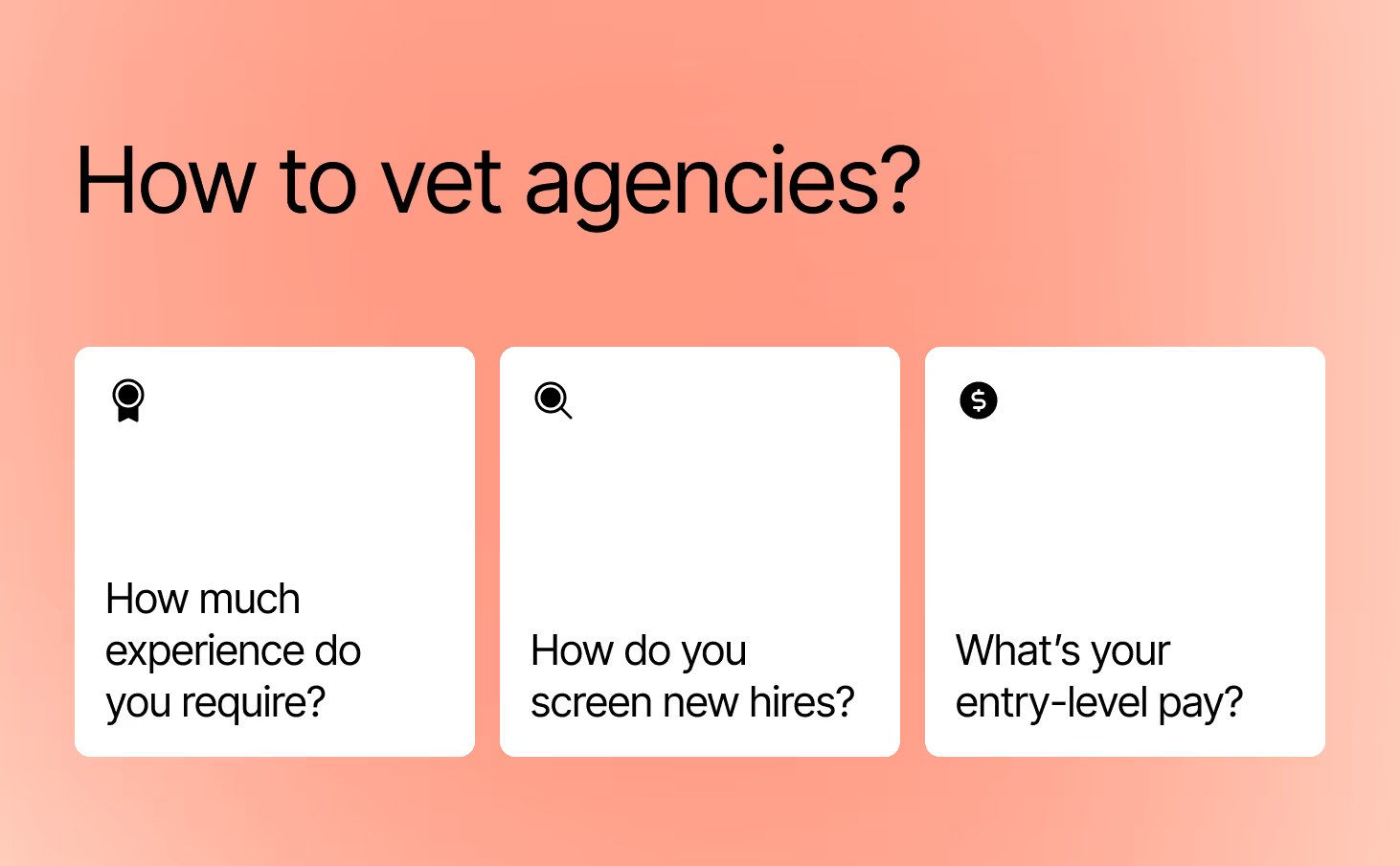
For context, we collaborated with the team at Gorgias on an in-depth post about hiring customer service agents. It goes deep into the recruitment and screening process. Most agencies you encounter won’t have this intense of a process refined over a decade. But it’s a good example of how methodical a hiring process should be.
Evaluate their agent retention rate
Customer service agencies often face management issues, causing poor agent retention and 20-30% annual turnover among front-line agents.
This can be challenging for your brand, as you'll spend more time training new agents instead of benefiting from long-term outsourcing.
- Ask for the turnover rate of front-line agents and the average tenure of management
- Ask if the agency provides employee benefits like sick pay, health insurance, etc.
Great agencies often poach top agents from competitors who offer low pay, poor benefits, and long hours. Choosing a cheap agency risks losing high-quality agents to agencies that treat them better.
Be wary of US managers of overseas agents
It’s common to have customer service teams operate in The Philippines or other countries overseas. However, if managers are in a different country from the support reps, it can cause disconnects and poor quality.
If you’re talking to a sales executive in California who brings in a team leader from New Jersey who mentions their great Filipino team (whom you haven’t met), that’s a major red flag.
Ask how often the team meets in person for get-togethers. Remote support teams are great, but if they’re not getting together in person, the culture is usually pretty weak.
At HelpFlow, our entire team is in the Philippines, including Client Success Manager, Sales, and all other team members. This enables us to hire middle to senior-level people for all roles while keeping costs to our clients low even as we scale.
Competitors with US-based management or sales experience communication and management breakdown as the company grows. This leads to clients paying more than they should for agents who are cheaper and less experienced, which shows up as agent and client retention problems.
Does the agency bring value up front?
The “sales process” you go through with the right agency should feel like a powerful customer service strategy consultation. For example, the agency should review your helpdesk, ask about processes, and analyze your customer experience to suggest solutions.
For example, they could look at your tagging to suggest auto-tags that would make your helpdesk more organized.

Or, if your team already uses Gorgias, the agency should be suggesting ways to improve your team’s speed and create a great customer experience with self-service.
If the agency doesn’t drive the sales process and show expertise from past experience, it’s another red flag.
Spend time on the training and onboarding process
Once you’ve found an excellent customer support service to work with, the real work begins. On both ends! The training and onboarding process is the most critical part of the process. It’s when things either fall off the rails or start to accelerate and make you realize the power of the team you just hired.

There are a few key things that should happen during onboarding:
Kickoff the onboarding process smoothly
The sales team you worked with should have a smooth handoff process with the account management team.
The agency should ask about the project’s details, timeline, tools, and accountable team members. This process should give the account management team everything they need to know before you actually start working with agents.
Intake key information efficiently for training
The agency should have an efficient intake process to access your systems and understand your customer service process. Before the kick-off call, expect a well-designed questionnaire, an analysis of your tickets, and then a call to discuss their findings.
Conduct robust training for agents
The agency should be able to create a robust training process for their agents, regardless of your current process.

Even if you have little to no documentation, the agency should be able to use the accesses provided and intake information to create a robust knowledge base for the agents to use.
Commit to ongoing management for your hybrid team
Once training is complete and agents are up and running, it’s crucial to maintain a management cadence of the team. This should include monitoring the key metrics we shared above to gauge the quality and capacity of the operation.
Set up regular meetings with the agency to discuss customer service challenges and initiatives to improve the process.
Many brands tend to operate day to day, without intentionally flagging and pursuing longer-term opportunities within teams (especially outsourced teams).
Ongoing management and a hybrid structure help your agency improve your team further, like expanding multichannel operations or exploring outbound calls and messages.
Top customer service outsourcing options
Looking for a customer service outsourcing provider that can meet your needs? Start with these recommendations as you explore your options:
- HelpFlow: HelpFlow can manage your entire customer service operation or simply provide additional agents. It’s an Elite Partner and Certified Services Partner of Gorgias.
- Fluency Firm: Fluency Firm is a full-stack digital and growth marketing agency with a customer service offering. The Gorgias Partner can also do Gorgias implementation and optimization.
- Happiliver: Gorgias Partner Happiliver specializes in supporting ecommerce brands with a focus on quality, efficiency, customer experience, and customer loyalty.
- In Social Incorporated: Hire In Social Incorporated for help with customer service or anything digital marketing-related. It’s a Premier Partner with Gorgias and can offer Gorgias onboarding, implementation, and optimization.
- ModSquad: The Gorgias Certified Services Partner can offer everything from configuration through expansion. Work with them on Gorgias implementation, onboarding, and optimization.
The next step: Let’s audit your process
Scaling past your initial core team is challenging, and outsourcing can be scary. If you get it wrong, it can bring down the brand you built by building an army of angry customers in the market.
But if you get outsourcing right, you can continue to scale up revenue while keeping customer service great. And you can keep improving it significantly over time.
HelpFlow is a Gorgias Elite and Services Certified Partner with experience with customer service teams for 100+ brands over a decade. At the start of any project, we get deep in the weeds with the brand’s team to audit the customer service process. We share a roadmap that calls out issues and suggests resolutions, along with initiatives to improve the customer service operation.
Get in touch with us today to audit your process.
{{lead-magnet-1}}
.avif)
Gorgias Automation Add-On Overview: Features and Benefits
Keeping pace with customer support tickets is a challenge for many ecommerce brands. Too often, support teams are constantly flooded with very simple, repetitive questions that customers instantly want answered (like WISMO, or “Where is my order?").
The sheer volume of these repetitive tickets leads to a few major problems:
- Customers need to wait for busy agents to get answers to simple questions — for these questions, instant information is much more valuable than a human conversation
- Agents are too overwhelmed with tickets to prioritize questions that need human attention (like escalated tickets, VIP customers, or complicated product/policy questions)
- Brands lose sales because they can’t surface and respond to urgent pre-sales questions (like “I want to buy this, but will it arrive by Christmas?”)
To help brands manage repetitive tickets (and provide an even better experience to customers), we created the Automation Add-on. The goal behind the add-on is to deflect your most repetitive questions, provide order information, and turn pre-sales questions into enthusiastic purchases — all of which are more convenient for your customers.
What is Gorgias’s Automation Add-on?
The Gorgias Automation Add-on provides instant, automated answers to common questions via your email, Help Center, and chat widget. Your customers can get a quick response (and resolution) around the clock, even when a live agent isn’t available.
With automation, you’re conveniently answering questions that don’t require a conversation. Your agents can focus on more important conversations instead of copying and pasting order statuses all day long
The full Automation Add-on is available for Shopify stores, and some features (including returns autoresponders, auto-close spam emails, and quick responses) are also available of BigCommerce and Magento.
Benefits of the Automation Add-on
But don’t customers prefer human interaction? Not always. According to Statista, 88% of consumers expect brands to have a self-service support portal. This is especially true when customers are looking for information doesn’t really need a “human touch” (and shouldn’t force them to wait for a human to respond).
By using customer service automation, you can give customers the instant information they need while also freeing up agents to focus on conversations that need a personal touch.
Ticket deflection
The Automation Add-on typically deflects up to 20% of tickets (up to 50% for power users). By deflects, we mean that the customer’s issue is resolved without any human interaction.
Reducing repetitive tickets enables agents to answer and spend more time on high-impact tickets that automation can’t handle.
24/7 support
While customers shop online around the clock, your agents aren’t always available to answer questions. The Automation Add-on’s features can handle frequently-asked questions like “What’s your shipping policy?” “Do you have any promotions?” or “Where is my order?” at any time. You can provide 24/7 service for a large chunk of your incoming inquiries without the overhead cost of hiring additional agents.
“Knowing they can reach us 24/7 is a huge thing for our customers, especially international customers. Because they want to get answers no matter what time it is.”
— Caela Castillo, Director of Customer Experience, Jaxxon
Additional revenue
When customers ask pre-sales questions, they’re sending a strong indicator that they’re more likely to make a purchase. And these customers are even more likely to purchase if their pre-sales questions are answered instantly: questions about product sizing, return policies, international shipping, and so on. If they have to wait, they may lose interest.
FAQs and product information in a chat can provide answers and promote your brand — leading to additional revenue. With the Automation Add-on, this information is front-and-center, leading to more chat engagement — a type of engagement that doesn’t require any waiting.
For example, Gorgias customer RevAir saw a 120% increase in chat engagement since adopting the add-on — all while simultaneously lowering response and resolution times. (More on that below.)
📚 Recommended reading: Learn how Jaxxon boosted revenue by a whopping 46% with help from the Automation Add-on.
Features included in the Automation Add-on
Any automation should build customer trust in the same way agent interactions would. Whether the customer contacts your company via chat, email, or your help center, the Gorgias Automation Add-on is designed to manage the replies.
Quick Response Flows in chat
The Automation Add-on doesn’t just provide automated answers to questions about customers’ orders. With Auick Response Flows, you can provide answers to common questions, like “What is your shipping policy?” This doesn’t just protect your agents from repetitive tickets, it gives customers answers they need to make a confident purchase while they’re actively shopping.
In your automation configuration, you’ll set up a Quick Response Flow section along with the automated responses.

When the customer clicks on the button, the chat will provide an automated response.

Once the automated response is provided, the chat will ask if the answer was helpful. If the customer clicks “No, I need more help” a ticket will be opened in Gorgias for you to answer with live chat (if an agent is available) or a contact form if nobody’s online.
These Flows can also be interactive. Instead of one answer for each question, you can use multiple steps to collect customer inputs and provide a more personalized answer. For example, you can build a Quick Response Flow around the question, "Which product is right for me?" and then base the suggestion.
Take a look at Princess Polly's website for another example: When customers click "What is your return policy?" they get asked if they're in the US or UK. If they click yes, they get domestic shipping info. If they click no, they get international shipping info. Either way, they only see what's relevant to them.

Quick Response Flows in the Help Center
You can also add Quick Response Flows in your Help Center. This way, when customers land on your Help Center, they'll see common questions and helpful answers in easy, prominent buttons.
For example, BrüMate's Help Center has two Quick Response Flows: one to find the right product, and another to get information about returns.

When a customer clicks on "Fit My Drink," they're taken to an interactive automated Flow, where they answer a few questions to find the perfect product for them:

Order Management Flows
Since the main questions filling up most brands’ support inboxes are about order status, the Automation Add-on features a self-service solution. With Order Management Flows, customers can track, return, and cancel orders within the chat widget or Help Center themselves.
Order Management in the chat widget
Order Management Flows add an order management portal int the chat widget, which lets customers log in and manage their orders without waiting for an agent. By opening the chat widget that’s already on your website, customers can:
- Track the status of an order
- Return an order, based on the conditions (order created vs. order delivered)
- Report issue with customizable options
- Cancel an order, based on eligibility (unfulfilled, processing, or pending delivery)

Your customers can also see order details, such as shipping, billing, and payment information.
Order Management Flows in the Help Center
Your Help Center isn't just a library of articles to answer questions about your products, shipping, and brand. You can embed Order Management Flows at the top of your Help Center to let customer manage their orders, just like in the live chat widget described above.

Customized Report Issue Flows
By using customized Report Issue Flows, a customer can notify your support team that something is wrong with their order. When customers report an issue, Gorgias will create a ticket for your team and, if you’d like, send the customer an automated message.
You can provide different issue options based on the order type or shipment statuses. For example:
- I forgot to apply my discount code
- I'd like to change my shipping address
- I'd like to change the delivery date
- My order has been stuck in transit
- I'm past my expected delivery date
You can even personalize the options each customer sees based on the status of their order in Shopify. This way, they’ll only see relevant options — a customer wouldn’t need “My item is damaged” if we know it hasn’t arrived yet.

Once the customer answers the questions prompted by your Report Issue Flows, a ticket will be opened for your agents in the Gorgias helpdesk. The flow collects the information needed for your agents to handle the issue (and provide an automated response if applicable).
AI Article Recommendation Flows
When customers ask questions in chat, Gorgias uses AI to scan the question and recommend relevant content from your Help Center. This deflects live chat questions, and serves customers detailed answers to a wide variety of questions. Here's an example of AI Article Recommendation Flows from Parade, which answers a common question with a detailed article. (Of course, the customer still gets an easy path to human support if they need more help.)

Autoresponders for common queries
Email has the highest volume for customer support, around 70% of total volume. Reducing email volume by even 5% can have a huge impact on support teams.
Autoresponders can automatically answer routine questions — again, we’ll use “WISMO?” as an example.
The autoresponders use Intent Detection, powered by natural language processing, to detect if incoming emails are related to common topics like tracking or order status.
If Gorgias receives a ticket with a relevant Intent, the Rule will trigger and send the customer the appropriate reply. In the case of “where is my order?” the autoresponder will provide shoppers with a tracking link, resolving the conversation before a ticket was ever created.

If you have the Automation Add-on, you don’t need to set up the autoresponders! Just click Create Rule in your Grogias account and select from the options under the ✨ Autoresponse section.

Autoreponders in the add-on are owned and updated by Gorgias. While you can create your own Rules from scratch, you also get automatic access to this library of automatic responses that Gorgias monitors and provides.
Automation Add-on statistics
You can measure the impact of the Automation Add-on’s features in the Automation section of your Statistics. The report shows data such as the total number of automated interactions via chat. You can also see this as a percentage of total interactions.

You can further break this down and look at your quick replies, issues reported, returns, and other interactions. You’ll also be able to see how many tickets were handled by agents after automated interactions.

The Statistics Page offers a variety of valuable insights. For example, you can see if a particular product generates a lot of reported issues or return requests. You can also see how your automation usage changes over time, especially if you add additional Quick Response Flows
How Loop Earplugs used the Automation Add-on to increase revenue by 43%
Loop Earplugs understands the importance of quick responses for its customers. “Self-service allows our customers to solve their own issues at the click of a button,” said Milan Vanmarcke, Customer Service Manager at Loop Earplugs. “These frequent simple questions are solved instantly.”
Loop Earplugs cleverly used Google Analytics on its FAQs to determine which questions had the highest volume as a starting point, and answered those questions in Quick Response Flows. Loop Earplugs turned ¼ of all chat interactions into pre-sales flows, building customer trust along the way.
“When customers get a quick and honest answer, they often end up buying more than one product in a short span of time,” Vernmarcke noted. As a result of the pre-sales flows, the company has seen a 43% increase in revenue from customer support.
Read more about the impact of the Automation add-on on Loop Earplugs.
Swap low-impact interactions for high-impact results
Beyond meeting a customer’s expectations for instant answers, automation can boost your revenue, as Loop Earplugs found. You have opportunities to promote your merchandise, capture email addresses by offering a discount, or set rules to follow up with new customers. Plus, your human agents will be more free to answer pre-sales questions coming in on chat, or complex, VIP, and escalated tickets that were once buried under a mountain of WISMO requests.
Already a Gorgias customer? Sign up for an automation workshop to learn more about the add-on. Or, if you want the add-on today, log into Gorgias and go to Settings > Self-service (under Automation) > Your store > ✨Get Automation Features.
Not on Gorgias yet? Book a demo to learn more about the customer service platform built exclusively for ecommerce.

Why and How to Use WhatsApp for Customer Service
Chances are, your brand already uses a handful of customer service channels to connect with customers: email, social media, live chat support, and maybe even SMS. But your omnichannel customer service strategy isn’t complete until you tap into the world’s most popular messaging app.
WhatsApp’s 2 billion active users are spread across the globe, so talking to customers is a must for international brands — especially if you sell in Asia, South America, and Europe.
Below, we’ll give you the basic rundown on WhatsApp and WhatsApp Business, plus a few reasons to start offering customer support on the app. Then, we’ll share a step-by-step process on how any company can start using WhatsApp plus a few tips on how ecommerce companies can do so as efficiently as possible.
{{lead-magnet-1}}
What is WhatsApp?
WhatsApp is the most popular messaging app in the world, thanks to its security, reliability, and ability to work without a phone plan — all it requires is Wi-Fi. WhatsApp was initially launched in 2009 and acquired by Meta in 2014.

WhatsApp’s base service is for individual users. Each user links a phone number to a WhatsApp account, making it a WhatsApp number. Then, you can call, video chat, and send SMS-like WhatsApp messages to friends and family across the globe. WhatsApp supports individual messaging, group messaging, and multimedia messaging — all with end-to-end encryption to protect user privacy.
What is WhatsApp Business?
The WhatsApp Business app lets small businesses and enterprises exchange messages with users of the regular WhatsApp service, upgraded with a few business-specific features.

When you create a WhatsApp Business account, you’ll gain access to:
- Contact labeling: Create up to 20 custom color-coded categories for your business’s contacts
- Profile information: Include a company name, logo, business category, website, product catalog, contact information, location, and even working hours
- Automated messages: WhatsApp Business allows for automated messages like real-time replies, away messages, and automatic greetings.
- Message statistics and analysis: WhatsApp Business provides predefined metrics for you to track, whereas WhatsApp for personal use only has limited statistics.
{{lead-magnet-2}}
Why customer support is one of the best uses of WhatsApp
Your time is limited. Even with all these WhatsApp Business features, offering customer support on WhatsApp isn’t a top priority for every business.
Here are a few reasons to consider using WhatsApp as a customer support channel:
Without WhatsApp, you’re ignoring billions of customers
WhatsApp is the most popular messaging app in the world, with over 2 billion monthly users and 500 million daily users. Especially if your company sells (or plans to sell) internationally, getting on WhatsApp is a great way to meet customers where they are.

The app’s global reach is due to a few key benefits for users:
- WhatsApp doesn’t require a cellular connection, so it’s more reliable (and affordable) than SMS in countries with limited coverage
- WhatsApp doesn’t incur any restrictions or fees for international calling and messaging
- Every version of the app is free, making it highly accessible for businesses and individuals alike
- WhatsApp prioritizes privacy and security, earning high levels of trust with users worldwide
- WhatsApp is device-agnostic: Users can send messages on desktop or mobile, and customer service agents can even exchange WhatsApp messages on a helpdesk
And the speed advantage is real — Gorgias Ecom Lab data shows chat is 38 times faster than email on first response and 8 times faster on resolution, making messaging apps like WhatsApp a clear advantage for brands that want to reduce wait times.
📚 Related reading: Interested in creating new communication channels with customers? Learn how to provide customer support on Instagram and Facebook Messenger.
WhatsApp offers many helpful features for customer communication
WhatsApp isn’t just the most popular messaging app, it’s the fastest growing. Especially since getting acquired by Meta, WhatsApp continues to release new features — many of which are especially helpful for customer communication:
- Integrations and WhatsApp Business API: Thanks to an ever-growing list of integrations and WhatsApp’s API, you can likely integrate WhatsApp into your existing tech stack and power up your WhatsApp customer service with automation and chatbots
- Rich messaging and message reactions: Send photos, videos, files, and emojis, and react to messages with emojis for more helpful and brand-friendly interactions
- Communities: Create closed groups of up to 5,000 members for VIP support, beta testers, and more
- Businesses nearby: If you have brick-and-mortar locations, WhatsApp users can discover them via geo-location with WhatsApp’s business discovery feature (currently only available on Android)
- Company-initiated messaging: WhatsApp lets your business start conversations with customers (based on a limited number of templated options) for proactive customer service and WhatsApp marketing efforts

📚 Recommended reading: Learn how to make the most of your customer support messaging (including SMS, live chat, and WhatsApp) with our ultimate guide.
WhatsApp is more secure than other messaging platforms
WhatsApp was built using end-to-end encryption, which protects all communication on its platform. The encryption helps prevent third parties from accessing content in calls or messages. WhatsApp themselves can’t even access the data.
Like many other social communication tools, WhatsApp also offers account verification badges for businesses. With a verified badge on your WhatsApp Business profile, you earn trust with your customers and stand apart from fraud accounts.

How to set up WhatsApp for customer support
If you’d like to offer WhatsApp customer support, here’s a simple guide to getting started and making the most of your new channel.
1) Create or your WhatsApp for Business profile
If you’re just getting started with WhatsApp, you’ll need to download the WhatsApp Business app. Once you download the app, you’ll need to review the terms of service, allow access to contacts and photos, and fill out your account.
The app walks you through basic setup, so we son’t go into much detail here. However, here’s a helpful video you can follow to help you get started:
2) Link your online store and product catalog in your WhatsApp profile
Once you’ve set up your WhatsApp Business account, it’s time to start customizing your brand’s profile.
Throughout this process, imbue your profile with some brand-friendly copy and images. Just be sure to remain clear about who you are and what you do.

- Profile photo: For the sake of clarity, use your business’s logo
- Cover photo: Showcase your products or happy customers enjoying your services
- Business description: Explain what your business does and what makes it unique
- Business category: Choose up to three categories to let customers know what you do
- Address: Add an address (if you have a brick-and-mortar location)
- Email address: Let your customers contact you via email, if they prefer
- Website: Give your customers a direct path to your website
- Phone number: Let customers call you directly if you offer Voice support
- Verification: Apply for verification to get the green checkmark
- Product catalog: Showcase your best-selling products in your product catalog with compelling photos and descriptions
- Collections: Use collections for more shopper-friendly product categorization
We left out one key section: Hours. But that’s an important enough step for customer service to warrant its own section — find it right below this one.
📚 Related reading: Read the ultimate guide to social commerce to learn how to sell directly on social media platforms like Instagram and Facebook.
3) Add business hours to let customers know when you’re available
The Hours section of your business profile has two potential uses:
- If you’re a local business: Add the hours when customers can visit your brick-and-mortart storefront
- If you’re an online business: Add the hours when a live agent is online and ready to respond to WhatsApp messages
The first option (for local businesses) is straightforward, so we’ll continue discussing how online businesses should use this section of their WhatsApp profile. Ideally, you can give your shoppers around-the-clock support. But that’s not possible for every business — in that case, you want to be very clear about when you’re available.
The hours section can help set customer expectations around your availability. Consider setting hours based around when your team is ready to provide customer care on WhatsApp. Even better, consider using part of your business description to share expected first response times so customers know how long they typically have to wait for a response.
You can even set up an automated away message to let customers know when they send a message while you’re away, setting the expectation that you may take longer than usual to reply.

While they’re not using WhatsApp, you can take inspiration from Berkey Filters, a water filter brand that does an excellent job of setting clear customer expectation for their live messaging channels:

📚 Recommended reading: Read the ultimate guide to customer service policies to give your team the processes it needs for fast, consistent responses.
4) Integrate WhatsApp with your existing customer service system
Offering WhatsApp doesn’t mean spending your day checking the WhatsApp app, or opening WhatsApp whenever you get a notification. To stay efficient, integrate WhatsApp into your heldpesk.
When you integrate WhatsApp with your helpdesk, you can send and receive WhatsApp messages from the same app you use to answer customer messages from email, SMS, social media, and others channel you use for customer interactions.

Your customer care team can keep up with customer queries from all your channels, plus access unique features including (but not limited to):
- Automations for instant tagging, assigning, prioritization, and responses
- Smart message templates that automatically personalize your customer interactions
- Advanced analytics dashboards to keep an eye on your team’s performance
🛍️ Shopping for a helpdesk? Check out our list of the best helpdesk software on the market. If you’re an ecommerce brand on Shopify, check out our list of the best helpdesk for Shopify stores.
5) Use automation to handle common questions with quick replies
If you integrate WhatsApp with a helpdesk, you can automatically send responses to your most common questions. This has two major benefits:
- You limit the amount of time customers have to wait for simple, information-based interactions
- You keep your team inbox clear of basic, repetitive questions
For example, if you’re an ecommerce company, you likely receive a lot of customer inquiries about order status updates — called “where is my order” (WISMO) requests. On average, order status updates account for 18% of incoming customer questions, according to Gorgias data.
If you integrate WhatsApp with a helpdesk like Gorgias, the software can recognize WISMO requests (and other common questions), apply a templated response, and pull customer-specific information from your ecommerce platform.
And again, order updates are just one example. With the right helpdesk, you can automate responses to most of your common questions so your support team can spend time on complex questions, angry customers, and other situations that need a human touch.
📚 Recommended reading: How to automatically answer WISMO requests to save time and improve customer experience.
6) Use your full toolset when answering messages
Even when a message isn’t fully automated, you have a variety of tools in your arsenal to provide fast, personalized, and delightful customer service. Here are a few to keep in mind.
Response templates
Your customer service team doesn’t need to write every message from scratch. Customer service templates can save your agents time by giving a baseline for them to tweak for each unique situation.
Plus, templates help you ensure you’re providing consistent, in-policy advice, which is especially helpful to reinforce customer service training.

Proactive message templates
With WhatsApp, you can also set up Message Templates to proactively initiate conversations with customers. WhatsApp sets strict limits on these Message Templates: You must submit templates for approval from WhatsApp, and they can only be about select topics (like account alerts, shipping updates, and other issue resolutions). You cannot proactively send marketing messages to customers.
If you use Gorgias, you can now submit Message Templates for approval from WhatsApp and send these proactive messages to your customers.

Rich media
You can attach images, GIFs, videos, PDFs, and other files to WhatsApp messages. In a customer service context, this allows customers can show you pictures or videos of a product malfunction, and lets your team share images and videos to help customers troubleshoot.
With the right WhatsApp integrations you can even send WhatsApp marketing and order confirmation emails with interactive buttons. For example, WebEngage lets you send product confirmation messages with easy-to-click buttons to track packages or contact your team:

By the way, the Gorgias team is hard at work making more types of rich messages like these, such as sending automated order confirmation messages and interactive review requests. You can look out for updates in our product roadmap.
Customer context
When you’re providing customer service — regardless of channel — a best practice is to consider the entire customer context before writing a response:
- Has this customer written in about this issue? Other issues?
- Is this customer a frequenct or first-time shopper?
- Does this customer have an order out for delivery?
- Is this customer an active subscriber?
- Has this customer left reviews? Are those reviews positive or negative?
The list goes on (and on and on).
If you’re responding directly in WhatsApp, you’ll have to dig around a tall stack of apps to find this information: your ecommerce platform, your subscription app, your reviews app, and so on. Over the course of a day, this can eat up a ton of your team’s time.
If you use a helpdesk like Gorgias, however, you’ll have the customer’s entire order and conversation right next to the WhatsApp chat window.

Plus, you can integrate Gorgias with other ecommerce apps (like Klaviyo, Yotpo, Recharge, and so on) to see even more customer information before responding.
Chatbots (process with caution)
One of the last tools in your kit is Whatsapp chatbots. Chatbots can be a great way to scale your customer support with a small team — however, they usually come at a cost.
Most chatbots are decent at very simple requests, but quickly provide frustrating experiences when customers ask use unusual wording or ask complex questions. And nothing is more frustrating than unhelpful service from a chatbot that tries to convince you its human.
If you want to use a chatbot, consider a tool like Ada. For best results, integrate Ada with Gorgias to also providing efficient human service and a strong customer experience.
7) Mind the 24-hour window
When customers reach out to your brand, a clock starts ticking. For the first 24 hours, you can respond to the message however you’d like — the clock resets whenever the customer sends another message. But if 24 hours passes after the latest message, you can only respond with templates that WhatsApp must approve.
While you never want to make customers wait, this 24-hour window is additional incentive to set up an efficient system to respond to customer support inquiries that come through WhatsApp.
📚 Recommended reading: Our tips to improve customer service response times (so you don’t miss the 24-hour WhatsApp window).
7) Track key customer support metrics
Once you start offering customer service on WhatsApp, set up a system to monitor key customer support metrics. This helps you determine what you’re doing well, how you’re falling short, and where to focus on improving your customer service.
Most customer service software will track a wide range of support metrics with helpful graphs to visualize your performance. However, if you can only track a few metrics, start with:
- Response time: Keep track of customer response times to make sure your customers aren't waiting to hear from you
- Resolution time: Measure resolution time to make sure your team gives helpful answers that fully resolve the issue
- Customer satisfaction (CSAT): Collect CSAT scores to learn whether your customer interactions are positive, negative, or somewhere in between
- Customer feedback: While not exactly a metric, make an effort to solicit, document, share, and implement customer feedback — it’s the best way for your brand to continually improve
📚 Recommended reading: Read our VP of Success and Support’s guide to evaluating the performance of your customer support program.
Integrate WhatsApp with Gorgias for better ecommerce customer support offerings
WhatsApp can be a great way to expand your customer care — and with the right tools, your team can be an efficient channel within your customer service strategy.
To get the most out of WhatsApp Business, consider pairing it with a customer service platform like Gorgias. Built exclusively for ecommerce, Gorgias centralizes your team’s support channels like live chat, email, social media, SMS into a single easy-to-use dashboard.
.avif)
11 Key Ecommerce Trends for 2023 (Backed by Experts & Data)
If you’re in the ecommerce industry, you’ve been on a major roller-coaster ride over the last three years:
- The unexpected drop, then spike, in online shopping in 2020 and 2021, followed by some stabilization in 2022
- Understocking from supply chain issues, and then by oversupply once lockdowns started to lift
- Record ecommerce profits followed by tightening wallets in the face of a looming recession
The loopy ride is far from over. As you already know, this year will bring its own highs, lows, twists, and turns. To help you understand how the industry is evolving, we spoke with ecommerce experts to forecast the top 11 ecommerce trends for 2023:
- Leaders from companies that build tools that power ecommerce, including Klaviyo, Yotpo, Loop, ShipBob, and LoyaltyLion
- Ecommerce agency leaders who are on the frontlines helping top merchants deliver exceptional support and optimize their conversion rates
- Our in-house team of ecommerce experts at Gorgias, who help merchants like you deliver revenue-boosting customer experiences
During our talks, it became clear that in 2023, the pendulum will continue swinging from acquisition to retention (for real this time), and brands will pivot away from rapid growth and toward sustainable profitability. Watch the video highlighting two top trends, or scroll down for the complete list:
1) Online stores will (finally) figure out retention
2023 is the year retention becomes a true priority for online stores.
You’ve probably heard this story before. Retention has been a trendy term for years. But for many merchants, creating a retention strategy is like going to the dentist twice a year — everyone knows it’s important but not enough people actually do it.
You can see this lack of true commitment in Yotpo’s recent survey on the state of ecommerce retention. The survey showed that over 40% of online stores didn’t make any changes to improve retention in 2022 (despite 52% saying they were more focused on retention than they were in 2021).

But this year, the combination of rising customer acquisition costs (CAC), uncertain economic times, and tightening budgets will force brands to prioritize retention on the same level as acquisition.
George Walsh, Content Marketing Manager at LoyaltyLion, agrees that brands can no longer treat retention as a theoretical in 2023:
“Next year, we’re going to see more ecommerce businesses move away from acquisition and work harder to retain their existing customers during these economically trying times. Consumers are being pickier with their purchases as cash simply isn’t stretching as far, so brands will have to work harder to prove their value. Businesses themselves are also having to navigate smaller budgets, so with customer acquisition prices soaring, it makes sense to switch the focus towards existing customers.”
— George Walsh, Content Marketing Manager at LoyaltyLion
In other words, it’s time to start flossing — online merchants won’t be able to avoid the dentist in 2023.
📚Recommended reading: Our CX-Driven Growth Playbook has lots of insights on the importance of retention, as well as specific tactics for turning one-time buyers into repeat shoppers.
2) Profitability > Growth
The same dynamics that push brands to take retention seriously — rising CAC, recession fears, and tightening wallets — will lead to closer focus on profitability (instead of growth at all costs).
Prepare for some major edits to the classic direct-to-consumer (DTC) playbook popularized by the likes of Warby Parker, Dollar Shave Club, and Allbirds. These brands grew incredibly fast by pouring tons of money into performance marketing, generating hype, and offering lucrative deals for online shoppers.
{{lead-magnet-1}}
Then, customer acquisition was the North Star, even if it meant operating at a loss for years. Today, very few brands have that luxury.
The precarious global economy means the end of cheap capital to sustain unprofitable business models. Couple that with a constant rise in digital advertising costs, and many ecommerce stores will find that profitability is the sole path to survival as a business.
That’s why Jeremy Horowitz, Senior Partner Marketing Manager at Gorgias, believes merchants should get serious about their profitability goals in 2023:
“Start setting Net Profit goals yesterday. 2023 will be marked by survival, not top-line YoY % growth. Know your Sales, COGs, Marketing costs, and how much you need to make to pay your team and yourself. Get honest about the ad spend you can actually afford. And get creative about how you’ll earn enough sales to turn a profit.”
— Jeremy Horowitz, Senior Partner Marketing Manager at Gorgias
3) Subscriptions eclipse one-off sales
As the search for profitability takes center stage, more brands will start testing subscriptions as a new, consistent revenue source.
Subscriptions can be the most direct path toward profitability because they help online stores:
- Boost metrics like average order value (AOV) and customer lifetime value (LTV) without increasing CAC. For example, Uqora — an ecommerce brand for health supplements — found that subscribers buy their products more than 8 times throughout their lifetime. In addition to the increases in LTV and AOV, brands only have to acquire subscribers once, instead of constantly retargeting them with performance ads.
- Make their brand a part of customers’ lives. The 2022 Subscription Commerce Report showed that most of the buyers who first purchased a subscription in 2020 exhibited lasting behavioral changes in 2021. In other words, subscriptions aren’t just a new trend, but a part of people’s lives. This gives merchants a unique opportunity to change consumer behavior and embed their brands into buyers’ routines.
- Delight shoppers and turn them into brand advocates. Subscriptions give you more chances to make buyers happy — think birthday discount codes, free shipping, loyalty points, and so on. Brands that create a great experience for their subscribers have a great chance of turning them into brand ambassadors who help grow the business organically.
To cut to the bottom line, Recharge’s 2022 Subscription Commerce Report shows that 42% of subscribed customers stick with a company for at least a year after the initial purchase, compared to only 1% of non-subscription customers:

Ryan Kodzik, Founder & Chief Creative Officer at Future Holidays, also believes that subscriptions will be a big weapon for online stores in 2023:
“The traditional ecommerce business model relies heavily on one-time customers. But research suggests that this is about to change. Subscriptions were one of our trends to follow for 2022, and they’ve only become more significant since.”
— Ryan Kodzik, Founder & Chief Creative Officer at Future Holidays
4) Brands leverage live chat as a conversion tool
When done right, live chat and chatbots provide great on-site conversion opportunities. They recreate the immediate sales interactions of in-person shopping, delight buyers with immediate support, and gather first-party data. That’s why we believe a lot more brands will start using live chat as a key owned marketing channel in 2023.
Now, it’s worth noting that most merchants still think of live chat as a way to provide customer support in real-time. This is an important use case, but it’s only the tip of the iceberg.
Bri Christiano, Director of Support at Gorgias, knows that live chat can also be a great way to recreate some of the best elements of in-store shopping:
“A chat widget can be a great tool to unblock the sales process, both through proactive outreach and self-service functionality. When it comes to proactive outreach, you can set up automated chat campaigns to reach out to shoppers on your ecommerce site. You can:
- Offer a product quiz
- Ask if shoppers have questions
- Share a limited-time discount
- Direct them to best-selling collections
- Make new product recommendations
- Remind them about your free shipping policy
- Explain which payment methods you accept, like credit card, cash on delivery, Apple Pay, PayPal, etc.”
— Bri Christiano, Director of Support at Gorgias
Traditional marketing channels like social media or search engines focus on getting people to your site. But if those visitors don’t make a purchase, you’re earning nothing on your marketing investment.
It’s like spending all your money on a beautiful storefront, but not staffing anyone in the physical store to help the shopper. When they can’t find help, they’ll quickly heel-turn and walk back out the door.
{{lead-magnet-2}}
That’s why live chat’s ability to increase conversion rates is so valuable.
Allen Burt, Founder and CEO at Blue Stout brilliantly sums up the importance of conversions over traffic:
“Most brands don't realize how increasing conversion rates affect profitability. To compare, if you increase your traffic through paid ads by 10%, your profit margin actually goes down on each sale (because ads are increasingly more expensive as you scale). Conversely, if you increase revenue 10% via a conversion rate increase of 10%, profitability goes up far more than 10%, since those sales didn't require any additional ad spend.”
— Allen Burt, Founder and CEO at Blue Stout
Live chat ensures you’re actually taking care of your traffic and potential customers by answering their questions, giving them useful self-serve resources (e.g., FAQs about shipping or payment options), and finding new ways to nudge them toward a sale.
For example, Jaxxon saw a 6% increase in conversions and a 46% revenue boost by creating engaging live chat campaigns, including one to offer VIP-level support to people browsing premium products:
![Jaxxon saw a 6% increase in conversions and a 46% revenue boost by creating engaging live chat campaigns, including one to offer VIP-level support to people browsing premium products: "Hey, you qualify for VIP level support. Talk to your very own personal stylist now: [phone number]."](https://cdn.prod.website-files.com/5e78f62c08f1bb8c2d788576/63d04e6faa4c14720b85b74d_r6vvWG20iFR47ll6MqVgXxKpIlQkK4viqZMN1VAhB_BqULg8pGX1rh7gAsGtXkT-FGldpFP72DXAGB4d2z9VP7DlMZJCMz4RLI6I7euYgK0Bk6q7udrCfsXDZ4m0FLJ9YeMIUX_6KCjhBjs_kfbOGgxNc3AxmsSqQP9g1A-cdxbV6U4tFRfL7vlSN43FIg.png)
Just imagine how much more sales you can also drive with a simple automated message to all visitors like “Spend $50 for free worldwide shipping!” or “All orders over $100 get a 10% discount!”.
Put simply, live chat can help you make the most out of our website traffic.
📚 Recommended reading: Learn how Jaxxon boosted revenue by 46% with Gorgias live chat and self-service.
5) Live commerce travels west and goes mainstream
Live commerce, the shopping format pioneered back in the 1970s (throwback to QVC!), has made a big comeback thanks to the livestreaming functionality of modern social media apps. While its popularity has been mostly limited to China, 2023 could be the year where live shopping takes over the Western Hemisphere.
Klarna’s latest Shopping Pulse report shows that 1 in 4 Gen’Zers from the UK, US, France, and other western countries have already participated in a live shopping event.

Plus, Coresight Research estimates that livestream ecommerce penetration in the US will more than 5x between 2020 and 2026.

Our partners at Coalition Technologies also believe live commerce will be one of the biggest stories of 2023:
“A billion-dollar industry in China and growing in popularity worldwide, live commerce is forecasted to reach $35 billion in sales by 2024 in the U.S. And this is not solely through social media — ecommerce giants like Amazon, eBay, and Walmart are taking advantage of this “social buying” phenomenon by adding livestream shopping to their platforms.”
— Our partners at Coalition Technologies
6) Social commerce gains ground on social advertising
In 2023, we’ll continue to see the rise of social commerce, which allows shoppers to buy directly on social media apps. Brands will pivot away from social ads and toward social commerce to avoid rising ad costs and find new ways to differentiate themselves.
Besides being cheaper, social commerce also simplifies the buyer experience. It allows product discovery, research, and checkout to all take place on a social media platform (usually Instagram or TikTok), reducing the friction in the customer journey, especially for people on mobile devices.
This is in stark contrast to social advertising, which relies on people clicking on ads, leaving their social media app, and going to an external ecommerce website.

Like live commerce, social commerce also started in China, but the US is quickly catching on.
McKinsey predicts that social sales will form 4.7% of all US retail ecommerce sales in 2023, with that figure projected to go up to 5.2% in 2025. Globally, the social commerce market is also expected to grow to more than $2 trillion by 2025.
7) Cross-border ecommerce sales reach new heights (or… distances)
The boom in online sales during the COVID-19 pandemic created lots of competition for established merchants. As a result, many brands started selling globally and this trend will only accelerate in 2023.
Juniper Research showed that the value of cross-border ecommerce will exceed $2.1 trillion in 2023, from $1.9 trillion in 2022. Additionally, ShipBob’s 2022 State of Fulfillment Report found that nearly 32% of brands plan to fulfill orders in a new country.
Kristina Lopienski, Director of Content Marketing at ShipBob, also confirmed that more and more merchants are looking to sell abroad:
“With high competition and potentially reduced consumer spending in local markets, many brands are looking across borders for customers who are interested in their products. ShipBob’s 2022 State of Fulfillment Report found that 56% of brands planned to expand cross-border offerings this year (of which, 32% planned to start physically fulfilling orders in new countries in 2022).”
— Kristina Lopienski, Director of Content Marketing at ShipBob
8) Personalization moves toward owned data
This year, personalization will go from a nice-to-have to a must for online stores.
You’ve heard this one before, too. But in 2023, merchants will have a much bigger incentive to double down on personalization.
The more personalized an experience, the higher the chance of converting visitors into buyers. The higher your conversion rates, the more you get out of your marketing spend. This leads to better profit margins, which, alongside retention, is the mother of all goals in 2023.
Plus, there’s ample data to show that customers value personalized experiences, while online stores don’t do a great job of delivering them.
According to Segment’s 2022 State of Personalization Report, 49% of all customers say they’ll likely become repeat buyers after a personalized shopping experience. Yet, only 35% of companies feel they’re successfully achieving omnichannel personalization.

Arjun Jolly, COO at adQuadrant, also explains that personalization is now an expectation rather than a bonus in the eyes of customers:
“71% of consumers expect personalization and 76% are disappointed when they don’t receive it, so it’s becoming incumbent upon brands to deliver from awareness through to conversion and loyalty.”
— Arjun Jolly, COO at adQuadrant
However, today’s brands can’t rely on yesterday’s main personalization weapon — third-party customer data. The value of third-party data has decayed due to:
- Strict regulations
- Updates from Google and Apple
- More privacy-conscious consumers
That’s why the foundation for successful personalization in 2023 will be zero- and first-party data gathered directly from visitors and buyers and stored in a CRM-like tool.
Brands will need to focus on the old-fashioned way of uncovering what their customers want — talking to them (via surveys or live chat, for example).
Like Alex McPeak, Content Marketing Manager at Klaviyo, says:
“As brands throw out the old DTC playbook, and instead come to recognize the importance of really knowing and understanding what drives their customers, there’s going to be a renewed focus on talking to customers, gathering data and insights, and applying that knowledge to brands’ marketing strategies moving forward.”
— Alex McPeak, Content Marketing Manager at Klaviyo
9) Augmented reality (AR) reshapes the shopping experience
This year, we may finally see AR become a staple in online shopping. Of course, technologies like virtual reality (VR) and artificial intelligence also deserve a mention here, but 2023 feels like the year of AR, especially as virtual try-ons gain popularity.
Here’s why:
According to Statista, 110 million users in the US will use AR at least once per month in 2023, up from 83.7 million in 2020. This is a big increase, especially compared to VR, which hasn’t fared nearly as well.

This increase in usage coincides with a year in which brands must be laser-focused on delivering a great user experience.
Additionally, popular ecommerce platforms and marketplaces are already using AR. For example, Amazon uses AR to improve the mobile shopping experience by letting visitors see how furniture would look in their room — a big advantage over shopping in a brick-and-mortar store.

Arjun Jolly, COO at adQuadrant, also believes 2023 is the year AR goes viral:
“AR has been trending for some time, but it’s yet to really hit the mainstream. We think 2023 is the year it finally happens.
While entry into the VR world will set a user back at least $1,500 (for the headpiece/goggles), most adults in the U.S. are already prepared to use AR via their smartphones.
We’re already seeing mass adoption from marketers in the make-up and furniture spaces with a sprinkling of auto and retailers for good measure. And, while the metaverse is busy trying to get off the ground, AR offers users the ability to truly blend, and benefit from, real and digital worlds.”
— Arjun Jolly, COO at adQuadrant
10) Sustainability becomes an even larger purchasing factor
It’s no secret that sustainability already plays a big role in forming shopping habits, especially among millennial and Gen Z consumers. While this is a well-established trend, we decided to include it as it will continue to grow in 2023.
Talkwalker and Khoros’s Social Media Trends Report shows that 2023 will see brands focused on sustainability take a larger share of the market. At the same time, shoppers continue to emphasize the importance of sustainability, with 82% wanting companies to put people and the planet before profit.
According to Ryan Kodzik, Founder & Chief Creative Officer at Future Holidays, the biggest sustainability initiatives this year will be focused on packing waste and shipping options:
“Remember when “eco-friendly” was just a marketing buzzword? Today, it’s become an opportunity to build a unique value proposition for your online store. Sustainable ecommerce makes good business sense. From more sustainable products to reducing packaging waste and better shipping options, steps taken now can reap significant rewards in 2023 and beyond.”
— Ryan Kodzik, Founder & Chief Creative Officer at Future Holidays

McKinsey even calls packing sustainability a “megatrend” prompted by consumer sentiment and tighter regulations across the world.

11) Fear not — ecommerce is still going strong all over the world
All this talk of recessions, smaller budgets, and consumer uncertainty can paint a pretty grim picture of 2023.
Fortunately, we also have some great news — the growth trajectory will pick back up after the stabilization of 2022 and we’ll see an increase in global ecommerce revenue and growth rates.
Statista’s research estimates that online retailers will grow their sales to $6.3 trillion in 2023, compared to $5.7 trillion in 2022. This figure is projected to go as high as $8.1 trillion in 2026, which would mark a 56% increase from 2021.

Source: Statista
Statista also predicts this growth will vary across the globe. China, the current ecommerce leader, is projected to grow its ecommerce sales by only 15% between 2022 and 2025. The US and Europe are poised for up to 50% growth over the same period.
Additionally, Nicole Walker, Partner Marketing Manager at Loop, believes the share of all retail revenue that comes from ecommerce will continue to rise:
“Year-over-year growth may look similar to 2022, which is a far cry from the boom years of 2020 and 2021. But, the proportion of retail revenue that comes from ecommerce will continue to grow, thanks to the continued popularity of online shopping. And that’s great news for Shopify merchants – the opportunity to grow and expand is still very real.”
— Nicole Walker, Partner Marketing Manager at Loop
2023 will be about getting back to basics
Despite the new challenges and opportunities for online merchants, the most important trends of 2023 won’t be exactly novel.
Yes, we know it’s more fun to talk about the impact of machine learning and other cutting-edge ecommerce solutions. These technologies will surely play a role, but on the whole 2023 will be marked by a renewed focus on the most fundamental concepts in the world of online commerce: retention, profitability, and customer experience.
Here are three things you can start doing today to stay ahead of the game:
- Create a solid retention strategy. Retaining your current customers is a smarter (and cheaper) way to grow your business as opposed to relying primarily on acquisition. Check out our guide to ecommerce retention rate for seven proven ways to improve your retention.
- Prioritize profitability over growth. Spending exorbitant amounts on digital ads and influencer marketing is no longer a central tenet of the DTC playbook. Profitability is now the primary goal and reaching it will require you to increase conversion rates, reduce cart abandonments, and abandon the unsustainable growth practices of the last 10 years.
- Talk to your visitors and buyers. Zero- and first-party data gathered with users’ consent is the new foundation for creating exceptional shopping experiences. That’s why finding new ways to talk to buyers (like live chat) is paramount in 2023. Klaviyo’s guide on collecting customer-first data is a great starter resource on this topic.
Looking for help in 2023? Our Partnerships team has a wide network of agencies and tech tools ready to help ecommerce brands like yours achieve your growth goals. Answer a few questions (3-5 minutes) for hand-picked suggestions from our team:
{{lead-magnet-2}}

Playbook: How Chomps Analyzes Customer Support Tickets to Improve Product and CX
There are plenty of reasons your company might use Gorgias. For starters, it keeps your support team organized and efficient (and prevents your laptop from overheating from a million open tabs). But here at Chomps, one of our favorite things about Gorgias is how it helps us analyze tickets to improve our product, customer experience, and brand. Every. Single. Day.
I’m Zoe Kahn, the Sr. Associate of CX here at Chomps. We’re a better-for-you snack brand dedicated to serving the highest quality products and the best experiences to our consumers.

We’ve been using Gorgias for almost a year at Chomps. And at my last company, I switched our helpdesk to Gorgias (where I fell in love with the tool). Big-time Gorgias girlie here.
Below, I’ll show you how we use Gorgias to analyze tickets and surface insights that help us improve the Chomps brand. I hope you can steal some of these ideas to improve your product and brand, too.
What do we learn from ticket analysis?
Ticket analysis means studying customer support conversations to find the root of your customers’ most common frustrations. It’s how you evolve your product to delight customers and build a brand that people genuinely love.
Let’s back up to understand the kinds of insights we can learn. We all know that issues are inevitable, especially in the ecommerce world. Tons of things can go wrong, like:
- Shipping delays
- Lost packages
- Fulfillment errors
- Website crashes
- Inaccurate customer expectations
- The list goes on (and on and on)
{{lead-magnet-1}}
But even when things do go wrong, we want to make experiences seamless for our consumers. At its most basic, this means getting customers answers as fast as possible when they experience issues. But even better, it means being proactive about preventing future issues rather than constantly applying bandaids.
Ticket analysis is how you make all of this happen.
.png)
Every company approaches ticket analysis a little differently. At Chomps, ticket analysis helps us find patterns in support tickets and improve our products and processes. The end goal is more happy customers and a leaner support team — both of which hugely impact the business’s bottom line.
How we set up Gorgias for ongoing ticket analysis
At Chomps, we use multiple tactics for ticket analysis, all based on the tools and dashboards Gorgias supplies. If you’re serious about ticket analysis, you’ll have the most success by first setting up a solid foundation within Gorgias.
Specifically, you’ll want to integrate all of your channels (email, SMS, live chat, and so on) and set up clear Views to keep your work organized.
Once you set your foundation, you’re ready to tag your support tickets. Tagging tickets — consistently and robustly — is the key to analyzing your frequent support issues and making high-impact decisions backed up by data.
At Chomps, we use three methods of tagging to keep track of our ticket trends:
- Auto-tagging based on keywords and support channels
- Manually adding tags to tickets where needed
- Creating macros for top inquiries and monitoring usage
1) Auto-tag based on topics
To get Gorgias to start auto-tagging tickets for you, you’ll set up auto-tags based on your unique business and the kinds of inquiries you usually see. Here are some common tags we use at Chomps that you’ll probably need, too:
- Manufacturer
- Subscription
- Return/Exchange
- Fulfillment
- Order-Status
- Mis-ship
- Wholesale
- Urgent

Let’s use my favorite priority folder as an example: the Urgent tag.
Auto-tagging is super relevant to most DTC businesses: It surfaces tickets that need immediate attention, such as order changes and address updates that need to be implemented before an order’s out the door.
This automation is incredibly useful, especially when you’re dealing with a high volume of tickets.
Here’s what our URGENT tagging rule looks like at Chomps:

Let’s look at the logic:
- The trigger is simple: It runs when tickets get created.
- Next, under “message body CONTAINS ONE OF,” we’re telling the Rule to look for keywords that are good guesses about what urgent tickets might include: things like “cancel” and “update my address.” If a customer uses those keywords, we want that ticket on our radar quickly.
- See the keyword that says “cs_urgent_order_update”? This phrase is always on a ticket if the customer has filled out our contact form (you can build one of these with Gorgias) and selected “Urgent Order Update” as the subject.

We use this tactic across a variety of areas — every single subject in our dropdown list auto-tags the ticket so we can route it correctly.
These tags — whether generated from the form or automatically applied based on keywords — allow us to assign priority and monitor the types of tickets we receive. These tags help us find common issues and inefficiencies and solve issues at the root.
Thanks to this urgent auto-tag Rule, we are more likely to update incorrect customer orders before they’re fulfilled by our warehouse. Since our warehouse team is speedy, if orders aren’t adjusted (almost) immediately, these requests get lost among all the non-urgent requests.
Not being able to prioritize correctly means we either lose money by honoring a replacement order or upset the customer.
The fixes don’t just apply to support operations, either: We’ve made changes to our website, fulfillment processes, marketing emails, and much more based on this kind of bulk ticket analysis.
📚 Related reading: See nine more Rule suggestions for auto-tagging your customer service requests.
2) Manually add tags where needed
We use tags to track ticket types and to understand the percentage of our total tickets that each topic makes up. Automation gets us most of the way there, but even Gorgias’s best-in-class language detection isn’t 100% perfect. Anyone who works in customer service knows that customers can use all kinds of different vocabulary to describe what they’re after.
At Chomps, every team member gets trained to check the tags on a ticket as soon as they start working on it. On top of that, no tickets should ever be closed without applying at least one tag.

Thanks to this vigilance, we have a lot of confidence in the data we’re using for ticket analysis. There’s no point in spending time analyzing support tickets if you think the data is bad, so it’s worth building these habits and processes. Future you will be thankful (and so will all your customers).
💡 Pro tip: If getting your team to check and apply tags is a challenge, you can set up a Rule that reopens untagged tickets or assigns them to a manager.
3) Create Macros for top inquiries and monitor usage
Macros are imperative for keeping an efficient and lean support team. But did you know you can also use macros to monitor inquiries, problems, and customer feedback?
I have a great example of this. At one point last year, we weren’t able to keep up with demand and many of our jerky stick flavors were going out of stock (a good problem to have, but still a problem).
We made efforts to proactively communicate supply issues, like back-in-stock notifications and keeping social media up to date with the available flavors. However, we’d still get an influx of consumers who wanted to know when exactly specific flavors would be back in stock.
Using Gorgias, I was able to set up Macros based on each unique flavor we offer and send these out to every customer who asked. It’s not all that creative, and most support teams and companies would stop there. We didn’t.
.png)
From there, I looked at our team’s Macro usage and reported back to the rest of the company weekly to share which flavors were requested the most. This analysis was crucial because at that time we had to pick and choose which flavors to produce.
We needed clarity on what our consumers really wanted — rolling the dice and gambling on random flavors would have made a bad situation worse. Specifically, we may have ended up with overstock on some flavors, and failed to stock up on flavors customers would actually try to order.

This is just one example. But these kinds of issues are things that pop up all the time when you work in customer service. Getting smart about your Macro creation and monitoring usage unlocks a whole new set of data your CX team can use to understand your customers.
How to implement feedback
You can analyze until you’re blue in the face, but if the outcome isn’t taking tangible action to improve your product, customer support, and brand, does it really matter?
Implementing changes based on your support ticket analysis is where the true brand improvement happens. You can’t do that without creating an impeccable feedback loop with key players across your company.
At Chomps, our CX team has recurring meetings with different parts of the team to share the results of our ongoing ticket analysis. Here are two regular meetings we use to share insights:
Monthly CX & Operations meetings
Each month, we have a meeting between our CX and Ops teams. This is where we go over product complaints, innovation requests, and order fulfillment hiccups.
We like to keep this meeting recurring instead of just doing it when there’s a fire to put out. It allows us to touch base on what’s coming in future months, putting us in a more proactive place. However, we’ll schedule additional meetings if we see an influx in complaints on a certain topic.
We structure the meetings around notable tickets with the following tags, all of which fall into our operations category:
- Manufacturer: These are any complaints about the product that we get about the product, whether it’s about the package being damaged or a customer commenting on the texture. These tickets also get a tag based on which retailer or online shop the customer ordered from. That way, if we see an influx of outreach from a certain retailer, we can dig into it and communicate with the appropriate teams.
- Mis-ship: This is when a customer orders one thing and receives another. while we’d love this never to happen but that’s not possible. We’re happy as long as we can catch it.
- Innovation: This tag is used when customers request a new flavor or snack suggestion. Since the possibilities are endless, we love hearing and sharing these inquiries!
Each month, we analyze the number of tags along with the number of times relevant Macros get used. We compare these to the previous month(s), keeping in mind the percentage of issues compared to sales.
{{lead-magnet-2}}
For example, if the Macro named “Fulfillment - Mis-ship - MISSING” is up 25%, we can reach out to the warehouse team and ask them to look into what might have happened. Maybe there’s a new team member who needs more training or maybe some bins have gotten mixed up. Stuff happens! Issues are inevitable, the trick is to find (and correct) them.
We get a ton of value out of analyzing complaints around things like taste and texture, as well as innovation requests. Our goal is to amplify the voices of our customers to help other teams throughout Chomps understand what matters to our customers, so we can give them what they want.
Weekly CX & Ecommerce team meetings
Each week, we discuss support tickets about sales, user experience, site bugs, and related topics with our Ecommerce team. They take the insights and apply improvements to our site.
For instance, this past summer, we had a “$10 off $49” promotion. Customers experienced confusion about the fact that they had to manually enter coupon codes, and didn’t always understand they needed to reach a $49 threshold for the code to work.
Below is a clipping from an old promo email we sent out for a sale. Customers had to use the code at checkout and ensure the order was over $49. This initially seemed like no big deal to us. But every extra step or stipulation you give the customer is a barrier to conversion.

These are “issues'' we didn’t think of before launching the promotion, but customers wrote in when they experienced these issues. We received emails saying, “I forgot my coupon code,” and noticed conversions decreased. We wondered if it was perhaps because we didn’t provide examples of how to get to the $49 threshold and didn’t offer any “help” at checkout, or examples in the emails.
We were able to improve our promotions in the future thanks to ticket and Macro analysis.
In promotions we’ve held since then, we’ve:
- Implemented an auto-apply discount so customers don’t have to remember codes
- Included clear cart upsell callouts to help customers reach thresholds
- Created clearer graphics for our email, SMS, and social campaigns

We also do a better job of showing the types of discounts customers can receive right on the website, in the flow of shopping:

We also installed a Shopify app that helps guide customers to discounts in their cart — for example, a clear indication of how to unlock free shipping. This helps us increase conversions and average order value (AOV) and decrease customer frustrations and confusion. A win-win for Chomps and our lovely consumers!

Without analyzing these support tickets, we would probably be making the same mistakes over and over again, losing out on sales while frustrating our consumers at the same time.
Take advantage of unlimited seats in Gorgias
This last suggestion isn’t exactly a step in the process. But it’s something to keep in mind as you share customer feedback with your team: Take advantage of the fact that Gorgias allows unlimited seats.
During our new employee onboarding (for all positions at Chomps), we teach new hires how to use the Gorgias platform. They also get to spend a couple days “on the desk,” handling tickets in Gorgias. This is helpful for team onboarding, plus it means we don’t have to hire additional outside help or sacrifice our average response times during peak seasons. We simply grab internal volunteers to help!
This also helps with analyzing issues: Oftentimes, Chomps volunteers from other teams have different insights and can spot issues that we CX folks might not have noticed. For instance, Alexa from our ecommerce team has helped out a few times, and here’s what she told me about using Gorgias:
“As a non-CX'r, Gorgias has made helping out the CX team so much easier. The platform is intuitive. And because our team has built out many Macros, I can easily answer common questions and concerns. Although I'm not on the platform every day, I can toggle between open and closed tickets if I need to reference an old situation and get up to speed quickly and efficiently.”
Ticket analysis (done right) drives great experiences and business growth
Gorgias includes all kinds of tools to help us analyze our support tickets at Chomps. This analysis has tons of impacts:
- We can fix issues, rather than put bandaids on them (or even worse, ignore them!)
- We can scale our brand more efficiently because we’re not constantly barraged by the same tickets over and over
- Our CX team can spend more time on meaningful conversations with our customers
At Chomps, we love to connect with and build relationships with our consumers. We think it’s part of what makes for an exceptional brand. It’s how you get loyal customers. But you can’t do this when your CX team is bogged down with tickets or your product is rife with issues.
Ticket analysis is the secret sauce that uncovers issues so you can focus on delivering exceptional experiences, over and over and over.
Want to keep learning from other Gorgias power users? Check out our recent webinar with jewelry brand Jaxxon. They share how they prepare for peak season and set up customer experiences that drives sales instead of repetitive tickets.

What's The Secret to Reducing WISMO Requests?
Quick summary:
A lack of proactive communication and resources from businesses largely causes WISMO. The best way to reduce WISMO is to provide self-service resources like a chat widget with automated responses and a shipping policy page allowing customers to track orders and find solutions.
WISMO (where is my order?) is the most common question in ecommerce, accounting for 18% of incoming requests on average, according to Gorgias data.
While WISMO requests are common, too many of them signal an un-optimized customer experience and cause real consequences:
- Longer first response times for all requests, due to a cluttered inbox of WISMO requests
- Frustrated customers that don’t want to wait for an answer to this simple questions
- Overloaded customer service teams who don’t have energy for more important questions
By developing a strategic plan to manage WISMO requests that includes automation and self-service resources, ecommerce businesses can cure overflowing inboxes and provide better customer experiences.
Below, learn how to develop your own strategy to stop WISMO requests before they ever turn into support tickets.
What is WISMO?
WISMO is an acronym that stands for “Where is my order?” It’s a common question customers often ask after making a purchase.
The answer to this question depends on the status of the customer’s order:
- Order received, not yet shipped
- Order shipped, in transit
- Order delivered
- Order lost
 |
Common WISMO requests along the customer journey
WISMO queries can look like…
- “Where is my package?”
- “Why hasn’t my order arrived?
- “When will you ship my order? I haven’t received it.”
- “What happened to my order?”
- “Give me updates about my order.”
- “Have you lost my order?”
- “I’m still waiting for my order.”
- “Please ship my order as quickly as possible.”
- “I need my order to arrive today.”
A customer may reach out to you with a WISMO inquiry via phone, email, SMS, live chat, chatbot, or social media (direct message or through post comments). However, customers tend to reach out only if:
- You don’t provide a confirmation email with tracking information after purchases
- They don’t know the estimated delivery date
- They have issues with tracking their order using the code you’ve provided
- The shipping date has passed or their order never arrived (without an update)
{{lead-magnet-1}}
Why you should care about WISMO
The moment a new customer clicks “Submit” on a checkout page, they’ll start thinking (a lot) about their order. According to Forbes, the average customer checks the status of their order 4.6 times.
If a customer doesn’t hear anything about their order from you or has to wait too long for an update, they’ll likely get anxious and send you a WISMO request.
Apart from that, there are additional reasons you should pay attention to WISMO calls:
- 33% of consumers across all markets have made a complaint to a retailer about delivery. Approximately 69% say the ability to track orders is one of the top three considerations when buying a product online. (Metapack)
- 2 out of 5 US online customers say they are much more likely to buy when they have visibility into delivery dates in advance. As for delays, 70% of customers are less likely to shop with the retailer again if an item is delayed and the retailer fails to inform them about the delay. (Forrester and Bizrate Insights)
- 83% of customers said convenience is more important now than 5 years ago. They want convenience in finding and researching products, comparing prices, checking inventory and shipping methods, and more. (National Retail Federation)
- 73% of customers will consider switching to a competitor after one negative customer service experience, adversely impacting customer loyalty and creating a ripple effect of challenges for a business. (The Northridge Group)
4 causes of WISMO
A surge in WISMO requests is a result of both internal and external factors, primarily rooted in a lack of communication and insufficient systems. Here are four internal and external causes to help you address and mitigate WISMO tickets.
Internal causes of WISMO
Addressing the internal causes of WISMO tickets is crucial if you're looking to enhance your order tracking and customer communication processes. Here are two key internal reasons for WISMO tickets:
- Inadequate order management systems: Outdated or inefficient order management systems can lead to inaccuracies in order tracking. This leads to customers seeking reassurance about the status of their orders.
- Poor cross-team communication: When there is a lack of effective communication between teams like logistics, customer service, and inventory management, it can cause delays in order processing and delivery. Since customers are unaware of these internal issues, they request for WISMO information.
External causes of WISMO
External factors are often beyond your business' direct control but can be managed through proactive measures. Here are some external reasons for WISMO tickets:
- Lack of real-time tracking information: If your order tracking system lacks real-time updates, customers may be left in the dark about the exact location of their packages. As a result, they submit WISMO tickets to discover their order status.
- Shipping carrier delays: External shipping carriers can encounter unexpected delays due to weather conditions, customs issues, or other unforeseen events. When customers experience shipping delays, they directly ask the merchants for clarity.
When you identify both the internal and external causes of WISMO inquiries, you can take proactive steps to decrease their occurrence and improve the overall customer experience.
What is the real cost of WISMO?
Most ecommerce merchants are aware of WISMO and the support costs associated with handling tickets, but not all of them understand the true cost of leaving all WISMO requests to a human.
 |
1) When a human agent responds to the WISMO request
When customers send WISMO requests to your human team, you’ll end up paying the most due to the cost of a human agent searching for the answer and responding manually. In this case, you’ll have to pay for the price of one ticket and customer support agent labor, which comes out to an estimated $12.
Here’s the math:
- Price of one ticket: Between $0.18 and $0.40
- Customer support agent cost per hour: About $30
- Working hours per day: 8
- Average # tickets answered per day: 20
- The labor cost of one ticket: ($30*8)/20 = $14
- What a WISMO request costs you: From $12.18 ($0.18 + $12) to $12.40 ($0.40 + $12)
Imagine you have 1,000 orders per month and receive 150 WISMO requests. Each month, you’re paying $1,860 (150*$12.40) just to answer questions about order status.
Additionally, a queue full of WISMO tickets also means your team has less bandwidth and time to respond to frustrated customer emails and resolve priority tickets (like pre-sales questions or questions from VIP customers).
2) When you answer the ticket with automation
Let’s say you’ve created an automated response for WISMO in Gorgias using a Rule, or an automatic reply with a helpdesk like Gorgias. When a customer asks, “Where is my order?,” they’ll receive an automatic answer with personalized details about their order status without any human intervention.
 |
In this case, what WISMO request costs you is the price of one billable ticket in your Gorgias helpdesk, which is between $0.18 and $0.40, depending on your plan.
Most brands wince at the words “automated answer,” and for good reason. Some brands overuse automation, providing a frustrating customer experience. But customers would much rather have this information instantly available than wait for a “human touch.” And if your human agents spend all their time on these simple questions, they won’t have time or energy for tickets that actually need a human touch.
Jewelry brand Jaxxon has found success implementing automation into its customer support:
“I was very apprehensive about using automation, but we're really liking it! I've tested it out myself as if I'm a customer, and it's really a smooth process.”
— Caela Castillo, Director of Customer Experience at Jaxxon
3) When the customer gets an answer via self-service
This is the cheapest option for your business and the most convenient option for your customers.
When you’re able to deflect WISMO queries with self-service, your cost will be $0! If you can direct people to real-time order tracking in your chat widget, Help Center, or FAQ page, you ensure that customers get an answer before a ticket gets created and your support team can focus on the people with more complicated issues.
Check out this video to learn how to provide order tracking (and more) in chat to customers with the Gorgias Automate product:
But wait, is automating responses good for CX?
When people ask for a status update on an order, they’re looking for a simple information exchange — not friendly conversation. Most likely they’re looking for an immediate answer without having to type up an email and wait for a response.
If your agents are busy responding to simple WISMO tickets, they won’t be available to provide the human touch on tickets that actually need it. Plus, customers can always ask follow-up questions via email, chat, or phone if they really need more information.
4 ways to reduce WISMO requests
Most customers send in a WISMO inquiry because they’re concerned about their order. The best thing that customer service teams can do to reduce the number of these requests is to provide order status information proactively.
 |
1. Enable a self-service portal for order tracking
In Gorgias, you can enable the self-service portal feature on your chat widget and Help Center to quickly resolve WISMO requests. This feature allows your customers to check their order status, package tracking number, and shipping details on their own. They can also request a cancellation or return, and report issues about their order — all without having to type up a message.
 |
This strategy has proven effective for the Jaxxon team. “Chat used to be a support tool for repetitive questions and problem solving,” says Caela. “But now self-service takes care of that for us. Within a month of launching self-service, we’ve seen that our live chat (billable chat tickets) went down by 17%.”
Businesses can also provide this self-service order tracking via a help center. For example, shoe brand ALOHAS offers a “Manage your orders” section at the top of its help center with Gorgias.
 |
Check out this tutorial to learn how to install this feature for your helpdesk.
2. Automate shipping updates at each post-purchase stage
Just showing delivery estimates on your website isn’t enough. You should also keep customers posted on their order fulfillment status at each post-purchase stage to ensure a smooth delivery process and a positive delivery experience. You can automate delivery update emails within Shopify if you have a Shopify store.
 |
Start with these:
- Send an order confirmation email notification: Let a customer know you’ve received their order and will start processing it.
- Provide a branded tracking page: Use third-party shipping and fulfillment apps like AfterShip to create a branded tracking page. Doing this is a great way to control the number of WISMO requests, create a better order tracking experience, and maintain your brand consistency.
- Send packing and delivery notifications: Inform the customer when you complete the packaging and start shipping orders to increase their trust.
- Send delay updates: If there is any delivery delay, tell your customer. Being proactive and giving an honest update will keep them satisfied with your post-purchase experience.
📚 Read more about how to optimize your customer experience to deflect WISMO tickets and generate revenue.
3. How to use automated responses to handle WISMO requests
If customers do send you a message about the status of their order, they expect a quick response from you. To fulfill their expectation, you can accelerate your responsiveness by using customer service automation to deliver an immediate response.
In Gorgias, you can create automated responses for WISMO requests no matter if order tracking is available or not. Here’s how:
1. When Tracking is Available
Step 1: Go to Settings > Rules > click Create a new rule that will send an automated response to your customer.
Step 2: Do the following:
 |
- Select WHEN -> Ticket created as a trigger.
- Click THEN, and select an IF statement.
- Select message intents -> name -> contains all of -> shipping/status.
- Click again on the IF button, and select AND.
- Choose date of last order (Shopify variable) -> Less than -> 20 days ago.
- Click again on the IF button, and select AND.
- Choose last order tracking number -> IS NOT EMPTY.
Step 3:
- Click THEN, select Set Status as an action > closed to automatically close all tickets with this subject.
- Click THEN again, select Add tags > type Order status/auto-reply.
- Click THEN again -> choose Reply to customer as an action -> type your message. Your answer can be like this:
Hey {{customer first name}},
Get excited! Your order {{number of last order}} is on its way to <address 1, address 2, Zip code, city, province>.
Here is the latest: {{ Tracking URL of last order }}
{{ Tracking number of last order }}
Let us know if you have any other questions.
 |
Step 4: Click Save rule and activate the rule.
2. When Tracking isn’t Available
Sometimes, the delivery status for orders on the order status page hasn’t been updated. Reasons can be you haven’t shipped the order yet, or your courier doesn’t support real-time tracking.
In this case, you can create the following rule to send an automated answer to your customer’s WISMO request.
Step 1: Go to Settings > Rules > click Create a new rule that will send an automated response to your customer.
Step 2: Do the following:
 |
- Select WHEN > Ticket created as a trigger.
- Click THEN, and select an IF statement.
- Select message intents -> Name -> Contains all of -> shipping/status.
- Click again on the IF button > AND.
- Choose last order fulfillment status -> IS NOT > fulfilled.
- Click again on the IF button > AND > message intents > DOES NOT CONTAIN ANY OF > type exchange/request and order/change.
Step 3:
- Click THEN, select Set Status as an action > closed to automatically close all tickets with this subject.
- Click THEN again, select Add tags > type Order status/auto-reply.
 |
- Click on THEN again -> choose Reply to customer as an action -> type your message.
Your answer can be like this:
Hey [customer first name],
Working hard to fulfill your order, please check here for now: .
Here’s your order number .
Keep an eye on a tracking email soon!
 |
Step 4: Click Save rule and activate the rule.
If you subscribe to the Automate product, you’ll get access to autoresponders managed by the Gorgias team, so you won’t have to set these Rules up yourself:
4. Be transparent and upfront about your shipping policy
A clear shipping policy helps you proactively set the right customer expectations around shipping times and costs. It’s also useful to reduce support tickets because customers can find the answers to their shipping questions themselves.
When you maintain an open dialogue with customers, you give them more confidence to buy from you. They’ll trust you, talk about you on social media, and keep coming back to your store.
Your shipping policy should include information about order processing time, estimated delivery time, potential service interruptions, and disclaimer. You can display this policy on product detail pages, cart pages, FAQs page, or help center, for example:
 |
Since the wake of the Covid-19 pandemic and supply chain issues, many online stores have set up a dedicated page for showing how they’re handling shipping. They also inform shoppers by displaying the information on a website announcement bar or popup.
Here’s an excellent example from Go-To Skincare:
 |
You should also always link to an order tracking portal within all order confirmation emails so that customers can self-serve checking in on order status.
And, as an alternative to sharing the order number front and center in the confirmation email, consider putting “track order” that links to your self-service order tracking portal. You should still share the order number, but provide an even more prominent call to action to track orders on your website rather than your carrier's (like FedEx or USPS).
Automate WISMO to save time for higher-impact projects
Proactively solving for WISMO requests with automation and self-service can help you reduce customer service costs, increase customer satisfaction, and improve your support agents’ performance. That was the case for the ALOHAS team.
“Since we started to fully leverage Automate, overall, 56% of chat tickets are handled by self-service.”
— Annalisa Micalizzi, Manager of Global Customer Service at ALOHAS
Once agents are, they can start reaching out to live shoppers to unblock sales, proactively DM customers to bring social traffic to the website, or a myriad of other revenue-boosting CX activities.
Ready to outgrow WISMO with Gorgias? Claim your demo or start a free trial.
{{lead-magnet-2}}
Building delightful customer interactions starts in your inbox
