


Newsletter Signup
The best in CX and ecommerce, right to your inbox
Featured articles

Ticket Volume: How to Measure It, Benchmark It, and Reduce It

Gorgias AI Agent Pricing, Explained

Introducing Helpdesk 2.0: Built for How Agents Work
TL;DR:
- Built directly from agent feedback, Helpdesk 2.0 fixes real workflow pain points. The redesign focuses on reducing friction and helping agents handle more context-heavy tickets.
- A chat-style interface replaces the old email layout. Conversations are easier to follow and resolve in one view.
- Customer context is shown beside the conversation in a right-side panel. Agents can view history, orders, and details without leaving the ticket.
- AI handoffs come with clear summaries. Agents instantly see what happened, what was tried, and what to do next.
- Navigation is simpler and faster across teams. Clean menus, structured queues, and multi-store access keep agents moving efficiently.
Helpdesk 2.0 starts with the people who use it most: the agents.
We spent time understanding customer support from the agent's seat. What do they reach for constantly? What slows them down? What does a better workday look like?
Everything we found is in this brand-new update.
Why we redesigned Helpdesk
Conversational commerce is the new standard.
In customer support, this means customers expect context to remain intact wherever they reach out, whether a conversation starts on social, moves to email, or ends on a call.
This new approach to support has also changed the agent's role. Recurring tickets, like order status checks, shipping updates, and returns, are now handled by AI. What lands in the agent inbox are edge cases that require human judgment and troubleshooting, or tickets that require the full picture.
However, the original Helpdesk was built for a different era of support.
Context was separated across views rather than built into the conversation itself. It's something one in five Gorgias customers flagged, through support tickets, NPS surveys, and conversations with our team. So, we got to work.
Helpdesk 2.0 is the result.
What's new in Helpdesk 2.0
Here's a look at everything that changed.
Read conversations the way they're meant to be read
Conversations have a natural rhythm, one that’s already found in every messaging tool we use. We brought that same layout into the helpdesk.
Say goodbye to the 2000s email interface and hello to chat bubbles. This updated design changes how quickly you can orient yourself and resolve the ticket in one go.

Chats with customers now look like real conversations, using the speech bubble style you’re familiar with on popular messaging apps.
Check customer history without losing your place
Checking a customer's history used to mean leaving the conversation, an extra step that interrupted what should have been a smooth workflow.
Now, past conversations open in a sidebar next to the active conversation. You can view a customer’s full history, search through their timeline, and open prior tickets without going to a new page.

Check past conversations, orders, and customer details in the brand-new Customer Timeline.
See order details the moment you open a ticket
Order information is easier to reference than ever. Open a ticket, and you instantly see the customer's recent orders, marked with product images and invoice details at a glance. Need to dig deeper? Click on an order, and the expanded information appears in the same panel.
For teams using custom integrations, apps are fixed in a quick-access integration menu on the right.

See order details, product images, and totals at a glance on the right panel, without leaving the conversation.
Pick up where AI left off
You shouldn't have to dig through a thread to figure out what AI already tried. Now you don't have to.
When AI Agent escalates a conversation, it includes a concise handover summary that mentions the issue, what actions were taken, and why it was passed to your team.

Escalated tickets include a brief AI-generated handover summary, marked in yellow, for quick reference.
Move faster across every store and team
We restructured and simplified the navigation. The left sidebar organizes everything into clear categories: Inbox, AI Agent, Marketing, and Analytics, so anyone on your team knows exactly where to go.
To quickly update your knowledge base or adjust a workflow, both now live right in the sidebar. For teams managing multiple stores, switching between them is just as straightforward, accessible from the sidebar, so agents can move between inboxes without breaking their flow.

Agents can switch between stores and their corresponding inboxes directly from the left menu.
A workspace that works the way agents do
Support comes down to the person on the other end of the conversation. We built Helpdesk 2.0 is to make sure they have everything they need to show up for that moment.
The best way to see the difference is to work in it. Start a free trial today.



Further reading

Top Customer Service Training Strategies for 2026
TL;DR:
- Effective customer service hinges on excellent hiring, the right tools, clear processes, and an efficient training program.
- The ideal support agent should demonstrate patience, communication, adaptability in ambiguous situations, active listening, and empathy.
- Key indicators your customer service team needs training: negative feedback, disjointed communication, outdated information, compliance violations, inconsistent brand voice, and new tool adoption.
Your brand’s customer service team has a direct impact on the success of your business:
- 94% of consumers are more likely to make another purchase after a positive experience, according to Statista.
- 73% of customers will leave your brand for a competitor after fewer than just three poor service experiences, according to Retail Dive.
Great customer service hinges on a few things: excellent hiring, the right tools, clear processes, strong leadership, and an effective customer service training program. How you prepare your support agents, from onboarding to ongoing coaching, will come to fruition in your brand’s growth (or lack thereof).
In this guide, we’ll cover the basics of customer service training, including the types of customer service training that directly impact revenue. We'll also give you 15 effective training activities to try.
{{lead-magnet-1}}
What is customer service training?
Customer service training is everything you, as a customer support leader, do to help customer service team members be as effective as possible. This includes onboarding agents, creating training resources, providing ongoing coaching, and more.
Customer service training is important because it’s one of the greatest levers you have to improve your team’s impact on the business. If customer service representatives are continuously building up their repertoire of customer service techniques and skills, they can handle customer service requests faster and with more accuracy, boost customer satisfaction, upsell customers get more reviews and referrals, and find new ways to provide an excellent customer service experience.
7 areas to cover in your customer service training
Core customer service training curriculum should include modules on:
- Product and service knowledge
- Policy and process knowledge
- Customer service tools
- Technical skills
- How to differentiate between repetitive and complex tickets
- Brand voice and tone
- Essential soft skills
1) Product and service knowledge
Everyone on your customer support team should be an expert regarding your products and service offerings. Otherwise, start a team discussion to evaluate where your team is in terms of product and service knowledge. Then, focus on a particular area to equip them with the right information.
For example, make sure everyone knows how your referral program or exchange process works.
2) Policy and process knowledge
Agents should know each of your policies and processes inside and out. In order to get new team members up to speed, train them on essential policies. Teach them how to handle things like:
- Shipping questions
- Returns
- Exchanges
- Order cancellation requests
- Damaged items
Once they have a solid understanding of policy, move on to processes like:
- Handling complex tickets
- Upset customer escalation
- Order cancellation
3) Customer service tools
You’ll want to include any effective customer service tools currently used by the customer service team in training sessions. This could include a helpdesk, customer relationship management tool, Help Center, or other automation tools you use.
If you’re still shopping for a customer support platform, consider seeking one with built-in agent training. This will help you train agents on your new system (and onboard new agents) much faster than creating your own training.
At Gorgias, we offer a series of courses and customer service certifications called Gorgias Academy to help agents of all levels get more comfortable with the tool.
💡 Tip: It’s more important to hire agents with great soft skills and dedication to customer success than someone with helpdesk experience. So, be sure to cover the basics in your onboarding training, including where to find open tickets, how ticket assignment works, how to use templates, etc.
4) Technical skills
Solid technical and problem-solving skills are extremely important for members of your customer service team — these skills will help make the entire customer service department run more smoothly and help support a great customer experience.
Things like knowledge of the hardware your company uses, as well as processes within the company, can ensure customer issues are addressed quickly and correctly the first time. The most common example is following an internal escalation process to talk to the right person, be it the engineering team or the product developers This will help resolve issues quicker, which keeps customers happy.
5) How to differentiate between complex and repetitive tickets
Agents should be able to recognize repetitive tickets like WISMO (where is my order) inquiries and more complex tickets like questions from VIP customers.
If you use Gorgias, you can set rules recognize ticket intents and answer them accordingly. You can also set rules for which tickets it should always hand over to an agent.

6) Brand voice and tone
The way your reps respond to customers should always reflect your brand values and tone of voice.
To scale these efforts, create voice and tone guidelines that explain your brand’s level of formality, certain phrases you like to use (and avoid), and anything else you’d like to standardize across the team.
If you use Gorgias, it’s as simple as customizing AI Agent with your brand’s unique tone of voice, whether that’s friendly, empathetic, snarky, bro-y –– you name it!
7) Essential soft skills
The most effective agents exhibit exceptional soft skills like patience, effective communication, adaptability in ambiguous situations, active listening, and empathy, all of which contribute to building positive customer relationships.
📚 Recommended reading: Key customer service phrases and terms
15 customer service training activities for your team to try
Once you have the outline of your customer service training, you’ll want to plan certain activities to support each module. Here are some customer support training ideas, broken up by theme, that will boost quality customer service and serve as team building.
🔗 Jump to a section:
- Boost product knowledge
- Increase process knowledge
- Enhance communication skills
- Level-up listening skills
- Boost technical knowledge
Boost product knowledge
Support associates must be experts on the products customers are buying. Ensure your customer service reps are product experts using these training exercises.
1) Review customer interactions
Reviewing real customer interactions can help your agents get the most relevant training for your customer base. If you can, anonymize the customer interactions you share in the training.
2) Analyze product demos from the sales team
Conduct a deep dive into product demos to ensure your customer service team is well acquainted with what customers are experiencing on the sales side of the process. This can help you anticipate customer questions about the product.
3) Dedicate time to reading about your product
Have your reps set aside time each week to stay current on product knowledge. This could mean reading updated website information, briefs from other departments, and even blog posts published on your brand’s website.
If you don’t already have a help center or knowledge base, consider creating one — both for customers to self-serve solutions and for agents to have access to up-to-date product and process knowledge.

4) Test out your company’s product or service
If you’re a software company or provide a digital service, testing your product is the simplest way to put yourself in your customer's shoes. Run through typical use cases for your product from your customer's perspective and assess how it stacks up to common pain points.
5) Create a screen recording for new product updates
Each time you launch a new product, your agents are on the hook for understanding it and communicating clearly with new customers and repeat buyers.
As a way to provide real-time training for any updates, create a screen recording that walks customer service agents through everything they need to know to meet customer needs. Depending on the product, this could be information about the product’s sizing, materials, pricing, or compatibility with other products.
Increase process knowledge
Boosting process knowledge is key when it comes to ongoing training methods.
6) Try to stump your agents
Give your customer service agents a challenging situation relating to shipping, returns, or exchanges to see whether they know how the business’s policy applies.
7) "Explain it like I’m five"
Good customer service is clear and jargon-free. Ask your agents to explain aspects of complicated company processes in the simplest way possible — like you're a five-year-old. While your ecommerce store should clearly state the policies, agents should be able to share need-to-know information in ways that everyone can understand.
Enhance communication skills
Use these exercises to enhance your customer service reps’ communication skills.
8) Study standout tickets
Share and analyze tickets where agents navigated tricky questions or provided helpful answers.
If you review and discuss difficult or complex situations, your service reps will have a reference point when they encounter tickets with similar complexity. In addition to regular reviews as a group, encourage agents to poke through your helpdesk and see how other agents handle interactions with customers.

Gorgias connects to email, voice, SMS, Instagram, Facebook, WhatsApp, and more.
9) Build third-party online training courses into your program
Providing access to third-party training can be a helpful way for customer service reps to work on skills in between formal training sessions. Udemy and Coursera offer hundreds of courses, many of which are offered at a low cost, covering communication and soft skills in customer service.
Here are a few examples:
- Improve Communication: Speak Smoothly, Clearly & Confidently
- Communication Fundamentals: How To Communicate Better
- The Power of Deep Listening
- Listening Skills - The Ultimate Workplace Soft Skills
10) Roleplay as customers
Roleplaying is a tried and true exercise that can be extremely helpful in customer service training. Try leading a relevant simulated digital customer service interaction on social media, live chat, or SMS.
Level-up listening skills
Active listening is an imperative skill for your CX team to leverage in each conversation. Try out these active listening games with your team.
11) Do the “draw that” activity
To help hone listening skills, play a game where one person has a photo of a design and describes to another person how to draw the design on a whiteboard without looking at it. The game requires both parties to be engaged and overly communicative to get the desired end result.
12) Play a game of Hot or Cold
Even as an adult, a game of hot or cold can be a simple way to exercise communication and listening skills. One person closes their eyes while the rest of the team directs them to an object — but the catch is they can only say “hot” or “cold.” All players need to be alert and engaged with each other to keep the game going and ultimately help the blindfolded player find the object.
Boost technical skills
In-depth knowledge of the product and the ability to quickly manage technical troubleshooting will elevate a good customer experience to a great customer experience. Here are some ways to help customer service staff boost their technical skills.
14) Host a TypeRacer challenge for your team
The faster someone can type without mistakes, the faster they can answer customer inquiries. As a fun way to boost your team’s typing speed (and encourage some healthy competition), run a TypeRacer challenge to see who can get the best score.
15) Attend product meetings
Attending meetings with your product team is another way to ensure your team is up-to-date on product knowledge. If a cross-functional team is hosting an online or in-person meeting, encourage the team to attend to get product insights and ask questions.
Signs your customer service team needs training
Beyond onboarding new employees, you should conduct customer service training regularly. There may also be times when you need to mitigate an issue with specific team-wide training.

Keep the following flags in mind to help you address potential customer experience issues before they get out of hand:
- Your brand is getting negative customer feedback
- Customer communication is disjointed
- Agents are giving outdated product and process information
- You’ve violated HIPAA or other compliance regulations
- You’ve recently updated your customer service tech stack
📚 Recommended reading: 9 ways to improve your CSAT score and response rate
Your brand is getting negative customer feedback
There will always be some customer complaints, but your customer service team will want to address these complaints internally in a reasonable amount of time. This is especially true when your team hears the same negative customer feedback repeatedly.
Some leading indicators of this issue include low NPS scores, negative CSAT survey responses, and negative reviews of the company on public websites. If you notice any of these, look over your recent interactions with customers.
If you’re not already sending CSAT surveys, a helpdesk like Gorgias can help you automatically send them after interactions and see trends in responses over time.
Customer communication is disjointed
If you’re noticing that the entire team runs into a lot of issues in their day-to-day ticket handling, you probably need to bolster your training program and create an internal knowledge base with helpful resources that detail customer communication guidelines.
For example, if you don’t have clear tone of voice guidelines, you may run into responses that vary in quality or that aren’t on-brand.
This is where a quality assurance process can come in handy. Gorgias offers automated QA, which supports teams in QAing ticket responses at scale.
Additionally, using Macros can help speed up agents and reduce confusion by giving them a clear start for common issues. A Macro that automatically inserts a link to a customer's tracking URL, for example, could reduce inaccurate answers and time spent on WISMO requests.
💡 Tip: With Gorgias, you can see all of your agents’ metrics — like online time, tickets closed, and open tickets — at a glance. Use this view to see if any agents are lagging in terms of tickets closed for their number of hours worked.
Agents are giving outdated product and process information
The way your brand talks about products or services will inevitably change over time. But to achieve the highest customer satisfaction, your CX team needs to provide the most updated information to customers. If there’s a gap in the information that team members provide, it's time to set up internal training.
One leading indicator of this issue is a high repeat contact rate.
You’ve violated HIPAA or other compliance regulations
A clear indicator that your team may need additional training is if you’ve been notified of a HIPAA or other compliance regulation breach. Violations are more common for healthcare and legal providers and usually include sharing private identifying information in public channels or leaving devices and documents unattended.
Depending on the type of regulation, there are specific training courses to take as refreshers. For example, if your company must meet HIPAA guidelines, then HIPAA compliance officer training may be beneficial for your customer service team leaders. From there, they can monitor the agents on the team and provide feedback and additional training as needed.
You’ve recently upgraded your customer service tech stack
If you’ve recently added a tool to your customer service team’s tech stack, it's important to get your agents up to speed as fast and efficiently as possible. This will help limit the number of mistakes made, increase the speed at which your agents can use the tool, and improve customer satisfaction.
5 Gorgias customer service training courses
If you’ve recently started using Gorgias within your customer service team or are thinking of adopting the platform, include Gorgias Academy in your training materials to help your team get up to speed.
Addressing ongoing training needs within your customer service department helps your team keep up with customer expectations, especially as your brand and tech stack evolve.
To help develop your customer service training program, you can evaluate your current program using these best practices or get more practical support tips from the Gorgias customer support team.
{{lead-magnet-2}}

16 Essential Customer Service Skills to Manage Any Situation
Customer service professionals (and the customer service skills they possess) are at the frontline of creating great brand experiences.
All too often, customer service workers aren’t valued as truly skilled or strategic members of the business. It’s a shame (and a missed opportunity), given how big a role customer service agents play in the success of a business.
According to 2022 McKinsey research, three out of five customer service leaders view attracting, training, and retaining skilled customer service workers as a top business priority.
My name is Deja Jefferson, and I’m the CX and Consumer Insights Manager at Topicals. We’ve upskilled our customer experience associates with both soft and hard skills to give our customers complete support and unwavering confidence when making a purchase.
Here are 16 of the most important hard and soft skills for customer support that we train for at Topicals, and that you should build your support team to possess.
Top customer service soft skills to manage any situation
Customer service soft skills are the non-technical, interpersonal traits agents use while supporting shoppers. Ultimately, soft skills help to problem solve through good communication and clear thinking.
These aren’t technical skills, nor are they easily quantifiable, but they are vitally important to improve customer communications.
1) Positive language
Your support agents need to have a firm understanding of how their tone of voice and word choice affect customer satisfaction.
Using positive language is a valuable customer service technique that steers conversations toward positive emotions, which generate positive outcomes for customers and your business.
Examples of positive language used in customer service
Here are some examples of how your team can use positive language in customer service situations.
- “Absolutely! We will definitely get this sorted out for you.“
- “Good idea! I will do everything I can to make it right.”
- “Oh, that certainly sounds like something I can help you with.”
- “I’m confident it will work out and we’ll get your product to you as soon as possible.”
- “Thanks! I hope you have a fantastic day. Please reach out again if I can assist you with anything else.”
For further clarification, here are a few examples of what these same interactions might look like using negative language instead:
- “Oh no! I’ll see if I can fix your problem.”
- “That sounds awful; I wish that didn’t happen.”
- “Ah, I’m not sure if I can fix it, but I’ll try.”
- “Don’t be upset; this is why I’m here.”
- “There you go. Let me know if anything else goes wrong.”

|
Tips to use positive language in your customer service communications
You can get a sense of a person’s positive language skills early on, even during an interview when hiring for customer service roles.
If your support agents need help using positive language for any scenario, write customer service scripts or Macros that incorporate positive language. This helps all your agents stay positive, whether they're brand-new employees or established team members.
“I ensure that customer service provided by Topicals not only exhibits empathy when issues arise but should be seamlessly integrated throughout the entire transaction process. Our priority is to ensure that our customers feel fully supported at every step.”
—Deja Jefferson, CX and Consumer Insights Manager at Topicals
2) Showing empathy
It's a key customer service skill to show empathy for a shopper, especially when a difficult situation comes up.
When customers share their challenges and frustrations, it's essential for them to feel assured that their concerns are being understood by empathetic listeners. In the realm of targeted skincare for specific skin conditions, we must consider the vulnerability of consumers as they seek out new skincare solutions. Let's be honest — they've received recommendations from friends, witnessed numerous skin influencers endorse their preferred "featured" products for various skin types, and might be following advice from various dermatologists, (if they're lucky). I ensure that customer service provided by Topicals not only exhibits empathy when issues arise but should be seamlessly integrated throughout the entire transaction process. Our priority is to ensure that our customers feel fully supported at every step.
Examples of empathy in customer service
Take a look at this hypothetical customer issue with an angry customer:
- Hypothetical issue: “When my order arrived, it was three days late and broken. This was supposed to be a birthday gift for my daughter, and now I’m not going to have this in time to give it to her on that day. I’m angry, and I demand a refund.”
- Empathetic Response: “Wow. That does sound frustrating, and it’s not the experience you were hoping for when you chose to shop with us. I totally see why you’re angry. Let me find out what I can do for you.”
Tips to foster empathy among your customer service team
Empathy is hard to teach. At Topicals, I train my team to get inside the customer’s mind.
Our customers are real people facing challenging (and highly personal) skin issues, from Hyperpigmentation, Atrophic/Acne Scarring, Keratosis Pilaris, and so much more.
Sure, some customers lose their patience when they feel defeated — that’s unavoidable. But most of them are feeling frustrated and hopeless. And my team has an opportunity to give them hope that we can work together to help fix the customer’s issue.
{{lead-magnet-1}}
3) Active listening skills
Whether in a physical retail setting or digital, active listening is a key step to adapting to nuanced questions or navigating tense situations with customers.
Active listening is listening with the intent to obtain information and understand it, rather than simply listening with the intent to reply.
Examples of active listening in customer service
Active listening requires the agent to acknowledge that they understand our customers during a conversation, and provide feedback or ask follow-up questions when appropriate.
First, let’s look at a hypothetical customer issue:
- “Hey, I ordered the Post-Acne Kit several weeks ago and still haven’t received my package. I haven’t gotten an email with tracking updates. Can you tell me whether or not my order was shipped?”
Here’s what a generic, canned response looks like:
- “Thank you for contacting us. Did you receive a confirmation email with your order number?”
But when you use active listening skills, the reply becomes more like this:
- "Hi there, we apologize for the delay in your order. Rest assured, we're actively resolving the issue with our shipping partners to determine its status. If it's considered lost, we'll promptly send a replacement. It may take 24-48 hrs for us to hear back but we will provide and update to you tomorrow. We appreciate your patience and apologize for any inconvenience.”
The second example response showcases that the support agent has heard the problem and is actively looking for a solution.
Tips to incorporate active listening in your customer service strategy
Use active listening alongside a helpdesk like Gorgias, which helps your customer service representatives “remember” past interactions. It’s like active listening but at scale.
Gorgias displays customer information like past conversations and orders, current orders, and data from your other apps (like loyalty points or product review scores).
Your agents can use this information to avoid asking for information the customer already gave, and automatically pull it into their responses with variables like [Last Order #] or [Shipping Address].

|
Related reading: Our full guide on personalized customer service
4) Time management
Time management is the ability to get the most important things done, with a limited number of hours in a day.
As a customer service skill, it's make-or-break: The better an agent's time management, the quicker their first response time and the more tickets they can resolve.
Customer service response times tremendously impact your store’s bottom line. If a response to a query takes too long, customer satisfaction plummets.
Examples of time management in customer service
In a customer support environment, managing time effectively allows an agent to handle a larger volume of tickets (without breaking their back).
Effective time management is a team sport. You need to make sure:
- Your automations (like Rules) are saving your team from repetitive tasks
- Your team is using resources (like Macros) to avoid typing messages from scratch
- Your team is prioritizing customer service requests to handle the most important tickets first
Tips to improve time management with your customer service team
Your agents have better things to do than copy/paste order statuses all day. We use Gorgias’s Automate at Topicals to handle repetitive questions (like “Where is my order?” or “Where do you ship?”) so that my team can spend their time on issues that need human attention.
Plus, Automate helps customers, even when my team isn’t online.
5) Patience and awareness of tense situations
Support services is an industry that is stressful by nature, largely because most shoppers’ problems are a little tense.
Your agents need to understand when a situation is tense and what to do to defuse the emotional heat:
- Recognize the situation as emotionally tense
- Detach from taking anything said personally
- Maintain control over internal negative emotions
- Employ empathetic responses to the customer
Examples of patience and awareness of tense situations in customer service

|
We know we can’t make everyone happy, but we can always make sure people feel heard. In this example, a shopper shared on Instagram that the product we were featuring didn’t work for them.
Instagram comments are public-facing and we always want to be sure we address feedback from disappointed customers in this kind of arena.
So, we apologized and recognized what the commentator said. Then, we suggested carrying the conversation to a private DM so we could find a solution.
Tips to boost patience and handle awareness of tense situations
In addition, support agents need to care for themselves, drink plenty of water, and get enough rest.
"People underestimate the emotional and mental resilience that working in CX requires. It’s hard not to take things personally sometimes."
—Grace Choi, Customer Experience Team Lead at TUSHY
When an agent takes time for self-care, they are prepared to be resilient to the job's stresses and approach customer problems with understanding. It’ll improve both a customer's patience with your rep as well as their ultimate satisfaction.
6) Reflecting
Reflecting is the act of repeating a concern to the person speaking — and it’s a crucial customer service skill your agents must master.
It will make your shoppers feel heard, which is the foundation of a great experience.
Reflecting accomplishes three things:
- Enables the speaker to hear their own thoughts spoken back to them so that they can focus on what they have to say and what they feel.
- Displays empathy to the speaker, letting them know that you are trying to understand the concern at hand.
- Encourages the speaker to continue expressing themselves.
Example of reflecting in customer service
Let’s see what reflecting looks like in action in a customer support context.
- Hypothetical issue: “I’ve been having trouble getting my Scar Primer to work properly. I’ve written in three times for help with the same problem, and it keeps happening. Does this product even work?”
- Reflective response: “Hi, I’m happy to help. Sounds like the Scar Primer is giving you trouble. Are you not seeing results, or is it causing a breakout? I’ve got some solutions to try for either.”
Tips to improve reflection in your customer service strategy
Sometimes, the most challenging part of solving a problem is understanding what the problem actually is.

|
Here are a couple of clarifying phrases to keep in your back pocket.
- “It sounds like ..., is this correct?”
- “Did I miss anything?”
- “Is there anything else you want to make sure I understand?”
7) Maintaining brand voice
A strong brand voice is crucial for any brand, but keeping the brand tone consistent in customer comms is a challenge — especially for technical tickets.
Example of maintaining brand voice in customer service
Skilled customer service reps know that maintaining brand voice in customer communications goes a long way toward improving customer experiences.
Personalized Macros help brands plug in automated responses for commonly asked questions. You can build pre-made responses that are infused with your brand voice, so you can maintain fast and effective response times without sacrificing your core messaging.
At Topicals, we use Macros to help maintain brand voice while handling a high volume of customer service tickets. We’ve built a library of templated responses based on our audience persona of skincare-obsessed Gen Z-ers and millennials.

|
As a result, 69% of tickets at Topicals are now dealt with using automations.
Tips to encourage customer service reps to maintain brand voice
In addition to Macros, consider following up with customers using SMS messaging.
At Topicals, we tested out SMS so customer service reps could follow up with customers. The less formal format made it easy to keep up with our brand persona of Gen-Z and millennials who prefer quick messaging over emails or phone support.
We were blown away by the positive response. Customers were willing to open up about their experiences and were happy to chat about how much they loved our products.
Important hard skills for any customer service rep
Beyond the soft skills we’ve discussed above, there are hard skills every customer service representative needs to master.
Customer service techniques or hard skills are defined as the hands-on, technical requirements of the job. This entails understanding the company's products and the tools and technology that your customer service team uses.
8) Product knowledge
The most obvious customer service skill your agents (and your virtual assistants) must possess is the ability to answer questions and communicate information about the products you sell.
An essential part of customer service training is making sure your agents really understand the product, so they can answer in-depth questions and questions about how to use the product:
- “Can I use Faded with my retinol at night?”
- “How long will it take for me to see results?”
- “Will this work on my melasma?
If hiring, you may occasionally come across an applicant who has existing knowledge of your products, which is a bonus. Still, you should maintain a knowledge base that gives your support team (and your customers, if you chose to make your knowledge base public) easy access to the information they need.
Product knowledge includes product ingredients, uses, compatibility, troubleshooting, and more. Your training should also include process and policy information, like shipping times, packaging, returns and exchanges, and other common questions in ecommerce.
Tips to expand your product knowledge
- Create a comprehensive knowledge base or FAQ page so support agents can easily access the product information they need.
- Have your product development team brief support agents on new products and product updates.
- Identify frequently asked product questions and ensure that your agents have canned responses to these questions.
↗️ Check out our Director of Support’s guide to customer service training for more guidance.
9) Language and grammar
Your support staff doesn’t need to illustrate beautiful images with their wordplay — actually, that risks confusing the customer. However, they do need a sharp understanding of the language they’re using and know how to use proper grammar and spelling.
Test your prospective agents on the following:
- Spelling
- Punctuation
- Word use
Tips for improving your language and grammar
If your agents are having trouble with spelling or grammar, consider giving them access to tools they can incorporate into their day-to-day work.
A few great language and grammar tools to consider include:
- Gorgias, which includes spell check
- Grammarly
- ProWritingAid
- Hemingway App
10) Typing speed
Typing speed may not sound like the most crucial skill on this list, but when you break it down faster typing speed = faster response times.
90% of customers rate an immediate response as "important" or "very important" when they have a support request. So, the faster you can move through tickets, the more satisfied your customers are likely to be.
Tips to optimize typing speed
Take a typing speed test to know exactly how your typing ability stacks up.
Generally speaking, here’s a ranking of words per minute (WPM):
- Below average: 20 WPM or less
- Average: Between 20 - 40 WPM
- Above average: 40 - 60 WPM

|
If you’re a professional typist, you’re likely typing at a whopping 60 - 90 WPM (or more!)
11) Email
A bulk of communication with your customers will take place via email.
Make sure your support staff has excellent email communication skills in place and that they understand how to leverage your email platform’s features.
One great way to make email customer support more streamlined and convenient for your team is to utilize a single platform for all of your customer support channels.
With Gorgias, agents can respond to emails, SMS messages, and social media messages from a single, easy-to-use dashboard rather than having to master each channel individually.
Tips for better emails
- Include the recipient’s name in the body of the email, and use a professional signature at the end of the message.
- Speed up your email response time with automated responses to common customer questions.
- Create an efficient system for responding to email inquiries so that nothing slips through the cracks.
- Limit back-and-forth responses and reduce your resolution times by requesting all necessary information in your initial email to the customer.
↗️ Check out our email templates for a way to scale quality email customer service.
12) Indirect channels (like social media)
Considering 59% of the world's population uses some form of social media, it makes sense to arm your support staff to field questions and concerns that come through your social media comments.
Build a clear protocol to handle public tickets. Will you move the conversation to another communication platform or handle it where it starts? Your support agent should know what you expect as well as how to use the social media platforms you promote your brand on.
If you don’t have a helpdesk, you’re missing out on opportunities to provide great experiences and turn more casual browsers into loyal buyers:
“Gorgias has so much integration between Shopify, Instagram, and Facebook. The Facebook ad comment has been very interesting. People have been converting right there, thanks to simple social interaction.” —Cody Szymanski, Customer Experience Manager, Shinesty
↗️ Learn more about how Shinesty earns more sales and answers questions faster with Gorgias.
Tips for social media customer service teams
- Move public negative customer interactions to a private channel (like DMs) so that they don't damage your brand image.
- Don’t worry about being on every social media channel, only use the ones where your customers are the most active.
- Monitor social conversations that are relevant to your brand with social listening tools.
↗️ Read our complete guide on social media and customer service for more tips.
13) Omnichannel customer service
Most customer relationships span multiple channels. As your brand grows, make sure your customer service agents are comfortable switching from one channel to the next.
If you don’t have a helpdesk, this will require a bit of tab-shuffling throughout the day to respond to comments and messages from all these different platforms.
That said, a helpdesk will save your agents hours every week by unifying your omnichannel approach to one platform, where agents can see every past interaction — be it an hour-long phone call or a 5-star review — and respond to customers without leaving the platform.

|
Tips for omnichannel customer support
Offering customer support via multiple channels such as live chat, email, call centers, and social media provides customers with more touchpoints for contacting your company.
A helpdesk that can unify customer support interactions across channels in one view is helpful for agents because it reduces the amount of app swapping they have to do. It also gives every customer's entire interaction history with your brand across all channels.
Here are a few effective tips to optimize your omnichannel support approach:
- Use a centralized customer support dashboard so support reps can access messages from multiple channels in a single location.
- Offer mobile-friendly customer support options.
- Create a system for efficiently transferring customer interactions between support channels.
↗️ Check out our complete guide to omnichannel customer service for more tips.
Ecommerce-specific customer service skills
The skills we’ve covered so far can apply to agents that work to manage customer issues for in-person or online experiences.
For those agents who solely work in ecommerce, there are four more valuable skills to help improve customer satisfaction with your brand.
14) Live chat
Nearly 80% of customers told PwC that a speedy, helpful answer is the most important aspect of good customer service. So, brands are turning to messaging-based customer support channels (like live chat support, WhatsApp, and SMS texting) to meet these customer expectations.
If your support team isn’t trained on these fast-moving channels, your customers miss out on opportunities for sales.
Answering live chat is more involved than you may think: Agents must incorporate previous customer context, pull up the right information, and be proactive to think about a forward resolution (like being able to answer customer follow-up questions) — all at a fast pace, and potentially handling other interactions at the same time.
Example to incorporate live chat in your customer service communications
Here’s what answering a live chat in Gorgias looks like:

|
In addition to the technical skill required to maneuver these channels within your helpdesk, your staff should refine their skillset to drive sales with live chat. Live chat can boost your conversion rate by 12%, and it’s made a huge difference in raising our purchase rate and lowering our return rate here at Topicals:
https://gorgias.wistia.com/medias/yok5z1e4uo
Tips for enhancing live chat skills
- Use templated Macros to help your live chat agents address customer questions more efficiently.
- Use automated responses to filter out repetitive questions for your agents.
- Ensure clear communication by prioritizing proper spelling and grammar.
Check out our detailed guide to live chat support for more tips and tricks.
15) Decision making
When talking directly with customers you need to be able to solve their issues quickly — and that involves fast decision-making.
It’s the responsibility of the customer service rep to take care of the customer by providing the best possible solution to their problem right away.
Example of decision-making in customer service
Sometimes what the customer wants isn’t beneficial to your business’s bottom line. If that happens, your agents need to be able to weigh this one issue with the customers’ entire lifetime value.
Let’s look at a hypothetical example.
- “Hey, I ordered the Faded serum in the mail. When it was delivered, the box was damaged. The serum works just fine, but considering the way it was delivered, I’d like my money back.
While the delivery person didn't take great care to keep the packaging intact, the customer was clear that the serum works as advertised. It might not be realistic for your brand’s bottom line to offer a replacement in this case.
Instead of giving the customer something that could hurt your bottom line, a strong customer service agent might make a quick decision:
- “Wow, I’m so sorry to hear the package was damaged — our packaging is really cute and we’re proud of the design work. Luckily, it sounds like our Faded serum is living up to its expectations, which we are so happy to hear. We are happy to offer you 30% off your next order with this special discount code.”
Sometimes, bending your rules to keep a customer happy (even if it’s not the most cost-effective) can pay you back with repeat purchases, positive reviews, recommendations, and more.
Tips to empower your customer service team to make informed decisions
In your customer service policies and training, be extremely clear about what kinds of situations are black-and-white, where the agent must follow company policy.
But also be very clear where there's some gray area, where the agent can deviate from the stated policy to delight a customer or make sure an interaction ends positively.
Make sure your customer service reps know what they are allowed to do on their own, and when they need a manager's review.
16) Pre-sales support
In a physical retail setting, employees can welcome customers, ask if they need any help, and give customers the information (and encouragement) they need to make a purchase.
Pre-sale support means you are able to communicate with a shopper during their browsing experience — helping the shopper make a confident purchasing decision before they click “checkout.”
It's tricky to pull this off in an ecommerce setting, but it can have a huge impact on the ROI of your support team. That’s why it's important to think critically about how your brand offers pre-sale support and give agents the skills to pull it off.
Examples of pre-sales support in ecommerce customer service
Empower your customer service reps to speak with shoppers during their browsing experience.
At Topicals, we offer a lot of education about our products, so we can arm agents with the knowledge they need to talk about Topicals with customers.
Here are a few examples of common pre-sale questions your agents might see:
- Product questions: How does this product work?
- Inventory questions: When will this product be back in stock?
- Shipping questions: Do you ship to my location?
- Technical questions: How do I use this product?
- Sourcing or ethical questions: Do you use sustainably sourced materials?
- Pricing questions: When will this item go on sale?
Tips to establish pre-sale support in your customer service communications
For brands that use Gorgias, chat campaigns let you proactively reach out to customers based on their browsing behavior.

|
This way, you can ask if the customer has questions, remind them of a timely promotion or free shipping offer, point them to a product recommendation quiz, or even offer a discount to nudge them toward a purchase.
Level up your customer service skills with training
When you’re looking for a new agent, it’s a great idea to hire for the skills in this list right out the gate. Then, continue to offer training opportunities for your customer service reps to master their craft.
Training for the skills listed in this article has a great impact on your company’s reputation and revenue.
- If you’re trying to level up your agents, take a look at our Support Leader's Guide to Better Customer Service Training.
- If you’re trying to level up your own skills, we’ve compiled a list of excellent resources to gain customer service certifications.
Once you’re ready to put those skills to use, sign up for Gorgias to turn your customer support team into a revenue-generating machine.
{{lead-magnet-2}}

The 19 Best Customer Service Certifications to Earn at All Levels
90% of customers agree that customer service plays an important role in deciding whether they do business with a company, according to a Microsoft survey. Research from Salesforce, meanwhile, shows that 78% of customers will forgive companies for mistakes — if they receive excellent customer service.
Insights like these highlight the immense role that customer service plays within a business — they resolve issues quickly, drive purchases with pre-sales conversations, and create a wonderful customer experience.
But how do customer service professionals go about acquiring these skills? While there are a number of approaches to training, customer service courses and certification programs are great options to consider.
Whether you're a junior support agent trying to land a promotion or a team lead looking for the best certifications for your crew, this guide is for your. On top of suggesting many courses and certifications, we’ll also cover best practices when vetting and choosing certifications.
{{lead-magnet-1}}
The 19 best customer service certifications by category
Customer service certification courses can be broken down into seven main types:
- Basic customer service agent certification: The most broad-ranging type of certification courses, these courses focus on the fundamentals and provide training on the hard and soft skills that reps need to navigate various customer interactions.
- Customer service leadership certification: Meant for customer service managers, directors, and other team leaders, these courses are designed to improve strategic and managerial skills.
- Helpdesk certification: These courses are intended to provide reps with training on how to utilize helpdesk software effectively.
- Call center certification: These courses teach reps the fundamentals of phone-based customer support and the skills required for real-time conversations with customers.
- Customer service business management certification: These courses provide support leaders with the business knowledge to align customer service initiatives with the business's overall goals, such as budgeting and data management.
- Customer experience certification: These courses are designed to help reps form a better understanding of customer needs across the entire customer experience and provide top-notch support across all their customer touchpoints.
- Client service certification: These courses are geared towards any customer-facing employee (not just customer service reps) and are designed to teach the skills necessary for positive customer interactions.
While there are in-person customer service programs available locally, we’ll spend th. Most of the courses are self-paced, meaning you can make progress between shifts rather than waiting for an instructor. Of course, if you prefer on-site instructions, you can look into local options.
Now that we've got the definitions down, we’ll explore each one in more detail and recommend some of the top customer service certifications available in each category.
1) Getting certified as a customer service agent
Basic customer service agent certification courses are the most common type of courses for support reps to attend and are designed to provide a basic yet thorough understanding of the various skills required for excellent customer service. This includes hard skills — such as learning how to use various support tools or software, data entry and analysis, and customer management — as well as soft skills like communication skills, customer service phrases, problem-solving, and collaboration.
This is a great place to start if you don’t have any frontline customer service experience, you want to demonstrate your skill set for an employer, or you’re a newer rep looking for a structured learning experience.

Explore the available courses for this certification below.
HDI Customer Service Representative (HDI-CSR)
Agents who attend the HDI Customer Service Representative training focuses on best practices for customer support, like conflict resolution, communication, and call-handling.
Service Strategies Customer Service Representative Training
The Customer Service Representative Training by Service Strategies provides agents with an introduction to the customer support principles that will help them provide great service and experiences to customers. This course is best for people who have been recently hired as new support agents or students looking to earn a support certification.
Motlow State Customer Service Certificate
The Customer Service Certificate from Motlow State is great for students looking to learn about support roles in different industries like retail or healthcare.
Alison Customer Service Skills
Agents who take the Customer Service Skills course from Alison will learn foundational customer service skills, like how to handle complaints, manage their stress level, and create better customer experiences.
2) Getting certified as a customer service leader or manager
Most of the time, customer service managers benefit from support certification courses by using those courses to train their team and boost performance. However, there are also courses designed specifically for managers and leaders themselves.
Topics commonly covered in these courses include things such as communication skills from a leader’s perspective, how to motivate and inspire others, how to delegate and direct, and other key skills that a manager needs to hone.
By improving your own skills and knowledge as a support manager, you can improve your team's performance from the top down. You can also use these courses to acquire the skills and certifications you need to advance your own career.

Explore the available courses for this certification below.
Gorgias Academy Lead Agent Training
Agents who complete the Lead Agent Training through Gorgias Academy will learn how to expand their skills within the Gorgias platform.
Service Strategies Advanced Service Leadership Training Course
Service Leadership Training Course by Service Strategies teaches agents how to become a customer service leader in a four day intensive. Attendees will learn things like how to set a strategy for a customer service team and how to lead a successful CS team.
Get a head start on leveling up your team: Read the 20 customer service best practices every customer service leader should know.
3) Getting certified for a specific helpdesk
According to HubSpot, over 85% of customer service teams that utilize helpdesk software say that it makes them more productive. Before we tell you why helpdesk software is so beneficial that it's worth taking an entire course on it, we should first define what a helpdesk actually is.
A helpdesk is a platform that allows customer service teams to manage and respond to customers, whether through incoming messages or support tickets, all in a single, user-friendly dashboard.
At a time when more and more companies are offering omnichannel support — enabling customers to contact them via phone, live chat support, social media, email, and so on — it’s more beneficial than ever to organize and prioritize the flow of requests with helpdesk software.
For example, Gorgias’ helpdesk helped BrüMate earn over $9 million in revenue exclusively from the support team.
There may be a bit of a learning curve depending on the helpdesk and how it integrates with your team’s other business tools. By attending a helpdesk certification course, support reps are able to learn the ins and outs of this valuable software so that they can leverage it to its maximum potential.

Explore the available courses for this certification below.
Gorgias Academy Admin Training
The Admin training course via Gorgias Academy helps agents boost their knowledge of the Gorgias platform and become a power user in 30 minutes.
Gorgias Academy Basic Agent Training
Agents who take the Gorgias Academy Basic Agent Training course will learn how to answer support tickets on the Gorgias platform for Shopify stores and get an introduction to automation. The course takes about 40 minutes to complete.
{{lead-magnet-2}}
4) Getting certified to enhance call center skills
A call center is an organizational structure for customer support that’s widely used. In a call center, your team takes calls from customers who have questions or concerns and works to address those issues over the phone. In fact, it’s where many customer service representatives begin their careers. Working at a call center requires great communication skills, technical abilities, and customer service skills.
These certification courses will help you learn how to improve your customer competency, get through more calls, and help your customers get a better experience with your brand while making you a better customer service specialist.

Explore the available courses for this certification below.
EdApp Call Center Customer Service
The Call Center Customer Service training course through EdApp focuses on foundational call center skills that agents need like call prep, call etiquette, and holds & transfers.
The Call Center School Navigating a Customer Call
In the Call Center School's collection of call center trainings, agents can select between different courses like basics, how to manage remote teams, or learn about workforce management and its challenges.
Bonfire Training Customer Service Essentials
Bonfire training has many different trainings for support team members to choose from, but those looking for specific call center trainings might benefit from the Customer Service Essentials course, which helps agents learn how to deliver a top-notch customer experience consistently.
5) Get certified in customer service business management
Customer service business management courses are typically for managers and teach fundamentals like budgeting, data analysis, and strategic decision-making. courses.) By sharpening these skills and gaining that deeper context, managers can guide their team toward broader business goals more effectively, including revenue generation.
Note: This type of course isn’t focused on goals like clearing tickets, helping customers, advancing leadership careers, or upskilling teams. That’s the aim of a customer service leadership certification.

Explore the available courses for this certification below.
Durham Tech Business Administration Management Certificate
The Business Administration Certificate from Durham Tech offers training on business organizations and processes.
CSU Global Undergraduate Certificate in Business Administration
People looking for a more in-depth certification can take an Undergraduate Course in Business Administration from CSU. The course takes about six months and is made up of six three-credit courses.
6) Get certified to provide better customer experiences
When reps have a deep understanding of the customer journey and the needs, desires, and pain points of the customers they’re serving, the quality of their service and outcomes is bound to go up. A customer experience certification teaches reps how to go beyond simple ticket handling to improving customer experience across all touchpoints — not just when they reach out with a problem or question.
This type of course usually provides training on building and supporting a positive in-product experience, creating a full-fledged help center, designing a smooth and informative buying process, and delivering a thorough customer onboarding program. With that in mind, it can be helpful for support team members at all experience levels.

Explore the available courses for this certification below.
Udemy Customer Experience Certification Workshop
If you're in search of a CCXP certification, this course on Customer Experience from Udemy will teach you how to get it, as well as the relationship between customer experience and loyalty, and how to map the customer journey.
LinkedIn Customer Experience Leadership
Taught by expert Brad Cleveland, LinkedIn's Customer Experience Leadership course teaches you how to create positive, impactful customer experiences and how to maintain them.
Business Training Works Customer Service Refresher Training
The Customer Service Refresher Training course from Business Training helps agents get excited and learn more about delivering a good customer experience consistently.
7) Get certified in client services
A client service certification course covers the fundamentals of customer care and how to use customer support skills in everyday roles and tasks. Client service certification courses aren’t just for customer service reps. They can be taken by anyone who wants to improve their ability to communicate with customers.
Sales reps, customer support reps, customer success reps, product team members, and other customer-facing employees who want to learn the soft skills required to effectively interact with customers (and, when appropriate, upsell them) can benefit from it.

Explore the available courses for this certification below.
Customer Service Institute of America (CSIA) Certified Customer Experience Professional
CSIA's Certified Customer Experience Professional course is a comprehensive training for those looking to excel in client services.
CCPC Global Certified Client Service Specialist (CCSS) Program
CCPC's Certified Client Service Specialist program is an informative training that teaches agents how to excel in providing exceptional customer service.
CCPC Global Certified Client Service Professional (CCSP) Program
Similar to the above program, CCPC's Global Certified Client Service Professional Program helps agents learn foundational skills to excel in their careers.
The benefits of earning customer service certifications

Assuming that you choose a high-quality online course (something we can definitely help with), earning professional certifications as a customer service rep can boost your career and performance.
These training programs offer substantial benefits to customer service managers as well, enabling them to lead and support their team on a higher level and unlock customer service excellence.
Here are some of the top benefits of customer service certification courses for both reps and team managers:
Opens up career advancement opportunities
Simply put, a certified customer service rep is often going to be more attractive to employers than someone who’s not certified. They’re likely better equipped to navigate customer expectations, pick up service industry tools, handle difficult customers, and improve customer relations with certifications.
Earning certification from an accredited program can help a rep distinguish themselves in the eyes of their employer, making it easier to secure new positions and promotions. Similarly, customer service managers can improve their career prospects by completing programs geared toward leadership and skill development.
Helps hiring managers choose the right hire
Hiring customer service reps can be a difficult process since it can be challenging to gauge and verify a rep's skills and knowledge from a job interview alone. Customer service certifications make it easier for managers to make the right hire by serving as proof of the knowledge and training that a candidate has earned.
Adds to your company’s support training
Providing the training and instruction reps need to ensure customer satisfaction is a time-consuming part of a customer service manager's job. The good news is that online customer support training programs can deliver high-quality lessons, practice, insights, and tests — without requiring direct involvement from a manager.
This frees up time in a support manager's schedule and allows them to focus on improving their own skills, exploring new service strategies (like proactive customer service and customer self-service), and initiatives for boosting team performance.
Improves individual and team performance
Speaking of boosting team performance, let's wrap up with the most obvious benefit of customer service certifications: improving support skills. From communication skills to problem-solving, the top customer service courses teach reps a wide range of skills that they can use to execute their daily tasks better.
Of course, improving the performance of your customer service team can drive serious results, from improving conversion rate with new customers to promoting greater customer loyalty and retention. When it comes to the business-boosting benefits of great customer support, the possibilities are endless.

Where customer service certifications fall short
All of the high-quality customer service certifications that we've covered so far can offer a lot of value to customer service reps and team leaders. However, these online certifications are not the end all, be all solution. Here are some things to keep in mind when you’re weighing courses/certifications as a learning tool:
Online certifications aren’t a replacement for training
Regardless of the certifications that a support leader or rep has earned, thorough onboarding, continuous education, and ongoing training is still a must-have.
Training courses are wonderful for their convenience and relative affordability, but they can't quite match tailored, one-on-one training. If you’re a support manager, it’s still your job to give each rep the hands-on coaching they need to perform at their highest possible level. And if you’re a customer service rep, it's your job to ask for or take advantage of skill development opportunities.
Team members will still need tailored training for their specific role. For example, product knowledge is one piece of customer service training that no online course can provide. Even helpdesk certification courses will be limited in value unless they cover the specific helpdesk your team uses.
Online support certifications require extra investment from team members
Online certification programs in particular can require a large degree of self-motivation. Support managers counting on these programs to upskill their team may find that some team members struggle to stay engaged. Similarly, job candidates or agents looking to advance their careers need to plan for the time investment and have tactics to stay accountable and get the course done.
Some certifications are better than others
There isn’t one single organization vetting and accrediting every customer service certification program, and some aren’t reviewed by anyone but the course creator(s). When every course isn’t held to the same standard or worth your time or money, you’ll want to do some due diligence before hitting “Sign up.” We’ll give you some tips in the section below.
None of this is meant to discourage you from online customer service certification programs. Used well, these programs can offer valuable skill- and confidence-building, which in turns leads to better customer service. However, understanding the pitfalls is the first step to using these programs properly and within the scope of what they’re built to do.
How to make sure your certification is worth your time
To improve the odds that the certification you or your reps receive is comprehensive, accurate, and will actually hold weight with future employers, here are a few tips to keep in mind:
1) Look for accredited programs
Some online customer service certification programs have earned accreditations from recognized bodies like higher education institutions or professional associations.
As an example, the Customer Service Institute of America (CSIA) is an arm of the International Council of Customer Service Organizations (ICCSO), which promotes excellent CS practices through standards, awards, and development programs. The institution and the program itself must meet a rigorous set of standards, which helps you rest assured it’s a quality training opportunity.
Once certified through one of their programs, you can include their logo on your LinkedIn or resume to make your application (or request for a promotion) stand out:

2) Check out reviews from students and graduates
If a customer service certification program is well-known and respectable enough to be worth considering then you should have no problem finding online reviews from reps who have already completed the program. These reviews serve as an unbiased source of feedback that you can use to gauge a program's quality and value.
For example, the Customer Experience Certification Workshop on Udemy includes ratings and reviews, the number of students who have taken it, and even companies who have offered the course to their employees before.

4.1 is a pretty solid score, especially considering the course has over 2,000 reviews.
3) Research the organization or individual offering the program
The reputation of a certification program is deeply tied to the reputation of whoever is offering it. A potential employer is going to value a certification much more if they recognize and respect the individual, school, company, or organization that offers it, even if they are not familiar with the program itself. With this in mind, research the “who” behind the certification course.
Even if they’re not accredited by a major certification body, they may be an organization that’s known for excellent customer service or a thought leader in the industry.
More ways to level up your skills or your team now
Whether you’re an agent looking to develop your skills and boost your career prospects or a manager looking for ways to train your team, online customer service certification programs can offer plenty of value. As long as these programs are used within their proper role and chosen carefully, they can be a convenient way to learn a range of customer service skills.
Gorgias users can check out the Gorgias Academy for high-quality courses and certifications that help you become a certified helpdesk expert and practice beginner and advanced skills along the way.
For more ways to learn and upskill today, explore these 20 practical customer support tips.

37 Shopify Statistics for 2023: Facts & Figures For Merchants
Shopify is the most popular ecommerce platform in the US, with one-third of the national market share according to Oberlo. With access to data from millions of stores of all sizes, Shopify has unique, data-driven insights into the state of ecommerce.
We compiled 37 of the most relevant and interesting Shopify statistics for merchants using the platform — many of which will be interesting to merchants who host their online stores on other platforms like Wix, WooCommerce, or Squarespace. You'll gain some practical info about what’s going on in ecommerce, which can give you some valuable insights for your own ecommerce business.
{{lead-magnet-1}}
Statistics about Shopify store traffic and performance
It's always useful to know where your ecommerce store's traffic is coming from. Knowing effective strategies for boosting your store's traffic is even more useful. With that in mind, here are a few statistics on Shopify store traffic that can help you figure out how to drive more visitors to your own store.
79% of Shopify traffic comes from mobile devices
Year over year, mobile searches continue to make up a larger percentage of all online searches. This is true for online shopping as well, with 79% of all Shopify traffic now coming from mobile devices. This is one of the most vital ecommerce statistics to pay attention to as you design your online store; if you don't optimize your store for mobile devices, you will likely drive away many potential customers. As a result, ensuring that your website looks great and functions well when viewed from a mobile device is vital.
Want to increase traffic to your Shopify store? Check out our Shopify SEO guide for growing ecommerce merchants.
Repeat customers generate 300% more revenue than first-time shoppers
We studied data from over 10,000 merchants who use Gorgias and found that customers who place more than one order end up generating 300% more revenue. While these repeat shoppers only make up 21% of most brands’ total customer base, they make up 44% of overall revenue.

Happy customers are the best fuel for growth. They leave reviews, generate referrals, place large orders, and provide monthly recurring revenue at a much lower cost than first-time shoppers.
Email boasts the highest conversion rate for Shopify stores with a rate of around 4.29%
According to data from BuiltWith, email marketing remains the most effective way to generate ecommerce sales. Marketing emails from Shopify sellers convert at a rate of about 4.29% — higher than SMS marketing, social media marketing, and pay-per-click advertising. While email may seem like outdated technology, it's one that the vast majority of your customers still use daily. As a result, email campaigns remain the most effective marketing tool that online businesses have at their disposal.
Related reading: Learn more email marketing automation tips that drive sales (without driving your customers crazy).
70% of shopping carts get abandoned before checkout
According to Baymard Institute, 70% of shopping carts never turn into orders. The rate jumps up to nearly 86% on mobile devices, too. The most common reason for abandoned purchases is unexpectedly high pricing for shipping and other fees, and many of the other top reasons include speed bumps in the checkout process:

If you’re trying to reduce your cart abandonment rate, take advantage of Shopify POS’s simplicity and eliminate any unnecessary steps. Also, do everything possible to offer free or reduced shipping, and advertise it across your website.
Related reading: Learn how to reduce and recover abandoned carts on your Shopify store.
The top-performing brands on Shopify have revenues of over $10 billion
Many brands use Shopify to generate massive amounts of online sales — so much so that Shopify has processed billions of dollars in sales in the past few years alone. Recent research shows that the total annual revenue for all Shopify stores in 2021 was a little over $4.6 billion. If you add this 2021 gross merchandise volume (GMV) to all of the annual revenue totals since 2015, you get a little over $10 billion, so it's pretty apparent that Shopify has come to dominate the global commerce market.
Proactive live chat boosts average order value by 10-15%
Shopify stores that proactively reach out to customers to answer questions, provide support and discounts, and share recommendations motivate shoppers to place larger orders. According to Shopify data, average order value (AOV) rises 10-15% after a live chat conversation. And according to Gorgias data from over 10,000 merchants, proactive live chats can lift a brand’s overall revenue by 13%.
Proactive chats give shoppers the opportunity to ask questions, confirm shipping dates, and double-check sizes, all of which help reduce cart abandonment. And talking to a human agent before making a purchase enriches the experience customers have while shopping — much like an in-store shopping associate.

“Customer service shouldn't just be reactive, putting out fires. We want to be proactive. And that’s what Gorgias helps you do. You go talk to customers, make sure they're having a great experience. You don't use it just to solve problems, but to create new relationships and create sales.”
— Caela Castillo, Director of Customer Experience, Jaxxon
Top online stores lead in customer experience (CX) 80% of the time
Great customer experience is one of the most impactful elements of a successful ecommerce brand. Customer experience is the entire process a customer undergoes, from first discovering your brand to purchasing and receiving your product.
If your customer experience leaves customers satisfied and eager to do business with your brand again, your company's growth rate is bound to improve. In fact, companies that prioritize the customer experience outperform those that don't 80% of the time, according to Shopify.
Looking to boost your revenue? (Who isn’t?) Check out our CX-Driven Growth Playbook, which shares 18 tactics to improve CX and lift revenue, from data of over 10,000 merchants who use Gorgias.
The cost of acquiring a customer is 60% higher than 5 years ago
One well-known rule of business is that acquiring new customers is always more expensive than marketing to your existing customer base. Unfortunately, this rule is now more true than ever thanks to the rising customer acquisition costs. Today, the cost of acquiring a new customer is roughly 60% higher than it was five years ago.
With customer acquisition costs continuing to rise, retaining the customers you acquire and maximizing your average customer lifetime value is key to maximizing growth without dumping your entire budget into marketing spend.

Paid advertising for Shopify stores may be 15%-20% less effective
For a long time, pay-per-click advertising was the cornerstone of digital marketing. But it didn't take long for consumers to become so saturated with online ads that they mostly ignored them. Today, paid advertising for Shopify stores is not nearly as effective as it used to be. Shopify cites research that shows that paid advertising is now 15%-20% less effective for most online sellers than it was at the height of its performance.
Using Shopify Inbox for support and sales? See why Gorgias is the top Shopify Inbox alternative.
Customers are twice as likely to purchase an item that offers a 3D image
One of the few drawbacks of the global ecommerce market is that buying products online doesn't allow customers to see the product for themselves before purchasing it. Using 3D images, augmented reality, and virtual reality are just a few effective ways to bring your products to life and give your customers a better idea of what they are getting for their money.
According to Shopify, 3D images alone make customers twice as likely to purchase a product. “Costs of [photoshoots] add up,” said Ryan Walker, co-founder of HORNE furniture. That’s part of the reason HORNE uses AR to show off products such as the Serge Mouille lamp.

Most Shopify stores see 20% more tickets during Black Friday and Cyber Monday
According to historical data from over 10,000 merchants who use Gorgias, most brands experience a 20% bump in customer support requests during the holiday season. Usually, the biggest increase is standard-fare questions, such as shipping questions, return requests, and “Where is my order?”
This is an especially daunting challenge for brands without a helpdesk because they don’t have the tools to:
- Manage self-service resources
- Automatically provide helpful answers to questions
- Prioritize customer service requests
And while those teams are racing to answer piles of repetitive tickets, they can’t quickly answer urgent pre-sales questions and end up losing sales. If this sounds like you, take a look at how Gorgias integrates with Shopify to help ecommerce brands provide better customer service and drive revenue.
Check out our ultimate guide to Black Friday Cyber Monday (BFCM) to learn strategies to deal with that spike, maintain a great customer experience, and retain customers in the first quarter of the following year (and beyond).
📚 Related reading: Black Friday/Cyber Monday trends and statistics
Statistics about Shopify stores
As the biggest ecommerce platform, Shopify stores boast some pretty impressive numbers — no matter what you sell. Here are a few Shopify stats that shed light on what you can expect from hosting your store on Shopify.com.
Total sales on Shopify are an estimated $543 billion
Since the platform launched in 2006, the total number of Shopify sales has climbed to an estimated $543 billion. While this is just a percentage of all ecommerce sales, it's a sizable percentage nonetheless. Today, Shopify's market covers customers worldwide, and Shopify stores generate billions of dollars in sales each year.
There are over 4 million ecommerce stores built by Shopify
One key indicator of Shopify's growth is the number of Shopify stores created since the platform's launch. Today, there are over 4 million ecommerce stores built by Shopify, spanning countless countries, languages, and industries.
Over 2 million merchants use a Shopify platform
In 2022, over 2 million merchants used Shopify to create and host their online stores. Given that there are about twice that many live websites built using Shopify, this means that each merchant creates an average of two unique Shopify websites.
In the spring of 2022, the average Shopify customer’s revenue per shopper was $90
A July 2022 survey of 2,608 Shopify stores finds that the average total revenue a Shopify merchant earns per shopper is $90. This means that as a Shopify merchant, you can expect about $90 in Shopify revenue for each customer you acquire — if your store falls in the median range. The top 10% of Shopify stores, meanwhile, generate an average revenue of $343 per customer.
There are more than 100 website themes available to Shopify users
Shopify themes are a big part of what makes the platform appealing and are one of the most important of Shopify's merchant solutions. When you create your Shopify store, you will have over 100 different unique website themes to choose from that allow you to customize the look and layout of your site.
This wide range of themes makes it easy to create a website that perfectly matches your company's branding and helps set your brand apart from the competition.
Ready to refresh your Shopify store? See our picks for the best 32 themes based on our analysis of over 13,000.
The average cost of a shipping container is now over $10,000 — four times higher than a year ago
The rising costs of shipping services these days is one of the most concerning ecommerce statistics. Simply purchasing a single shipping container now costs an average of $10,000, and this doesn't even factor in additional transportation expenses such as carrier rates and demurrage/detention fees. The rising cost of shipping services highlights the importance of cost-effective supply chain management, which Shopify strives to help its users achieve.
On the topic of shipping, 66% of ecommerce customers expect it to be free. Check out our helpful guide to find out how your ecommerce business can continue to offer free shipping — despite rising shipping costs.

Trying to improve your shipping and fulfillment? Read our review of Shopify Fulfillment Network to see whether it could be the right solution for you.
Statistics about the Shopify company
Shopify has come a long way since being founded in 2006. Today, Shopify and Shopify Plus are used by merchants all over the world, who sell products on their own sites as well as Facebook, Instagram, eBay, Amazon, and more.
Here are six Shopify statistics and trends that show just how far the platform has come in the past two-and-a-half decades.
Shopify has over 8,000 apps in its app store
Utilizing third-party apps and integrations is one of the best ways to optimize your Shopify store. Thankfully, Shopify offers plenty of these third-party apps to choose from. With over 8,000 apps available on the Shopify app store, you shouldn't have any trouble finding the solutions you need for marketing, sales, customer support, order fulfillment, and beyond.

If you’re a Shopify store owner looking for new apps to improve your ecommerce website, check out our lists on:
- The best customer service apps on Shopify
- The best social media apps on Shopify
- The best live chat apps on Shopify
- The best overall Shopify apps
Shopify has over 10,000 employees
When Shopify first launched, the company only had five employees. Today, over 10,000 people work for Shopify. These employees fill many roles: designers that develop new Shopify themes, engineers that keep the platform's software updated, marketing professionals who help market the Shopify platform to ecommerce sellers, etc.
Shopify has over 780 experts in its network
Along with offering thousands of third-party apps in the Shopify app store, Shopify also provides its merchants access to a network of over 780 third-party agencies and freelancers known as "Shopify experts." These Shopify experts help with marketing and sales, store design and setup, content writing, branding, and a range of other services. Best of all, each freelancer (and agency) in the Shopify expert network is handpicked by Shopify to guarantee quality services.
Shopify's valuation is around $50 billion — a nearly $49 billion increase from its IPO
In August 2022, Shopify reached a valuation of $50.07 billion, marking almost a $49 billion increase over Shopify's $1.27 billion valuation when the company went public on the New York Stock Exchange in 2015. This highlights how large a share of the global commerce market Shopify has claimed over the past seven years. While Shopify is the most popular platform in the US, it ranks fourth globally with 10% of the global market share, according to Statista — higher than Amazon! If you combine Shopify and Shopify Plus, the total market share is around 12%.
Shopify’s stock has seen a sharp decrease (76%) in 2022 compared to last year, likely due to the economic slowdown. However, experts want to remind merchants that Shopify’s growth is still steady — this drop is largely a come-down from unprecedented growth in previous years, a result of the massive spike in online shopping caused by the pandemic.

Are you shopping for a new ecommerce platform? Check out our posts comparing Shopify with Magento, BigCommerce, and Shopify Plus.
Some key brands that use the Shopify platform include GymShark, Heinz, Lord & Taylor, and Crate & Barrel
When most people think of Shopify, a small ecommerce business is probably the first thing that comes to mind. While it's true that Shopify strives to make its platform an ideal solution for companies of all sizes, many massive brands use Shopify Plus. Along with GymShark, Heinz, Lord & Taylor, and Crate & Barrel, a few other notable brands that use Shopify websites include Pepsi, Tesla, Nestle, and Staples.
Looking to keep up with top ecommerce brands? Check out our review of Shopify Plus, which powers most of the largest merchants on the platform.
Shopify recently launched LinkPop, a customizable link-in-bio tool
Shopify is constantly working to develop new tools for its merchants, and LinkPop is one of the platform's latest offerings. With LinkPop, Shopify merchants can easily add shoppable links to their social media bios and turn their social media profiles into additional online shopping avenues.

Statistics about global ecommerce
After being founded in Canada, Shopify has expanded into a global ecommerce platform. Today, sellers all over the globe use Shopify and the brand has become a pillar of modern ecommerce.
Shopify has expanded to exist in 175 countries
Since 2006, Shopify has expanded to offer its platform to sellers in over 175 different countries, including Canada, Australia, New Zealand, the United Kingdom, and China. No matter where you are located in the world, you'll be able to build a professional ecommerce store using Shopify.
Shopify is available in 20 different languages
Shopify offers sellers the ability to create websites in over 20 different languages. This lets sellers select their preferred language so that all of the instructional content on the admin side of their store is in their native tongue. It also means that if you're a Shopify store owner, you can create multiple versions of your website to target customers in various locations.
You can even use third-party tools like Langify to detect a visitor's native language and automatically translate your website's content into that language when they load it on their browser.
Global ecommerce sales are expected to hit $7 trillion by 2025
The final ecommerce statistic that we want to look at highlights just how much opportunity there is for ecommerce sellers in the coming years. Shopify cites projections that the global ecommerce market will hit $5.5 trillion in 2022, and further projections estimate that global ecommerce sales will reach a total of $7 trillion by 2025. If both figures turn out to be accurate, online retail will account for a little under a quarter of all retail sales in 2025.
Accelerate your customer support by 20%+ and see a sales boost by 5%+ with Gorgias
Keeping up with Shopify trends and statistics can be a useful way to inform your ecommerce strategy. Of course, seeing positive data come from your own company is even more rewarding.
Gorgias is a customer service platform purpose-built to integrate with customer support platforms like Shopify. With Gorgias, online sellers can automate around 20% of their customer support and see an average sales boost of more than 5%. Our integration with Shopify allows agents to edit Shopify orders, see a customer’s entire Shopify order history (and more), and automatically pull up-to-date Shopify data (like order status and estimated arrival date) — all without leaving the helpdesk. Learn more about how our Shopify integration contributes to a customer service program that moves fast and drives sales.
{{lead-magnet-2}}

Black Friday Trends: What The Statistics Tell Us About BFCM & Ecommerce
Every year, Black Friday and Cyber Monday trends shift, but one thing is for sure — it’ll be the biggest US shopping event of the entire year and the start of the holiday shopping season.
The last few years have been particularly dynamic given the impacts of the COVID-19 pandemic and the supply chain issues that followed. After that came record-high inflation. All of this has had a deep impact on how we shop.
Those factors make it especially important to dial into this year’s Black Friday trends. By looking at data from past years and predictions about the upcoming year, you can better prepare for the holiday shopping season and even tap into shopping trends that could shape your whole ecommerce business, year-round.
How is Black Friday–Cyber Monday 2023 shaping up?
The big question is: will BFCM ecommerce see big sales in 2023? All the data we have indicates that yes, 2023 Black Friday shopping will be bigger than ever.
The pandemic had a marked impact on BFCM ecommerce sales. While many chose to stay home and shop online in 2020, US shoppers were more willing to venture outside in 2021. As a result, ecommerce sales dipped from $9.03 billion in 2020 to $8.92 billion in 2021, according to Adobe Analytics.
But in 2022, ecommerce sales bounced back, with a record-setting $9.12 billion spent online in the US. With shopping habits stabilizing from pre-pandemic levels, we can predict another record-setting year for online retailers in 2023.

The total spent per person rose in 2022, too. According to the National Retail Federation, it was predicted that the average person planned to spend $833 — an increase from 2021.
The takeaway here is that you should be prepared for the biggest BFCM to date.
{{lead-magnet-1}}
12 Black Friday statistics
Every bit of BFCM data offers insights into what to expect for 2023. Retail sales give you an idea of the overall volume, and more niche data like the percentage of mobile sales or marketing trends tell you how best to prepare your presence online.
Let’s go over trends that have emerged in recent years and discuss what they mean for your ecommerce business.
1) Cyber Monday is the biggest day for ecommerce
As mentioned above, a record $9.12 billion was spent online in the US on Black Friday in 2022. For in-person sales, Mastercard reported an increase of 12% in consumer spending in-store for Black Friday 2022.
Cyber Monday remains the biggest shopping day for ecommerce, however, with $11.3 billion spent in the US in 2022, according to Adobe. That’s compared to $10.7 billion in 2021.
For context, a regular day in the US sees about $2 to $3 billion in online sales, CNBC reported. Over at Amazon, sales were also far above average, with 128% more revenue generated on Black Friday. The only other event that compares is Prime Day.

All of that accounts for a record 196.7 million Americans who bought something, according to the NRF.
What this means for you
- Black Friday will be big, but Cyber Monday will be bigger — expect more orders and a higher volume of customer support inquiries
- Plan your best discounts for Cyber Monday
2) BFCM has spread internationally
Black Friday and Cyber Monday seem like a uniquely American phenomenon, and that is certainly how it started. Black Friday, after all, is always the day after American Thanksgiving and marks the beginning of the US holiday season.
However, sales have spread across borders. Behind the US, Canada and the UK have the highest sales for BFCM, according to Shopify. London, UK is one of the top cities for BFCM shoppers worldwide, alongside LA and New York City.

Even within the US, BFCM excitement and spending varies. According to Finder, BFCM is most popular in Northeastern states like New York, Pennsylvania, and Massachusetts where 59% of people planned to shop oN BFCM. That’s compared to 46% of shoppers in the western portion of the US.
What this means for you
- Localize Black Friday deals for online shoppers in different regions
- Even if you’re not located in the US, consider running BFCM deals as you’re likely to see increased sales
3) More purchases are made on mobile
More BFCM purchases happen on a mobile device than ever before. According to Shopify, 73% of sales for merchants on the platform during BFCM were made by mobile in 2022, compared to 71% in 2021.

Interestingly, the prominence of mobile varies throughout the BFCM weekend Adobe reported that 55% of sales came from mobile devices on Thanksgiving — likely because people are celebrating with their families and not sitting at a computer. That’s compared to 43% on Cyber Monday when people are back to work and shopping on a desktop.
What this means for you
- Ensure your site is optimized for a mobile shopping experience
- Make sure your chatbot is available on mobile and anticipate customer service requests from social as well
4) Buy Now Pay Later is a conversion tool
There are now several Buy Now Pay Later (BNPL) service providers available, and consumers are happy to take advantage of them. According to Adobe, BNPL use rose 85% during BFCM compared to the week before in 2022. As well, BNPL revenue rose 88%.
It’s worth noting that BNPL is a proven conversion tool — according to RBC Capital Markets, BNPL can increase conversions by 20% to 30%.
What this means for you
- Offer a variety of BNPL options on your site, such as Klarna, Afterpay, and Affirm
5) Toys and electronics reign supreme

Looking at the most popular items sold during BFCM, it’s clear the trend is that people use BFCM for holiday shopping, especially for kids.
Toys had the biggest boost on Cyber Monday in 2022, with ecommerce sales in the toys category growing 684% compared to an average day in October. Next, electronics sales were up 391% and computers were up 372%. Other categories with significant boosts include sporting goods, appliances, books, and jewelry.
What this means for you
- Anticipate needing higher inventory for toys and electronics
- Target your discounts for these popular categories
6) Average order totals are rising
According to Shopify, the average order total for BFCM in 2022 was $102.10 — up slightly from $100.70 in 2021.

Last year, shoppers were more concerned about inflation, but those concerns have eased into the latter half of 2023. From that, we can predict that the average order total will rise in 2023.
What this means for you
- Your site should be optimized to recommend related items before checkout
- Prioritize bundles for your deepest discounts
7) All of Cyber Week will get a lift
The BFCM shopping event peaked on Black Friday in 2022 at 12:01 p.m. EST, with sales of more than $3.5 million per minute, according to Shopify. Traditionally, however, Cyber Monday is the biggest day for online sales across all sites.

But it’s also worth noting that the Black Friday weekend sees an uptick in shopping, including Thanksgiving Day itself and the Saturday and Sunday between Black Friday and Cyber Monday. The whole shebang is referred to as Cyber Week. Even Thanksgiving Eve sees higher revenue, according to Adobe.
It doesn’t stop there. Even the week before BFCM sees a lift. According to Amazon, sales on the site increased 185% in the week leading up to BFCM.
What this means for you
- Save your best deals for Cyber Monday when they’ll be most expected, but also run promotions through the entirety of Cyber Week
8) Curbside pickup is dropping
As shoppers feel more comfortable with in-store shopping, online orders for in-person curbside pickup have actually decreased over the past couple of years.
According to Shopify, In 2022, 13% of online orders on both Thanksgiving and Black Friday took advantage of this service, for those stores that offer it. That’s down from 21% in 2021. On Cyber Monday, it was 17% of orders, down from 18% in 2021.
What this means for you
- Expect the majority of your online orders to be for delivery
- If you offer curbside pickup, you can safely dedicate less resources to this service than last year
9) Crossborder sales remain steady
Shopify reported that 15% of BFCM sales were cross-border (bought from one country and shipped to another) in 2022 — the same as in 2021. Most of this activity was orders going from the US to Canada, Canada to the US, and the UK to the US. This makes sense as these are also the countries where BFCM sales are most prevalent.
What this means for you
- Focus your localization efforts on the US, Canada, and the UK
- Don’t surprise international shoppers with higher-than-expected shipping fees, as this can lead to cart abandonment. List your international shipping rates up front and include duties where possible
10) Discounts have hit record highs
Adobe reported that discounts hit record highs in 2022, peaking at an average of 25% off the listed price on Cyber Monday. Some categories saw deeper discounts than others, such as 34% off toys, 20% off computers, and 18% off apparel.

What this means for you
- Black Friday shoppers wait for BFCM to make purchases and expect big discounts, so a simple 5% or 10% off may not be attractive enough
- Save your best discounts for Cyber Monday
11) Paid search is the top digital marketing strategy
According to Adobe, paid search was the biggest driver of sales during Cyber Week, accounting for 28% of online sales. However, owned channels like email and SMS were also important.
Omnisend reported that brands sent 68% more SMS on Black Friday, resulting in a 57% increase in orders.
What this means for you
- With paid search so competitive, take advantage of SMS and email marketing to communicate your discounts to high-intent customers
5 Black Friday trends and projections
Here’s what we can predict for BFCM 2023 — and how you can prepare.
1) Customers expect big discounts
Although inflation is waning, shoppers will still be reeling from its effects compared to pre-pandemic times. We know that holiday shoppers wait for BFCM discounts to save money, so they’ll be expecting big discounts.
Offering great deals is important, but so is doing that in a way that protects your revenue. A great idea is to concentrate your best discounts on bundles — that increases your AOV while still being attractive to bargain hunters.
2) Biggest Black Friday Cyber Monday yet
All indications point to BFCM 2023 being another record-setting year. Ecommerce sales bounced back in 2022 compared to 2021. Given that trajectory, we can anticipate that 2023 will be the biggest BFCM ever.
The last thing you want is to be caught without enough inventory to meet demand. Take a look at sales from last year and plan accordingly for the increased demands of BFCM logistics.
3) Mobile will be huge
Online orders made by a mobile device have reliably risen each BFCM, and 2023 should be no different. Ensure your website performs well on mobile, including testing your site on different devices such as smartphones and tablets.
Knowing people will be shopping from their phones means that’s also an opportunity for marketing. Ahead of BFCM, encourage customers to sign up for SMS reminders or push notifications if you have a shopping app. That way they’ll be the first to know about deals and can click to shop immediately.
4) Marketing efforts will start early
With more competition for shoppers than ever, you’ll want to start preparing your BFCM marketing campaigns early. Start planning your campaign during the summer, including determining your discounts, prepping social media posts, and creating a calendar of SMS and email sends. Start communicating and teasing your offers at least a month before BFCM.
As well, your SEO efforts should start early, in the summer. Optimized pages take time to rank on search results pages, so start sooner rather than later.
5) Prepare for a week-long extravaganza
BFCM is a marathon, not a sprint. The extravaganza starts on Thanksgiving Eve and lasts for a week. It even extends through January, as the influx of gifts purchased on BFCM gets opened and returned.
Ahead of Cyber Week, stress test your website to ensure it can handle increased traffic over the week. Also, create contingency plans — what will you do if your top seller runs out? Prepare for the worst, just in case.
How to navigate the upcoming BFCM holiday
More orders will inevitably mean a higher volume of customer inquiries and you need to be ready. Gorgias can give you a helping hand with BFCM customer support.
You’ll be receiving customer inquiries not just through email, but through your social media channels. Gorgias’ customer service helpdesk pulls all inquiries into one place, saving your team time and making sure no customer messages fall through the cracks.
Gorgias also offers a range of self-service features, including (but not limited to):
- A robust Help Center where you can host a library of helpful content
- Automated FAQs in your chat widget and Help Center
- Self-service order tracking in your chat widget and Help Center
Gorgias automations can also help you streamline returns requests. More orders in the holiday season means more BFCM returns, which can be time-consuming and expensive for your team. Using the chatbot, customers can initiate their own returns or be directed to an exchange instead. You can even integrate Gorgias with a returns platform like Loop Returns, to automate the returns process and keep your customer service team in the loop.
Having these solutions in place ahead of time will ensure a smooth and successful BFCM.
{{lead-magnet-2}}
18 Proven Black Friday Marketing Ideas and Strategies
For ecommerce store owners, Black Friday is an opportunity for record-breaking revenue, website traffic, and engagement. But relying on the same-old marketing tactics is a losing strategy.
According to Shopify's 2023 commerce trends report, new laws and regulations around consumer privacy are posing challenges for online retailers. Specifically, paid ads are increasingly more expensive (and less effective). Since 2021, Facebook ad costs have increased by 89% and TikTok ad costs are up 92% — with worse performance than ever before.
In this article, we’ll guide you through the process of reimagining your Black Friday marketing strategy to be more affordable and effective. By embracing innovative promotion ideas — like influencer collaborations and chat commerce — you can stand out from the crowd and achieve your Black Friday — Cyber Monday revenue goals.
{{lead-magnet-1}}
Black Friday website preparation checklist
While innovation is the theme of Black Friday 2023, some things will never change. And one of those everlasting truths is that your website has to work.
A poorly optimized website may result in slow loading times, crashes, or technical glitches that deter visitors from completing their purchases. To prevent these setbacks, and position your website for success, this section provides a Black Friday website preparation checklist.
Address technical website issues
A smooth and responsive website is essential to provide a seamless shopping experience and maximize your conversion rates. Slow loading times, broken links, or checkout errors can frustrate and deter customers. Prioritizing technical website improvements ensures a glitch-free Black Friday.
- Conduct a thorough website audit to identify and resolve performance issues
- Optimize images and code by compressing image files and eliminating unnecessary scripts for faster website loading.
- Test the website’s mobile responsiveness across different screen sizes and operating systems.
- Implement caching mechanisms, upgrade hosting plans, and stress-test your website to handle increased traffic.
- Create straightforward navigation by categorizing products intuitively and incorporating user-friendly menu layouts.
- Streamline the checkout process by minimizing steps, employing guest checkout options, and providing a variety of payment methods.
- Prominently display a helpdesk chat widget or contact information for customer support.
Focus on mobile performance
A significant portion of shoppers browse and purchase from their smartphones — as reported by Pew Research, 76% of U.S. adults indicate that they have made online purchases using a smartphone. As a result, a mobile-friendly website is paramount for ecommerce business owners.
By focusing on mobile optimization, you’ll enhance user satisfaction, reduce bounce rates, and maximize conversions on Black Friday.
- Ensure your website is responsive, loads quickly, and offers a seamless user experience across various mobile devices.
- Optimize images and code, implement mobile-specific design elements, and simplify navigation and checkout processes for smartphones and tablets.
- Test on different mobile devices, browsers, and screen sizes to find and fix any issues.
Triple-check promotions, discounts, and prices
Accurate promotions, discounts, and prices maintain customer trust and avoid legal issues. Ahead of Black Friday, be sure any active promotional materials and prices are up-to-date and accurate.
- Review and update all promotional materials to ensure accurate pricing.
- Test discount codes to verify their functionality.
- Prioritize quality checks across your online store, product listings, and checkout process to ensure consistency and accuracy.
- Provide clear terms and conditions for promotions and discounts.
Finetune your product descriptions
Craft compelling and persuasive product descriptions to help captivate shoppers and drive conversions. Thoughtful descriptions can tell a story about each product, highlighting key features and complementing your product photography and pricing.
- Check that your product descriptions are accurate, concise, and engaging.
- Incorporate persuasive language, emphasize unique selling points, and clearly communicate any Black Friday-specific offers or discounts.
- Complete an audit to address inconsistencies or errors, update outdated information, and ensure consistency across all product listings.
Start your SEO strategy early
Prioritizing your ecommerce SEO strategy months ahead of Black Friday will ensure your website ranks prominently in search engine results and attracts organic traffic. SEO results aren’t immediate, but the long-term payoff is substantial.
- Research keywords to identify relevant Black Friday-related terms and incorporate them strategically into your content, meta tags, and product descriptions.
- Improve your website’s technical SEO by increasing website speed and mobile responsiveness to enhance user experience.
- Leverage internal and external linking to boost visibility and authority.
- Optimize your site structure and URL hierarchy for better indexing.
Update your product images
Product images help your brand make a strong visual impact and entice customers to make purchases — especially during Black Friday, when customers see endless feeds of products. High-quality images can significantly enhance the appeal of your products, differentiate your brand, and increase trust among potential buyers.
- Refresh your product images to represent your current offerings, showcase key features, and highlight any Black Friday-specific details or discounts.
- Invest in professional ecommerce product photography or consider using UGC lifestyle images that showcase products in real-world contexts.
- Optimize image sizes for fast loading speeds and to ensure mobile responsiveness.
Optimize your product categorization
Great categorization improves the experience of navigating your website. Well-organized and intuitive product categories enable shoppers to find what they’re looking for quickly, reducing frustration and increasing the likelihood of conversions.
- Review your current ecommerce product categorization structure to ensure it aligns with the needs and preferences of your target audience.
- Streamline categories, eliminate duplicates, and create clear hierarchies.
- Incorporate relevant filters and sorting options to allow customers to refine their search results.
18 Black Friday marketing ideas (with examples)
Diverse marketing tactics are key to unlocking unprecedented success for your online business this holiday season. Black Friday can be a make-or-break affair for brands. It’s tempting to stick with what’s tried and true. But without innovating on your marketing strategy, outsized growth remains a distant reality.
Lean into the challenge, pay attention to Black Friday trends, experiment with strategies that might feel daunting, and seize the chance to redefine what’s possible for your brand this year.
1) Embrace social commerce selling
In 2022, Meta reported that Instagram Shop has a potential audience of over 187.6 million people. This statistic points to the rising importance of social commerce for ecommerce brands.
Rather than relying solely on websites, businesses can expand their reach and sell products directly on platforms like Instagram and TikTok. From the simplicity of shoppable social posts to the interactive environment of live selling events, meet customers where they are on Black Friday.
Tips for embracing social commerce selling:
- Explore different social commerce platforms. While Instagram and TikTok are go-to social commerce for brands, branch out to platforms like Pinterest, Snapchat, and Twitch.
- Create engaging content. Go beyond hashtags and typical social media marketing. Leverage the content-driven nature of these platforms to develop engaging videos, images, and live streams.
- Lean into omnichannel ecommerce. Provide a unified and consistent Black Friday shopping experience. Whether the customer is on your website or social media, they should feel a sense of continuity.
2) Use SMS marketing to create urgency
SMS marketing is a unique opportunity for ecommerce companies to instill urgency and excitement in their Black Friday promotions. A 2023 survey of 1,400 consumers, business owners, and digital marketers found that 80.5% of consumers check their text notifications within five minutes of receiving a text. The immediacy of SMS allows for real-time notifications about flash sales or limited-time offers.
Jaxxon, a men’s jewelry brand, encourages website visitors to sign-up for SMS updates ahead of Black Friday, incentivizing sign-ups with the promise of upcoming deals and discounts. Their dedicated landing page for SMS sign-ups is also SEO-friendly, surfacing as a top search result for “Jaxxon Black Friday.”
 |
Tips for using SMS marketing to create urgency:
- Use promo codes and dedicated landing pages. Send unique promo codes or links to dedicated landing pages via SMS. This gives customers an easy, direct route to redeem their Black Friday — Cyber Monday offer.
- Send pre-purchase and post-purchase real-time updates. Leverage the immediacy of SMS to provide customers with updates about your promotion and their purchases after the fact. That includes order confirmations, shipping updates, and delivery notifications.
- Adhere to legal compliance and consent. Before launching your SMS campaign, ensure you have obtained proper consent from customers. Your strategy should comply with all applicable laws and regulations.
3) Partner with influencers and creators
Influencer marketing is a powerful tool for ecommerce companies to leverage large existing audiences to find new customers. A survey of 500 millennial and Gen Z consumers found that 71% of shoppers are likely to purchase a product because of influencers.
Glossier, a cosmetics and skincare brand, partnered with the creator Pamyla Cummings on BlackFriday to share her Glossier holiday gift guide. They simultaneously pointed social media users to their 30% off sale, complementing her recommendations with their deal.
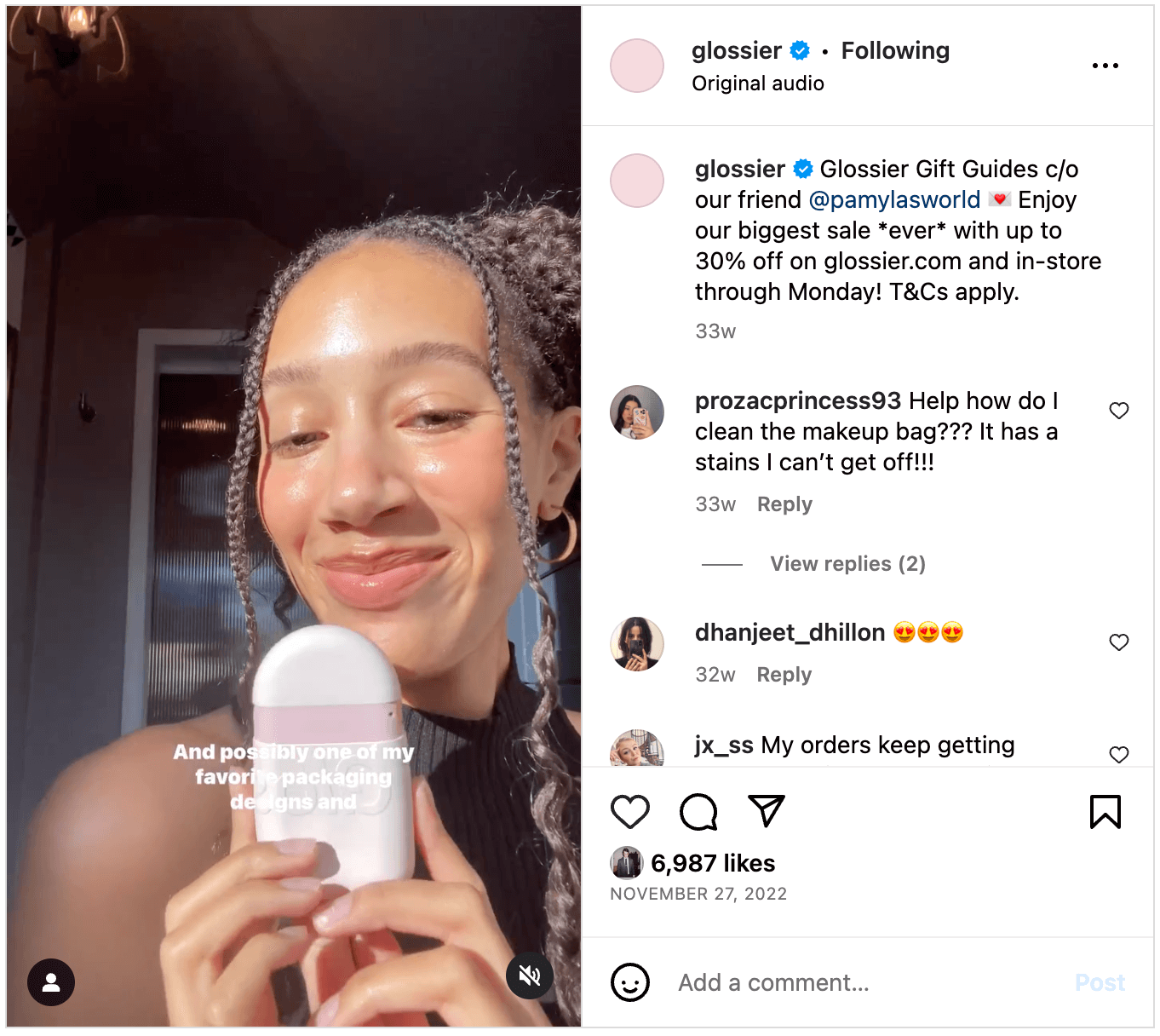 |
Tips for partnering with influencers and creators:
- Choose the right influencers. Ecommerce influencers with a household name may be too expensive for most brands. However, micro-influencers often have a loyal following and high engagement, offering affordable and effective partnerships for small businesses.
- Trust the creator. Rather than being prescriptive, allow the creators you partner with to guide the development of promotional content. They know their audience best and will understand how to get them interested in your product or brand.
- Track the partnership using promo codes and referral links. Monitor your sales, website traffic, and brand awareness during and after an influencer promotion. This will inform future influencer marketing strategies.
4) Rethink your promotional email campaign
An email marketing campaign is an important part of your overall Black Friday marketing strategy. A study conducted by Litmus found that email drives an ROI of $36 for every dollar spent.
With direct access to inboxes, ecommerce companies can establish a direct link to customers with customer service email marketing. Aim to stand out in a sea of promotional emails during Black Friday. Find the delicate balance between intriguing subscribers with early promotion news and overwhelming their inboxes.
Magic Spoon, a brand creating high protein and no-sugar breakfast cereal, sent out three emails as part of their Black Friday email promotions: an early bird email on Wednesday, a 25% promotional offer on Black Friday, and a final reminder email on Sunday, ahead of Cyber Monday. They coupled their promotional discount with a gift, sharing all the details with their email subscribers and featuring a clear call to action.
 |
Tips for planning a promotional email campaign:
- Craft a compelling email subject line. Make your subject line catchy, relevant, and intriguing enough to entice the reader to open it. Try A/B testing to discover what resonates. Review your analytics to see what headlines have performed well before.
- Segment your email list. Cater to individual needs by segmenting your email list based on customer behavior, preferences, and purchase history. This allows you to personalize messages, increasing engagement.
- Optimize for cross-platform reading. Ensure emails are responsive and mobile-friendly.
Use your support emails to drive Black Friday promotion
Your company sends more than just marketing emails. Your customer service emails — from issue resolution emails to product troubleshooting communication — are another opportunity to drive awareness of your upcoming Black Friday promotions.
Use Gorgias’ PS Macros to drive sales at the bottom of your support emails. Build up your Macro library ahead of Black Friday, testing different email post-scripts and tracking their performance.
5) Use chat campaigns to promote Black Friday offers
The old-school understanding of chat is reactive: You receive questions and respond with answers. You can also use your chat widget to proactively reach out to visitors with chat campaigns.
For example, Gorgias Chat Campaigns send prospective customers information about exclusive sales, bundles, or reminders — in the flow of shopping. This Black Friday, set up a chat campaign offering discounts or coupon codes to website visitors, converting browsers into buyers.
For example, bidet brand TUSHY programs a chat campaign on the homepage, which pops up to advertise their “Brown Friday” promotion. A similar campaign is set for each of their product collection pages, promoting the offer and boosting conversion.
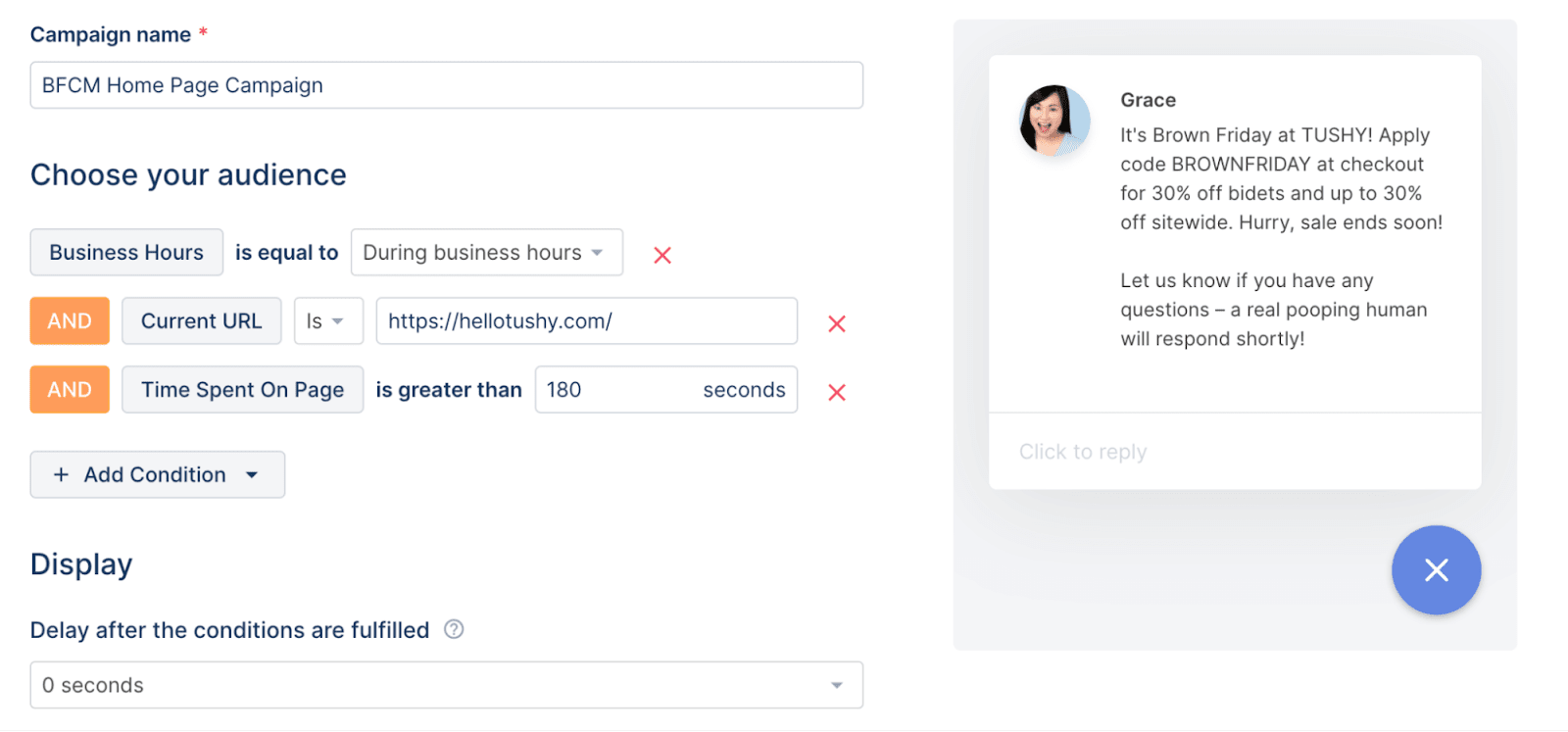 |
Tips for using chat campaigns to promote Black Friday offers:
- Set specific campaign parameters. When building a chat campaign, choose when and where a campaign on your site is trigged. For instance, your message can pop up after a visitor spends more than 30 seconds in their online shopping cart or when a visitor is about to exit a page.
- Capture interest with a deal. Grab attention with a compelling offer — a secret sale, a meaningful discount, or a free shipping reminder.
- Set business hours. Automated chat campaigns can fire 24/7, but you don’t have to offer live chat 24/7 (or at all). With Offline Mode, you can deactivate the live chat function of your widget, so customers won’t respond to the campaign and get confused when nobody responds.
6) Share behind-the-scenes preparation on TikTok
As of 2022, TikTok has over 1.4 billion users but remains underutilized by brands who feel more at home on Facebook and Instagram. This holiday shopping season, create vertical videos that spotlight your employees preparing for Black Friday, sharing behind-the-scenes preparations on TikTok. The casual feeling of the platform offers an excellent opportunity to humanize your brand by providing a candid view of your team in action.
Kulani Kinis, a swimwear brand, leaned heavily into TikTok marketing for Black Friday 2022, creating nearly half a dozen videos to promote their sale. Amongst them was a video from their Ecommerce Coordinator, JJ, who provided details about discounts and showcased some of her favorite picks from their Fever Dream collection.
 |
Tips for sharing behind-the-scenes preparation on TikTok:
- Get candid and embrace authenticity. Opt for real, raw content instead of polished, highly-produced videos. This authenticity resonates with TikTok users and enhances engagement.
- Pack orders on camera. Combine ASMR with personalized content by packing customer orders for TikTok content, giving viewers a glimpse into your ecommerce business.
- Leverage the platform’s potential. With TikTok’s lack of a social graph and emphasis on the “For You” page, TikTok’s algorithm and the platform’s high virality potential make it a fertile ground for reaching a wider audience. Lean into trends, using popular sounds or meme formats for your brand’s TikTok.
7) Partner with a brand-aligned charity or non-profit organization
A 2022 research study found that 82% of shoppers prefer a consumer brand’s value to align with their own. Furthermore, 66% of shoppers are seeking out eco-friendly brands and products. Partner with an aligned charity and donate a portion of Black Friday and Cyber Monday profits to appeal to conscious consumers and highlight what your brand stands for.
Poppy Barley, an ethically-made, sustainable footwear and accessories brand, set a donation goal of $20,000 and committed 100% of the proceeds from their 2023 Black Friday sale to KidSport. This amount went towards funding 100 girls in sports, helping them develop confidence and leadership skills for the future.
 |
Tips for partnering with a brand-aligned charity or non-profit organization:
- Choose a relevant partner. Identify a charity or non-profit that aligns with your brand values and showcases your commitment to causes your customers care about.
- Communicate your intentions. Promote your partnership and donation plans on your platform to increase awareness.
- Share post-sale results. After Black Friday and Cyber Monday, share the impact of the donations. This transparency boosts your brand’s credibility and builds trust with your customers.
8) Provide customers with mobile app-exclusive deals
If you have a mobile app or plan on launching one this upcoming holiday sales season, consider integrating it into your Black Friday promotion. Offer an exclusive Black Friday discount code to app users, incentivizing app downloads. This also establishes a direct channel for sending in-app notifications about future products and sales.
Tips for providing customers with mobile app exclusive deals:
- Promote exclusive app discounts widely. Use your website, social media, and email newsletters to advertise the exclusive Black Friday deal available only to app users.
- Offer a unique discount code. If you plan on also providing a discount to website users, ensure that your app discount is unique to allow for tracking and analyzing results.
- Maximize in-app notifications. Use your app as a direct communication channel. Send in-app notifications about the exclusive deal, and later about new products and sales, to engage users continually.
9) Use your chat widget to automatically answer pre-sales questions
Customers abandon carts if they can’t find information about shipping and returns. Use your chat widget’s automation to answer pre-sales support questions for holiday shoppers browsing your website on Black Friday.
Take advantage of a tool like Gorgias to create Quick Response Flows that automatically provide answers to these frequently asked questions.
For example, Loop Earplugs proactively educates customers about the product with questions like, “Can I still have a conversation wearing Loops?” to instill buying confidence:
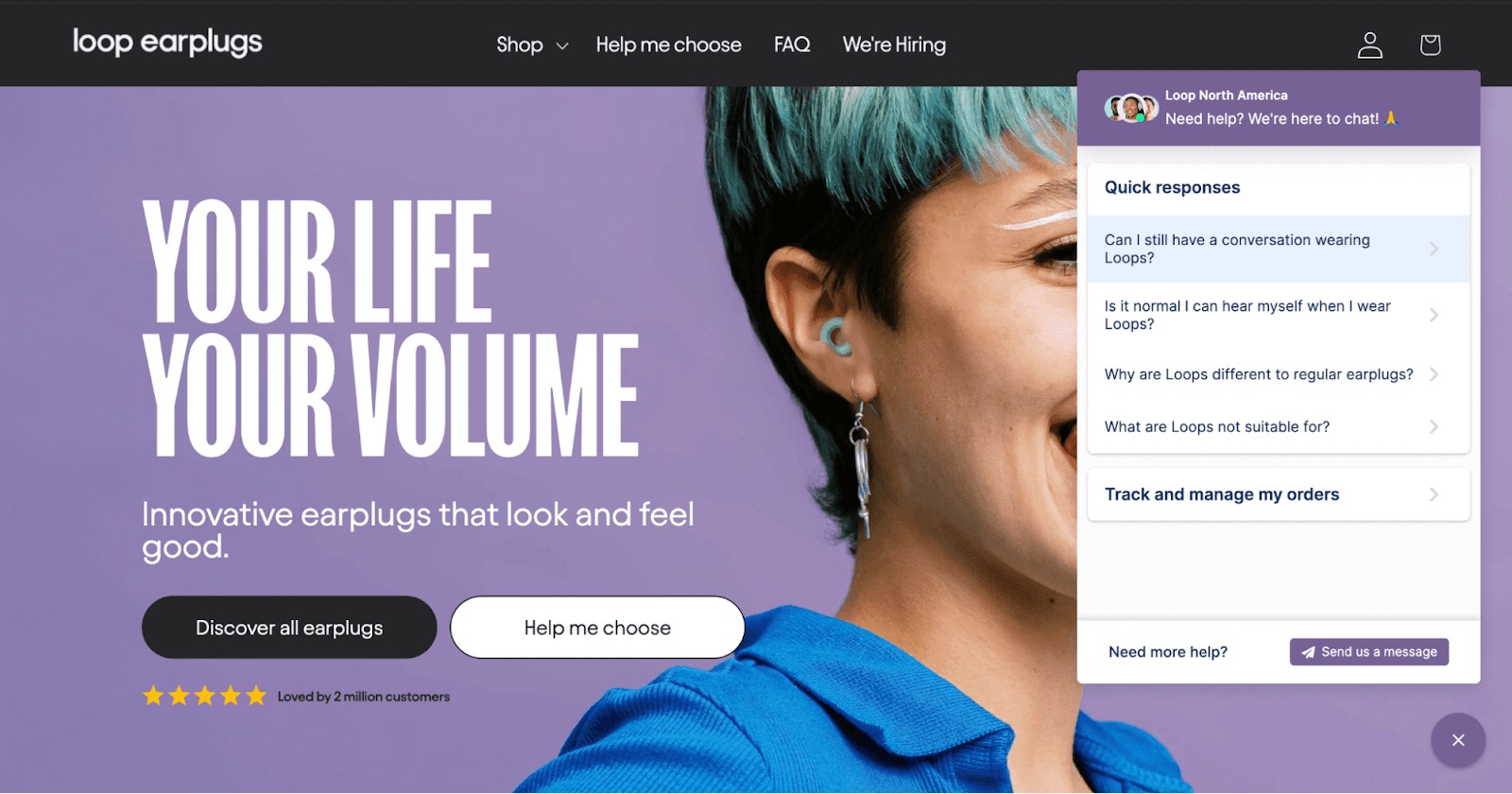 |
Consider FAQs that answer questions about your promotions this Black Friday, too:
- Do you offer Black Friday/Cyber Monday deals?
- Can I return or exchange items bought during the Black Friday/Cyber Monday sale?
- Do you offer free shipping for Black Friday/Cyber Monday?
- Can I use my Black Friday/Cyber Monday discount code for purchasing gift cards?
- Can I use Black Friday/Cyber Monday codes on sale items?
Tips for using your chat widget to automatically answer pre-sale questions:
- Make your chat widget visible and accessible. Ensure the chat widget is easily noticeable and accessible on every page of your website — especially if you’ve changed your website theme for Black Friday.
- Constantly update and refine your FAQ. As your Black Friday and Cyber Monday sales progress, keep updating your Quick Response Flows based on real-time feedback.
- Train your team for the big day. Chat is a complement to your customer support on Black Friday, not a replacement. Make sure your team is equipped to handle more complex inquiries.
10) Offer free or discounted shipping
According to a 2023 commerce trends report from Shopify, people order about 2.5 items with free shipping, compared to less than 2 items with paid shipping. Additionally, people buy over $22 more on the median order with free shipping compared to paid shipping. Ecommerce companies can leverage this tactic on Black Friday to reduce purchase barriers, increase perceived value, and attract customers who make larger order sizes.
Tips for offering free or discount shipping:
- Market your shipping offer. Promote your free or discounted shipping on your website, email campaigns, and social media. Make it a central part of your Black Friday messaging to attract deal-seeking customers.
- Set minimum order thresholds. Encourage larger order sizes by offering free shipping for orders above a certain amount to increase average order value.
- Highlight the savings. Feature the discounted amount at checkout to ensure customers are aware of the savings they are making on shipping.
11) Host a flash sale or hourly deals
Flash sales and hourly deals infuse a sense of urgency into your Black Friday marketing strategy, prompting customers to make quick purchase decisions. With each flash sale, showcase a carefully selected product or a curated collection, offering a significant discount or exclusive bundle. By limiting the availability of these deals to a short duration, you tap into customers’ fear of missing out, urging them to seize the opportunity before it expires.
Clothing brand Princess Polly used a broad discount alongside flash sales across Black Friday weekend, keeping website visitors informed about deals and creating urgency with a countdown timer. They also updated their homepage banner throughout the shopping weekend, having it read “FINAL HOURS!!” as the countdown neared the end of the sale.
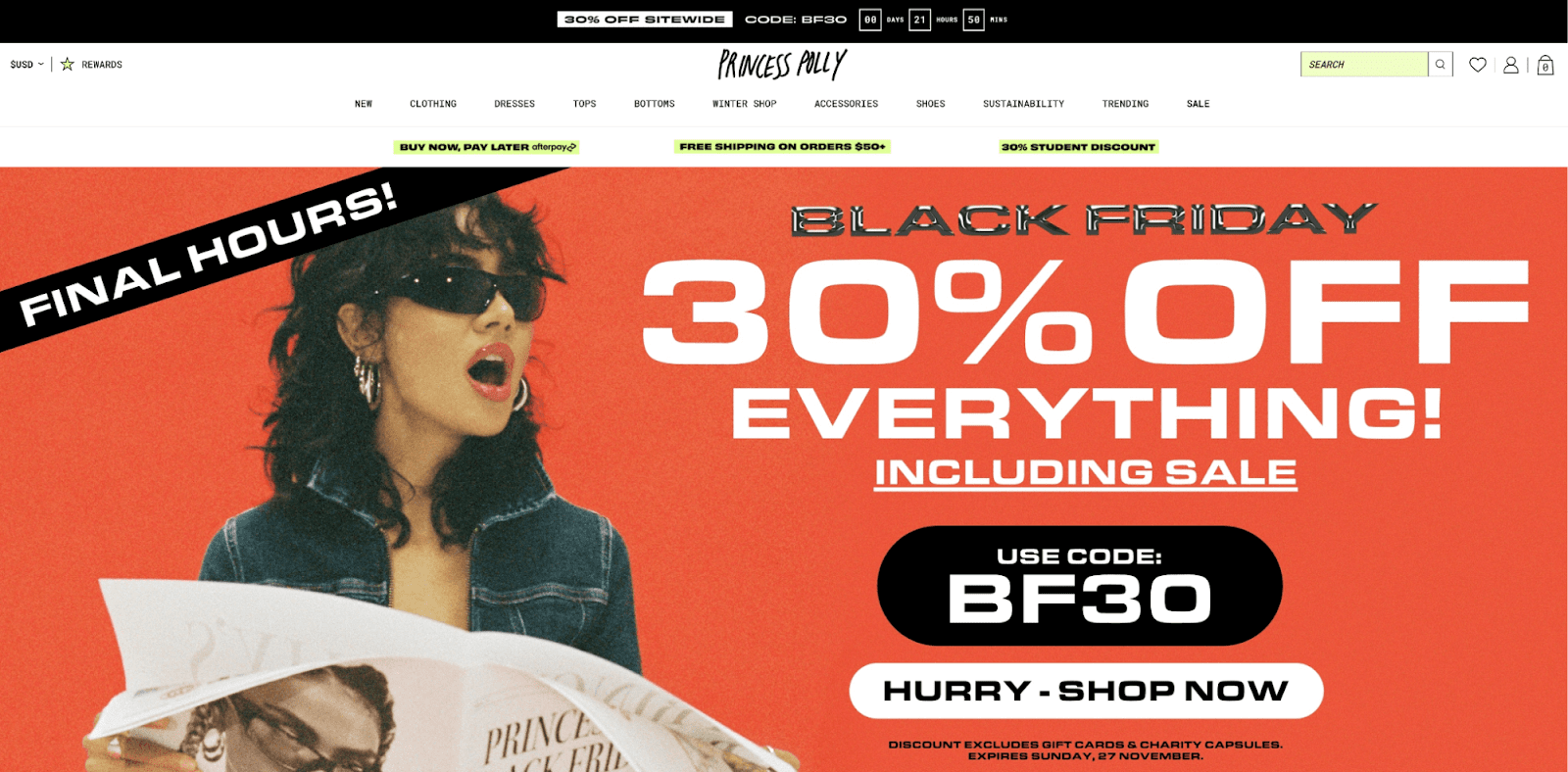 |
Tips for hosting a flash sale or hourly deals:
- Set realistic discounts. Ensure that the discounts or promotions you offer during the event are attractive and meaningful to your customers while allowing your business to maintain profitability.
- Use Countdown timers. Implement countdown timers on your site to underscore the time-sensitive nature of the deals and increase urgency.
- Manage inventory Effectively. Prepare for the surge in demand by ensuring sufficient stock levels to prevent customer disappointment from sold-out items.
12) Delight buyers with a free gift per purchase
Include a gift with each purchase to enhance the customer experience during the Black Friday sales period. This marketing strategy distinguishes you from the competition while building brand loyalty and incentivizing larger purchases.
A gifting gesture also creates a moment of delight that leaves a lasting impression, increasing the chances of repeat purchases and word-of-mouth recommendations.
For Black Friday 2023, the skincare brand Topicals offered customers a free Faded Eye Deluxe sample on orders over $100. This promotional offer allowed customers to buy to buy their best-selling Faded cream, while also getting to try a newer complementary skin product offering for free.
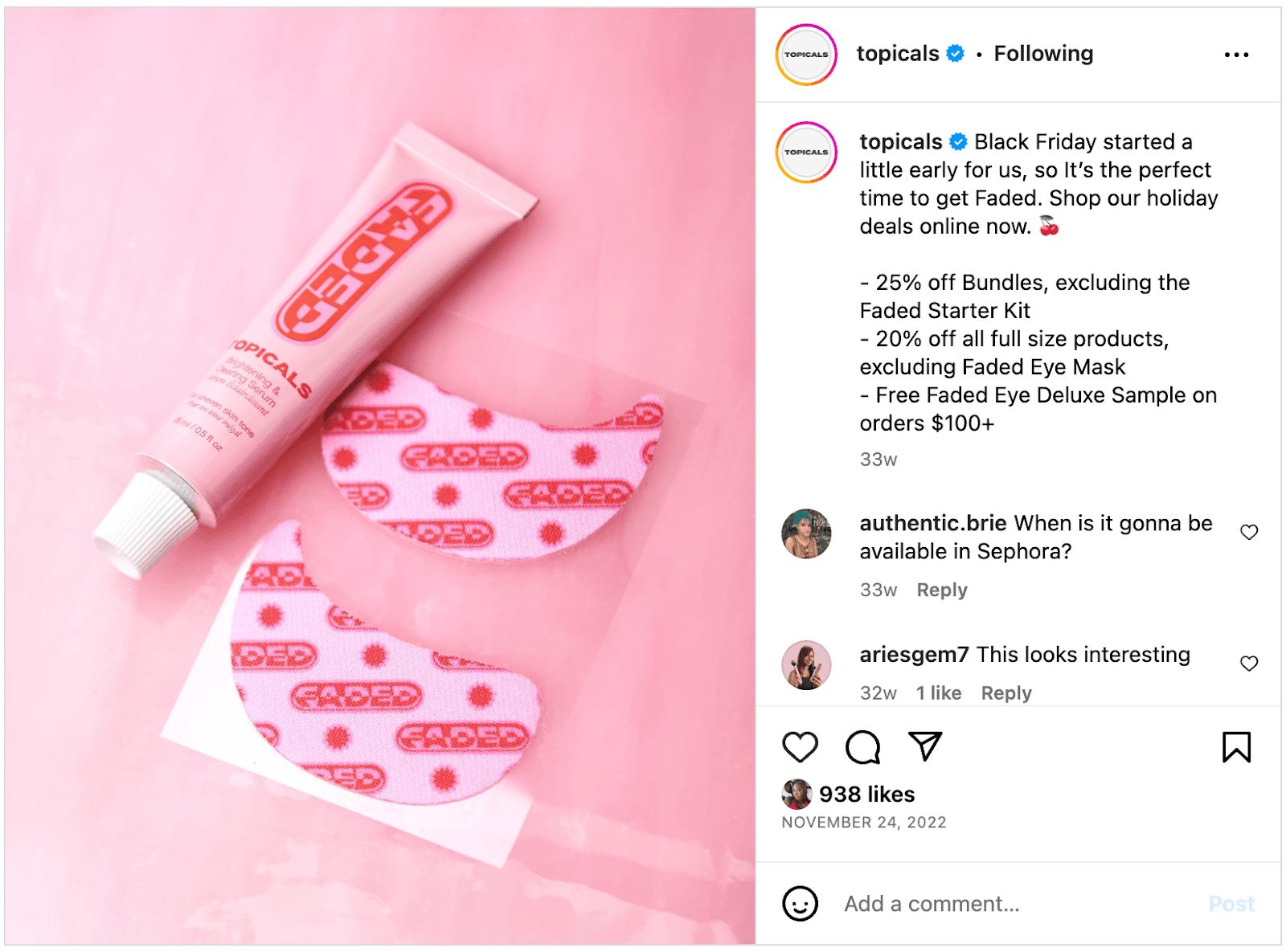 |
Tips for sending off buyers with a gift per purchase:
- Choose the right gifts. Ensure the complimentary gifts align with your brand and are likely to be appreciated by your customers. Small branded items (e.g. a tote) or samples of other products work well. Avoid large or delicate items that complicate your shipping.
- Present the gift at checkout. Display the gift in the customer's cart at the point of checkout. This creates a positive surprise and reinforces the deal’s value to the customer.
- Package to perfection. Pay attention to the presentation of the gift, using attractive and branded packaging that reflects the quality of your brand.
13) Release a brand-new product
While your business likely has more than enough happening during the busiest sales season of the year, unveiling a new product is a powerful magnet. The allure of discovering something new and exclusive, combined with the limited-time deals and discounts of the sales period, creates a compelling proposition for both new customers and loyal advocates.
Tips for releasing a brand-new product:
- Launch a hotly anticipated product. Opt for an offering that has been highly requested and validated by looking through customer requests.
- Incentivize first buyers. Offer limited-time incentives for the first set of customers who purchase the new product. This could be an extra discount, free shipping, or a complimentary item.
- Use social media for showcasing your new product. Conduct a live unboxing or feature early customer testimonials to showcase what customers will receive.
14) Offer product bundles and loot boxes
Product bundles and loot boxes offer customers a value-packed deal, combining multiple products or exclusive items at a discounted rate. The appeal of this Black Friday marketing strategy lies in the perceived value they receive. The bundled price is often lower than the individual prices of the included items.
Bundles not only encourage customers to explore and try different products but also present an opportunity to showcase lesser-known items and drive sales for slower-moving inventory.
Casper, a mattress company, bundled together and discounted a set of pillows and sheets for their Black Friday product special. Dubbed their “Comfy Bundle”, this offering also complements the mattresses and larger-ticket items that were on sale, too.
 |
Tips for offering product bundles and loot boxes:
- Bundle complementary products. Combine products that naturally go together or enhance each other’s use, creating a complete solution.
- Offer surprise loot boxes. Build excitement by offering a loot box with mystery items. These boxes incentivize purchases by playing on the element of surprise.
- Promote bundle savings. Communicate the savings customers gain from purchasing a bundle versus buying each product individually (e.g. “$50 value for $24.99”).
15) Sell gift cards at a discount
Most ecommerce promotional offers explicitly exclude the purchase of gift cards. However, offering gift cards as an option on Black Friday extends a convenient solution for shoppers unsure about what to purchase or who may be purchasing presents for the holidays.
Gift cards can lead to additional sales beyond the initial purchase amount, as recipients may spend more than the value of the gift card when redeeming it online or in-store.
Tips for including gift cards as a product option:
- Ensure prominent promotional placement. Ensure that gift cards are clearly displayed on your website, specifically highlighting them as a Black Friday offer.
- Offer e-gift cards and physical gift cards. Provide both options to accommodate customer preferences — e-gift cards for instant delivery and physical cards for a tangible gifting experience.
- Opt for attractive visuals. Create visually appealing graphics with custom imagery that showcase the gift cards.
16) Use a tiered discount model
Implement a tiered discount model for your Black Friday promotions. This approach offers different levels of discounts based on the total order value, encouraging customers to spend more to unlock higher savings. Leverage this strategy to increase average order value and maximize sales during the Black Friday shopping frenzy.
Hive, a sustainable online grocery store, used a tiered discount model on Black Friday, advertising the offering prominently on their website. They offered customers 10%. 15%, or 20% off, depending on how much they spent.
 |
Tips for using a tiered discount model:
- Set clear discount thresholds. Communicate the savings customers can unlock at each level to incentivize them to reach the next threshold.
- Promote upgrades. Use banners, pop-ups, and email marketing to encourage customers to upgrade their carts and take advantage of higher discount tiers.
- Offer limited-time incentives. Create a sense of urgency by making the tiered discounts time-limited. Encourage customers to complete their purchases within a specific timeframe to qualify for the higher discount tiers.
17) Create a product quiz to provide personalized product recommendations
Creating a product quiz to provide personalized product recommendations is a compelling way to drive sales (as well as upsells and cross-sells). This approach engages customers in a unique and interactive experience while helping them discover products that align with their needs.
Additionally, it generates valuable data and insights on customer preferences, informing your future marketing efforts.
Dr. Squatch, an organic soap brand, offers a quiz year-round, including during Black Friday. The quiz is linked prominently in the top-bar navigation. And with just a few questions, the personalized quiz helps buyers choose the product with the best scent, exfoliation, and hair care for them.
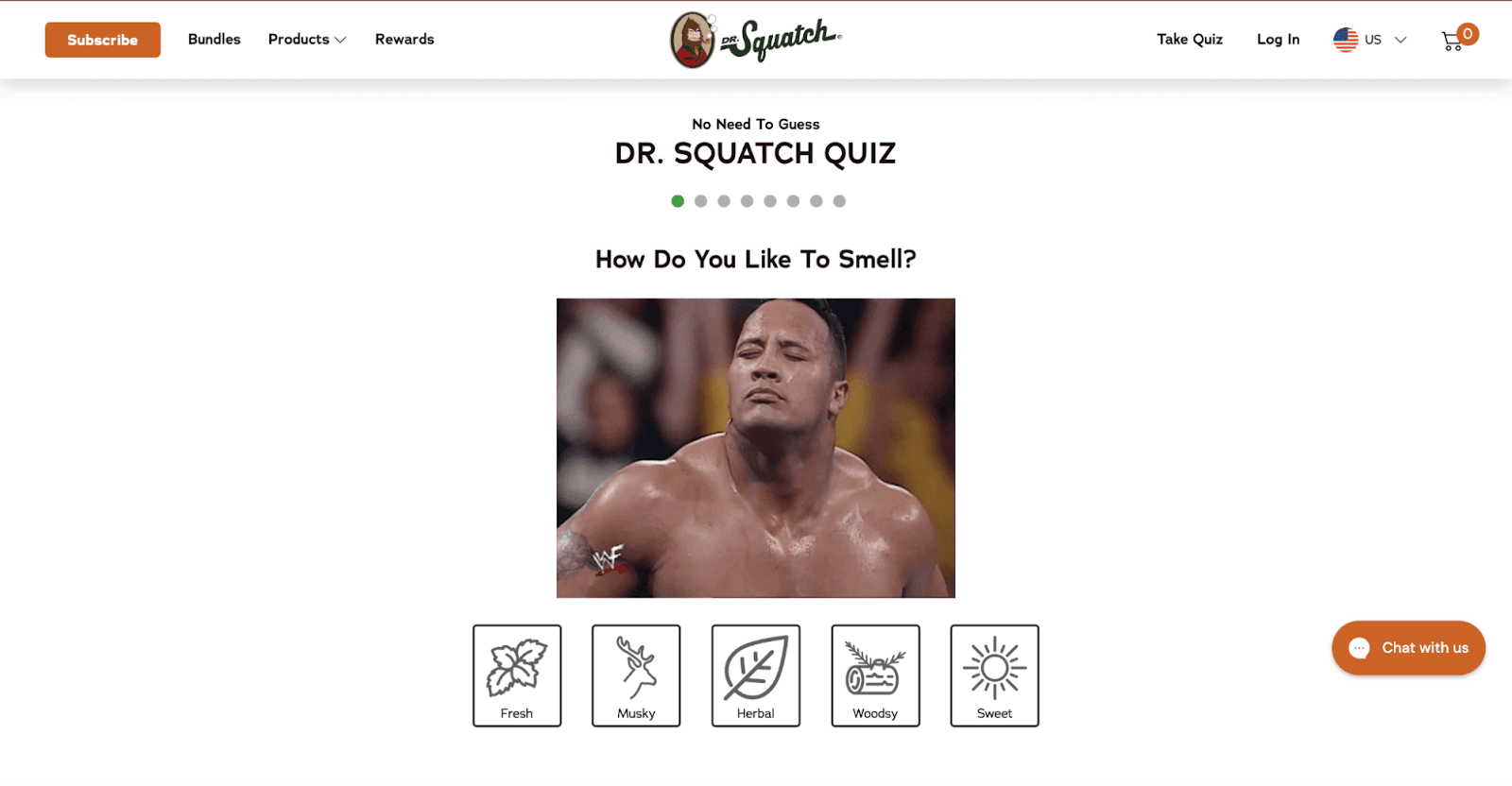 |
Tips for creating a personalized product quiz:
- Design relevant quiz questions. Tailor the quiz questions to align with the different product categories or segments you offer.
- Link your quiz prominently. Brands like Dr. Squatch and Loop Earplugs understand the conversion power of personalized recommendations, and link quizzes in the top navigation.
- Capture customer data. Require customers to provide their email address or other contact information to access the quiz results. This lets you gather valuable data for future marketing efforts, such as email campaigns or targeted promotions.
Add a quiz to your chat widget, too
You can make your quiz even more discoverable by using Quick Response Flows in Gorgias, which build your product quiz into your Chat Widget or Help Center. Dr. Squatch adapted their quiz into a Quick Response Flow — check it out below (or on their website).
 |
18) Keep the conversation going through to Cyber Monday (and beyond)
According to data from over 10,000 Gorgias merchants, repeat customers generate 300% more revenue than first-time customers.
While attracting new customers during Black Friday is undoubtedly valuable, retaining Black Friday customers for the long term holds even greater significance. Lean into strong customer service, strategic campaigns, personalized email marketing, and social media engagement to foster long-term customer relationships that build brand affinity and maximize sales.
Tips for keeping the conversation going through to Cyber Monday (and beyond):
- Plan a Cyber Monday campaign. Design a dedicated Cyber Monday campaign with exclusive deals and promotions. Build anticipation by teasing these offers during Black Friday and encourage customers to return for more special discounts.
- Leverage segmented email marketing. Use email marketing to reach out to different customer segments based on their Black Friday behavior. Tailor personalized emails offering recommendations and send out cart abandonment reminders.
- Double down on social media engagement. Encourage customers to share their Black Friday purchases, run a giveaway, and offer incentives to create a sense of community and excitement around your brand that extends beyond the sales event.
Remember: the purchase isn’t the finish line
During the hustle and bustle of Black Friday marketing, it’s crucial to zoom out and remember your long-term goals beyond the sales frenzy. While driving immediate sales and capturing new customers is key, it’s equally important to focus on the customer experience that improves retention, reduces BFCM returns, garners reviews, and turns first-time buyers into loyal customers.
Building strong relationships with your customers, and providing exceptional post-purchase experiences, will pave the way for long-term revenue growth for your ecommerce business.
Encourage customer feedback, engage with reviews, and implement strategies to foster loyalty. By nurturing these aspects, you turn Black Friday shoppers into loyal advocates who return all year round.
{{lead-magnet-2}}

What Is Ecommerce Retention Rate? (And How To Improve It)
Ecommerce businesses pour time and money into attracting prospects and turning them into new customers. But as acquisition costs skyrocket due to increased competition and rising ad prices, attracting new customers isn’t enough — especially if you can’t keep them around.
Today, ecommerce brands must prioritize customer satisfaction and retaining existing customers. If you can’t retain customers, you’ll never get out from under high marketing costs and grow your brand in a sustainable way. Plus, if you can’t offer a customer experience that generates brand loyalty, poor word of mouth will chip away at your brand’s reputation and make it hard to get new customers at all.
Fortunately, more tools and resources than ever exist to help you develop a good customer retention strategy by improving the on-site experience, customer support, and all the other elements of a great customer experience.

Below, we'll cover the importance of customer retention, how to calculate your customer retention rate, and share ways to improve your customer retention rate and reduce customer churn.
What is ecommerce retention rate?
Customer retention rate is the percentage of existing customers that continue buying from your brand over a given period of time.
If your organization sees many repeat customers and — if applicable — keeps customers subscribed, you’ll end up with a good customer retention rate. However, if your company seldom does business with a customer after the initial order, you have an opportunity to improve your retention rate.
Customer retention rate is the inverse of ecommerce churn rate. Check out our guide on churn if you want to learn more about that side of the coin.

Retention rate for subscription-based businesses
Retention rate is most applicable to businesses that sell subscription-based products or services, like software-as-a-service (SaaS) companies or ecommerce brands that sell subscription boxes.
For these companies, measuring and understanding retention rate is straightforward. As long as a customer has an active subscription, they’re retained. The total number of customers who remain active subscribers each month (compared to the previous month’s number) is the brand’s retention rate.
Retention rate for non-subscription businesses
For customers that don’t sell subscription-based products, retention rate is a bit of a square peg in a round hole. Retention rate becomes more of a proxy to understand customer loyalty and the rate of returning customers, which are a little less concrete. It’s difficult to anticipate a customer’s future purchases because they don’t have a clear subscription status.
Is a customer retained if they buy a product every week? Month? Quarter? What if they don’t buy from your store for half the year, then re-engage for Black Friday — were they retained, or won back? These questions are why retention rate isn’t a perfect metric for the typical ecommerce business.
For these types of companies, we recommend tracking repeat customer rate as well as other leading indicators for repeat shopping, like customer satisfaction (CSAT) and net promoter score (NPS) rather than customer retention metrics.
Why is customer retention rate an important metric?
Your customer retention rate is a valuable measure that gives you important insight into your ability to sustain customer relationships (and turn them into repeat business). It's easier and cheaper to keep a customer than it is to go out and find new customers. According to Hubspot, a mere 5% increase in customer retention can increase the company's revenue by a whopping 25%-95%.
According to Gorgias data, repeat customers make up only 21% of the average brand’s customer base but generate 44% of that brand’s revenue because they shop more often and place higher-value orders.
If your strategy over-relies on winning new customers, you’re missing out. Due to high customer acquisition cost and low returns from first-time shoppers, you’ll overspend on low-return customer relationships, taking your ROI. Of course, acquiring customers is important — but their value is only truly realized if you can keep them around.
Customer retention rate calculation
There's a simple formula for calculating your customer retention rate. It contains three elements:
- Number of customers at the beginning of a time period
- Number of customers at the end of the same time period
- New customers acquired during the given period
Customer retention rate = [(Number of customers at the end of time period - Number of customers acquired during time period) / Number of customers at the beginning of time period] x 100
Customer retention rate example
Company A had 100 customers at the beginning of the year and 80 customers at the end of the year. During the year, they acquired 45 new customers. The customer retention rate calculation for Company A would be as follows:
Customer retention rate = [(80 - 45) / 100] x 100
Customer retention rate = 35%
What is the average customer retention rate for ecommerce stores?
The widely accepted customer retention rate for the ecommerce industry is 31%, according to Omniconvert. Depending on how well they handle their customer base and their effort in building customer loyalty, some companies may enjoy a considerably higher customer retention rate. Those who only gear their resources toward finding and selling first-time customers may have a lower retention rate.
Of course, the most important thing is consistent improvement, regardless of your brand’s current customer retention metrics. Customer retention is an ongoing process, and there's always room to improve — which will benefit your customer service ROI and your bottom line.
{{lead-magnet-1}}
7 ways to improve ecommerce customer retention rate
Ecommerce brands should keep a razor-sharp eye on their ecommerce retention rate and churn rate, just like they need to look at customer lifetime value (CLV) and average order value. These benchmarks are metrics that help measure a business's health and identify opportunities to benefit the bottom line. You can put actions in place that help you keep current customers with you instead of your competition.
Let's dive into six tried-and-true customer retention strategies you can use to increase your ecommerce brand's customer retention rate.
1) Provide a fantastic customer experience
We can't say enough about the importance of a positive and pleasant user experience. According to a 2019 research study by Oracle and Jeanne Bliss, 43% of customers will stop doing business with a brand over a single bad experience. In addition, 59% of them will tell their friends and family about the negative experience.
Evaluate your customer service program with metrics like resolution time, net promoter score, and customer satisfaction, and work on improving essential elements of customer experience like:
- Hiring and training high-quality, well-trained talent understands your customer and delivers top-tier support every time
- Self-service resources to help customers find instant answers when they run into problems
- Automation to help your customer success team perform their jobs faster and more efficiently
- Mobile optimization: According to Statista, smartphone orders generated 46% of revenue for retail ecommerce websites
- Omnichannel support so customers can get ahold of you wherever they are, like social media, text messaging, or live chat support

For more tips on the essential elements of a great customer service experience, check out our post on customer service best practices.
2) Introduce a clear post-purchase experience
One of the most important moments of the customer life cycle is immediately after their first purchase. Think of the post-purchase email campaign as your onboarding flow for repeat customers. You need to set customer expectations with clear, proactive communication or else they’ll be less likely to return to your store.
Here are some examples of the consequences of poor post-purchase experiences:
- If a customer places an order and doesn’t get a follow-up email, they start to doubt whether their order went through
- If a customer doesn’t get an order tracking number after a purchase, they may stress about the shipping time frame
- If a customer doesn’t get set-up instructions, they may think the product doesn’t work and ask for a return
Pay special attention to the communication a customer receives after their first purchase. A lack of communication is fatal, and the right combination of confirmations and email marketing can quickly get customers interested in buying additional products. If you nail it, you give the customer a clear, easy path to long-term customer loyalty.
A great example of clear, post-purchase emails is Princess Polly, an apparel brand. They give customers simple but visually informative confirmation emails that communicate the status of the customer’s order at a glance:

3) Build a rewarding customer loyalty program
Loyal customers come back to your brand over and over, making them a profitable addition to your business. According to a 2020 survey by Yotpo, 68% of customers will join a loyalty program if one is available. Cultivate your customers into raving fans and increase their purchase frequency by employing a customer rewards marketing strategy.
To create a successful rewards program, consider looking into tools like LoyaltyLion. They help you determine the rewards that repeat customers will get for important customer engagement behaviors like mentioning you on social media (which is great for word-of-mouth exposure), purchasing a new product, or generating referrals. Consider offering freebies, deep discounts, and early access to new product launches.
Parade, an apparel ecommerce brand, offers its loyal customers (called Parade Friends) free, early-access items. This supports customer engagement and brand loyalty, and usually leads to a wave of user-generated content (UGC) on social media that promote the brand:

If you use Gorgias, you can also integrate with LoyaltyLion to see customer rewards within the helpdesk so you can see which customers are superfans, prioritize their tickets, and offer personalized service.
Learn more about the Gorgias and LoyaltyLion integration.
4) Offer customers discounts and deals
Everyone likes to feel special. Score some big points with your current customer base by offering them exclusive incentives. This could include letting loyalty program members order new products before the general public, offering them member-only discounts, offering free shipping, and sending a free gift with their purchase. These extra touches will increase your customer's satisfaction and keep them loyal to your brand.
Amazon is a great example of a company that uses deals and discounts to get people to shop on their site. When you sign up for Amazon Prime, you get free shipping, an enormous library of original movies and TV titles, and so many other perks to incentivize you to keep shopping at Amazon.
Of course, this strategy isn’t feasible for small stores running on Shopify, BigCommerce, and other ecommerce platforms. But, if it makes sense for your products, consider replicating the strategy with a Subscribe and Save option. By signing up for automatic repeat purchases, customers get a discount. This is great for customers because they save on the purchase and don’t have to remember to restock. It’s also great for your company: You retain more existing customers, driving revenue.
Here’s an example of how OLIPOP, a beverage brand, advertises their subscribe and save option on product pages:

5) Conduct surveys and learn from customer data
Don't assume you know what your customers want — ask them! Retaining customers takes continuous communication, as their interests and preferences can change over time. It's necessary to periodically survey them to ensure you're hitting the mark with your retention efforts. Gather and review customer feedback, looking for trends to use to elevate your buyer's experience.
These surveys don't have to be long or time-consuming. A question or two during checkout or a marketing email asking for two minutes of their time is enough to give you valuable intel.
Learn more about gathering customer feedback with CSAT surveys or NPS surveys.
6) Improve your ecommerce store’s marketing with segmentation
Consistently improve and optimize your store to keep it functioning quickly and efficiently. Segment your customers for more personalized, impactful messaging. For ecommerce brands, the best tool around is Klaviyo. Klaviyo helps you segment your customer base and send highly targeted SMS and email marketing campaigns.
Plus, if you use Gorgias, you can integrate with Klaviyo to bring you SMS marketing and support into one tool:

On top of segmentation, continue making your website as seamless and low-effort as possible. Check your load times for your web pages, measure the success of your calls to action (CTAs), and cut down on the number of required clicks where you can. Remember, the best way to delight customers (and keep them coming back) is a low-effort experience.
7) Utilize cross-selling and upselling strategies
Upselling and cross-selling are the most effective strategies to maximize the lifetime values of repeat customers by driving higher order values. While you never want to be too pushy, you can employ retention marketing strategies to suggest new, exciting products to existing customers to bring them back to your store and spend more.
Check out our guide to ecommerce upselling strategies for:
- A list of tools to support your upselling efforts
- Tips to turn customer support interactions into upsell opportunities
- Tips to proactively reach out to customers as an upsell strategy (which has been shown to lift revenue)
- Tips to reduce returns and get more exchanges instead, which reduces lost revenue and still gives you a chance to wow customers
Alternatively, learn how Ohh Deer, a stationery brand, partnered with Gorgias to revamp their customer support and upselling strategy and lift quarterly revenue by $12,500.
Increase your ecommerce retention rate with Gorgias
By focusing on providing a wonderful customer experience at every touch, creating customer loyalty, and cross-selling at the right moments, you can increase your ecommerce company's retention rate and enjoy more profit from your existing customer base.
Ready to improve your customer service? Gorgias, the helpdesk built exclusively for ecommerce, helps ecommerce businesses enhance, automate, and increase the speed of their customer support, improving customer experience and, by extension, customer retention. Brands that switch to Gorgias see an average of 5% higher gross merchandise volume (GMV).
We also help you monitor performance with features like our support performance dashboard and live statistics about agent performance.
Book a demo today to learn how you can increase your customer retention rate with exemplary customer service.
{{lead-magnet-2}}

Building delightful customer interactions starts in your inbox
