
.png)

Newsletter Signup
The best in CX and ecommerce, right to your inbox
Featured articles

Ticket Volume: How to Measure It, Benchmark It, and Reduce It

Gorgias AI Agent Pricing, Explained

Introducing Helpdesk 2.0: Built for How Agents Work
TL;DR:
- Built directly from agent feedback, Helpdesk 2.0 fixes real workflow pain points. The redesign focuses on reducing friction and helping agents handle more context-heavy tickets.
- A chat-style interface replaces the old email layout. Conversations are easier to follow and resolve in one view.
- Customer context is shown beside the conversation in a right-side panel. Agents can view history, orders, and details without leaving the ticket.
- AI handoffs come with clear summaries. Agents instantly see what happened, what was tried, and what to do next.
- Navigation is simpler and faster across teams. Clean menus, structured queues, and multi-store access keep agents moving efficiently.
Helpdesk 2.0 starts with the people who use it most: the agents.
We spent time understanding customer support from the agent's seat. What do they reach for constantly? What slows them down? What does a better workday look like?
Everything we found is in this brand-new update.
Why we redesigned Helpdesk
Conversational commerce is the new standard.
In customer support, this means customers expect context to remain intact wherever they reach out, whether a conversation starts on social, moves to email, or ends on a call.
This new approach to support has also changed the agent's role. Recurring tickets, like order status checks, shipping updates, and returns, are now handled by AI. What lands in the agent inbox are edge cases that require human judgment and troubleshooting, or tickets that require the full picture.
However, the original Helpdesk was built for a different era of support.
Context was separated across views rather than built into the conversation itself. It's something one in five Gorgias customers flagged, through support tickets, NPS surveys, and conversations with our team. So, we got to work.
Helpdesk 2.0 is the result.
What's new in Helpdesk 2.0
Here's a look at everything that changed.
Read conversations the way they're meant to be read
Conversations have a natural rhythm, one that’s already found in every messaging tool we use. We brought that same layout into the helpdesk.
Say goodbye to the 2000s email interface and hello to chat bubbles. This updated design changes how quickly you can orient yourself and resolve the ticket in one go.

Chats with customers now look like real conversations, using the speech bubble style you’re familiar with on popular messaging apps.
Check customer history without losing your place
Checking a customer's history used to mean leaving the conversation, an extra step that interrupted what should have been a smooth workflow.
Now, past conversations open in a sidebar next to the active conversation. You can view a customer’s full history, search through their timeline, and open prior tickets without going to a new page.

Check past conversations, orders, and customer details in the brand-new Customer Timeline.
See order details the moment you open a ticket
Order information is easier to reference than ever. Open a ticket, and you instantly see the customer's recent orders, marked with product images and invoice details at a glance. Need to dig deeper? Click on an order, and the expanded information appears in the same panel.
For teams using custom integrations, apps are fixed in a quick-access integration menu on the right.

See order details, product images, and totals at a glance on the right panel, without leaving the conversation.
Pick up where AI left off
You shouldn't have to dig through a thread to figure out what AI already tried. Now you don't have to.
When AI Agent escalates a conversation, it includes a concise handover summary that mentions the issue, what actions were taken, and why it was passed to your team.

Escalated tickets include a brief AI-generated handover summary, marked in yellow, for quick reference.
Move faster across every store and team
We restructured and simplified the navigation. The left sidebar organizes everything into clear categories: Inbox, AI Agent, Marketing, and Analytics, so anyone on your team knows exactly where to go.
To quickly update your knowledge base or adjust a workflow, both now live right in the sidebar. For teams managing multiple stores, switching between them is just as straightforward, accessible from the sidebar, so agents can move between inboxes without breaking their flow.

Agents can switch between stores and their corresponding inboxes directly from the left menu.
A workspace that works the way agents do
Support comes down to the person on the other end of the conversation. We built Helpdesk 2.0 is to make sure they have everything they need to show up for that moment.
The best way to see the difference is to work in it. Start a free trial today.



Further reading

Announcement: New Features and Changes to Our Pricing and Plans
Today, we’re announcing pricing updates for our Pro, Advanced, and Enterprise customers, along with customers using our Automate product. We’re also introducing a voice & SMS add-on that will allow you to communicate with customers on even more channels, enabling brands to continue providing the best customer support for their loyal customers.
This follows our recent announcement of a $10 monthly starter plan (50 tickets), which makes our platform more accessible to all merchants.
Over the past few years, we’ve proudly shipped many new features to serve our mission: empowering all merchants to deliver an exceptional customer experience that drives revenue.
Now, with Gorgias, you can:
- Interact with customers on more channels, including DMs and comments on Twitter, Instagram, and Facebook — plus voice, SMS, and native help centers
- Sell more products with chat improvements (including native Shopify product links) and revenue statistics
- Work more efficiently with ticket auto-assign, improved Shopify actions, and live statistics that keep your team on track
- Integrate with your favorite tools, including the most advanced Klaviyo integration on the market and 80+ other integrations since mid-2019
Here’s a snapshot of the new pricing, which will go into effect in the next few months and empower further innovation on our product:
 |
What is changing with our prices and plans
Here's an outline of everything that's changing:
Pricing increases for Pro, Advanced, and Enterprise plans:
Pricing is changing for Merchants on the Pro, Advanced, and Enterprise plans.
Updated pricing
- Pro: $360/month or $3,600/year
- Advanced: $900/month or $9,000/year
- Enterprise: Contact us
Billable ticket limit decreases
We’re also updating the billable ticket limit for Basic and Advanced plans to better reflect the number of tickets merchants of this size typically see each month:
Updated billable ticket limit:
- Basic: 300 tickets/month
- Advanced: 5,000 tickets/month
Doubling down on Automate
Automate includes several valuable features that allow you to automate up to 25% of total customer interactions. This means you’ll spend more time driving revenue through high-quality support and less time handling repetitive tickets, such as where is my order (WISMO) interactions.
Some of the features only available in Automate include:
We initially launched Automate with introductory pricing in late 2021. We had great feedback from early adopters, especially after improving features like updated Quick Response Flows and Self-Service Flows. Now that Automate is delivering on its promise, we're ending our introductory pricing for the add-on and the full price will be reflected for all add-on subscribers.
Here is the updated Automate pricing:
Updated pricing
- Basic: $30/month or $300/year
- Pro: $180/month or $1,800/year
- Advanced: $450/month or $4,500/year
- Enterprise: Contact us
Legacy Self-Service features added to Automate
Furthermore, some of our legacy customers currently have access to a smaller set of automation features, separate from Automate. We will discontinue support for those legacy automation features for monthly users by December 31st, 2022. For users on annual plans, we will honor their legacy features until their renewal date. We encourage all customers to explore Automate, which provides a superior automation experience.
Automate overages increasing
As part of this pricing update, overages for accounts with Automate will be increased to account for the cost increase for the account. This will help us avoid pricing anomalies and keep things fair for customers across the board.
New features for some of our earliest customers
Currently, some of our oldest customers are on plans that we no longer support. We will migrate customers to the plan that most closely matches their current billable ticket count. This migration will also grant access to a suite of new features that were unavailable on those legacy plans:
- Managing Instagram DMs in Gorgias
- Agent Statistics
- Customizable Help Center
- Any additional upcoming product releases
We’re introducing a $10 plan for merchants that are getting started
We’ve heard from merchants who just launched their stores that they need a way to chat with customers on their website and host help center articles that proactively answer common customer questions. So we introduced a $10 plan with up to 50 tickets, that includes most of the features available to other Gorgias users. We’re excited to serve more small businesses with this new plan.
When are these changes happening?
For our customers paying monthly, these changes will come into effect two billing cycles from today (September 21, 2022). Your plan and price will change by November or December 2022, depending on when you first signed up for Gorgias.
For our annual customers, we will update your plan and prices in 2023 on your billing renewal date. Any annual customers renewing before the end of 2022 will keep their existing prices and features for another year, until 2023.
Why are we updating pricing?
Our product has grown and evolved significantly in the past three years since we last updated pricing in mid-2019. In order to continue on this trajectory, we plan to heavily invest in our product to bring even more value to our ecommerce merchants, growing their businesses.
Here are the biggest recent areas of growth for Gorgias:
Interact with customers on more channels
As a merchant, you understand the importance of showing up where your customers are. We have made great strides in this arena to bring you to all of the places your customers are expecting you to be, all in your single Gorgias feed.
 |
Our social media channels have evolved to best-in-class status, allowing you to interact with customers in all of the different ways they might reach out. Whether you’re responding to comments on your ads to increase return on ad spend or handling angry customers that slide into your DMs, we have you covered on major social networks.
And when you want to help customers help themselves, we now have a robust help center to answer all of their top questions without human attention. You can even upgrade your help center with self-service features like order tracking.
Sell more products
Your customer experience should drive revenue — happy customers are the best fuel for growth.
This belief is at the center of Gorgias’ philosophy and guides our product development. As a result, the Gorgias platform has gotten much better at driving revenue for our customers, resulting in $1.1 billion in support-driven revenue in 2021 alone.
Want to learn more? Read our CX growth playbook to drive 44% more revenue through customer experience.
 |
Our chat improvements and native Shopify product links turn your agents into sales reps, and our revenue statistics show just how much impact your team has had.
And this is going to be one of our biggest areas of focus going forward, so expect lots of new features like refined chat campaigns, one-time discount codes, and advanced sales analytics.
We’re even building a full-featured Revenue Add-on to help you increase your revenue impact. More on that in our Series C announcement.
Work more efficiently
Gorgias is built around the unique needs of ecommerce merchants, and we’ve designed the tool to be the fastest platform for ecommerce customer service teams right out of the box.
Agent and team efficiency have been areas where our platform has seen some of the most improvement over the past few years.
 |
We have Macro suggestions and a Rule library, now, to get you started fast and make sure you’re never at a loss for words. And you can make all the necessary edits to a given Shopify order without leaving the Gorgias platform.
Plus, our advanced dashboards keep your whole team on track and show the impact of your process improvements in real time.
When you spend less time on repetitive tasks and tickets, you can spend more time with the tickets that matter to your business — the ones that actually require human attention.
Integrate your favorite tools
In 2019, we had just started to connect with your favorite ecommerce apps.
Now, Gorgias is your command hub for the entire customer experience, integrating data from all of your favorite apps to make it all more actionable. That’s a major way we help you make better decisions and provide a world-class experience for your customers.
 |
Our Klaviyo integration has been upgraded to enable even more advanced functionality, and we have also added 80 other integrations that upgrade your support process.
And we’re not done yet — with a host of new integrations coming soon, we’re going to keep bringing more insight to your first-party customer data — across all of the different platforms you use.
Questions? Reach out to our team
We understand you may have further questions about which changes will impact you. For further clarity, please check the emails associated with your account for a more detailed breakdown of the specific changes that apply to your account. You may also reach out to our support team or connect with your Customer Success Manager for additional details.
Our mission continues to be helping merchants deliver an exceptional customer experience. We believe this is how you’ll build long-lasting relationships with your customers to maximize retention and grow your business.

Ecommerce Product Reviews: 6 Benefits and How To Get Them
As an online shopper, you don’t typically take products at face value. You’ll only turn over your money if you feel like you can trust what the brand is offering, and product reviews are probably part of your decision-making process when considering a purchase.
Your ecommerce customers think the same way. They use product reviews to determine your product's true value and whether it’s worth buying. Product reviews are the heavyweights in the ring of online shopping, and this article explains how you can leverage them to get more sales and generate more revenue.
{{lead-magnet-1}}
Why are product reviews an important lever for ecommerce?
Product reviews are a powerful source of social proof, which builds trust and confidence in your brand. Adding reviews to your product pages can result in an estimated revenue lift of 1.5%, according to Gorgias’ data of over 10,000 ecommerce stores. This is possible because product reviews stand as testimonials for uncertain shoppers — perhaps more convincing than any sales or marketing you can create yourself.
Plus, reviews increase traffic to your product page through SEO. Google My Business and search engines pick up keywords that customers use in their reviews and, with enough reviews, your page will show up on as a result for organic searches of those keywords. Also, getting more eyes on your product increases product awareness — and ultimately, conversions.
But not all reviews are good. There’s a delicate balance between good and bad reviews, and both of them have an impact on your bottom line.
The impact of good product reviews
- Bright Local’s Consumer Review Survey shows that 94% of consumers are more likely to use a business because of positive reviews
- 79% of consumers trust online reviews as much as personal recommendations by family and friends
- 70% of consumers use rating filters when searching for businesses: they filter for businesses with 4-star ratings or higher
- Five-star reviews are suspicious to consumers on their own and shoppers find a mixture of positive and negative reviews more trustworthy
The impact of bad product reviews
- Bad reviews turn customers away: 94% of consumers have avoided businesses with bad reviews, and 53% of consumers expect businesses to respond to negative reviews within a week.
- Only 19% of consumers would use a business with a fewer-than-3-star rating.
How to get product reviews on your ecommerce website
If you use an ecommerce platform to power your ecommerce website, it’s easy to turn on the setting to let users leave reviews. Here are some links to help you get started if you use Shopify, BigCommerce, or Magento:
- Shopify’s Product Reviews app
- BigCommerce’s product reviews setting
- Magento’s native commerce review app
If you use another ecommerce platform, you’ll likely be able to find a setting or app to activate review functionality.
But just because customers can leave reviews doesn’t mean they will. Here are some tips to get more ecommerce product reviews.
{{lead-magnet-2}}
6 simple ways to drive more positive reviews for your products
The business impact of positive product reviews is undeniable. Below, we’ve described six ways to increase your chances of getting positive reviews from customers.
1) Have a pleasant post-purchase experience and ask directly in an email
The post-purchase experience is where you transform new customers into your brand’s biggest fans. This is particularly important since customer experience is the top factor driving online consumers' loyalty. An amazing post-purchase experience leaves customers confident that orders are being delivered and provides answers to their most pressing questions. It's also an opportunity for your brand to provide meaningful resources that help them use your products in the best possible ways.
Each confirmation email you send to a customer allows you to position your brand as an expert. But that’s not all: You can use this email to ask customers to leave a review and provide feedback on their experience. Both requests help you better understand how close you are to meeting your customer's needs and make adjustments as necessary.
Here’s a great, branded example of a review request email from Fly By Jing:

2) Incentivize customers to fill out reviews by offering discounts or freebies
Providing incentives increases the number of reviews a company is likely to receive. This is great, but there can be a downside: Incentives can sometimes influence customers to leave positive reviews even if their experiences with your products aren’t necessarily positive. This might sound great, but you want to be sure that you're striving for honest positive feedback.
Incentives can be a great tool, but don’t overuse them since they can skew a review's honesty. Remember, honest insights are the ones that will help your ecommerce brand improve.
Anthropologie recently offered customers a 20%-off coupon for leaving a review:

3) Automate your “ask for reviews” process for easy reviewing
Automating the “ask for reviews” process allows you to get reviews from customers at exactly the right time. An “ask for review” automation could be as simple as emailing a rating scale that allows customers to rate their most recent experience with your brand. The trick is to send that message at just the right time.
Dmitry Dragilev, Founder of JustReachOut, reveals that automating the company’s review collection process tripled its rate of positive reviews. Automations helped them send review requests immediately after interacting with customers.
Several tools can help you automate the review collection process. Boast and JungleScout are two of the most popular options for ecommerce stores. You can also use Zapier to create automations specific to your preferred tools.
4) Make sure to target satisfied customers and to ask nicely for a review
Dragilev also mentions that one of the mistakes he and his team made was asking for a review after every customer support call. This resulted in only 10% of the reviews being positive. Also, they didn’t know whether the customers they were targeting had recently engaged with the product since they only sent out their review emails on Mondays.
It was only after automating sending review request emails to customers who were satisfied with the resolution to their support request that the number of positive reviews increased. The lesson here is that targeting satisfied customers leads to more positive reviews.
5) Make the review process as simple as possible
A simple review process reduces friction and increases the chances of getting a response to your review request. You can simplify the review process by:
- Offering multiple ways for customers to review your brand
- Providing access to the review form on platforms your customers frequently use
- Asking minimal questions — no more than three, and ideally one
- Making the questions easy to answer (e.g., an emoji scale as a way for customers to express how they feel about their experience rather than having them respond to an open-ended question)
Here’s a great, minimal review request from Book of the Month:

6) Use social media channels to request product reviews
Social media channels are where your customers likely hang out the most. This is why your ecommerce social media strategy should include requesting reviews. The beauty of social media is that there are many ways for you to both ask your customers for reviews and showcase what they have to say about your brand. For instance, you could create a competition based on user-generated content (UGC) that shows how real customers use your product and what they genuinely think about it.
The most powerful review sites to consider
It’s important to consider where you gather reviews from. Here are four of the most common avenues for ecommerce brands to consider:
Your own ecommerce site
Imagine you’re searching for an affordable wedding dress online. You see a gorgeous dress you adore but you’re a bit skeptical since you aren’t able to see and feel the dress in person. Worse yet — you can’t even try it on. The next thing you do is scroll down to the reviews. How else will you know what to expect from this dress? To your dismay, there aren’t any reviews! You have two choices — trust your gut and buy the dress blindly or find another dress that has reviews.
Chances are you’ll choose option two and you aren’t alone. 98% of consumers read online reviews before purchasing products. Reviews turn potential customers from skeptics into eager purchasers. Some ecommerce brands do this better than others. Parade’s review section went a step further, allowing reviewers to mark whether or not a clothing item runs big/small, is comfortable, and is good or bad quality. As an apparel retailer, this gives their shoppers valuable information they need to make a purchase decision.

Social media sites
According to a report by GWI, 77% of internet users turn to social networks when looking for information about brands. Also, 16% of internet users discover brands through posts or reviews from expert bloggers, and 23% of internet users discover brands through recommendations or comments on social media. The bottom line is that social media supports brand awareness, so you’re missing out if you don't leverage the social media sites relevant to your audience.
GWI recommends using Instagram for more direct sales since Instagram users are more open to commercial posts. If you’re ready to make Instagram influencer marketing part of your marketing strategy, check out our guide.
Online marketplaces
Online shoppers turn to popular online marketplaces when searching for products. Amazon, Etsy, and eBay are three of the most popular. Amazon is the largest online marketplace, accounting for 37.8% of the ecommerce market as of June 2022. On Amazon, product reviews and sales influence rankings. This means that the better your reviews, the higher up they appear in product search results, so it’s important to keep your average review as high as possible. The same is true for Etsy and eBay.
Here’s what Sol de Janeiro’s Amazon reviews look like:

Search engines
Billions of people use Google, Bing, and other search engines to find products. SEO-friendly product descriptions are one way to ensure your products show up in search engines. But product reviews also make you more visible on the search engine results pages (SERPs) since reviewers often use keywords that help with rankings. The more reviews you have, the greater your chances of being discovered in SERPs.
Review sites for your industry
Four review sites are responsible for 88% of all reviews — Google, Yelp, Facebook, and Tripadvisor. It would be wise to invest in your reviews on these popular channels, but boosting your presence on industry-specific review sites is also a good idea. These hyper-specific review sites help you reach a targeted audience, thus increasing your conversion rate.
How to get the most value out of your ecommerce product reviews
Getting reviews is great, but you’ll need to dig a little deeper if you want to glean actionable insights from them. Here are eight tips to help you get the most out of your customer reviews.
Add reviews to your product pages
As previously mentioned, adding reviews to your product pages can help increase revenue through more conversions, making this a great move for your ecommerce business. This isn’t surprising since reviews help build trust and attract buyers to your website, so adding reviews directly to product pages can help seal the deal once the customer lands on your site.
Loop Earplugs has product reviews at the bottom of each product page, plus they curate testimonials pulled from reviews to support their on-page marketing:

Use white-label review management software
Review management software offers the most streamlined way to manage your online reputation. Any review management software you choose should be able to collect and deliver data from the review sources that matter most to your business in the most accurate, timely, and reliable manner. Some of the best options on the market include Grade.us and Podium.
Turn your best reviews into SEO-friendly web and social media content
Reviews are great for understanding the needs and interests of customers. When an awesome review comes through, highlight it on your brand's social media channels to showcase customer satisfaction and attract further attention. Ultimately, reviews from existing satisfied customers will help attract even more customers: It's social proof at its finest.
Allow people to leave photos and videos in reviews
One of the first things some customers do when looking at reviews is search for the images and videos that show the product in action. Product pictures and written reviews say one thing but seeing products in real, unedited photos and videos takes the experience to another level. It’s easier to make a purchase decision when customers reveal a product's good, bad, and ugly in a visual format.
Steve Madden lets buyers upload images to their reviews, which helps browsers see what the clothes look like on other people:

Address negative reviews head-on and explain what went wrong
The research doesn’t lie — 89% of consumers are more likely to use a business that responds to all of its online reviews, not just the good reviews. Research by Podium provides a possible explanation: 56% of consumers believe a response from a business changes their perspectives because these responses offer insights into how responsive, responsible, and caring a business is.
These stats may seem contradictory since so many consumers say a negative review convinced them to avoid a business, as we discussed earlier. But ignoring negative reviews altogether results in more people turning away from your business. This is precisely what you’re trying to avoid: Negative reviews are a natural part of the process, so don’t hide from them. Embrace them, respond to them, and try your best to resolve the issues expressed by the customer.
Use feedback from reviews to improve your product and customer experience
Product reviews help you learn more about what your business is doing right and wrong. Customer feedback surveys are great, but only a small fraction of your customers complete them. More customers are likely to leave non-incentivized reviews that share honest perspectives about their experiences. Use their unfiltered responses to fine-tune your product and customer experience so that you attract future purchases.
Thank reviewers with a discount to keep them coming back
A discount incentive can be a great way to get more reviews. But, as previously mentioned, incentives can influence reviewers to leave positive reviews even when their experiences weren’t entirely positive. So, you can give discounts as review incentives occasionally but try not to make this practice a habit. Otherwise, your reviews may be skewed in favor of your brand.
Let users sort reviews to find the information they need
Customers use various filters to find reviews, but the most common review filter is review recency. Research by Power Reviews shows that 97% of consumers consider review recency to be important when considering a purchase. In fact, the survey reveals that 64% of consumers say they’re more likely to buy a product with fewer, more recent reviews than a product with a higher volume of reviews published three or more months ago.
So, allowing customers to sort and see the most recent reviews is critical. Keep your reviews current — more customers are likely to trust your brand that way.
Woxer is a great example of an online store that provides a variety of review filters. You can pull up reviews that mention color, size, material, feel, comfort, and more. You can also use the sort feature to sort the reviews by rating or only show reviews with images:

Turn browsers into happy, repeat shoppers with Gorgias
Product reviews attract new customers and help with customer retention. This is why your product review strategy should focus on encouraging customers to leave authentic reviews, extracting customer feedback so you can improve your product, and responding to all reviews across platforms so you can build trust and resolve issues proactively.
Gorgias is here to help your brand offer world-class customer support. Book a demo to understand how 10,000+ brands use our platform to drive revenue by making customers happy.

How To Deal With Lost Ecommerce Packages
When customers order products from your ecommerce store, they expect the products to arrive on time and intact. Even if your shipping carrier is at fault for a lost package, customers will associate the issue with your store and the drop in customer satisfaction will ultimately impact your revenue.
Unfortunately, 15% of all online orders shipped to urban areas fail to reach their destination due to either logistics issues or package theft. Many of the processes in your store's supply chain are probably out of your control, but there are things that you can do to prevent missing packages and salvage the customer relationship.
We put together a step-by-step guide for how ecommerce businesses can deal with lost packages, as well as five tips that you can use to help ensure smooth and on-time package delivery.
{{lead-magnet-1}}
A step-by-step guide on how to deal with lost packages
Lost packages aren't typically the shipper's fault, but — fair or not — your customers will still look to you to make it right. Here are the steps that business owners should take when dealing with lost packages in order to ensure customer satisfaction:
1) Determine if your package was truly lost or if it was stolen
When a customer's package doesn't arrive, all that you know at first is that the package is missing. In most cases, the package has been lost or delivered to the wrong address. Sometimes, however, packages go missing because they are stolen. "Porch pirates," or people who steal packages from another person's porch, have become increasingly common with the growing popularity of online shopping. However, there are also rare cases when packages are also stolen in transit.
Here’s a breakdown of some of the top reasons for lost packages:

Contacting the shipping company is the best way to determine if a package was lost or stolen. If the carrier marks the package as being delivered to the correct address, but the customer never got it, chances are it was stolen.
What should you do if the package is stolen?
Stolen packages are tricky because the only person truly at fault is the thief who took them. Carriers don't typically offer reimbursement for stolen packages (except under rare, specific circumstances). This means that you will need to carry shipping insurance through a service such as Route if you want to be able to reimburse your customers for stolen packages — without the costs coming out of your own pocket.
{{lead-magnet-2}}
2) If the package was lost, file a refund or insurance claim
While carriers won't usually reimburse damaged or stolen packages, they are typically willing to reimburse lost packages. Along with recovering the cost of the item, you can also receive reimbursement for any shipping costs that you paid.
Filing these refund claims may be a bit of a hassle, but they have a high success rate, given that lost packages reflect poorly on a carrier. If you can determine that a package never arrived to the customer, usually due to a lack of updates from the carrier, filing a claim with the carrier is your best course of action.
Information needed to file for a refund

The exact information and documentation you must provide when filing a refund/insurance claim will vary from carrier to carrier. However, you will typically need to provide information such as:
- Package details such as the package's weight and tracking number
- Contact details for the package's recipient
- Credit card information used to purchase the package
- Receipts or invoices showing the value of the package
- Photos of damage to package or goods (if applicable)
- A repair estimate (if applicable)
Popular carriers' refund forms
Most carriers offer refund forms and portals that make it easy for shippers to file claims. Here are the links to the refund forms from popular delivery services:
3) Replace lost packages to improve CX and lift revenue in the long term
Even if lost packages aren’t your fault, there's a good chance that your customers won't see it that way. In fact, 32% of customers say that they would be reluctant to order again from an online retailer following a failed delivery. This is especially true given the precedent large retailers like Amazon have set with no-questions-asked refund policies.
Replacing lost packages is no doubt an expense and a hassle, especially if the value of the item is high. But the value of the item may be small compared to a customer’s lifetime value (CLV) if you replace the lost item and retain a loyal customer. When you consider that repeat customers generate 300% more revenue than first-time customers, it's easy to see how prioritizing customer satisfaction can be more profitable in the long run.
Again, the right insurance policy can ensure that the cost of the items is covered if they are damaged, stolen, or lost. Filing a refund/insurance claim with your carrier is another way to seek reimbursement so that you can reimburse the customer. Even if it means eating the cost yourself, replacing lost packages still tends to be a more beneficial approach for ecommerce businesses.
If you want to improve customer experience further, check out our guide on how to offer free shipping to your customers.
4) Consider using a tool such as EasyShip for secure shipping
EasyShip is an ecommerce shipping platform that helps merchants print shipping labels, access discounted shipping rates, and provide customers with real-time tracking notifications. This ability to easily track the location and status of packages and provide that information to your customers can often go a long way toward reducing the frequency of missing packages.
Shipping tools such as EasyShip also help mitigate lost packages by streamlining your order fulfillment process. EasyShip and comparable apps help eliminate errors on your end (such as incorrect delivery addresses that could lead to missing shipments) by making it easy for customers to choose their preferred delivery service for each order.

Other top shipping apps
EasyShip is an excellent tool to consider if you want to improve your order fulfillment process and provide customers with real-time tracking notifications. However, several other shipping apps offer comparable features and capabilities:
- ShipBob: Upgrade your fulfillment provide with the leading end-to-end fulfillment provider
- Shipup: Offer your customers a branded, flexible post-purchase experience
- ShippingChimp: Automate your shipping notifications to improve customer experience
- AfterShip: Improve shipping tracking for your online business
- Wonderment: Reduce “Where is my order?” tickets with shipping notifications
To learn more about creating an ecommerce shipping and fulfillment strategy empowered by cutting-edge order fulfillment tools, be sure to check out our ecommerce shipping guide: Creating a Shipping and Fulfillment Strategy.
5) Update your shipping and package replacement policies
No matter what your policy for replacing lost, damaged, or stolen packages happens to be, it's important to keep your customers in the loop. If you offer a generous refund/return policy, making sure that customers see it can boost customer confidence and may even improve your store's conversion rate. Or, if you aren't in a position to replace or refund missing packages, letting customers know ahead of time can set expectations upfront. This way, they aren't frustrated by finding out that they won't be reimbursed after the fact.
To ensure that customers know your policy for replacing or refunding missing packages, publish this information on your FAQ page or help center. You may also consider sending a link to this policy in your post-purchase email flow for even more visibility.
Here’s a great example of a reader-friendly shipping policy from Branch, well organized and easily accessible on their Gorgias-built Help Center:

Helpful tips to ensure that your package is delivered on time and intact
Ecommerce businesses need to have a plan and policies for dealing with missing packages, but there are also steps that you can take to prevent your packages from ever going missing in the first place. Here are five tips for how ecommerce stores can prevent lost, stolen, and damaged packages:
Ensure the customer provided the correct address
Incorrect delivery information is a common cause of lost packages. While you'd like to think that customers can enter their addresses correctly, this isn't always the case. Thankfully, many shipping apps include address verification tools that allow you to at least ensure that the delivery address you have on file is a properly-formatted address that actually exists. These tools will sometimes be able to correct minor formatting issues automatically. You can contact the customer to clarify if there are bigger problems with the address.
Using shipping apps to verify addresses and streamline your order fulfillment process can also help prevent errors on your end, such as typos when entering an address.
Enable real-time package tracking
Sixty-nine percent of customers say that the ability to track their order is one of their top three considerations when purchasing a product online. Along with helping your store meet these customer expectations, offering real-time tracking notifications to your customers can also help prevent lost and stolen packages.
Real-time tracking provides visibility that can prevent packages from being delivered to the wrong address or lost along the way. Tracking notifications also enable customers to make sure that they or someone else is home when the package arrives so that it isn't stolen.
Most carriers will provide a tracking number to forward to your customers in a post-purchase email. However, you can improve the customer experience even further by offering your own tracking portal. Shipping apps such as LateShipment.com and some of the others that we mentioned allow you to create branded tracking portals and shipping notifications that your customers are sure to appreciate:

And if you use Gorgias, you can integrate with tools like LateShipment.com to see order status and tracking information within your help desk, so you can quickly — or automatically — answer customer questions about order status, whether they come through social media, texting, email, or another channel.
Let customers schedule their deliveries
Letting customers schedule deliveries won't prevent packages from getting lost in transit, but it can help prevent them from being stolen. The vast majority of package theft occurs after the package has been delivered. If the customer can choose a delivery time when they’re home, then porch pirates have less opportunity to steal it.
Your ecommerce platform likely has add-ons that let your customers choose their delivery date and time, although it may be limited to local deliveries only. If you use Shopify, check out the following tools to see if they could fit your needs:

Provide instructions to the delivery driver for safe delivery
Along with using proper packaging, one way to prevent damaged items is to provide your carrier with instructions on how they should handle packages. If you are shipping fragile items, this should be communicated to your carrier so that they can properly mark the package.
It's also sometimes necessary to provide additional instructions to your carrier to ensure that a package goes to the correct address. If the customer provides any additional shipping instructions during checkout (such as where to leave the package, gate codes, etc.), then your team should pass this information on to the carrier, too.
Require a signature or in-person delivery for valuable items
If the product is especially valuable, you may want to consider requiring a signature upon receipt of the package. Requiring a signature (which guarantees in-person delivery) offers a couple of protections to both you and the customer. For one, it guarantees that the package will not be stolen after delivery. It also prevents the customer from fraudulently claiming they never received the package. Lastly, requiring a signature upon delivery allows customers to inspect the package and ensure there is no obvious damage before they sign for it.
It probably isn't necessary to go to these lengths for every ecommerce product. But if the item you are shipping is worth several hundred dollars or more, it's probably worth (strongly) considering. Most customers will have no problem signing for high-value items — and will likely even prefer it.
Improve your customer experience, even after deliveries, with Gorgias
As an ecommerce store, dealing with missing packages correctly is one of the many elements of developing a great customer experience. At Gorgias, we help ecommerce stores create a post-purchase experience optimized for customer satisfaction.
Gorgias helps you educate your customers about your refund/replacement policies for missing packages, give real-time updates about the status of their order, and provide helpful support in case something goes wrong. Better customer service leads to a better customer experience, helping you build a loyal customer base — and boosting your revenue in the process.
As the world's leading customer support platform, Gorgias also provides all of the tools and features your support team needs to offer the swift, helpful support that customers expect when their packages are missing. With our platform, your team also benefits from several deep integrations with many of the market's top shipping and fulfillment apps.
See for yourself how Gorgias improves the customer experience, from browsing to post-purchase, by booking a demo today.


19 Customer Support Tips Every Team Needs for Success
TL;DR:
- Great customer service drives more than just satisfaction — it generates revenue. Retaining customers, increasing order sizes, and gaining referrals are key ways to grow your bottom line through excellent support.
- Customer feedback is a goldmine for improvement. Use insights from support tickets, surveys, and conversations to address common pain points and refine processes.
- Automation and self-service options enhance efficiency. Automate repetitive requests like WISMO and offer self-service resources so agents can focus on complex interactions.
- Train agents for deeper product knowledge. Providing agents with comprehensive training ensures they can handle inquiries confidently.
Many customer service guides focus on individual actions: be patient, show empathy, and listen actively. While these customer support tips are valuable, they only scratch the surface.
The goal of ecommerce customer service isn’t just to please customers. Just like any function of a business, great customer service has to drive revenue — and having positive interactions with customers is just one part of that goal. Excellent customer service can help an online store grow its bottom line revenue through:
- Better customer retention (and more loyal customers)
- Higher average order volume (AOV) from loyal customers
- Better word-of-mouth advertising and referrals from high net promoter score
- More chances to drive sales with new customers through proactive customer service
With that in mind, here are 20 customer support tips for improvements on many levels, from operational changes down to individual agents’ day-to-day.
{{lead-magnet-1}}
Tips for making high-impact changes to your customer experience
For a top-down revamp, focus on high-impact, cost-effective changes that customer support leaders can implement.
Here are five tips to tackle major customer service challenges and elevate your service experience:
1. Collect and use customer feedback
Customer feedback is the single best resource to improve the overall quality of your product and customer experience. Analyzing customer feedback from support tickets, NPS and CSAT surveys, and face-to-face conversations can surface patterns harming customer satisfaction and opportunities for improvement.
Consider the following example: if customers frequently ask questions about return policies, you may need to make the policy clearer. Or, if feedback shows frustration with response times, consider implementing real-time support options, such as social media, chat, or SMS. You could also consider using automation and templated responses to resolve common questions quickly.
These direct channels provide immediate answers and reduce wait times for customers who want quick resolutions.
Your customer service team can use feedback to share insights with product, shipping, and other teams—often leading to broader improvements. For example, feedback about shipping issues can guide adjustments in fulfillment, while comments on product quality can drive updates in manufacturing.
We recommend setting up a system to pass feedback to relevant departments. With Gorgias, you can automatically tag feedback for specific teams, create custom views, and invite team members to access this feedback directly. Plus, with unlimited seats on most Gorgias plans, it’s easy to involve everyone who needs to see it.

2. Automate simple ticket requests such as WISMO to let agents focus on valuable conversations
Automating responses to frequently asked questions, such as “where is my order” (WISMO), has two major benefits. First, it reduces response times by instantly providing answers to common inquiries. Fast, accurate responses to these questions are crucial for reducing customer effort.
Second, automation lets your agents focus on more complex inquiries. Without having to handle repetitive tickets, they can prioritize high-impact conversations that involve troubleshooting or personalized assistance. In practice, this means fewer hours spent on “one-size-fits-all” tickets and more time available to resolve unique customer issues and address inquiries that require customer service skills.

3. Provide self-service options
Most customers prefer to find answers on their own when possible––according to Heretto, customers overwhelmingly prefer self-service solutions as their first point of contact for support.
Options like knowledge bases, detailed FAQ pages, and interactive help centers help customers solve issues independently, without relying on customer service representatives.
Here’s a quick breakdown of effective self-service solutions:
- FAQ pages: Concise answers to frequently asked questions about shipping, return policies, and product details.
- Knowledge bases: Comprehensive guides covering product use, troubleshooting, and company policies.
- Automated chat: Quick responses that guide customers through standard issues, providing an “in-person” feel while freeing up your support team.

Automated chat bridge self-service and hands-on support, offering customers a personalized experience without tying up your team. With Gorgias, you can set up flows in your help center or chat, allowing customers to find answers or track and modify orders—all without waiting for an agent.
Read our complete guide to customer self-service.
4. Train agents to have a strong understanding of your products and processes
Effective customer service skills go beyond soft skills like empathy. Agents need a deep understanding of your product to give accurate advice and solve issues effectively. Similarly, they need to deeply understand customer service techniques and processes (for things like escalation and returns) to give clear, accurate instructions.
Here’s how you can set your customer service reps up for success:
- Product knowledge: Agents should have a strong command of product details, features, and common troubleshooting steps. When they know the product inside and out, they can solve customer issues faster and with more confidence.
- Process knowledge: Every company has unique processes, from returns to issue escalation. Clear instructions help agents navigate these processes smoothly and give customers a streamlined experience.
- Customer service training: Empathy and positive language are crucial in customer service. An agent who can put themselves in the customer’s shoes, show understanding, and avoid negative language is more likely to resolve issues successfully. For example, phrases like “I understand how this must be frustrating” validate the customer’s experience and demonstrate that the agent is there to help.
When guiding customers—like through checkout—agents must provide accurate information to avoid negative interactions. Macros help standardize responses and reduce human error.

In training, prioritize product knowledge and create an internal knowledge base for quick reference. It’s also key to train agents on your service tools. Gorgias Academy offers courses and certifications, along with help center documentation for setting up automation and managing accounts.
Plus, our help center has detailed documentation on how to configure your account, set up new automation, and so much more.

Explore effective ways to organize your customer service team for a more streamlined operation.
5. Track your customer service's impact on your brand's revenue
Exceptional customer service doesn’t just benefit the customer—it can also contribute significantly to revenue. Satisfied customers are more likely to become repeat buyers, and customer loyalty directly impacts long-term revenue.
In-depth tracking is a challenge, but you can start by seeing how many customers place an order within five days of a customer service interaction and attribute that revenue to customer service.
If you want more suggestions, check out our list of 25 customer support metrics, which walk through revenue-related metrics like customer churn, revenue backlog, and more.
Tracking this revenue contribution will help you understand the value of great customer service. With revenue statistics, brands can access detailed metrics and analysis regarding how much revenue their customer service team generates. By using Gorgias to analyze support ticket details and identify sales trends, you'll be able to figure out what works and what doesn't and use data to develop a customer service strategy optimized for revenue generation.
Explore more about how to drive customer retention through effective customer service.
4 Tips for driving sales through customer service
Customer service is more than damage control—it’s a chance to boost sales and drive revenue. By empowering your team to focus on increasing customer satisfaction, you can turn each interaction into a sales opportunity.
Here are three tips to help you get started:
6. Enable chat at checkout
Around 70% of all online shopping carts get abandoned. While there are many reasons why shoppers abandon shopping carts, questions or issues arising during the checkout process are some of the most common reasons.
Adding Gorgias chat to your checkout page helps prevent this by allowing customers to request help instantly.
With Gorgias, you can also reach out proactively during checkout—offering assistance, reminding customers of free shipping thresholds, or sharing discounts. This approach reduces cart abandonment and boosts average order value through strategic upsells and recommendations.

7. Proactively reach out during the shopping journey
You can boost conversion rates by proactively assisting customers through chat at key points in their journey. For example, if a customer has placed best-selling items in their cart, reaching out with a discount or answering questions could make the difference between a completed purchase and an abandoned cart.
By offering discounts, personalized recommendations, or quick assistance, you can turn an abandoned cart into a completed sale.
With Gorgias, you can automate these interactions through Gorgias Convert. Trigger responses based on customer actions—like adding high-value items or pausing on the checkout page.
Taking proactive approach drives sales and reduces cart abandonment, even when your customer service agents are offline.

3 Tips for boosting agent productivity
Boosting agent productivity speeds up response and resolution times, freeing your team to focus on delivering value. Here are three effective customer service techniques to help eliminate productivity blockers:
8. Encourage regular breaks
Sitting for prolonged periods takes a mental and a physical toll on a person, even if they don't notice it at first.
Taking brief breaks throughout the day helps agents stay focused and reduces burnout. Something as simple as stepping away for a few minutes or doing light stretches can reset their energy and prepare them to handle the next ticket with a clear mind.
9. Set clear goals
Setting daily and long-term goals provides direction for customer service reps and keeps productivity high.
Setting daily goals keeps agents focused and motivated. These short-term goals might include:
- Resolving unresolved tickets from the previous day
- Addressing urgent requests or flagged issues
- Staying updated on team changes, like new tickets or inventory updates
Setting long-term goals helps reps stay committed to growing and developing their skillset, some goals might include:
- Building product knowledge and customer service skills
- Providing feedback and support to help the team grow
- Reducing response times for specific inquiries
Encourage agents to discuss any roadblocks openly. By supporting them through challenges, you create a positive environment that helps them achieve their goals without added stress.
10. Prepare your workspace
With remote work becoming the norm––87% of support agents worked from home in 2021 maintaining a clear boundary between work and home life is essential. Creating a dedicated "work corner" helps remote agents stay productive.
Here are some tips to help you set up a workspace optimized for productivity:
- Use natural lighting, a nice comfy chair, and a few decorations to make your workspace more comfortable and inviting.
- Write a task plan for the workday, and then cross out everything you complete. Not only is it satisfying to cross things off the list, but it can motivate you for the day ahead.
3 Tips for avoiding common customer support mistakes
Avoiding common mistakes is just as crucial as following best practices. Here are three frequent support agent pitfalls to watch out for to protect your brand’s reputation and meet customer expectations:
11. Never interrupt customers
One of the most critical rules in customer service is to never interrupt a customer. Your customers may think you don’t want to listen to them and don’t respect them.
They probably aren't going to be very happy as a result — even if the rep who interrupted does eventually resolve their issue.
12. Use inappropriate language
Words can have a huge impact on people. A customer support team needs to understand the power of words and always use positive language while avoiding phrases that customers could interpret as rude.
Check out our guide to customer service phrases for additional phrases to avoid.
13. Use canned responses strategically
Canned responses speed up replies but can fall flat if overused. The best practice? Personalize each response—adding the customer’s name or tweaking it for the situation can make a big difference.
That way, agents don’t need to recreate the wheel with every response, but it still puts a personal touch on each response; even something as small as including the customer’s name can make a big difference.
Avoid canned responses if you’re unsure what the customer needs. And if there’s no relevant template, ask a teammate instead of forcing a one-size-fits-all answer.
Check out these 16 email templates to get started. Or, if you use phone support heavily, check out these customer service scripts.
6 Tips for handling angry customers
Handling unhappy customers is one of the toughest but most important parts of support.
Here are six tips to help your team turn complaints into good customer experiences.
14. Try to always use positive language
Customers may not always have the kindest words for support agents, but it’s essential for your agents to always use positive language themselves — no matter what the customer is saying to them.
For example:
- Instead of “I might be able to help,” say, “I can definitely help with that.”
- Replace “Don’t get angry; I’m going to help you” with “I’m so sorry you’re experiencing this. Let me fix it for you.”
Training agents to use positive language helps build better customer relationships. Creating a library of positive response scripts can also be a valuable resource for your team.
15. Keep your composure
Dealing with angry customers can be challenging, but staying calm is crucial to avoid negative fallout. If emotions take over, customers may share their experience online, potentially deterring future shoppers.
Here are a few tips to keep your cool:
- Address requests from upset customers promptly. Reassure them by involving others if needed.
- Use clear explanations and soft skills. Stay composed to keep the interaction positive.
For more insights, check out our guide to handling angry customer emails.
16. Put yourself in the customer's shoes
Attempting to fully understand a customer's problems first before you try to resolve them can go a long way.
Empathy is the ability to understand the issue from their perspective. Practicing this often leads to deeper understanding and better solutions.
17. Be transparent about what happened
Brands should take ownership of mistakes rather than cover them up. Be completely transparent about whatever happened, as your customers will likely get agitated if they feel like you're giving them the runaround.
Your customers need to know you’re always going the extra mile to help them resolve whatever issue they’re experiencing. If the problem was from your end, you need to communicate what you’re doing to prevent it from happening again.
18. Practice active listening
No matter the outcome, customers want to feel heard. If agents aren’t truly listening, frustration can grow.
Active listening means fully understanding the customer’s concerns and responding with feedback that shows you’re paying attention. Repeating details of what a customer tells you back to them is one effective way to demonstrate active listening and is sure to help calm a frustrated customer.
19. Thank the customer for bringing this issue to your attention
When an upset customer shares their issue, thank them. Negative feedback is valuable, as it highlights areas for improvement. Showing genuine appreciation reassures customers that you’re committed to solving their problem, which can help diffuse frustration.
With Gorgias and Yotpo, you can track customer reviews to tailor responses or even launch win-back campaigns, like offering a discount.

Better customer support experience, better customer journey — more revenue generation
Implement a few of these customer support tips and see how much you boost revenue and productivity. Start by giving your customer service reps in-depth product training and automating simple responses that don’t require a human touch.
Find out how Gorgias' industry-leading customer service tools helped Kirby Allison boost conversions by 23% after automating 30% of tickets.
To learn more about how Gorgias' cutting-edge customer service and automation features can help you improve customer service at every level, book a demo with Gorgias.
{{lead-magnet-2}}

Shopify Fulfillment Network Review From an Ecommerce Merchant
Inventory management and order fulfillment are often two of the more time-consuming tasks of running a Shopify store. However, the ability to ship orders on time is also key for ecommerce businesses to deliver a great customer experience. 22% of online shoppers will abandon their order if they see that it will take too long to be delivered.
Relying on a third-party fulfillment solution is one way to mitigate the challenges of order fulfillment and provide the speedy fulfillment services that today's customers have come to expect. Of the various fulfillment providers online retailers have available, the Shopify Fulfillment Network is one option to consider for merchants who sell on Shopify.
In this Shopify Fulfillment Network review, we'll cover everything you need to know about outsourcing your order fulfillment responsibilities to Shopify. We'll dive into what the program is and how it works, the biggest benefits it offers to online retailers, comparable alternatives, and a conversation with Supply CEO and co-founder Patrick Coddou on his company's experience with Shopify Fulfillment Network.
Don't have time to read our full review of the Shopify Fulfillment Network? Here’s a summary of our thoughts on the program:
Joining the Shopify Fulfillment Network won't reduce your order fulfillment expenses. As a matter of fact, it will more than likely increase them due to the various fees that Shopify charges as part of the program. However, joining the network will allow you to:
- Save time by completely outsourcing your inventory management and order fulfillment responsibilities
- Offering faster and more reliable fulfillment to customers
- Boost conversion rates by advertising expedited shipping delivery on your website
If you can afford to join the network and don’t have the know-how or in-house capacity to handle fast fulfillment, the SFN. If you’re a small operation and longer shipping times haven’t hurt your purchase rates, then you might consider an alternative fulfillment solution.
What is the Shopify Fulfillment Network?
The Shopify Fulfillment Network (SFN) program is similar to Amazon's FBA (Fulfillment by Amazon). It lets you ship your products in bulk to a single Shopify warehouse, where they are then distributed to a network of fulfillment centers across the United States and Canada.
Along with inventory storage and warehousing services, SFN also offers ecommerce fulfillment services. When a customer orders one of your products, Shopify will pick and pack the product from the nearest fulfillment center and ship it to the customer on your behalf.
This program allows business owners to reduce the tedious tasks associated with ecommerce fulfillment. It also offers additional benefits as well, such as the ability to provide faster shipping and access to powerful analytics for demand forecasting and improved inventory management.
{{lead-magnet-2}}
The launch of Shopify Fulfillment Network: A brief history lesson

In June 2019, Shopify announced that it would be spending $1 billion to launch the Shopify Fulfillment Network. A few months later, in October 2019, this plan was accelerated when Shopify acquired 6 River Systems — a company that produces robotics for warehouse management.
By October 2020, the SFN had increased its shipping volume by 2.5x compared to the first quarter of 2020. One driving factor behind the network's faster-than-expected growth was the increase in online shopping driven by the COVID-19 pandemic. In comments made to the Wall Street Journal, the program director stated that the pandemic pushed the program's development forward by about 10 years.
In 2022, the SFN continues to go through some understandable growing pains. The program continues to add new merchants and fine-tune its services. Today, the network has nine different centers in North America that are all operated by third-party fulfillment partners.
The key benefits of the Shopify Fulfillment Network
Joining the Shopify Fulfillment Network offers merchants plenty of benefits, allowing them to create a fulfillment operation that essentially runs itself. The biggest benefit of outsourcing your order fulfillment is saved time.
As Sergio Tache, CEO of Dossier says, “I shipped everything myself and made a lot of trips to the post office. It was intense and pretty tough. You quickly reach that breaking point, where you cannot do it any longer, and it’s not worth the compromised quality of life.”
Along with saved time, the SFN offers several other noteworthy benefits, including:

Free customizable packaging
One key benefit of the SFN compared to similar networks such as FBA is that the SFN lets you customize your product packaging. This enables you to develop branded packaging for your products to help market your store instead of shipping your packages in Shopify-branded packaging. This gives you greater control over your branding and marketing overall.
Best of all, packaging comes free to SFN merchants. While there is still a fulfillment cost associated with using the FSN (and it might be higher than your current shipping costs — more on that later), paying for packaging is not one of those expenses.
Simplified inventory management
Even if you sell from multiple marketplaces and sales channels, partnering with the Shopify Fulfillment Network makes inventory management a breeze. All you have to do is ship your products in bulk to a single SFN fulfillment center, and Shopify and its partnering third-party logistics companies will take care of the rest. Shopify even provides recommendations for minimum inventory levels, allocation, and when it's time to reorder products.
All these tedious logistics being handled elsewhere can be a huge weight off your shoulders — and a great way to lighten the load on your employees as well.
By simplifying your inventory management responsibilities, joining the SFN can free you up to focus on other tasks and ensure that you don't encounter any inventory management mistakes that lead to out-of-stock products and unhappy customers.
Real-time analytics for demand forecasting
Another way that the Shopify Fulfillment Network helps simplify inventory management and ensure fulfillment success is through insightful real-time analytics that you can use for demand forecasting. Members of the SFN can look forward to having a wealth of customer data at their disposal — data to forecast demand so that your inventory is kept at optimum levels all year long.
Potential same-day fulfillment
One of the biggest benefits of the Shopify Fulfillment Network is the potential for expedited shipping. Thanks to the network's streamlined and automated order fulfillment process and its strategic inventory distribution, the SFN can ship products to most US customers within two days. In many cases, merchants who are members of the SFN can even offer customers same-day fulfillment. This is nearly impossible for most brands — especially smaller brands — that manage fulfillment in-house.
Given current customer expectations, this ability to offer faster shipping is something that could make your products far more appealing to online shoppers. Research by Deloitte indicates that 67% of online shoppers want their items delivered in two days or less.
Seamless inventory distribution through machine learning
One of the ways that the Shopify Fulfillment Network can expedite order fulfillment is through an optimized inventory distribution strategy. By distributing products across a network of fulfillment centers that spans the U.S. and Canada, the SFN can ship orders from the fulfillment center closest to the customer for faster delivery times. And faster delivery times lead to greater customer satisfaction.
Shopify doesn't just spread products across these warehouses blindly, though. Instead, the SFN uses machine learning to predict demand and strategically distribute inventory. This is a strategy that large corporations have been using to optimize their supply chains for several years now. Thanks to the SFN, it's a strategy that ecommerce stores of all sizes can now leverage to meet consumers' increasingly short delivery window expectations.
Shopify Fulfillment Network cost
There's no denying the fact that the Shopify Fulfillment Network offers great functionality and a number of considerable benefits. However, these benefits do come at a cost.
There are several different fees that you will incur as a member of the SFN, and these fees will vary depending on factors such as your inventory volume, the number of product returns that are processed, and more. Shopify doesn't provide pricing for most of these fees and instead requires merchants to apply for the program to receive a custom quote.
However, Shopify does include an interactive tool to estimate the domestic fulfillment rate per item, depending on the number and weight of items, on their website:

One of the more substantial fees that you will incur as a member of the SFN is storage fees. Shopify doesn't charge storage fees for products sold within six months of being shipped to an SFN fulfillment center. But if your products sit for longer than six months, you will begin incurring storage fees of $2.25 per cubic foot per month. This makes it essential to develop an inventory management strategy that limits the number of products sitting in storage for long periods.
If you have any additional requirements, such as the need to put together special bundles for the holiday season, you will have to pay a one-time "special projects" fee. This fee is variable depending on the project's scope but can often be substantial.
Is it worth it? A review of the Shopify Fulfillment Network
Now that we've looked at the benefits and costs of the Shopify Fulfillment Network, the question is whether its benefits outweigh its costs. As with the fees themselves, though, the answer to this question will vary from business to business. To help you decide if joining the SFN is the right choice, let's look at a few instances when it is and is not worth the cost.
There comes a point in a company's growth when many business owners have more money available than time. If you are trying to scale your ecommerce store but are too bogged down by day-to-day responsibilities such as order fulfillment, the SFN can be a great way to take a lot of burdens off your shoulders. However, it won't reduce your shipping costs and will likely increase the money you spend on inventory management and order fulfillment rather than reduce these expenses.
Of course, you need to factor the potential revenue-boosting benefits of the SFN into this calculation. Along with freeing you up to grow your company and make it more profitable, the expedited shipping that the SFN allows may also directly boost your sales by making your offerings more appealing to potential customers.
A few other qualifications can easily determine whether or not your business is a good fit for the Shopify Fulfillment Network. For one, you need not apply to the SFN if you are shipping less than 10 orders per day; the program does not accept merchants with lower volumes, and it wouldn't be worth your time even if they did.
The program is also only available to sellers in the U.S. or Canada, and only to companies with under 2,000 unique SKUs.
If you meet all of these qualifications and can justify the fees, joining the SFN can be an excellent way to scale your company without building your own supply chain from the ground up.
ShipBob: A worthy alternative to the Shopify Fulfillment Network

ShipBob is a third-party order fulfillment provider that offers services similar to those of the Shopify Fulfillment Network. Like the SFN, ShipBob enables you to ship your products in bulk to a single ShipBob warehouse, where they are then distributed to fulfillment centers all over the globe.
The "All over the globe" is actually one advantage that ShipBob has over Shopify’s fulfillment services — with ShipBob, you can ship products from 30+ fulfillment centers across six different countries. Ecommerce businesses that sell to a lot of European and Australian customers are therefore likely better off choosing ShipBob than the Shopify Fulfillment Network.
Like SFN, one of ShipBob’s biggest benefits is helping brands of all sizes offer fast shipping — ShipBob even guarantees two-day shipping everywhere in the US.
ShipBob is a 3PL, or a third-party logistics provider. Shopify itself is not a 3PL, it’s a middleman between Shopify stores and other 3PLs and warehouses. This isn’t a bad thing, per se, but it introduces an additional player and potential for disconnect, confusion, and lack of accountability that you wouldn’t have by partnering directly with a 3PL.
As with the SFN, pricing for ShipBob varies depending on your needs, and ShipBob requires you to contact them for a custom pricing quote. This makes it difficult to compare the cost of ShipBob vs. the cost of the SFN in a blog post. However, ShipBob packs quite a bit more value than SFN due to its focus on order fulfillment and maturity. Here are a few of the pros ShipBob has over Shopify’s fulfillment system:
- Integrations with ecommerce platforms other than Shopify, like Magento and BigCommerce
- More control and visibility into order fulfillment than SFN, which outsources to third-party warehouses
- Five more years of experience than SFN, having operated its own fulfillment centers since 2014
- Better customer support: Because Shopify outsources parts of the process to third parties, you risk finding yourself in a situation where the Shopify support team isn’t sure what went wrong
- Additional features to manage your inventory and supply chain management that Shopify has yet to develop
- The ability to work with brands that ship 80,000+ orders a month (whereas SFN maxes out at 6,200 orders/month)
- A deep integration with Gorgias to sync and display historical and real-time fulfillment data in your helpdesk
How to apply for the Shopify Fulfillment program
Applying for the Shopify Fulfillment Network is a quick and simple process. All you have to do is create a Shopify account, ensure that your business meets the qualifications to join, and apply online by contacting Shopify. You can start the process by clicking “Learn more” on this page.
Once Shopify receives your application, their team will review your business to see if it is a good fit for the SFN. If accepted, Shopify will provide you with a custom quote detailing all the one-time and ongoing fees you will have to pay. If you choose to proceed, you will gain access to the Shopify Fulfillment Network app within your Shopify store.

How Supply was chosen to be in the Shopify Fulfillment Network
To better understand the value of the Shopify Fulfillment Network, we sat down for a discussion with Patrick Coddou — co-founder and CEO of Supply, the personal-grooming ecommerce store. You can listen to our conversation in the last third of this podcast episode:
From what Patrick remembers, Shopify reached out to him about Supply being one of the early adopters of the Fulfillment Network. Since he has long supported Shopify and openly acknowledges that it allowed him to accomplish his dreams, Patrick was excited about the opportunity. He told us that he sees this as another way that Shopify will continue to change people’s lives for the better, and he wanted to be a part of it. He was also interested after hearing all the buzz about Shopify's new program.
So, he said yes (obviously).
He told us that right now it’s still a small program — almost the equivalent of a beta project — and they have strategically dispersed warehouses that are white-labeled for their merchants.
We’re here for it. And so far, Patrick is, too: After months of experiencing it firsthand, he’s still loving it.
Supply's Shopify Fulfillment Center is in Austin, Texas, and across the U.S. there are about three centers in total with approximately 10 or fewer merchants (Note: This is Patrick’s best guess on numbers). As Shopify continues to test and perfect the program, these numbers will undoubtedly increase.
One of the biggest value-adds from the Shopify Fulfillment Network is that the software actually lives in your online store. There’s a fulfillment app, which is how Patrick and the Supply team review their inventory levels, along with other settings that really come in handy.
Though it’s not a very robust software right now, and merchants such as Supply are still waiting on Shopify to work through some of the kinks, there’s a very clear and strong potential here that could help countless ecommerce businesses.
{{lead-magnet-1}}
Optimize your order fulfillment, shipping, and inventory management with Gorgias
Joining the Shopify Fulfillment Network can be an excellent way to streamline your order fulfillment process, speed up your delivery times, and reduce your daily workload. However, it isn't the only order fulfillment solution available today.
At Gorgias, we recognize how important it is to have effective inventory management and order fulfillment. That's why we've designed our comprehensive customer support platform to integrate with numerous inventory management and order fulfillment solutions, including ShipBob, ShipMonk, LateShipment.com, and more.
To learn more about these powerful integrations, check out our full list of shipping and fulfillment integrations.
How to Forecast Customer Service Hiring Needs Ahead of BFCM
TL;DR:
- Forecasting CX workload prevents burnout, long wait times, and wasted headcount.
- To project ticket volume, calculate your ticket-to-order ratio (tickets ÷ orders) and use a metric like average order volume or cost per acquisition.
- Most ecommerce stores receive 20–50 tickets per 100 orders, depending on the level of automation used.
- Once you have an estimate of BFCM ticket volume, estimate the number of agents you need based on average capacity. A healthy benchmark is ≈40–60 tickets/day per agent.
- Pull transaction counts from your ecommerce platform (e.g., Shopify, BigCommerce, Magento, WooCommerce) or Google Analytics, and ticket counts from your helpdesk (e.g., Gorgias).
Customer service forecasting is tough in any season. But during Black Friday and Cyber Monday, it’s even harder. Fast growth can throw your estimates off, and miscalculations have real costs. Too few agents can lead to burnout and long wait times, while too many means wasted budget on unused headcount.
The good news is forecasting doesn’t have to be guesswork. Instead of trying to predict the future, it’s better to forecast customer service volume as a percentage of revenue growth.
Following this best practice gives you a much clearer picture of staffing levels, when to bring in more help, and how to plan your support team for BFCM and beyond.
At HelpFlow, we run 24/7 live chat and customer service teams for over 100 stores. We’ve helped brands improve their customer experience through huge holiday seasons, new product launches, and even lean downturns with our accurate forecasting model.
{{lead-magnet-1}}
Why forecast customer service volume?
For CX leaders, forecasting helps make sure your team is ready for whatever comes next.
Accurate forecasts help you:
- Plan for BFCM surges. Black Friday and Cyber Monday can generate ticket spikes unlike any other time of year. Forecasting gives you a data-driven way to staff up ahead of the rush instead of scrambling mid-sale.
- Right-size your team. Whether you’re scaling up during a growth phase or rethinking headcount during a slowdown, forecasts give you the confidence to add or reduce agents strategically instead of reactively.
- Protect agent well-being. Burnout is real when workloads swing without warning. Clear forecasts let you balance ticket loads fairly and avoid overwhelming your team.
- Budget smarter. Forecasts tie support costs directly to revenue expectations, making it easier to justify hiring plans and prove the long-term value of CX to finance leaders.
- Support org-wide decisions. Restructuring, product launches, or new market entries all impact ticket volume. Forecasting helps you align CX with the rest of the business so nothing catches you off guard.
Bottom line: Forecasting volume lets CX managers run proactive, not reactive, support operations.
A 3-step framework for forecasting customer service volume
Don’t wait until your agents are overwhelmed to decide if you need more help. Forecasting support volume should be proactive and data-driven. The good news is you only need two inputs to get started: sales transaction volume and ticket volume over a set period of time.
With data from Shopify and Gorgias (plus Google Analytics if you’d like more context), you can calculate your ticket-to-order ratio, or how many tickets your team receives for every 100 transactions. This ratio stays surprisingly steady as you grow, making it one of the most reliable ways to forecast ticket volume and plan headcount.
1) Calculate your ticket-to-order ratio
To find your ticket-to-order ratio, divide tickets by orders within a set period of time.
To find your average number of orders on Shopify, go to Analytics -> Reports and select your date range. Find your total orders under the Orders column. On other ecommerce platforms, the process is similar—look for order or transaction reports in your analytics dashboards.
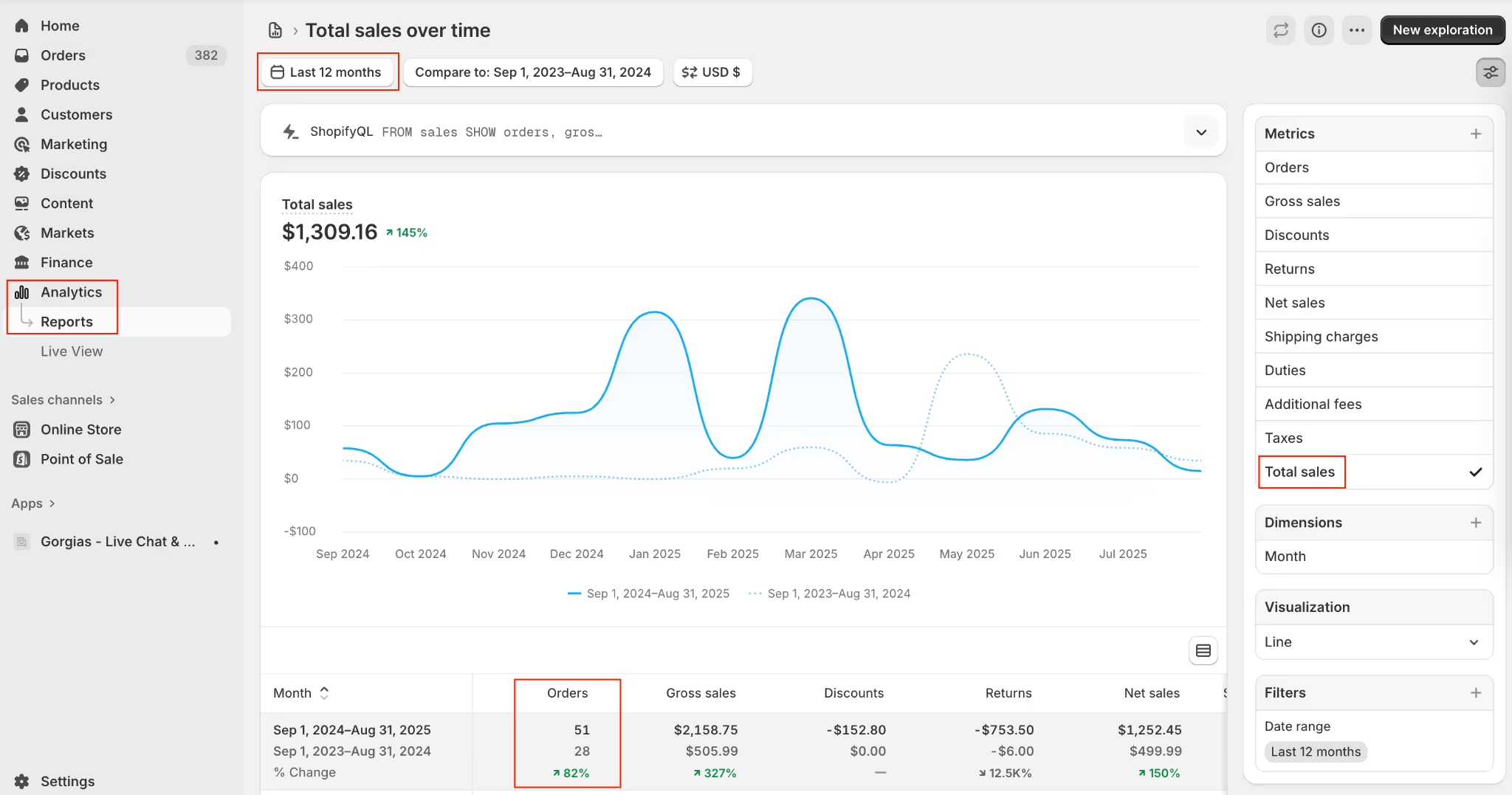
Note: You can also get this data from Google Analytics by going to Conversions -> Ecommerce -> Overview and selecting the target date range. The transaction count will be under the Transactions field.
This might not be accurate if a significant portion of your orders are subscriptions that are not tracked in Analytics. Still, it will be close enough for now as long as you continue to use this transaction count in future calculations.
Next, you need your average ticket volume. In a customer experience platform, like Gorgias, find this number by going to Statistics -> Support Performance -> Overview → Created Tickets and select the same time period.
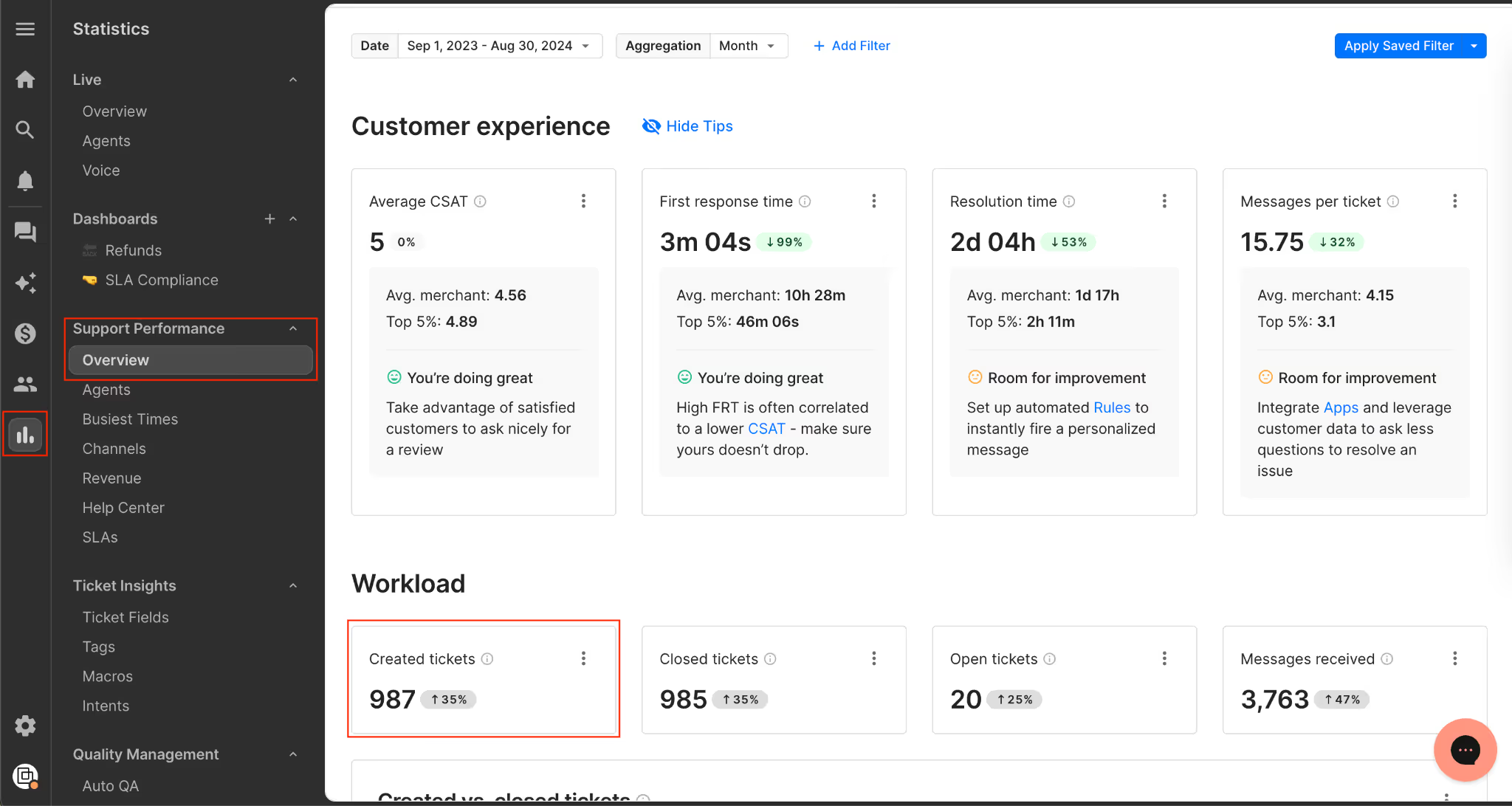
Put it all together: Plug in your order number and ticket volume into this formula: tickets ÷ orders. For example, if you had 1000 orders and 400 tickets, then your ticket ratio is 40. This means for every 100 transactions, 40 tickets are created.
Pro Tip: We typically see the ticket ratio anywhere from 30% to 50%. For stores that use customer support automation in their helpdesk workflow, the ticket ratio normalizes to about 20%.
Related: Orthofeet took a step in the right direction by automating 56% of tickets in 2 months with Gorgias
2) Use your ratio to project ticket volume
Once you have the ticket-to-order ratio, you need a baseline business metric to anchor your forecast. In other words, you need a way to estimate how many orders will be placed. That order volume is the bridge between sales activity and customer service demand.
Here’s how to project ticket volume using cost per acquisition, average order value, or ticket ratio.
1. Based on paid traffic (using CPA)
- Media spend: $200,000 in Nov–Dec
- Cost per acquisition (CPA): $20
- Projected orders: 10,000
2. Based on projected revenue (using AOV)
- Revenue forecast: $600,000 in Nov–Dec
- Average order value (AOV): $60
- Projected orders: 10,000
3. Converting orders into tickets (using ratio)
- Ticket ratio: 40%
- Projected tickets: 4,000 for Nov–Dec
- If reduced to 20%: 2,000 tickets (showing the impact of improving efficiency)
Once you’ve forecasted ticket volume, the next step is translating it into how many team members you’ll need.
Related: How Psycho Bunny avoided adding additional headcount while doubling revenue
3) Estimate the number of agents needed based on past capacity
At some point, you can’t just throw more people at the problem. People are a finite resource, and it takes time to hire and train competent agents. Don’t let yourself end up in that position as you drive growth.
To run an effective customer service operation, you should have benchmarks set for agents’ capacity to handle tickets. With this data, you can convert the forecasted ticket volume into a forecasted agent headcount needed to handle that volume.
How to calculate agent capacity: Find the average number of tickets resolved per agent over a specific time period. Be sure to focus your analysis on full-time agents, not part-timers who jump in from time to time.
In Gorgias, navigate to Statistics -> Support Performance -> Agents, and locate the data under the Closed Tickets column.
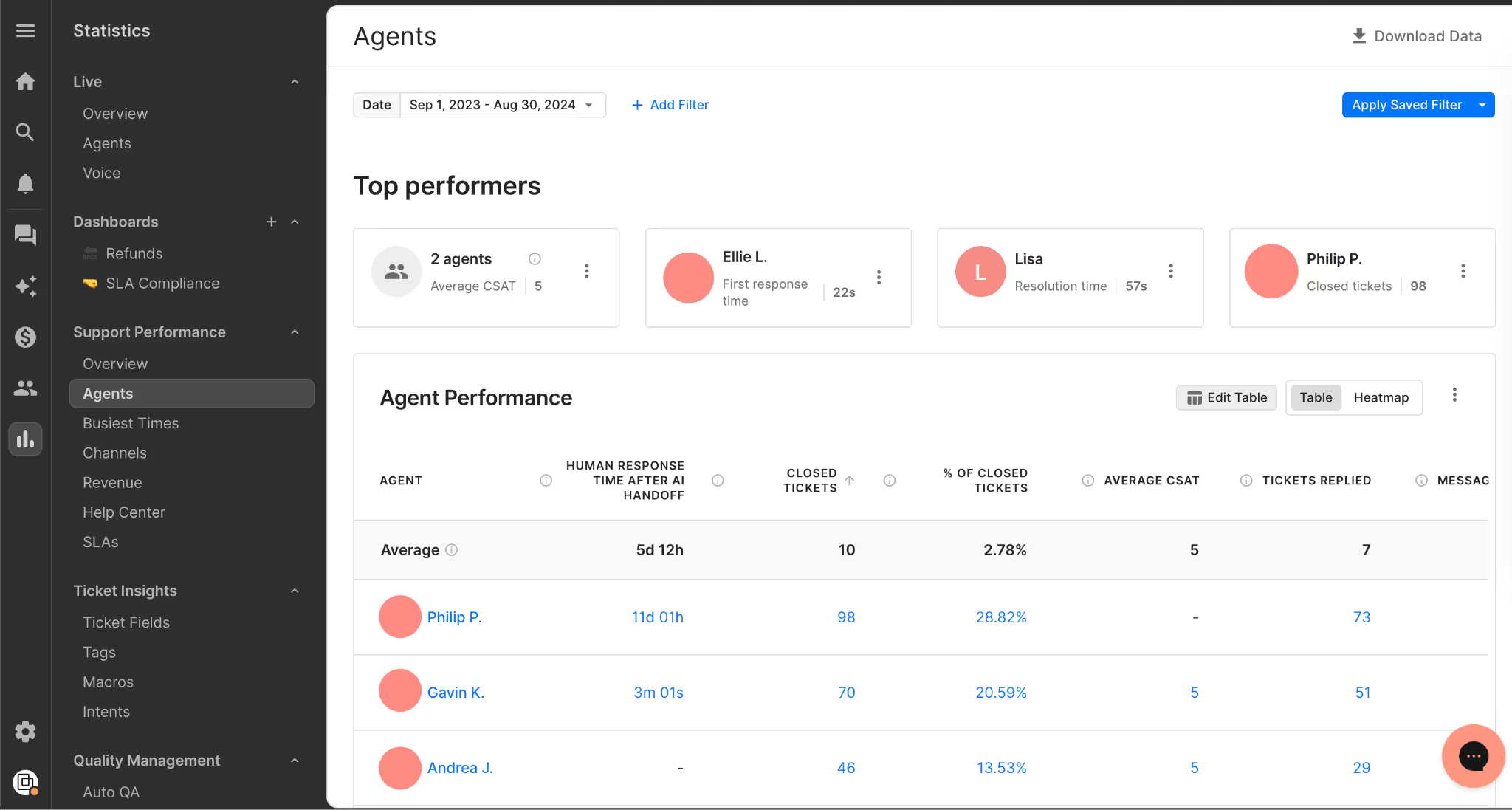
Pro Tip: We typically see anywhere from 40 to 60 tickets per day per agent as a healthy benchmark.
Once you’ve forecasted ticket volume, the next step is turning that into staffing needs (so start preparing your interview questions). Here’s how it works in practice:
Projected tickets: 4,000 (Nov–Dec)
Agent capacity: 40 tickets/day
Monthly agent capacity: 40 tickets/day × 5 days/week × 4.3 weeks/month = 860 tickets per agent per month
Required agents:
- 4,000 tickets ÷ 2 months ÷ 860 = 2.33 agents
- Round up to 3 agents to allow buffer for spikes (shipping delays, stockouts, promos, etc.)
This gives you a concrete, data-backed number you can use for BFCM staffing plans, instead of guessing or waiting until your team feels overwhelmed.
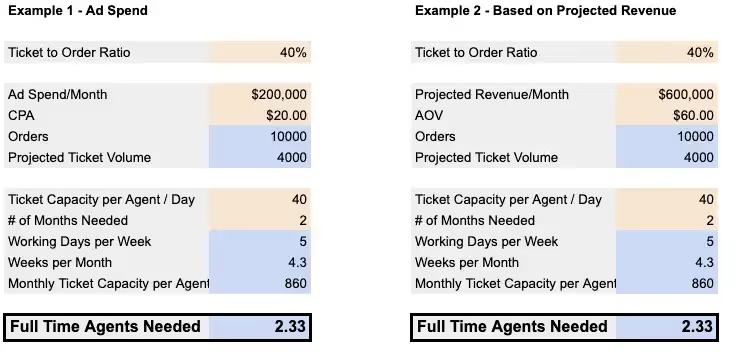
This is a little simplistic since it assumes the tickets come fairly uniformly during that time, but the basic forecasting process here is sound.
Check out HelpFlow.com's free Customer Service Forecast Calculator (no email address required).
Turn support into revenue with HelpFlow and Gorgias
The way you handle customer service has a massive impact on sales. Based on Gorgias support performance data across all customers:
- A sub-10 minute response time on tickets increases conversion rate by around 10%
- Answering live chat questions in less than 2 minutes increased conversion rate by as much as 50%
Slow responses cost revenue, and live chat conversion rates drop sharply when first replies take more than 10 seconds. If your team is overloaded, hitting <10 minutes on tickets or seconds on chat just isn’t realistic without the right tools.
Two options to consider:
- HelpFlow: Provides 24/7 live chat and customer service teams for 100+ ecommerce stores, handling thousands of tickets daily and driving over $100M in revenue.
- Gorgias: If you already have a team, Gorgias gives you visibility into agent performance and the data you need to forecast and scale. Book a demo today.
{{lead-magnet-2}}

The Career Evolution of Amy Elenius: Manager of Customer Education at Gorgias
In August 2020, Amy started her job at Gorgias as a Customer Success Manager. Fast forward to today: Amy has held four positions in the company, pioneered two brand-new Gorgias programs, and holds a new position as the Manager of Customer Education.
How is that possible in only two years? What special sauce has she found at Gorgias that keeps her going? And what kind of higher education was the precursor to her professional success?
Read the interview with Amy to learn more about her dynamic career evolution and the support Gorgias provided to make it possible.
What did you do before Gorgias?
My career path is a little unconventional. After finishing school I decided against going to university and launched into full-time work instead, picking up study later in life.

I was fortunate to find a field where adaptability, problem-solving, and experience in customer relationships held high value in junior roles. When I transitioned to tech in my mid-twenties I had six years of hands-on experience which was a huge advantage in the startup space. From there, all of my training has been “on the job.”
I’ve been lucky to work underneath brilliant managers, most of whom were female. They provided me with excellent opportunities to benefit from industry-leading mentorship.

How did you find out about Gorgias and what made you apply to work here?
It is a classic story — I stumbled across a position on LinkedIn.
After doing the case study the product had me hooked. I saw its potential to help merchants deliver an exceptional customer experience and drive revenue from happy shoppers. From that point, all my eggs were in the Gorgias basket.
!["I saw [Gorgias'] potential to help merchants deliver an exceptional customer experience and drive revenue from happy shoppers."](https://cdn.prod.website-files.com/5e78f62c08f1bb8c2d788576/63a9c40df3ba37100afc0a0c_6304d1ab8bf1e187b7cc7795_amy-quote-final-3.webp)
At that point, Gorgias had just raised a 25M series B funding and had around 75 employees and 5,000+ customers.
What are the roles you had at Gorgias and how did they change over time?
Back in August 2020 when I initially started in Gorgias, I was a Customer Success Manager. I started when the Success team had half a dozen people wearing many hats.
The CSM role was originally a hybrid position — encompassing both CSM and Onboarding Manager responsibilities. The focus was on managing full-cycle customer relationships: retention, churn, and expansion.
As Gorgias grew, Success roles were split into specialties, and a new department was created to service our non-managed merchants. I transitioned into Scaled Programs, a two-woman team led by Elena Balagush (who we recently welcomed back to the Gorgias family.)
Being a new function there was plenty of trial and error but always support from leadership which was essential to our success.

In this role, I managed merchant relationships using a one-to-many approach and maintained a local book of business. After a few months, I was promoted to senior CSM — a natural progression for anyone at Gorgias who performs well. While continuing the above duties, I took on additional education duties running webinars and creating educational content.
After realizing the value of education, I upskilled in eLearning, content creation, and instructional design. The culminating project was setting up the Gorgias Academy.
While I built the academy, I needed to prove its impact (one of Gorgias’ values is to maximize your impact, so everyone is accountable for delivering measurable results). I focused on before/after data comparisons to show the substantial impact the academy was having.
After proving the function was valuable, I moved into the Customer Education Specialist role as a one-woman show.

From there, the upskilling continued. With incredible guidance and investment from my brilliant manager Elise Kubicki, I was equipped with the tools necessary to make the Customer Education function (CEd) a success.
One of the most valuable strategies I had was connecting with industry leaders. I became an active member in a few CEd communities and leveraged group tips/feedback to guide decisions in lieu of a team. One particular community is called Customer Education Org run by Sumeru Chatterjee. The support from other CEd leaders has been instrumental to my career growth.
After managing a substantial workload and delivering high-quality results consistently, Elise generously promoted me into a management position which I’m thrilled to be in today.
What training and resources did you receive to help you in your new roles?
Elise, my manager, has been incredible. She led by example and gave me an excellent benchmark for what a manager should look like. She encouraged me to be brave with ideas and trust my intuition and experience. She listened to me pitch new strategies, provided feedback to strengthen my proposals, and gave me the confidence to execute my ideas.
Without a manager who fostered open communication and responded with encouragement and empathy, I would never have advanced this quickly.
Gorgias is also committed to getting the right tool for the job. We invest in technology. I could not have performed at the volume or velocity I did without a company that understands the benefit of a solid tech stack.
Elena Balagush was my manager when I was on the Scales Programs team, and she is also amazing. She celebrated my wins and gave me the freedom to go after new, out-of-the-box ideas.
How did you manage growing new functions while keeping up with your old role?
Honestly, balancing all my responsibilities took a whole lot of time. But Gorgias investing in the right technology is a big factor — if I had to work without the right equipment, I could not have delivered quality content on time. I’m extremely grateful for this. Not enough businesses respect the impact the right tools can make.
The $2,000 learning stipend is also amazing. I managed to do most of my training for free but having funds available gives me the confidence to take on projects that require new skills. I used a portion of it to complete certifications in different areas like SQL.
Gorgias is also full of amazing, collaborative people. Openness with colleagues and genuine interest in sharing skills is not common. It’s one of the things that makes Gorgias an incredible place to work.
How do you think your experience would have been different at another company?
I don’t think many companies would match the level of trust Gorgias had when I was piloting new projects. Beyond that, there are a few factors that other companies struggle with that I feel are important to mention:
When goals aren’t unified across an organization, teams don’t want to help one another
If departments operate in closed silos, they can find themselves striving toward opposing goals. At Gorgias, we are all aware of the major targets and work toward them together. We celebrate wins as a team and take responsibility for setbacks as a team.
This unity gives us a huge advantage because everyone wants everyone to do well.
Competition between colleagues discourages skill sharing
Healthy competition is good. But too often, leadership uses competition as the primary way to drive results. The notion that only one can win can be archaic and doesn’t motivate all personality types.
At Gorgias, we have the understanding that if everyone exceeds the target, everyone is eligible to advance their career, be it in a different role or a different team. That’s motivating.
We have a culture of empowerment, enablement, and rapid growth
At Gorgias, the idea is to hire the best of the best. The result is that everyone is hungry to become a better version of their professional selves, and Gorgias repays that hunger with great career progression, room (and budget) to learn new things, and a healthy collaborative atmosphere.
No one is happy “coasting”
The combination of the enormous amount of work to do and the brightest minds around means you are constantly encouraged to push yourself to deliver great work, fast. We all help each other to upskill and remove bottlenecks that occur when there isn’t enough work to go around.
A lack of honesty breeds anxiety
Not knowing why decisions have been made can plant the seed of doubt in the workforce, causing staff to be in a constant low-level state of panic. Gorgias operates with radical candor, meaning no matter what happens — good or bad, at the individual contributor level or in leadership — we understand why. This alleviates the stress associated with ‘the unknown’ and leaves employees' minds free to be creative and push harder in the right direction.
How can you connect your experience with Gorgias's core values?
To recap, Gorgias’ values are:
- Maximize your impact
- Customer-first
- 100% honest
- Strive for excellence
- Take extreme ownership

The honesty value is a huge benefit to me, personally. I am relaxed knowing leadership is open to hearing feedback from all levels of staff and that blindspots I have will be flagged. I have the confidence to speak my mind and know I will be heard.
Also, I respect how truly customer-first Gorgias is. Every company says they are customer first but I’ve never seen it lived the way it is at Gorgias. At all levels, we have an unprecedented number of conversations with merchants to learn about their challenges and develop new solutions.
Lastly, my experience hinged on taking extreme ownership. Taking extreme ownership means passing the buck is not an option. This encourages people to think things through and rationalize the why. Knowing I own a project from end to end makes me push harder to deliver work I’m truly proud of.
What other anecdotes have you heard from people at Gorgias with similar career evolutions?
Elise is amazing (I know I say it a lot but she really is). She started as an Onboarding Manager and is now leading the whole success department — and that’s a mammoth workload.
She moved from onboarding manager to interim head of success in less than a year. She is now our VP of Success and, gosh, she earned it. She lives and breathes Gorgias' values - it shows in the team she’s chosen, of which I’m honored to be a part.
We also recently welcomed back Elena Balagush, who was my manager before Elise. When staff return to an organization it speaks volumes about the environment.
What is your favorite thing about working at Gorgias?
Does it have to be just one? Here are a few of the standouts:
The support from upper management to try new things and experiment
A great deal of my success at Gorgias is due to supportive management. First, in Success from Chloe Kesler, then in Scaled Programs from Elena Balagush, and in the last 12 months from our outstanding VP of Success Elise Kubicki.
I have a particular soft spot for Elise, as she gave me the skills to develop strategies and concepts of my own but, more importantly, instilled in me the confidence to put them into practice.
The resources to become a better version of my work-self
The Gorgias team, internally, is jam-packed with team members who are experts in their field. This has given many of us a rare opportunity to learn on the job from the industry's best performers.
A culture that encourages the sharing of knowledge
Following on from my earlier point, the collaborative culture at Gorgias is second to none. I have experienced first-hand the way sometimes competitive nature can become engrained at companies with aggressive goals.
At Gorgias, you won’t find a skerrick of this. Instead, the value of 100% honesty and having a unified goal breeds an undercurrent of genuine camaraderie and a sense of drive to achieve as a collective.
Knowledge is freely shared across all departments and seniority levels. This flat structure encourages curiosity and discussions between everyone — regardless of role.
If there is one thing you would like to change about the company, what would it be?
That we can’t hire everyone. There isn’t a single tech person I know who wouldn’t benefit from the experience of working here.
Now that you are holding a management position, what are your plans for customer education at Gorgias?
In the future, I’m going to do everything I can to develop a winning Customer Education program and (fingers crossed) position us as industry leaders in this field.
I’d like to see us continue to roll out new initiatives to help our merchants thrive, especially given the difficult landscape at this time.
I’ll continue to learn and grow in the Customer Education space. I still have plenty of areas to work on — I’m just grateful I’m part of an organization that gives me every possible opportunity to do this.
What's next for you at Gorgias (and how is Gorgias helping you get there)?
I’d love to carry on in Customer Education and one day move up into a director position. I’ve got a long way to go but I’m confident Gorgias is the most suitable place for me.
I couldn’t wish for a better manager, better team, or better organization. Results are rewarded and I’m incredibly proud of not just the growth that we’ve seen but the way we got here — we move fast, we make mistakes, we learn and we adapt. Rinse and repeat. That’s the kind of company I want to be with for life.
Interested in joining Amy and the rest of Gorgias team? Check out our jobs page to learn more about our benefits, interview process, and open roles.
Building delightful customer interactions starts in your inbox
