
.png)

Newsletter Signup
The best in CX and ecommerce, right to your inbox
Featured articles

Ticket Volume: How to Measure It, Benchmark It, and Reduce It

Gorgias AI Agent Pricing, Explained

Introducing Helpdesk 2.0: Built for How Agents Work
TL;DR:
- Built directly from agent feedback, Helpdesk 2.0 fixes real workflow pain points. The redesign focuses on reducing friction and helping agents handle more context-heavy tickets.
- A chat-style interface replaces the old email layout. Conversations are easier to follow and resolve in one view.
- Customer context is shown beside the conversation in a right-side panel. Agents can view history, orders, and details without leaving the ticket.
- AI handoffs come with clear summaries. Agents instantly see what happened, what was tried, and what to do next.
- Navigation is simpler and faster across teams. Clean menus, structured queues, and multi-store access keep agents moving efficiently.
Helpdesk 2.0 starts with the people who use it most: the agents.
We spent time understanding customer support from the agent's seat. What do they reach for constantly? What slows them down? What does a better workday look like?
Everything we found is in this brand-new update.
Why we redesigned Helpdesk
Conversational commerce is the new standard.
In customer support, this means customers expect context to remain intact wherever they reach out, whether a conversation starts on social, moves to email, or ends on a call.
This new approach to support has also changed the agent's role. Recurring tickets, like order status checks, shipping updates, and returns, are now handled by AI. What lands in the agent inbox are edge cases that require human judgment and troubleshooting, or tickets that require the full picture.
However, the original Helpdesk was built for a different era of support.
Context was separated across views rather than built into the conversation itself. It's something one in five Gorgias customers flagged, through support tickets, NPS surveys, and conversations with our team. So, we got to work.
Helpdesk 2.0 is the result.
What's new in Helpdesk 2.0
Here's a look at everything that changed.
Read conversations the way they're meant to be read
Conversations have a natural rhythm, one that’s already found in every messaging tool we use. We brought that same layout into the helpdesk.
Say goodbye to the 2000s email interface and hello to chat bubbles. This updated design changes how quickly you can orient yourself and resolve the ticket in one go.

Chats with customers now look like real conversations, using the speech bubble style you’re familiar with on popular messaging apps.
Check customer history without losing your place
Checking a customer's history used to mean leaving the conversation, an extra step that interrupted what should have been a smooth workflow.
Now, past conversations open in a sidebar next to the active conversation. You can view a customer’s full history, search through their timeline, and open prior tickets without going to a new page.

Check past conversations, orders, and customer details in the brand-new Customer Timeline.
See order details the moment you open a ticket
Order information is easier to reference than ever. Open a ticket, and you instantly see the customer's recent orders, marked with product images and invoice details at a glance. Need to dig deeper? Click on an order, and the expanded information appears in the same panel.
For teams using custom integrations, apps are fixed in a quick-access integration menu on the right.

See order details, product images, and totals at a glance on the right panel, without leaving the conversation.
Pick up where AI left off
You shouldn't have to dig through a thread to figure out what AI already tried. Now you don't have to.
When AI Agent escalates a conversation, it includes a concise handover summary that mentions the issue, what actions were taken, and why it was passed to your team.

Escalated tickets include a brief AI-generated handover summary, marked in yellow, for quick reference.
Move faster across every store and team
We restructured and simplified the navigation. The left sidebar organizes everything into clear categories: Inbox, AI Agent, Marketing, and Analytics, so anyone on your team knows exactly where to go.
To quickly update your knowledge base or adjust a workflow, both now live right in the sidebar. For teams managing multiple stores, switching between them is just as straightforward, accessible from the sidebar, so agents can move between inboxes without breaking their flow.

Agents can switch between stores and their corresponding inboxes directly from the left menu.
A workspace that works the way agents do
Support comes down to the person on the other end of the conversation. We built Helpdesk 2.0 is to make sure they have everything they need to show up for that moment.
The best way to see the difference is to work in it. Start a free trial today.



Further reading
.avif)
11 Shopify Live Chat Support Mistakes to Avoid at All Costs
Your customer service is the lifeblood of your business. And, live chat is a central communication channel for your online shoppers. Live chat can make or break your business. When leveraged properly, Shopify live chat can have a tremendous positive impact on sales. You just need to make sure you’re not turning prospects away.
This article covers a few points.
- Why live chat is crucial for your online revenue
- Shopify live chat support mistakes you need to avoid at all costs
- Actionable advice to solve these common issues
Now, learn why your growth depends on your live chat processes.
Why is using live chat on your Shopify store important?
If you don’t yet have live chat or you haven’t experienced the potential of optimizing your communication processes on this channel, you may wonder what the big deal is. Yeah, your customers want to talk to you at all hours, but is it really that important?
Let’s look at a few facts about live chat so you can think about it.
- 38% of online consumers are more likely to make a purchase if a retailer offers live chat support (Crazy Egg).
- Site visitors who engage with your live chat are worth 4.5X more than those who do not (ICMI).
- Live chat has the highest satisfaction level of any other customer support communication channel at 92% (Inc).
Now, here’s what might happen if you leave your shoppers dissatisfied.
- It can take 12 satisfying customer experiences to make up for a single dissatisfying one (Invesp).
- 95% of customers tell others about their poor experiences with a brand and 87% share positive experiences (Customer Thermometer).
Are you convinced? If so, it’s time to make sure you get it right. Avoid these live chat mistakes and ensure that you’re getting the most out of one of the most powerful communication channels for online stores.
Avoid these live chat mistakes on your Shopify store
Now it’s time to get into the nitty-gritty. Here are the mistakes you need to avoid when implementing live chat on your Shopify store. And, below each problem is a simple and actionable fix.
1. No automation
When you don’t implement automation, you’re forced to have multiple support agents online at all times or miss the point of live chat altogether. Your customers prefer this communication channel because they want the convenience of self-service. And, without some level of automation, customers might as well send an email because it will take just as long to receive a response.
The quick fix: Learn your chat platform’s macros or automation processes

Live chat platforms are designed to enhance the workload of your support team. So, naturally, the brand you work with will have a knowledge base with detailed instructions about platform use. Make sure your support agents learn how to implement macros or automations.
2. Too much automation
Before you get too excited and try to automate your entire live chat workflow, stop and think for a moment. It is possible to fully-automate your live chat communications. However, with automation, you can’t always get the answers right. Irrelevant responses to customer queries can trigger immediate dissatisfaction.
The quick fix: Refer to the Pareto principle
In marketing, sales, writing, and even customer service, the Pareto principle, better known as the 80/20 rule can come in handy. This principle states that 80% of the effects for many actions come from 20% of the effort. Spin this just a bit for an easy solution.
Find out where most of your effort is being spent (maybe 20% of the customer support workload) and use live chat macros to answer the most common customer questions first. Then, the rest of your support agents’ work time to reply to the unique and personal queries (perhaps about 80% of the customer support workload).
See Also: Love Your Melon Has Automated 25% of Shopify Support Tickets
3. Excessive wait times
While it may not always be possible, especially from the perspective of a brand, up to 79% of consumers want immediate responses and expect answers within 10 minutes. If you’re making your shoppers wait longer than this, you may be losing sales.
One of the biggest benefits of live chat for customer support is its speed .You need to find a solution to accelerate your responses.
The quick fix: Enlist assistance from other departments
Much of the time, excessive wait times are due to the fact that customer support staff must reach out to external departments and wait for answers before replying to the customer. Try what Nomad did to decrease first-response time by 78% and implement an all-hands support strategy.

Require each department to directly respond to a number of tickets every day. And, there’s no need to go overboard -- just a few tickets a day from sales, marketing, and/or product teams can have a dramatic positive impact on response and resolution times.
4. Ineffective language use
Do your agents sound like robots? Are your chat communications overly-formal? If so, you run the risk of turning people away. Consumers appreciate AI, but if they can have better conversations with Siri or Alexa that they do your customer support team, your conversations could use some work.
The quick fix: Parrot your customers
Compile some data from your chat sessions and look for patterns. Do you see any recurring words or phrases in your customer communications? If so, add them to your macros and your agents’ vocabulary. When you speak the same language with shoppers, they’re more likely to trust you.
5. Unskilled or untrained support agents
Customer service agents never get as much credit as they deserve. Without a small army of satisfaction soldiers, you will lose the eCommerce war. So, the work needs to be taken seriously. If you hire low-skilled agents who can’t answer your shoppers’ questions, you will end up with low-quality support operations. Eventually, this mistake can kill your business.
The quick fix: hire and train well
Unfortunately, for this problem, there isn’t a “quick” fix. However, if you put in significant energy in the beginning, you may be able to kick up your heels later. Onboard well.
Fist of all, learn the core skills that your support agents need like active listening and product knowledge. Then, hire like you know what you’re doing. Make sure to ask the right interview questions. And, when onboarding, create stellar customer service training materials. The resources you invest when you bring on new agents will pay for themselves fast.
6. Emoji overload
Once in a while, if you throw an emoji out there in a live chat conversation with a customer, it can be fun. Emojis can help adjust the mood and keep a message lighthearted. Forbes says that emojis can be worth 1,000 words. But, don’t go overboard. Too many smiley faces and penguins will come across annoying and unprofessional.
The quick fix: Just stop 🛑
If it seems like your agents may be on emoji overdrive, just ask them to stop. Remove the use of smileys and strong arms from your operations entirely. It’s better to have no emojis at all than to have too many. Now, if this hasn’t become a problem internally, then don’t worry about it. Skilled agents typically know what’s appropriate and what’s not.
7. Extreme focus on quantity
In eCommerce and business in general, decision-makers spend end a lot of time looking at numbers. In customer service, you strive for the fastest first-response and resolution times. While this is best practice, don’t let quantity overshadow quality. Some teams become so focused on their numbers that they lose sight of their actual customer satisfaction. Don’t let this be your team.
The quick fix: Audit your operations
Instead of playing a numbers game and obsessing about the clock, focus on quality. Customer satisfaction should be the number one goal of every support team and every business, for that matter. Periodically, run an audit on your operations and make sure your satisfaction levels are balanced with your speed.
8. No data collection
A few weeks ago, I called out to online store owners on Twitter to ask for their experience using live chat to increase sales. I wanted to level the playing field and reach beyond our internal data to find others who had the same experience. And, while each respondent knew that live chat had a positive impact on their Shopify sales, they couldn’t provide real numbers. Instead, they shared anecdotes and vague descriptions and stories. There are two key problems with no data collection for live chat.
- When you have no performance data and statistics, you can’t determine the exact areas where you need to improve your processes.
- A lack of customer data leads to a decrease in customer satisfaction.
90% of consumers value when an agent knows their account history and current activity within a company.
The quick fix: Use a full-featured live chat plaform
If your live chat platform is designed to collect data from your agents and your customers, you can get all of the information you need to collect helpful internal statistics.

Keep track of tickets created, replied, closed, messages, time to resolution. Sort your data by agent or event. Use real numbers from your internal processes to power your customer support strategy.
With the right reporting system, you can inform your future decisions about hiring, automation, processes, and more.
9. Missing optimal chat times
Do you know when your website traffic spends most of their time on your website? And, are you making certain that your agents are online during peak times? If not, you will naturally see low response and resolution times. Plus, the people who reach out when nobody is online may never return to your site.
The quick fix: discover your peak times & make sure you’re staffed
Use a tool like Google Analytics to generate hour of day and day of week reports. When you have determined the most active times for your website visitors, check to make sure you’re staffed during these times. And, if you see that there are active traffic times that you don’t have anyone available, make adjustments to your staff schedules.
{{lead-magnet-1}}
10. Ignoring sales opportunities
Customer support is an avenue for your team to keep shoppers happy. And, happy shoppers evolve into satisfied, long-term customers. But, you may be missing opportunities to upsell your website traffic on current promotions and increase sales even more.
The quick fix: Share your current promotions with shoppers
When you’re running a promotion, contest, or sale, make sure your support agents are aware. At the beginning or end of every live chat conversation (you’ll have to test to see what works best for your audience), give customers a link to a page with the information or briefly tell them about the promotion.
11. Disconnected processes
A major problem for many support agents that can kill satisfaction is processes that are disconnected. Your staff can be forced to open multiple tabs to keep a conversation going -- email, social media, live chat, web store. This can take up precious time and also give customers the feeling that your company doesn’t know who they are or what their status is.
The quick fix: Make sure your live chat is integrated with Shopify and your other communication channels

Gorgias's live chat platform connects with your Shopify data so that you can streamline the resolution on orders, shipping, tracking, and return tickets. Furthermore, it integrates with your email, phone, and social media messaging platforms so that you have access to all customer data, no matter which channel they reach out on.
Final thoughts
Now you know exactly what not to do and how to fix what you’re doing wrong with live chat on your Shopify store. Apply this advice today and watch your support team nurture more satisfaction with shoppers. If you need a Shopify full-featured live chat platform that provides the data you need to scale your customer support operations and the integrations that can streamline your operations, find out what we have to offer.
{{lead-magnet-2}}

3 Ways You Can Use Transactional Emails To Maximize Customer Lifetime Value
Transactional emails are usually sent when a customer has placed an order like shipping confirmation emails and order confirmation emails. But they could also include reminders for abandoned cart checkouts, lost password requests, or suggestions for future purchases.
A study by Experian found that transactional order emails average $0.75 per open compared to $0.13 for bulk mailings on orders. But how can simple notifications increase customer lifetime value? How can they drive repeat purchases?
Tips for upgrading transactional emails to boost sales
Try these three tips to use transactional emails to grow your ecommerce business.
- Leverage product recommendations to upsell customers
- Ask for reviews to build trust
- Drive repeat purchases with discount codes
1) Leverage product recommendations to upsell customers
One way you can maximize the power of product recommendations is to add them in your transactional emails. How effective are product recommendations in maximizing your profits? Intelliverse found that 45% of consumers are more likely to shop on a site that offers personalized recommendations and 56% of online customers are more likely to return to a site that offers product recommendations.
For example, Costco’s order confirmation email has product recommendations that are based on top categories. It’s nothing special, but it can drive repeat purchases.

Another tip is to send personalized product recommendations based on a consumer’s purchase history or behavior. This way, you’ll be upselling products that customers will likely be interested in. For example, Amazon’s order confirmation email includes recommendations based on a customer’s past purchase.

Adding personalized product recommendations in your transactional emails make a lot of sense because they have high open rates. In fact, transactional emails have open rates that are 3x to 4x higher than the regular marketing email. That’s because customers often check transactional emails to confirm the success of their transactions.
{{lead-magnet-1}}
2) Ask for reviews to build trust
Another type of transactional email you can use is the feedback email which is sent a few days or weeks after the customer has received or used the product. Why are product reviews important to your retail store? Reviews determine whether people will buy your product. Additionally, while writing reviews don’t directly lead to repeat purchases, they’re pretty effective at getting other customers to buy a product.
Numerous studies consistently found that star ratings and reviews have a big impact on sales. In fact, BrightLocal found that 44% prefer products with reviews within the past month and Reevo found that reviews can result in an 18% increase in sales.
And contrary to popular belief, negative reviews might do you some good. Capterra found that 52% of buyers trust a product more when they see a fewer negative reviews. After all, there’s no perfect product. You can ask for reviews by sending a simple feedback email like J. Crew:

Writing a review seems easy, but it does take some time and effort. That said, you should thank customers because any kind of feedback is useful for your Shopify store. Here’s an example of how J. Crew thanks their customers:

You don’t always have to ask for long reviews, sometimes a star rating might do.
For example, JCPenney asks for a star rating a few days after the customer has received the product. They also give customers the option to write a long review through clicking the “Write a Review” button.

They also incentive customers by giving them a chance to win $1000.
You can also provide other incentives like discounts and coupons in exchange for the review. After all, people are more motivated when they get something in return.
Related: Our guide to email marketing automation for ecommerce.
3) Drive repeat purchases with discount codes
Selling to your current customers is a lot easier and cheaper than converting a first-time customer. A study by Harvard Business Review found that acquiring new customers is about five to 25 times more expensive than selling to the ones you already have.
Of course, old customers are more likely to buy your product because they have experiences with your product or service. If they like what they purchased, there’s a good chance they’ll buy from your store again.
In contrast, first-time customers are a lot harder to convince. You need to get them through the marketing funnel and send ads, emails and other marketing content to convince them to buy from your store.
That said—how do you increase repeat purchases in your retail store? A popular trick is to send next purchase discount codes. Offer a small limited-time discount if they make another purchase.
Start customizing your transactional emails
The strategies in this post are an easy way to generate additional sales and revenue with some minor tweak. While Shopify doesn’t allow you to directly customize their transactional emails, you can start with an email template and then use a tool like Spently. Use their drag and drop functionality to add product recommendations, unique discounts and referral codes to your transactional emails.

{{lead-magnet-2}}


How to Choose Payment Options for Your Ecommerce Store
TL;DR:
- PayPal stands out as the best payment option for ecommerce because of its widespread use and easy integration.
- Shopify Payments suits small businesses well with its easy integration and straightforward use on Shopify.
- For enterprise businesses, Magento Payments provides a comprehensive solution to address complex payment processing needs.
- Customers tend to prefer on-site payment processing because they can complete their purchases right on the website, unlike off-site processing which requires payment to be completed on a third-party website.
There are a lot of different ecommerce payment options to choose from when setting up your online store. This guide will help you choose the right ones for you and your customers.
We’ll cover:
- The definition of payment gateways
- The things you need to consider when selecting an ecommerce payment platform
- 12 payment platforms for you to consider
{{lead-magnet-1}}
12 most popular ecommerce payment options businesses need to accept
To help you prevent high cart abandonment rates, we’ve narrowed down the best ecommerce payment options for 2023.
1. PayPal
 |
Image Source: PayPal.
Pros: Most popular payment processor, leads to higher conversion rates than other payment platforms
Cons: High fees, payments can be held for up to six months
PayPal needs no introduction. It’s the biggest payment processing platform on the globe, with more than 254 million active users. What’s more, ecommerce stores using PayPal have 82% higher conversion rates than their competitors.
However, like everything else, PayPal isn’t perfect. Unlike some of the platforms we have on the list, it isn’t free. PayPal has pretty high fees that will vary from region to region. Of course, with enough volume this can be negotiated.
PayPal is also known for holding payments for up to six months. They aren’t exactly the sellers’ first choice, but with such a high market share, customers trust them which is why we’re ranking them number 1 on our list of payment providers.
2. Shopify Payments
 |
Image Source: Shopify.
Pros: Integrates with the most popular ecommerce platform,
Cons: Not available in all countries
Second on our list is the payment gateway developed by Shopify. Since it’s the most widely used ecommerce platform in the world, it only makes sense that the company would create its own payment system.
Similar to WooCommerce Payment below, you can access Shopify Payments from your dashboard. Shopify Payments keeps your customers on your site, and is included with your plan.
As Shopify continues to evolve, they’ve also rolled out Shop Pay. It’ll allow customers to store their billing and shipping details, and in turn, make the checkout process a lot quicker.
3. Magento Payments
Pros: Offers customization and flexibility for enterprise-level needs
Cons: May require technical expertise to unlock full capabilities
Magento has been around for more than a decade at this point. Based on their experience with online merchants, the company has launched Magento Payments, a platform that can help you reduce operational complexities, lessen costs, and improve conversions.
Furthermore, with a merchant account, Magento Payments gives you an all-in-one solution that streamlines the payment process for you and your customers. It eliminates the need for 3rd-party account management, additional expertise, or subscription costs.
4. Big Commerce
Pros: 55+ payment gateways
Cons: Varying transaction fees
With cost-effective price plans and customizable options, this SaaS platform works perfectly for small ecommerce stores and mid-sized business owners. It offers more than 55 pre-integrated payment gateways to ecommerce sellers from all over the world.
At the moment, the payment option is available in almost 100 countries. It’s also available in more than 140 world currencies. The setup is also perfect for beginners: you just need to click a single button, and you start accepting credit card payments from all of the major players.
5. Visa Checkout
 |
Image Source: CloudApp.
Pros: Accessible to customers worldwide
Cons: Limited to users on Visa
If many of your shoppers are Visa holders, Visa checkout should be the most obvious payment solution for you. Considering the fact that there are more than 21 million Visa Checkout users across the globe, it’s a safe bet that some of your visitors might prefer this payment option.
With this option, Visa users won’t have to fill in their personal information. They’ll be able to enter their credit card information, and they’ll be able to finalize the purchase. Visa Checkout can potentially increase conversions by 42%. A little convenience can go a long way.
6. Square
Pros: Well-suited for companies with brick-and-mortar and online stores
Cons: High transaction fees
Most users associate Square with POS payments, however, the company offers ecommerce payment processing services as well. By using their API, your website will be able to accept a number of payment methods from this list, including Google Pay and Apple Pay.
And that’s not all. Square can also make things easier for your customers additionally, by allowing them to create their own profiles. That means they won’t need to input their login data every time they want to purchase something from you.
If you’re already using Square POS, adding them to your website may be a natural fit.
7. Stripe
 |
Image Source: Stripe.
Pros: Low operating costs, suited for ecommerce stores
Cons: Day-to-day management requires more technical know-how
Besides on-demand marketplaces and crowdfunding campaigns, Stripe works perfectly for people that have their own stores as well. More than 1,000 of ecommerce stores have managed to build their business around Stripe.
According to research commissioned by Stripe, companies using the platform have been able to increase their revenue by 6.7% during the first year of business. Compared to others, Stripe users also have 24% lower operating costs.
Stripe is so trusted, that Shopify Payments is built on it.
8. ProMerchant
Pros: Transparent pricing plans
Cons: Limited contactless payment options
This Massachusetts-based company offers a number of processing solutions to its customers. One of their most popular products is an ecommerce payment platform that's free to use. There are no upfront costs when you’re accepting card payments.
The company uses Authorize.net as their payment gateway platform. This allows you to be as flexible as possible. With ProMerchant, your store will be able to accept payments from a number of different companies, including Mastercard, Visa, and Discover.
9. Amazon Pay
Pros: Connects to Amazon, large customer base
Cons: Long registration process
Millions of people use Amazon to buy products every single day. There’s no reason not to try and turn some of these people into regular customers? By using the Amazon Pay platform, you’ll allow Amazon users to shop on your website without jumping through hoops.
For many people, the registration process takes too much time. They don’t want to enter their information, come up with a password, and wait for a confirmation email just to buy something. Remove all of these barriers with Amazon Pay.
10. Apple Pay
Pros: Most accessible to North American customers
Cons: Limited to Apple users
Nearly two-thirds of Americans use Apple products. For most of them, their Apple product doubles as a digital wallet. Naturally, they use their Apple accounts to pay for products on websites that accept it.
Apple Pay makes things incredibly easy for iPhone owners by leveraging touch identification and allowing users to pay for products with literally a single touch. If you want to get a piece of the action, then consider this platform.
Apple Pay, like Google Pay, makes mobile checkout almost instantaneous, and is already included with many payment providers.
11. Google Pay
Pros: Large customer base, easy payments for Android users
Cons: Not adopted by all merchants
Millions and millions of people already have their data saved on Google accounts. That’s why the biggest tech giant in the world has created its own payment platform. If you’re targeting a large user base, it can’t get larger than this.
Additionally, Google offers top-notch security that will make the consumers feel safe at all times. The platform can help you set up a loyalty program, offer gift cards, and various other discounts for most-loyal buyers.
12. WooCommerce Payment
Pros: Directly integrates with WordPress
Cons: Limited to US customers
Let’s round it off with a built-in integration. If you’re a WooCommerce user with no intention of changing your platform, then this could be the right solution for you. WooCommerce payment allows you to manage your finances swiftly and safely.
You don’t have to learn anything new, either. You can safely use the plugin from the safety of your dashboard.
The benefits of payment gateways in ecommerce
Payment gateway technology is used by store owners to accept credit and debit cards from shoppers. In a traditional sense, the term refers to both physical, card-reading devices found in stores and payment processor apps, typically found on ecommerce websites. However, in this post, we’ll only talk about the latter. So any time we mention a payment gateway, we’re talking about an online application.
Why do small businesses need payment gateways?
- They make the checkout process easier
- They keep customers’ information safe
1. They make the checkout process easier
Have you ever tried to buy an item only to find out that the purchase process is overly complicated and not worth your time? There’s a good chance you did. Most shoppers come across this problem more often than you think.
That’s why shopping cart abandonment rates are still considerably high. This March, more than 88% of shoppers in the United States have filled their virtual shopping carts, only to abandon them completely, before finishing the transaction.
If you want to decrease your cart abandonment rates, allow your customer to make purchases easily, and improve your revenue, you need a good payment gateway. It will remove any possible barriers, make the process feel intuitive, and lessen the need for customer support..
2. They keep customers’ information safe
Every day, thousands of people have their credit card numbers leaked, identities stolen, their bank accounts drained. For that reason, most shoppers are mainly concerned about preventing ID theft.
Recent studies indicate that around 1 in 5 online shoppers have had their identity stolen at some point in their life. Because of this, around 40% of consumers will only buy products from well-known websites.
If you want to attract new customers, you need to make them feel safe.
The best way to do that is to use a payment service that will keep their sensitive information completely safe. Your system needs to have proper encryption along with other security features. Being transparent about your security measures can also help.
How to choose a payment gateway for ecommerce: 3 considerations
There are dozens if not hundreds of payment platforms for you to choose from. If you’re opening an online store for the first time, you’re probably not sure what to look for. We want to explore the common options you have to you.
When selecting a payment gateway for your ecommerce business, there are three specific things you should keep your eye on.
1. On-site and off-site processing
The first thing you need to think about is whether you want your shoppers to leave your website or not.
 |
For example, PayPal, one of the biggest payment solutions out there, requires users to leave the merchant’s website in order to finish their payment process. You can pay a fee to make sure the payment is processed without requiring shoppers to go to an external site. We highly recommend choosing a payment option that will keep uses on your site.
2. Types of payment methods
Different companies have different payment methods. Besides debit and credit card processing, there are plenty of other options including gift cards, financing, cryptocurrencies, and many more 3rd-party options.
In order to know what will work best for you, getting familiar with your consumer base is a must. See what payment methods your visitors prefer and only then make a choice.
3. Customer protection and security
We simply can’t stress enough the importance of data protection. If the payment platform you’ve started using has experienced data leaks, then the consumers might not be too keen on doing work with you.
Moreover, you should make sure that the platform you’re using doesn’t come with any hidden monthly fees. The safety of your consumers should be your number one priority.
Improve the customer experience
Now that you’re familiar with the best ecommerce gateways, you can improve the experience of your customers, help them finish their purchase in a matter of seconds, and grow your store, without managing cart abandonment rates all the time.
So let’s recap:
- Payment gateways are there to make the purchase process easier
- Without the right payment platform, your shoppers will feel insecure
- Select a platform based on your needs
{{lead-magnet-2}}

13 Ecommerce Growth Strategies to Boost Revenue
In the past, the best way for online stores to grow was to spend heavily on paid advertising. The thinking: get your brand in front of an audience, and sales will just… happen.
But this ecommerce growth tactic is outdated because paid advertising has become outrageously expensive, and many shoppers make purchasing decisions based on customer experience and trust, not ad spend.
Before you dedicate an enormous growth budget to paid customer acquisition, read our guide for more sustainable, customer-centric tips to grow your online store.
{{lead-magnet-1}}
12 sustainable ecommerce growth strategies for brands
- Determine KPIs, and reverse engineer your strategy from those metrics
- Create a long-term SEO plan to rule Google search results
- Establish a social media presence to generate more website traffic, social proof, and sales
- Invest in customer service as your top customer loyalty program
- Implement live chat to boost customer satisfaction and sales
- Automate time-consuming tasks
- Find profitable niches to expand your business
- Form relationships with influencers in your industry
- Pick the right digital payments platform for your store
- Use ecommerce advertising to expand your reach (but carefully)
- Realize the power of email marketing
- Create a conversion rate optimization (CRO) plan
1. Determine KPIs, and reverse engineer your strategy from those metrics
You can’t really develop an ecommerce growth strategy without knowing how to know what needs improvement. Without solid key performance indications (KPIs) as a benchmark (and a signal on where to improve), your growth strategy will be little more than guesswork. Pause on the “growth hacking” until you have solid data.
Measuring your KPIs can help you answer questions like:
- What made your store successful in the first place?
- What efforts haven’t been paying off?
- What revenue-boosting strategies work best?
KPIs every ecommerce business should track fall into four distinctive categories:
- Monetary indicators: Tracking profit and revenue and increasing return on investment
- Customer indicators: Regulating the number of former, current, and future customers
- Purchase indicators: Analyzing people that have attempted or made a purchase
- Conversion indicators: Assessing the number of people that have converted
Any customer service platform worth the price will help you track key KPIs. Gorgias, for example, provides revenue statistics, real-time support performance data, and up-to-date customer satisfaction (CSAT) scores.
Benefits of tracking ecommerce KPIs
Tracking KPIs requires you to acquire new tools, learn how to use them, and train your employees. Is tracking KPIs really worth your investment? Here are a few reasons why tracking KPIs is worth the effort:
- Provides you with a complete, objective overview of your goals and progress
- Gives you a benchmark for your current ecommerce sales, conversion rate, and more
- Gives you the ability to make more informed decisions based on data
- Allows for a evidence-based employee management and evaluation
- Guides you to new ways to optimize brand exposure, lower bounce rates, improve click-through rate (CTR), and more
Want to know more about tracking ecommerce KPIs?
Keeping track of performance can help you bring your business to new heights. If you’re interested in knowing more about KPIs, how they can help you, and which ones to track, read our guide to ecommerce KPIs.
{{lead-magnet-2}}
2. Create a long-term SEO plan to rule Google search results
Organic search (when people use a search engine like Google) is the #1 source of traffic for ecommerce. One of the reasons for this is the fact that people, especially young people, actively ignore paid Instagram and Facebook ads. (Plus, those tactics are wildly expensive.)

That’s why your store needs search engine optimization (SEO). Specifically, you at least need to optimize your homepage and product pages to ensure your store is a top Google results when people are online shopping for the kinds of products and services you sell.
And, if you have the bandwidth, consider launching a full-fledged content marketing program (with blog posts and other educational content) to get even more eyes on your ecommerce site.
While most SEO refers to Google searches, online stores also have to think about marketplace SEO. If you sell on Amazon, for example, you’ll want to optimize your product descriptions to show up at the top of relevant search results.
Check out Amazon’s SEO guide for more information.
Benefits of ecommerce SEO
Is SEO really that great of a marketing campaign? Do its benefits apply to small businesses? Let’s take a look at some of SEO’s biggest benefits:
- Allows you to stay competitive despite the increasing number of new ecommerce brands
- Lets you compete with large corporations despite a modest marketing budget
- Helps you bring a steady stream of shoppers to fill your marketing funnel (in other words, attract potential customers)
- Significantly lowers your pay per click (PPC) costs while allowing you to continue attracting customers
- Creates lasting (and compounding) value, whereas paid ads quickly become irrelevant and ineffective
Want to know more about ecommerce SEO?
You can optimize your ecommerce website for search with a few quick wins, but the best SEO strategies are long-term marketing investments that compound over time. Check out our posts on ecommerce SEO:
- 10 Step Guide to Ecommerce SEO
- Shopify SEO Guide: How To Optimize Your Shopify Store for Organic Traffic
- How to Boost Sales with Blog Content for Ecommerce Brands
3. Establish a social media presence to generate more website traffic, social proof, and sales
A 2021 Forbes survey of 6,000 shoppers found that about two thirds of shoppers use social media as part of their online shopping routine. They either discover a brand through its social posting, check out the Instagram for product photos, or look through customer conversations in the comments.
Check out how CROSSNET uses social media cross-marketing to grow their audience:

Not only can social media persuade your target demo that you’re the right store for them but it can also expose your business to customers you didn’t even plan on targeting. In addition to retail sales growth, it will help you expand to markets you haven’t even thought about.
Benefits of social media marketing
Of course, having a page/profile on all of the more popular social media platforms is a must nowadays. But should you continuously invest in social media marketing? Consider this:
- Brings in more traffic to your website and increases online sales in the process
- Increases conversion rates by helping you create relationships with followers
- Builds trust with your target demographic and boosts brand loyalty
- Leads to better customer satisfaction rates through direct dialogue (when you perform social media customer service)
Want to know more about social media marketing for ecommerce?
If you want to read further about how your store could benefit from social media marketing or know more about the best strategies, we recommend you read our article on the topic. There, you’ll find out everything you need for a winning social media strategy.
4. Invest in customer service as your top customer loyalty program
Without your customers and their loyalty, your business wouldn’t exist. Simple as that. Focus on providing incredible customer service, and you’ll see increased customer satisfaction, more testimonials and customer referrals, and higher retention and repeat purchases from cusotmers.

32% of shoppers say they would no longer shop with a brand they loved after one bad experience, according to PwC’s Future of CX report. You don’t have to worry about “delighting” every customer. But you do have to provide quick, effective service (and a great customer experience) to build trust and keep customers from shopping with your competitor.
Want to learn more about growing through customer experience? Check out our CX-Driven Growth Playbook, a compilation of 18 tactics from top ecommerce brands to raise your revenue by up to 44%.
Benefits of ecommerce customer support
Without a question, investing in customer support is a must. Here are some of the benefits you can expect when you start investing in providing a great customer experience through service:
- Gives you a direct communication channel with shoppers (to receive feedback and product reviews)
- Establishes a reputation as a caring brand that takes good care of shoppers
- Provides a chance to upsell customers (when the time is right)
- Gives you a chance to answer questions, handle objections, and remove any other barriers to a sale
- Integrates easily with other channels, especially intimate and high-touch channels like text marketing
- Lowers shopping cart abandonment rates significantly and helps with cross-selling efforts
Want to know more about ecommerce customer service?
Your business heavily depends on a great customer experience (and customer satisfaction rates staying high). While chasing after new customers may seem like the fastest way to grow, investing in customer service is your best bet for sustainable growth.
Check out our guide on customer service best practices for more strategies.
5. Implement live chat to boost customer satisfaction and sales
Live chat is one of the best ways to provide in-context, efficient customer service. We also find that Gorgias customers who use live chat can increase conversion rate through the channel by proactively offering discount codes
Live chat also allows your customer service agent to serve multiple customers simultaneously. And, when you use self-service portal and chat contact form, you can offer live chat support even when you don’t have a human agent to staff the channel.
Here’s how shoppers can use the self-service portal to answer their questions — in this case, track and update their order — without interacting with an agent:

Benefits of live chat for ecommerce
Unlike physical stores, most online stores provide limited communication options to their visitors. A customer can’t just walk up to you and ask you a question. Live chat offer that. And live chat can facilitate sales, just like a physical attendant who can answer questions and give product recommendations in the moment. Here’s what can live chat do for you:
- Saves your customer service agents and buyers precious time
- Enables customer service agents to serve several people at the same time
- Gives shoppers relevant recommendations and solutions to their problems (unblocking sales)
- Proactively reaches out to customers during the checkout process to reduce cart abandonment
- Provides additional options for customer self-service
Want to know more about live chat for ecommerce?
Live chat bridges the gap between real-world and online retail by enabling you to help your customers in real-time.
Read our piece on how live chat can increase sales on your online store.
6. Automate time-consuming tasks
As your business grows, you’ll only take on more time-demanding tasks. On their own, these tasks are harmless. However, they can quickly swell and distract you from higher-impact projects in your growth strategy.
Thankfully, tasks like customer segmentation, order tracking, and many parts of your digital marketing (like creating social media posts) can all be automated. With the right tools by your side, you’ll ensure that your business stays profitable.
That’s why 89% of businesses already automation some parts of their growth tactics, according to a 2019 survey from Automizy.
Benefits of ecommerce automation
Small tasks can consume a lot of your time. What can you do with all of that free time? Here’s what ecommerce automation does for you:
- Helps you manage your inventory much easier and ship products faster
- Offers better customer experience with better response time, shipping, and returns
- Allows you to focus on more complicated aspects of your operation and improve ROI
- Improvers customer service with automated letters and email responses to inquiries
- Makes social media marketing a lot easier by scheduling posts on multiple platforms
Want to know more about ecommerce automation?
Ecommerce automation is a broad topic. You can automate elements of your digital marketing, your customer service, your administrative tasks the build up here and there.
Take a look at out our guide on ecommerce automation for further reading.
7. Find profitable niches to expand your business
In ecommerce, a niche is a specific segment of the retail market’s target audience interested in a particular product type. Niches can be narrow and wide. A wide niche would be beauty products and a narrow niche would be male, eco-friendly care products.
Some of the top ecommerce niches in 2022 include:
- Next-generation beauty products
- Next-generation phone accessories
- Vape products
- Lighting decor
- Tools and hardware supplies
If you want to expand your business, it would be smart to find a particular niche to target. These are trending niches, but you should expand wherever is most relevant to your existing brand and customer base. By targeting a specific group of customers over the long haul, you can more easily establish yourself as the go-to brand.
Benefits of finding a profitable ecommerce niche
Trying to please everyone is a recipe for disaster. Finding a niche and sticking to it will help your business with:
- Attracts a group of people that is willing to pay more and stay loyal to a brand
- Helps you stand out among your competitors by having a more unique (and desirable) offering
- Lets you stay on top of current trends and staying in touch with young consumers
- Lowers your costs of advertising and helping attract new people more easily
Want to know more about profitable ecommerce niches?
Expanding into a new niche is no small decision. You have to ensure the expansion makes sense for your existing customers and brand, as well as your future growth goals.
Check out our guide on choosing a niche for more information.
8. Form relationships with influencers in your industry
According to 2021 Statista data, nearly 35% of social media users were either likely or extremely likely to purchase a brand’s product or service because an influencer promoted it. Ecommerce influencers are one of the best ways to increase exposure for new products (or to new audiences).
Below, you can see how Princess Polly partnered with an Instagram influencer with over 11,000 followers to increase brand awareness and bolster social proof:

These people are the ones you need to partner up with. Regardless of your ecommerce industry or the niche you’re targeting, certain influencers can help you improve sales.
Not even your geographical location makes a difference. There are influencers in North America, Latin America, and even in the Asia-Pacific region — there are plenty of high-impact influencers in China. There are also influencers on every social media platform, from TikTok to LinkedIn.
Working with an influencer can expose your brand to the global ecommerce market and boost your marketing efforts beyond your wildest dreams. If done correctly, partnering with an influencer can expand your social reach, ensure growth, and improve your bottom line.
Benefits of teaming up with influencers
Although “influencer marketing” is a recent phenomenon, people have been using the influence of others to sell products for decades. Another way marketers describe this is “social proof.” Here’s what you can expect from it:
- Builds trust between you and your customers in a short period of time
- Gets more people to know about your store, offering, and brand message
- Helps your content strategy reach new levels and attract more people than ever
- Provides content and value to your target demographic on a regular basis
- Reaches audiences you haven’t even thought about and sending them your way
Want to know more about influencer marketing for ecommerce?
Influencer marketing is one of the best growth hacks for ecommerce stores, thanks to the wide reach of influencers and the impact they can have on brand exposure and product awareness.
Check out our guide on ecommerce influencers for more information.
9. Pick the right digital payments platform for your store
Consumer behavior has changed drastically over the past decade. Just 10 years ago, a vast majority of consumers couldn’t imagine going shopping without any cash on them. Today, most people are more than glad to go cashless.

According to 2021 data from Statista, digital wallets and credit cards are by far the most common ways to make purchases . Online payment apps like Venmo and Paypal aren’t far behind.
Merchants that want to expand their businesses need to offer seamless payment options to their customers. Having the right platform will speed up the entire purchase process for both local and international customers alike, all while making them feel 100% safe. Fortunately, Shopify, BigCommerce, and other major ecommerce platforms offer multiple payment options.
Benefits of having the right payment platform
What’s the preferred platform for your audience? That’s the question you need to answer. Here’s how using the right payment gateway helps your business:
- Allow customers to open accounts on your website without entering too much data
- Accept multiple payment methods through a simple, single integration
- Enable cross-border payments, helping you reach a worldwide consumer base
- Speed up transactions and increasing customer satisfaction rates in the process
- Increase security levels and helping you gain the trust of first-time customers
Want to know more ecommerce payment platforms?
Offering the right payment methods could make or break user experience and customer trust.
Check out our guide on ecommerce payments to learn more.
10. Use ecommerce advertising to expand your reach (but carefully)
Pay per click (PPC) advertising is a form of online advertising in which the business owner pays a certain amount of money every time a consumer clicks on their advertisement.
There are plenty of platforms you can use to host your ads. This includes search engines like Google and Bing, social networks like Facebook and Instagram, as well as popular websites like TechCrunch and Search Engine Journal.
Benefits of ecommerce advertising
SEO might be a more cost-effective way to market your business, but paid advertising is a great way for quick bursts of growth. Here are the benefits of paid ads:
- Target highly specific groups of consumers
- Give you an additional source of website visitors besides SEO
- Help you track your ad spending exhaustively, to the last penny
- Save your money until you start seeing new visitors and real results
- Allow users to adjust their ad strategy and spending on the fly
Want to know more about pay per click?
For most players in ecommerce, paid advertising is a strong strategy. (Of course, it can never replace customer experience.) If you choose to invest heavily in pay per click advertising, you must make sure you understand your customers to advertise on the right platforms to the right targeted segments.
11. Realize the power of email marketing

Even though some people think that email marketing is on a decline, that’s not even close to the truth. Failing to invest in email marketing would be a huge mistake. The fact of the matter is, without email, your sales, user engagement, and returning customer base would drop.
In a 2020 survey from Litmus, four out five growth marketers said they’d rather give up social media than email. Email may be old-fashioned, but it’s not out-dated. You check your email most days, don’t you?
With email, you’ll be able to directly reach your customers and serve them weekly content, without relying on social media algorithms. Not only that but with retargeting, you’ll be able to lower your cart abandonment rates significantly and increase conversions in no time.
Benefits of email marketing for ecommerce
Paying more attention to your email campaigns comes with a lot of pros and a very few cons. Here some of the benefits you can expect to experience:
- Gather actionable feedback from large groups of customers
- Send your subscribers fresh content weekly through newsletters
- Mail discount coupons and other rewards to loyal customers
- Retarget customers that have left your site without making a purchase
- Lower cart abandonment rates and reactivating inactive customers
Want to know more about ecommerce email marketing?
Is email marketing something you want to get into? Do you know how to start building a list of leads? What do you want to accomplish with your strategy?
Take a look at our ecommerce email marketing best practices to learn the basics.
12. Create a conversion rate optimization (CRO) plan
Ecommerce conversion rate is the percentage of website visitors that make a purchase. Have a low conversion rate? In the world of ecommerce, that’s nothing out of the ordinary. Most US ecommerce websites have a conversion rate between 1% and 2%.
Of course, the rate varies greatly between different sectors. Some ecommerce niches have rates as high as 4.9% while others have as low as 1.4%.
All of this doesn’t mean that you should be satisfied with your rate. Your website can always use some conversion rate optimization. How can you boost your conversion rate? In many ways actually, some of which include:
- Avoiding lengthy sign-up forms
- Allowing shoppers to buy without registering
- Placing CTA buttons in all of the right places
- Sending cart abandonment emails
Don’t underestimate the power of CRO. By improving your conversion rate by a percent, you can double your revenue.
Benefits of boosting conversion rates
Dedicating a certain amount of time each week to conversion rate optimization can make your business strategy more effective. But there are lots of other CRO benefits:
- Learn more about your regular customers and their shopping habits
- Boost store revenue by running ads based on your customer insights
- Lower customer acquisition costs and improving the average order value
- Improve SERP rankings and exposing your store to a brand-new audience
- Make more informed business decisions and taking only calculated risks
Want to know more about ecommerce conversion rates?
Conversion rate optimization is a full-time job at some companies. But even if you can’t hire a CRO specialist, you can (and probably should) make a plan to ensure as many visitors as possible end up making a purchase.
Read our guide on ecommerce conversion rate to learn more about how to maximizes sales on your site.
13. Invest in product photography to improve sales
As an ecommerce store owner, your job is to sell products. And when customers can’t pick up and hold your products, your product images become paramount.
Nowadays, consumers are being bombarded with visual content. Social networks, streaming platforms, and forums, all thrive from visual content. With so much visual content on the Internet, consumers now ignore most things that don’t tickle their imagination right away.
The Social Ms reports that 67% of potential shoppers say image quality is an important. Think about it: would you trust a brand with low-quality product photos?

That’s why you need to take steps to ensure that your products are looking crisp. Whether this means hiring a professional to handle the work or taking things into your own hands is all up to you. Just make sure that your visuals are on high quality and show the product in its best light.
Benefits of investing in product photography
Organizing a professional photoshoot is not a small task to tackle. A lot of time and money goes into photo sessions. Here are a few reasons why you need to focus on product pics:
- Allows consumers to have a better perception of your products
- Helps mobile shoppers have a better view of your product offering
- Improves the speed of trust, making the shoppers trust you right away
- Increases the conversion rates by helping customers make quicker decisions
- Strengthens your business’ brand identity and separating you from competitors
Want to know more about product photography?
Product photography can be a significant investment, so it’s important to hire a great product photographer at the right time.
Read our guide on ecommerce product photography to learn the smart approach to great product photos.
Provide the best customer experience possible to maximize ecommerce growth
Ecommerce growth is a complex beast. Whether you decide to invest in PPC, hire a product photographer, or start working on an email marketing strategy, one thing is certain: your customers always come first.
You need to keep your customer service at a high level, in order for your business to continue growing. And you can’t possibly do that without the right tools.
Gorgias is a customer service platform built specifically for ecommerce. Gorgias users provide more efficient (and satisfying) customer service, generate more revenue, and get up-to-date support and revenue data from the tool.
If you want to see how Gorgias can help your ecommerce business grow, check out our customer story on Ohh Deer, a small business that used Gorgias to generate $12,500 per quarter through customer experience.

9 Post-Purchase Experience Strategies to Drive Customer Loyalty
The post-purchase experience is a crucial window of time that starts the moment after a customer checks out and completes a transaction on your ecommerce store. Clicking “buy” is not a finish line in the customer relationship: It’s the beginning of the next leg in the customer journey, from first-time shopper to (hopefully) loyal customer.
With the right tactics and strategies, ecommerce businesses create post-purchase experiences that proactively support these new buyers, strengthen the relationship, and nudge them to return to the store.
Follow these nine strategies to make your brand’s post-purchase experience more customer-centric and profitable.
{{lead-magnet-1}}
9 post-purchase experience strategies for ecommerce stores
We define the post-purchase experience as any and all touchpoints a customer has with a brand from the moment the shopper completes checkout until they start using your product. Building a powerful post-purchase experience that creates long-lasting customer loyalty takes finesse because a lot of small pieces make up the customer experience.
Here are nine strategies for how to encourage better post-purchase behavior among your customers.
📚Recommended reading: 20 Ecommerce Customer Service Best Practices to Help You Level Up
1) Figure out notable touchpoints on your customers’ journey
There are a lot of best practices when it comes to encouraging repeat business, but often brands jump right into tactics and overlook the overall journey.
“My biggest piece of advice,” says Bri Christiano, Director of Customer Support at Gorgias, “is to really understand the customer journey for your business. Which touchpoints are going to drive the most revenue?”
The first step is to consider the outcomes you want from the post-purchase experience. Most likely, those outcomes include:
- Reducing churn
- Convincing shoppers to upgrade to a subscription
- Getting people to refer their friends
- Cross-selling or upselling
Then, as you set up touchpoints like email campaigns or SMS messages, think about the different moments where your shoppers will be most engaged post-purchase.
Ideally, you’ll catch them while they're already interacting or thinking about you. You don't want to try to talk to them randomly when they're probably not thinking about you or their experience. The more personalized you can make the experience, the better. That means segmenting emails based on a customer’s profile wherever possible.
“My biggest piece of advice is to really understand the customer journey for your business. Which touchpoints are going to drive the most revenue?”
— Bri Christiano, Head of Customer Support at Gorgias
Keep in mind that the flows will look different over time to a first-time purchaser than to someone who's been a customer for a year.
When you should do this
As you’re starting to optimize the post-purchase experience for your brand, this is the first step to take.
How to get started
First, map out your customers’ journey. You can use anything, from a tool like Miro to a whiteboard. We recommend this article on customer journey mapping in retail from Delighted.

Then, take a look at the emails you're sending today and start with the small elements. How often are shoppers opening those emails? Why do you think they're not opening them? Maybe you have the wrong subject line, or perhaps you’re sending emails on the wrong day.
Then, consider how your customers behave and think about some small tweaks you can make. Be sure you’re looking at your current metrics like email open and click rates or CSAT scores as you’re doing this audit.
{{lead-magnet-2}}
2) Offer a great unboxing experience
Shoppers already look forward to receiving packages in the mail. But sending eye-catching, fun packaging that people actually want to keep makes your brand stand out. It also sparks joy by turning the simple task of unboxing into an enjoyable, surprising experience.
For example, stationery shop Ohh Deer and its subscription brand Papergang send creative and recyclable packaging to their customers. The boxes and packaging are so loved that fans post unboxing videos on YouTube.

📚Recommended reading: Ohh Deer uses Gorgias Chat to provide excellent CX & generate revenue by $12,500/quarter
When you should do this
Now is a great time to start! The sooner you create fun and interesting packaging, the sooner your customers can start enjoying it.
How to set this up
Use a tool like Arka or Fantastapack to create custom boxes for your brand. If you don’t have design skills yourself, hire a freelance designer to work on the design for you.
3) Set up and launch post-purchase email campaigns
Sending detailed and personalized post-purchase email campaigns is a major part of your overall email marketing and post-purchase strategies. This is how you’ll stay engaged with customers throughout their post-purchase journey. These campaigns also make up a key part of your marketing strategy as a business.
📚Recommended reading: 16 Useful Email Templates for Your Customer Service Teams
Order confirmation emails
Let shoppers know that you’ve got their order and you’re working on it to give them peace of mind that their payment went through and that it’s coming soon. You can set up various order status updates in your ecommerce platform (like Shopify).
Post purchase, before an order ships
Before a customer’s order ships, you have the opportunity to upsell customers and add that item to the same shipping box. Not only are you driving additional sales here, but from a cost perspective (especially if you offer free shipping) it helps you out as a business.
For example, maybe a customer signed up to get notified when an out-of-stock item comes back in. Now that it's in stock again, you can send that item out with whatever that customer already purchased.
You can use a Shopify app like AfterSell to upsell customers after checkout.
When an order ships
Send a shipping confirmation email and offer order tracking so that shoppers can stay up to date with the whereabouts of their package.
You can also use a tool like AfterShip to automate real-time tracking updates.
After an order gets delivered
A good rule of thumb is to trigger different emails based on the delivery status. But within a few days, under the assumption that someone needs a few days to check out the new product.
Check in to ask questions like:
- How is your order
- Did you have any feedback for us?
- Was it the right size?
To nudge them to purchase a refill or subscribe
If you sell a physical product like soap, vitamins, or soda, customers will likely run out of them within a set amount of time. If you can figure out what that average amount of time is, you can trigger an email reminding them to refill or sign up for a subscription.
For example, Method soaps are all built around the eco-friendly principle of refilling, keeping waste to a minimum (and as it happens, strongly pushing repeat purchase decisions and driving up customer lifetime value).
The company sends replenishment emails that nudge customers to purchase those refills, often with a special, time-limited discount attached.
When a free trial is about to run out
Some brands, like curiosities retailer Uncommon Goods, offer a paid subscription program with benefits like free shipping, donations to non-profit partners on your behalf, and members-only emails.
Its program comes with a two-week free trial. Near the end of that free trial, the brand sends out an email with the subject line, “Reasons to stick with Uncommon Perks.” The email lists the different benefits of the program. If you have a program like this, consider a similar email campaign.

Add-on sales and product recommendations
Do you sell other items that would enhance the customer’s experience with what they already bought? They might not have seen the need before (in an upsell or cross-sell attempt), but now with the product in hand, they may be ready to buy.
Loyalty program invites
If you have a loyalty program and the first-time customer hasn’t joined it yet, now could be a great time to pull them in.
A tool like LoyaltyLion will come in handy here.
How to set this up
If your ecommerce site is built on Shopify, BigCommerce, or Adobe Commerce, check out the links below for how to set up different email notifications powered by automation.
- Shopify post-purchase email setup
- BigCommerce post-purchase email setup
- Adobe Commerce (formerly Magento) post-purchase email setup
4) Deliver important how-to and use case content
If the product you’re selling requires some setup or assembly or has features that go beyond the basics, one form of post-purchase communication you’ll want to focus on is tutorial-style content. You want to show customers how to use or set up their new product so they get the maximum benefit from it.
Explain the importance of content that can show customers how to properly use or set up your product or even creative alternative ways to do things with your product — both because this is helpful for customers and because this effortless experience tends to reduce returns and lead to loyal customers who make repeat purchases.
For example, D2C ecommerce retailer Bug Bite Thing offers one primary product: a plastic suction contraption that reduces the severity of stings and bites, including from mosquitoes. Unless you’ve used their exact product, you’ve probably never seen anything similar. The company sends an excellent tutorial email to all customers and features clear instructions with custom GIFs that show exactly what to do with the thing.
https://youtu.be/jWPgoeDSDYM
Tutorial videos, use cases, explainers, or links to FAQs can be helpful while the customer is waiting for the item to arrive or as the customer is learning about the item.
When you should do this
Send out tutorial information after the item ships and before the item gets delivered.
If you're not getting a lot of traction on email, or you want to make sure that customers see your setup guide, include an insert with a QR code that links to a setup video or blog post on your website.
This is another good lever for physical, good ecommerce brands to have a touch point in the actual physical product that they’re sending since not everyone opens their emails.
How to set this up
Share product-specific how-to content via links to your Help Center to find set-up and troubleshooting information for their new product.
For example, Brümate created a handy Help Center with help from Gorgias that customers can visit to get all of the information they need.

5) Provide a simple returns and exchanges portal
Having to return an item is already frustrating on its own. So if your brand complicates the returns process further, it will discourage people from shopping with you again.
Instead, start by listing your refund policy clearly on your website. Then, create an easy, self-service return portal where folks can easily initiate a return or exchange.
How to set this up
Loop Returns is one of the best tools for ecommerce returns management, and it integrates with Help Desks like Gorgias.
For example, jewelry shop Jaxxon uses Loop to facilitate an easy returns process and push exchanges over returns.

6) Follow up a purchase with rewards, referral, and loyalty programs
If you have a loyalty program, the post-purchase timeframe is the perfect time to plug it. You’ll get your brand back in front of eyeballs while impressions are still fresh, and if you can get them to sign up now, you’ll turn more existing customers into long-term fans.
If you don’t have a loyalty program, consider starting one. eMarketer found that 58.7% of internet users indicated loyalty points or rewards as one of the aspects of retail shopping they valued most.
Loyalty program or not, you can also send discounts, incentives, or rewards during this period, sweetening the pot for a second purchase and producing an even better post-purchase customer experience.
Loyalty programs are ubiquitous these days, from the loyalty punch card (or app-based version) at your local coffee shop to paid VIP programs like what Uncommon Goods offers with Uncommon Perks.
When you should do this
If someone has ordered from you multiple times or filled out a CSAT or NPS survey that scored high, it’s a great time to invite them to join your loyalty program.
“You're catching that person at a point where they're feeling really energized about the brand,” says Bri.
How to set this up
LoyaltyLion is a great tool that makes setting up a loyalty program a breeze. It also integrates with Help Desks like Gorgias, so your support team can keep an eye on how your loyalty members are doing.
Growave is another great tool that can help you manage referral programs to bring new shoppers to your store and improve conversion rates thanks to social proof — or in other words, turning more browsers into buyers because their friends vouch for your brand.
7) Provide plenty of opportunities for feedback (and ask directly)
According to Bright Local’s Consumer Review Survey, 94% of consumers are more likely to use a business because of positive reviews.
“You're catching that person at a point where they're feeling really energized about the brand”
— Bri Christiano, Director of Support at Gorgias
The more feedback you get, the more you can act on it, which can improve the customer experience and lead to more positive reviews.
When you should do this
Request customer feedback a few days after a product gets delivered to see if they liked it. This can be in the form of a quick NPS survey or a request for a public product review on your website. And once you get those reviews, spread them far and wide! We love how prominently Loop Earplugs features customer reviews:

After a support interaction, you can send out a CSAT (customer satisfaction) survey to collect feedback about the support experience.
📚Recommended reading: How to collect and implement customer feedback from your helpdesk.
How to set this up
A customer service platform like Gorgias can help you automate sending these surveys after every single interaction:

You can solicit feedback and reviews with automated email campaigns, chatbots, human chat agents, or an SMS campaign.
Review tools like Yotpo can also help. If you use a Help Desk like Gorgias, Yotpo integrates with it to make it easy to collect feedback and respond to negative or positive reviews easily.
8) Invite customers to join your brand communities
If your brand has any official online communities, the post-purchase period is the perfect time to invite customers to join. Doing so can build up greater customer loyalty by building a sense of connection.
If customers are engaged in a community, they're more likely to stay longer, both in the community and as customers. Communities also can help people answer questions or solve problems.
Nearly half of businesses that had online communities saw between 10 and 25% savings in customer support costs. Customers got their answers from communities instead.
For example, Instant Pot is a well-known consumer brand that has leveraged the power of online communities to grow its brand. It has a large, active official Facebook group, and it’s active on other social spaces too. Additionally, the brand has managed to get its product mentioned on all sorts of mommy blogs, cooking and recipe sites, and more.

When you should do this
After a purchase, send an email or drip series that invites customers to follow you on social media or join your community. Consider offering an incentive within that, like 15% off their next order.
How to set this up
Online communities can take shape on social media or on community or collaboration platforms like Slack and Discord. Choose whichever platform makes the most sense for your business. You can leverage your brand’s community to foster greater customer relationships and raise customer lifetime values.
9) Build an omnichannel support strategy to engage customers post-purchase
Many successful brands have moved to an omnichannel support strategy, one that’s customer-centric and delivers consistent help across all avenues where a customer might reach you. Helpdesks make omnichannel more feasible, as do back-end ecommerce platforms and systems that can sync experiences across all channels.

Social listening (tracking brand mentions and customer feedback) and customer support play an elevated role here. The goal is to ensure that no matter where your already-paying customers are, you can hear them and respond to their conversations.
When you should do this
In terms of availability, you don’t need to be available 24/7, but you should always post your hours or automate a response to let customers know when they’ll hear back.
In terms of proactive outreach, as with any post-purchase communication, think about the user experience and what timing makes the most sense for that user and your product.
You might send an email thanking a customer for a positive review or send a text message once a product gets delivered. For example, pajama shop Printfresh sends a personalized text message to see if customers liked their purchase or need support a few days after it’s been delivered.

How to set this up
A centralized help desk like Gorgias makes setting up and maintaining an omnichannel support experience easy for you and your customer support team.
These tools pull in customer information from different locations like social media, SMS, email, your ecommerce platform (like Shopify or BigCommerce), and other ecommerce tools (like Yotpo and Klaviyo) into one central place, so you can see any and all interactions with a customer from within their profile.

Why the post-purchase experience is important
The post-purchase experience is a crucial time for customer relationship building: it affects customer retention and can set you apart from your competition. Creating a positive post-purchase experience has many benefits, including reducing customer confusion, nurturing customers to make repeat purchases, and reducing support tickets.
1) Reduce customer confusion
As a brand, you can make the customer experience smoother and eliminate guesswork for shoppers. Offer information proactively so customers don’t have to panic and wonder whether:
- They ordered the right item to the right address
- The product will arrive on time
- They can return the product if they don’t love it
This is the primary benefit of a solid post-purchase experience because customers won’t return to a store that left them confused, frustrated, and sending a hundred questions to customer support.
Like it or not, giant ecommerce brands like Amazon have trained customers to expect lots of information automatically, and keeping pace is in your brand’s best interest.
2) Nurture the customer to win repeat purchases
According to our research, repeat customers generate 300% more revenue than first-time customers do. And with the rising costs of acquisition, especially via paid advertising, this is crucial for your business.

A smooth customer service experience, plus follow-up marketing, promotions, self-service resources, and other value-adds (like a customer community) help turn first-time shoppers into loyal customers.
3) Reduce the number of questions your customers ask support
While fielding questions from customers isn’t a bad thing, forcing new customers to write to your support team for basic information creates a more high-effort experience.
Those high-effort experiences can ruin relationships. The Effortless Experience found that 96% of these customers lose their loyalty to customers after putting in high levels of effort to get help.

Plus, your team probably has more important conversations to get to. If you spend all day answering WISMO tickets, you won’t have time to offer product recommendations, update your Help Center, or experiment with new chat campaigns.
Your post-purchase flow provides a great opportunity to proactively answer customer questions without having to wait for a live person on the other end. You can also create self-service resources like FAQ pages and knowledge bases that share pertinent policies (like return policies or shipping times).
Building the best post-purchase experience starts with Gorgias
While a post-purchase experience entails more than just customer support and helpdesk services, you can’t build a top-quality post-purchase experience without these crucial functions.
Gorgias is the world’s best helpdesk and customer service platform for ecommerce businesses. It was built specifically for ecommerce and has the features, integrations, and flexibility you need to create the best possible post-purchase experience.
Learn more about how Gorgias helps ecommerce brands streamline support, improve CX, and drive revenue in the video below:
See more about what Gorgias can do and sign up for free today!

12 Best Shipping Software Tools for Ecommerce Stores [2023]
Once your ecommerce business starts attracting a large number of customers, keeping up with order fulfillment can quickly become a full-time job.
For most brands, ecommerce shipping is a significant expense and time-suck. The average cost to fulfill an online order amounts to 70% of the order's value, according to eFulfillment Service.
At the same time, customer expectations regarding shipping management and order fulfillment have only grown more demanding, with 96% of customers now defining "fast delivery" as same-day delivery, according to Invesp. Not to mention the new normal of free shipping. (Thanks, Amazon.)
It is also worth noting that, according to Pitney Bowes, 54% of customers will shop with a retailer less often or never again after a negative delivery experience.
The good news is that there are plenty of great shipping software solutions designed to help you optimize your customer experience and make order fulfillment less of an expensive hassle. To help you choose the best shipping software for your online store, we'll discuss what to look for in shipping management software before diving into the 12 best shipping software tools for ecommerce stores available today.
Top ecommerce shipping software for your online store
- ShipBob
- LateShipment.com
- AfterShip
- Shipup
- ShippingChimp
- Wonderment
- NetSuite
- 2Ship
- Shippo
- Essential Hub
- Shopify Shipping
- ShipStation
If you are searching for shipping software solutions that will help make your online business more efficient and profitable, there are plenty of great tools to choose from. Below, we’ve compiled 12 of the best shipping software tools on the market today, including their customer review score from G2:
1) ShipBob: 3.3 ⭐(68 reviews)
If you would like to take the hassle of order fulfillment and inventory management off of your hands entirely, partnering with ShipBob is a great option. ShipBob is a third-party logistics (3PL) company that enables ecommerce store owners to ship their products — in bulk — directly to ShipBob's warehouses. From there, ShipBob takes over all inventory management and order fulfillment services, including picking and packing, shipping orders to customers, carrier routing, managing returns, and everything in between.
📚Recommended reading: Our comparison of ShipBob and Shopify Fulfillment Network.
Pros
- Easy to set up and use thanks to a comprehensive onboarding process
- Completely eliminates your order fulfillment responsibilities
- Provides an information-packed help center for mastering the platform and resolving common issues on your own
Cons
- Customer service issues are unfortunately common
- Very expensive
- Order returns sometimes go missing
Key features
- Allows you to choose between a variety of shippers, including FedEx, DHL, UPS, and USPS
- Integrates with all major ecommerce platforms
- Allows you to strategically split your inventory across multiple locations for faster shipping services
Pricing options
ShipBob requires you to contact them for a custom pricing quote.
🔌 See how ShipBob integrates with Gorgias.
{{lead-magnet-1}}
2) LateShipment.com (no G2 reviews)
LateShipment.com allows you to create a branded post-purchase experience for your customers. This tool makes it easy to create customized tracking pages and tracking widgets for your website, as well as pages and widgets for processing order returns. LateShipment.com also provides real-time shipment tracking information and a wealth of other valuable data that you can use to optimize your shipping management process.
Fun fact: LateShipment.com is also on our list of the best returns management software.
Pros
- Includes 24/7 customer support and a dedicated customer success manager with every plan
- Offers a 21-day free trial
- Delivers a wealth of actionable insights that a business owner can use to improve their order management and fulfillment process
Cons
- Does not allow you to print shipping labels
- Requires you to combine multiple plans to unlock all features
- Does not offer a flat-rate plan
Key features
- Provides predictive alerts for shipments that are likely to encounter delays
- Makes it easy to create customized SMS and email shipment notifications
- Allows you to drive repeat purchases by turning your tracking pages into marketing opportunities
Pricing options
- Parcel Audit and Shipping Refunds Plan - 35% of refunds claimed
- Delivery Experience and Management Plan - $0.07 per shipment tracked
- Returns Experience Management Plan - $7/month plus $0.35 per return
🔌 See how LateShipment.com integrates with Gorgias.
3) AfterShip: 4.2 ⭐(49 reviews)
AfterShip is a shipping solution that provides insightful real-time tracking data for all of your store's orders via a centralized, user-friendly dashboard. The biggest selling point of AfterShip is the fact that it allows you to create branded tracking pages and shipment notifications.
📚Recommended reading: Our guide to post-purchase experience to help you provide the best ecommerce experience possible, from checkout to repeat purchase.
Pros
- Capable of integrating with a wide range of ecommerce platforms
- Enables you to track both purchases and returns
- Easy to set up and use
Cons
- Customer support issues have been reported
- Tracking information is not always up to date with courier's tracking data
- Limited integrations with other ecommerce software tools
Key features
- Allows you to create automated post-purchase workflows
- Provides actionable insights into your post-purchase experience and shipping methods
Pricing options
- Free plan - $0/month for up to 50 shipments/month
- Essentials plan - $9/month for up to 1,200 shipments/year
- Pro plan - $199/month for up to 60,000 shipments/year
- Enterprise plan - custom pricing for 300,000+ shipments/year
🔌 See how AfterShip integrates with Gorgias.
4) Shipup: 4.4 ⭐ (18 reviews)
Shipup is a shipping platform that provides three key features: create branded real-time tracking notifications and tracking pages, receive alerts about delays or delivery incidents sent straight to your existing CRM, and receive a range of useful analytics that you can use to improve your company's shipping process.
Pros
- Long list of integrations with other ecommerce software tools, including Gorgias
- Intuitive and customizable dashboard
- Easy to set up and use
Cons
- Does not allow you to print shipping labels
- Does not offer any inventory management solutions
- Pricing is expensive compared to similar shipping options
Key features
- Attractive and customizable email notification and tracking page templates
- Allows you to display product recommendations in your shipping update emails
Pricing options
- Starter plan - €0.18/package plus €181/month
- Pro plan - €399/month
- Enterprise plan - custom pricing
🔌 See how Shipup integrates with Gorgias.
5) ShippingChimp (no G2 reviews)
Like many order fulfillment software solutions, ShippingChimp lets you create branded tracking notifications and tracking pages. It also allows you to track the status of all your shipments from a user-friendly dashboard. In addition to these features and its ease of use, what really sets ShippingChimp apart is the fact that it provides store owners with a customizable self-service returns portal for facilitating customer returns.
Pros
- Excellent customer support
- Offers a 30-day free trial
- Provides a wealth of analytics, including CSAT scores for gauging customer loyalty
Cons
- App is sometimes prone to freezing
- Does not allow you to print shipping labels
- Does not offer any inventory management solutions
Key features
- Provides customers with automated and branded shipment updates
- Allows you to forecast delivery exceptions
- Streamlines the order return process by providing customers with a self-service returns portal
Pricing options
- Basic plan - $19/month for up to 500 shipments/month
- Pro plan - $99/month for up to 2,000 shipments/month
- Premium plan - $199/month for up to 5,000 shipments/month
- Enterprise plan - custom pricing available upon request
6) Wonderment (no G2 reviews)
Wonderment is a post-purchase shipping platform designed to help you reduce "Where is my order?" tickets by providing customers with automated order updates. In addition to sending automated shipping updates via email and SMS, Wonderment also provides order lookup and reporting that includes a daily digest of stalled, delayed, and lost orders.
Pros
- Integrates with Klaviyo for fully-branded and customizable shipping update emails
- Makes it easy to send automated shipping updates via SMS
- Completely free for stores with less than 500 orders/month
Cons
- Does not allow you to print shipping labels
- Dedicated support and onboarding comes at the additional cost of $.04/shipment
- Only capable of integrating with Shopify stores
Key features
- Allows you to create automated shipment update workflows
- Easy to use dashboard makes it simple for your team to keep track of shipping incidents
Pricing options
- Starter plan - $0/month for up to 500 shipments/month
- Premium plan - $100/month for up to 4,000 shipments/month
- Premium Plus plan - $100/month plus $.04/shipment for 4,000+ shipments/month
🔌 See how Wonderment integrates with Gorgias.
7) NetSuite: 3.9 ⭐ (2,207 reviews)
Netsuite offers a wide range of ecommerce software solutions. For the purposes of shipping and fulfillment, it is Netsuite's multichannel order management solution that you want.
Netsuite's multichannel order management solution enables you to execute multiple order fulfillment and inventory management tasks across your supply chain from a single dashboard, including direct shipping products from a warehouse and placing purchase orders to ship to various warehouses.
Pros
- Provides complete inventory visibility across multiple warehouses, 3PLs, and suppliers
- Supports complex processes such as split shipments, continuity programs, dropshipping, personalized products, and digital fulfillment
- Highly customizable
Cons
- Some features require varying levels of coding to install
- Though pricing is custom, Netsuite products are generally quite expensive
- Occasional performance issues
Key features
- Capable of automating the end-to-end order lifecycle
- Provides a single-pane-of-glass view of your entire inventory
- Automatically fulfills orders from the most economically-located warehouse
Pricing options
Netsuite's multichannel order management solution is included with a Netsuite license. The price of a Netsuite license is only available upon request.
🔌 See how NetSuite integrates with Gorgias.
8) 2Ship: 4.5 ⭐ (13 reviews)
2Ship is a shipping software solution designed to help ecommerce stores lower their shipping costs by comparing prices across carriers. Along with making it easy to find the best rates for each product you ship, 2Ship also provides tracking updates and the ability to print shipping labels.
Pros
- A wide variety of pricing plans to choose from
- Great customer support
- Capable of integrating with a variety of ecommerce tools and platforms
Cons
- Some carriers are not listed
- Can be a little slow to load
- A little confusing to set up
Key features
- Allows you to compare rates, choose carriers, and print shipping labels from a single dashboard
- Provides tracking data and analytics reports
Pricing options
2Ship offers a long list of pricing options, ranging from $10/month for up to 10 shipments/month to $449/month for up to 5,000 shipments/month.
9) Shippo: 3.9 ⭐ (44 reviews)
With Shippo, ecommerce store owners can manage orders across multiple sales channels from a single dashboard. You can:
- Create discounted shipping labels and packing slips by comparing rates across shipping carriers (like USPS, UPS, FedEx, and DHL Express)
- Track shipments and notify customers about the status of their order
- Automatically generate labels for returned products to streamline the returns process
Pros
- Easy to set up and use
- Offers both flat-rate and per-shipment pricing plans
- Capable of integrating with a wide range of ecommerce tools and platforms
Cons
- Slow customer support
- Does not provide a mobile app
- UI has room for enhancements
Key features
- Batch processing allows you to process multiple shipping labels with a single click
- Allows you to create customized and automated shipping update notifications
Pricing options
- Starter plan - $0/month and $.05/shipment
- Professional plan - $10/month
- Premier plan - Custom pricing available upon request
10) Essential Hub: (no G2 reviews)
Essential Hub is a shipping API designed to connect your shopping carts and warehouse technology in order to search for the best rates across shippers and automate order fulfillment processes with automation rules. Best of all, the API is customized and set up on your behalf based on a thorough analysis of your store's existing order fulfillment process.
Pros
- Done-for-you implementation including an analysis of your shipments and volume
- Implements rate shopping and customized automation rules
- U.S.-based customer support available via phone, text, email, and video-conferencing
- Integrates with 200+ ecommerce tools and platforms
Cons
- Essential Hub's onboarding process is not as thorough as it probably should be
- Downloading orders and addresses can only be done from an admin account
- Issues with the software not printing all of the labels in a batch have been reported
Key features
- Multi-carrier rate shopping for both domestic and international shipping with custom forms
- Automation rules for streamlining your order fulfillment process
Pricing options
Custom pricing is available upon request
11) Shopify Shipping (no G2 reviews)
Shopify Shipping is an app that comes included with a Shopify subscription. With this app, Shopify store owners can access discounts on USPS, DHL, and UPS shipping rates, buy and print shipping labels within their Shopify store, and fulfill orders from the same dashboard used to manage products, customers, and inventory.
Shopify Shipping also simplifies the process of paying for shipping by allowing you to pay shipping costs from the same statement as your monthly Shopify subscription.
Pros
- Comes included and pre-installed with a Shopify subscription
- Allows you to pay for shipping costs and your Shopify subscription in a single bill
- Provides a user-friendly dashboard for order fulfillment and tracking
Cons
- Only available for Shopify stores
- Bulk-printing labels is limited to 20 labels at a time
- Can only be used to ship products to the USA or Canada
Key features
- Allows you to search real-time shipping rates and discounts before printing shipping labels directly from your Shopify store
- Provides detailed order fulfillment analytics
- Allows you to track packages directly from your Shopify store
Pricing options
Shopify Shipping comes included with a Shopify subscription, which starts at $29/month.
📚Recommended reading: Our list of the best 40+ Shopify apps for ecommerce brands.
12) ShipStation: 4.3 ⭐ (259 reviews)
With ShipStation, ecommerce store owners can import orders from over 100+ sales channels, marketplaces, ERPs, or CRMs. You can also utilize barcode scan-based workflows, bulk updates, and automated rules to streamline the order fulfillment process, compare shipping rates and print labels, and automatically provide customers with tracking numbers when their orders ship.
Pros
- Easy to set up and use
- Offers a wide range of integrations
- Excellent reporting and analytics
Cons
- Sometimes prone to technical hiccups
- Live chat support is not available on the Starter plan
- Accommodates international shipping but does not allow you to print international return labels
Key features
- Enables you to import orders from multiple sales channels
- Compares rates across shipping providers and gives you the option for bulk label printing
- Streamlines the order fulfillment process via bulk updates, automation rules, and scan-based workflows
Pricing options
ShipStation offers six different pricing plans, starting at $9/month for a Starter plan that offers 50 shipments/month, and going up to an Enterprise plan that costs $159/month for up to 10,000 shipments/month
🔌See how ShipStation integrates with Gorgias.
What to look for when purchasing shipping software
When comparing shipping software options, there are several important factors to consider. Some of the most valuable features to look for in software designed to assist with order management and fulfillment include:
 |
Integrates seamlessly with your other software tools
Choosing shipping software that integrates with your online store’s other software is highly beneficial. Shipping software that integrates with your email marketing software, for example, makes it easy to send branded shipping update emails.
 |
Similarly, software that integrates with your customer support software can make it much simpler to manage customer issues regarding order fulfillment. Most shipping software is cloud-based, and integrates with a wide variety of software. But, it’s worth the extra research to see whether they integrate with your ecommerce tech stack.
Below, we’ll share whenever a shipping tool integrates with Gorgias to save you the extra search.
Allows real-time tracking of customer orders
The ability to track orders in real-time is one of the most important capabilities to look for in shipping software. Real-time order tracking allows you to better manage the order fulfillment process on your end and provides your customers with timely shipping updates.
If you would like to create a shipping process that will help ensure a positive customer experience then real-time order tracking is a great place to start.
However, you don’t need . If you use Gorgias, Automate lets customers track orders within your chat widget and Help Center — no shipping software needed.
 |
📚Recommended reading: Learn how to provide real-time order tracking to customers (and avoid answering WISMO requests).
Assists with label printing
Even for small businesses, filling out shipping information by hand for each product sold is often far too time-consuming to be a feasible management system. This becomes next to impossible for high-volume stores.
Thankfully, many shipping software tools allow you to choose a carrier and print shipping labels from within the platform. Some tools allow you to print return labels as well, ensuring that you never have to worry about creating shipping labels manually.
Integrates with your ecommerce platform of choice
Along with choosing shipping software that integrates with all of the other tools that your ecommerce business relies on, it is also essential to choose software that integrates well with your ecommerce platform — like Shopify, BigCommerce, WooCommerce, or Magento.
For example, the best shipping software for Magento stores isn't always going to be the best software for Shopify or eBay other ecommerce platforms. Before you purchase a shipping software solution, you want to be sure that it deeply and easily integrates with your ecommerce platform for optimum functionality.
Provides assistance with inventory management
Order fulfillment is not the only task that great shipping software can help with. With the right tools, an ecommerce business can also streamline and automate its inventory management process.
 |
Purchasing shipping software designed to assist with inventory management means that your inventory is automatically updated each time an order is placed, helping you keep track of your available supply. This is also a helpful way to prevent products from going out of stock.
Manage your shipping and customer service with Gorgias
From helping you compare shipping rates across carriers and print shipping labels to creating branded order tracking pages, purchasing shipping software solutions can provide your online store with a number of advantages.
At Gorgias, we recognize the immense value of these shipping software solutions. We have designed our comprehensive customer service platform to seamlessly integrate with a large number of popular shipping tools, making it easy for you to manage and resolve customer issues regarding order fulfillment.
To see how Gorgias can help you upgrade your shipping and customer service alike, be sure to check out this link to learn more about all that Gorgias has to offer!
{{lead-magnet-2}}

13 Best Live Chat Apps for Shopify in 2025
TL;DR:
- The best Shopify live chat apps combine AI automation with human support so you can instantly handle common questions and escalate complex issues to a real person.
- Try out apps with free trials before you commit, like Gorgias (7-day trial), Tawk.to (free), and MooseDesk (free plan).
- Look for key features like automation, helpdesk integration, and chat-to-human handoff to ensure your live chat can scale with your support and sales goals.
- Roll out chat gradually instead of enabling it everywhere at once. Start with high-intent pages, add automation, and route questions to the right team to keep things manageable.
Thanks to conversational AI, live chat has become a larger shift toward always-on support for Shopify stores. It improves customer experience, helps drive sales, and boosts retention—all while giving shoppers a faster, more personal way to connect with your brand.
In fact, 82% of online shoppers say they’d talk to a chatbot if it meant avoiding a wait. The challenge? Choosing the right live chat app. With over 1,000 options in the Shopify App Store, the search can feel overwhelming.
That’s why we’ve rounded up the 13 best Shopify live chat apps to help you narrow it down.
(Not on Shopify? Explore our best live chat apps for ecommerce or best live chat apps overall instead.)
{{lead-magnet-1}}
Live chat vs. conversational AI—what’s the difference?
Live chat is a way for shoppers to get real-time support from a human agent. The best live chat apps also use automation to handle FAQs, route conversations, or collect details before handing things off to your team.
Conversational AI, on the other hand, goes a step further. Instead of assisting your agents, AI chatbots can carry out entire conversations on their own. They answer questions, recommend products, and resolve issues without human involvement.
Today’s top Shopify live chat tools bring these two worlds together. You get the flexibility of human-led support when it matters most, plus AI agents that scale your availability and keep response times low.
Best live chat apps for Shopify in 2025
- Gorgias
- Zendesk
- tawk.to Live Chat
- O: WhatsApp Chat, Contact Form
- Chatra Live Chat
- Re:amaze Live Chat
- Tidio
- LiveChat
- Shopify Inbox
- Formilla Live Chat
- eDesk Live Chat
- Jotform AI Chatbot & Live Chat
- Moose: AI Chatbot & Live Chat
1. Gorgias
Gorgias is the best customer experience platform for ecommerce merchants. It provides you with all the features you need to create an incredible customer support experience, improve team performance, and increase sales.
One of Gorgias’s most noticeable features is its tight integration with ecommerce platforms, including Shopify, Magento, and BigCommerce. Hence, Gorgias can pull relevant data like order tracking numbers, last order details, loyalty points, etc., from your Shopify dashboard right to your helpdesk.
Another exciting feature of Gorgias chat is Shopping Assistant, a conversational AI tool that helps support teams increase sales on their website. Using your Shopify catalog, AI can recommend, upsell, and offer tailored discounts at scale so every chat conversation is maximized.
Standout features:
- Compatible with Shopify and Shopify Plus brands
- Affordable pricing plans
- Offers a conversational AI tool that supports and sells
- Fantastic customer support team
Why it may not be for you:
- No free plan
Pricing: Basic plans start at $10/mo. A 7-day free trial is available.
2. Zendesk
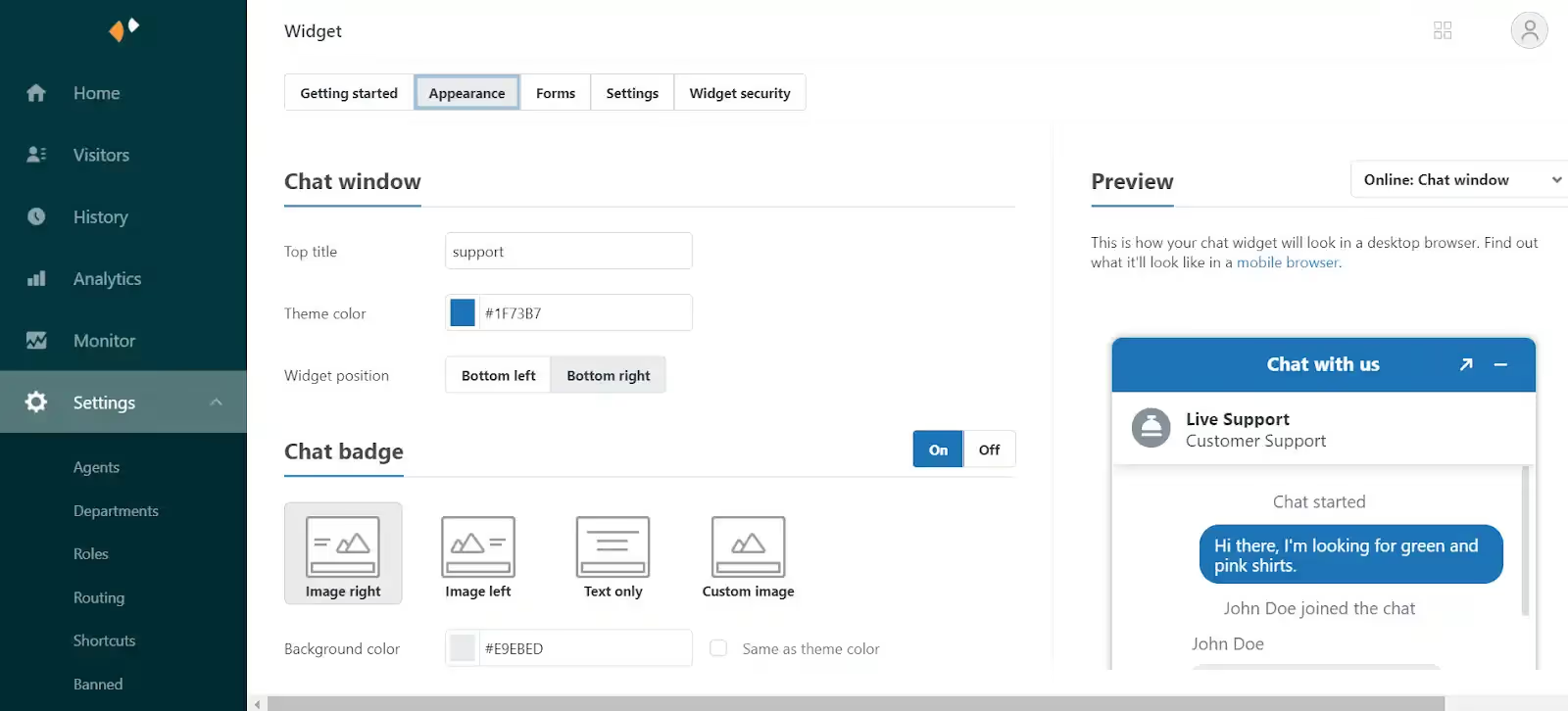
Developed by Zendesk, Zendesk Chat is a live chat app for Shopify stores. It allows you to communicate with customers over your Shopify storefront, mobile apps, and popular messaging apps like Facebook Messenger, Twitter, and Line.
If you’re a Zendesk customer using the Team plan or above, you can use Zendesk Chat for free.
Standout features:
- It’s a good choice if you're using Zendesk Support Suite
- Supports all essential features of a typical live chat app
- Gather customer feedback via chat ratings
- Share files like screenshots, product guides, or GIFs with customers
Why it may not be for you:
- Non-user-friendly interface and steep learning curve for beginners
- Expensive pricing plans for Shopify store owners
- A lot of technical errors when installing and using the app
- Bad customer support team
- Not suitable for ecommerce businesses
Pricing: Starting from $49 per agent per month. A 14-day free trial is available.
3. tawk.to Live Chat
Tawk.to Live Chat is an agent-centric chat application for Shopify stores. The best thing about this app is it’s 100% free—there’s no limit to the number of agents, chat volumes, or sites you can add widgets to.
Standout features:
- Supports 27 languages
- Easy to set up, free forever, and secure
- Available on PC, macOS, iOS, and Android
Why it may not be for you:
- Many features are not user-friendly
- Need to pay a small fee to remove the “Powered by Tawk.to” branding
- The customer support team isn’t always responsive
Pricing: Free
4. O: WhatsApp Chat, Contact Form

O: WhatsApp Chat, Contact Form makes it easy for shoppers to reach you through the channels they already use, like WhatsApp, Facebook Messenger, Telegram, and Instagram. Instead of building out a complex live chat system, it focuses on providing a simple, customizable widget that connects directly to your preferred messaging platforms.
Standout features:
- Integrates with 20+ messaging channels
- Customizable chat button and widget design
- Contact form option for capturing customer details when agents aren’t available
- Targeting rules to show/hide the widget on specific pages or devices
Why it may not be for you:
- Doesn’t offer advanced automation or AI-powered chat
- Lacks ticket management and deep helpdesk integrations
Pricing:
- Free plan available. Paid plans start at $2.99/month
5. Chatra Live Chat
Chatra Live Chat claims to help you “sell more, answer questions, and alleviate concerns to help visitors place an order.” It also allows you to view a shopper's cart contents in real-time to identify the most valuable customers and provide tailored assistance.
Standout features:
- Support a free forever plan
- Provide useful live chat features like typo correction and group chats
Why it may not be for you:
- Most advanced features aren’t available in the free plan
- Lack of customization options
Pricing: Starting from $31 per month. A free plan is available.
6. Re:amaze Live Chat

Re:amaze is a helpdesk, live chat, ticketing, chatbot, and FAQ for small, medium, and enterprise businesses. It allows you to handle support tickets across channels, including emails, live chat, Facebook pages, Messenger, Twitter, Instagram, SMS, VOIP, and WhatsApp.
Reamaze Live Chat aims to help you support customers faster by chatting with them in real-time. It offers many features that are similar to Gorgias’ and other live chat apps.
Standout features:
- Multi-store support
- Can send products to customers in chat
- Flexible pricing, no contract
Why it may not be for you:
- User interface is a bit outdated and not user-friendly
- Macros and rules need improvement
Pricing: Starting from $29 per month. A 14-day free trial is available.
7. Tidio

With approximately 900 reviews, Tidio Live Chat is currently the highest-rated live chat app on the Shopify App Store. Tidio merges live chat, bots, and marketing automation to provide you with a comprehensive live chat app.
Standout features:
- Rich widget customization options
- Many automation and bot templates
- Multiple languages supported
Why it may not be for you:
- Shallow integration with Shopify and other ecommerce platforms
- Pricing plans are a bit high for Shopify merchants
Pricing: Starting from $29 a month. A free plan is available.
8. LiveChat

LiveChat is a messaging app that offers many unique features for its live chat service. It can integrate with most customer relationship management (CRM) tools like Zendesk and ecommerce platforms like Shopify.
Standout features:
- Chat window loads instantly and is easy to use
- Clean and well-designed user interface
Why it may not be for you:
- Not optimized for Shopify since LiveChat is also a CRM
Pricing: Starting from $16 per month. A 14-day free trial is available.
9. Shopify Inbox

Shopify Inbox is Shopify’s native live chat function that allows you to have real-time conversations with customers visiting your Shopify store. It’s an extension to the messaging capabilities already available within Shopify Ping.
Note that all your chats are managed in Shopify Ping. Shopify also asks your customers to provide a phone number or email address in order to start a chat with you. Their information will be added to your Customer list in Shopify or matched to an existing customer.
Standout features:
- Clean and intuitive interface
- Free forever
Why it may not be for you:
- A bit complicated for beginners to install the app
- To use Shopify Chat, you must use Shopify Ping on your desktop (shopifyping.com) or install it on an iOS, iPad, or Android device to receive and respond to messages.
Pricing: Free
10. Formilla Live Chat

Formilla Live Chat offers free live chat and premium services for your Shopify store. You can use this app to chat with your visitors live if they have any questions or need support from your store.
Standout features:
- Easy and simple to use
- Connects with customers quickly
Why it may not be for you:
- Many features locked behind higher plans
- Lack of rules and automation
Pricing: Starting from $17.49 per month. A 15-day free trial is available.
11. eDesk Live Chat
eDesk is a comprehensive customer helpdesk designed for ecommerce. It helps you create a positive experience for customers across your marketing channels: email, live chat, social media, and online store.
Standout features:
- Clean and intuitive user interface
- Good customer service team
Why it may not be for you:
- Pricing plans are steep for Shopify merchants
- Not optimized for ecommerce
- Lack of essential live chat features
Pricing: Starting from $49 per month. A 14-day free trial is available.
12. Jotform AI Chatbot & Live Chat
Jotform AI Chatbot & Live Chat lets you provide 24/7 support with an AI-powered chatbot that integrates directly into your Shopify store. The app automatically trains on your store’s data to answer FAQs, track orders, and even recommend products, while still allowing live chat when a human touch is needed.
Standout features:
- AI trained on your store’s data
- Multi-language support (English, German, French, Spanish, and more)
- Integrations with WhatsApp, Messenger, Slack, and Google Drive
Why it may not be for you:
- Advanced features only available on paid tiers
- More complex than simple live chat apps
Pricing: Free plan available (includes up to 100 monthly conversations). Paid plans start at $39/month with higher limits.
13. Moose: AI Chatbot & Live Chat
Moose: AI Chatbot & Live Chat (MooseDesk) brings live chat, helpdesk, and omnichannel messaging into one unified tool built for Shopify. With AI-powered automation and support across chat, email, WhatsApp, and social, it's engineered to help you respond faster — without leaving your dashboard.
Standout features:
- Trained on your store data (FAQs, products, etc.)
- Central inbox for live chat, email, WhatsApp, Messenger, Instagram, and more
- Multilingual support and built-in FAQ/self-service features
Why it may not be for you:
- Because it’s a newer tool, some merchants report quirks or missing native mobile app (it's built as a Progressive Web App currently)
- Push notification behavior and instant alerts can vary depending on device settings
Pricing: Free
How to roll out live chat without slowing down support
The benefits of live chat are real, but only if you roll it out with a plan. Too often, brands turn it on everywhere and suddenly face a flood of new tickets their team can’t keep up with. The result is often longer wait times and frustrated customers.
The key is to treat live chat as both a support and sales channel. That means leaning on automation to handle the quick, repetitive stuff, and reserving agent time for higher-value conversations.
Here’s how to strike the right balance:
- Start with automation: Use chatbots to answer FAQs, collect order details, or qualify sales leads before passing them to a human.
- Set smart routing rules: Direct pre-sales questions to your sales team, and post-purchase issues to support, so customers reach the right person faster.
- Limit availability at first: Roll out chat during peak hours or on high-intent pages (like product or checkout) to control volume.
- Layer in human support: Keep agents available for complex or high-stakes conversations where personal service matters most.
By combining humans with automation, you’ll give customers the instant responses they expect, without creating another backlog for your team.
Turn conversations into conversions with the right app
There’s no single Shopify live chat app that works for every store. Each brand has its own support needs, sales goals, and team workflows—which means the “best” tool depends on what you’re trying to achieve.
The smartest approach is to test a couple of the apps above and see which one fits your business best. The right live chat tool should do three things: improve customer satisfaction, make your team’s job easier, and contribute to your bottom line.
And if you’re looking for a solution built specifically for ecommerce? Book a demo with Gorgias as the best Shopify-native option.
{{lead-magnet-2}}
Building delightful customer interactions starts in your inbox
