
.png)

Newsletter Signup
The best in CX and ecommerce, right to your inbox
Featured articles

Ticket Volume: How to Measure It, Benchmark It, and Reduce It

Gorgias AI Agent Pricing, Explained

Introducing Helpdesk 2.0: Built for How Agents Work
TL;DR:
- Built directly from agent feedback, Helpdesk 2.0 fixes real workflow pain points. The redesign focuses on reducing friction and helping agents handle more context-heavy tickets.
- A chat-style interface replaces the old email layout. Conversations are easier to follow and resolve in one view.
- Customer context is shown beside the conversation in a right-side panel. Agents can view history, orders, and details without leaving the ticket.
- AI handoffs come with clear summaries. Agents instantly see what happened, what was tried, and what to do next.
- Navigation is simpler and faster across teams. Clean menus, structured queues, and multi-store access keep agents moving efficiently.
Helpdesk 2.0 starts with the people who use it most: the agents.
We spent time understanding customer support from the agent's seat. What do they reach for constantly? What slows them down? What does a better workday look like?
Everything we found is in this brand-new update.
Why we redesigned Helpdesk
Conversational commerce is the new standard.
In customer support, this means customers expect context to remain intact wherever they reach out, whether a conversation starts on social, moves to email, or ends on a call.
This new approach to support has also changed the agent's role. Recurring tickets, like order status checks, shipping updates, and returns, are now handled by AI. What lands in the agent inbox are edge cases that require human judgment and troubleshooting, or tickets that require the full picture.
However, the original Helpdesk was built for a different era of support.
Context was separated across views rather than built into the conversation itself. It's something one in five Gorgias customers flagged, through support tickets, NPS surveys, and conversations with our team. So, we got to work.
Helpdesk 2.0 is the result.
What's new in Helpdesk 2.0
Here's a look at everything that changed.
Read conversations the way they're meant to be read
Conversations have a natural rhythm, one that’s already found in every messaging tool we use. We brought that same layout into the helpdesk.
Say goodbye to the 2000s email interface and hello to chat bubbles. This updated design changes how quickly you can orient yourself and resolve the ticket in one go.

Chats with customers now look like real conversations, using the speech bubble style you’re familiar with on popular messaging apps.
Check customer history without losing your place
Checking a customer's history used to mean leaving the conversation, an extra step that interrupted what should have been a smooth workflow.
Now, past conversations open in a sidebar next to the active conversation. You can view a customer’s full history, search through their timeline, and open prior tickets without going to a new page.

Check past conversations, orders, and customer details in the brand-new Customer Timeline.
See order details the moment you open a ticket
Order information is easier to reference than ever. Open a ticket, and you instantly see the customer's recent orders, marked with product images and invoice details at a glance. Need to dig deeper? Click on an order, and the expanded information appears in the same panel.
For teams using custom integrations, apps are fixed in a quick-access integration menu on the right.

See order details, product images, and totals at a glance on the right panel, without leaving the conversation.
Pick up where AI left off
You shouldn't have to dig through a thread to figure out what AI already tried. Now you don't have to.
When AI Agent escalates a conversation, it includes a concise handover summary that mentions the issue, what actions were taken, and why it was passed to your team.

Escalated tickets include a brief AI-generated handover summary, marked in yellow, for quick reference.
Move faster across every store and team
We restructured and simplified the navigation. The left sidebar organizes everything into clear categories: Inbox, AI Agent, Marketing, and Analytics, so anyone on your team knows exactly where to go.
To quickly update your knowledge base or adjust a workflow, both now live right in the sidebar. For teams managing multiple stores, switching between them is just as straightforward, accessible from the sidebar, so agents can move between inboxes without breaking their flow.

Agents can switch between stores and their corresponding inboxes directly from the left menu.
A workspace that works the way agents do
Support comes down to the person on the other end of the conversation. We built Helpdesk 2.0 is to make sure they have everything they need to show up for that moment.
The best way to see the difference is to work in it. Start a free trial today.



Further reading

How to Implement an Omnichannel Customer Service Strategy
Excellent customer service experiences depend on giving customers convenient paths to contact support agents on whichever channel best suits them. This is possible with an omnichannel customer service strategy, where businesses seamlessly manage customer interactions on multiple communication channels: email, social media, SMS, voice, and so on.
According to Shopify’s 2022 Future of Commerce report, 58% of customers say that being able to get customer support on their preferred channel influenced their purchase decision. An omnichannel approach satisfied this need and more by retaining customer data across channels and using it to personalize every interaction, even if a customer has never used that channel before.
Below, learn why an omnichannel approach to customer engagement can produce more revenue for your business, increase loyalty, and provide an overall better experience.
What is omnichannel customer service?
Omnichannel customer service is when a business offers multiple options for customer support that seamlessly connect across different channels.
For example, providing unified customer support via messaging channels like SMS or live chat, phone calls, and social media apps is an omnichannel approach to customer service. In addition to providing your customers with multiple touchpoints for contacting customer service agents, self-service support resources such as a knowledge base, an FAQ page, and automated chatbots can also serve as valuable elements of an omnichannel customer service strategy.

Why you should offer an omnichannel customer experience
Thanks to the benefits listed below, the popularity of omnichannel customer service is rapidly increasing. Customer expectations regarding omnichannel customer service have been on the rise lately as well, with 78% of customers reporting that they prefer to choose from a variety of engagement channels for support, according to data from Salesforce.
The same Salesforce report also shows that 40% of customers won't do business with a company if they can’t use their preferred channels. Meeting customer expectations and creating a customer-centric experience can lead to better growth, which in turn creates more revenue for your business.
That’s true for the team at messenger bag shop Timbuk2. "Increased customer support should go hand in hand with revenue growth,” says Joseph Piazza, Senior Customer Experience Manager. “We want to turn customer experience into a profit center."
Below, explore some of the main benefits of of incorporating an omnichannel approach into your customer service strategy.
Support your customers where they are
Omnichannel customer service allows customers to contact your support team using the channels that they are already most comfortable with. This encourages better customer relationships since shoppers won’t have to compromise on how they like to communicate.
Take a look at how Berkey Filters, a leading water filtration brand, lets customers know about their fastest support channels at the top of their contact-us page:

Requiring customers to contact your company via email or phone may not seem like too big of an ask, but remember that for every customer who contacts your brand for support, there are likely several others who will decide that those options are too much of a hassle. They might prefer Instagram or Twitter or would rather send in a quick text message. That creates a leaky bucket for your team — you might miss out on answering the question that makes the sale, or resolving a frustration that keeps someone from making another purchase.
Implementing an omnichannel customer service strategy makes getting support more convenient and accessible for your customers. And, it increases the chance that they’ll actually reach out so that you can turn around their experience.
📚Recommended reading: Learn how to incorporate social media into your customer service strategy.
Resolve your customers' needs faster
According to data from HubSpot, 90% of customers rate immediate responses as “important” or “very important” when they have a customer service question.
When you make it more convenient for customers to find the answers that they need, you reduce wait times and resolve your customers' needs much faster. Resolving customer issues as quickly as possible is a vital objective for any company that hopes to optimize customer satisfaction.
If you hope to meet these customer expectations, your entire customer service process needs to be an efficient and streamlined experience. Offering support across multiple communication channels — complemented by automation and templates — is an effective step toward accomplishing this goal.
📚Recommended reading: Our Director of Support’s guide to lowering resolution time.
Increase customer loyalty
Customers take time to contact a brand's contact center when they are experiencing an issue, either before or after a purchase. If their issue is not resolved in a timely and effective manner, customers could decide not to purchase from you again.
Making it as simple and convenient as possible for customers to contact your company allows you to resolve customer issues much faster, and increases the likelihood that customers with issues will contact you in the first place.
Stationery shop Ohh Deer tracks the revenue it generates from positive customer experiences using Gorgias. The brand boasts a 4.95 CSAT score and tracks $12,500 of revenue generated from chat each quarter. "When you make sales thanks to your good service, customers will come back and recommend you,” says Alex Turner, the brand’s Customer Experience Manager. “That's revenue-generating."
Good service can go a long way towards boosting customer satisfaction and ultimately customer loyalty because customers know that if they have a problem, you will be able to quickly resolve it.
📚Recommended reading: Want to get a gauge of your brand’s customer loyalty? Learn how to calculate (and improve) net promoter score (NPS) and customer satisfaction (CSAT).
{{lead-magnet-1}}
Reduce customer churn rates
Boosting customer loyalty also means reducing customer churn rates. When you can provide a streamlined and satisfactory experience to customers who are having issues with your products or services, it’s less likely that those issues will cost you the customer.
According to The Effortless Experience, 96% of customers who have high-effort experiences feel disloyal to those companies afterward. Having to navigate away from social media and compose an email, only to be told that you actually have to pick up the phone and repeat your issue is the definition of a high-effort experience.

If the support process is seamless for the customer, their experience will be positive — and positive customer experience reduces churn. For subscription-based businesses, this means canceling their subscription. For non-subscription-based businesses, this means not returning to place additional purchases.
An omnichannel customer service strategy can be an exceptional tool for helping you turn customer issues into satisfactory outcomes, boosting customer retention in the process.
📚Recommended reading: Dealing with angry or frustrated customers? Check out our guide to dealing with angry customers over email.
Differentiate your brand from the competition
There's no denying the fact that ecommerce store owners are currently experiencing more than their fair share of challenges — and customer retention, not acquisition, is the best way to stand out.
Between stiff competition from ecommerce giants like Walmart and Amazon, and mounting global supply chain challenges, drawing in enough customers to pay the bills has never been harder.
The price of paid advertising has also skyrocketed recently, leaving many ecommerce brands at a disadvantage when it comes to bringing in new customers through paid channels. For example, Meta’s cost per click for paid ads increased by 61% from the previous year.
Many brands still operate in silos, where a support conversation via email and purchase history don’t show up in a customer’s lifetime profile. This makes omnichannel customer support a great way to step up the overall experience, where new shoppers feel comfortable making a purchase and returning shoppers are excited to come back for more.
And remember: While the cost of ads and customer acquisition skyrockets, happy customers generate 300% more revenue than first-time shoppers. So, while other brands are overspending on new customers they struggle to retain, you’ll come out on top by focusing on providing an excellent customer experience that keeps customers coming back.

Create a smoother customer journey
Customers want the ability to get the support they need where and when they want it, at any stage of the relationship they have with a company.

This creates a better user experience, one that is more focused on the benefits to the customer than on the benefits to the business. That’s the main difference between omnichannel and multichannel support. Multichannel support focuses on using multiple channels for marketing or support. Omnichannel seeks to meet customers where they are, provide a positive, seamless customer journey, and support people at all stages of the customer lifecycle.
How to leverage the unique benefits for each channel
Each customer service channel has benefits of its own. Providing multiple channels — and a seamless experience switching from one channel to the next — lets customers choose what best works for them.

Self-service
88% of customers want a self-service portal so that they can answer their own questions. Self-service resources like FAQ pages or knowledge centers are great for customer convenience, as they provide immediate answers to common questions.
There’s a reason that 95% of customer service teams rely on email for support. A preferred channel for many, its versatile features, ticketing system, and the ability to integrate with simple automation makes it a tool that works for small and large teams.
Phone
Some people still prefer to talk on the phone to get support. Phone conversations help to fully resolve an issue in a way that text or email support can’t. Plus, having a phone line for people to call builds trust in your business, even if customers choose a different channel.
Live chat
Using live chat support can increase customer conversions by 12%. It’s as much of a conversion tool as it is a support tool. Live chat encourages shoppers to ask any questions they have that are preventing them from making a purchase. For support, it offers immediate assistance for a quick resolution time.
SMS text messages
46% of Americans spend 5-6 hours on their mobile devices each day. Offering SMS or text support meets customers where they already are, which creates an easier experience for them.
Social media
Time spent on social media is at an all-time high. Worldwide, the average person spends 147 minutes on social media each day. Because people already spend so much time on social, allowing them to get support there creates a much easier, streamlined experience. Shoppers can respond to a story to ask questions about products, comment a question on a post, tweet at a brand, or reach out via DM, a space that’s usually monitored by brands daily.
Mobile app
If your business has a mobile app, in-app support reduces the need for customers to switch back and forth between platforms
In-person
In-store support is great for personal connection, makes exchanges much easier, and allows customers to get an instant refund rather than waiting for an item to ship back. It also eliminates return shipping costs and can increase store revenue by bringing people back to take a look at what’s currently in stock.
5 tips for building world-class omnichannel customer service
The benefits of omnichannel customer service make it a stand-out customer support best practice. To help you get started, here are five tips for building world-class omnichannel customer service.
1) Use customer data to know your target audience(s) inside and out
Customer data is the fuel that powers better customer service. When you know your target audience inside and out, you can fine-tune messaging across different digital channels to provide support.
To offer a consistent experience across multiple channels, you must keep customer data front and center for whichever agent responds to the question. Customer data includes everything from each customer’s name, shipping address, past orders, past conversations, loyalty points, reviews, and more. With the right tool, this data will carry from one channel to the next, ensuring your customers never have to repeat themselves:

This customer data gives your agents the insights they need to provide a more personalized experience to the customers that they assist. Plus, you can set up automation workflows — like chatbots and automatic responses — that use this data to provide instant, personalized support. We’ll discuss this more in step four below.
✅ Next steps: Get familiar with the customer data that you have and make it as easy as possible for your agents to access. Ideally, it’s part of a helpdesk so your agents don’t have to switch tabs while answering tickets. But a customer relationship management (CRM) tool or even a spreadsheet could work — anything to avoid asking customers to repeat themselves.
📚 Recommended reading: Want to measure key customer support metrics? Read our guides on measuring NPS, CSAT, and customer service ROI. Or, check out our list of customer support metrics every brand should track.
2) Understand the strengths of each customer support channel
Before you can begin offering efficient customer service across multiple digital channels, you first need to get familiar with how each one of those channels works, how they can work together, and the best way to utilize each channel.
For instance, you may decide that routing customers with more complex issues from live chat to a call center is the best way to use these two channels in tandem. Whatever system you decide to implement, a thorough understanding of how to use the various channels in your omnichannel customer service strategy — both individually and as part of your overall support network — is key to creating effective omnichannel support.
Keep in mind that forcing customers to switch channels isn’t ideal. However, in certain circumstances, your best bet at finding a quick resolution is asking customers to jump on the phone or send an email with more details and images.
✅ Next steps: Check out our Director of Support’s guide to prioritizing customer support requests based on channel, urgency, and customer status. This is a great first step to developing a strategic approach to a multi-channel support operation.
3) Centralize all your conversations using a unified customer support platform
One of the only drawbacks of omnichannel customer service is the fact that requiring support agents to bounce between multiple apps (email, Facebook, Instagram, and so on) to respond to notifications on each channel. Thankfully, customer support software solutions (also called helpdesks) such as Gorgias can help. A customer service platform like Gorgias has functionality that can:
Centralize customer support conversations. Centralize conversations across numerous platforms and social media messaging apps into a single, user-friendly dashboard. Centralizing your customer interactions into one dashboard makes it easy for your customer service agents to switch between messaging platforms. This can boost agent productivity and ultimately improve the quality of your omnichannel customer support services.
Reduce tab-shuffling. Pick a helpdesk that pulls customer data from your ecommerce platform (like Shopify, BigCommerce, or Magento) so you can see customer data, modify orders, and suggest products without leaving the helpdesk. For you or your customer service agents, this means that they don’t have to pull up multiple tabs to help out one customer, which would involve shuffling between sites like Gmail, Instagram, and Shopify, for example.
Unify customer data across channels. Customers want to be able to start a live chat conversation with support and have the agent be able to see their past conversation history, purchases, and even chats they’ve had on other channels, like email or via text. Gorgias includes a customer sidebar, which shows customer data and metrics across integrated channels like SMS, email, and social media, and tools like Klaviyo and Yotpo.
Use automation to streamline processes. Built-in automation can help you deflect and prioritize tickets, offer immediate responses to frequently asked questions, or pop up to share proactive support or find upselling opportunities.
✅ Next steps: Check out the best customer service software on the market, or sign up for a free trial of Gorgias.

Note: Gorgias no longer supports Twitter interactions, but you can still use Gorgias for Facebook, Instagram, and WhatsApp.
4) Leverage automation to improve response time and lighten the workload for your team
Tools designed to automate tedious customer service tasks are a huge help. Automated customer support workflow builders enable you to create canned responses to common questions such as, "where is my order?" and "do you ship internationally?"
Leveraging artificial intelligence can help you determine customer intent and provide accurate, personalized responses. The benefits of these automation tools are two-fold. They allow you to speed up your response and resolution times, and also help to reduce the burden on your support team by automatically resolving a large percentage of customer issues — which would have otherwise required a manual response.

✅ Next steps: If you don’t have one already, sign up for a helpdesk that comes with automation. Automated workflow builders such as the one offered by Gorgias can connect with a wide range of messaging platforms, letting you create canned responses across numerous customer support channels.
5) Offer self-service options
Self-service resources such as FAQ pages, automated chatbots, and knowledge base pages can allow customers to quickly find the answer to common questions without having to create a support ticket. While some might not consider these support channels, because they don’t involve conversations with support report reps, they are extremely important elements of the customer experience.
According to data from Microsoft, 66% of customers try self-service options before they decide to contact a brand's customer service team. Further, the same report finds that 88% of customers expect brands to have an online self-service portal.
While it is certainly important to provide customers with plenty of different channels for getting in touch with your customer service agents, self-service channels can be a valuable element of omnichannel customer service as well. Self-support resources make it easy for customers to find answers to common issues — even when all your reps are offline — while also reducing your team's support ticket volume.
Self-service is a wide-ranging umbrella, including resources like the following.
1) Self-service menus where customers can track, return, and cancel orders, as well as get answers to common questions without having to contact an agent and wait for a response:

2) Knowledge bases, also known as Help Centers, where customers can access an organized library of support articles and manage their order without contacting an agent:

3) Customer communities where customers can see conversations with other customers and read informative blog posts related to their products and issues

✅ Next steps: Using the data you have from past customer questions, pain points, and conversations, identify your frequently asked questions and create an FAQ page to answer them. You should also link your shipping, return, and exchange policies, as well as links to the additional channels where you offer support.

Once you have your FAQ page, monitor usage and consider upgrading to more robust self-service options like those described above.
Gorgias makes omnichannel customer service possible with a few clicks
As the customer service platform built specifically for ecommerce stores, Gorgias offers everything you need to implement omnichannel customer service with just a few clicks, including:
- Centralized customer support dashboard for connecting multiple customer service channels under a single, easy-to-use platform
- Powerful integrations with a wide range of messaging platforms, including fast-loading live chat widgets for offering real-time live chat support directly from your website
- AI-powered automated workflow builder for creating canned responses to common customer service questions
Take a look at how Gorgias helps you offer omnichannel customer service in the video below:
If you would like to see for yourself how Gorgias empowers ecommerce brands to offer exceptional omnichannel customer service, sign up for Gorgias today.
{{lead-magnet-2}}

How to Leverage the Power of Live Chat for Sales
Ecommerce brands like yours usually turn to live chat for customer support. Your team is ready to answer, lightning fast, when a customer asks where their order is or how to request an exchange. This is great practice: Most customers expect some type of live chat and fast responses.
But that’s just the tip of the iceberg — live chat is a great sales tool, too. Check out these live chat sales statistics:
- 79% of businesses say that implementing live chat positively impacted their revenue and customer loyalty
- Live chat can boost your conversion rate by 12%
- 38% of customers are more likely to buy if your site has live chat
Live chat boosts sales because it connects shoppers to your team while they’re browsing your site, exactly when they’re on the fence about a purchase. It lets potential customers get answers to pre-sales questions and make a confident purchase. It also lets you highlight promotions and free shipping, offer discounts, collect customer email addresses, and upsell shoppers.
Let’s dive into each of those reasons (and more) to help you understand why live chat is your new sales machine.
How live chat helps drive revenue
At its most basic, live chat drives revenue by allowing your customers to reach out to your brand with very little effort. From there, you can answer pre-sales questions and highlight incentives that unblock purchases.
Here’s what that looks like with some specific examples:
1) Gives shoppers the information they need to make a purchase
Imagine you’re trying to buy a new toy for your child from an international store. You’ve found information about domestic shipping but can’t find out whether they ship outside the country (and whether it’ll arrive by your child’s birthday). You look for the answer on the product page, the checkout page, an FAQ page — nothing.
While we recommend putting detailed shipping information in multiple locations on your site, live chat is that crucial last line of defense for these kinds of pre-sales questions before customers decide to just open up Amazon, where they know they’ll get it within two days.
 |
Shipping information is just the beginning. Customers turn to live chat to answer pre-sales questions of all kinds. Questions will vary depending on your industry, but could include:
- When should I expect to get my order if I buy it today?
- What size leggings should I get?
- Are your snack bars safe for peanut allergies?
- Is your deodorant 100% vegan?
- Do you have any special deals if I buy more than one item?
- Is your return window longer during the holidays?
- Can you make this item in a custom color?
Jewelry brand Jaxxon does a great job of answering many of these kinds of questions in their chat widget with self-service features we’ll describe in more detail below).
 |
Once you answer pre-sales questions, you can use live chat conversations to:
- Offer discounts to shoppers
- Highlight that you offer free shipping for orders over $100 to boost average order value (AOV)
- Recommend better or superior products for the customer’s needs
- Much, much more.
📚 Recommended reading: Learn how Jaxxon boosted overall revenue by 46% with self-service in live chat.
2) Engages customers during the shopping process
When customers are on your website, they’re one short step away from placing an order. If they need to get ahold of you and their only option is to leave your website and compose a new email, you’re disrupting the flow of shopping, adding devastating effort to your sales process.
Having live chat on your site for quick questions and customer support makes shopping on your site easier, faster, and less effortful — all elements of a great customer experience, right on the page.
 |
You give customers the fast, personalized help they need without letting them wander away from your site and abandoning their cart. They don’t even need to hunt down your contact page or dig for your email address. The live chat button is right there, on the page.
 |
Engaging a shopper at the right time can be make-or-break for your business. Learn how CROSSNET closed a $450,000 sale using Gorgias live chat.
3) Captures emails for future marketing campaigns
With live chat tools such as Gorgias, you can give customers a contact form so they can still send a message when no agents are online.
This accomplishes two things:
- It helps your customer service team follow up and answer the question (via email) as soon as they get back online. The faster you can provide a helpful answer, the more likely they are to check out rather than abandoning their cart.
- It gives you customer contact information which you can add to your email marketing list, so you can send them new sale announcements, discounts, and other marketing and promotional materials.
The email capture feature on Gorgias live chat allows us to collect new email addresses on a daily basis! This is highly convenient and helps us drive sales.
— Danny Taing, Founder & CEO
📚 Recommended reading: Learn how Topicals boosted sales by 78% through pre-sales customer conversations.
4) Offers self-service features for shoppers
Inviting a slew of new questions and messages may turn you off — especially if you’re a smaller brand trying to minimize the size and cost of your support team. That’s why some live chat software like Gorgias offers self-service functionality: to answer a bulk of shopper questions without any agent interaction.
Most live chat tools use chatbots to automate live chat interactions. But speaking to a robot that’s pretending to be human is a deceiving (and often frustrating):
Instead, we find that most ecommerce brands (and shoppers) prefer interactive self-service, where you can pre-load frequently asked questions that shoppers click for an instant answer:
This way, key pre-sales information is available for shoppers without a torrent of tickets flooding your inbox. That said, we’ve observed that these Quick Response Flows filter out tons of repetitive questions and lead to more complex questions that require a human agent. More on that in the following section.
5) Boosts brand affinity
Not all interactions should be automated. Live chat conversations — even those that begin with self-service — open the door to more genuine, delightful conversations where your support agent can offer personalized support and show off your brand’s most appealing benefits (even if the customer didn’t explicitly ask).
 |
ALOHAS, a sustainable fashion brand, is a great example of this. Their unique on-demand model prompts many questions about shipping time, so they created a Quick Response Flow about their shipping policy. When customers click, they get a soft sell on the program:
 |
If the customer is still confused, needs more information about the program, or wants advice from the sales associate, they just have to click “No, I need more help” to connect with a human agent.
Since launching Automate (which includes Quick Response Flows) three months ago, we have doubled the revenue from customer support and we’re on our way to triple the revenue we get from chat.
— Annalisa Micalizzi, Manager of Global Customer Service at ALOHAS
6) Allows you to reach out to customers proactively
With certain live chat tools, you can create automatic chat campaigns to proactively reach out to customers shopping on your site. This kind of customer engagement is like a friendly member of your sales team asking if shoppers in a brick-and-mortar store need help. But it is much less intrusive than a pop-up.
 |
You can use chat campaigns to:
- Welcome customers to your store
- Ask customers if they need help
- Remind them about free shipping
- Share a new product launch
- Direct shoppers to your best sellers
- Much more
With Gorgias, you can even link these proactive chat campaigns to specific pages and customer browsing behavior.n This way, you’re sending the right message to the right person at the right time to increase positive interactions and conversion rate.
For example, pet food brand Franklin set up a chat campaign on each of their products for sensitive animals to ask shoppers if they have any questions about their pets’ unique needs:
 |
This is a great example of how proactive outreach can transform your brand into a trusted, helpful shopping partner. Conversations that educate shoppers and help them find the perfect product are great for building shopper confidence on their first purchase as well as long-term loyalty.
7 best practices for using live chat for sales
Now that we understand some of the big-picture ways live chat can boost online sales, let’s look at some tips to keep in mind while implementing live chat for sales:
1) Be available when your customers need it
Availability is where live chat shines. Customers can type their problems into the chat box and get answers from your team in seconds. Spend time understanding when your customers shop and staff your live chat accordingly.
Most online shopping occurs between 8 p.m. and 9 p.m., with another peak on Wednesdays and Thursdays from 10 a.m. to 11 a.m. However, that might not be true for your store and these shopping windows don't account for time zones.
Use tools like Lucky Orange and DeepMine to study your site’s unique traffic and sales patterns and base your staffing around your unique customer behavior.
If you can't staff your live chat 24/7, Gorgias live chat offers a variety of tools — including autoresponders, contact forms, self-service flows, and more — to keep servicing your customers, even when you’re offline for the night.
{{lead-magnet-1}}
2) Collect customer insights with live chat
Live chat is great to solve individual customer issues, but you can take note of patterns and pain points in customer feedback to make larger-impact improvements to your product and customer experience (CX).
For example, if customers regularly reach out with questions about shipping, you might want to create clearer and more visible shipping policies or FAQs. Consider creating Macros that agents can use to ask follow-up questions to understand what confused or frustrated customers.
📚 Recommended reading: Learn how Chomps, a better-for-you snack brand, uses Gorgias to analyze tickets and improve their product and CX.
3) Set up automatic greetings to reduce first-response time
You may not be able to immediately answer every single live chat ticket, even when you’re online. If that’s the case, give your agents some buffer time by creating an automated initial prompt that boosts your first-response times.
This way, shoppers that message your brand will know their message was received, and hopefully wait a few extra moments before giving up on the hope of contacting you. This buys your team members a few seconds to pull up the chat request and respond.
Here’s what a rule to automatically send this kind of message could look like:
 |
4) Streamline the checkout page, including scaling back on proactive chat
We all know a streamlined checkout process is key to driving purchases and reducing cart abandonment. It’s worth paying attention to when 70% of customers abandon their carts before completing the checkout process.
While live chat might seem like a great way to push customers over the finish line, we recommend holding off on any proactive chats at this point in the shopping journey. If customers have made it this far, it's best to eliminate distractions.
At the very least, set your chat campaign to wait for at least 60 seconds. That way, you’re not barraging them with too many distractions the moment they land on the checkout page.
{{lead-magnet-2}}
5) Continue chat conversations after the live chat ends
We've already covered that live chat is an excellent lead generation and qualification tool. With that in mind, don’t waste the opportunity to do some follow-up after a live chat session ends — the real value of your customers comes from repeat purchases, after all, and this is what makes customer service so important for growth.
Here are some ideas and tips to keep the conversation going:
- Send a customer satisfaction (CSAT) survey, which you can do automatically with Gorgias. This shows customers you value their feedback and lets you collect key insights right after each interaction.
- Add customers to automated mailing lists if you collected their email with a contact form (but make it easy for them to opt-out).
- In any future conversations (that they or you start), refer back to your conversation in live chat, especially if the issue is related. A CRM-like helpdesk like Gorgias that displays a customer's order and interaction history makes this very easy.
 |
6) Make personalized product suggestions
One of the best ways to use live chat to boost sales is to offer customers personalized product recommendations during live chat sessions.
When you instruct your customer support agents to function as sales reps and seek out upsell and cross-sell opportunities during live chat conversations, you can boost metrics like your conversion rate and average order value (AOV).
You can even include links to products in your store that display visually in the live chat conversation:
 |
7) Use dashboards to learn what's working and optimize
One of the biggest benefits of Gorgias' live chat solution is that it comes with detailed dashboards that include a wide range of insights and analytics, from the performance and speed of your support team to the revenue you’re earning.
Track sales-related metrics — like revenue growth and the type of tickets that converted the most — and for helpful insights at scale. You can also see how much time and money live chat is saving your team by monitoring key CS performance metrics like first response time, resolution time, and closed tickets by day or agent.
 |
All seven of the strategies we've covered to drive sales with live chat can be optimized and prioritized based on how they perform. To do this, you need to be able to measure your key live chat metrics and adjust accordingly.
Optimizing your live chat support strategy for maximum sales is much easier with a dashboard that provides real-time insights at both the macro and micro levels.
📚 Recommended reading: Our VP of Success and Support’s guide to customer support return-on-investment (ROI).
Common live chat mishaps to avoid
Live chat offers a wealth of benefits when employed correctly, but there are a few common mistakes to avoid:
Implementing the wrong live chat tool
Not all live chat apps are created equal. If you want to leverage live chat to its full potential, choosing a tool that offers the right features and functionality for your specific business is important.
For example, some tools may have a chatbot that’s too simplistic or requires a heavy amount of coding or additional fee to set up custom chat messages, triggers, or automatic replies. Others may require you to choose between a chatbot and live chat (we think they work best together — here’s why.)
With Gorgias, ecommerce stores can:
- Create fast-loading live chat widgets.
- Offer live chat support across various messaging platforms, including SMS and Facebook Messenger.
- Create automated responses to common customer questions.
- Automatically collect and organize customer insights.
Learn more about how many ecommerce stores use Gorgias to increase their sales through live chat.
Failing to transfer to a live agent
Canned responses are great for reducing your team's workload and striking while the iron is hot but it’s important to know when to provide more personalized (human) responses. This might be for VIP customers, for customers with a very specific question that isn't fully answered by your templated response, and more.
With Gorgias, you can utilize advanced intent and sentiment detection features to pinpoint what a customer is asking so that you never mishandle their request. Gorgias also makes it easy to transfer live chat tickets to other agents so customers can always get the help they need.
Losing support tickets, responding late, or providing incorrect information
If you want to offer your customers live chat support, developing a well-organized system for prioritizing live chat tickets is essential. Without the right system in place, issues such as lost tickets, late responses, and inaccurate information are bound to occur.
Thankfully, Gorgias makes it easy to organize and manage live chat support tickets and enables you to create a comprehensive knowledge base.
Use intent and sentiment analysis and rules to automatically label, prioritize, and assign tickets to the right agent. Gorgias' views let you see all open tickets at once, so nothing falls through the cracks. Plus, since Rules helps you skip manual ticket triaging and routing, fewer tickets will get lost or delayed.
Interrupting the purchase journey with intrusive live chat
We've already discussed how ecommerce businesses can use live chat to reduce cart abandonment — and how it's vital not to interrupt the purchasing process. You can keep an eye on this by tracking your conversion rates on pages where you implement live chat. If your conversion rates go down, you might be overdoing live chat and turning customers away.
While live chat is powerful, more isn't always better. Prioritize a smooth, pleasant shopping experience over the opportunity for a few more sales. You don't want to appear spam-happy.
Ensuring that your live chat strategy actually benefits your checkout process is also key: If installing a live chat widget on your checkout page leads to fewer conversions, it may be necessary to rethink your approach to pre-sale customer support.
Turn your live chat into a sales machine with Gorgias
Live chat is a fantastic tool that will greatly impact your revenue. It can help you close the gap in the buyer journey, converting more people from window shoppers to new (and repeat) customers.
Gorgias is the best live chat and help desk ticketing system for ecommerce stores, and is just the tool you need to start boosting sales and growing your revenue.
Sign up for a Gorgias account or book your demo to start boosting your CX and sales with live chat.

7 Ways to Deliver Great Customer Service & Grow Your Revenue
Business leaders often view customer service as a cost center. But the reality is that delivering a prompt and helpful customer experience is crucial to your brand’s growth.
A whopping 93% of customers are likely to return to your store and 90% are likely to purchase again after a great customer service experience, according to Hubspot. Plus, loyal customers are likely to have higher average order values (AOV), share your brand with friends via word of mouth, and leave positive reviews. That’s why repeat customers generate approximately 300% more than first-time shoppers, according to Gorgias data.

In this article, we break down seven ways customer-centric small businesses can move toward offering a great customer service experience and generate revenue as a result.
Why is delivering great customer service important?
Great customer service is important because happy customers drive revenue for your brand. Happy customers come back to your store, buy more with every purchase, refer friends to your brand, and leave public reviews. While repeat customers only make up 21% of the average brand’s customer base, they generate 44% of that brand’s revenue, according to Gorgias data.

Also, customer expectations about your service have changed over the past few years, and some businesses are having a hard time keeping up. Millennials and Gen Z are particularly opinionated about companies that don’t measure up to their customer experience expectations. 64% of customers under the age of 40 believe that customer service feels like an afterthought for most of the businesses they buy from, and people in this age group are quick to shift allegiance to other brands they believe will better serve them (see our complete guide on customer support statistics for more data on consumer expectations).
Customer service isn’t only important when customers email in with a problem, either. A truly great customer service program nurtures customer relationships throughout the entire customer journey. For example, your customer service program can:
- Bring customers to your website
- Answers pre-sales questions to help drive sales
- Create self-service resources to help customers help themselves
- Supports customers with post-purchase issues to avoid unhappy customers
- Sends follow-ups to loyal customers to secure testimonials and repeat purchases
- Collects and shares customer feedback with the rest of the team to continually improve the product and customer experience
7 ways to deliver great customer service
In the following sections, we offer broad customer service strategies to improve your customer experience. Of course, we can only scratch the surface for each strategy in a single blog post, so we linked out to further reading on the topics and explain how a helpdesk like Gorgias can help you execute the strategy we describe.
1) Respond to tickets as quickly as possible
Slow response times lead to frustrated customers and lost business. And slow response times are a big issue: The average response time of customer support teams at most companies is 12 hours and 10 minutes.
Customers want swift responses to their queries, so making your ticket response time as short as possible is crucial. We recommend striving for a response time below two minutes and an average handling time below an hour.
How Gorgias can help
Gorgias is chock-full of features to help you reduce your response times. A major feature is Macros — templated responses with variables to give quick, personalized service. For example, your Macro can include variables like [Customer first name] or [Last order number] that automatically populate when you send the message to speed up your agents’ responses without sacrificing helpfulness.

And if you combine Macros with Rules, you can send instant responses to questions your customers frequently ask. For instance, when customers ask, “Where’s my order?”
Gorgias also has rules you can use to:
- Identify priority tickets so agents can see them quickly
- Tag and assign tickets so you can sort them quickly
- Automatically close spam tickets in your helpdesk
{{lead-magnet-1}}
2) Provide proactive support and self-service resources
Proactive customer service means giving customers solutions to common problems before contacting your brand. You can do this in two ways:
- A customer support agent sends a message to customers
- Your brand provides self-service resources such as a FAQ page or knowledge base
Proactive customer service doesn’t completely replace your traditional problem-solving customer service: Customers will always have questions, and you should be ready to provide prompt solutions. However, reaching out to customers — especially pre-sales customers — can give you an opportunity to provide information or discounts customers need to make a purchase.
Similarly, self-service resources give customers instant answers to frequently asked questions without having to wait for an agent to respond. This is a lower-effort experience for customers and frees agents up agents to spend their time on more complex questions that require real people to help.
The key is balance: A good customer service program provides many communication channels for customers to find the help they need.
How Gorgias can help
You can also use our live chat feature to execute chat campaigns. With chat campaigns, you can start a live chat conversation automatically when customers display pre-sales behavior, like lingering on the checkout page or adding items to their cart. You can ask customers whether they have questions, offer a discount if they reach a certain order value, or whatever your customers need to make a confident purchase.

Gorgias also includes Help Center, a knowledge base you can use to expand an FAQ page into a more detailed and searchable collection of information. You can also upgrade your Help Center (and live chat widget) to include a self-service menu where customers can track orders and make changes to recent purchases without having to contact an agent.

3) Deliver a personalized customer service experience
Companies that offer a personalized service experience take the time to get to know who their customers are, what they need, and what they expect: something that 66% of customers anticipate. The data needed to provide a personalized experience comes from all possible interactions the brand has with the customer, including purchases and customer support tickets. Without personalization, customers may feel like your brand doesn’t care about them; like they’re nothing more than a number.
How Gorgias can help
Within Gorgias, a centralized sidebar allows you to see a customer’s entire order history and interaction history on every channel. You’ll easily see past conversations, past successes, past products purchased, and more.

This is all information that your team can use to provide personalized service and improve the customer experience. For example, you’ll never need to ask a customer to repeat information and can provide better recommendations and solutions based on past behavior.
4) Have additional resources (like a help center) for self-service
Providing customers with the resources they need to solve problems on their own is a good strategy for improving your bottom line, with 89% of consumers willing to spend more with a company that allows them to find answers online without having to contact anyone. Create a help center, FAQ page, knowledge base, and any additional resources that can help customers solve their problems.
ConvertKit does this really well with a knowledge base fully equipped with guides and articles that take customers through common questions people ask about using the platform, step-by-step. Your Shopify or Magento store may not need such a detailed knowledge base, but having a help center and FAQ page that helps customers immediately solve issues is crucial for making self-service work.
How Gorgias can help
Gorgias has a self-service chat portal you can add to your live chat widget that makes it possible to automate up to 30% of your chat tickets. Our portal automates the process of checking order status, tracking numbers, and shipping information which makes it easier for customers to find the answers they need without speaking directly with a support agent:
5) Give customers many touchpoints to contact you
Omnichannel customer support is no longer optional — it’s what customers expect, with 93% of consumers willing to spend more with companies that offer their preferred contact option for reaching customer service. This type of support allows you to meet customers where they are and go the extra mile to fulfill their needs.
How Gorgias can help
As previously mentioned, Gorgias allows you to centralize all 1:1 interactions with customers across email, social media, live chat, voice, and SMS. Seeing all communication in one place makes it easier to reduce your response time and deal with customer issues promptly.
6) Implement systems to measure your team’s performance and impact
Remember, great customer service impacts your bottom line. This is why you should keep track of the right metrics to determine how much of an impact your customer service initiatives have on revenue. Some key metrics you should pay attention to include:
- Customer satisfaction score (CSAT): How likely is it that a customer will return to buy more?
- Revenue statistics: How much revenue is your customer support driving?
- Net promoter score (NPS): How likely is it that a customer will recommend your company to someone else?
How Gorgias can help
Gorgias provides a wealth of customer service data, including support performance, satisfaction surveys, real-time insights about agent activity and ticket volume, and revenue statistics:

You can extract what you need from this data to calculate the key customer support metrics listed above to truly measure your customer service team's impact on revenue.
7) Use tools to make customer service more efficient
Customer service tools like Gorgias allow you to meet your customer’s needs without hiring an army of customer service representatives. It’s easier to streamline all elements of customer service using Gorgias, thus keeping customer satisfaction high and ecommerce churn rate low. With Gorgias, you can help your team develop the customer service skills they need to provide excellent service that leads to loyal customers.
How Gorgias can help
Gorgias empowers your sales team with tools that help your agents prioritize customer tickets, assign customer questions to the right team members, manage orders and recommend products without leaving the helpdesk, and talk to your customers across channels and stores.
Gorgias also offers cutting-edge automation features to improve your customer service agents’ workflow, reduce customer wait time, and improve your brand’s self-service offerings. A few of Gorgias’ top automation features include:
- Automated Rules to organize tickets and declutter your workspace by automatically closing spam tickets
- Self-service menus that give customers an easier way to track orders, make changes to recent orders, and find answers
- Automatic responses to simple inquiries that pull up-to-date customer information like [Last order number] or [Customer first name]

Examples of brands going above and beyond with their customer service
When you search for examples of great customer service online, you’ll get results like Amazon, Zappos, and Microsoft. These brands all offer great customer service but small businesses can’t replicate the scale of Amazon, Zappos, and Microsoft. So, for this article, we’ll share some smaller businesses that offer great customer service with the help of Gorgias.
Gorgias helps over 10,000 Shopify, BigCommerce, and Magento stores use technology to provide exceptional customer service. Below, we discuss four small business customer service examples that demonstrate how Gorgias not only helps brands solve customers’ problems but also increases their revenue.
Loop Earplugs: Great self-service to reduce frontline agent workload
Loop Earplugs offers a stylish, unobtrusive alternative to noise reduction. Their comfortable, low-profile earplugs help protect your ears from high sound intensity, thus improving your focus and helping you enjoy what’s happening around you without deafening sounds.
The earplugs are so popular that the team receives at least 1,500 customer queries per week, many of which are about locating orders. As you might imagine, solving those queries quickly to keep customers happy is a top priority for the team — but it’s also quite repetitive.
With Gorgias, the team easily provides their customers with quick answers in a self-service menu. Their customers can find the answers they need with just a few clicks, and if they still can’t find what they’re looking for, they can still speak with a real person right there in the chat box.

“Having the most frequent customer service questions in one menu helps not only the customer but also our champions. It means these frequent simple questions are solved instantly by self-service, allowing our champions to invest even more time in other customers that need it and provide even more qualitative solutions.”
– Milan Vanmarcke, Customer Service Manager
Learn more about how Gorgias' self-service features and automations helped Loop Earplugs increase revenue from customer service by 43% and reduced queries about finding orders by 17%.
Ohh Deer: Generated additional revenue through agent efficiency
Ohh Deer has a wide mixture of B2C and B2B customers who are excited about crafts, stationery, and gifts. A big part of their business is based on a subscription model, resulting in a high volume of subscription-related questions from customers. The Ohh Deer team needed a customer service tool to help them respond more efficiently to the influx of customer queries. The tool needed to:
- Separate these high-priority subscription queries from other queries
- Integrate with other Shopify apps the sales team used to find information about customer orders
- Pull information from multiple platforms
- Provide information on key customer success metrics so that their team could effectively measure the impact of customer experience
That’s what Ohh Deer found in Gorgias. Providing these four benefits to Ohh Deer’s customer service team not only made them more organized and efficient but also helped them generate $12,500 in revenue per quarter. An efficient customer service team definitely improves customer retention and loyalty.
BrüMate: Generated $9 million in revenue through customer loyalty
BrüMate is a classy drinkware and cooler brand that has experienced rapid growth since its inception in 2016. Innovation, listening to customers, and creating a sense of community are top priorities for BrüMate’s customer success team. For the brand, customer experience is at the heart of what they do, and every move they make impacts customers.
Gorgias has helped BrüMate respond quickly to customer queries. Their first response time to tickets was 5 hours and 30 minutes in 2018, but Gorgias' live chat feature has helped them reduce this time to one minute and 30 seconds. This live chat feature significantly contributed to the customer success team bringing in over $9 million in revenue. Having a customer service tool with the features they needed to put their customers first made a huge difference in their bottom line.
Lillie’s Q: Improved new customer sales by 166%
Lillie’s Q is a barbeque restaurant that provides great southern cuisine and sells an array of barbeque sauces and rubs. Their customer service team received customer queries mainly via email and phone, and tracking those queries (and their responses) was a tedious, manual process. Some customer queries also came in via social media, and team members had to copy and paste all the questions and comments to one another (manually) in order for the right person to respond.
The team was getting 700 to 800 queries per month, and they were drowning. If they continued on that path, they would start losing customers — something no business ever wants to happen.
This is why they started using Gorgias to help them organize all customer interactions in one place. It became easier to track each aspect of the customer’s support journey, ultimately leading to a 166% increase in sales from customer support. Having a centralized hub for interacting with customers and tracking those interactions moved Lillie’s Q’s team from overwhelmed to efficient and gave them exactly what they needed to provide exceptional customer service.
"Gorgias' chat allows us to respond to our customers in real time. We can answer customers' questions about a product and how to place an order without them leaving the site or abandoning their cart. We have seen a 75% increase in direct sales as a result of this quick communication."
- Nicole Mann, Marketing Director
{{lead-magnet-2}}
Check out these resources for more customer service tips and templates
Customer expectations are higher than they’ve ever been. One bad customer service experience can turn a customer away forever. And if that customer shares their negative experience with others (via word-of-mouth reviews or public online platforms), it'll be harder for your brand to attract new business.
Our blog is full of content for customer support professionals. Whether you’re a team of one or twenty, we’re confident you’ll learn something by exploring our resources. For smaller businesses, we recommend starting with:
- Our list of the best customer support software on the market
- Our list of 20 ecommerce customer service best practices
- Our list of 14 shopping cart best practices to reduce abandoned carts
And if you’re looking for a new helpdesk, Gorgias is here to help your Shopify, BigCommerce, or Magneto store provide excellent customer support that retains customers and consistently generates revenue. Get started today in less than a minute and join over 10,000 ecommerce brands that use Gorgias every day to turn their customer support teams into profit centers.


Increase Your Ecommerce CRO with A/B Testing & Optimization
If you own an ecommerce store, you’re undoubtedly already familiar with the term “conversion rate.” It’s arguably the single most important metric in ecommerce: Without a high conversion rate, all your web traffic, brand awareness, and marketing dollars never turn into revenue.
We’ve invited one of our agency partners and European CRO Agency of the Year 2022, Swanky, to share their expertise on the key ingredients of a successful CRO strategy.
What is CRO in ecommerce?
Ecommerce conversion rate optimization (CRO) is the strategy of gradually improving the user experience on your site to turn more browsers into buyers. At the highest level, CRO is all about identifying areas of opportunity to convert throughout the customer journey and continually A/B testing small tweaks.
The benefits of CRO for your ecommerce business
Of course, the ultimate goal of CRO is to improve your bottom line. However, there are plenty of ways to do this, and CRO can be used across many elements of your business to optimize every part of your activity.
Some of the benefits of CRO include:
- Drive traffic and sales volume: Improve your customer acquisition and click-through rate to bring more customers to your store
- Reduce cart abandonment: Identify and eliminate the barriers to purchase so that more customers make it through checkout
- Increase your average order value (AOV): Use upselling, product bundles, recommendations, and other tactics to increase the amount spent on each order
- Boost the Customer Lifetime Value (CLV) of your customers through loyalty programs that encourage customers to return again and again
- Improve your marketing ROI: Test the effect of each campaign, to optimize future campaigns and analyze results to inform where to channel your future marketing budget
- Encourage advocacy: Get your customers to sell your products for you by incentivizing referrals and positive customer reviews
- Reduce overheads: Increase the availability of your support team to answer urgent pre-sales questions by learning from your customer data, so that you can streamline your support processes
How to build an ecommerce CRO strategy
Swanky helps ecommerce businesses around the world boost their sales revenue through effective CRO strategies. When we work with ecommerce brands, we build and run CRO strategies in six stages (and recommend you do the same).
These stages form a circular process that continues indefinitely, as you continually learn from your results, shift your focus, and make further improvements.
 |
1) Define your goals
The first step of the CRO process is to define your goals. While people use the term “optimize” to mean “improve,” the correct usage is to optimize for something, be it more page views, sign-ups, or purchases.
- Are you looking to build your email list and improve customer retention?
- Do you need to raise profit margins by increasing your AOV?
- Do you want to target new customers, or focus on returning shoppers?
Every business will have different priorities, and these priorities will inform what changes you will need to make to your customer experience.
If you’re just getting started with CRO for the first time, consider testing and optimizing your checkout flow. 70% of all carts get abandoned during checkout, many of which are due to a poor checkout experience. While this isn’t a catch-all solution for every brand, most see a healthy lift in purchase rate by optimizing their checkout flow for completed purchases.
2) Analyze your existing data
Before you begin making any changes to your site, you need a clear picture of how your customers are currently progressing through your funnel. A deep analysis of your data will allow you to spot pain points along the customer journey. This helps you focus your efforts on areas likely to have the greatest impact.
The customer journey can be broken down into various stages:
- Discovery: The research phase, when the customer learns about or looks for a product, service, or business. This is the stage where they need to be attracted.
- Engagement: Where the customer seeks further information about the product or service. This is after they’ve been attracted but need to be sold to.
- Purchase: Where the customer purchases the product, through a seamless and enjoyable checkout experience, from start to finish, online and offline.
- Loyalty: When the customer is most likely to be willing to form an ongoing relationship, place repeat purchases, and promote your brand to friends and family.
Besides your ecommerce platform, you can collect data from various sources, such as Google Analytics and Search Console, CRM data, online marketplaces, and so on, as well as a range of other tools such as Crazy Egg or HumCommerce.
For more in-depth analysis you can use customer exit surveys and heat mapping to get a better picture of your customers’ onsite behavior, as well as their motivation for failing to convert during a site visit.
📚 Related reading: Learn how to collect and implement customer feedback from your helpdesk.
3) Build a hypothesis
Once you have collated all your customer insight, you will start to triangulate the pain points throughout your customer journey. Now, you can start to hypothesize on how you might improve your conversion rate.
Of course, you’ll want to use your data to guide your search. If you have one product page that converts three times higher than the rest of your pages, look into the difference to understand what elements of that page you could test on others.
Conversely, if a significant percentage of carts get abandoned at one step of the checkout process, start looking at that step to understand what could be the conversion barrier.
You might want to consider:
- Which pages are central to your customer journey?
- What are the main things blocking conversions?
- What changes could you put into place that would help more customers convert?
Some of these hypotheses will rest on common sense (e.g. a small, hard-to-find email submission box is a likely barrier to email newsletter signups). Others may be inspired by CRO best practices, like the 13 we share below.
If you’re having trouble developing a hypothesis, consider asking a friend to try and sign up for your newsletter, purchase an item, or achieve some other conversion goal. Ask about their experience and watch as they navigate the site. A fresh user’s perspective may help you discover opportunities to re-design webpages, re-organize your website, and use alternative copy.
4) Prioritize your testing roadmap
No doubt you will have a long list of improvements you could make. Some of these will be easy wins — fixes that are quick to implement and highly likely to be effective. Others may be more complex to implement, usually requiring support from a developer, with less guarantee of having a meaningful impact.
You will therefore want to start prioritizing your ideas for improvement, identifying low-hanging fruit that is likely to bring you the most immediate impact. When in doubt, fall back on the goals you established in the first step. Your results will be easier to interpret if you test against one goal at a time.
📚 Related reading: See our tips on how to build a prioritized testing roadmap for your store.
5) Test one hypothesis at a time
This is the stage where you put your ideas to the test. Using a testing platform such as Optimizely or Kameleoon, build your new variants of the page, segment your audience, and start comparing the results.
For the most accurate results, you will want to test small changes individually. If you make multiple changes at the same time, it will be impossible to tell which is having an impact. For a concrete example of A/B testing in action, check out Swanky’s CRO experiment for Saltrock, a UK-based surfwear brand.
Here was the original mobile menu, where visitors would get text-only sub-categories after clicking on any of these buttons:
 |
And here was a variant that used blocker shapes and photographs, to increase menu use (measured by an increase in collection page landings, product page landings, and revenue per user).
Note: While the image below features the same photograph, the test was conducted with actual product photography.
 |
After running this experiment, Swanky found the variant outperformed the original with 76% confidence and helped Saltrock build the polished menu they still use today.
6) Learn from your A/B test
What were the results of your tests? It’s tempting to view A/B testing as a means to simply find the winning result, and to see any change that does not improve conversion rate as a failure. However, the goal of testing is far broader, with one of the main goals being to learn more about your clients.
Were the results what you expected? Perhaps you saw an increase in transactions but a decrease in AOV as a result. Why do you think this is? Was the impact greater among one demographic than another? Analyzing how your customers respond in different situations will help you to understand them better and serve them with what they need.
This final step of interpretation is in some ways the most important of all as it helps you to improve your strategy and form new ideas. Now you are ready to go back to the start, redefine your goals, draw up some new hypotheses and prioritize what tests to perform next.
5 tactics to improve CRO for your ecommerce business
1) Implement dynamic checkout buttons on product pages
Dynamic checkout buttons streamline the buying process by allowing customers to skip the cart and go directly to checkout when they're ready to purchase. This reduces the number of steps in the purchasing process and effectively reduces cart abandonment.
 |
To implement, use platform-specific features or plugins that detect the user's preferred payment method (like PayPal, Apple Pay, or Google Pay) and display that option prominently on each product page. Additionally, make sure these buttons function on mobile devices to cater to the growing number of mobile shoppers.
2) Use targeted website campaigns to offer exclusive deals
Targeted on-site campaigns can significantly increase revenue by as much as 284% in five months. You can use campaigns to offer special discounts to first-time visitors or free shipping to customers in regions where you have logistical advantages.
To implement, use Gorgias Convert to set up specific campaigns for different customer segments. These on-site campaigns can be adjusted based on customer data like location, time spent on a page, and whether or not they’re an existing customer.
Pro Tip: Ensure your campaigns are timed appropriately. We recommend displaying a campaign 30 seconds after a visitor has browsed a webpage.
Related: How 3 brands boost conversion rate by 15% with Gorgias Convert Campaigns
3) Optimize product pages with user-generated content
Prospective buyers often look for validation from other customers before making a purchase. Incorporating user-generated content or UGC, such as customer reviews, ratings, and a photo gallery, directly on product pages can significantly boost trust and conversion rates.
To implement, offering incentives like discounts on future purchases in exchange for photo submissions and customer reviews. Make sure the UGC is visible and integrated seamlessly into the product pages for a seamless user experience.
4) Introduce a loyalty program with immediate benefits
Launch a loyalty program that offers immediate benefits to new sign-ups, such as a discount on their first purchase or bonus points redeemable against future orders. This tactic encourages new customers, while increasing retention, average order value, and lifetime value for existing customers.
Pro Tip: Clearly communicate the benefits of the loyalty program on your homepage, during the checkout process, and in your marketing communications. Use a loyalty program platform like LoyaltyLion to track customer points and manage rewards efficiently.
5) Leverage A/B testing for detailed product descriptions
It's essential to understand what type of information your customers find most valuable. You can do so by A/B testing your product descriptions.
Start by testing different formats, lengths, and types of information, such as technical specifications versus usage ideas. Then, use analytics to measure the impact of different versions on conversion rate and customer engagement.
Why A/B testing is the backbone of CRO
Changes to your ecommerce site should always be approached with caution — or more specifically, with A/B testing. While every change to your website has the potential to affect your conversion rate, that difference could be positive or negative.
For example, you may think a pop-up advertising a new promotion will lead to higher conversion rates. That’s possible, but the intrusive experience of a pop-up may also turn visitors away from your website, lowering conversion rate.
The only way to know for sure what will improve your conversion rate is to test every change that you make. So before charging ahead with perceived improvements, it is vital to have a testing plan in place.
The most robust way to test your CRO experiments is through split testing, often referred to as A/B testing.
Split testing, as the name suggests, splits your audience into two or more segments (segments A, B, and so on). Each of the segments is served a different version of the page when they arrive on your site, although none of your users will be aware of this. The first segment will view the original version of your page — the control — while others will view a variant.
By measuring the rate of conversion from each segment, as well as a range of other metrics, you can build a clear picture of how each variant impacts your conversion rate. You can then confidently stick with the more effective approach and start A/B testing another element of the page.
To further improve your data, you can choose to separate segments according to customer type. For example, you might choose to test new visitors compared to returning customers, allowing you to personalize your customer experience for different users and get richer test results.
{{lead-magnet-1}}
Start boosting your ecommerce CRO today
Improving conversions is a complex process, especially if you’re still new to ecommerce. If you’d like a CRO agency to guide you through the process, you can reach out to Swanky to discuss their CRO services.
Additionally, understand that a helpful, responsive, and self-service customer service program is a key ingredient for high conversion. Gorgias is the customer service platform built exclusively for ecommerce, and we help over 10,000 online retailers turn web traffic into happy repeat customers.
Book your demo to learn how Gorgias can help turn your customer service program into a conversion, retention, and revenue-generating machine.

Using Social Commerce to Drive Growth & Revenue for Your Business
When Mark Zuckerberg, Jack Dorsey, and the other social media pioneers first developed their platforms, they likely never realized the impact they would have on ecommerce — and the world at large.
Today, there are over 3.96 billion social media users across the globe, accounting for well over half the world’s population. When you consider that social media users spend an average of two hours and 27 minutes a day browsing social networks, it’s easy to imagine their influence.
Brands leverage social platforms for more than just marketing: social media profiles are direct social commerce platforms, allowing online shoppers to place an order without leaving an app.
This social commerce strategy enables companies to provide customers with a streamlined online shopping experience.
This comprehensive guide will cover everything you need to know about navigating social commerce, including how it works, its benefits, and proven tips for creating an effective social commerce strategy.
What is social commerce and how does it work?
Traditional ecommerce takes place on a brand’s website, but social commerce takes marketing a step further by enabling brands to turn their social media profiles into shoppable online stores.
With social shopping, customers can browse products and make purchases directly from social media sites without having to navigate away to an ecommerce site. That means a quicker path to conversion.
Social commerce is also everything that goes into a customer deciding to make a purchase via social platforms, such as:
- Discovering new brands organically or via paid ads
- Researching new products
- Connecting with influencers
- Reaching out to customer service
The convenience of social commerce has led to a rapid growth in its popularity, with the U.S. alone reporting $26.97 billion in social commerce sales in 2020.
The benefits of social commerce for businesses
No matter who comprises your target audience, you’ll most likely find them on social media. They’re also ready to shop.
According to Insider Intelligence, social commerce sales are expected to reach $45.74 billion in the US in 2022 with half of US adults expected to make a social commerce purchase.
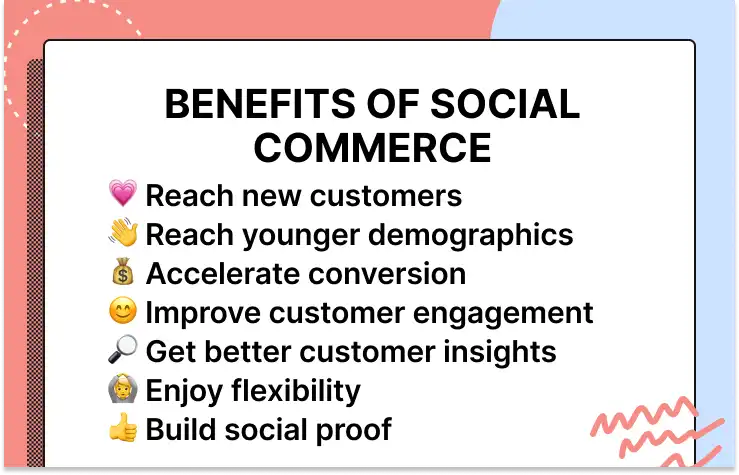
Social commerce is a huge opportunity for your business and here’s why:
- Reach new customers: As we said, over half the world’s population uses social media — these platforms are an opportunity for new customers to discover your ecommerce business.
- Reach a younger demographic: More than half of U.S. shoppers aged 18 to 34 have made purchases via a social channel.
- Accelerate conversion: With social commerce, shoppers can now purchase products directly from social media platforms without navigating to the brand’s website — (and a faster buying process means higher conversion rate).
- Improve customer engagement: Social media makes it easy for customers to engage with your brand via comments, direct messaging, and mentions. In fact, Gorgias Ecom Lab research found that chat volume between brands and customers grew 47% over two years — with most of that growth coming at the expense of social DMs, which dropped 30%.
- Get better customer insights: Every social media platform collects and shares metrics with you, such as impressions, engagement, and reach.
- Enjoy flexibility: Social media platforms allow you to experiment with A/B tests, hashtags, and captions to optimize your social media strategy.
- Build social proof: According to Matter Communications, 61% of buyers are more likely to trust a recommendation from a friend, family member, or influencers on social media.
📚 Read more:
The most popular social commerce platforms (and how to get started on each)
We mentioned above that there are plenty of social media platforms that allow for social commerce. While we don’t recommend trying to focus on all of them at once, it's certainly nice to know your options.
With that in mind, below are some of the most popular social commerce platforms for businesses of all sizes with examples of social commerce for each.
1) Instagram
Instagram is an image-centric social media platform that boasts 1.39 billion active users. A staggering 31.7% of Instagram users are 25-34 years old, making it one of the most popular platforms for millennials.
It’s also a powerful shopping tool. According to Instagram, half its users have used the platform to discover new brands, products, or services and 44% use it to shop every week.
How to sell on Instagram
To get started with social commerce on Instagram, create a business account and then upload your product catalog into the Facebook Commerce Manager. You can do this either manually or by connecting to your ecommerce platform.
From there, you’ll unlock the ability to enable checkout on Instagram and to tag products in your posts and stories the way you’d tag another user.
Plus, other users can tag your products, too. If you’re engaged in influencer marketing, for example, the influencers you work with can tag your products for in-app shopping. This way, even user-generated content is a gateway to sales.
Here’s a few ways to use those tags for social commerce on Instagram.
{{lead-magnet-1}}
Shoppable posts
Once your catalog is active, you can start tagging your products in posts to your Instagram feed. This allows customers to see a product and immediately click to purchase it.
Here’s an example from beauty brand Glossier. They posted a display of several products, and each has a tag to click through and purchase each one.

Shoppable stories
Those tags also work in posts to Instagram stories. When posting a product shot, you can add a tag that links directly to that product in your catalog. Again, that means customers are only a click away from conversion.
Here, the Mom Store, based in New Zealand, tagged the dress featured on the model. Also notice that at the bottom of the screen there’s a “view shop” button so customers can click to browse your entire catalog.

Shop tab
Uploading a catalog means the chance to get featured in the shop tab. You can see this tab anytime when you open the app — it’s the shopping bag icon in the bottom row of icons.
Like your main Instagram feed, the shop tab is controlled by an algorithm so the products displayed are unique to each user based on what Instagram thinks they’re interested in. That also means you can’t directly control if your products will be displayed or not.
If a user follows you or has interacted with your posts and stories, it’s more likely that your products will be displayed here. As well, Instagram curates the first listing as a “continue shopping” collection that contains products a user has previously viewed.
This functionality also comes with a built-in search engine to browse catalogs for products, creating a social commerce market akin to Amazon.
Here’s an example of how a shop tab looks.
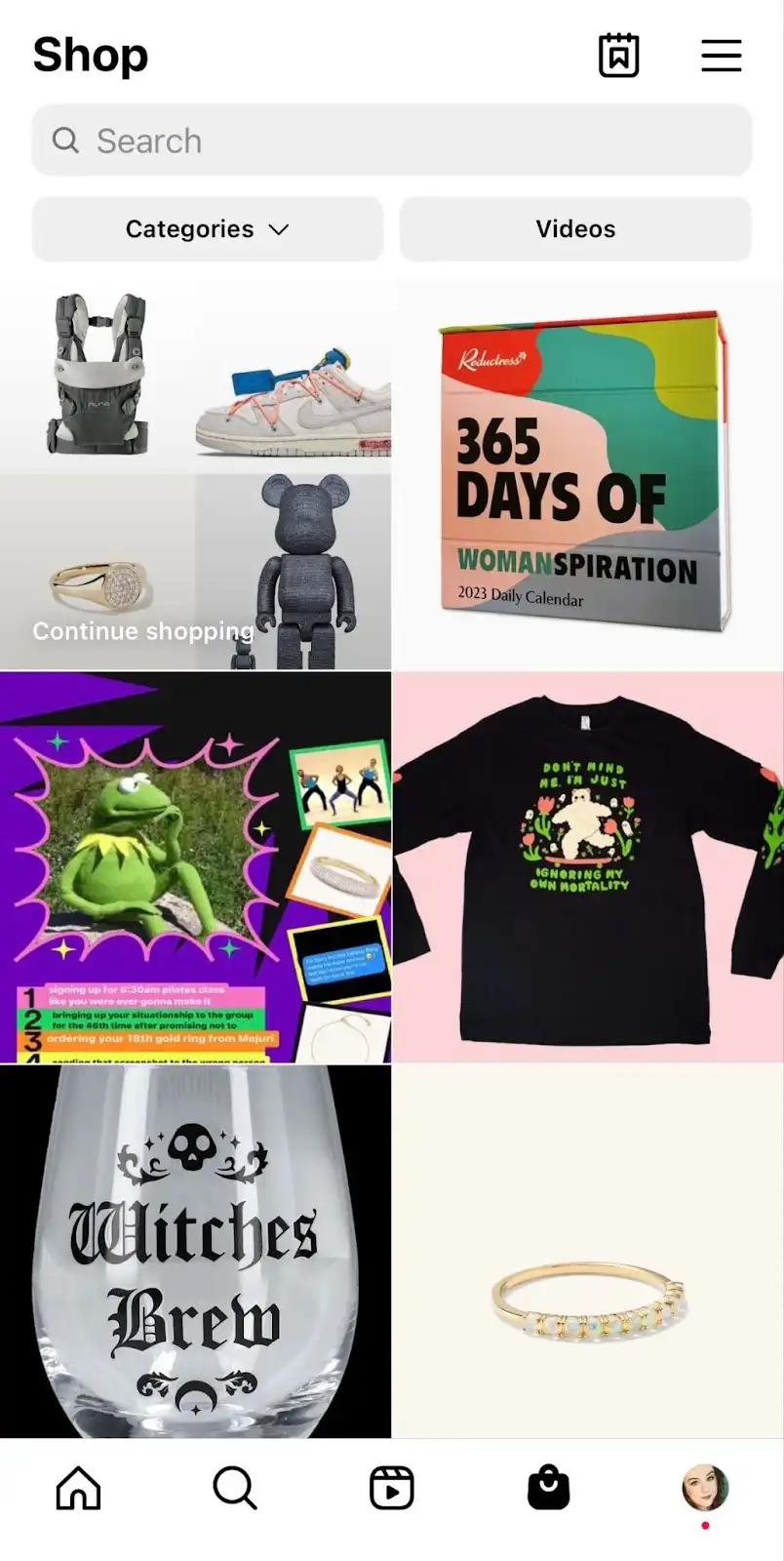
2) Facebook
With 2.93 billion monthly active users, Facebook remains the largest social media platform in the world. Nearly 54% of Facebook users are aged 35 or older, making this social media platform geared toward a slightly older audience than other platforms.
How to sell on Facebook
With Facebook Shops, retailers can create a fully customizable storefront on Facebook and import a product catalog from their existing ecommerce site. Because Facebook owns Instagram, it’s the same Commerce Manager used for both.
Similar to Instagram, once your catalog is uploaded you can include shoppable tags in posts to your brand’s Facebook page. Here’s an example from Mejuri.
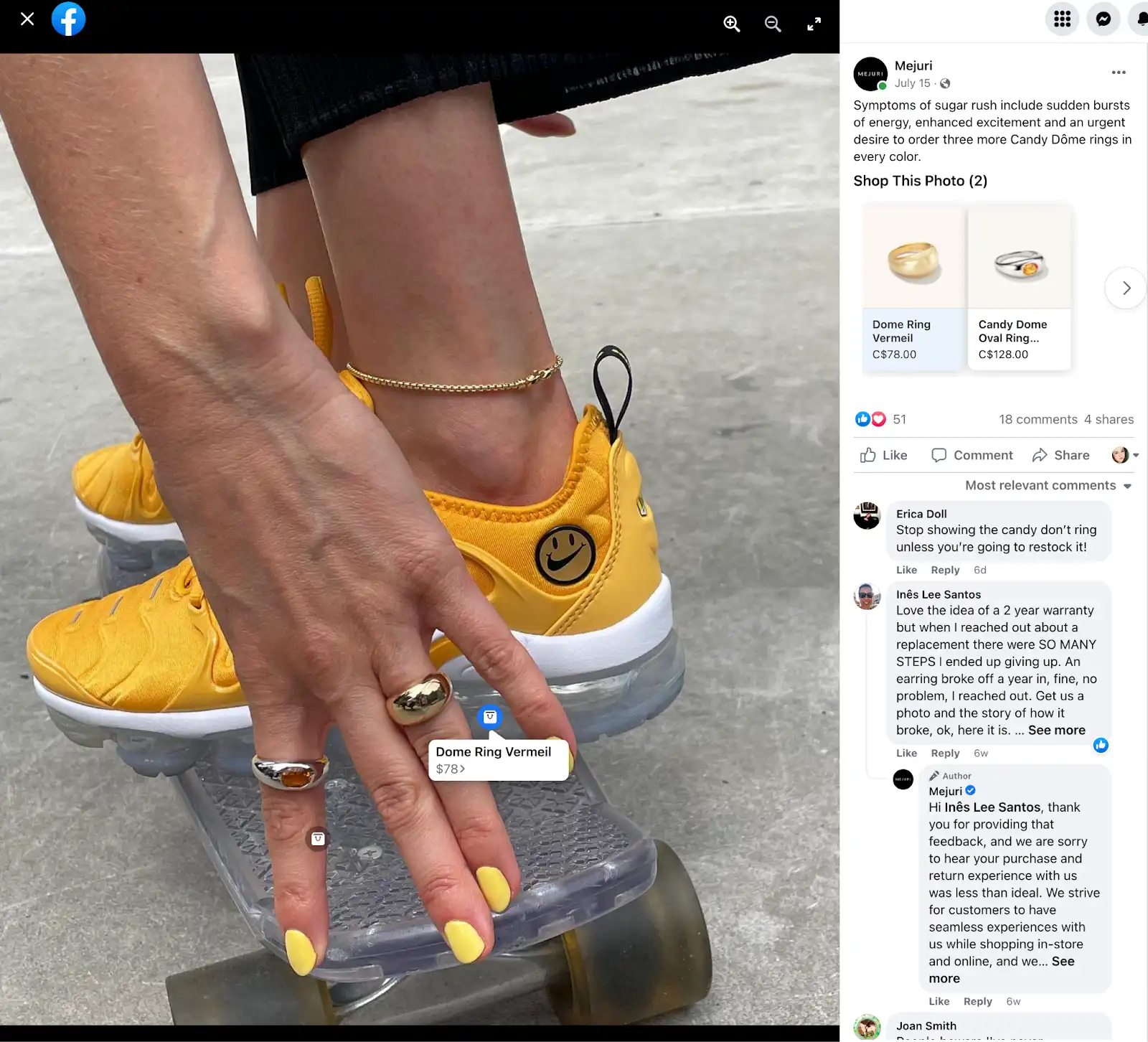
As well, uploading your catalog creates a “view shop” button at the top of your page, which you can see here on Parade’s Facebook page.

When clicked, users can browse all your products and click to buy, either directly on Facebook or by being taken to the exact product page on your ecommerce website by a “shop now” button.
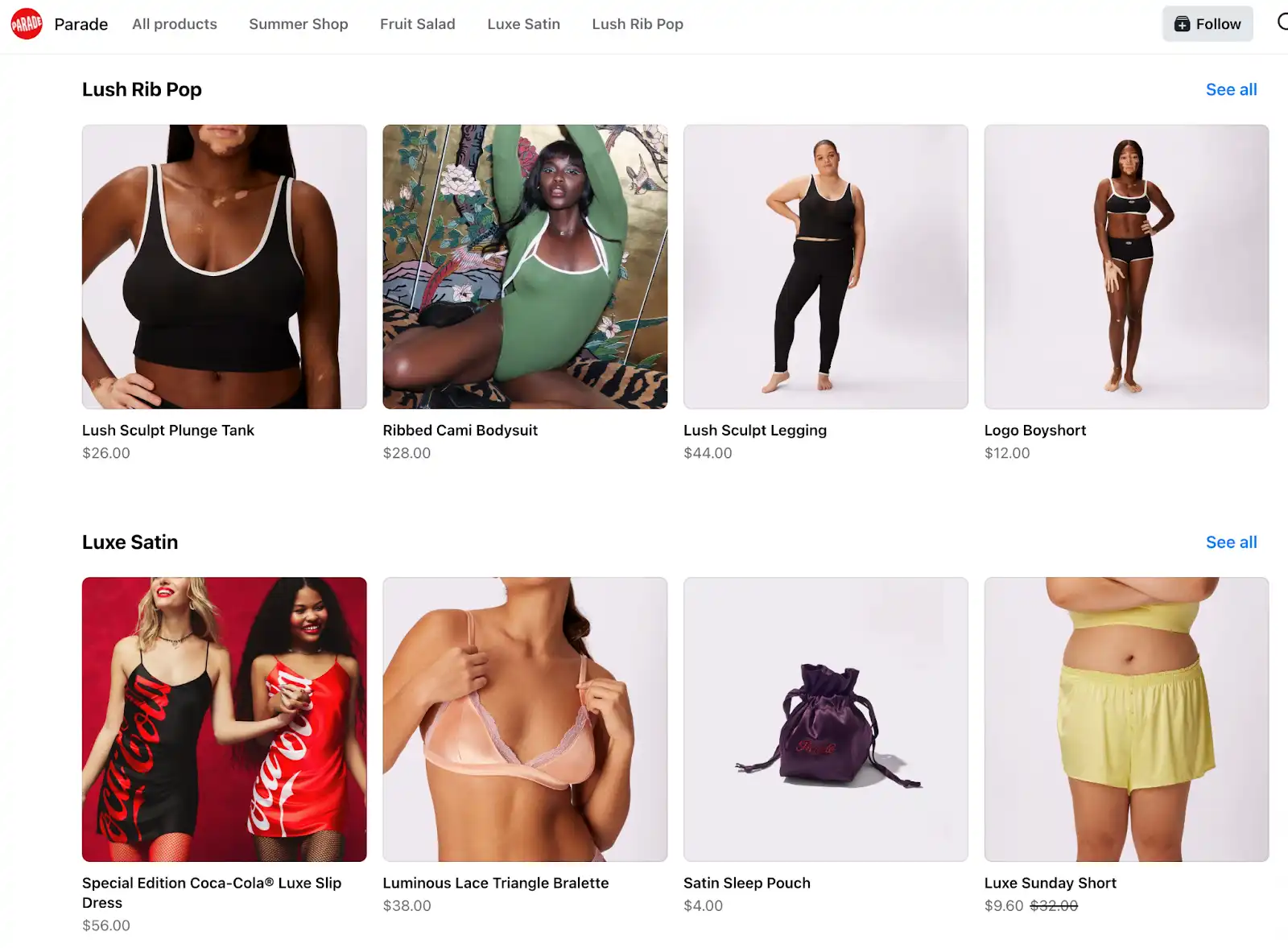
3) TikTok
TikTok is one of the newer social media platforms, but it's also one that has exploded in popularity, boasting 1 billion monthly active users as of 2021. As well, 80% of TikTok users are aged 16-34, making TikTok a great platform for reaching millennial and Gen-Z customers.
In 2021 TikTok unveiled TikTok Shopping — a social commerce feature that allows brands to create a shop tab on their profile and import their product catalog so that users can purchase products within the app.
The downside is that the rollout has been slow and limited to certain countries. So far, users in the UK and some countries in Asia such as Singapore, Thailand, Vietnam, Malaysia, and the Philippines have full access. Rollout began to US brands in 2022.
How to sell on TikTok
When active, TikTok Shopping creates a shop tab on your user profile, allowing you to display your catalog of products and the ability for your followers to shop directly on the app.
Here’s an example of the shop tab from Kylie Cosmetics:
4) Pinterest
As of 2022, Pinterest had 433 million worldwide monthly active users, with users aged 25-34 accounting for 37.4% of this total.
Pinterest is unique in that it has been used as a shopping inspiration tool for a long time, so the transition to social commerce doesn’t seem too far fetched. In fact, 80% of Pinterest users report that they have discovered a new product or brand on the platform.
How to sell on Pinterest
While Pinterest doesn't offer the same degree of social commerce features as many platforms, Pinterest does allow retailers users to create product pins and catalogs that direct to their ecommerce site's checkout page.
To do this, you’ll need to convert to a business account on Pinterest. From there, you’ll connect your ecommerce site and gain the ability to tag products. Pinterest has full instructions here.
Here’s an example from beauty brand Fenty of a pin that showcases a product. You can see on the right side that their setting power is a featured product, and from that button users can be directed to the product page on Fenty’s website to purchase.
5) Snapchat
One part messaging tool and one part social media platform, Snapchat has a little over 464 million monthly active users, and 39.6% of Snapchat users fall into the 18-24 age range.
Snapchat allows business accounts to create a Snapchat shop where users can purchase products directly within the app, similar to Instagram and Facebook.
How to sell on Snapchat
Here’s a story from Shein, for example. As you can see this story includes a “shop” button at the bottom.

From there, users can see Shein’s catalog and shop directly on the app with buy buttons.
The most innovative social commerce feature that Snapchat has unveiled is augmented reality (AR) shopping — a feature that allows users to "try on" products using an AR filter. This requires technical expertise and you can read more about getting started here.
6) YouTube
Many might not think of YouTube as a social media platform, but it meets all the criteria. With 2.6 billion monthly active users, YouTube is second only to Facebook in terms of audience size.
The average age of YouTube users is in the mid-20s, but the platform is popular among older demographics as well — 51% of U.S. adults 75 years and older use YouTube regularly.
How to sell on YouTube
Recently, YouTube has unveiled a variety of social commerce features and partnerships, including product tags and livestream shopping. In particular, Shopify announced an integration in 2022 that connects your product catalog to YouTube.
You can find more information about how to get started here.
How to get started with social commerce
If your business doesn’t already have a social media presence, the thought of building profiles from scratch may seem daunting. However, the process is fairly straightforward — although it does require some time and patience. We’ll break it down into four steps:
1) Choose your platform(s)
First, create profiles on the social media platforms you wish to leverage. There are several high-traffic, mainstream platforms to choose from, but if you’re new to social media, you’re better off choosing one or two to start with.

Focus your efforts on just a couple of platforms rather than trying to cover all your bases at once.
2) Grow your audience
Once you choose the platforms you want to start with, you need to build your audience.
It's much easier to generate sales when your content reaches thousands of users versus a few dozen, so focus on building an audience of engaged followers before you worry about how to generate social commerce sales.
3) Set up shop
Next, you need to set up your social commerce shops. This process varies from platform to platform.
Instagram, for instance, allows you to create an Instagram shopping feed with shoppable posts. These allow customers to browse images of your products and purchase them with a single click.
Facebook, meanwhile, offers a feature called Facebook Shops where you can create a storefront optimized for mobile devices. Facebook Shops also connects your store with WhatsApp and Facebook Messenger for streamlined customer support.
4) Start marketing and selling
The final step is to start marketing and selling your products using proven social media marketing practices and leveraging provided metrics to fine-tune your approach.
By staying on top of social commerce trends and experimenting with new marketing, sales, and customer support tactics, you can turn your brand's social media profiles into profit-generating storefronts.
📚 Recommended reading: Our ultimate guide to providing loyalty-building customer support on social media.
Tips for optimizing your social media strategy for ecommerce
While the exact social commerce tools and features that you will have available will vary between platforms, there are a number of tips for optimizing your social commerce strategy that apply regardless of which platform you choose.
If you want to start generating more sales directly on social media, here are the top strategies to employ:
Build a strong online community
Your first goal on any social media platform is to build followers. If you can build a large audience of engaged followers, other elements of your social commerce strategy will come easier.
Growing your audience should be your primary focus before you even begin to start importing products and setting up your shop. But keep in mind that size alone is not the only factor that defines a valuable social media following.
Take a look at 310 Nutrition’s online community, which shares recipes, nutrition advice, and more:
Engagement is highly important as well, and it’s essential to ensure that you provide your audience with engaging, informative, and entertaining content to keep them coming back for more.
When starting out, an organic social media marketing strategy is the best way to build followers. Post about your products, your sales, and find your brand’s voice. Engagement can be built by following other accounts, interacting with users in comments, and posting consistently.
📚Recommended reading: Our guide to ecommerce customer community management.
Measure feedback
Most social media platforms provide plenty of tools for gauging your audience's response to your content in real-time — and you want to take advantage of these tools.
Measuring audience feedback allows you to pinpoint the type of content that your followers respond to best so that you can develop a social media strategy that is optimized for both engagement and sales.
Create a set of KPIs, or goals, for yourself to measure performance. Follow metrics week over week, looking at:
- Follower count
- Comments
- Like or favorites
- Shares
While each platform has their own tools to measure these figures, a tool like Hootsuite combines them all into one place for easy viewing.
📚 Recommended reading:
- 25 Customer Support Metrics To Measure Your Team’s Impact & How to Calculate
- Evaluating Your Customer Service Program: Why, Challenges, and KPIs That Matter
Talk directly with your customers
Your social media accounts should also be a place where you directly interact with your customers. Think of it as a vital channel for customer service and another way to create excellent customer experiences.
First, engage with comments. It’s not uncommon for customers, or potential customers, to ask questions or raise issues in your comments. Responding to a question here could mean the difference between a sale and an abandoned cart.
Second, your direct messages should be open and monitored on all platforms. Customers will inevitably write in with questions or concerns instead of using a support email address and they’ll expect help.
A helpdesk like Gorgias streamlines this by pulling messages and comments on platforms like Facebook, Facebook Messenger, Instagram, and WhatsApp right into the helpdesk, so you don’t have to check each platform individually. That means you don’t have to spend all day switching tabs.
Additionally, the Gorgias helpdesk integrates customer information like past purchases and allows you to quickly send product links, customizing every interaction to that unique customer.
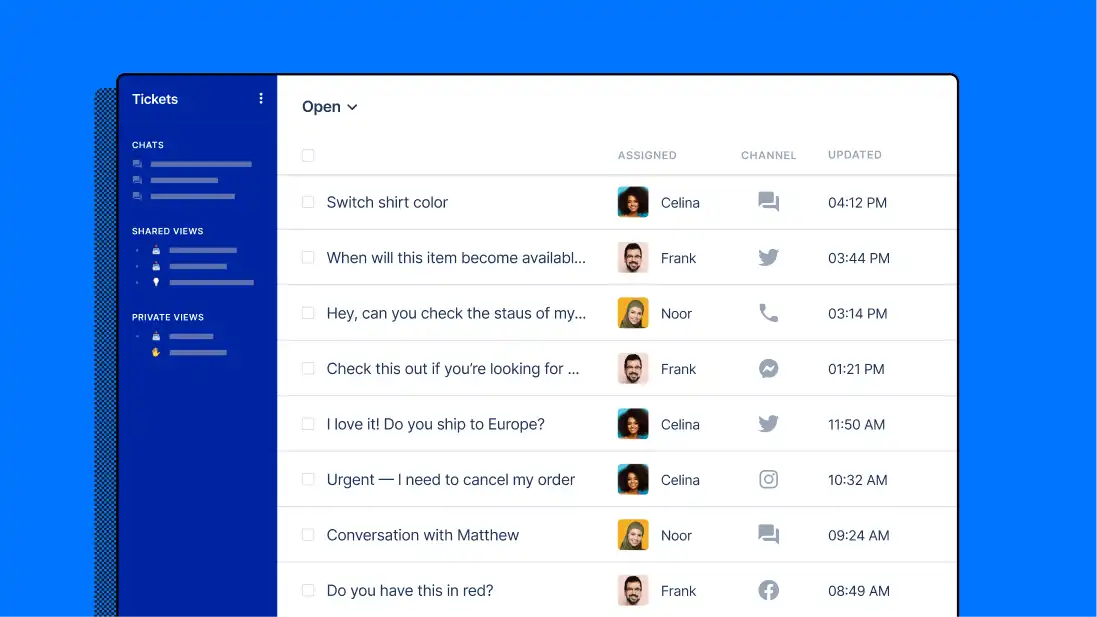
Using this integration, Gorgias helps you respond quickly, build relationships, and provide pre-sales support to convert new customers. (Note: Gorgias no longer support Twitter interactions.)
📚 Read more:
- Social Media Customer Service: How-To Guide & Useful Tools
- How to Track and Monitor Social Mentions
- 9 Tips to Improve Customer Service on Instagram
Integrate social sharing buttons into your website
Directing social media followers to your ecommerce site is one great way to leverage social media marketing, but the reverse is true as well.
Integrating social sharing buttons into your website enables those who discover products on your website to share their discoveries with their social media followers, further growing your brand awareness and expanding its reach.
📚 Recommended reading: Our guide to ecommerce conversion rate optimization (CRO).
Schedule your posts and post at the peak times
It's easy to understand how a post published at 3 a.m. (when the majority of your audience is sound asleep) probably won’t get the same engagement as a post published at 7 p.m.
According to data from HubSpot, the afternoon hours are the peak times for social media posts, with most platforms experiencing peak traffic between 6-9 p.m. HubSpot also found Saturday is the best day of the week to publish social posts, while Monday is the worst.
The future of social commerce
We are already seeing glimpses of what the future holds for social commerce. Customers enjoy the purchase process of being able to browse products, make a purchase decision, contact customer support, and more directly within their favorite social media apps.
Augmented reality (AR) and virtual reality (VR) are both poised to play a major role in the future of social commerce as well. Snapchat's AR filters for shopping is one example of what this might look like, but the possibilities are endless.
Meta, the parent company of Instagram and Facebook, also unveiled their plans for the VR-powered “metaverse.” In the metaverse, social media users can interact with one another, play games, and shop for products within a virtual world.
But you should also know that these social commerce features are controlled by the whims of these platforms and changes are ongoing. Some are even stepping away from social commerce as it exists today.
For example, Instagram has experimented with removing the shop tab for some users, hiding it in the settings menu. Platforms are also rethinking what social commerce looks like after the pandemic online shopping boom.
Keeping up to date on industry news and changes will help you adapt your social commerce strategy as platforms change their tech offerings.
📚 Read more: Our list of the best Shopify apps for social media
{{lead-magnet-2}}
Use Gorgias to take your social commerce strategy to the next level
If you’re looking for tools to provide your social media shoppers with seamless customer support, Gorgias can help. With Gorgias, you can effortlessly turn your social media profiles into customer support channels to facilitate sales and boost retention.
Best of all, Gorgias compiles all of your social media messages and mentions into one user-friendly dashboard, making it easy to manage multiple accounts from a single location.
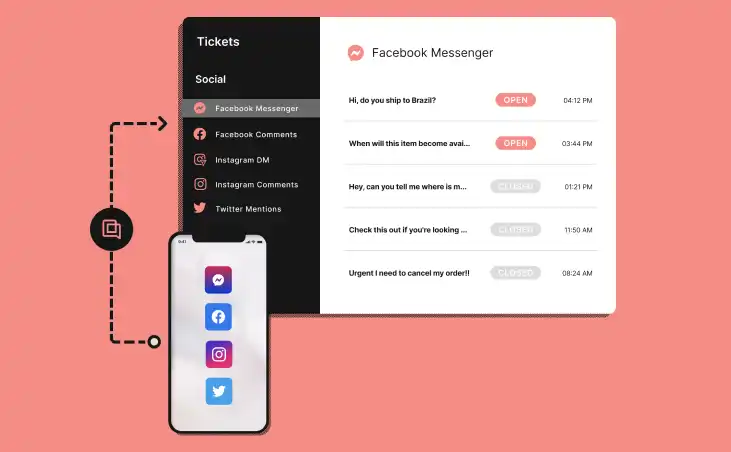
To learn more about how Gorgias empowers a seamless social commerce experience, check out our article on more ways to use social media to grow your store.
.avif)
Shopify SEO Guide: Optimize Your Store for Organic Traffic
Running a business is a challenge on its own — throw in constantly changing search engine optimization (SEO) tactics and it can be difficult to keep your head above water.
Let’s be clear: SEO is a big project. But when done right, it boosts your site’s visibility, traffic, and bottom line. And even if you don’t have a full-time webmaster on staff, there are a few quick-win opportunities you can do to boost SEO on your site and main product page.
First, we’ll give you a clear definition of what SEO means for Shopify stores and why it’s beneficial. Next, we’ll give you tips to optimize your store. We tackle technical SEO first because it impacts your entire site — and other efforts won’t yield results with poor technical SEO. Then, we’ll zoom in and offer some on-page and off-page SEO strategies that'll get more eyeballs on your product pages.
What is Shopify SEO (search engine optimization)?
Shopify SEO is the process of setting up your Shopify website so search engines (like Google) promote it to people searching for the kinds of products you sell.
If you want potential customers to find your Shopify store, you need strong SEO efforts that'll boost your website's search rankings and visibility. Specifically, you need to think about technical SEO and on-page SEO, both of which we cover below.
Technical SEO vs. on-page SEO
Technical SEO refers to the optimization of your website's overall performance rather than the content of your website. Before focusing on on-page SEO strategies, you need to cover site-wide technical aspects:
- Make sure your website’s code is clean so search engines can find, crawl, and index your pages
- Ensure your website’s pages load quickly, so Google can confidently promote your website
- Optimize your website for mobile, so Google knows your website is worth promoting for all devices
(Don’t worry — we have a whole section on technical SEO where we walk through each of these to-dos in detail.)
On-page SEO involves optimizing the content of your website’s individual pages to rank higher on search engines. This requires optimizing HTML tags, making sure each website has a relevant and finable URL, and publishing content that is high-quality and relevant. On-page SEO is all about your content.
Technical SEO appeals directly to search engines. While on-page SEO does that as well, it also appeals to human users and how they experience your website.
{{lead-magnet-1}}
📚 Related reading: On another ecommerce platform like WordPress, Magento, or BigCommerce? No problem. Check out our more general guide to ecommerce SEO.
Why is search engine optimization (SEO) important for Shopify stores?
“If you build it, they will come” unfortunately it doesn’t apply to the ecommerce industry. You need to do more than just set up shop — you need to make it easy for consumers to find you. That’s where SEO comes in.

Improves your store’s visibility
According to a Wolfgang Digital report, 43% of ecommerce traffic comes from organic Google searches. If you want to make sales, you need to optimize your website to maximize your chances of it showing up at the top of relevant search engine results pages (SERPS).
Great SEO improves your chances of popping up when people Google the types of products you sell — even if they don’t know the specific product name. For example, Nordstrom, Famous Footwear, and Adidas nail SEO and show up as top search results for broad terms like “sneakers for men”:

SEO (and the tips we share below) determine your store’s visibility within Google’s search results and help more customers find your store.
Improves your store’s user experience (UX)
SEO isn't just about keywords — it's about making your site user-friendly, accessible, and well-organized. Optimizing your site for search involves reducing page load times, properly linking pages across your site, and eliminating dead links and pages. All of these changes will improve customers' shopping experience on your website, even if you never rank on Google.
Offers higher return on investment (ROI) than other marketing strategies
Optimizing your site for search might be a big project, but it has much higher ROI potential than other growth tactics. Ads and other paid marketing strategies have extremely high upfront costs, and they quickly fade to the bottom of peoples' feeds (until you dump more money in).
Organic traffic is the opposite: SEO has no upfront monetary investment (though it can take a while for SEO efforts to start yielding results). But organic website traffic from your SEO efforts doesn't fade away — it compounds. Once your website starts climbing search results, Google typically rewards you more, boosting your ranking for other search terms and providing additional traffic month over month for no additional cost.

📚 Recommended reading: Our VP of Success’ guide to customer service ROI.
Technical SEO checklist to improve your ecommerce site
Your site needs to be functional before Google will start promoting your website in search results. Technical SEO is all about improving your website’s performance and foundation, and it’s the first step to being discovered.
Make sure you’re following these tips to optimize your ecommerce website.
Make your website crawlable
If you want search engines to find your site, help them out by making it crawlable. Crawling refers to the automated process where search engines send bots to read the page.
Google crawls a webpage when any of three things happen:
- A new link points to the page
- A webpage sees a significant boost in traffic
- An XML sitemap — essentially, the blueprint of important links on your website — is submitted to Google
Google will eventually crawl your page without a sitemap.xml file, but newer sites lacking traffic and external links should submit a sitemap so Google can crawl and then index your site ASAP.
Something called a robots.txt file goes hand in hand with your sitemap.xml file. The robots.txt file instructs crawlers on which pages to avoid and which pages to crawl. It can even block crawlers from visiting your site altogether.

This is part of a larger strategy called faceted navigation, where you instruct Google on which pages to notice and avoid.
Shopify already has robot.txt files that prevent crawling from happening on specific pages such as the shopping cart or checkout page. You’re free to change that and edit your robot.txt files — by creating a robots.txt.liquid file — to disallow other pages from being crawled, or add extra sitemap URLs.
Search engines will only index your content if it’s crawled and then categorized as “worthy.” Here are some tips we suggest to make your site crawlable:
- Edit your Shopify robots.txt file by creating a robots.txt.liquid file
- Block any page paths with robots.txt files to prevent crawlers from indexing pages that don’t have search value
Resolve any 4xx errors
If you own any pages that have dead or broken links, your site will instantly be off-putting to crawlers and consumers. All old URLs require redirects to avoid any “Not Found,” “Unauthorized,” or “Forbidden” errors. — usually 404 or other 4XX errors.
For ecommerce websites, these errors often stem from discontinued products or sitemap issues.
Ensure 4xx errors don’t impact your SEO by doing the following:
- Use 301 redirects to fix any old or permanently broken links
- Make sure these pages are excluded from your site map by editing the robots.txt file
- Find broken internal links with a tool like Sitechecker
Have a flat site architecture
The structure and organization of your web pages will affect how search engines decide to rank you, as well as the customer’s experience when navigating your site. You need a smart, sensible site structure if you want to scale your business and optimize your website.
Implement good linking and arranging techniques like these so that Google understands your Shopify website’s layout and where to find the essential information:
- Pages should be no more than 3 clicks from any other page: A permanent navigation bar that links to all your main pages is a must
- Pages should be as few clicks from the homepage as possible: Avoid burying pages under multiple layers, like /product/categories/shoes/women/heels/kitten-heels
- Pages should be grouped by relevant keywords/topics
- The homepage should link to your most important pages
Remember, less is more. There’s no need to overly complicate your site architecture, as it'll just confuse customers and search engines.
The same applies to your URLs. Consider a “flat” URL structure over a “hierarchical” URL structure. Optimizing your URLs this way results in a simple site architecture that requires fewer clicks to get from page to page.

A flat URL might look like “example.com/collections/blue-shoes” while a hierarchical structure might look like “example.com/collections/shoes/blue.” See how the hierarchical URL makes each page further from the domain.
📚 Recommended reading: Our guide to product categorization and organization for ecommerce websites.
Add Shopify tags and product schema
Shopify tags and product schema can both help optimize your website by helping search engines understand your products. This understanding makes it easier for engines to rank you appropriately.
Shopify tags
Shopify tags are a tool Shopify introduced to categorize items. They don’t appear in front of customers but help Shopify and yourself understand your website’s organization. Shopify tags don’t affect SEO on their own, but they naturally go hand in hand with other efforts (like product schemas) that have a great impact on SEO.

Here’s how we recommend using Shopify tags:
- Identify important keywords (like “summer” and “winter”)
- Create Shopify tags for these keywords
- Add tags to relevant products without overdoing it
Don’t rely on these keywords to be your page’s content, or use them as your product description. Continue to utilize them as organization tags, but now you can have your cake and eat it by gaining a boost in technical SEO in the meantime.
Product schema
A product schema is great for making your ecommerce search results stand out. It displays rich snippets such as price, reviews, ratings, and more in product search results.
Check out how Nike’s shoe shows reviews and shopping links in a Google Image search result:

Install an app like Schema App Total Schema Markup to integrate product schema into your site. Or, you can edit the code of your store’s theme, which is a bit trickier, but it doesn’t require you to pay for an app.
Consumers can view this valuable product information before even visiting your site. If you showcase these properties, your products are more visible and you’re more likely to get clicks and conversions if people like what they see.
Product page SEO tips that impact your product discoverability
Now that we’ve covered technical, sitewide SEO, we can zoom in on product pages and start making them SEO-friendly.
Focus on these tips once your technical SEO is up to par, and make sure you have everything checked off before launching your ecommerce website.
Relevant title tags
One of the most important pieces of an SEO-optimized page is the title. The title tag is the first thing a search engine sees about your page.
Think of the title tag as the headline you submit your page to Google with. If a store is selling shoes for men, they’re going to put that in the title along with the name of the store and perhaps a catchy adjective. This is helpful for search engines indexing the content to understand the main point of a page.
Below, the title tag is “Casual Shoes for Men - Steve Madden”:

Title tags are short — 50-60 characters is the recommended max — but hold a lot of power. Search engine algorithms heavily value the title tag when determining the page’s content.
Every page on your website should have its own title tag that is both relevant and unique. It should describe what is on that individual page — otherwise, Google will be confused about which page of your site to show for which search term.
Enticing meta descriptions
Your meta descriptions are 155-character “snippets” of your web page summarizing the page’s content. Some search engines use meta descriptions to display a preview in search results.

Your product meta descriptions should include your target keywords, but they also need to speak to the reader in a way that entices them to click through to learn more and ultimately make a purchase.
Unique product descriptions
When writing product descriptions, you want to be unique.
All content you create should be original, as to avoid duplicate content in the eyes of search engines. So, don’t just copy and paste content from manufacturer websites or use the same descriptions for multiple products.
Google won’t remove your website from search results if you have accidental duplicate content, but it will affect your organic traffic when Google is unsure which page to prioritize in search rankings.
So, if you want a fully-optimized web store —trust us, you do! — you can’t just copy and paste sales text from your own pages either.
If duplicate content exists at multiple URLs, search engines struggle to decide which page to rank and you can miss out on valuable organic traffic. Beyond making pages unique, canonical links can help Google prioritize your best content.
You don’t want a product page description for your women’s red Converse sneakers that has the same text as your women’s blue Converse sneakers with the color descriptions swapped out.

Instead, when the products you’re selling are similar, combine them in a single product page with multiple variations and focus your energy on describing the common features in a way that gets visitors to convert.
Descriptive images
Ecommerce store owners put a lot of emphasis on using great product images on their websites. They hire commercial photographers, photo editors, and even graphic artists. But, many of them forget or are ignorant of the fact that your images also need to be described to search engines.
So, let’s take a look at how Google understands your pictures through alt text (or alternative text), image title tags, and image descriptions.
The following photo isn't a scientific example of what a search engine actually sees when they crawl an image on your store. But, it provides an idea of how much Google knows when looking at a picture alone.

Think of this picture as an illustration to showcase why you need to add image alt text and title tags to your photos — without the following, Google can’t fully understand what’s in your image.
- Alt text is what site visitors will see when an image doesn’t load on your site.
- Image title tags are the file name of your images.
- Image descriptions are the optional text you can include on your product pages to describe your image.
Search engines will read the above text fields for each image to bring things back into focus.

Try to use your main target keyword phrase at least once in the alt text of your image to fully optimize your pages for search engines.
Check out this guide to adding alt text to your Shopify site’s images.
Desirable user experience (UX)
Your website’s ecommerce UX is in a category all on its own. Many web designers focus solely on UX, which determines the way a shopper experiences your online store.
So, what exactly does UX have to do with SEO? In addition to reading the indicators on your pages, search engines also measure how long visitors stay on your pages. If your bounce rate is high — meaning users move away quickly — modern search algorithms will rank your pages lower.
On the flip side, when search engines measure the traffic that stays on your site for more time, they'll rank your site and pages higher. They’re essentially assuming there’s something good to see because people want to stay and read, watch, or shop.
Consider adding an informative FAQ section or help center to decrease your bounce rate. If it’s well-written and addresses any potential pain points, chances are customers will stay on this page longer, and search engines will take note of this.

One of the greatest determining subfactors in the quality of your store’s UX — what really gets qualified shoppers to stay on your site — is your navigation menu and search features.
Usable navigation features
Shoppers are only going to purchase products when they find what they’re looking for, so you need to make it easy for them.
The following navigation features will optimize your navigation and search.
Autocomplete
Adding an autocomplete feature to your search bar is another way to get shoppers to stay on your site longer. It gives consumers new ideas about items that they may be interested in and encourages them to try new products.

Filtered and faceted search
You might hear the terms “filter” and “faceted navigation” used interchangeably — both refer to the act of sorting search results for relevance. Filters allow customers to narrow results based on categories. Faceted navigation is the process of using multiple filters at once to help customers find the exact product they’re looking for.
Help users browse your site with ease by offering a faceted search experience.

📚 Recommended reading: Our guide to the best Shopify theme (after analyzing over 13,000 themes).
Subcategories in the display menu
Make sure your navigation menu displays categories, subcategories, and individual collection pages. This way, it’s easy for shoppers to find what they need, rather than taking multiple steps to navigate to a specific category page.

Promotional banners
Another great feature to improve customer UX and keep people shopping in your ecommerce store is to include a promotional banner (or pop-up) above the fold. Let people know what items are on sale and about any other discount offers, contests, and more.

That said, too many banners can drag down your page’s load speed and disrupt your shopping experience. Chat campaigns are a subtler alternative to sharing announcements and promotions, with an easy path to a human agent to continue the conversation.
Easily accessible customer support
Chat boxes and self-service support tools can help your customers find what they seek. Ideally, your customer will be able to find products on their own, but you need to give shoppers an easy way to find new products or seek recommendations if need be.
Take a look at Jaxxon’s chat widget, which automatically lets shoppers request a list of new products or connects shoppers with live agents if they have follow-up questions.

Ecommerce marketing SEO tips that impact your brand’s reputation and recognition
Once your on-page and technical SEO is fueled with best practices, it’s time to look at your off-page SEO. Remember, a well-working website and thorough product pages are key before you begin embarking on any marketing efforts.
As you scale, you'll need to start monitoring and taking action on off-site reviews, websites linking back to you, and brand mentions on social media.
Backlink building
It’s crucial to create and implement an informed link-building strategy. Unfortunately, it’s also a harder strategy since it relies on links coming from other websites that you don’t control.
Google rewards websites with many diverse backlinks because they say a lot about your website’s reputation and authority. If high-quality sites are linking to your Shopify store, then Google will trust you and rank your page higher.
Again, it’s about other people taking action — which is a little bit out of your control. That doesn’t mean there aren’t things you can do to invest in a good linking strategy and start gaining backlinks.
Here are some of the best places to start:
- Get listed in niche directories
- Ask blogs to review your product
- Appear as a guest on someone’s podcast
- Reach out to journalists
- Join relevant communities
- Create and share free tools
- Run contests
- Partner with influencers
- Offer sponsorships
Most existing backlink building services are cheap, which usually means they’re not exactly trustworthy. Linking is one area of your SEO strategy that you’ll need to invest time and effort into learning and implementing if you want to see off-page SEO results.
Content marketing
In ecommerce, content marketing refers to your blog, off-site guest posts, social media posts, stories, videos, and other content that helps move traffic to your product pages. Unfortunately, most brands get it wrong.
Many online stores launch a blog only to share news about their store and product features. While customers might need to know about updates and promotions, this kind of info is better left to press release submission sites and targeted subscriptions (to your qualified leads and existing customers segment).
Instead, what online stores should be doing with their content is solving their customers’ pain points. Articles, infographics, and videos should build trust, establish authority, nurture customer loyalty, and eventually lead consumers to make a purchase.
When it comes to SEO for content marketing, you should focus on keyword phrases that are relevant to the problems that your products solve (and have a high search volume, which you can check in tools like Ahrefs) — not the products themselves.
For example, if you’re selling women’s blue shoes, here are some topics you might want to write about:
- What should I wear to an interview?
- 10 best accessories to wear with your brown pants suit
- This is what Ariana Grande wore to the Oscars
By providing your shoppers with expert fashion advice, these topics (if written well) will eventually lead people to your email list and later your product pages. It’ll also increase your reputation as an authority in the space and gain you more trust with your audience.
So, while content is an amazing tool to help you scale your ecommerce operations, just remember that it isn't all about you, but rather helping your target audience.
When embarking on a content marketing journey, remember to do keyword research so you can make sure your content is getting in front of your target audience.
{{lead-magnet-2}}
How to use keywords to rank your Shopify store higher
Just as linking is an important indicator for search engine rankings, so are keywords. Keywords tell search engines what the content of your site looks like, and it’s used to match up against what consumers are looking for in search engine results. Proper keyword implementation is an effective SEO strategy that’ll rank your Shopify store even higher.
1) Figure out which search terms you want to rank for
You already know you want to rank higher for the target keywords your potential customers are searching for. But, how do you know what they are?
Here are some general Shopify SEO rules of thumb:
- Choose 1–3 target keyword phrases for each product page, landing page, and piece of content
- Make sure your content is easily-readable, descriptive, and relevant to the page topic — never over-optimize
- Solve the problems your customers regularly face
- Include your keywords in your page titles and sprinkle them throughout your content
- Monitor your competitors
2) Create a list of potential search phrases
One of the easiest ways to define your list of target search phrases is to use an SEO tool or seek inspiration from your potential buyers. Feel free to get creative, but use real data to make informed decisions when doing keyword research.
Leverage advanced SEO tools
Ahrefs, Moz, and SEMRush are the most popular tools among modern SEO professionals. Each offers a suite of tools to help you make informed decisions to optimize your content. If you feel like you have an intermediate or advanced understanding of SEO, check out these tools. SEMRush and Moz offer free trials and you can try Ahrefs for $7 for the first week.
Use beginner SEO tools
Alternatively, beginners might want to use a tool like Long Tail Pro or even Google Keyword Planner. Use these to measure your potential keyword competitiveness and make informed decisions about your search marketing efforts.
Do a Google search
Are you selling blue sneakers? Find related keywords with a simple Google search. Check out the related searches list at the bottom of the page.

Between SEO tools and search engines, you should be able to generate a preliminary list of search phrases to optimize your Shopify or Shopify Plus store. From there, you’ll still need to narrow it down a bit.
3) Focus on long-tail keywords
Long tail keywords are three to five-word search queries that are specific to your page content (in this case, your products). Usually, they're much easier to rank for than general search phrases.
If you’re selling blue shoes, it’s going to be much more competitive to rank for “blue shoes” because it’s a general term. So, instead of general terms, keyword phrases like “women baby blue sneakers” and “toddler royal blue sneakers” are likely to generate more traffic and ensure that traffic is targeted and qualified.
In most cases, you'll want to remove general search phrases from your preliminary target keywords list. Instead, stick to long-tail search phrases.
4) Pay attention to other ranking factors
Even when your keywords are perfectly targeted to your products, more factors increase the likelihood of improving your pages’ search engine rankings. So, learn what else you need to watch for.
Here are the top competitive ranking factors to consider:
- Quality of existing competitor pages
- Number of high-quality backlinks to competitor pages
- Competitor pages domain ranking or domain authority
In a nutshell, you need to make sure that you can create content and build links better than your competition. Keep in mind that your competitors will have the freedom to update their content should you outrank them later, so make sure to monitor your pages and those that rank on page one for the same keywords.
The best SEO apps to improve your ecommerce site’s SEO
SEO strategies don’t mean much if you have no way to see if they’re working. If you want to achieve your goals and continue growing each year, you need to use some of the tools at your disposal that’ll allow you to track your site’s performance.
1) Google Analytics
All ecommerce store owners should invest some time into learning Google Analytics. A free tool — which can easily be connected to your Shopify store — it's one of the easiest and most insightful ways to see if your SEO efforts are working.

Google Analytics lets you monitor organic search traffic and user engagement with your site. Look at how your rankings change when you adjust certain on-site components, and pay attention to how people find your site and what they’re doing when they get there.
Use this information to better understand your customers and try out new SEO strategies.
2) Google Search Console
Shopify allows you to submit your sitemap to Google Search Console. Your sitemap file is generated automatically by Shopify, and you can submit it so that your site is found and properly indexed by Google.

Once your sitemap is added, use Google Search Console to identify high-traffic pages, measure click-through rates, analyze your site’s performance, and much more. It’s an invaluable tool that takes some time to understand, but the benefits are worth any learning curve.
3) Yoast
You’ll be happy to hear that Yoast is available on Shopify. It comes in handy as a keyword research tool that optimizes your site with keywords and assesses the SEO strength of your pages with the help of structured data. Get real-time feedback on how your titles and descriptions perform on social media or Google search.

Your technical SEO is also taken care of with Yoast. It’s constantly updated to automate any code errors that affect your site’s performance or speed and be up-to-date on the latest SEO practices.
4) SEO Manager

Cost: $20.00 per month
Free Trial Available: 7-day
Star Rating: 4.7 (1,728 reviews)
Function: This app helps store admins understand and implement Shopify SEO tactics to get ranked by search engines. It has over 20 features — only 5 of them are available with other existing apps.
📚 Recommended reading: Our list of the 40+ best Shopify apps to grow your store.
5) Image Optimizer

Cost: $4.99 per month +
Free Trial Available: No, but there is a free plan
Star Rating: 4.8 (759 reviews)
Function: This app automatically adds image ALT tags and image file names to your product photos based on templates customized by you. You can compress images to minimize file size and increase site speed and page speed. It also converts png images to jpeg format.
6) SEOMetriks Marketing Tools

Cost: $7.99 per month
Free Trial Available: 7-day
Star Rating: 4.8 (22 reviews)
Function: This app empowers you with a step-by-step Shopify SEO roadmap. It delivers crucial SEO data and simplifies your search marketing processes.
7) Plug in SEO

Cost: $29.99 per month +
Free Trial Available: 14-day and free plan
Star Rating: 4.7 (2,567 reviews)
Function: This app automates Shopify SEO audits while delivering worthwhile search marketing recommendations. It integrates with Google, Bing, other search engines, Langify, and Locksmith.
8) Benchmark Hero

Cost: Free
Free Trial Available: N/A
Star Rating: 4.9 (317 reviews)
Function: This app automates the SEO audit process while you work on building pages. It delivers benchmarks and analytics while also suggesting action items for you to take.
9) AMP

Cost: $9.00 per month +
Free Trial Available: No, but there is a free plan
Star Rating: 5.0 (529 reviews)
Function: This app optimizes Google-accelerated mobile pages, increasing your store’s mobile traffic. It integrates easily with review apps.
Note: In addition to the available marketplace apps, you can also leverage helpful Shopify SEO tutorials to read current best practices straight from the horse’s mouth.
Remember: SEO is meaningless without great conversion
SEO is how you get people to visit your site, but if people aren’t placing orders, that traffic — and all the effort and dollars you spent on marketing — goes to waste.
Once traffic arrives on your site, your new mission is converting customers or turning browsers into buyers. A great shopping experience — complete with informative product pages, proactive customer support, and a streamlined shopping cart and checkout process — is your best bet to grow your store and maximize profits.
Take a look at our guide to ecommerce conversion rate optimization (CRO), written in partnership with ecommerce CRO agency Swanky, to learn how to turn your website traffic into paying customers.

Order Fulfillment for Ecommerce: Process, Tips, & Tools
Gone are the days when a customer places an order online without considering order fulfillment. They want free shipping, two-day shipping, and live order tracking — and that’s just table stakes.
Big ecommerce brands and marketplaces, especially Amazon Prime, have trained customers to expect their orders will arrive as soon as the next day and with absolutely no hassle. That creates challenges for small and medium businesses now tasked with achieving similar results.
Your ecommerce business may not have the resources for next-day delivery, but having online orders arrive quickly and smoothly is non-negotiable. Slow or frustrating order fulfillment can easily trigger a product return or a negative review, and will likely prevent a customer from turning into a repeat customer.
Even small brands can optimize their order fulfillment process, from taking in and storing inventory to taking return requests, and deliver great results every time.
What is order fulfillment?
Order fulfillment is the sequence of steps that starts after a customer places an online order, and ends when your customer receives their order. It includes order intake, order picking, assembling, packing, shipping, and order tracking.
 |
Some companies include post-delivery communications in this category, while others put that communication into another category, like customer support or onboarding.
All organizations rely on some third-party assistance within the order fulfillment process — even if you’re a solo business owner who handles most of the order fulfillment process in house (like inventory storage and order processing), you use a delivery carrier like FedEx or USPS to drop off packages.
Other businesses lean on more outsourced fulfillment solutions to manage warehousing and ship orders, such as a dropshipping partner or third-party logistics (3PL) operation. Self-fulfillment is quite time-consuming for stores with high volumes of orders, so you’ll likely outsource more of the order fulfillment process as you grow.
Common challenges of order fulfillment
Companies frequently run into several common hurdles when building an ecommerce fulfillment strategy, especially as they grow and scale. Processing more customer orders is a good thing, but only when businesses can keep up with customer expectations around their fulfillment needs.
 |
Do any of these order fulfillment challenges sound familiar to your business?
- Poor inventory management: Frequently being out of stock (or, worse, selling items you don’t have in stock) hampers your sales potential and harms the customer experience.
- Low shipping quality: When you hand packages off to a shipping carrier, much of the shipping process is out of your hands. Yet, customers still blame you when items don’t arrive or show up damaged.
- Too much stock: Keeping too much stock on hand affects storage and carrying costs, and you can end up stuck with unsellable items that have gone out of style, out of season, or otherwise become unpopular.
- Supply chain breakdown: When one or more links in your supply chain are unable to keep up with demand for inventory.
These issues are common, but they add up over time, diminishing your customer experience (CX) and growth potential. Building loyal customers is key to repeat business and a poor fulfillment strategy put that at risk. Every time a customer has to reach out about an issue in the process, you’re a step closer to losing them.
Even if you have the fastest, friendliest customer service team around, a fulfillment operation that doesn’t require customers to reach out is always preferred.
 |
📚Related reading: Our list of revenue-driving ecommerce shipping best practices.
Why is order fulfillment important for ecommerce businesses?
Why pay close attention to your order fulfillment strategy? Because it’s what ensures your customers get what they ordered, when they expect it.
As many as 90% of online shoppers see 2-day and 3-day delivery as the standard, with 30% of shoppers saying that they expect same-day delivery. In fact, the same-day delivery market in the US is expected to grow by more than $9 billion from 2020 to 2025.
What’s more, Arvato finds that 54% percent of U.S. shoppers have walked away from a purchase because of the cost of delivery, and 27% percent have done the same because the ecommerce business didn’t have fulfillment options that arrive in time.
Providing a delivery estimate is also key. A 2020 report from Navnar found 68% of customers said estimated delivery time during the checkout process influenced their decision to complete a purchase.
The bottom line is that customers expect fast, cost-effective, and transparent shipping if you want to win their business and loyalty.
 |
How does the order fulfillment process generally work?
Let’s take a step back to the basics and look at how the order fulfillment process works for the typical ecommerce business selling on an ecommerce platform.
Each of these steps has its own set of intricacies and details, and it’s easy to overlook something in one or more of these areas. Looking at each step before getting any deeper in will help you better assess what your business needs to handle — and how to go about doing so.
1) Receiving inventory
Receiving inventory is the process of taking stock into a warehouse or fulfillment center. Before you (or your order fulfillment company) can ship products to customers, you (or they) must first have products to ship.
 |
Depending on how your business is structured, inventory can come from your own production facilities, from other companies directly, or from third-party or intermediary services.
Part of the receiving process is counting and inspecting incoming stock for damage. Categorizing or labeling starts here and continues in the next step.
2) Storing inventory
Any products you don’t immediately process and ship need to be categorized, logged, and stored, usually using a stock-keeping unit (SKU). Some larger businesses may also use some other kind of barcode or radio-frequency identification (RFID) tracking system to help with inventory management.
 |
Items are placed into inventory storage, either in your warehouse (whether that’s a large facility or just your garage) or in your fulfillment service center or third-party logistics partner’s warehouse.
This step encompasses a lot, as your strategy here dictates how much time and labor goes into finding and packing items later on. For example, digital inventory management systems are crucial for tracking and locating items stored in inventory.
3) Processing the order
Processing an order involves developing a system to find items, pull them from the inventory, and then pack them once a customer places an order.
 |
This could look like you going to your at-home inventory and packaging the items, or your fulfillment partners taking your items from a warehouse. It all depends on the size of your business.
You can streamline and track order processing Gorgias and with apps that integrate into Gorgias such as ShipMonk and Bigblue. ShipMonk, for example, pulls order fulfillment data and tracking information right into Gorgias helpdesk.
There’s also ShipBob, a 3PL that takes care of order fulfillment for ecommerce businesses. ShipBob integrates with Gorgias to pull all your customer orders fulfilled by ShipBob into a single account.
4) Shipping the order
This step is when your team (or your 3PL) hands off the order to a transportation channel (for example, shipping carriers like FedEx, UPS, and USPS).
 |
This is the step where your strategy most directly influences the costs your business incurs. The packing materials, weight, and sizes you choose get calculated into a measurement called dimensional weight (DIM weight), which generally determines how much you pay in shipping costs.
This is an opportunity to communicate shipping notices to the customer. AfterShip provides tracking for you and transparency for customers and integrates with Gorgias so you can quickly access shipping information when communicating with customers.
Providing detailed shipping information is a crucial step of your fulfillment process. According to Optimroute, 24.6% of customers said they were “extremely likely” to buy again from a brand that provides real-time order tracking.
Shipping is deep into the process, but your shipping options greatly impact your incoming sales. Shipping costs are the most common reason behind abandoned carts: According to the Baynard Institute, 48% of customers will abandon a cart if shipping costs are too high, and 22% will do the same if the delivery time was too slow.
 |
📚Recommended reading:
- 12 Best Shipping Software Tools for Ecommerce Stores
- 9 Revenue-Driving Ecommerce Shipping Best Practices
- How To Provide Order Tracking for Your Ecommerce Customers
5) Handling returns
Any ecommerce business must have a process for handling returns in place, and this crucial function usually falls under order fulfillment. Your returns procedures must establish when returns are and are not accepted, along with how to determine which returns can be restocked and which cannot (e.g., soiled or defective items).
 |
You need to be prepared for returns as they’re guaranteed to happen. In 2021, shoppers returned over 20.8% of products ordered, according to the National Retail Foundation. Items returned in 2021 alone were worth a total of $761 billion.
Again, apps can make this all easier. Loop Returns, for example, automates returns for Shopify merchants. Loop and Gorgias work together to place all your returns data inside the Gorgias helpdesk.
📚Recommended reading:
- 9 Best Returns Management Tools for Easier Returns
- Ecommerce Returns: 10 Best Practices for Taking Your Online Store to the Next Level
The 4 types of order fulfillment
While the broad strokes we just outlined are fairly consistent, the details of order fulfillment are different from company to company, as are fulfillment costs.
Most businesses fall into one of four categories or types of order fulfillment. Below, we’ll detail each of these four categories: in-house order fulfillment, third-party order fulfillment, dropshipping order fulfillment, and hybrid order fulfillment.
In-house order fulfillment
In-house order fulfillment is what it sounds like — the business handles all the steps listed above internally (aside from the actual shipping). Employees or contractors for the ecommerce business receive and store inventory, pick and pack orders with a shipping label and packing slip, and handle the customer relationships that accompany each order.
In-house is common on two extreme ends of the spectrum: smaller, low-volume businesses and startups (where packing boxes doesn’t consume too much of any one person’s time), and major enterprises (think Amazon).
📚Recommended reading: How to Offer Free Shipping and Lift Revenue
Third-party order fulfillment
In a third-party model, everything about the order fulfillment process is outsourced to a third-party logistics company. Outsourcing to a third-party fulfillment provider like the Shopify Fulfillment Network, Amazon FBA, Amazon MCF, or Deliverr is a highly strategic choice for ecommerce businesses that have grown to a certain order volume but lack order fulfillment infrastructure.
Using an order fulfillment service also makes sense for firms with volatile or seasonal sales patterns, where maintaining as much storage space as possible is unsustainable during slower seasons.
📚Recommended reading: Shopify Fulfillment Network Review From an Ecommerce Merchant
Dropshipping order fulfillment
Dropshipping is when an ecommerce store doesn’t keep items in stock and, instead, sources products from a third-party manufacturer or wholesaler who holds the items and ships them as needed. The store owner pays the wholesale price as items are shipped, removing the burden of keeping their own inventory.
This is different from the 3PL model, where the store provides its own inventory to the third-party provider, and different from when a store stores its own inventory.
It makes sense for D2C businesses that own their own manufacturing and want to keep order fulfillment in house. It also makes sense for ecommerce businesses that want minimal involvement in the fulfillment process. Essentially, the business forwards shipping details to the manufacturer, who takes over the transaction.
The downside to dropshipping is that it means giving up control of the order process. Additionally, costs (and shipping times) can shoot up quickly when customers are far away from your manufacturing partner’s shipping locations.
Hybrid order fulfillment
Hybrid order fulfillment is any scenario that combines multiple strategies. For example, a company with heavy seasonal sales might keep most order fulfillment in house, but outsource some to a third-party firm during Q4. Alternatively, the company may select high-value or specialty items for dropshipping, while everything else is handled another way.
10 Best practices and tips for an optimized order fulfillment process
Once you’ve determined a broad direction for your order fulfillment strategy (or identified some top-tier issues with your current process), it’s time to reevaluate and optimize. Use these best practices and tips to tighten up your order fulfillment strategy and further wow your customer base.
1) Streamline receiving processes so damaged goods are handled promptly
Returns handling is something no business wants to focus on, but it’s an important area nonetheless.
Assess all incoming products before they’re sent to your inventory and set a process to separate and catalog those damaged goods. All damaged items should be documented so you can provide proof to the wholesaler or manufacturer of defective items.
Return damaged goods as soon as possible so you can get replacements and not slow down your order fulfillment. The last thing you want is to find a product that is damaged just as you’re packing it for shipment and be left scrambling.
{{lead-magnet-1}}
2) Organize your inventory and warehouse with efficiency in mind
If you’re handling your own inventory management and doing in-house fulfillment, keeping your inventory and warehouse organized can have a meaningful impact on your bottom line. When used in combination with an order fulfillment system, better organization can generate real results.
Searching for lost pallets is a resource drain that generates zero revenue. The right organizational strategy makes it easier for human or automated pickers to find the items, and can even reduce travel time between items. This is especially true as you scale organizational strategies across entire or multiple distribution centers — clear organization helps improve pick and pack times.
Even for small businesses, which may involve keeping inventory in a garage or office, it’s still important to have an organizational system in place. Simple tools like labels and a spreadsheet can go a long way.
Using a 3PL like ShipBob makes this all easier by taking inventory out of your hands, leaving you to focus on branding and customer service.
📚Recommended reading: An Essential Guide to Ecommerce Inventory Management
3) Automate processes wherever possible
Automation in warehousing settings requires substantial upfront investment and may even require rethinking your entire warehouse footprint. But wherever you’re able to implement it, automation can help save you money and time in the long run by optimizing labor, improving working conditions, and making operations safer.
Automation can happen in small ways, too. Using Gorgias and the apps that integrate into the helpdesk puts all your data into one place and makes it easier and faster to make decisions.
Adding an app like Alloy Automation makes your Gorgias admin even more efficient by pulling in tickets, daily shipments, survey data, and review information.
📚Recommended reading: Automate and Streamline Ecommerce Tasks While Keeping a Human Touch
4) Use order fulfillment software that integrates with customer service software
As your company grows, you’ll eventually turn to some kind of order fulfillment software. When you do, choose one that integrates well with your chosen customer service software — you don’t want siloed information systems that can’t talk to each other.
When your fulfillment software integrates with your helpdesk, you can see fulfillment data while answering customer questions. So, if a customer asks about the status of their order, you don’t have to pull open a new tab and copy/paste things like tracking numbers and estimated delivery dates. All of that is already in your helpdesk, making it much faster to provide helpful, personalized answers.
 |
Source: NetSuite and Gorgias integration
NetSuite and ShipBob are two leaders in this category. The latter also offers some third-party logistics support.
Learn more about Gorgias’ multiple integration options.
5) Prioritize your inventory’s accuracy
From a customer’s perspective, which is worse? Seeing that an item is sold out before you order it, or ordering (and paying for) an item that’s listed as in stock, only to find out later that the item was not actually in stock?
Most customers would prefer the bad news upfront. Inventory inaccuracies create a host of customer frustrations that your business would surely prefer to avoid.
The math here is simple, even if the execution is complex: The more accurate your inventory, the more success you’ll have in delivering the right products on time.
Whether you’re using an in-house order fulfillment model or you’re relying on a 3PL partner’s distribution centers, using a warehouse management system is generally better than relying on manual data entry. This is certainly true as you grow or scale your ecommerce venture.
You also want to be sure to watch the right set of inventory management metrics, which can show you how well you’re doing at keeping an accurate inventory. These metrics will vary depending on your goals, but could include:
- Backorder rate (rate of unfulfilled orders due to items on backorder)
- Accuracy of forecast demand (compares on-hand quantity to the forecasted demand)
- Lost sales ratio (number of days a product is out of stock compared to projected sales over that time)
- Inventory shrinkage (inventory that you cannot find or cannot sell due to damage)
- Fill rate (measures how many items were shipped compared to ordered)
- Customer satisfaction score (number of positive responses against all responses)
If you’d like to learn more about these and other metrics, NetSuite has put together a solid explainer on 33 of the most important inventory management KPIs and metrics. Their guide explains all six of the metrics we’ve listed, plus several others.
6) Minimize package touching and handling
In general, it’s a good idea to limit the number of touches that each package gets (There are packing strategies that disregard this, such as wave picking, but we still consider it to be a best practice unless you have an overriding reason to choose a different strategy).
Why is it a good strategy to minimize touching and handling? Because of all the things that could potentially go wrong at every touch:
- Product damage
- Shrinkage
- Employee injury
- Packing mistakes (too many, not enough, or missing items)
Additionally, every touch is added time and energy expended on an item. You want to get items out the door with as little friction as possible, so engineer your processes in a way that minimizes touches and handoffs.
7) Keep enough inventory to keep up with demand
This best practice circles back to demand forecasting, which is always a complex element for ecommerce retailers. You want to keep enough inventory on hand to keep up with customer demand, because delivering on time and reducing stockouts are two primary ways to increase customer satisfaction.
Of course, you don’t want to overdo it and end up with excess or even dead inventory. Keep your inventory levels modest, yet sufficient — always have enough to deliver on time, but remain agile enough that you don’t end up with pallets upon pallets of product sitting around that cannot be sold.
Regularly assess your orders for what items are most popular and keep an eye on key calendar dates — like Black Friday and the holiday season — to predict how much inventory you’ll need.
8) Use an RFID system to enhance analytics
If you’re not relying on a third-party order fulfillment system and you’ve reached a certain size and complexity, consider implementing a radio-frequency identification (RFID) system for tracking inventory.
RFID is a technology that uses tags and a reader device to track inventory in an automated way. It’s a way of providing real-time tracking for your inventory. Learn more about RFID with this Luluemon case study:
https://youtu.be/cZfx2naKYXo
Such a system far outpaces traditional systems for tracking and managing inventory, and it unlocks additional levels of analytics that can give you a better understanding of your inventory.
When doing inventory at scale, better data means better decision-making, which can filter through all levels of your supply chain.
9) Be clear with your shipping options
Unless you offer pick-up or can deliver orders yourself, such as in a local delivery area, you’ll be relying on a shipping carrier such as USPS, FedEx, or Purolator.
Customers want clear shipping times and flexibility. Do your research to understand which shipping partner will best suit your needs and communicate their various options to your customers, who may be willing to pay more for shipping if it means a faster delivery time.
The same is true if you’re using a third-party fulfillment partner. Ensure they can meet your shipping expectations, keeping in mind the average customer expectation for online delivery is three days.
Another way to achieve this is with good coverage. Ideally, a fulfillment provider has enough warehouse locations to cover at least 95% of the US, for example.
Native Union, a tech accessory brand, lets customers input their shipping zip code to estimate the cost of each delivery option before they place an order:
 |
10) Make returns and edits a simple process
Your customers want a simple returns process, as do your in-house order fulfillment teams.
There’s strategic value in instituting a transparent returns process that’s easy for your customers to understand and use when they need it. Don’t forget about the back end, either. Your internal teams are just as important to your continued order fulfillment success, so make sure the process for handling returns is simple to execute.
Start by setting expectations for returns and exchanges ahead of time with a FAQ or Help Center page that clearly outlines your return and refund policies.
Then, streamline the returns process with the following recommendations:
Use self-service order management to let customers cancel orders and request returns
Make it as easy as possible for customers to initiate cancellations or request returns, saving time for both them and your customer service team.
Use Gorgias’ Automate to create a self-service portal that customers can use for these processes. Instead of waiting for an agent to help, customers can use the chat widget on your ecommerce website to:
- Track the status of their order
- Return an order
- Report issues
- Cancel an order
 |
For any ecommerce business, these are the top reasons customers reach out or file tickets, cluttering your dashboard. Letting customers take care of these processes themselves streamlines your workflow and builds customer satisfaction.
Use a tool like Loop to fully automate the returns and exchanges
Loop is a returns app that allows a customer to initiate a return or exchange all on their own without having to wait for your customer support team. With Loop, customers can see which of their items are available for return or exchange or select a new item or size for replacement.
Loop helps with customer retention by offering an exchange or bonus credit rather than an outright return, giving customers a chance to stay a customer. Loop then provides you with data so you can get insights into where customers may be running into issues with your products.
 |
And best of all, Loop fully integrates with Gorgias so you can see all those return and exchange details in one place. Read how Kulani Kinis saved $400,000 in refunds using Gorgias and Loop together.
📚Recommended reading: 10 Ways To Reduce Ecommerce Product Returns With Great CX
Enhance your ecommerce order fulfillment process and customer service with Gorgias
Ecommerce businesses benefit when they get intentional about their order fulfillment strategy. By leapfrogging past common hurdles like poor inventory management or poor shipping experiences, businesses can strengthen customer relationships and continue to grow.
The best practices and tips we’ve provided here can get you well on your way to improving your order fulfillment strategy. But in the end, you also need the right tools and apps to round out your inventory and customer service abilities.
Gorgias can transform how you empower your customer service team with better helpdesk and customer service tools tailored to the needs of ecommerce businesses.
Plus, Gorgias integrates with all the top ecommerce platforms, shipping and fulfillment software, and other ecommerce apps used by businesses like yours to simplify essential services like order management.
{{lead-magnet-2}}
Ready to find out how Gorgias can help improve your order fulfillment strategy? Sign up for free today!
Building delightful customer interactions starts in your inbox
