An interview with Max Pruvost, Gorgias SVP of Product, the engineer behind the Gorgias AI Agent Benchmark.
Everyone evaluating an AI agent today is working from a different scorecard.
Gorgias wanted something a buyer could actually interrogate, so we built one. The AI Agent Benchmark tests AI agents on 200+ live ecommerce stores, has evaluated more than 8,000 conversations, blind-scores the quality of each one against a public rubric, and ranks 12 vendors over a rolling 90-day window.
We sat down with Max Pruvost, the engineer who built the benchmark, to talk about why the standard was needed, how it actually works, and what it took to make the numbers reliable and unbiased.
Most vendors publish some kind of AI performance number. Why wasn't that enough?
Max: Because the numbers don't mean the same thing. "Automation" can mean resolved, contained, or merely answered. The customer might have gotten what they needed, or they might have been pushed to a contact form, and both get counted the same way. "Fast" can mean the first word of a response or the complete answer; those are wildly different experiences for a shopper. And the way that vendors rate quality has been subjective or not at all standardized.
We wanted a single rubric, applied identically to everyone, that describes the two jobs an ecommerce AI agent actually has: helping a shopper buy, and resolving support without needing to pass it off to a human because the team is busy dealing with more complex tickets.
Why split shopping and support instead of one score?
Max: A storefront assistant does two very different jobs, and they punish different weaknesses. A shopping conversation is revenue-critical and impatient. If the recommendation takes twenty seconds, or the shopper can’t get a good recommendation at all, they’re gone. If the buyer doesn’t feel confident about their purchase decision, the agent hasn’t done its job. It’s important that shoppers get all their questions about the product and the brand’s policies answered quickly and accurately, before they drop off.
A support conversation is about containment: did the customer get their refund question answered without anyone touching a ticket? Speed matters far less there.
If you average the two, a vendor that's excellent at policy answers and useless at recommending products can look identical to one that does both. So the benchmark measures the two lanes separately and weights them differently: shopping is 40% automation, 35% quality, 25% speed; support is 50% automation, 40% quality, 10% speed.
Walk us through how a conversation actually gets captured.
Max: Every conversation runs against the live widget on a real storefront, using the same AI deployment customers actually interact with. Each conversation starts completely fresh, with no browsing history or prior context, and our test shopper types every question in its own words. That matters: quick-reply buttons can trigger canned answers that make speed and automation look better than they really are.
The questions are deliberately hard: compound, multi-constraint, and built on earlier answers, with objections and edge cases along the way. Support scenarios include things like splitting a refund between a gift card and credit card or changing an address mid-transit. Shopping scenarios go from open-ended discovery through comparison and objections, all the way to add-to-cart.
Quality is where benchmarks usually become opinions. How did you make the judge trustworthy?
Max: We made three design decisions to make it more trustworthy.
First, blindness. Before judging, we strip out vendor and store identity, so the judge sees behavior, not brands. The information that links a conversation back to its vendor is kept separate and never reaches the judge.
Second, each lane's rubric breaks down into simple yes/no checks, twenty-six of them across the two lanes. The LLM judge answers yes or no per check, and the score out of 100 is calculated from those answers by a fixed formula. A judge can't "feel" an 82.
Third, every passing check must quote the actual transcript, and the quote is verified against the stored transcript in code, an invented quote is demoted to a fail. And the objective parts are even stricter: whether a reply really contains a price, a link, a review quote or a product option is detected by code straight from the transcript, not judged by feel.
Automation rate is the headline metric for most buyers. How is yours different?
Max: The benchmark counts a conversation as automated only when the AI handled it with zero human touch, no handover to a person, and no deflection out of the channel. No "email us," no contact form, no "call us." If more than half of an agent's replies in a conversation push the customer out of the channel, we count the conversation as unresolved.
And importantly, the questions are designed so no turn ever asks for a human. Any handover the AI initiates is its own choice, attributable to a capability gap, not a scripted escape hatch. Also: early bails count against the vendor, and broken widgets are reported separately, never silently dropped or scored as zero. None of that flatters anyone. It's the same measure for every vendor.
Making the methodology fully public is unusual. Why do it?
Max: Because a competitive benchmark nobody outside can check is only an assertion. The rubric is downloadable; the scoring rules, quality gates and neutrality policies are documented. Every scoring decision is written into code as a separate, tested rule, 145 of them, and before any board goes live an automated check blocks it from publishing if it breaks its own rules. The whole thing runs automatically every day: capture, judge, audit, verify, publish. No vendor-specific store exclusions exist.
We would rather someone find a flaw in our method than trust a number they can't inspect. The point is not that our methodology is beyond debate, the point is that the debate should happen around a visible, repeatable standard instead of around marketing claims.
What should a buyer take away from all this?
Max: Three things. First, demand the definition behind every number, what counts as automated, what stops the latency clock, who picked the quality score. Second, configuration beats model: the same vendor scores well on one store and near zero on another, so the deployment you'd actually run is what matters, and testimonials and demos hide that. Third, the most common failure in the field isn't a wrong answer, it's a wall or a loop: authentication demands, repeated clarifying questions, handing everything to a human. Those are guardrail problems, and they're cheap to fix once you can see them.
The full methodology, rubric and live scoreboard are public at evals.gorgias.com. Every number in this piece comes from the September 9, 2026 board, ranked over its 90-day window.
Gaia for Zendesk is a free Chrome extension that analyzes your Zendesk ticket history and identifies gaps in your AI Agent setup.
It generates ready-to-review guidances, instructions, voice-of-customer analysis, and Copilot procedures — nothing is applied without your approval.
Install it in five minutes and run your first analysis in under a minute.
Getting more out of your Zendesk AI Agent comes down to better configuration. The problem is that auditing your own setup requires time you don't have.
Gaia for Zendesk is a free Chrome extension from Gorgias that clears that backlog in minutes. It connects to your Zendesk account, reads your tickets, and generates the components your AI Agent needs to resolve more conversations without escalation.
Below, you'll find everything you need to get started: how to install Gaia, what it can do, and the use cases teams are already putting it to work for.
Zendesk Suite admins and agents who want to set up or improve their Zendesk AI Agent (and, optionally, Zendesk Copilot).
Throughout this article, "AI Agent" refers to Zendesk's own AI Agent feature, not Gorgias's product. Gaia is the Gorgias-built Chrome extension that helps you configure it.
What is Gaia for Zendesk?
Gaia for Zendesk is a free Chrome extension built by Gorgias that connects to your Zendesk account and analyzes your real ticket history.
It autonomously transforms that data into the core components your Zendesk AI Agent needs to resolve more tickets without human intervention: guidances, instructions, voice-of-customer insights, and Copilot procedures.
Gaia opens automatically as a side panel on any .zendesk.com page. You choose a workflow, Gaia runs the analysis and generates structured drafts, and you review and approve what should be applied to your Zendesk workspace.
What Gaia can do:
Improve your Zendesk AI Agent: Scans escalated tickets, identifies gaps in your existing setup, and proposes targeted updates to your guidances.
Create your first instructions: Generates 15 best-practice AI Agent instructions, adapted from Gorgias templates and tailored to your ticket data.
Analyze your tickets: Produces a voice-of-customer report covering ticket volume, intents, and escalation patterns from the last 90 days.
Create your first procedures: Drafts 10 Copilot procedures using the Gaia WHEN/IF/THEN format (requires the Copilot add-on in Zendesk).
Good to know: Gaia is autonomous in how it analyzes your data and generates recommendations, but nothing is applied without your approval.
Why use Gaia instead of configuring it yourself?
How well your AI Agent performs comes down to how well it is configured. Clear instructions, well-defined intents, and up-to-date procedures are what separate an AI Agent that resolves tickets from one that escalates them — and building that foundation manually takes time most teams do not have.
Gaia removes that constraint by turning your existing support data into structured, ready-to-review outputs:
Skip the blank page. Start from drafts generated from your own ticket history instead of building from scratch.
Get from setup to first results faster. Gaia analyzes up to 90 days of tickets in minutes and produces implementation-ready content, so you move from setup to value in hours, not weeks.
Stay in control. Every output is surfaced for review so you can validate accuracy and alignment with your policies.
Keep improving over time. Re-run Gaia regularly to capture new intents, identify gaps, and maintain coverage as your business evolves.
Tip: Teams that define five or more strong guidances typically see a meaningful lift in the share of tickets their AI Agent resolves without escalation. Gaia is designed to help you reach and expand beyond that baseline quickly.
How to install Gaia for Zendesk
Installation takes about five minutes. You'll need admin access to your Zendesk account to generate an API token.
Make sure you're using Google Chrome or another Chromium-based browser (such as Edge or Brave). Gaia is not available for Safari or Firefox at launch.
Follow these steps:
1. Install the Gaia for Zendesk extension. Go to the Chrome Web Store listing for Gaia for Zendesk by Gorgias and click Add to Chrome. Confirm the permissions to complete installation.
2. Generate a Zendesk API token. In Zendesk, navigate to Admin Center › Apps and integrations › Zendesk API. Enable Token access if needed, then click Add API token. Copy and store the token securely (it will not be visible again).
3. Open the Gaia extension and add your credentials. Click the Gaia icon in your Chrome toolbar, then open Settings. Enter:
Zendesk subdomain: the part before .zendesk.com in your account URL (for example, acme if your URL is acme.zendesk.com).
Email: the email of the Zendesk admin who created the API token.
API token: paste the token you generated in step 2.
4. Click Save. Gaia will validate the connection.
5. Open any Zendesk page. Navigate to any page in your Zendesk account. Gaia will appear as a side panel where you can select a workflow and begin.
Four ways to use Gaia for Zendesk
Here are the four most common ways teams use Gaia for Zendesk.
1) Audit and improve an existing AI Agent setup
Best for: Teams already using Zendesk AI Agent or Answer Bot but not reaching their automation goals
Select Improve my AI Agent. Gaia analyzes escalated tickets against your current guidances to identify missing intents, unclear instructions, and outdated logic, then proposes prioritized improvements.
2) Bootstrap AI Agent from a blank slate
Best for: Teams starting without an established AI configuration
Select Create my first instructions. Gaia generates a foundational set of 15 instructions covering common ecommerce scenarios (order status, refunds, cancellations, shipping, returns).
3) Run a voice-of-customer analysis
Best for: Support, CX, and operations teams planning improvements or reporting on performance
Select Analyze my tickets. Gaia summarizes ticket volume, top intents, and escalation drivers to highlight where automation or process improvements will have the greatest impact.
4) Roll out Copilot procedures
Best for: Teams using Zendesk Copilot who want consistent, scalable agent workflows
Requires the Copilot add-on in Zendesk. Select Create my first procedures. Gaia converts real agent behavior into structured WHEN/IF/THEN procedures that standardize how common scenarios are handled.
Your AI Agent is resolving less than it should — and it’s costing you
Gaia connects to your Zendesk account, reads your ticket history, and shows you exactly where your setup is falling short. Install the free Chrome extension and run your first analysis in under a minute.
Learn what ticket volume is, how to calculate contact rate, and which categories to target first to reduce unnecessary tickets.
By Gorgias Team
0 min read . By Gorgias Team
TL;DR:
Ticket volume is your support workload: It counts every customer inquiry across every channel in a given time period.
High volume signals friction in your business: Spikes usually point to unclear policies, product issues, or gaps in your website experience.
Every ticket has a real cost: Agent time, tooling, and overhead add up fast — and they compound during peak seasons.
Automation reduces volume without reducing quality: AI tools and self-service deflect repetitive questions while keeping customers satisfied.
Measurement drives improvement: Tracking volume by channel, category, and time period reveals exactly where to focus your efforts.
Your ticket volume number is probably wrong. If customers are reaching you through email forwards, Slack DMs, or channels that bypass your helpdesk, those tickets aren't being counted, and your SLA reporting is built on incomplete data. This guide covers how to get an accurate count, break it down by channel and category, and use your vertical benchmark to figure out whether your volume is actually a problem or just normal for your industry.
What is ticket volume?
Ticket volume is the total number of customer inquiries your support team receives across all channels — email, live chat, phone, social media, and contact forms — within a specific time period. It is the most direct measure of your team's workload.
Do not confuse it with contact rate. Contact rate = tickets ÷ orders (or customers). That normalized number is more useful for benchmarking and planning because it accounts for business growth. Raw ticket volume tells you how busy your team is. Contact rate tells you whether support demand is outpacing your business.
How to calculate your ticket volume
Start by looking at the last 30 days of customer conversations, no matter where they currently live.
Pull these four numbers:
Total customer questions received across all channels
Breakdown by channel (email, chat, social DMs, phone, contact forms, etc.)
Breakdown by category (shipping, returns, product questions, account issues)
Tickets or conversations per order during the same period — this gives you your contact rate baseline
Here’s how to pull that data depending on your setup:
Gmail or Outlook
Open your inbox or Sent folder and filter by the last 30 days. Count how many customer conversations came in during that period. You can also copy subject lines into ChatGPT or Claude to group conversations by topic.
Shopify Inbox
Go to Inbox > Conversations and review your recent conversations. Count how many messages you received and look for repeated themes or questions.
Any helpdesk (Gorgias, Zendesk, Freshdesk, Help Scout, etc.)
Most helpdesks have ticket reporting or exports built in. Search “export tickets” or “ticket report” in your platform’s help center. From there, you can pull:
Total tickets
Channel breakdown
Top ticket categories
Tickets over time
If a large portion of customer questions are still happening in untracked places like Slack DMs, personal inboxes, or Instagram comments, your reporting is incomplete. Before optimizing support operations, route customer conversations into one shared system so you can accurately measure volume, response times, and recurring issues.
Why your volume breakdown matters more than the total
A raw ticket count tells you how busy your team is. The breakdown tells you what to fix.
Category
What high volume signals
What to do
"Where is my order?"
No proactive shipping updates; poor tracking page
Automate WISMO with AI Agent; add tracking link to order confirmation
Returns and exchanges
Confusing return policy; no self-serve portal
Add a clear returns page; enable self-serve exchange flows
Sizing and product questions
Weak product page content
Add size guides, FAQs, and fit notes directly on product pages
Account and subscription issues
Customers can't self-serve basic account changes
Build or improve your Help Center; enable self-serve account management
Payment and billing
Checkout friction or unclear pricing
Fix at the source — this is rarely a support problem
Run this categorization for your last 30 days. Your top two or three categories are your highest-leverage targets.
Track volume alongside these KPIs
Ticket volume only tells part of the story. Track it alongside:
Contact rate (tickets ÷ orders) — so you know if volume is growing faster than your business
Average handle time (AHT) — high AHT + high volume = a capacity problem
Cost per ticket — total support costs ÷ total tickets, the clearest financial measure
Backlog size — a growing backlog is the earliest warning sign that volume is outpacing capacity
Deflection rate — tickets resolved through self-service or automation without agent involvement
How to reduce ticket volume without reducing quality
Once you know what is driving your volume, address each category at the source. The goal is to eliminate unnecessary tickets.
Automate the highest-volume, lowest-complexity tickets first.WISMO inquiries, order status checks, and basic return initiations require no agent judgment. An AI Agent connected to your ecommerce platform can handle these end-to-end without a human stepping in. When a question is too complex, the AI escalates it with full context attached.
Build self-service content around your top categories. A Help Center that directly addresses your most common ticket types is the highest-leverage tool for sustained volume reduction. Start with your top five categories. Write one article per category. Surface those articles on relevant product pages, in checkout, and in post-purchase emails — before customers need to search.
Send proactive messages at the moments that generate the most tickets.Post-purchase is the single highest-value touchpoint: an order confirmation that includes a tracking link, estimated delivery window, and a clear link to your return policy eliminates a large share of inbound questions before they are ever submitted.
Measure deflection, not just volume. Deflection rate, the percentage of issues resolved through self-service or automation, is the metric that tells you whether your volume reduction efforts are actually working. Track it weekly alongside CSAT for automated interactions to make sure quality is holding.
Ticket volume benchmarks
The all-industry average is not your benchmark. Ticket volume per 100 orders varies 2.4x across verticals, so comparing yourself to a cross-industry number will either make you complacent or create false urgency.
According to Gorgias platform data from March 2026 across 14 verticals at the $10M GMV band, here is what tickets per 100 orders actually looks like by vertical:
High ticket volume is not always a sign of poor CX — it often reflects product complexity. Electronics brands generate nearly one ticket per two orders because customers have more pre- and post-purchase questions about technical products. Food and Beverage brands generate about one in five. That gap is not a performance difference; it is a category difference.
The right question is not "are we below 10 tickets per 100 orders?" It is "are we above or below our vertical peers?" Find your row. That is your baseline. Then use the reduction tactics above to move below it.
How to predict ticket volume if your tool charges per ticket
If your ticketing tool uses usage-based pricing, where your bill scales with ticket volume rather than agent headcount, forecasting volume directly affects your budget.
So if you expect 2,000 orders next month and your vertical median is 22 tickets per 100 orders, your forecast is approximately 440 tickets.
But a flat monthly estimate misses the real risk: peak seasons. A volume spike during BFCM that triples your order volume will also triple your ticket count — and your bill — unless you have guardrails in place.
To build a more accurate forecast:
Use your contact rate, not raw volume. Divide your tickets by orders for each of the last 12 months. This gives you a stable ratio that accounts for business growth and seasonal swings.
Apply that ratio to your order forecast. If your marketing team has a sales projection for November, multiply it by your contact rate to estimate support volume.
Separate your AI-handled tickets from agent-handled tickets. Some platforms bill differently for automated resolutions versus human ones. If you're using an AI Agent to deflect WISMO and returns, those deflected tickets may not count toward your billable volume at all — which changes the math significantly.
Build in a buffer for peak periods. Your contact rate tends to rise during high-demand periods, not just your order volume. First-time customers generate more tickets than repeat buyers, and BFCM brings a disproportionate share of first-timers.
Before signing any usage-based contract, ask two questions: What counts as a billable ticket? And is there a hard cap on monthly charges? Variable billing only works in your favor if you have clear definitions of what triggers a charge and a ceiling on how high costs can go during an unexpected spike.
If your platform bills per ticket resolved by a human agent (not AI), your deflection rate becomes a financial metric, not just an operational one. Every percentage point of additional deflection directly reduces your bill.
Start reducing ticket volume today
Begin by identifying your top ticket categories, then work backward to find the root cause of each one.
From there, layer in self-service content, automation, and proactive messaging to address those root causes directly. The result is a support operation that handles more customers and a team that spends its time on the work that actually requires human judgment.
Book a demo to see how Gorgias helps ecommerce brands reduce ticket volume and improve customer experience at the same time.
Learn how Gorgias AI Agent pricing works, what counts as a billable interaction, and how to choose the right plan for your store.
By Gorgias Team
0 min read . By Gorgias Team
TL;DR:
AI Agent is priced per resolved interaction, not per seat or per message. You only pay when the AI fully resolves a conversation on its own.
Most plans are $0.90 per resolved interaction. Starter plans begin at $1. Plans include 90 to 2,500+ automated interactions per month.
If you go over your plan, overage fees apply per additional interaction. Rates vary by tier and are lower on annual plans.
Your automation rate emerges from usage over time. Start by estimating your ticket volume and pick an interaction allotment that fits.
AI Agent runs on email, chat, and SMS, and includes tone of voice customization, Actions, multi-language support, vision, and performance reporting.
If you're wondering what it costs to add AI Agent to your Helpdesk, you're in the right place. This article walks through how pricing works, what counts as a billable interaction, and how to think about the investment before talking to anyone on our team.
The good news: there are no seat fees, no per-message charges, and no token-based billing. You pay for conversations your AI actually resolves. If you've looked into other AI tools for customer support and found the pricing models confusing or hard to predict, Gorgias AI Agent works differently.
What is a billable interaction?
A billable interaction is counted when the AI resolves a customer conversation entirely on its own. The customer asks something, the AI handles it, the conversation closes. That's one interaction.
If the AI can't fully resolve a conversation and hands it to a human agent, that ticket shifts over to your regular Helpdesk plan. It becomes a standard resolved ticket. You're not charged for both.
A few things that don't count as billable interactions:
Emails that come in but no one replies to
Spam or filtered messages
Conversations resolved by a human agent
This matters most for brands coming from seat-based tools. With Gorgias, your whole team can work in the platform. Agent seats are unlimited. Pricing scales with what your AI is actually doing, not with how many people have access.
AI Agent is an add-on to your Gorgias Helpdesk plan. The two are priced separately but work together. Your Helpdesk plan covers all the conversations your human agents resolve. Your AI Agent plan covers the interactions the AI resolves on its own.
When you choose a plan, you select how many automated interactions you want included per month. Depending on your plan, that ranges from 90 to 2,500+ interactions, with custom interaction numbers available for enterprise. You can see the full breakdown on the Gorgias pricing page.
Each resolved conversation costs $0.90 on most plans. Starter plans begin at $1 per resolved conversation. You only pay for fully automated interactions, meaning conversations the AI handles from start to finish without a human stepping in.
Choosing the right plan
The main input is your average monthly ticket volume. From there, you estimate how many of those conversations AI could realistically handle on its own.
Order status updates, return requests, and shipping questions tend to be the highest-volume ticket types AI resolves well. AI Agent actions shows the full range of what it can handle, which makes it easier to estimate your starting number.
Your actual automation rate, meaning the share of total tickets the AI ends up resolving, emerges from usage over time. Most brands start with their most repetitive ticket types and expand from there as they see results.
You're charged an overage fee for each additional automated interaction if you exceed your plan's baseline in a given month. The exact rate depends on your plan tier and whether you're on a monthly or annual subscription.
Generally, the higher your plan tier, the lower your overage rate. Annual plans also carry lower overage rates than monthly plans. So if you're regularly going over, upgrading to a higher tier or switching to annual often works out cheaper than paying overage fees month after month.
If you're on a Support + Shopping Assistant plan, the overage rate is $1.50 per interaction across all paid tiers. If you're on a Support-only plan, rates range from $1.00 to $2.00 per interaction on monthly plans, and $0.83 to $1.67 on annual plans, depending on your tier.
At $0.90 per resolved interaction on most plans, each AI resolution costs less than a human agent handling the same ticket. Once you know what a human-resolved ticket costs your business, the comparison becomes straightforward.
AI Agent comes with everything you need to set it up, customize it, and improve it over time:
Knowledge training — AI Agent learns from your Shopify data, store website, Help Center articles, URLs, documents, and custom guidance. The more content it has, the more accurately it responds.
Tone of voice — set instructions for how AI Agent sounds, whether that's professional, friendly, or something else, and it stays consistent across every conversation.
Actions — connect AI Agent to your other tools so it can complete tasks like cancelling an order, processing a return, or modifying a subscription without a human stepping in. See what AI Agent can do.
Multi-language support — AI Agent detects the language a customer writes in and replies in the same language automatically.
Vision — AI Agent can read and understand images, so it can handle tickets where customers share photos of damaged items or order issues.
Performance reporting — track automation rate, CSAT, first-response time, and ticket topics directly in the dashboard.
Testing — preview how AI Agent responds to real customer questions before going live or after making changes.
Handover to humans — AI Agent automatically passes conversations to your team when it lacks confidence, detects frustration, or encounters a topic you've marked for human handling.
Curious what AI Agent would automate for your store?
The best way to get a sense of what AI Agent will cost is to look at your own ticket volume and the types of questions your customers ask most. From there, the right plan becomes much clearer.
If you want to talk through the numbers with someone from our team, book a demo and we'll walk through it with you.
If you'd rather keep exploring first, here are a few good next reads:
We rebuilt the Gorgias workspace around how agents actually work. Here's what changed and why.
By Christelle Agustin
0 min read . By Christelle Agustin
TL;DR:
Built directly from agent feedback, Helpdesk 2.0 fixes real workflow pain points. The redesign focuses on reducing friction and helping agents handle more context-heavy tickets.
A chat-style interface replaces the old email layout. Conversations are easier to follow and resolve in one view.
Customer context is shown beside the conversation in a right-side panel. Agents can view history, orders, and details without leaving the ticket.
AI handoffs come with clear summaries. Agents instantly see what happened, what was tried, and what to do next.
Navigation is simpler and faster across teams. Clean menus, structured queues, and multi-store access keep agents moving efficiently.
Helpdesk 2.0 starts with the people who use it most: the agents.
We spent time understanding customer support from the agent's seat. What do they reach for constantly? What slows them down? What does a better workday look like?
In customer support, this means customers expect context to remain intact wherever they reach out, whether a conversation starts on social, moves to email, or ends on a call.
This new approach to support has also changed the agent's role. Recurring tickets, like order status checks, shipping updates, and returns, are now handled by AI. What lands in the agent inbox are edge cases that require human judgment and troubleshooting, or tickets that require the full picture.
However, the original Helpdesk was built for a different era of support.
Context was separated across views rather than built into the conversation itself. It's something one in five Gorgias customers flagged, through support tickets, NPS surveys, and conversations with our team. So, we got to work.
Helpdesk 2.0 is the result.
What's new in Helpdesk 2.0
Here's a look at everything that changed.
Read conversations the way they're meant to be read
Conversations have a natural rhythm, one that’s already found in every messaging tool we use. We brought that same layout into the helpdesk.
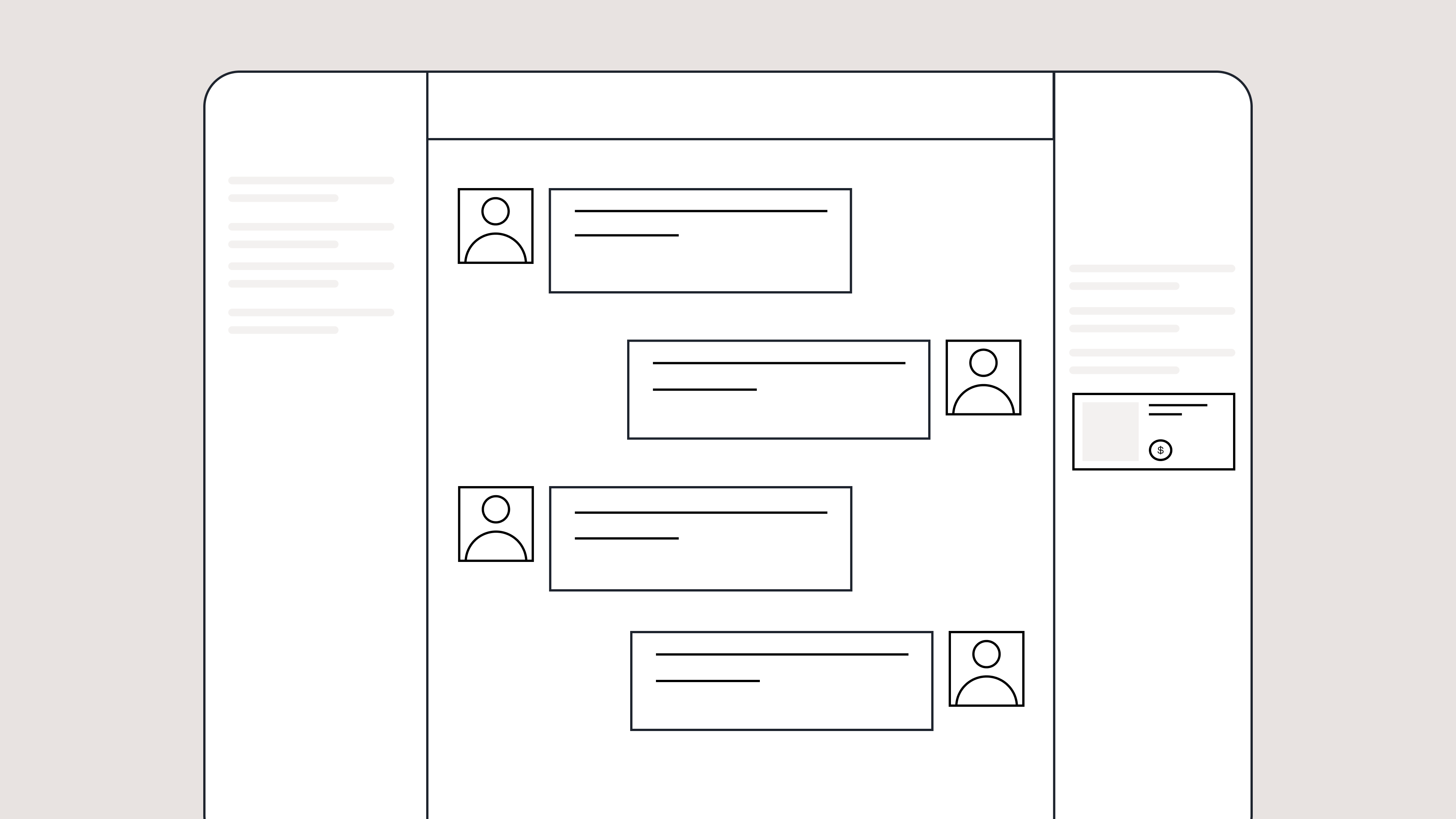
Say goodbye to the 2000s email interface and hello to chat bubbles. This updated design changes how quickly you can orient yourself and resolve the ticket in one go.
Chats with customers now look like real conversations, using the speech bubble style you’re familiar with on popular messaging apps.
Check customer history without losing your place
Checking a customer's history used to mean leaving the conversation, an extra step that interrupted what should have been a smooth workflow.
Now, past conversations open in a sidebar next to the active conversation. You can view a customer’s full history, search through their timeline, and open prior tickets without going to a new page.
Check past conversations, orders, and customer details in the brand-new Customer Timeline.
See order details the moment you open a ticket
Order information is easier to reference than ever. Open a ticket, and you instantly see the customer's recent orders, marked with product images and invoice details at a glance. Need to dig deeper? Click on an order, and the expanded information appears in the same panel.
For teams using custom integrations, apps are fixed in a quick-access integration menu on the right.
See order details, product images, and totals at a glance on the right panel, without leaving the conversation.
Pick up where AI left off
You shouldn't have to dig through a thread to figure out what AI already tried. Now you don't have to.
When AI Agent escalates a conversation, it includes a concise handover summary that mentions the issue, what actions were taken, and why it was passed to your team.
Escalated tickets include a brief AI-generated handover summary, marked in yellow, for quick reference.
Move faster across every store and team
We restructured and simplified the navigation. The left sidebar organizes everything into clear categories: Inbox, AI Agent, Marketing, and Analytics, so anyone on your team knows exactly where to go.
To quickly update your knowledge base or adjust a workflow, both now live right in the sidebar. For teams managing multiple stores, switching between them is just as straightforward, accessible from the sidebar, so agents can move between inboxes without breaking their flow.
Agents can switch between stores and their corresponding inboxes directly from the left menu.
A workspace that works the way agents do
Support comes down to the person on the other end of the conversation. We built Helpdesk 2.0 is to make sure they have everything they need to show up for that moment.
The best way to see the difference is to work in it. Start a free trial today.
Helpdesk automation uses AI and workflow rules to resolve repetitive support tasks like ticket routing, password resets, and order tracking without human intervention
Automating high-volume workflows cuts resolution time, reduces cost per ticket, and frees agents to focus on complex, revenue-driving conversations
Top automation use cases for ecommerce include WISMO inquiries, returns, order edits, product questions, and SLA escalations
AI-powered helpdesks like Gorgias combine chatbots, knowledge bases, rules engines, and skills-based routing to deliver support at scale
Successful implementation starts with identifying your top five most frequent ticket types, building self-service flows, and measuring CSAT, FCR, and deflection rate
Support teams are drowning in repetitive tickets. Order tracking requests, return policy questions, and password resets consume agent capacity despite requiring minimal judgment to resolve. Helpdesk automation solves this by using AI and workflow rules to handle routine inquiries instantly. This frees human agents to focus on complex problems requiring empathy and expertise.
For ecommerce brands, this means faster resolutions, lower costs, and more time to deliver personalized experiences that drive revenue.
This guide covers what helpdesk automation is, how it works, what you can automate, and how to implement it to scale your CX operation without scaling headcount.
{{lead-magnet-1}}
What is helpdesk automation?
Helpdesk automation is a customer service capability that uses AI and workflow rules to resolve repetitive support tasks without human intervention. The system automatically routes tickets, suggests knowledge base articles, triggers chatbot responses, and assigns inquiries based on agent expertise or workload.
Core components include:
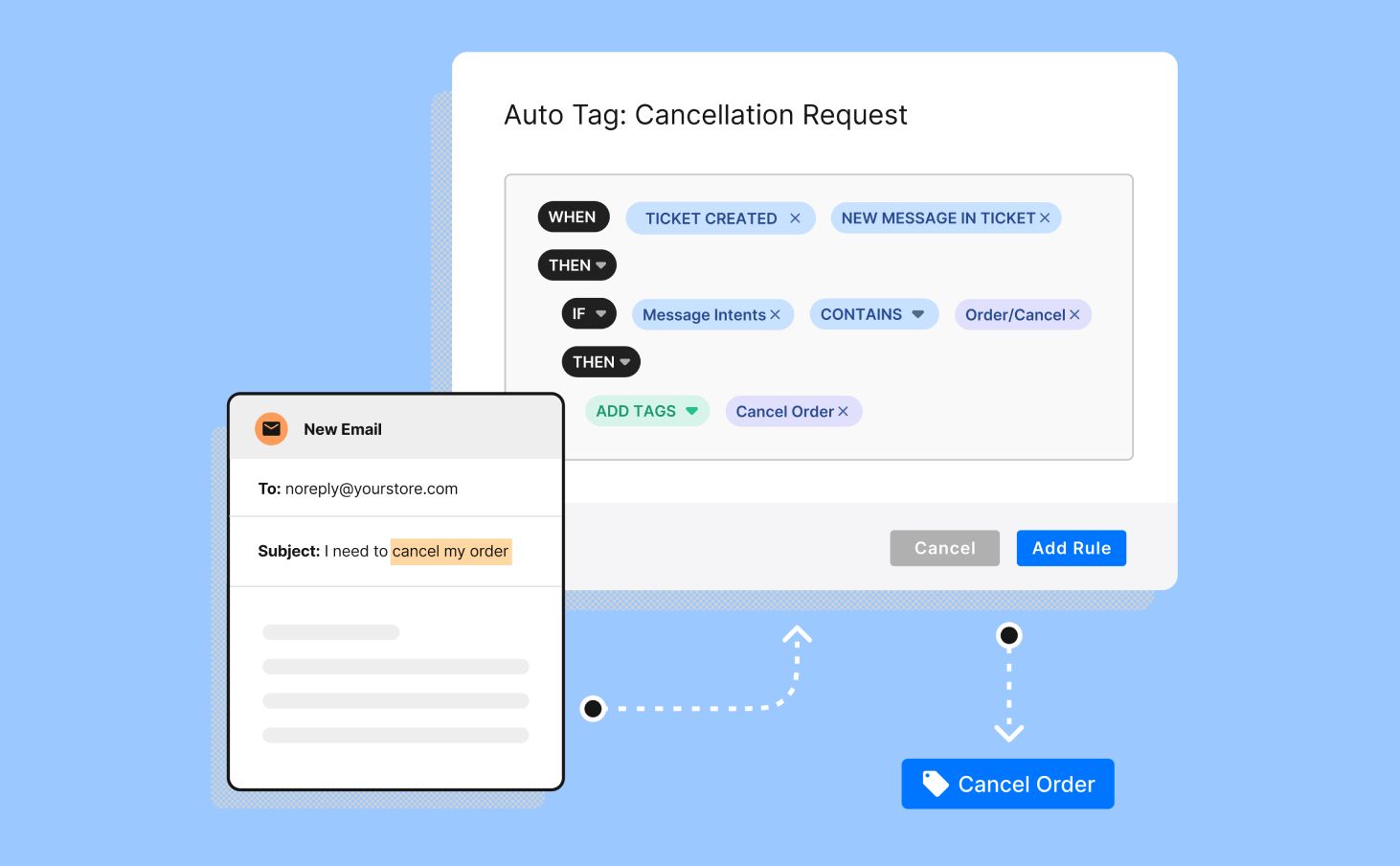
Triggers. Events that activate automation, like a new ticket arriving, a keyword match, or an SLA threshold being reached
Rules. If-then logic that determines what action to take when a trigger fires
Actions. The automated outcome, such as routing a ticket, sending a response, or updating a tag
The Gorgias helpdesk uses these components to automate ecommerce-specific workflows. Features include Rules for automatic ticket organization and routing, Macros for reusable response templates, Flows for multi-step automations, and AI Agent for autonomous actions.
Automation handles predictable, high-volume tasks that follow clear patterns. Manual support handles complex issues requiring judgment, empathy, or creative problem-solving. The goal is to eliminate the work that prevents agents from delivering value.
Helpdesk vs service desk automation
Helpdesks focus on resolving customer issues and break-fix scenarios. Service desks extend this to include asset management, change requests, and ITIL processes. Most modern platforms support both, but the distinction matters for scoping your automation needs.
Where automation fits in ecommerce CX
Automation sits between self-service and human escalation. Customers start with knowledge base articles or chatbot flows. If those don't resolve the issue, automation routes the ticket to the right agent with full context. This layer absorbs routine inquiries while ensuring complex issues reach someone who can help.
Ecommerce teams face high ticket volume, seasonal spikes, and expectations for support. Automation makes it possible to deliver consistent service without proportionally scaling headcount.
How helpdesk automation works
Helpdesk automation follows a three-step flow: a trigger activates, the rules engine evaluates conditions, and the system executes an action. This happens in milliseconds without agent involvement.
The process:
Trigger. A customer sends a message containing "where is my order?"
Rules engine. The system detects the keyword, checks if an order exists, and confirms tracking availability
Action. The system sends an automated response with the tracking link or routes to an agent if the order has an issue
AI enhances this by understanding intent through natural language processing, surfacing relevant help center articles, and suggesting responses that agents can approve or edit before sending.
Triggers and rules engine
Triggers are events that activate automation. Common triggers include new ticket creation, keyword matches, specific customer segments, time-based conditions, and SLA thresholds. Rules use if-then logic to determine the response.
Example: If a ticket contains "refund" and the order is over 30 days old, route to the billing team and tag as high priority. If it's under 30 days, send a macro explaining the return process.
Skills-based routing and auto-assignment
Automation assigns tickets based on agent expertise, current workload, and availability. Round-robin distributes evenly across the team. Least-loaded sends tickets to whoever has the smallest queue. Priority-based routing ensures VIP customers or high-value inquiries reach senior agents first.
Knowledge base and chatbots
Self-service automation uses natural language processing to detect customer intent and surface relevant help center articles. AI chatbots handle common questions through interactive flows. When customers resolve their own issues, tickets never enter the queue. Teams measure this as deflection rate.
Gorgias uses Help Center article recommendations and AI Agent capabilities to deflect routine inquiries while keeping agents available for complex conversations.
Automated analytics track ticket volume trends, SLA compliance, and CSAT scores without manual data pulls. Agent-assist features surface context from past conversations, suggest replies based on similar tickets, and highlight relevant product or order details. This creates a continuous improvement loop where automation gets smarter as you process more tickets.
Benefits of helpdesk automation
Automation delivers measurable impact across three areas: customer experience, agent productivity, and business outcomes. The key is freeing high-skill resources from low-skill work.
Faster responses and higher CSAT
Customers receive instant resolution for simple tickets through chatbots and knowledge base articles. Availability extends beyond business hours. Answers stay consistent across channels and agents. The result is higher customer satisfaction and stronger loyalty because shoppers get help when and how they need it.
Lower AHT and higher FCR
Average handle time (AHT) measures how long it takes to resolve a ticket. First-contact resolution (FCR) tracks whether agents solve issues in one interaction. Automation reduces both by deflecting tier-zero inquiries and surfacing order history, past conversations, and product details when agents do engage. This means fewer back-and-forth exchanges and faster time to resolution.
Cost savings and scalability
Automating repetitive tasks reduces cost per ticket and creates capacity to absorb volume spikes without hiring. This matters during seasonal peaks like Black Friday and Cyber Monday when ticket volume can triple overnight. Teams that automate effectively grow revenue without proportionally growing support costs.
High-impact helpdesk automation use cases
The highest ROI comes from automating your most frequent ticket types. Most ecommerce brands see the same patterns: order tracking, returns, product questions, and account issues make up the majority of support volume.
Ticket intake, triage, and routing
Automation categorizes incoming tickets by keyword, channel, customer segment, or order status, then routes them to the appropriate team. A ticket mentioning "damaged product" gets tagged as a quality issue and routed to fulfillment. A question about sizing goes to the pre-sales team. This eliminates manual sorting and ensures inquiries reach the right person immediately.
In Gorgias, Rules and Views make it easy to set up automatic tagging and routing without technical expertise.
Workload balancing and auto-assignment
Round-robin, least-loaded, and priority-based assignment prevent queue bottlenecks and agent burnout. Automation distributes work evenly while ensuring high-priority tickets get attention first. This improves response times and keeps workload manageable even during peak periods.
SLA alerts, escalations, and follow-ups
Service level agreements (SLAs) define how quickly tickets must be resolved. Automation tracks time-to-first-response and time-to-resolution, sends alerts when tickets approach SLA thresholds, and escalates overdue issues to managers. Follow-up reminders ensure no customer falls through the cracks.
Self-service and deflection (KB, chat)
Knowledge base article suggestions and chatbot flows let customers resolve common questions without contacting support. Automation detects intent and serves relevant content instantly. Deflection rate measures how many tickets automation prevents from entering the queue. Higher deflection means lower agent workload and faster resolutions for issues that do require human help.
Gorgias Help Center and AI Agent automate self-service while maintaining brand voice and product knowledge.
Common ecommerce requests (WISMO, returns, order edits)
Ecommerce support revolves around a few high-volume use cases:
WISMO (where is my order). Automation detects keywords like "shipping" or "tracking," pulls the order number, and sends the tracking link
Returns and exchanges. Chatbots walk customers through eligibility checks, generate return labels, and process refunds based on policy rules
Order cancellations and edits. Automation confirms whether the order has shipped, then either processes the change or routes to fulfillment
Product questions. Knowledge base articles answer sizing, care instructions, and compatibility questions without agent involvement
For example, when a customer asks "where is my order," the system automatically detects the inquiry, retrieves the tracking number from Shopify, and sends a response with the carrier link. No agent touches the ticket unless there's an exception like a lost package.
Topicals used Chat to deflect order-related inquiries and resolved issues without manual intervention.
Helpdesk automation tools and selection criteria
Choosing the right platform depends on your tech stack, support volume, and team structure. Focus on capabilities that eliminate manual work and keep processes simple.
Core capabilities to evaluate
Look for platforms that include:
Omnichannel support. Centralize email, SMS, social media, and chat in one inbox
Rules engine. Build if-then workflows without coding
AI chatbots. Handle FAQs and simple requests through conversational flows
Knowledge base integration. Surface articles based on customer questions
Reporting and analytics. Track CSAT, resolution time, deflection rate, and cost per ticket
The platform should make automation accessible to both support managers and developers.
Integration and data requirements
Ecommerce automation requires real-time access to order data, customer history, and product catalogs. Look for platforms with pre-built integrations to Shopify, BigCommerce, WooCommerce, shipping carriers, and subscription apps. Open APIs enable custom workflows when standard integrations don't cover your use case.
Gorgias connects to the full ecommerce tech stack through its App Store, syncing order details, customer profiles, and loyalty status automatically.
Security, governance, and scalability
Enterprise teams need role-based access control, audit logs, single sign-on, multi-factor authentication, and sandbox environments for testing workflows before deploying to production. The platform should scale with ticket volume without performance degradation or cost spikes.
Implementation best practices
Start small and iterate:
Identify your top five ticket types. Automate what happens most often first
Build your knowledge base. Self-service only works if the content exists
Test in a sandbox. Validate workflows before going live
Train your team. Agents need to understand what's automated and when to override
Measure and iterate. Track deflection rate, CSAT, and resolution time to find gaps
The goal is progress. Automate one workflow, confirm it works, then move to the next.
Track metrics that connect automation to customer satisfaction, agent productivity, and cost efficiency. The key is understanding which workflows deliver the most value.
Time-to-first-response and MTTR
Time-to-first-response (TTFR) measures how quickly customers receive an initial reply. Mean time to resolution (MTTR) tracks how long it takes to fully resolve an issue. Automation reduces both by instantly addressing routine inquiries and routing complex tickets with full context.
CSAT, deflection, and FCR
Customer satisfaction score (CSAT) measures how happy customers are with support interactions. Deflection rate tracks how many tickets are resolved through self-service. First-contact resolution (FCR) measures whether issues are solved in one interaction. Higher automation drives improvements across all three by delivering faster, more accurate answers.
Cost per resolution and ROI
Calculate cost per ticket by dividing total support costs by tickets resolved. Multiply time saved through automation by agent hourly rate to estimate payback period. The framework shows whether automation investment delivers financial return, but avoid getting lost in precision — directional accuracy is enough to make decisions.
Agent productivity and backlog
Track tickets resolved per agent per day and backlog trends over time. Automation should increase throughput while reducing queue size. Agent satisfaction matters too — teams freed from repetitive work report higher morale and lower turnover.
Put automation to work in your ecommerce support operation
You now have a clear picture of how helpdesk automation works, where it delivers the most value, and how to measure its impact. The logical next step is understanding how automation connects to the broader customer experience strategy. You must also learn how to build a support operation that retains customers.
If you're ready to see how Gorgias puts these automation workflows into practice for ecommerce brands, book a demo. We can walk through the platform with your specific use cases in mind.
Key customer service techniques for agents include understanding customer issues, using positive language, thoroughly understanding products, adapting to different communication styles, and setting clear expectations.
Key techniques for support leaders include providing agents with enriched customer data, building a library of templates, specializing agents in specific channels or issues, and training the entire organization to be customer-first.
Gorgias offers features such as automated responses, self-service options, live chat for pre-sales support, and integrations with other tools to enhance customer service.
Amid the barrage of social media ads, email campaigns, and influencer endorsements that consumers navigate weekly, PWC highlights that 73% of people see customer experience as a pivotal factor in their buying decisions.
The techniques today’s customer service teams use are the foundation for those excellent experiences.
Below, learn five key customer service techniques for agents and four for CS leaders.
{{lead-magnet-1}}
9 customer service techniques for agents, leads, and managers
Here are five essential techniques for agents to provide great customer service.
Effective techniques for agents to enhance customer service
To deliver good customer service, agents should first aim to understand customers’ issues at the beginning of each interaction. Then, they can leverage other tactics like reframing statements and setting clear expectations.
1) Get an understanding of the issue before you start the interaction
Every customer service encounter is unique and should be approached with a fresh perspective. Here’s how to make sure you understand the customer’s issue before diving into problem-solving mode:
Active listening: Context is key. Start every conversation by allowing the customer to feel heard by giving them the space to fully express their concerns before making any recommendations.
Review previous interactions: Skim past customer interactions to gain context. Tools like Gorgias streamline this process by integrating data across multiple channels, offering a comprehensive customer history at a glance.
Ask clarifying questions: Politely ask for more details if the customer’s problem isn’t immediately clear.
Avoid assumptions: Never assume you know the issue before the customer fully explains it, even if it seems familiar.
Empathy: Demonstrate understanding and concern for the customer’s issue to empathize with them.
2) Maintain a positive and uplifting tone in your communication
The words we choose in customer service can significantly impact the tone of an interaction.
Psychology professor Albert Mehrabian conducted insightful research on communication and found a fascinating breakdown: only 7% of a message's meaning is derived from the actual words spoken, while a much larger portion, 38%, is understood through tone. Meanwhile, body language proves to be the most influential factor, accounting for 55% of how the message is interpreted.
Since all customer conversations for ecommerce brands happen via chat, email, or on the phone (not face-to-face), agents can’t rely on body language. This means tone of voice becomes even more important for agents to get right.
How can you maintain positive language?
1️⃣ First, avoid negative words: “can't,” “won't,” or “don't” can often be reframed in a positive manner. Swap them for phrases like "I understand," "I'm here to help," and "Let's see what we can do," which are much more reassuring to customers.
2️⃣ Second, aim to be solution-oriented. Focus on potential solutions or next steps rather than dwelling on the problem.
3) Develop a comprehensive knowledge of the products or services
What happens when a recent customer sends an email asking about how to fix a broken part from the product they purchased from you, and your agents don’t know enough about it to help?
Or, if your skincare line recently underwent a formula change that your agents get asked about, but they aren’t sure what was changed and how it alters the performance of your products?
Knowledge of the products you’re selling is critical for accurately informing customers and managing their expectations.
💡 Our recommendation: Encourage a culture of sharing by creating feedback loops across the entire organization. The product team should communicate product details and capabilities, marketing teams should share information about customer behavior, and support teams should share the pain points they hear from customers.
Plus, when one agent learns something new about a product, such as an undocumented use case or a common customer complaint, sharing this insight with fellow agents can enrich everyone with deeper product knowledge.
4) Adapt your communication style to suit different customers
Every customer comes with a unique set of expectations and comfort levels, making flexibility in your communication skills a key skill for customer service agents.
Whether you’re talking on the phone or messaging the customer on Instagram, you can match a customer’s preferred style byrecognizing customer profiles.
Pay attention to cues that suggest how each customer prefers to interact. Some customers are straight to the point, desiring quick, factual information with minimal fuss.
Others might appreciate a more personable and reassuring approach, especially if they're dealing with a stressful issue.
Take it from Deja Jefferson, CX and Consumer Insights Manager at Topicals: “I ensure that customer service provided by Topicals not only exhibits empathy when issues arise but should be seamlessly integrated throughout the entire transaction process. Our priority is to ensure that our customers feel fully supported at every step.”
If you use Gorgias Helpdesk to manage your customer support channels, you’ll easily be able to see historical conversations with customers to give you an idea of their preferred communication style. You can also leverage sentiment detection, a Gorgias feature that automatically detects the tone of voice the customer is using. Using sentiment detection, you can also prioritize support tickets based on customers' urgent needs.
5) Establish clear expectations with customers
Managing customer expectations is a delicate balance. You don’t want to overpromise services, but you also don’t want customers to feel like you aren’t able to help them.
The balance? Be optimistic about solving their issues, but equally crucial not to promise more than can be delivered. Here's how to set realistic expectations:
Be transparent: When a resolution might take some time, communicate this to the customer, providing a realistic timeline. It's better for a customer to be pleasantly surprised by an early resolution than frustrated by a late one.
Keep commitments achievable: Assure the customer that what you know can be delivered within the set constraints.
Follow up: If you've provided a timeframe, check back in with the customer within this period. If there’s a delay, communicate it promptly—customers will appreciate the update even if it's not the news they were hoping for.
Acknowledge limitations: If a request falls outside the scope of what the company can provide or if there are factors beyond your control, it’s better to be upfront about it. Honesty goes a long way in maintaining a respectful and professional relationship with customers.
The truth is, you won't always have the answers customers want to hear. But being clear and honest with them can help them grasp why things are the way they are.
{{lead-magnet-2}}
Techniques for leads and managers
Effective leadership in customer service hinges on empowering agents with the right tools and strategies to excel in their roles.
Considering that 78% of customers will switch to a competitor after multiple bad customer service experiences, it’s important for your team to be well-equipped for success.
Let’s talk about how to do that.
1) Provide agents with enriched customer data
For customer service teams to excel, they require more than just basic customer information. Leads and managers can empower their teams by providing enriched customer data, leading to more personalized and efficient service.
A helpdesk software will make this easy — if it offers a range of integrations. This is an essential feature to look for because you want your helpdesk to mesh with your existing tech stack. Here’s why: agents need access to data beyond a customer’s name. Integrations are the only way a helpdesk can pull in this additional context.
We’re talking about past orders, historical conversations, engagement info, and conversion metrics into comprehensive customer profiles. This will help agents get a holistic view of the customer, paving the way for tailored interactions.
Bonus tip: Beyond your helpdesk, share any feedback you hear from customers with the rest of the team. Integrating your helpdesk with a tool like Slack can make this easy, and it’s one way the Love Wellness team actions quickly on the advice from customers:
“We have a channel in Slack dedicated to customer feedback. Dropping in feedback is part of the team’s daily and weekly responsibilities, which helps them get really familiar with all of the content.
“It also allows our team to dissect them and collaborate on how we can improve. You could also schedule recurring feedback share sessions with the Product or Website teams, or even invite them directly into Gorgias (at no extra cost) and create a dedicated view for product feedback, website feedback, and so on.”
—Amanda Kwasniewicz, VP of CX at Love Wellness
2) Create a library of templates to streamline agent responses
Templates are a big help for customer support teams, especially those who are strapped for time (which, let’s be honest, that’s 99% of them).
Two types to build include:
Standard responses for common queries: Develop and include a set of pre-written answers tailored to frequently asked questions and routine issues. This ensures quick, consistent, and accurate responses to customer queries.
Scenario-specific templates: Different situations call for different responses. Having templates specifically designed for complaints, product inquiries, returns, and other common scenarios can guide agents to handle each situation with the appropriate tone and information.
Gorgias offers dynamic, reusable answers, so your agents can build a template of canned responses for all your FAQs. These are easily accessible for agents to swiftly locate and use when replying to customers.
If you want some tips on how to craft these templated responses, check out this article with tips for responding to frustrated customers for a good start.
3) Specialize agents in specific channels or issues
Just as every customer is unique, so too is every communication channel. Providing specialized training for agents in their chosen channels — be it phone, email, social media, or live chat — ensures they are not just familiar but highly skilled in navigating the nuances of these platforms.
But you can take this one step further by encouraging agents to become connoisseurs of specific product lines or types of issues. This deep dive into a particular area enables them to provide not just answers but insights, elevating the customer experience from good to great.
However, remember that specialization doesn’t mean working in silos. It's still crucial for specialized agents to also have a broad understanding across all areas.
💡 Tip: With Gorgias, you can auto-assign tickets to an agent based on issue or channel. This way, you’re routing tickets to agents who can best help every customer.
4) Promote a customer-first mindset across the entire organization
A tip that we love from Amanda Kwasniewicz at Love Wellness is the idea that to truly excel in customer service, a customer-first mentality needs to be woven into the very fabric of your organization.
This goes beyond the customer service department and includes everyone, from the C-suite to the front lines.
She suggests organizing workshops that paint the picture of the crucial role a customer-centric approach plays in every department. These sessions should highlight how each team member's contributions echo in the symphony of customer satisfaction.
“At Love Wellness, we believe that every single team member plays a vital role in creating a haven of care and understanding. That’s why we created an immersive customer experience training program that involves each and every one of us, including the president of the company and even our office manager!” she said.
Additional resources to support customer service teams
For those who are eager to dive deeper into the world of customer service and sharpen their skills even further, Gorgias offers a treasure trove of resources.
Whether you’re starting from scratch or looking to refine your expertise, these materials are designed to enhance your understanding and execution of top-tier customer service:
Customer Service Terms: A comprehensive glossary to get you fluent in the language of customer service.
Customer Service Phrases: This collection of key phrases can help guide your communication towards more positive and impactful interactions.
Customer Service Skills:An outline of the essential skills every customer service professional should master, for any situation.
Customer Service Tips: A series of actionable tips that can be implemented to improve your customer service delivery immediately.
Customer Service Email Templates: Save time and maintain consistency with a variety of templates that cover common customer service scenarios.
Each of these resources is designed to instruct and inspire your customer service team to exceed expectations and create memorable customer experiences.
Enhance agent support with Gorgias
Exceptional customer service isn't just about the right words; the helpdesk tool you use is equally important to enhance efficiency and deliver exceptional service.
Gorgias is tailored to provide such support with innovative features that streamline your customer service processes. Let’s review a few in detail:
Automate responses with reusable Macros
Macros are pre-scripted customer service templates that accelerate response times by using automation to tackle those repetitive but essential customer inquiries that come in droves. Think of them as pre-made customer service scripts.
Often called ‘empty-calorie tickets,’ queries like “Where is my order?” don't require personalized responses and can be time-consuming if handled manually. Automating responses to these repetitive questions frees your agents to focus on more complex issues.
Here are some other times when Macros help:
Welcome emails: A friendly and informative welcome message can set a positive tone for the customer relationship.
Order status updates: For updates on transactions, shipping, and delivery, a Macro can provide customers with the information they need promptly.
Refund confirmations: When processing refunds, a clear and courteous Macro can assure customers that their request has been handled.
Customer loyalty messages: Keep your loyal customers engaged with updates and rewards information through efficient Macro communication.
Enable customers to find answers themselves
A staggering 88% of customers prefer to find answers independently, according to Statista. This tells us that the modern customer values autonomy, which is why self-service options are key.
Self-service options are resources for customers to get the answers they need without contacting an agent. These include FAQ pages, help centers, chat widgets, and interactive quizzes.
Here’s how each self-service option can benefit you:
FAQ page: Centralizes customers’ most commonly asked questions on one page to prevent your inbox from being filled with the same questions.
Help center: Larger in scope than an FAQ page or contact center, a Help Center is a database of detailed resources like articles and how-to videos to help customers learn more about your brand and product.
Chat: Chat can turn into a self-service option with the implementation of Quick Responses, or preset conversations that can answer customers without a live agent.
Interactive quiz: A fun self-service addition to online stores that carry highly specialized products, like skincare, health supplements, and apparel.
Here’s a great example from BrüMate, which uses a product finder quiz in its customer knowledge base:
Use live chat for pre-sales support
Live chat has become an indispensable tool for connecting with customers in real-time. Some inquiries present a great opportunity to sell a specific product, which Olipop shows here:
Live chat impact on sales and customer satisfaction is notable: 86% of live chat engagements end with a satisfied customer, and adding live chat to your website has been linked to a 12% improvement in conversions.
Gorgias live chat is designed to integrate seamlessly with the leading platforms for ecommerce customer support. It allows you to manage live chat tickets alongside those from email, phone, and social media, providing a unified interface to serve your online customers more effectively.
Chat campaigns can trigger when certain conditions are met (like visiting/dwelling on a certain page or being a repeat shopper). You can hit these targeted shoppers with personalized product recommendations or provide a unique discount code.
To sum it up: You're not only addressing customer needs in real-time with live chat but also creating opportunities to influence purchasing decisions positively.
Integrates your helpdesk with the rest of your tech stack
This extensive range means that Gorgias can likely connect with whatever tools you use to manage your ecommerce business, creating a streamlined workflow for your customer service agents.
The real win with these integrations? They let your agents get super personal with support.
When an agent pulls up a ticket, they’re able to see everything they need to know— past buys, loyalty points, you name it. This means they can give spot-on help that feels really tailored to each customer, cutting down on all that back-and-forth and making the whole experience smoother.
“Having quick access to previous order info in the helpdesk is super convenient and helps us turn our support agents into sales people.”
—Ian Anderson, Operations Manager @ mnml
Boost revenue through improved customer satisfaction
When it comes to turning satisfied customers into sales, Gorgias users are living proof of the potential.
Take Kirby Allison, for instance, who saw a 23% uptick in conversions after automating 30% of their customer support tickets. Or consider TUSHY, influencing a whopping 25% of their sales through Gorgias Convert.
These success stories highlight a clear message: customer service strategy isn’t just about problem-solving but about creating opportunities.
Ready to see the difference a proactive customer-first approach can make for your bottom line? Give Gorgias a try.
Consumers are increasingly multi-screen and multi-channel. From desktop to mobile to tablet, they interact with businesses through Instagram DMs, Facebook Messenger, emails, support chat, and even phone calls.
Though omnichannel customer service lays a valuable foundation, communicating effectively as a brand involves weaving marketing, sales, and customer service into a cohesive omnichannel communication strategy.
An omnichannel communication approach makes it easier to talk to customers in a personal way, helping drive sales and keep customers loyal.
This article explores how centralizing communications offers your team — from marketing and sales reps to support staff — the tools and insights they need for a consistent customer experience.
By doing so, you don’t just react to customer needs; you anticipate them, opening avenues for proactive engagements that positively impact both relationships and revenue.
Omnichannel communication: an overview
Omnichannel communication is a customer-centric approach that integrates different methods of communication and business channels into a unified, seamless experience for prospective and existing customers.
Omnichannel communication goes beyond just offering multiple avenues for customer interaction; it creates a seamless and integrated experience across all touchpoints.
How omnichannel works
Omnichannel communication focuses on three key facets—data unification, fluidity of customer interactions, and data-driven insights. By focusing on these key tenets, omnichannel communication moves beyond being a buzzword to a strategic approach that places the customer at the center of your business operations. This strategy allows retailers to deliver an experience that is consistent, contextually relevant, and highly personalized.
Data unification
Centralizing customer data from various digital channels like email, social media, and in-store interactions enables a more consistent and personalized experience. Also, it serves as the foundation for customer profiles. These profiles are critical for delivering targeted offers, rewards, and personalized service to shoppers.
Fluidity of customer interactions
Customers don't experience channels; they experience your brand. They want to transition effortlessly between online chats, phone calls, and physical visits and have a conversation pick up right where it left off — and the speed difference matters: Gorgias research found that chat is 38 times faster than email on first response and 8 times faster on resolution. This seamlessness is particularly beneficial for ecommerce retailers, who can use these channels to provide real-time updates such as stock availability or order status, enhancing customer satisfaction and reducing friction.
Data-driven insights
Turn data into actionable insights. By analyzing integrated data across platforms, you can discern valuable patterns in customer behavior and preferences, allowing you to continuously refine your marketing strategies and improve the overall shopping experience.
Omnichannel communication moves beyond being a buzzword to a strategic approach that places the customer at the center of your business operations.
Omnichannel communication in action
While the concept sounds promising, how does it manifest for a single brand?
Graza excels at omnichannel communication, offering its customers a seamless and enriched experience across various touchpoints.
Using Gorgias Live Chat, they provide real-time customer support, resolving queries when customer service reps are online. As an alternative, their customer service email channel serves as both a satisfaction tool and a means for personalized marketing, sending targeted offers.
On social media platforms — like Facebook, Twitter, and Instagram — they respond to customer inquiries and engage the community with educational content about their single-origin olive oils.
Graza captures customer emails through Gorgias Chat's offline hours feature.
Graza's Instagram profile
This multi-layered approach ensures that every interaction is not just a transaction but an opportunity to deepen the relationship. The outcome is higher customer satisfaction and increased brand loyalty, leading to repeat purchases and a more robust bottom line.
Omnichannel communication vs. multichannel communication
We’re in a platform renaissance: retailers now have many ways to connect with customers.
However, not all channel strategies are created equal. Understanding the differences between omnichannel and multichannel approaches is critical to developing a communication plan that meets customer expectations.
Data integration sets omnichannel apart
Both omnichannel and multichannel strategies use multiple channels for customer engagement. Omnichannel takes it a step further by integrating data across these platforms. This provides cohesive and personalized customer experiences, rather than fragmented interactions that are often the result of multichannel approaches.
Customer continuity is a hallmark of omnichannel
An omnichannel strategy focuses on offering a seamless customer experience across all touchpoints, whereas multichannel often treats each channel as an isolated silo. This can result in a disjointed and less satisfying journey for customers who hop from one channel to another, asking the same question to different customer service reps.
Instant communication and real-time interaction
Omnichannel doesn’t just collect data; it leverages real-time analytics. This level of insight can drive data-driven decision-making, which is generally absent in multichannel strategies. This makes multichannel less effective for optimizing customer engagement and marketing efforts.
More tech setup for better communication
To make an omnichannel strategy work, you need strong tech systems that bring together data and tasks from different channels. While this may cost more at first compared to simpler multichannel setups, the benefit is happier customers and smoother day-to-day running of your business.
{{lead-magnet-1}}
Different channels to focus on
In the retail landscape, multiple channels connect your brand and your customers. To harness the full power of an omnichannel strategy, you need to focus on integrating different types of customer service and specific channels that offer different advantages for customer engagement.
Selecting the right mix of channels allows you to meet your customers where they are and offer them a consistent and seamless brand experience. Keep in mind that different communication channels have different customer expectations. According to data collected by Gorgias from over 12,000 ecommerce brands, here are the average response times for different communication channels:
Email
Below average: 1 day
Average:12 - 24 hours
Above average: Under 4 hours
Stellar: Under 1 hour
Social media
Below average: 1 day
Average:12 - 24 hours
Above average: Under 4 hours
Stellar: Under 15 minutes
SMS
Below average: 1 hour
Average: 10 minutes
Above average: Under 5 minutes
Stellar: Under 1 minute
Live chat
Below average: 1 hour
Average: 10 minutes
Above average: Under 5 minutes
Stellar: Under 1 minute
With that in mind, here are some channels to consider including in your own omnichannel communications strategy:
Email
Email remains a powerful tool for businesses to speak to customers, allowing for targeted marketing campaigns tailored to specific customer segments. Personalized follow-up emails are also critical for nurturing long-term customer relationships and encouraging repeat purchases.
SMS
SMS is an increasingly effective channel for businesses, offering real-time customer engagement. Targeted SMS campaigns can reach specific customer groups with timely offers and updates, while personalized follow-up messages help sustain long-term relationships and promote repeat business.
Social media
Platforms like Facebook and Instagram facilitate immediate customer engagement and provide a wealth of data on customer preferences and behavior. This data can be integrated into your larger omnichannel strategy to refine marketing campaigns and product offerings.
Live chat
Live chat offers real-time, on-site customer support, which can drastically improve conversion rates. Resolving customer queries and concerns in real time removes barriers to purchase and enhances customer satisfaction.
Mobile app
A dedicated mobile app can be a hub for personalized promotions and a streamlined shopping experience. A well-designed app can significantly boost customer engagement, build loyalty, and even integrate with your in-store experiences.
In-store experience
Physical stores are not just about sales; they offer tactile and immediate experiences that are challenging to replicate online. They also provide opportunities for cross-promotion with online channels, making a thoughtful in-store experience a vital part of a cohesive omnichannel strategy.
Phone support
Even in the digital age, phone support retains its value. According to a report, 43% of consumers favor non-digital customer service methods, such as in-person consultations or phone calls. Many customers prefer the immediacy and personal touch of voice support, especially for resolving complex queries or deciding about high-ticket items.
The impact that an omnichannel strategy can have on your company
Implementing an omnichannel strategy has far-reaching implications for your business, affecting everything from customer engagement to your bottom line. Here, we delve into how this integrated approach can drive revenue, increase customer loyalty, and offer other pivotal advantages for your ecommerce business.
Boost brand awareness and reach
A solid omnichannel strategy amplifies brand awareness by offering unified messaging across all customer touchpoints, whether social media, email, or in-store interactions.
This consistency strengthens brand recognition and facilitates customer engagement as they know what to expect from your brand. This multi-pronged strategy, leveraging both digital and traditional channels, ensures you’re where your customers are.
Parade, an undergarment brand committed to comfort and inclusivity, maintains a solid social media presence that includes customer support on platforms like Instagram and Facebook. Using Gorgias tools, Parade offers customers a seamless omnichannel communication experience.
Parade integrates their Facebook messages to Gorgias for a smooth omnichannel experience.
Drive more revenue
Omnichannel communication isn’t just about convenience — it’s a revenue multiplier. Customers who feel understood and valued across all touchpoints are more likely to become repeat buyers. This is achieved by harnessing data for personalization and ensuring consistent, real-time communication. Here’s how:
Personalized offers. Tailoring offers to individual customer behavior increases both engagement and spending.
Seamless interaction. Providing consistent and timely responses across channels boosts customer trust and satisfaction, further fueling revenue growth.
Earning customer loyalty is about creating brand advocates through consistently exceeding expectations. Exceeding expectations across all channels fosters a sense of reliability and trust in your brand. Here’s how:
Brand credibility. By delivering a consistent and high-quality experience across all touchpoints, your brand becomes a trusted name that customers gravitate back to.
Immediate support. Real-time support minimizes customer wait times and leads to higher satisfaction and positive reviews.
Enhanced loyalty programs. Managing loyalty programs with unified data allows tailored rewards based on individual customer behavior, increasing lifetime value.
Bychari boosts brand trust through omnichannel communication
BYCHARI is a luxury jewelry brand established in 2012, known for its unique and modern handmade pieces designed for women who desire luxury while appreciating simplicity. The brand excels in omnichannel communication, offering a variety of customer touchpoints, including a contact form, live chat powered by Gorgias, calls, and emails.
To empower customers 24/7, especially when live support is unavailable, BYCHARI also provides self-service options like comprehensive FAQs, and uses Gorgias Flows to automate tasks such as order tracking and management.
BYCHARI’s contact page includes a contact form and Gorgias Chat.
Optimize marketing efficiency
Centralized data and analytics make your marketing campaigns smarter and more efficient. When you understand your customers’ behaviors and preference across channels, your targeting becomes dynamic and your messaging more personalized. Here’s how:
Clearer ROI tracking. Aggregating data from multiple channels into one dashboard sharpens your view of ROI, enabling quicker strategy adjustments.
Channel-specific insights. Detailed analytics help pinpoint which channels are driving customer conversion and engagement more effectively.
Efficient personalization. Using cross-channel data, both customer service and marketing teams can tailor their interactions, saving time while boosting customer engagement.
Enhance customer data analysis
A holistic view of customer data from multiple touchpoints uncovers insights that can drive quick, informed decisions. This rich data not only refines marketing efforts but also helps product teams tailor their offerings. Here’s how:
Actionable insights. Integrated analytics convert behavioral patterns into actionable tactics for sales and marketing adjustments.
Improved customer segmentation. Comprehensive data allows for more precise customer categorization, enabling highly targeted campaigns.
Maximized impact. This granular level of data enhances the effectiveness of each customer interaction, contributing to long-term business success.
How to create an omnichannel communication strategy
An omnichannel communication strategy can transform customer engagement and drive meaningful business results. This section will guide you through the essential steps for crafting a practical omnichannel approach that aligns with your retail goals.
1) Measure engagement across channels
Understanding your customer’s journey begins with measuring engagement across multiple channels. Use analytics tools to capture key metrics such as click-through rates and time spent on various pages, providing a quantitative foundation for your omnichannel communication strategy. By comparing these performance metrics, you gain insights into which channels are most effective in capturing and holding customer attention.
While these analytics can offer a comprehensive view of customer activity on marketing platforms, don’t overlook support channels. Platforms like Gorgias can measure engagement metrics within customer support, supplementing your overall data collection. Gorgias Support Performance serves as a control center for tracking key metrics such as ticket volume and agent activity, offering actionable insights to improve customer experience and measure engagement across various platforms.
Combining this support data with your broader analytics will provide a fuller understanding of customer engagement, equipping you to refine your omnichannel strategy.
2) Focus on brand voice and values in employee training
Employee training ensures that your omnichannel communication strategy reflects your brand’s voice and values. Developing a robust employee training program can instill these crucial elements in all customer-facing personnel, setting the stage for consistent brand representation. Real-life scenarios can serve as effective teaching tools, guiding employees on maintaining branding consistency during interactions, whether via email, social media, or SMS.
Given that companies evolve, your training materials must keep pace with any shifts in brand messaging or objectives. Regular updates to these resources can help your support team adapt to changes and continue to offer an aligned and cohesive customer experience across all touch points.
Don’t miss our article on customer service training, which provides 15 valuable activities your team can try to improve customer interactions.
3) Centralize customer data
When creating an effective omnichannel communication strategy, the importance of centralizing customer data can’t be overstated. A CRM system aggregating customer information from various touch points into one database is invaluable. It brings together disparate data and provides an integrated view of customer interactions, helping your team make data-driven decisions.
To realize the full potential of this centralized approach, ensure your CRM seamlessly integrates with all communication channels your company uses, enabling real-time data updates. Data from customer support platforms like Gorgias can then be merged with the information in your CRM, enhancing the quality and depth of the customer profiles that drive your omnichannel strategy.
4) Foster interdepartmental collaboration
Effective omnichannel communication necessitates collaboration that extends beyond the confines of individual departments. One approach is to conduct regular cross-departmental meetings where teams can share and discuss customer data insights. This guarantees everyone is on the same page about customer behaviors and needs, contributing to a holistic customer engagement strategy.
All departments should be aligned to respond more cohesively to customer needs. Amanda Kwasniewicz, the VP of Customer Experience at Love Wellness, ensures that her team collaborates broadly by having an internal communication channel for discussing customer concerns.
“We have a channel in Slack dedicated to customer feedback,” she says. “Dropping in feedback is part of the team’s daily and weekly responsibilities, which helps them get familiar with the content. It also allows our team to dissect them and collaborate on how we can improve.”
Establish a feedback loop, particularly with customer service, to continually share frequently encountered customer issues and trends. This feedback can catalyze improving products, services, and customer communication strategies.
5) Deliver personalized messages on customers’ channels of choice
Elevate your omnichannel strategy by tailoring your communications to the specific channels your customers prefer. Leveraging your centralized customer data, identify which channels—email, social media, or in-app notifications—are most effective for reaching your audience. Then, craft personalized messages that are not generic but informed by customer behavior and past interactions.
Continuously monitor how well personalized customer service resonates with your customers by tracking engagement metrics such as click-through and open rates. Equally important is collecting and analyzing customer feedback to understand the qualitative impact of your efforts. Based on these insights, make necessary adjustments to your messaging strategy, ensuring it remains aligned with customer preferences and behavior.
6) Harness automation to interact with customers 24/7
According to a report from Statista, 88% of consumers anticipate that brands will offer self-service support options. Automation is vital for maintaining a 24/7 connection with your customers. Implement chatbots on your website and social media channels to answer frequently asked questions immediately, enhancing user experience and satisfaction through proactive customer service.
Employ customer experience automation tools like Gorgias Automate to configure automated Flows for common customer queries. Fable, a brand dedicated to elevating dining experiences with premium dinnerware, utilizes Automate to provide round-the-clock customer service. Their automated flows are designed to swiftly answer common customer queries, such as active discounts and return procedures, ensuring customers can always find the information they need.
Fable uses Gorgias Quick Responses in their chat widget to provide automatic answers to the most common customer questions.
Create an omnichannel customer experience with Gorgias
Despite the benefits of a unified approach to customer communication, a 2022 report found that only 12% of digital platforms are “highly integrated.” Gorgias can be your key partner in achieving an omnichannel communication strategy, offering core helpdesk capabilities designed to seamlessly integrate customer interactions across multiple channels. Gorgias ensures that you meet and exceed customer expectations while driving revenue.
Data enrichment for agents communicating with customers
Gorgias equips agents with enriched customer profiles, pooling data from different channels — including social media, voice, and SMS — to provide context during interactions. This feature allows for quicker, more accurate support, as agents don’t have to switch between each communication platform to gather customer history.
A centralized hub to manage customer interactions
Gorgias is a one-stop hub, consolidating communications from email, chat, social media, and more, enabling easier management and response. The centralized system facilitates proactive support, which can directly impact sales by addressing customer concerns before they abandon their shopping carts.
Tools to customize branding in different channels
Gorgias allows you to maintain consistent branding by customizing the look and feel of your customer support channels. This ensures that no matter the channel, customers always have a uniform omnichannel experience that reinforces brand identity and trust.
Cupcakes and Cashmere, founded by Emily Schuman in 2017, has gained a devoted following for its curated jewelry, loungewear, and home goods. To extend this trust and cohesiveness into customer support, the brand uses Gorgias, its chat widget color-matched to the brand’s palette, ensuring a visually seamless and engaging user experience across its website.
Cupcakes and Cashmere streamlines the chat experience by coordinating the Gorgias chat widget with their brand's colors.
Explore Gorgias for omnichannel communication solutions
If you’re focused on streamlining customer interactions across various channels, consider exploring what Gorgias offers. With features that centralize communication, enrich agent information, and ensure brand consistency, Gorgias aims to make the omnichannel communication strategy more manageable and effective for ecommerce retailers.
Take a closer look to see how these capabilities could fit into your existing operations and customer engagement efforts. To learn more about Gorgias, book your demo today.
To maximize email as a support channel, use it as a stepping stone to faster channels.
Email allows for longer, more detailed responses and is accessible on all devices.
To effectively use email, use contact forms instead of listing an email address, funnel customers to faster channels when possible, prioritize tickets by topic and urgency, use templates for consistency, enrich emails with customer and order information, and supplement emails with self-service resources.
As of June 2022, 64% of US customers prefer email when contacting brands, so it's clear why email is a mainstay in customer support programs. Even still, the Internet's snail mail can sometimes translate to a slow and negative experience.
So, how do you maximize email as a customer service channel? You use it as a stepping stone to point customers to faster support channels.
Email is simply the medium; the resources are your answer. From including Help Center articles in your emails to replacing a raw mailto link with a user-friendly contact form, we'll present plenty of ways to transform email into an efficient support channel.
The good and bad of email as a customer service channel
Like all channels, email has its benefits and weaknesses, but you can't rely on it alone. Here's what you can expect from email as a customer service channel.
The good 👍
Email is a commonly preferred channel for customers
It would be unwise to skip offering email support when more than half of customers prefer it over social media. Email support provides a vital bridge to connect with customers, especially if you're a DTC business that can't engage with your shoppers in person.
Email allows for longer, more detailed responses to inquiries
Email can illustrate solutions for customers with embedded links, images, and attachments — something instant channels like social media DMs and SMS would handle with more difficulty.
Email is accessible
If you have a digital footprint, email is almost always a requirement. You need it when creating a new account or when contacting people. It's even accessible on all devices. Email's prevalence means customers will expect online stores to offer email support at the very least.
The bad 👎
Email tends to be a slower channel
The average first response time for email is 7 hours and 34 minutes. And the cost of slow email goes beyond wait time: Gorgias Ecom Lab research found that email handoffs resolve in 32 hours and abandon 30% of the time, compared to just 8 hours and 13% abandonment on chat. While most people tolerate how slow email is, it still doesn't make for the best customer service experience. Urgent customer questions about product defects or bank account issues require rapid responses that other channels are better suited for.
Email inquiries can be challenging to categorize and prioritize
Email allows for more creative liberty than other messaging channels but also has downsides. Since customers are free to format their own subject lines and messages, the responsibility of sorting through your inbox is on your agents.
The problem here isn't just about maintaining a clean workspace but ensuring urgent messages like angry customer emails aren't overlooked due to a messy inbox.
How to use email as part of your customer support program
Support teams often feel their inbox is an obstacle course rife with concerned customers and a flood of recurring questions. Luckily, there's a solution: use a customer service helpdesk that can consolidate email and other support tickets to keep your inbox and support team at bay.
Here's how to effectively use email as a support channel with a helpdesk like Gorgias.
Don't list an email address — use contact forms instead
Why? To maintain organization 🗂️ and increase service quality ✨
Plainly leaving your email address on your contact page can be intimidating for customers. What should they put in the subject line? Will they actually get a reply back? Since this contact method has practically no guidelines, you'll want to set parameters to make reaching out more approachable.
How? Do away with a raw email link and use a contact form. Contact forms provide structure to emails. Thanks to step-by-step guidance through drop-down menus and required fields, you can sort emails even before they reach you.
💡 Tip: We recommend that merchants don't direct customers to an email address for support. Instead, use a contact form to intake email support. Contact forms are superior because messages get structural data that helps customer service agents categorize and prioritize incoming tickets.
Don’t forget that you can start an interaction in email and move to a different channel. After all, 46% of customers expect a response time of 4 hours or less, and if switching support channels is the key to providing faster service, then go for it.
How? Let’s say a panicked customer wants to reverse duplicate charges on their credit card ASAP. This interaction could take multiple back and forths spanning several business days. Instead, you can reap the benefits of voice support, SMS or WhatsApp by directing them to your phone number.
“Being able to organize and divert tickets internally, having a good FAQ, making sure that you're actually solving the problems instead of putting band-aids on them, all goes into [reducing] resolution time.” — Zoe Kahn, Manager of CX & Retention at Chomps
Prioritize tickets by topic and urgency
Why? To maintain organization 🗂️ and increase customer retention 🤝
A common customer service mistake is treating tickets on a first-come-first-serve basis. In reality, this can lead to more unhappy customers because some tickets are less urgent than others. This is where prioritization can be effective.
How? First, categorize incoming tickets with Gorgias Rules and Tags. Do this by determining the conditions for which tickets should be tagged with an “Urgent” tag. For example, emails containing the word “cancel” will be tagged “Urgent.” Now your most high-value tickets will be solved and your loyal customers won’t need to worry.
You can set up a Gorgias Rule to detect emails about order cancellations and automatically tag them as “Cancel Order.”
How to prioritize unsatisfied customers: Set up a Rule to identify and auto-tag customer complaints as Urgent so you can turn their day around with exceptional customer service.
Use templates to create a consistent standard of service
Why? To increase service quality ✨ and enforce brand voice 🗣️
Being an advocate for personalized customer service doesn’t mean automation needs to be off limits. In fact, automation can and should be your best friend.
By automating customer service, response times are reduced and service quality is standardized. Automation can also capture data from customer interactions, letting support teams make data-driven improvements to their operations.
How? Use Macros (pre-written sample emails) to immediately answer questions about common topics, such as shipping information, return policies, and product-specific questions. Macros are a convenient way to compose professional messages, like customer apology emails, while allowing agents to add a personal touch.
Why? To increase customer satisfaction 👍 and service quality ✨
The biggest challenge about sending emails as a business is striking a balance between valuable and bothersome. It’s not only about crafting attractive promotional emails, but making even the most mundane “Your order has shipped!” emails pop with purpose.
How? Integrate your ecommerce platform of choice, whether it’s Shopify, BigCommerce, or Magento (Adobe Commerce), with Gorgias. You can view customer information from your chosen platform in the Customer Sidebar and extract the data to automatically populate emails.
Create a Macro for order status emails that includes a customer’s Shopify data like tracking number and URL.
Supplement emails with self-service resources
Why? To increase customer satisfaction score 👍 and reduce ticket volume 🔻
In ecommerce, a self-service resource is any resource that answers customer issues without talking to an agent. They include a Help Center (or knowledge base), FAQs, or automated chat widgets.
How? Create a Help Center with linkable articles that can be inserted into customer support emails. This is especially useful for new customers who may want to ask several frequently asked questions. A Help Center effectively acts as technical support, while freeing up agents to deal with more unique tickets.
The beauty brand, Glamnetic, created a Help Center full of articles that customer service reps can link to in their emails.
Tip: A successful customer support program should maximize self-service options to minimize manual effort.
Metrics to track your email performance
How well are you serving your customers through email? The answer lies in measuring how quickly you accomplish support tasks like opening and closing a ticket. But it's not only about speed. Tracking metrics is invaluable for troubleshooting gaps in your customer service operations.
Here are three metrics that can shed a light on how well your customer support team is using email.
Average first response time
Average first response time is the average time it takes for your customer service team to send the first response to a customer after receiving a request.
🔻 What slows it down: Inadequate staffing, lack of automation, and poor prioritization
➕ How to improve it: Use automation like Rules, Tags, Macros, and more self-service options
Average resolution time
Average resolution time refers to the average amount of time it takes to resolve or address a specific issue or request, typically measured in hours or days.
🔻 What slows it down: Inefficient process, disorganized inbox, and complex issues
➕ How to improve it: Reroute tickets to faster channels like voice, and build self-service options like a Help Center
First contact resolution rate
First contact resolution rate or FCR rate measures the rate of resolving a customer inquiry within the first interaction. An excellent FCR rate indicates that your support team is well-trained to be able to solve issues efficiently.
➕ How to improve it: Add more self-service options, ensure agents are given complete information on product/service knowledge and resolution techniques
[Callout] How to calculate FCR: Total number of requests resolved with one interaction in a single time period / the total number of requests in the same time period
Manage email — and all your other channels — with Gorgias
Email is stronger when combined with other channels — no one knows this better than multitasking expert Gorgias.
As a powerful helpdesk tool, Gorgias offers omnichannel support and powerful automation features like Macros and Rules that make managing email effortless. You can even supercharge Gorgias with integrations to ecommerce apps like Shopify, Yotpo, and Shipbob to keep you focused on delivering support without distractions.
Ready to bring in a crowd of happy customers? Book a demo now.
Conversational customer service replaces tickets with real-time conversations. Customers get instant help through chat, messaging, social media, or voice instead of waiting for email or phone responses.
AI automates repetitive inquiries. It can answer common questions like order status, shipping, or returns while agents focus on complex issues.
Conversational AI understands questions and retrieves real data. It connects to systems like ecommerce platforms and help centers to provide accurate answers and complete actions.
The result is faster support and more efficient teams. Brands can provide 24/7 assistance, improve customer satisfaction, and scale support without increasing headcount.
Customers expect instant answers, but most support teams are still working through ticket queues.
If your team is constantly answering the same questions about orders, shipping, and returns, it becomes harder to keep response times low and customer satisfaction high.
Conversational customer service offers a different approach. Instead of forcing customers to wait in support queues, brands can resolve common questions instantly while giving agents more time to focus on complex issues.
This guide explains what conversational customer service is, how it works, and how support teams can implement it right away.
{{lead-magnet-1}}
What is conversational customer service?
Conversational customer service is a support approach that helps customers through real-time conversations across channels like live chat, SMS, social media, and messaging apps.
Instead of submitting a ticket and waiting hours for a reply, customers can ask questions and get immediate answers through natural dialogue. These conversations may be handled by AI, human agents, or a combination of both.
The goal is to make support feel as natural as talking to a store associate.
For ecommerce brands, conversational customer service typically helps customers:
Check order status without logging into their account
Start returns or exchanges through a simple chat conversation
Get product recommendations based on preferences or past purchases
Resolve shipping issues without waiting for email responses
What makes customer service “conversational”
Conversational support is different from traditional ticket-based support because it focuses on real-time dialogue rather than delayed responses.
Its differentiators are:
Real-time answers: Customers receive help instantly instead of waiting in a queue
Natural language interactions: Customers ask questions the same way they would ask a person
Context-aware conversations: Systems remember previous messages and customer data
Omnichannel support: Conversations happen across chat, messaging, social, and voice
Example of conversational customer service
A shopper opens chat and asks: “Where is my order?”
A conversational support system can instantly:
Identify the customer
Pull their order details
Respond with the tracking status
If the customer asks a follow-up like “Can I change the delivery address?”, the system understands the context and either updates the order or routes the conversation to an agent with full history.
How conversational customer service relates to conversational AI and CX
Conversational customer service is one part of a broader customer experience strategy.
To understand how these ideas connect, it helps to think of them as three layers:
Layer
What it means
Customer experience (CX)
The full journey a customer has with your brand
Conversational customer service
The support interactions within that journey
Conversational AI
The technology that powers automated conversations
In practice, conversational AI enables conversational customer service, which improves the overall customer experience.
For ecommerce brands, this connection shows up in everyday interactions like:
Order support: Providing instant updates on shipping or delivery
Post-purchase help: Managing returns, exchanges, or product issues
Because these conversations happen in real time, they connect support with the rest of the customer journey.
Instead of treating support as a separate function, conversational systems allow brands to assist customers during discovery, purchase, and post-purchase moments — all within the same conversation.
Conversational vs. traditional customer service
The main differences between conversational and traditional customer service come down to speed, scalability, and customer experience:
Speed: Customers receive answers instantly instead of waiting in ticket queues
Convenience: Support happens in familiar channels like chat, SMS, and social messaging
Scalability: AI handles repetitive questions while agents focus on complex issues
Context: Systems use order history and past interactions to personalize responses
Traditional support models rely on tickets while conversational customer service replaces this with real-time conversation threads.
Feature
Traditional customer service
Conversational customer service
Availability
Business hours
24/7 support
Response time
Minutes to days
Seconds
Personalization
Limited to agent knowledge
Uses full customer context and history
Channels
Phone and email
Chat, SMS, social, messaging, voice
Agent efficiency
One conversation at a time
AI handles repetitive questions
Scalability
Requires hiring more agents
Handles many conversations simultaneously
How conversational AI works in customer service
Conversational AI helps automate customer support by understanding questions, retrieving the right information, and responding in real time.
Behind the scenes, the system follows a simple process.
1. The system understands the customer’s message
When a customer sends a message, the AI analyzes the text to determine what the customer wants.
It identifies:
Intent: what the customer is trying to do (track an order, start a return, ask about a product)
Key details: order numbers, product names, dates, or locations
Sentiment: whether the customer sounds neutral, confused, or frustrated
2. The system retrieves the right information
To generate accurate responses, conversational AI pulls data from the systems that store customer and order information.
For ecommerce brands, the most important connection is the ecommerce platform itself, such as Shopify. This is where the system retrieves real-time customer and order data.
For example, when a customer asks “Where is my order?”, the AI can instantly retrieve the order record and provide the latest tracking update.
3. The system generates a response
Using the retrieved information, the AI generates a natural language response.
For example, if a customer asks about their order status, the system can pull tracking data and respond instantly.
If the customer asks follow-up questions, the AI maintains context so the conversation continues naturally.
This reduces friction for customers and resolves issues faster without requiring agent involvement.
5. The system escalates when needed
Not every request should be automated. When the AI detects complex issues or customer frustration, it escalates the conversation to a human agent.
The agent receives:
The full conversation history
Customer details and order data
Any actions already taken by the AI
This allows the agent to step in without asking the customer to repeat information.
Continuous improvement over time
Conversational AI improves as it processes more interactions.
When agents take over conversations or customers provide feedback, that data helps refine the system. Over time, the AI becomes better at understanding customer questions and resolving common issues automatically.
Benefits of conversational customer service
Conversational customer service improves both the customer experience and support operations.
Key benefits include:
Faster resolutions: Customers get answers instantly instead of waiting in queues
Higher agent efficiency: AI handles repetitive questions so agents can focus on complex issues
More personalized support: Conversations use customer data and order history for context
Lower support costs: Automation allows teams to handle more volume without increasing headcount
24/7 support and faster resolutions
Conversational AI allows brands to provide support around the clock.
Customers receive answers in seconds instead of waiting for email replies or sitting in phone queues. Common requests like order tracking, return policies, and shipping questions can be resolved immediately.
Agent efficiency and deflection
Most ecommerce support tickets fall into predictable categories such as:
Conversational AI resolves these repetitive questions automatically, allowing agents to focus on complex issues and high-value conversations.
Personalization and higher CSAT
Conversational systems can access customer data such as order history, previous conversations, and product preferences.
This context allows the system to deliver more relevant answers and recommendations, improving customer satisfaction.
Cost reduction and scalability
Traditional support scales linearly: more tickets require more agents.
Conversational customer service allows automation to handle large volumes of routine inquiries, helping teams support more customers without increasing headcount.
Tools that power conversational customer service
Conversational customer service is powered by several AI technologies that work together to understand requests, retrieve information, and execute actions.
Technology
What it does
Example uses
AI chatbots
Handle text-based customer questions using natural language
Answer shipping questions, explain return policies, provide product details
AI agents
Go beyond answering questions to take actions on behalf of customers
Enables natural voice conversations through phone support
Customers can speak their request instead of navigating phone menus
Conversational IVR
Routes phone inquiries using natural language instead of numeric menus
Direct callers to the right support team or resolve simple requests
Together, these technologies allow brands to automate routine support interactions while escalating complex issues to human agents.
Channels for conversational customer service
Conversational customer service happens across the channels customers already use to communicate.
Common support channels include:
Website live chat: Real-time conversations directly on the storefront
Messaging and SMS: Ongoing support through text or apps like WhatsApp
Social media: Responding to customer questions on platforms like Instagram or Facebook
Phone support: Voice conversations powered by AI or human agents
Customers may start a conversation on one channel and continue it on another. Conversational systems maintain context across these channels so interactions remain continuous.
Conversational customer service examples
Conversational customer service is used to automate routine support requests while helping customers complete common tasks quickly.
Here are some of the most common use cases.
Order status inquiries (WISMO)
“Where is my order?” is one of the most common ecommerce support requests.
Conversational systems can instantly retrieve order data from the ecommerce platform and provide real-time updates.
Typical actions include:
Providing tracking information
Sharing delivery estimates
Sending tracking links
Notifying customers about delays
Returns and exchanges
Customers often contact support to start returns or exchanges.
Conversational systems can guide customers through the process step-by-step and initiate the return automatically.
Common tasks include:
Starting a return request
Generating return labels
Checking eligibility based on policy
Processing exchanges for different sizes or products
Product questions and recommendations
Many shoppers ask questions before making a purchase.
Conversational support can help customers find the right product by answering questions and recommending options.
Customers frequently ask about shipping costs, delivery timelines, or international shipping options.
Conversational systems can answer these questions instantly using information from the help center or shipping policies.
Examples include:
Explaining shipping methods
Providing delivery estimates
Clarifying international shipping options
Answering customs or duty questions
Best practices for conversational customer service
Effective conversational customer service depends on how well automation and human support work together.
Enable human handoff
Automation should recognize when a request requires human expertise. When escalation happens, the agent should receive the full conversation history along with relevant customer and order information so the customer does not have to repeat themselves.
Train AI on your brand voice and policies
Conversational AI should reflect your brand’s tone and follow your support policies. Training the system on help center content, past support conversations, and internal documentation helps ensure responses remain accurate and consistent.
Monitor performance and optimize continuously
Conversational systems improve through regular monitoring and iteration. Reviewing conversation transcripts and tracking metrics like CSAT, deflection rate, and resolution time helps teams identify gaps and refine responses over time.
How to implement conversational customer service
Implementing conversational customer service works best when teams start small, prove value, and expand over time. The following steps provide a practical approach.
1. Start with your highest-volume inquiries
Begin by identifying the questions your team answers most often, such as order status, shipping timelines, or return policies. These repetitive inquiries are the easiest to automate and deliver quick wins.
2. Connect AI to your ecommerce platform and knowledge base
Conversational systems need access to real customer and order data to provide accurate responses. Connecting the AI to your ecommerce platform, help center, and customer records allows it to answer questions and complete actions using real information.
3. Define escalation and automation rules
Not every request should be automated. Establish clear rules for when the AI should resolve an issue automatically and when it should escalate the conversation to a human agent.
4. Test before expanding
Launch conversational support with a limited set of use cases or channels first. Monitoring early conversations helps identify gaps and refine responses before expanding automation to more scenarios.
What to look for in a conversational customer service platform
Not all conversational AI platforms are built for ecommerce support. When evaluating solutions, look for capabilities that allow the system to access customer data, resolve requests accurately, and integrate with your support workflows.
Use this checklist to guide your evaluation:
Ecommerce platform integrations: The system should connect directly to platforms like Shopify to retrieve order details, customer accounts, and purchase history in real time.
Knowledge base grounding: AI responses should be based on your help center and documentation to ensure answers are accurate and aligned with your policies.
No-code configuration: Support teams should be able to update workflows, responses, and automation rules without relying on engineering resources.
Brand voice customization: The platform should allow you to control tone, terminology, and response style so conversations reflect your brand.
Analytics and reporting: Visibility into metrics like deflection rate, CSAT, and common inquiries helps teams measure performance and improve automation over time.
Human handoff: When automation cannot resolve an issue, the conversation should transfer to an agent with full context and conversation history.
Ready to bring conversational customer service to your support team?
Gorgias helps ecommerce brands do exactly that. Our platform combines a helpdesk built for ecommerce with conversational AI that can automate routine inquiries, surface customer context for agents, and support customers across every channel. Book a demo to see how it works.
Customer experience automation (CXA) can enhance revenue and increase customer satisfaction.
CXA platforms convert manual tasks into automatic processes, improving customer service operations.
Implementing CXA improves ROI, resolves issues faster, and delivers personalized experiences at scale.
Real-world examples show how automation can improve customer experience and boost conversions.
The thought of automating repetitive customer service tasks has likely crossed your mind. But often, that consideration is followed by a train of concerns: Will automation eliminate personal touch?Will it reduce the quality of customer service? Will it replace human agents?
In reality, customer service automation (CXA) can enhance your revenue and increase customer satisfaction.
Read on to learn more about CXA and get four easy ways to automate. We'll also share a story of how one company successfully implemented CXA and gained 23% more conversions.
{{lead-magnet-1}}
What is customer experience automation (CXA)?
Customer experience automation (CXA) refers to the process of automating and enhancing the interactions that customers have with a business. It involves using automation tools like a helpdesk, Macros, Rules, and artificial intelligence to automate various aspects of customer engagement, from pre-sales and support to the post-purchase stage.
What is a customer experience automation platform?
A customer experience automation platform is a tool that can convert manual customer experience tasks into automatic processes. CXA platforms aim to alleviate the workload of human customer service agents while optimizing customer service operations.
Gorgias, for instance, is a leading example of a CXA platform, offering a wide range of powerful features, such as:
Efficient ticket triage
Automated responses across various channels
Automated order management
Automated emails
Smart Article Recommendations via Chat and email
Powerful integrations with ecommerce platforms
The impact that CXA can have on your customer experience (and bottom line)
Implementing CXA is not just about lightening your team's workload, it's a transformative strategy that greatly influences how customers interact with and perceive your brand. CXA ensures that your team can focus on more intricate interactions, resulting in an improved ROI, increased customer loyalty, and offering personalized experiences at scale.
Improve ROI for your support & experience teams
Customer service agents who have poor impressions of their companies say they don’t have all the tools they need to do their job. Factors like clunky software and insufficient training and processes all contribute to their experience, which, in turn, affects the overall customer experience.
The solution is to equip agents with powerful tools, like CXA, that will make their jobs easier and your customers’ experiences more enjoyable. Automation and an improved customer service ROI go hand in hand, leading to faster and more profitable customer experiences.
Help customers resolve issues faster
One of the immediate benefits of CXA is faster resolution times. With automation handling routine tasks like resolving where is my order (WISMO) requests and answering pre-sales questions, agents have more time to attend to complex support tickets and meet customer expectations with precise answers.
Deliver more personalized experiences at scale
Most automation skeptics fear losing the human touch once you bring automation into the picture. However, the reality is quite the opposite. A comprehensive CXA strategy allows support teams to express their brand voice and personality through adjustable features like pre-written templates or Macros. If your CXA platform restricts you from customizing default responses, you should find a tool that can adapt to you and your customers.
CXA in action: 4 easy ways to use automation to improve the customer experience
Now that we've covered the theory, it's time for your support team to implement CXA. Below are the top four ways to quickly incorporate customer experience automation using Gorgias Automate. We'll provide details on each feature, offer tips to get the most out of them, and showcase examples of how these strategies have worked for actual merchants.
1) Use Quick Responses to give customers instant answers to simple questions
Quick Responses are predefined replies automatically triggered when customers ask specific questions in Chat.
When to use: For teams who receive a daily flow of frequently asked questions that require them to copy and paste the same responses.
Activate Order Management in Chat by going to Automate -> Channels.
Tips:
Quick Responses are best for answering FAQs that have straightforward answers and don’t need elaborate explanations
Infuse your brand messaging and vocabulary into your Quick Responses to maintain natural interactions with shoppers
Always provide a route back to live support channels through email, live chat, phone, SMS, or social media in case customers need more assistance
Real-world results: The stationery company Ohh Deer achieved an impressive average 4.95 CSAT score and generated about $12,500 per quarter after implementing Gorgias Chat alone.
2) Use Tags and Rules to organize and prioritize customer tickets
Take advantage of efficient ticket triage by using Tags and Rules to ensure the most important tickets are addressed and complex tickets are routed to your most knowledgeable agents.
When to use: If urgent tickets (billing issues, product defects, and inquiries from returning customers) are getting buried in your inbox, you have a low retention rate, a high churn rate, or your inbox is disorganized.
This Rule tags tickets from less than two days ago with an “Urgent Order Edit” tag if the message contains the keywords “order/change,” “change,” or “edit.”
Tips:
Create “Urgent” and “Not Urgent” Tags to establish a streamlined prioritization process for agents to follow
Use Rules to direct complex tickets to more experienced agents so you avoid compromising resolution times and customer satisfaction
Create a Rule to remind agents to follow up on customers who have recently contacted your contact center
Real-world results: Drinkware brand BrüMate cut down their first response time from 5 hours to 1 minute and 30 seconds and drove $9M in revenue after they made use of Chat Campaigns and a Help Center (Gorgias’s customer knowledge base).
Colin Waters, BrüMate’s former Associate Director of Customer Experience, highlights that organizing Tags and Macros by their proper names keeps team onboarding running smoothly. He adds, “I'm very steady with naming conventions. I mean, my team must hate it. But anybody could come in and figure out what it all means without having a doctorate in CX."
3) Automate the order management, tracking, and returns process
Order management, including order creation, tracking, returns, and exchanges, is one of the aspects of customer service that is best suited to automation because of its repetitive nature.
When to use: If you get an influx of WISMO tickets and/or return-related inquiries in your inbox or need to streamline your order workflow.
With Gorgias Automate, customers can track, return, and cancel their orders within Chat.
Tips:
Enable tracking, returning, and canceling in Chat to allow customers to quickly check their orders
Automate order status notification emails to trigger after hitting milestones in the entire customer journey, such as order confirmations, order delivery, and post-purchase customer feedback requests
Integrate Loop Returns with Gorgias to automate your returns process and create a returns portal
Real-world results:Jaxxon includes their Return Policy in Chat via Quick Responses and maintains an easily accessible Return Portal. By maximizing their self-service resources, they brought in a staggering 46% more in revenue.
Jaxxon makes their return policy easy to find by adding a Quick Response for it in Chat.
4) Use AI to recommend Help Center articles
Your articles shouldn’t only be found in your Help Center; make the most out of your resources by sharing them on multiple channels like Chat and email. Making your articles widespread gains you two benefits: an educated customer base and faster resolution times.
When to use: If you have a high return rate and negative customer reviews or sense a lack of understanding from your customers about your product.
You can create Chat Campaigns to educate browsing shoppers and direct them to a product quiz or Help Center articles.
Tips:
Insert Help Center articles into customer communications to build anticipation and proactively address issues
Create Chat Campaigns to automate the customer education process, offering targeted information and support
Scenarios where you can use chat campaigns: holidays and limited-time offers, for customers browsing high-value products, at checkout to reduce cart abandonment
Real-world results: After creating Chat Campaigns that displayed welcome discounts and toilet compatibility checkers to shoppers, TUSHY achieved an impressive 25% increase in revenue and improved customer satisfaction. They also brought their bounce rate down by 37%.
Success story: How Kirby Allison boosted conversions by 23% with CXA
If the previous real-world examples weren’t enough to convince you about automation’s integral role in CX, here’s another success story.
Kirby Allison, a luxury garment care business, struggled to handle a growing volume of repetitive and time-consuming tasks. Surviving on a minuscule two-person customer support team, they were drowning in tickets outside business hours.
Once they enlisted the help of Automate, it was a weight off their shoulders. Gorgias’s multifunctional Chat provided 24/7 support with Quick Responses, self-service Order Management, and Article Recommendations.
Immediately, Kirby Allison saw a 46% increase in sales, a 23% increase in conversions, and drastically reduced response times.
If you want to make huge successes easy wins — take the first step towards transforming your customer service and book a Gorgias Automate demo today.
It’s true that a great customer experience is key to winning happy customers — but to keep a pulse on customer satisfaction, you need to dig a little deeper.
To understand the quality of a customer’s experience with your brand, you need to track Customer Effort Score (CES). This metric lets you evaluate your customer service efforts by tracking the level of effort a shopper must exert to fix an issue with your customer support team.
In this article, you’ll learn exactly how to track and monitor CES, as well as how to optimize your support strategy to minimize customer effort as much as possible.
{{lead-magnet-1}}
What is Customer Effort Score (CES)?
Customer Effort Score (CES) is a way ecommerce brands can accurately measure how much effort a customer has to exert in order to interact with your support resources.
This metric is relevant to any interaction a shopper might have that touches your customer support strategy, like:
Talking with a rep through Live Chat
Navigating a return
Answering tricky product questions
Canceling an order in progress
The easiest way to measure customer effort score is by sending customers a survey after their interaction with customer success ends. In this survey, ask them to rate their service experience on a 1-10 point scale.
We’ll dive into the details behind how to create a survey to measure the amount of effort your customers take shortly.
Why customer effort is the key to customer loyalty
No shopper wants a high-effort experience. According to The Effortless Experience, 96% of high-effort customer experiences drive a customer to be disloyal to your brand — making retention nearly impossible.
Clearly, it's worth the effort to make life a little easier for your customers — doing so will convince many of them to shop with your brand again.
When you calculate your customer effort score, you’re able to keep a pulse on exactly what it takes to create seamless experiences that lead to increased loyalty. The metric is a strong predictor of customer retention and can help identify pain points in your customer support strategy.
A quick-start guide to measuring CES with surveys
As we mentioned earlier, you can measure customer effort by sending customers a customer effort survey.
In this survey, customers are asked to rate their experience with customer support on a Likert scale from “less effort” to “a lot of effort”.
Let’s walk step-by-step through how to build a CES survey and how to send them to your customers. Then, we’ll look at how to interpret results once you’ve compiled enough data.
When to send a CES survey
You can send a CES survey immediately after any customer interaction, like post-purchase.
To zoom in even more on customer effort, consider only sending a CES survey once a shopper has a service interaction with your support strategy, like chatting with a live agent, visiting a self-service portal, or clicking through an interactive FAQ page.
This way, you’re able to get an accurate idea of how easy, or how frustrating, your support touchpoints are.
How to create a CES survey
A CES survey typically has one simple question that asks, “How easy was it to solve your problem today?”
Every brand tracks responses a little differently, using a scaled system. Here’s a few examples of different kinds of scales you can choose from:
Word-based scale
A word-based scale lets respondents share their experience by choosing a word or phrase ranging from “very easy” to “very difficult.”
Sentiment scale
A sentiment scale gives customers the option to share their experience using angry, happy, or sad faces to depict the emotion they felt while seeking support from your brand.
Numerical scale
A numerical scale lets customers share their experience using a scale of 1 to any number of your choosing. Some brands like a scale of 1 to 10, while others prefer scales of 1 to 5.
No matter what thresholds you set, 1 should always be the lowest, meaning the worst, and your end number should be the highest, meaning the best.
It's important to note that no option is better than another. The survey type you choose all depends on your shop’s needs.
Some brands might also ask an open-ended question as a follow-up so customers can share specific details about their experience.
You can send a CES survey question through email, SMS, or a similar channel to customers who recently reached out to your support team.
Of course, you can send a customer effort score question manually, but it takes precious time away from your reps who are busy handling active tickets. Automating the process means your agents can focus on more meaningful work, like following up with disgruntled shoppers.
Gorgias integrates with Delighted to provide easy-to-use survey templates to automatically distribute customer surveys, including for CES. Once a customer makes a purchase, it triggers Gorgias to automatically send a customer effort score survey to that customer.
How to calculate your CES score
Like many other customer service metrics, you want to calculate your average CES in order to get a snapshot view of how most customers perceive their experience with your support resources.
If you want to calculate customer effort manually, start by tracking response data from your CES surveys over a given period of time.
The timeframe all depends on your goals. You can look at a month, quarter, half-year, etc. Ultimately, it's more important to be consistent with the timeframes you measure. That way, you can accurately track how your CES changes over time.
Once you’ve collected enough data, plug it into this simple formula:
Divide the number of customers who agree the interaction was easy by the total number of responses.
To put it in actual numbers, if 100 people responded to your CES survey, and the total sum of their scores amounts to 800, that means your CES score is 8 (out of 10).
What drives a high CES?
Like most other customer service metrics, there is no such thing as a standardized “perfect” benchmark for customer effort.
That’s because it all goes back to your brand and its goals. What makes sense for your customer effort might not translate to another ecommerce shop.
As a general rule of thumb, when it comes to CES you want your score to be as high as possible.
A high CES shows that your support strategy is clear cut and that customers have to exert minimal effort to have their problems resolved. Conversely, a low CES means customers find their experiences with your support resources arduous — putting your brand at risk of a high churn rate.
The best way to drive a high CES is to provide a painless and straightforward experience. If your CES isn’t quite as high as you’d like it to be, start by asking yourself these questions:
How many touchpoints did the customer have before their issue was resolved?
How long did it take for an agent to respond to a customer ticket?
Are all your links up-to-date for important self-service options like a knowledge base, forum, or FAQ?
Do you agents have access to the resources they need to make well-informed decisions?
From there, you can look into ways to optimize your support strategy to boost your customer effort score.
How to improve your Customer Effort Score
To improve your customer effort score, you need to build pathways to make it as easy as possible for customers to find the answers they’re looking for. That means decreasing the number of steps it takes for a customer to complete a task and optimizing your first response time.
Clearly, it’s worth the effort to optimize your customer experience.
Let’s look at some of the easiest ways ecommerce brands can lower their CES using functions commonly found in helpdesks.
1) Build out a thorough knowledge base
A knowledge base is a portal, of sorts. It connects your shoppers to both sales and customer service so they can make an empowered purchasing decision.
The beauty of a knowledge base is that is goes way beyond just a static library of articles.
BrüMate's Help Center is a learning environment where customers can go to in-depth knowledge about their products.
2) Lean on self-service
Customers might not reach out to your agents immediately.
Offering more self-service options also means you can deflect low-priority tickets so your agents can focus on solving more challenging customer issues.
We’ve already discussed a popular self-service option: knowledge bases. Here are some other examples of what customer self-service might look like:
FAQ page: Answer your customers’ most frequently asked questions with key information like operating hours, product availability, pricing, return policy, basic troubleshooting, and more.
Forums: Build community among your shoppers and encourage them to talk to each other about their experiences so that they can empower themselves to resolve low-effort problems.
On-demand webinars: Educate your customers with step-by-step tutorials about your brand’s products. Record webinars so that you can publish them as evergreen content on your website for customers to access anytime.
In-product tutorials: Give customers step-by-step instructions in the moment its needed. In-product tutorials are effective at helping customers get value out of your product quickly.
3) Harness automation
Many of the tickets your agents handle are repetitive.
Sure, tracking a customer’s order is important, but automation can handle these kinds of straightforward questions for your team.
In customer service, automation likely won’t replace your hardworking support reps. Rather, automation can work with your teams to improve workflows and optimize communication with your customers by tackling redundant manual work.
4) Auto-prioritize tickets to reduce response times
Assigning ticket priorities is a best practice to empower your team to become more efficient. But you could spend all day on this task alone.
Ticket prioritization is another useful form of automation, assigning low-, medium-, and high-value to every incoming request. This way, your team can handle the higher-priority issues first.
Macros are another form of automation that optimize a customer support team’s workflow.
Macros are pre-written, automatic responses to incoming customer requests.
Gorgias Macros automatically pull customer data into your messages, like name, order number, and shipping addresses. This makes for a more efficient conversation and helps customers get to a resolution with minimal effort for both the customer and the agent.
Other important customer experience metrics to consider
Customer effort is a big slice of the pie when it comes to monitoring your customer experience, but it can’t show the whole picture on its own.
We recommend bolstering your CES efforts with additional metrics in order to add helpful context to your customer support strategy.
Plus, it gives you a better look into the customer’s journey, so you can see how shoppers experience your brand — and give you ideas for how to boost satisfaction and drive loyalty.
Customer Satisfaction (CSAT)
Customer satisfaction score (CSAT) is a metric to measure your customer base’s level of satisfaction with their experience.
The metric is one of the most important measurements your support team can track. Satisfied customers are the key to unlock loyalty, reviews, and referrals, along with returning customers that boost revenue for your brand.
With Gorgias, you can automatically send a customer satisfaction survey after each interaction with customer support:
Net Promoter Score (NPS)
Net Promoter Score (NPS) is a commonly tracked metric that lets you learn how likely your customers are to recommend your brand to their friends and family.
This metric likely correlates closely with your CES. A customer who has had a great experience is likely to want to hype you up to their networks, versus a customer who had to put in a ton of effort to resolve an issue.
If you optimize your NPS, there’s a good chance your CES will also improve — which can lead to more repeat customers and a boost in customer loyalty.
Ecommerce Churn Rate
Ecommerce churn rate is the percentage of lost customers your business sees over a given period of time.
This metric is similar to Customer Churn Rate (CCR), which is typically measured by SaaS or subscription-based B2B companies. These companies can easily see when a customer cancels their subscription, making this data easy to monitor.
Ecommerce, or online stores, can measure churn rate by looking at negative customer feedback, like a high CES, in order to identify customers at risk for churn.
Gorgias: Your ecommerce helpdesk to lower Customer Effort Score
A helpdesk like Gorgias has the power to immediately optimize your customer service team — which, as we’ve learned, directly impacts the effort a customer has to exert with your brand.
Because Gorgias has purpose-built automation features like Chat, Macros, and ticket prioritization, it can empower your customers to find a resolution to their problems as fast as possible.
Your first priority as a customer service manager should ensure fast, consistent, high-quality support.
However, good customer service management can be very complex, requiring technical skills and an understanding of many interconnected operational tasks. Strong people and team management skills are the foundation for success.
In this guide, you’ll learn customer service management and how to improve as a leader. Here’s everything we cover below:
Customer service management is the role of running a customer service team in a way that ensures customer satisfaction, loyalty, and long-term retention.
This involves various tasks, from hiring agents to ensuring everyone on the team has the necessary tools and resources to do their job.
We can organize these tasks into two broad categories:
People and team management, which we’ll discuss in the next section.
Operational management and optimization, which we’ll discuss later in this guide.
What is customer service team management?
Customer service team management is the collection of actions the customer service manager takes to consistently enable agents to perform their job well. This can include a whole range of activities, including:
Training them on how to deal with different customer inquiries
Setting standards for individual agents and the team as a whole
Providing regular feedback and constructive criticism when necessary
Establishing targets, metrics, and KPIs for the customer service team and analyzing agents’ performance based on them
What a smoothly functioning customer service team looks like
As a customer service manager, most of the success of the customer service team rests on you. It’s your job to build the team and the rules, systems, and guidelines agents will use daily.
A helpful starting point is to learn what a smoothly functioning customer support team should look like. This will help you lay the foundation for effective customer service management.
Easy interdepartmental communication
As with all other team activities, internal communication is the key to success. In a good customer service operation, agents are ready to communicate and have the tools to do so.
For example, Slack, Microsoft Teams, and other chat and video conferencing software should always be available for real-time communication in urgent situations. Asynchronous communication methods like email should be encouraged in other cases.
As a manager, it’s your job to set clear rules around communication methods in different situations (e.g., no real-time calls where an asynchronous email or Slack message will do). Good communication rules can guarantee that everyone values their colleagues' time and attention.
Clearly defined workflows
A good customer service manager ensures each agent knows:
How to handle common inquiries, e.g., where to look for information, when to escalate the issue, etc.
What to do in abnormal situations.
What’s expected of them in terms of response and resolution times.
The key here is that agents should have this information before they need it.
💡 Tip: Build a detailed hub of all the essential documents and information your agents need. This can include your customer service policy, refund and return policies, escalation rules, video walkthroughs of challenging situations, and much more.
“Remember, you can't pour from an empty cup –– taking care of yourself is beneficial for you and crucial for your ability to support your customers effectively.” - Eli Weiss, CX Unlocked
Low stress and less risk of burnout
High-stress environments and burnout are all too familiar in customer service. This often stems from understaffing, poor training, or confusing workflows.
Eli Weiss provides a few great tips for avoiding burnout in his CX Unlocked Guidebook:
Practice mindfulness. Train your team to recognize when they’re starting to feel frustrated. That might look like realizing when a customer’s harsh tone is beginning to bother them, taking a moment, and responding calmly (rather than acting on impulse).
Create and respect boundaries. Designate “work-free” zones in your life. These could be certain hours of the day, specific locations, or even mental spaces.
Celebrate every win, no matter how small. Boost morale and motivation by reminding your team how amazing they're doing.
Performance tied to specific KPIs
A big part of customer service management is evaluating your team’s performance. The only way to do that fairly is to use specific, measurable key performance metrics (KPIs). This ensures you’re evaluating agents objectively, giving them clarity and goals to aim for.
For example, response and resolution times are two of the most critical metrics for any support team. Keeping them consistently low shows a well-managed, prepared, appropriately trained team. It also shows that there are enough agents to handle the incoming inquiries.
The better your agents’ time management skills, the faster their response and resolution times will be. As a manager, you can help your team prioritize tickets and reduce the time spent on repetitive tasks with automation (likeRules) and pre-made template resources (like Macros).
Also, remember that while industry-standard KPIs are helpful, you shouldn’t use them just because other organizations do so. All KPIs should be tailored to your customer service and business goals — whether that’s higher customer satisfaction, better customer engagement, more revenue, higher on-site conversion rates, or anything else.
Five most important tips for first-time customer service managers
First-time managers can easily find themselves overloaded with information about customer service management. So, we’ve gathered five essential tips to help you get started.
1) Put your team first
This doesn’t just mean monitoring agents’ performance. It means being there for them when they need you, whether it’s about work or their personal lives. Team members must know they can count on you when it matters.
That’s also why regular 1:1s are essential. They allow you to check in on everyone and detect potential problems early on.
2) Don’t neglect customer self-service
Customer self-service combines technology and resources, allowing current and new customers to resolve issues independently. For example, FAQ pages, articles, videos, self-service chatbot flows, and other resources can help massively reduce repetitive support tickets.
Besides being beneficial for your agents, offering self-service is a must for customers. According to Statista, 88% of customers in the US expect companies to provide a self-service support portal.
3) Fill the valleys before creating the peaks
Eli quotes this tip from The Power of Moments by Dan and Chip Heath in his guidebook.
The premise? Focus on finding and fixing the problems your customers face before trying to wow them with exceptional customer service experiences. That way, you’re laying a good foundation for your customer service strategy.
Any customer journey has its low points (i.e., valleys). You can identify these with data analytics or customer feedback. Once you’ve addressed the problems, you can move on to creating the “peaks” that form a truly memorable experience and build customer loyalty.
4) Give agents the techniques, tools, and guidance they need for success
Agents can’t be expected to do their job well without the necessary resources. As their manager, it’s your job to give them:
Clear and specific standards and goals, like each customer service channel's expected response and resolution times (if you take an omnichannel approach).
Extensive training materials during their onboarding,like articles, videos, workshops, webinars, and more. These should be tailored to each team since call center agents will need different institutions for handling customer requests than ones providing support via written communication channels like email or SMS.
Regular feedback,like how well they’re performing, their strengths, and where they can improve.
5) Analyze results and base decisions on reliable data
Customer service is ultimately about people, which makes it easy to let subjective opinions affect your judgment. However, accurate data is a much more reliable gauge of how your team is performing.
It allows you to avoid biases and enables key outcomes like customer satisfaction, loyalty, and retention to guide your decisions. We’ll explore some key metrics that can help you in this regard below.
How to measure your customer service team’s performance
Below, we’re keeping things simple by focusing on three key ways to gauge your team’s performance.
Tie support tickets to revenue
The best way to get buy-in from stakeholders for your customer service program is to prove its impact on business outcomes. That’s why it’s a good idea to track metrics related to revenue, including:
This will help you prove customer service ROI and get buy-in for future new hires, software, or training.
Get direct customer feedback
Support interactions can massively impact customers’ overall experience with your brand. It’s crucial to keep a pulse on your customers’ opinions of them, especially since people who rate their experience with a company as very good are 94% more likely to buy again, according to Qualtrics.
You can do this by running regular customer satisfaction surveys. For example, you can run a quick, low-friction survey by asking customers, “On a scale from 1 to 5, how satisfied are you with your experience today?”.
Taking the total number of 4- or 5-star responses, dividing it by the total number of responses, and multiplying the result by 100 will give you a customer satisfaction (CSAT) score — a key metric for measuring support performance.
Source: Gorgias
Track key customer service performance metrics
You can use many quantifiable metrics to gauge your team’s performance. Here are some of the most widely used ones:
First response time (FRT) is the time that elapses between a customer's question and your team’s initial response. Aim to keep FRT as short as possible, especially on real-time channels like live chat and SMS.
Resolution time is the amount of time a customer spends interacting with a business’s customer support, helpdesk, or customer service team before their issue is solved. Like with FRT, the lower your resolution times, the better.
Support performance score, which represents the overall performance of your team (or an individual agent). This unique metric we developed for our in-house team at Gorgias combines average first response time, average resolution time, and CSAT. The result is a score between 1 and 5, representing the team’s (or an individual agent’s) performance.
Source: Gorgias
Like with CSAT scores, Gorgias can track these metrics for you and give you a more nuanced view of them. For example, you can use our software to analyze average resolution time by channels, agents, time frames, and more.
Source: Gorgias
Four essential tools and resources for customer service managers
1) Helpdesk
Helpdesks are platforms that help manage all of your customer service interactions. Collaborate on managing, organizing, responding to, and reporting on customer tickets. Or, set up automation for key processes like ticket prioritization.
For example, Gorgias can enable your team to:
Manage tickets. This can include simple actions like closing, assigning, and resolving tickets. It can also involve more complex automation around ticket tagging, categorizing, and more.
Centralize customer communications from multiple channels — like email, SMS, social media, WhatsApp, and live chat. This can drastically simplify agents’ workflows by giving them a unified view of all customer interactions and relevant customer data in one place, so they don’t have to constantly switch between tabs.
Implement proactive customer service. For example, your agents can proactively contact customers via a live chat widget to walk them through the purchase process. They can even automate this process and trigger a live chat only in certain situations, e.g., when customers reach specific cart values or linger on a purchase page.
Source: Gorgias
Track key metrics and measure support performance. Gorgias can help you monitor response and resolution times, open and closed tickets, CSAT scores, and more.
Source: Gorgias
2) Self-service tools
Customer self-service combines technology and resources that let customers resolve issues independently.
Self-service is great for your support team and your customers because:
Agents don’t have to deal with as many repetitive tickets, which reduces their stress and ensures their focus is on high-value activities.
Customers don’t have to wait for a response from a live agent.
Common self-service resources include:
Frequently asked questions (FAQ) pages. One of the simplest resources to create, FAQ pages provide straightforward answers to customer questions. These pages are often grouped together so customers can find what they need by browsing categories or using a search function, as shown in the example below.
Source: Steve Madden
Knowledge bases. These interactive portals make it easy for customers to find answers before making a purchase and help them troubleshoot any possible issues afterward. Process Polly’s knowledge base is a good example here — it’s well-organized, helpful, and consistent with the overall brand.
Source: Princess Polly
Self-service flows. Good self-service flows can help you deflect up to a third of all tickets. They’re projected to save companies $11 billion this year. For example, Gorgias’ self-service flows let you create multistep automated responses to customer questions without engaging an agent.
Source: Gorgias
3) Customer service policies and SLAs
Customer service policies and service level agreements (SLAs) are among the first documents new agents should learn.
A customer service policy is an internal document containing your customer service team's fundamental guidelines, rules, and standards. It includes steps for handling common workflows (e.g., refund or return requests), ticket prioritization rules, and standards for response and resolution times.
An SLA is an external document that defines the expected service level between your business and your customers. SLAs contain information about your support team’s working hours and their expected response and resolution times on different channels.
Without these documents, customer service agents can’t be expected to do their job well. That’s why ensuring they’re detailed, well-written, and included in each agent’s mandatory training is essential.
4) Practical courses and other training materials
All agents need a solid foundation of knowledge before they can start resolving problems quickly and consistently.
The specific training topics will differ depending on your business. However, most support courses and training should cover:
In-depth product knowledge. All agents should be experts in what your business is selling.
Policy and process knowledge, like how to handle return requests, when to grant refunds, and what to do when customers ask for an exchange.
Customer service tools used in your company, like your helpdesk software, live chat, customer relationship management (CRM) system, and so on.
Tone of voice, phrases to avoid, and other brand-related considerations.
Technical skills, like following internal escalation rules.
Source: Gorgias
Become a better customer service manager with specialized training (and Gorgias)
As you can see, a lot goes into being a good customer service manager. This guide will give you a good foundation for success in your journey, and you can get even more valuable tips in:
The CX Unlocked Guidebook by Eli Weiss. Eli is known for his work around customer experience and retention at DTC brands like OLIPOP and Jones Road Beauty. This book will give you his first-hand experience and help you become a better customer service manager.
These 19 best customer service certifications. In this article, you’ll find 19 customer service certifications for different use cases, including certifications for helpdesks, leadership, call center service, and more.
The support leader’s guide to customer service training. This guide will walk you through the basics of customer service training and show you 15 practical training activities to try with your team.
Finally, Gorgias can be your centralized customer service software that lays the foundation for a successful customer service management strategy. Our software can help your agents prioritize tickets, save time with automation, drive revenue with proactive customer service, and much more.

.png)